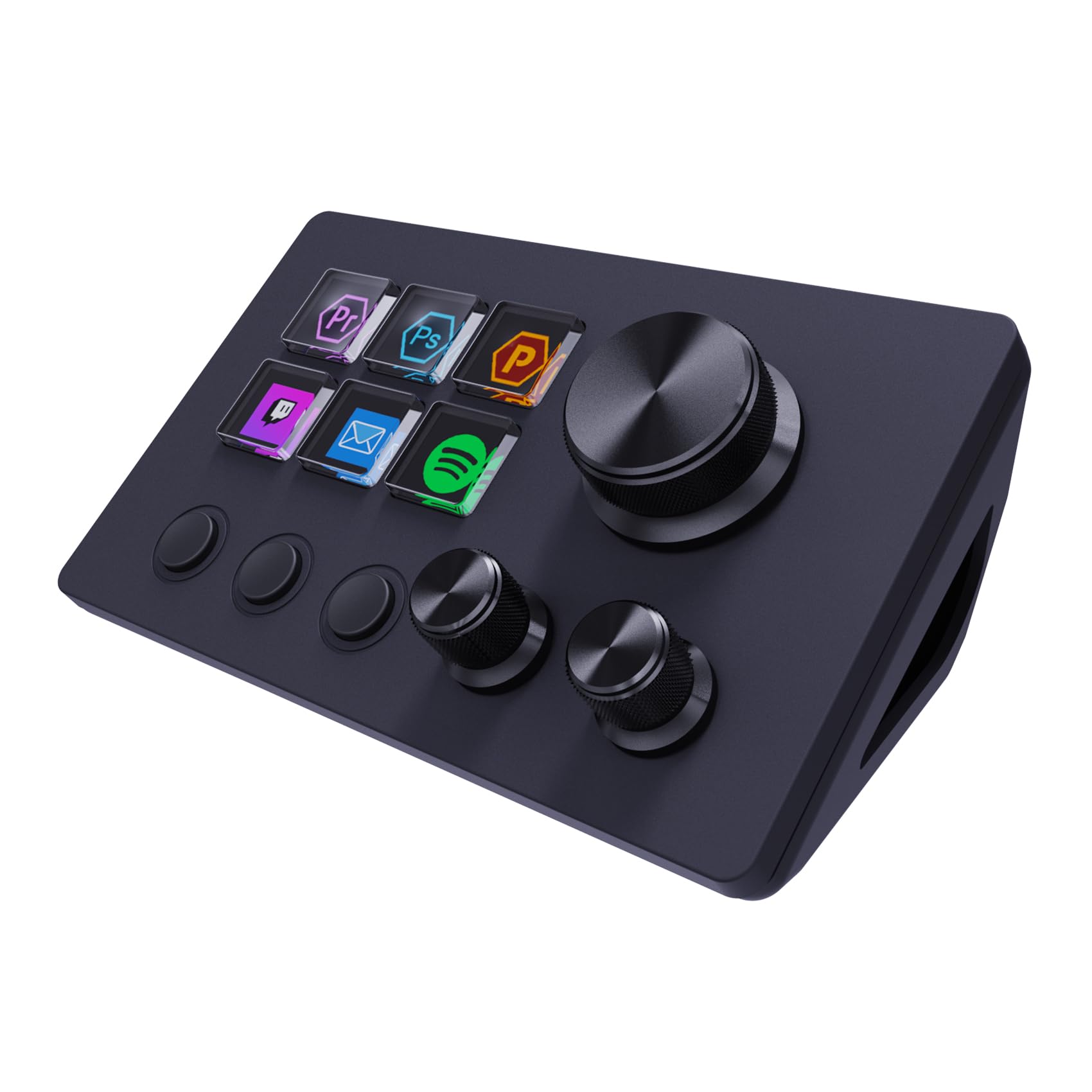
10 Best Macro Pad of 2026: The Ones With Software That Actually Works

The best macro pads for streamers, gamers, and creators who need reliable shortcut keys without software crashes or Bluetooth dropouts.

A macro pad can supercharge your workflow — except when its software freezes mid-stream. Too many pads ship with hardware that feels premium but drivers that feel abandoned. This guide cuts through the noise to find the macro pads where the software actually works as well as the hardware, so you spend less time troubleshooting and more time creating.

Bluetooth models are tempting for a clean desk, but the added convenience often comes with connectivity dropouts that ruin the experience during a live stream or a tight edit. For most gamers and streamers, a wired USB-C connection remains the more reliable choice. The pads here prove that stability doesn't have to cost a fortune.

We've focused on models that balance build quality, key count, and — most importantly — software that behaves predictably day after day. Whether you need a dozen keys for OBS scene switching or a compact knob for volume control, the right pad is the one you can trust not to let you down mid-session.

1

Best Overall

FIFINE D6 15-Key Stream Deck

88 /100
Lab Score Excellent

Key details

Keys & LCD
15 LCD keys
Connectivity
USB-C
Build Quality
Solid plastic
Software Ease
Intuitive software
View on Amazon

The FIFINE D6 delivers 15 crisp LCD keys and a software experience that feels polished out of the box. Setup takes minutes: install the app, drag actions onto keys, and they light up with clear icons. The software handles OBS Studio scene switching, Twitch chat triggers, media controls, and app launching without fuss on both Windows and macOS.

In practice, the buttons respond with a satisfying click, though a small number of units show slight key wobble or require slightly firmer pressure than expected. The LCD displays stay bright and readable from desk distance. Build quality feels solid for the price point, with no flex or creak in the plastic chassis.

This pad is built for streamers and content creators who use OBS Studio as their main broadcasting software. If you rely on Streamlabs, the D6 is not natively compatible — you will need to look elsewhere. It also suits gamers who want quick app launchers, Discord mute toggles, or media playback controls without reaching for a keyboard.

💡 If you notice uneven key feel, check the rubber feet for proper alignment on hard surfaces — this can reduce wobble.

Pros

  • Software is intuitive and works identically on Windows and Mac.
  • Costs about half the price of comparable Stream Decks while covering the same core features.
  • Build feels sturdy with responsive, well-spaced keys and bright LCD screens.
  • Plug-and-play USB connection supports both USB-A to USB-C and USB-C to USB-C cables.

Cons

  • Does not work with Streamlabs despite product listings
  • Some keys may feel slightly wobbly or need a firmer press to register input.
Our verdict

The D6 is the stream deck to get if you run OBS Studio and want dependable software, a clean workflow, and a price that undercuts bigger names by a significant margin.

Check Latest Price
2

Best Compact with Knobs

ActionRing N3 6-Key+3 Dials

87 /100
Lab Score Excellent

Key details

Keys & LCD
6 LCD keys + 3 dials
Connectivity
USB-C
Build Quality
Plastic
Software Ease
Drag-and-drop
View on Amazon

The ActionRing N3 puts a small footprint first: its six LCD keys and three physical dials take up less desk space than a phone. Setup is drag-and-drop on both Windows and Mac, with support for GIFs on the keys. The software is more intuitive than what most budget pads offer, and the 2-year warranty adds a layer of confidence you rarely see at this price.

This pad suits streamers who only need scene switching and mute toggles, or office workers who want paste, clipboard history, and volume control at their fingertips. The three dials handle audio scrubbing or brush size adjustments smoothly. But the six-key limit becomes a constraint if you have more than a handful of shortcuts — power users running complex editing suites or dual-PC streaming setups will find themselves reaching for a larger pad before long.

💡 Plan your six most-used commands — this pad rewards prioritization.

Pros

  • Software works reliably on both Windows and Mac, with simple drag-and-drop mapping and GIF support.
  • Hardware feels solid: responsive keys, smooth dials, and a sleek black finish that blends into any desk.
  • Two-year warranty at a budget price reduces the risk of buying into a new brand.

Cons

  • Six LCD keys limit how many shortcuts you can access without switching profiles or using button combos.
Our verdict

Best budget macro pad for those who value desk space and software reliability over a high key count.

Check Latest Price
3

Best Value LCD Macro Pad

VSDINSIDE M18 18-Key Macro Pad

86 /100
Lab Score Excellent

Key details

Keys & LCD
18 keys (15 LCD)
Connectivity
USB-C
Build Quality
Plastic
Software Ease
VSD Craf (good)
View on Amazon

The VSDINSIDE M18 packs 15 LCD keys and 3 physical buttons into a compact USB-C device that supports custom icons, animated GIFs, and per-key macros via its VSD Craf software. This feature set rivals devices costing twice as much, particularly for OBS scene switching, Twitch commands, or office automation sequences.

The primary audience is streamers and gamers on a tight budget who need visual feedback for their hotkeys, as well as office workers automating repetitive tasks. However, the software setup can be temperamental — some users report the app crashing or failing to respond during configuration, and customer support is slow to resolve issues. Buyers comfortable troubleshooting or working with occasional instability will find exceptional value here. For those who require a plug-and-play experience with no software hiccups, the top pick in this category offers a more stable ecosystem.

The customizability is where the M18 shines: you can assign macros, launch programs, or control media with drag-and-drop simplicity once the software is stable. The LCD keys display crisp icons or GIFs, making scene identification easy during a live stream. The plugin marketplace, while not as extensive as Elgato's, covers the essentials for OBS, YouTube, and Spotify. The plastic build is lighter than metal alternatives — a reasonable tradeoff given the mid-range price.

💡 If you encounter software crashes during setup, try reinstalling the VSD Craf app or updating to the latest version — some users found stability improved after that.

Pros

  • Affordable LCD keypad with 18 programmable keys and GIF support
  • Deep customization with per-key macros and icons via intuitive software
  • Easy initial setup praised by most users
  • USB-C connectivity and broad compatibility with Windows and macOS

Cons

  • Software stability can be inconsistent, especially when adding new profiles
  • Customer support is slow to respond to issues, which may prolong troubleshooting if problems arise
Our verdict

For streamers and productivity users who don't mind an occasional software hiccup, the VSDINSIDE M18 delivers more LCD keys and customization than any other device in its price bracket.

Check Latest Price
4

Best Mechanical Macro Pad

KEEBMONKEY Megalodon 16-Key

82 /100
Lab Score Excellent

Key details

Keys & LCD
16 keys + 3 knobs
Connectivity
USB-C
Build Quality
Aluminum + acrylic
Software Ease
VIA/QMK
View on Amazon

The KEEBMONKEY Megalodon brings VIA/QMK compatibility, hot-swappable Gateron Yellow switches, and three clickable knobs to a mid-range price point, setting it apart from software-dependent macro pads. Unlike LCD-driven alternatives, this pad prioritizes hardware flexibility with switch swaps and full key mapping via the QMK ecosystem.

Configuring macros requires the VIA tool, which has a learning curve for those new to QMK-based customization. Some units may develop connection issues after several weeks of use, and customer support response can be slow — factors to weigh if long-term dependability is a priority.

This pad suits keyboard enthusiasts and photo/video editors who want mechanical switch options and don't mind initial configuration. It delivers a satisfying tactile experience with its weighted aluminum and acrylic body, but it is less appropriate for users seeking a plug-and-play shortcut tool without any possibility of early hardware variability.

💡 When setting up, keep a QMK reference guide handy — the VIA software offers extensive customization once you learn the basics.

Pros

  • Aluminum body and knobs provide a solid, desk-stable build.
  • Effective macro pad for photo and video editing workflows with dedicated shortcuts.
  • Hot-swappable Gateron Yellow switches and VIA/QMK support enable deep customization.

Cons

  • Setup requires VIA configuration and can be confusing for users new to macro programming.
  • Some units may develop connection issues or stop responding after weeks of use; customer support can be slow to respond.
Our verdict

For tinkerers who prioritize hardware flexibility over software simplicity, the Megalodon delivers unique value — just be aware of the variability in long-term performance and support responsiveness.

Check Latest Price
5

Best for Rhythm Games

SayoDevice O3C Hall Effect

92 /100
Lab Score Outstanding

Key details

Keys & LCD
3 Hall-effect keys
Connectivity
USB-C
Build Quality
Plastic
Software Ease
SayoDevice web
View on Amazon

The SayoDevice O3C is one of the few macro pads designed specifically for competitive rhythm gaming, delivering Hall-effect magnetic switches, a 0.96-inch customizable screen, and an 8000 Hz polling rate that eliminates input delay. Unlike generic 4-key pads meant for copy-paste shortcuts, this device targets players who need rapid trigger response and millisecond precision.

This pad is best for OSU, Geometry Dash, and similar rhythm game players who want a competitive edge without spending hundreds on a dedicated controller. The 3-key layout means it won't serve as a general productivity tool — stick to the top pick if you need multiple shortcuts. Calibration after firmware updates is finicky and the programming website is poorly designed, so expect a setup process that requires patience.

Despite these quirks, the O3C consistently delivers the low-latency performance that rhythm gamers value, often outperforming controllers costing three times as much. The Hall-effect switches provide a smooth linear feel, and the rapid trigger feature registers key releases instantly — a clear advantage for high-BPM maps.

💡 Keep the calibration instructions nearby — you'll need to run the process after each firmware update to maintain rapid trigger accuracy.

Pros

  • Zero-lag performance with 8000 Hz polling rate and rapid trigger for competitive rhythm games.
  • Great value
  • Hall-effect magnetic switches provide smooth linear feel and instant key release registration.

Cons

  • Calibration process must be repeated after firmware updates, and the programming website is clunky to use.
  • Some units arrive with scratches on the knob or develop switch issues after a few months of use.
Our verdict

For competitive rhythm gamers who prioritize responsiveness over long-term durability and don't mind occasional recalibration, the O3C delivers exceptional performance at a budget-friendly price.

Check Latest Price
6

Best Wireless for Creatives

XP-Pen Keydial ACK05 10-Key

85 /100
Lab Score Excellent

Key details

Keys & LCD
10 keys + 1 dial
Connectivity
Bluetooth / USB-C
Build Quality
Plastic
Software Ease
XP-Pen driver
View on Amazon

The XP-Pen Keydial ACK05 offers a lightweight wireless shortcut pad with a dial, 10 keys, and support for four profiles (40 shortcuts total). The driver software lets you map almost any action in Photoshop, Illustrator, or Clip Studio Paint, and the 1000 mAh battery holds up to 300 hours of use between charges. That combination of portability and customization makes it a natural fit for digital artists who move between desks or work on a tablet.

Bluetooth connectivity has been inconsistent in some cases — the pad can drop its link and require a re-pair, which interrupts a working session. The dial also has a failure mode: after several months of regular use, it may stop responding or become erratic. Neither issue affects every unit, but they are worth weighing if your workflow depends on a dial for brush resizing or zoom control.

This pad suits artists who want wireless freedom and deep shortcut customization, provided the dial is not central to their daily process. Users who need a secondary keypad for button macros will likely find the reliability acceptable, while those relying on the dial for continuous adjustment should look at the top pick or a wired alternative. Consistent Bluetooth pairing may require keeping the dongle close or using USB-C mode for a steadier connection.

💡 If Bluetooth proves unreliable, switching to USB-C mode provides a stable wired connection without losing key customization.

Pros

  • Compact design with 10 keys and a dial in a portable, desk-friendly footprint.
  • Four profiles allow up to 40 shortcuts with intuitive mapping in the driver software.
  • Long battery life and wireless flexibility via Bluetooth 5.0, USB-C, or included dongle.

Cons

  • In quiet studio settings, Bluetooth pairing can drop and require reconnection
  • The dial may become unresponsive after extended use, especially if used heavily for brush or parameter control.
Our verdict

A solid wireless macro pad for digital artists who prioritize shortcut keys over dial reliability — keep the dongle handy if Bluetooth drops become bothersome.

Check Latest Price
7

Office Workers

BTXETUEL 4-Key Macro

85 /100
Lab Score Excellent

Key details

Keys & LCD
4 mechanical keys
Connectivity
USB-C
Build Quality
Plastic
Software Ease
Web-based
View on Amazon

This pad is the most affordable mechanical macro pad that works out of the box with default Cut, Copy, Paste shortcuts - no software setup required. The small footprint and build quality are decent for the price, making it a practical tool for repetitive copy/paste workflows. However, the four-key limit restricts it to simple tasks, and some units may have non-working RGB LEDs. It is best suited for office workers who need a few basic shortcuts, not for gamers or users requiring complex macros.

Pros

  • Plug-and-play default mapping works immediately with no software required.
  • Small footprint and good build quality for the price.

Cons

  • Only 4 keys, limiting macro complexity to simple shortcuts.
  • Some units may have non-working RGB LEDs on arrival.
Our verdict

A cost-effective choice if you only need a handful of basic shortcuts like copy/paste and can accept the possibility of RGB inconsistencies.

Check Latest Price
8

Advanced Creators

VSDINSIDE N4 Pro 14-Key+Knobs

85 /100
Lab Score Excellent

Key details

Keys & LCD
10 LCD + 4 knobs
Connectivity
USB-C
Build Quality
Premium metal
Software Ease
VSD Craf + plugins
View on Amazon

This macro pad brings a solid metal build, four tactile knobs, a touch bar, and over 500 plugins to the desktop — a powerful combination for streamers and editors who want physical control over audio mixing, scene switching, and timers. However, the software demands patience: initial setup can be confusing, and some units may experience lag after heavy configuration or forget settings between uses. These quirks make it less straightforward than the top pick, better suited to tinkerers willing to invest time in guides and updates.

💡 Plan an afternoon with the VSD Craft manual and community guides to get the most out of the pad.

Pros

  • Weighty metal construction gives a premium, stable feel on the desk.
  • Over 500 plugins add timers, sound cards, and app integrations out of the box.
  • Four physical knobs and a touch bar provide tactile control for audio and shortcuts.

Cons

  • Software setup takes time; the interface may not feel intuitive at first.
  • Some units can exhibit lag after configuration or forget settings between uses.
Our verdict

Best for streamers and creators willing to learn the software in exchange for physical knobs, a touch bar, and an extensive plugin library.

Check Latest Price
9

Digital Artists

HUION Keydial Mini BT 18-Key

83 /100
Lab Score Excellent

Key details

Keys & LCD
18 keys + 1 dial
Connectivity
Bluetooth / USB-C
Build Quality
Plastic
Software Ease
Huion app
View on Amazon

The HUION Keydial Mini offers 18 programmable shortcut keys and a smooth dial for brush or zoom control, pairing nicely with Clip Studio and Photoshop for digital artists. Portability and long battery life make it easy to carry between desks. However, Bluetooth reliability is inconsistent — disconnections can occur after idle periods, and some software functions only work when the proprietary app is running. These limitations are more pronounced than on competing pads like the XP-Pen, and the value drops for anyone not already using Huion tablets. For a wired-only workflow on a budget, it still gets the job done, but the wireless promise falls short.

Pros

  • Customizable shortcuts and easy programming for art software like Clip Studio and Photoshop.
  • Lightweight design with long battery life for portable use.
  • A physical dial provides fluid control over brush size or zoom levels.

Cons

  • Bluetooth can drop connection after periods of inactivity or during use, requiring re-pairing.
  • Driver software feels unfinished; some shortcut assignments stop working if the app is closed.
Our verdict

A decent wired macro pad for Huion users who want a dial on a budget, but skip it if you need stable wireless or don't own a Huion tablet.

Check Latest Price
10

Streamers, Creators

TreasLin N1 18-Key Stream Deck

80 /100
Lab Score Excellent

Key details

Keys & LCD
18 keys (15 LCD)
Connectivity
USB-C
Build Quality
Plastic
Software Ease
VSD Craft
View on Amazon

The TreasLin N1 offers 18 programmable keys with LCD screens, a rotary knob, and a unique numeric keypad mode that also functions as a calculator – a versatile addition for streamers who occasionally enter data or crunch numbers. Its build quality feels solid, and the VSD Craft software handles OBS and streaming apps without hiccups. However, long-term durability under heavy use hasn't been confirmed, and creating custom plugins requires Python scripting, which limits non-programmers from tailoring advanced actions.

Pros

  • Solid hardware and consistent OBS integration
  • Numeric keypad and calculator modes add dual-purpose utility
  • 18 LCD keys provide clear visual feedback for macros

Cons

  • Custom plugin creation requires Python scripting
Our verdict

If you need a stream deck that doubles as a number pad and are willing to accept an unproven track record for the extra modes, this is a capable option.

Check Latest Price

How to Choose

Number of Keys & LCD Displays

More keys give you more shortcuts, but each key needs to be easy to identify at a glance. LCD keys show custom icons or text, making them ideal for streamers who switch scenes frequently. Solid keys are fine for muscle memory but harder to label.

A pad with 6–10 keys suits most office and light streaming use. 15–18 keys handle complex workflows like video editing or OBS multi-scene setups. Going beyond 18 keys often means a full keyboard with macro keys, which is overkill if you only need a few shortcuts.

Software & Plugin Ecosystem

The software is the real engine of a macro pad. A good app lets you remap keys, create multi-step macros, and sync settings without frustration. Some apps are drag-and-drop; others require coding or VIA configuration.

Plugin libraries add shortcuts for specific apps like OBS, Spotify, or Photoshop. A large plugin ecosystem means you can set up scene switching, audio controls, or tool selection in minutes. But a simple pad with solid base software often beats a complex pad with buggy plugins.

Build Quality & Switch Type

Plastic pads are light and affordable, but metal or reinforced bodies add weight and longevity. Mechanical switches offer tactile feedback and can be swapped if one fails, while membrane switches wear out faster. Hot-swappable sockets let you change switch feel without soldering.

For daily use, look for a pad with a solid base that doesn't slide on the desk. Knobs and dials should have a smooth, consistent rotation. Cheap dials often develop dead zones after a few months.

Connectivity Type

Wired USB-C provides the lowest latency and zero disconnection risk. It's the safest choice for gamers and live streamers. Bluetooth adds clutter-free portability but can drop out if the pad goes to sleep or if the receiver is far away.

For digital artists who move between tablet and desk, Bluetooth is convenient. But if you game or stream, stick with wired. Some pads offer both, letting you switch modes as needed.

Additional Controls (Knobs, Dials, Touch Bars)

Knobs are great for volume, zoom, or scrubbing timelines. A single knob is enough for most users, but multiple knobs let you control separate tracks or parameters simultaneously. Touch bars offer swipe gestures but are less tactile.

If you edit video or audio, a pad with at least one knob saves time. For gaming, a knob can adjust in-game volume or quick weapon swaps. But don't overpay for extra controls you won't use regularly.

Frequently Asked Questions