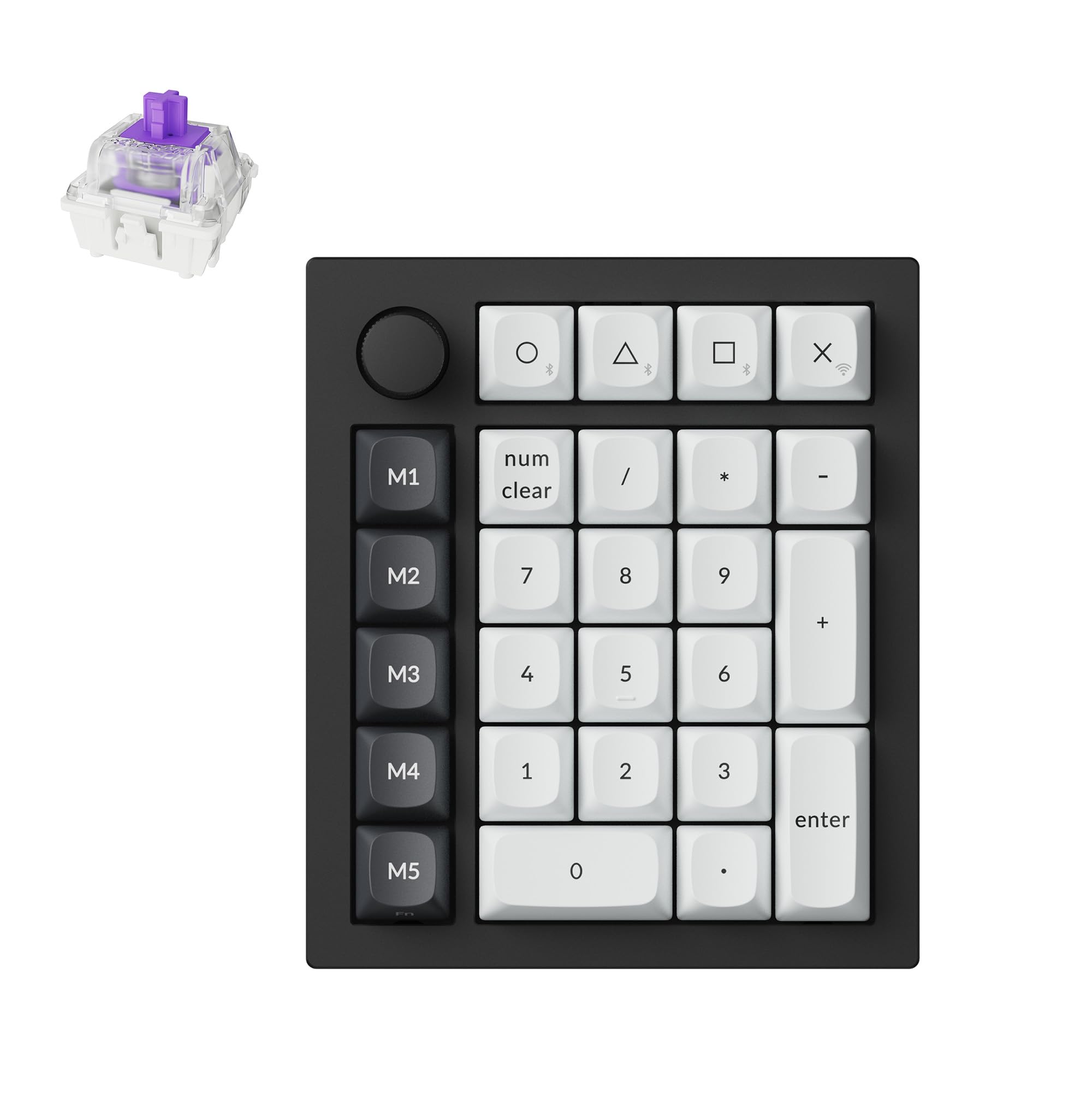
9 Best Numpad of 2026: Which Ones Actually Improve Your Game

Find the right numeric keypad for gaming and data entry – from clicky mechanicals to wireless options that don't drain batteries overnight.

A numpad isn't just for accountants. For gamers, it's a macro pad, a weapon swap tool, and a calculator during loot management. But most cheap wireless numpads have a hidden flaw: no physical power switch, which drains batteries in days.

The market is split between loud clicky switches that feel satisfying and quieter tactile or linear options that won't annoy teammates. Then there's the programmability gap – some let you remap every key, others just type numbers.

This guide cuts through the noise to match you with the numpad that fits your desk, your noise tolerance, and your need for macros. Whether you want a retro mechanical with a standalone calculator or a budget wired workhorse, the right pick saves money and frustration.

1

Best Overall

8BitDo Retro 18 Mech

91 /100
Lab Score Outstanding

Key details

Switch Type
Kailh Box White V2 clicky
Connectivity
Bluetooth, 2.4G, USB-C
Build Quality
Solid build
Keys & Layout
18 keys, LED display
View on Amazon

The 8BitDo Retro 18 is the only numpad in this set that operates as a fully independent calculator, complete with a retro dot-matrix display. That means you can crunch numbers away from your computer, then switch back to numpad duty with a button press. Add Bluetooth, 2.4G, and USB-C connectivity, plus hot-swappable Kailh Box White V2 switches, and you have a device that stands out in both function and flexibility.

The clicky switches produce a crisp, satisfying keystroke that feels deliberate under the fingers. The build is chunky and weighted — the numpad stays put during rapid data entry. The calculator mode works without any software or pairing, drawing power from its own rechargeable battery. Multiple connectivity methods switch seamlessly, though you will need to pick one mode at a time via the back toggle.

This numpad suits gamers who want dedicated macro keys or number entry with mechanical feedback, and data entry professionals who value a dedicated calculator nearby. It also appeals to keyboard enthusiasts who like swapping switches to tune the feel. The loud, clicky sound is part of the character — expect it to carry in a quiet office or shared room. Mac and iOS users should note that this unit only works with Windows and Android devices.

💡 Keep the numpad plugged in overnight via USB-C — the rechargeable battery easily lasts a full workday, but charging is slow.

Pros

  • Switches deliver a crisp, satisfying click that makes number entry feel deliberate and enjoyable.
  • Standalone calculator mode works without a computer
  • Build is heavy and dense, with a premium retro aesthetic that resists sliding on a desk.
  • Three wireless options (Bluetooth, 2.4G, USB-C) give flexibility across different setups and devices.

Cons

  • In a quiet office or bedroom, the clicky switch noise will be noticeable and may disturb others.
  • Compatibility is limited to Windows and Android; Mac and iOS users cannot connect wirelessly or via USB.
Our verdict

For number crunchers and gamers who enjoy clicky mechanical feedback, the 8BitDo Retro 18 offers a calculator mode and build quality that few numpads match.

Check Latest Price
2

Best Budget Mechanical

Kisnt KN17 Mecha

86 /100
Lab Score Excellent

Key details

Switch Type
Outemu Brown tactile
Connectivity
USB-C wired
Build Quality
PBT keycaps, sound dampening
Keys & Layout
17 keys, white backlight
View on Amazon

While the top pick in this roundup offers wireless versatility and a standalone calculator mode, the KN17 focuses on a wired mechanical experience at a fraction of the cost. It uses Outemu Brown switches that are hot-swappable, so you can swap in your preferred switch later, and the included PBT keycaps are more durable than typical ABS. The sound dampening keeps clatter low, making it suitable for shared offices or late-night work.

This numpad is best for data entry professionals on a budget who want a genuine mechanical feel without spending more. The backlight illuminates the area around the keys but not the legends themselves, so in a dark room the numbers are hard to read — less of an issue with ambient lighting. The switches have a very mild tactile bump; if you prefer a crisp, pronounced bump, you may find these nearly linear. Easy plug-and-play with Windows, Mac, and Linux makes it a straightforward addition to any desk setup.

💡 The backlight works as ambient glow; for number entry in the dark, a separate desk lamp is helpful.

Pros

  • Solid mechanical build with sound dampening gives a premium feel at a budget price.
  • Hot-swappable switches let you customize the feel without soldering.
  • Compatible with most systems right out of the box
  • Incredible value for the price

Cons

  • Backlight surrounds the keys but does not illuminate the legends
  • Outemu Brown switches offer only a faint tactile bump; those expecting a distinct bump may find them nearly linear.
Our verdict

The KN17 is the best budget wired mechanical numpad for buyers who prioritize hot-swap, sound dampening, and durability over wireless convenience or backlit legends.

Check Latest Price
3

Best Wireless Programmable

EPOMAKER EK21

85 /100
Lab Score Excellent

Key details

Switch Type
Zebra linear hot-swap
Connectivity
Bluetooth 5.0, 2.4GHz, USB-C
Build Quality
Gasket mount, premium feel
Keys & Layout
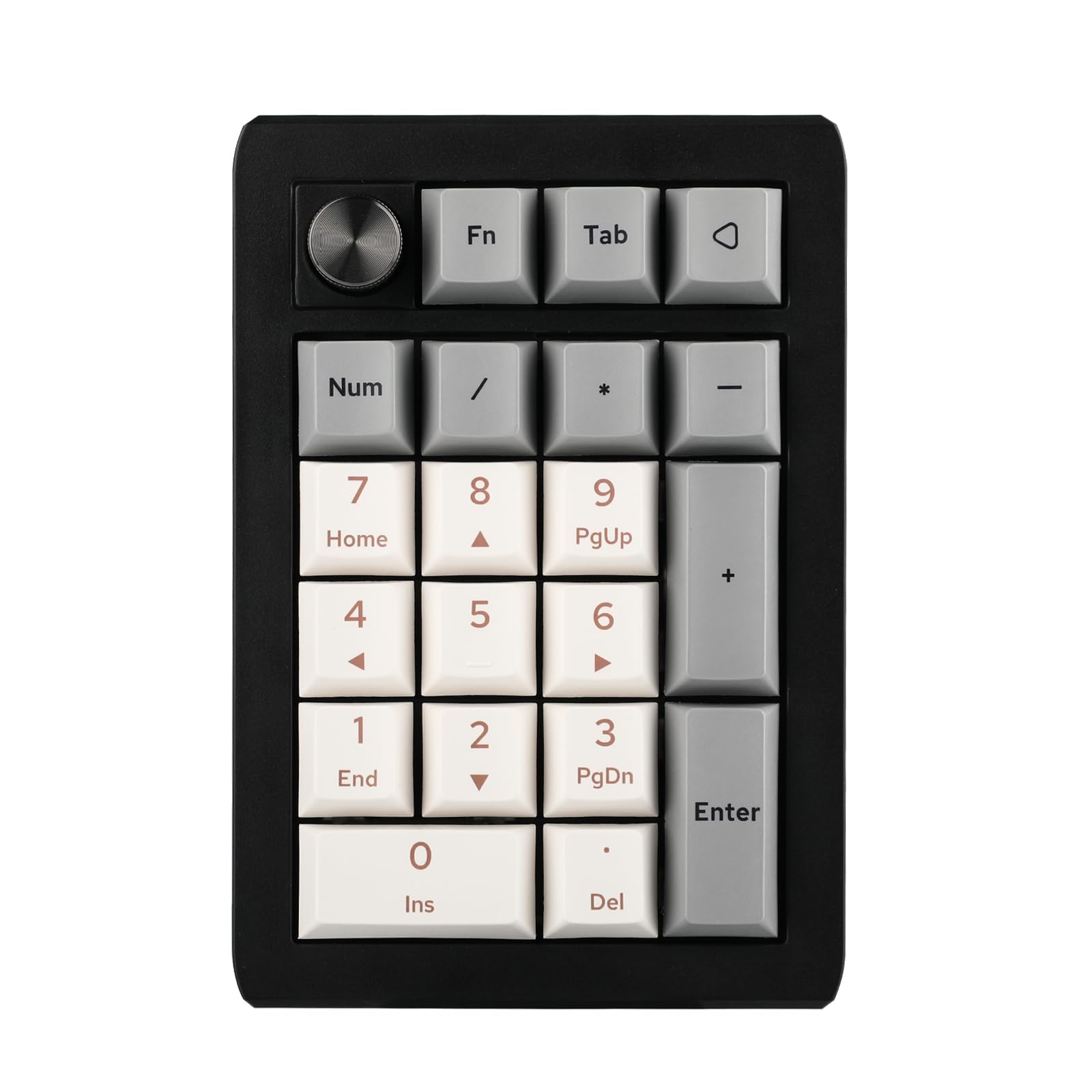
20 keys, aluminum knob, RGB
View on Amazon

The EPOMAKER EK21 brings VIA programmability and a gasket mount to a compact 20-key layout, making it a natural fit for gamers and power users who want custom macros. The included Zebra linear switches feel smooth and produce a creamy sound, while the gasket structure absorbs vibration for a notably premium typing experience.

Three connectivity modes (Bluetooth 5.0, 2.4GHz, USB-C) allow quick switching between desktop, laptop, or tablet, and the aluminum knob adds tactile volume control without reaching for the keyboard. The hot-swap socket means switch swaps require no soldering, opening the door to further personalization.

This numpad is best for macro enthusiasts who are comfortable with VIA configuration – note that a firmware update may be needed before the software recognizes the board. Battery life with a 1000mAh cell is average, so long wireless gaming sessions may require a wired connection or frequent charging.

💡 Flash the latest firmware before diving into VIA programming to avoid recognition issues.

Pros

  • Gasket mount and smooth linear switches deliver a creamy, premium typing feel.
  • Triple-mode connectivity (BT/2.4GHz/USB-C) with seamless device switching.
  • Satisfying sound quality that enhances the typing experience.

Cons

  • VIA software may require a firmware flash before it detects the numpad, adding setup steps for customization.
  • Battery life can be lacking during continuous heavy wireless use, such as extended gaming sessions.
Our verdict

The EK21 is a well-built choice for gamers and tinkerers who already plan to customize macros; those wanting a true plug-and-play numpad should look at simpler options.

Check Latest Price
4

Best Loud Clicky

Rottay Mechanical

90 /100
Lab Score Outstanding

Key details

Switch Type
Cherry MX Blue clicky
Connectivity
USB wired
Build Quality
Basic mechanical build
Keys & Layout
22 keys, blue backlight
View on Amazon

The Rottay Mechanical delivers the satisfying, clicky feel of genuine Cherry MX Blue switches at a price that undercuts most competitors. Its 22-key layout includes a calculator shortcut and blue backlight, making data entry and accounting tasks more tactile and responsive than a standard membrane numpad.

That clicky sound is the defining feature — and the limiting one. In a quiet home office or cubicle, the audible click will carry through the room. This is by design, not a flaw; the numpad is built for users who enjoy the acoustic feedback of a mechanical switch and work in spaces where noise isn't an issue.

This numpad suits solo data entry workers, gamers who appreciate audible key presses, or anyone who wants a budget-friendly mechanical option for a dedicated desk. If you share a workspace or need quiet operation, the loud click makes this a poor fit — look for a membrane or silenced mechanical model instead.

💡 Placing the numpad on a desk mat can reduce case vibration, but the switch click itself remains unchanged.

Pros

  • Authentic Cherry MX Blue switches deliver a satisfying click and tactile bump.
  • Responsive and consistent key presses with strong tactile feedback.
  • Budget-friendly price for a genuine mechanical numpad with no shortcuts in feel.

Cons

  • In shared workspaces or quiet homes, the clicky sound will carry
Our verdict

For buyers who want an authentic loud mechanical numpad without spending much, this delivers exactly that — no surprises, just clicky keys.

Check Latest Price
5

Best Premium Low-Profile

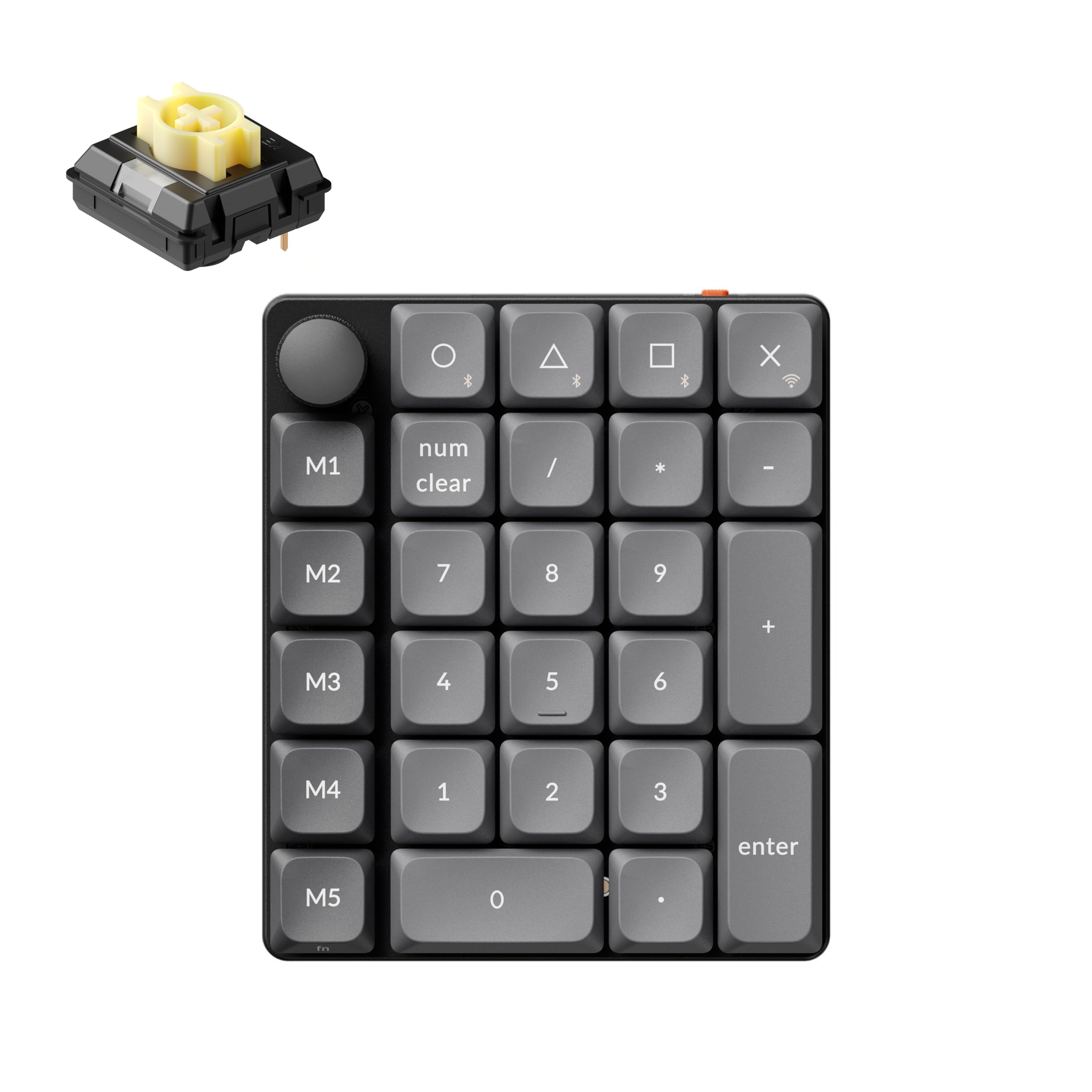
Keychron K0 Max

83 /100
Lab Score Excellent

Key details

Switch Type
Banana tactile hot-swap
Connectivity
2.4GHz, Bluetooth 5.3, USB-C
Build Quality
Aluminum case, excellent build
Keys & Layout
27 keys, aluminum knob, RGB
View on Amazon

The K0 Max stands apart from typical wireless numpads with its anodized aluminum case and low-profile hot-swappable switches. The 1000Hz polling rate and volume knob add a responsive, tactile element that is uncommon in this format. While the top pick offers a standalone calculator mode for broader appeal, this Keychron targets users who want desktop customization at a premium.

This numpad suits keyboard enthusiasts already embedded in the QMK/VIA ecosystem who appreciate a solid metal chassis and low-profile typing. The battery life has been noted to drain faster than expected, even with RGB off, so it is best kept near a USB-C cable for continuous use. VIA software can occasionally refuse to connect, requiring a firmware update — manageable for those comfortable tinkering. The premium price reflects the aluminum build and programmability, not plug-and-play simplicity.

💡 The battery drains faster than expected; leaving it plugged in via USB-C during desk use avoids power concerns.

Pros

  • Aluminum case provides a premium feel on the desk
  • QMK/VIA software enables deep customization of keys and knob
  • Volume knob and RGB lighting enhance usability and aesthetics

Cons

  • Battery life can be shorter than expected, even with LEDs off
  • VIA software may have connectivity issues and be buggy for some users
Our verdict

This numpad is best suited for those who prioritize aluminum build and deep programmability over battery longevity and out-of-box software simplicity.

Check Latest Price
6

Portable Wireless

Kisnt FD17 Wireless

86 /100
Lab Score Excellent

Key details

Switch Type
Bsun linear hot-swap
Connectivity
Bluetooth 5.0, 2.4GHz
Build Quality
Good build, gasket mount
Keys & Layout
17 keys, no backlight
View on Amazon

The Kisnt FD17 offers smooth Bsun linear switches, dual-mode Bluetooth/2.4G connectivity, and a portable build with PBT keycaps and hot-swap capability - ideal for those who value a creamy typing feel on the go. However, it lacks backlighting and relies on a AAA battery (not included) rather than rechargeable internals, which makes it less convenient for desk-bound use. Its smaller review count and missing features place it behind the KN17 for most buyers, but for wireless fans who don't mind battery swaps and prefer linear switches, it delivers.

Pros

  • Smooth linear switches with a creamy feel and satisfying sound
  • Solid build quality and easy portability
  • Reliable dual-mode wireless connectivity (Bluetooth 5.0 and 2.4GHz)

Cons

  • Linear switches may feel mushy to tactile-switch fans; no backlight
  • Runs on AAA battery (not rechargeable) - batteries not included
Our verdict

A good pick if you need a wireless mechanical numpad for travel and prefer linear switches, but skip it if you require backlighting or rechargeable battery.

Check Latest Price
7

Basic Data Entry

TechGarden Wired

88 /100
Lab Score Excellent

Key details

Switch Type
Membrane tactile
Connectivity
USB wired
Build Quality
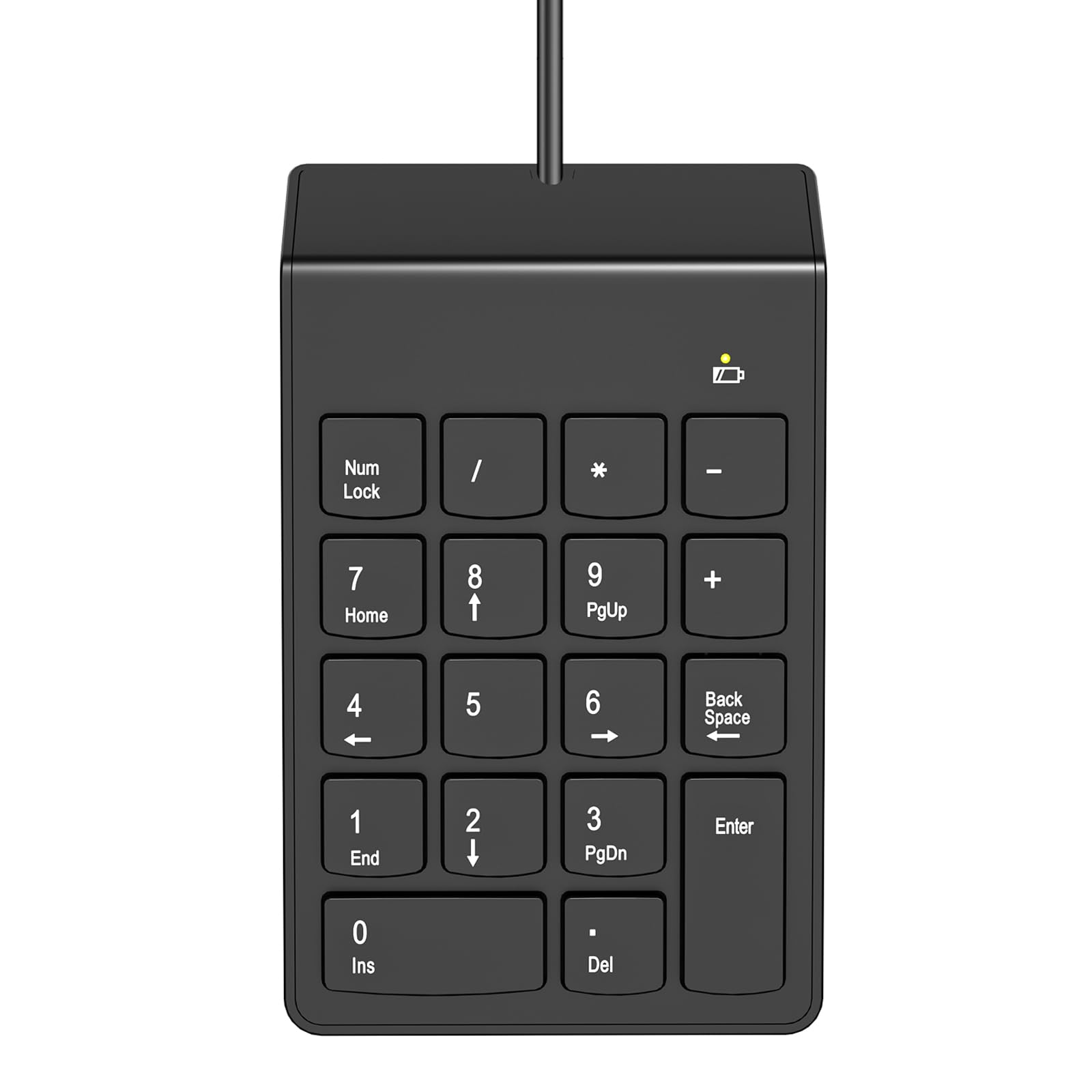
Basic plastic
Keys & Layout
19 keys, big print
View on Amazon

Plug it in and it works — that is the TechGarden's main appeal. The big-print keys and ergonomic tilt make it easy to use for number entry, and the membrane switches offer a reasonable tactile response for the price. At this budget-friendly cost, it delivers exactly what a basic data entry task needs: reliable input without gimmicks. Where it falls short for a broader audience is the membrane feel, which lacks the distinct feedback of mechanical switches, and the absence of any extra features like wireless connectivity or backlighting. That makes it best suited for someone who needs a simple, no-fuss numpad and is willing to accept a slightly mushy key press in exchange for the lowest cost among dependable options.

Pros

  • Plug-and-play simplicity with no driver setup required
  • Budget-friendly price for a functional wired numpad
  • Big print letters improve readability in low light

Cons

  • Membrane switches provide less tactile feedback than mechanical alternatives
  • Keys can feel slightly stiff or mushy for some users
Our verdict

For anyone on a tight budget who just needs a working numpad for occasional data entry, this gets the job done at the lowest price. Don't expect mechanical precision or extra features.

Check Latest Price
8

Tinkerers & Aesthetics

BOYI TD31Pro

84 /100
Lab Score Excellent

Key details

Switch Type
Jadeite Green linear hot-swap
Connectivity
Bluetooth 5.0, 2.4GHz, USB-C
Build Quality
Gasket mount, attractive design
Keys & Layout
30 keys, TFT screen, knob, RGB
View on Amazon

The BOYI TD31Pro packs a striking 1.3-inch TFT screen, a rotary knob, full RGB, hot-swap switches, and a gasket mount into a compact numpad that looks right at home next to custom keyboards. Typing feel is smooth and the design is genuinely eye-catching. However, some units may stop functioning after months of use, and Bluetooth connectivity can drop unexpectedly. Battery life also falls short of claims — expect to charge every few days if running wirelessly. These quirks make this a pick for enthusiasts who value looks and features over guaranteed long-term reliability.

Pros

  • Packed with extras: TFT screen, knob, per-key RGB, hot-swap sockets, and gasket mount.
  • Visually appealing with a design that complements custom mechanical builds.

Cons

  • Long-term durability can be a concern
  • Bluetooth connection can be inconsistent, with occasional dropouts in wireless use.
Our verdict

Best for customization-focused users who want a flashy macro pad with a screen and knob, and who are willing to accept some risk in return for a low price on features.

Check Latest Price
9

Quiet Home Use

MOFII Wireless

87 /100
Lab Score Excellent

Key details

Switch Type
Membrane scissor
Connectivity
2.4GHz wireless
Build Quality
Basic, lightweight
Keys & Layout
19 keys, silent
View on Amazon

The MOFII Number Pad offers quiet scissor-switch keys that suit light data entry in a home office or library setting. Without an on/off switch, the AAA battery drains whenever the pad is idle, and the 2.4GHz connection can occasionally require re-pairing. This makes it a reasonable choice for occasional use, but anyone needing reliable daily performance should consider a wired or switch-equipped alternative.

Pros

  • Quiet scissor keys reduce noise in shared workspaces.
  • Satisfying tactile feedback for a membrane keypad.

Cons

  • No power switch causes battery drain when left idle.
  • 2.4GHz connection may occasionally lag or drop.
Our verdict

Best suited for light home office use where silence is a priority and you don't mind removing the battery between sessions.

Check Latest Price

How to Choose

Connectivity

Wired numpads are the most reliable: no battery, no lag, no pairing. USB-C is common and sturdy. Bluetooth offers convenience but introduces latency and occasional drops, especially on budget models. 2.4GHz wireless (with a dongle) strikes a balance – low latency and no pairing, but requires a free USB port.

For stationary desk use, wired saves hassle. For portability or a clean desk, dual-mode (Bluetooth + 2.4GHz) gives flexibility. Avoid pure Bluetooth if you need instant response in gaming.

Switch Type

Mechanical switches vary in feel and noise. Clicky switches (like Cherry MX Blue) provide audible and tactile feedback but can annoy everyone nearby. Linear switches are smooth and quieter. Tactile switches offer a bump without the loud click.

Hot-swappable numpads let you change switches later without soldering – useful if you are unsure about the feel. Membrane numpads are quieter and cheaper but lack the durability and precision of mechanicals. For gaming, hot-swap mechanical is the sweet spot.

Programmability

Programmable numpads allow remapping keys for macros, shortcuts, or even mouse functions. VIA and QMK are the gold standards for customization, but they require some software tinkering. Some numpads offer basic calculator mode or media controls without full remapping.

If you only need numbers, programmability is unnecessary. For gamers who want weapon swaps, item binds, or productivity macros, VIA-compatible numpads save time. Note that software can be buggy; check recent reviews for firmware issues.

Keys and Layout

Most numpads have 17–22 keys, but extra keys (like a knob, screen, or additional function keys) add versatility. A volume knob is handy for gamers. A small display can show calculator results or system stats. However, more keys mean a larger footprint on your desk.

Consider your need for a dedicated 00 key, tab, or equals sign. Some numeric keypads skip these and require combos. For data entry, a full 18- or 22-key layout with a clear 0 and Enter is preferable.

Build Quality

Build quality affects longevity. Aluminum cases feel premium and resist flex, while plastic numpads can feel flimsy. Gasket mounting (layers of foam between case and plate) improves sound and typing comfort. PBT keycaps last longer than ABS and resist shine.

Cheap membrane numpads often have weak construction and short lifespans. If you type heavily, investing in a mechanical numpad with a metal plate or gasket mount will pay off in reliability. Check for solid reviews on durability before buying.

Frequently Asked Questions