Best Overall
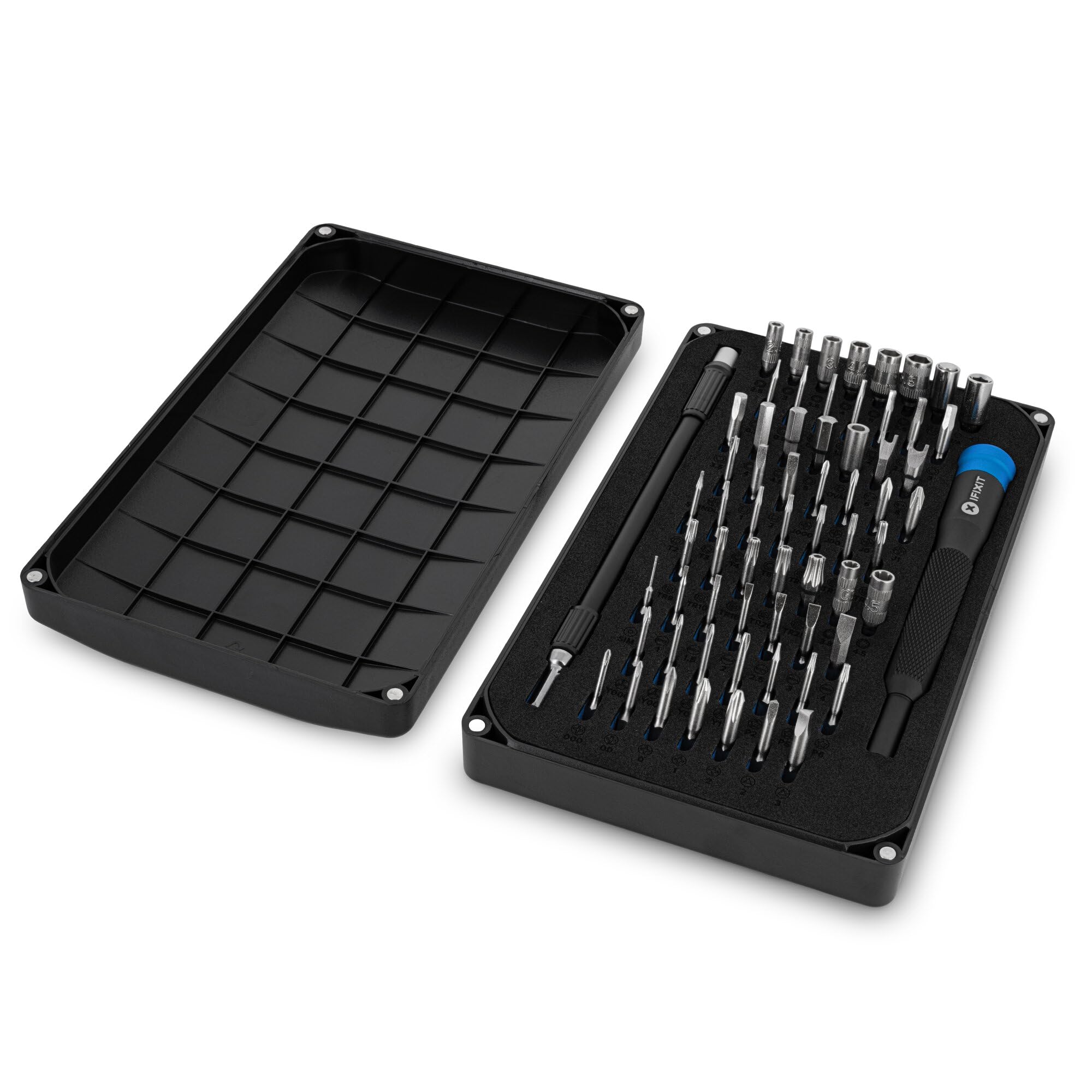
iFixit Mako Driver Kit
Key details
- Bits
- 64
- Handle
- 4 mm aluminum, swivel top
- Weight
- 13.8 oz
- Warranty
- Lifetime
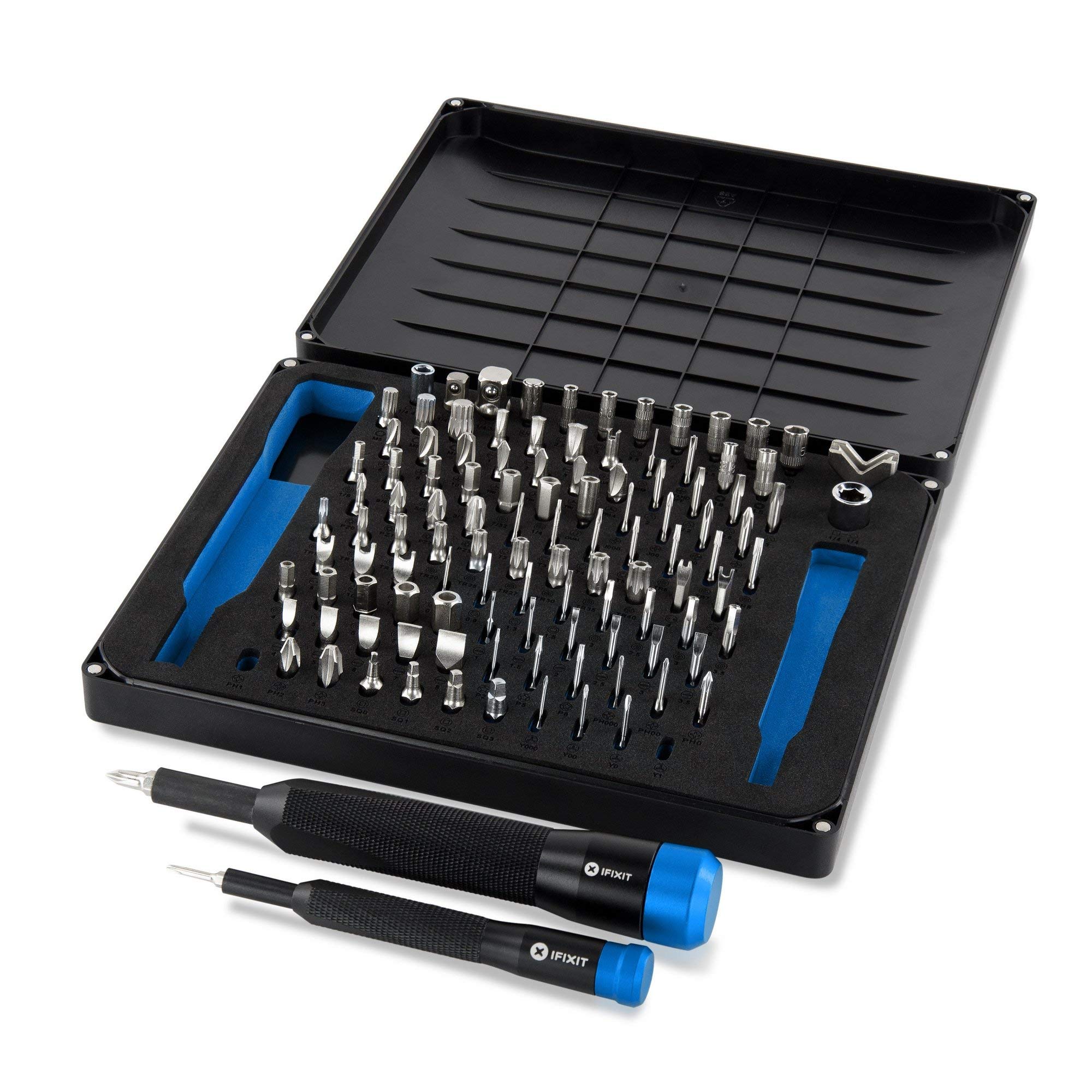
The part of the Mako that decided it for us is the lid. It comes off, it is magnetic, and it works as a shallow tray for the screws you take out mid-build — chassis screws, standoffs, and one M.2 screw small enough to lose under a fingernail. A row of screws that stays where you put it is worth more during a build than another twenty bits you will never use.
Under the lid sits a 4 mm aluminum handle with a knurled grip, a swivel top that lets the driver spin under your palm, and a magnetic socket, plus 64 bits in a foam insert. The range is why it suits a desktop: Phillips from the tiny #000 up to the #2 that holds a case panel, Torx and Torx security, hex, and pentalobe — case, motherboard, cooler, and the laptop or controller you open afterward.
Magnetism is where expectations need setting. The socket grips the bit firmly, but the bits do not arrive strongly magnetized, so a screw does not always hang on the tip while you lower it toward a standoff. Two passes across a magnet before you start fixes that, and it is a small caveat next to the quality of the machining.
The case closes with magnets instead of a hinge or a latch, so there is nothing to snap off, and 390 g rides in a backpack without complaint. iFixit backs it with a lifetime guarantee, which is the kind of promise a kit this small has to earn.
Pros
- Magnetic lid doubles as a screw tray
- Phillips range from #000 up to #2
- Swivel top and knurled grip give fine control
- Lifetime guarantee
Cons
- 4 mm handle gives less leverage than a full-size driver
The best default here: 64 bits covering every fastener in a PC, a magnetic lid that keeps screws off the floor, and a lifetime guarantee.