Best PC Building Tool Kits of 2026

The screw that goes into a motherboard standoff is tiny, soft, and usually over-tightened — and a driver that doesn't fit will round it off before you notice. A proper PC building kit solves that with the right bit sizes, a magnetic tip that holds screws in cramped corners, and the odd-looking tools you don't know you need until a cooler backplate fights back. Over the past four months, we've assembled, torn down, and rebuilt machines with 14 kits, from compact pouches to full workshop cases, and the differences showed up fast.

The kit I keep reaching for isn't the biggest one — it's the one whose bits actually fit the screws in a mini-ITX case and whose case survives being tossed in a drawer. Completeness matters more than raw tool count: a set with 100 bits but no standoff socket is less useful than a smaller one that covers Phillips, hex, and Torx in the sizes PC hardware actually uses. The picks below reflect that tradeoff, along with the kits that held up after repeated builds.

1

Best Overall

iFixit Mako Driver Kit

98 /100
Lab Score Outstanding

Key details

Bits
64 precision bits
Case
Magnetic case and sorting lid
Drive Size
4 mm
Bit Material
S2 steel
View on Amazon

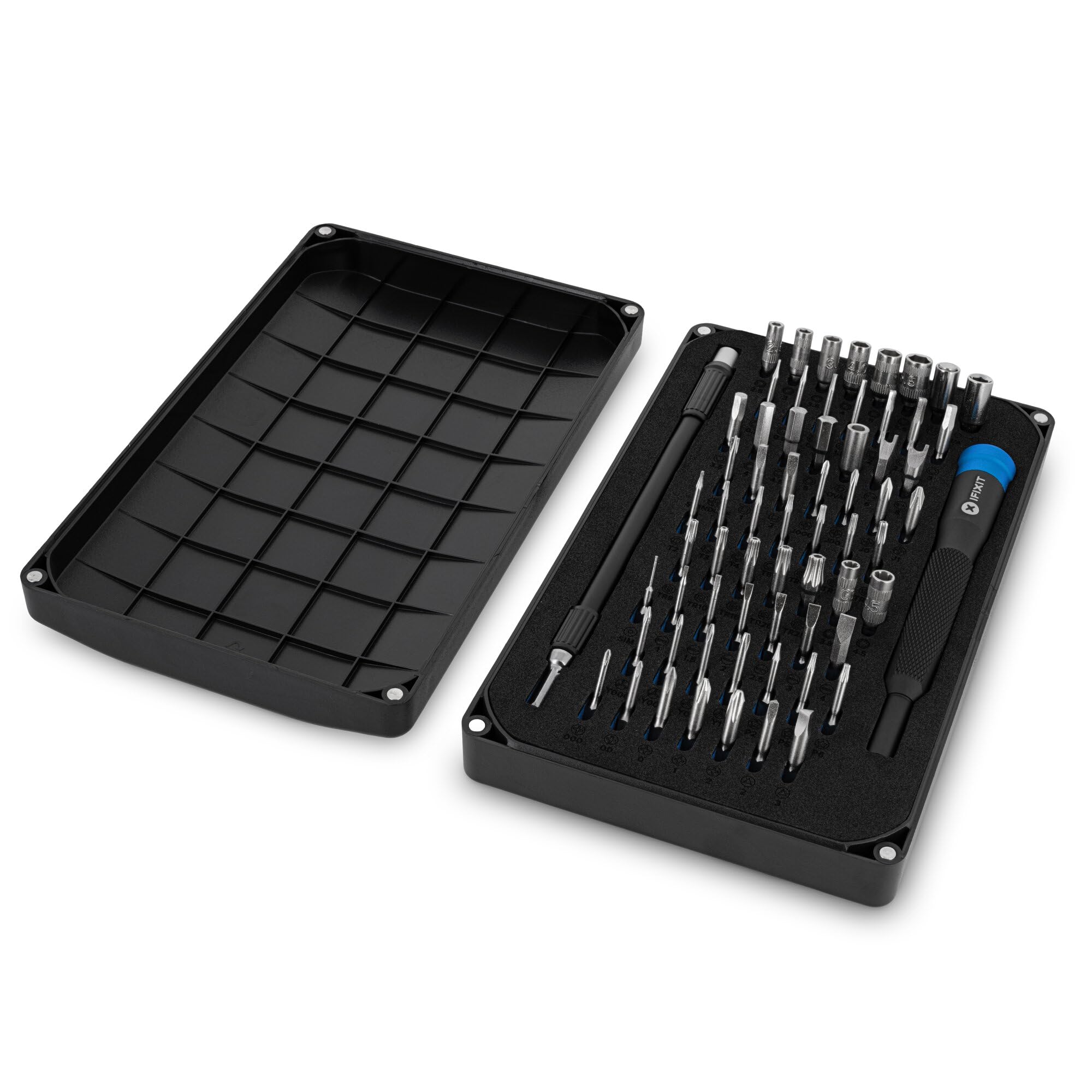
A desktop build has a way of humbling a cheap screwdriver: case screws are long, standoffs sit in recesses, and one cammed Phillips head can turn a ten-minute install into an afternoon. The iFixit Mako is the kit we reach for first because it removes those small failures before they start. The 64-bit range covers the common Phillips, Torx, hex, and security fasteners, and the 4 mm aluminum driver has a knurled grip and a swivel top that let us spin case screws with our palm while keeping the tip seated.

The handle is the part we noticed most. It is heavier than the plastic drivers in budget kits, but that weight makes the tool feel steady when you are starting a screw by hand, and the magnetic socket holds the bit without making every bit change a fight. The S2 steel tips fit snugly in the fasteners we tried; a loose bit is what rounds a screw head, and the Mako's fit gave us confidence on small motherboard screws.

The case deserves its own mention. The foam insert keeps the bits in labeled slots, the lid is magnetic and doubles as a sorting tray, and the whole thing weighs 390 grams, light enough to sit on a desk without taking over. The lifetime guarantee is the kind of backup we want in a kit that will see years of upgrades.

What keeps the Mako from being a full repair bench is the way it handles a dropped screw. The magnetic socket holds the bit securely, but the bit tips themselves are not strong enough to grab every fastener; we kept the case lid nearby as a tray and used a magnetizer when we had one. For desktop building and routine upgrades, that is a small annoyance rather than a dealbreaker. The Mako is still the kit we choose first.

Pros

  • 64 well-chosen precision bits
  • Precise 4 mm aluminum driver
  • Magnetic case with sorting lid
  • Lifetime guarantee

Cons

No notable drawbacks to flag.

Our verdict

The Mako is the precision driver kit we reach for first on a desktop build: 64 well-chosen bits, a superb 4 mm handle, and a case that doubles as a screw tray.

Check Latest Price
2

Best Full Repair Kit

iFixit Pro Tech Toolkit

98 /100
Lab Score Outstanding

Key details

Case
Magnetic case with sorting lid
Weight
2.3 lb
Bit Set
64 precision bits
Included Tools
Tweezers, flex extension, opening tools, anti-static wristband
View on Amazon

The flex extension is the piece that changes the Pro Tech from a driver set into a bench kit. It lets you turn a screw at an angle when a cooler, drive cage, or laptop hinge is in the way, and the anti-static wristband and opening tools cover the jobs that start after the case is open. The core is the same 64-bit iFixit driver set as the Mako, so the bit fit and handle feel are familiar.

We think the Pro Tech earns its price for anyone who does more than assemble a desktop once. The tweezers are useful for jumper pins and tiny standoff screws, the opening picks handle laptop cases, and the magnetic case keeps the whole set organized. If your PC work is strictly a desktop build every few years, the extra tools are weight you may not need.

The Pro Tech is the kit we keep on the bench. It is the right step up when a desktop build is only part of your repair life; for a pure first build, the Mako is the cleaner choice. The lifetime guarantee makes the added tools easier to justify for anyone who opens hardware often.

Pros

  • Flex extension reaches awkward screws
  • Anti-static wristband and opening tools
  • Same 64-bit iFixit driver
  • Lifetime guarantee

Cons

  • Heavy and bulky for a driver kit
  • Extra repair tools a desktop-only builder may not use
Our verdict

Buy the Pro Tech if your PC work spills into laptop and phone repair; the flex extension, tweezers, and anti-static wristband turn a driver set into a full bench kit.

Check Latest Price
3

Best Value for First Builds

STREBITO 142-Piece Kit

96 /100
Lab Score Outstanding

Key details

Bits
120 bits
Extras
Magnetic project mat and flexible shaft
Pieces
142 pieces
Bit Material
60HRC chromium-vanadium steel
View on Amazon

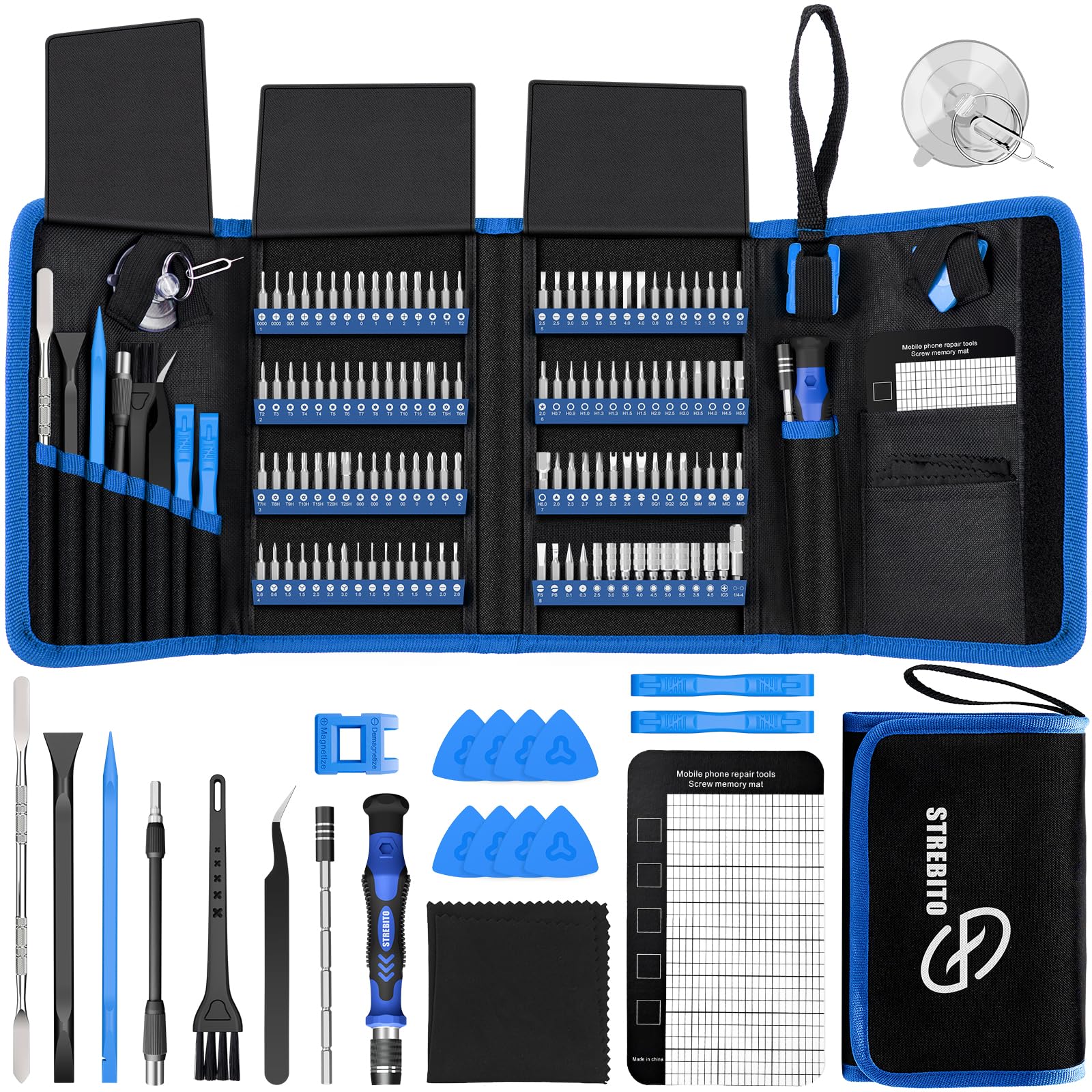
The STREBITO kit costs less than the iFixit Mako and nearly doubles the bit count, which is the kind of arithmetic that makes a first-time builder look twice. The useful part is not the 142-piece headline; it is the 120 bits, the labeled rubber holder, and the magnetic project mat that keeps screws from rolling off the desk. For a build done at the kitchen table, that mat matters more than a few extra security bits.

The flexible shaft is the other feature we noticed. It lets you approach a screw from an angle when a case brace or cooler is in the way, and the 60HRC chromium-vanadium bits have a hard, crisp feel that is better than the price suggests. We used the mat for standoffs and fan screws and found the labeled slots easy to read, even in dim light.

We think this is the value pick for a first build, provided you treat the smallest bits with some care. Under stubborn torque, the thin Torx and security bits can chip or snap, and the handle is not as refined as the iFixit driver. For normal case screws, fan mounts, and drive swaps, the STREBITO does the job with money left for other parts.

Pros

  • 120 bits plus a magnetic project mat
  • Flexible shaft for angled access
  • Labeled bit holder keeps sizes readable
  • Strong coverage for the money

Cons

  • Bulkier case than a compact driver kit
Our verdict

For new builders watching the budget, the STREBITO kit covers PC fasteners and adds a magnetic mat and flex shaft without the iFixit tax.

Check Latest Price
4

Best Organized High-Count Kit

JOREST 152-in-1 Kit

95 /100
Lab Score Outstanding

Key details

Bits
140 bits
Extras
12 accessories including flexible shaft
Pieces
152 pieces
Storage
Labeled magnetic bit slots
View on Amazon

The JOREST case greets you with row after row of labeled bits, each sitting in a magnetic slot. That sounds like a small thing until you are halfway through a build with a flashlight in your teeth; the labels let us grab the right size without pulling out three wrong ones. The extended tool bar and rotatable cap also give the driver a longer reach than the stubby handles in most budget kits.

The 140-bit range covers the usual Phillips, Torx, hex, and pentalobe fasteners, and the 12 accessories include a flexible shaft for angled work. We found the magnetic slots held bits securely in the case and the handle comfortable enough for repeated screw starts. The set is larger than a drawer kit, but the organization is the reason to choose it.

Compared with the STREBITO kit, the JOREST gives you more bits and a longer handle for about the same money. That makes it the better choice if you want one case to cover desktop builds and small electronics, and the labeled layout is easier to live with.

We think the JOREST is the most organized high-count kit here, and that is the reason to pick it over the STREBITO. The trade-off is a handle that feels less solid than the iFixit aluminum driver, not a problem for case fans and drive caddies but noticeable on a tight standoff. If you want the bits laid out like a labeled parts drawer, this is the one.

Pros

  • 140 bits in labeled magnetic slots
  • Extended handle for reach
  • 12 accessories including flexible shaft
  • Easy to find the right bit

Cons

  • Thin bits can break under hard torque
Our verdict

The JOREST set is for the builder who wants every bit labeled and within reach; the 140-bit layout and extended handle make steady work of small fasteners.

Check Latest Price
5

Best for Recessed Screws

Klein 32717 Precision Set

96 /100
Lab Score Outstanding

Key details

Bits
39 bits
Case
Compact stay-shut case
Reach
Dual-length barrel
Magnets
Rare-earth bit holders
View on Amazon

The first time a case screw disappears into a recessed hole, the Klein 32717 makes its case. The dual-length barrel gives you a standard bit holder at one end and an extended-reach holder at the other, so you can flip the driver instead of hunting for an extension. We found the long end useful for fan screws and cooler mounts where a normal precision driver bottoms out against the case.

The magnets are the other reason we keep it close. Rare-earth magnets in both ends of the barrel hold fasteners on the bit, which is a real help when you are starting a screw one-handed in a tight corner. The free-spinning cap sits in your palm and lets you apply pressure without fighting the handle, and the compact case latches shut securely.

For desktop builds, the long reach and strong magnet cover the screws that actually cause trouble, and the compact case earns its drawer space. It is the driver we grab when a case screw is deep and a full kit is overkill.

Pros

  • Dual-length barrel reaches recessed screws
  • Strong rare-earth magnets
  • Free-spinning cap for control
  • Compact stay-shut case

Cons

  • 39-bit range may miss specialty fasteners
Our verdict

Klein's 32717 is the compact driver we keep for recessed case screws and quick swaps, thanks to a dual-length barrel that reaches where standard precision drivers stop.

Check Latest Price
6

Best Budget Starter Kit

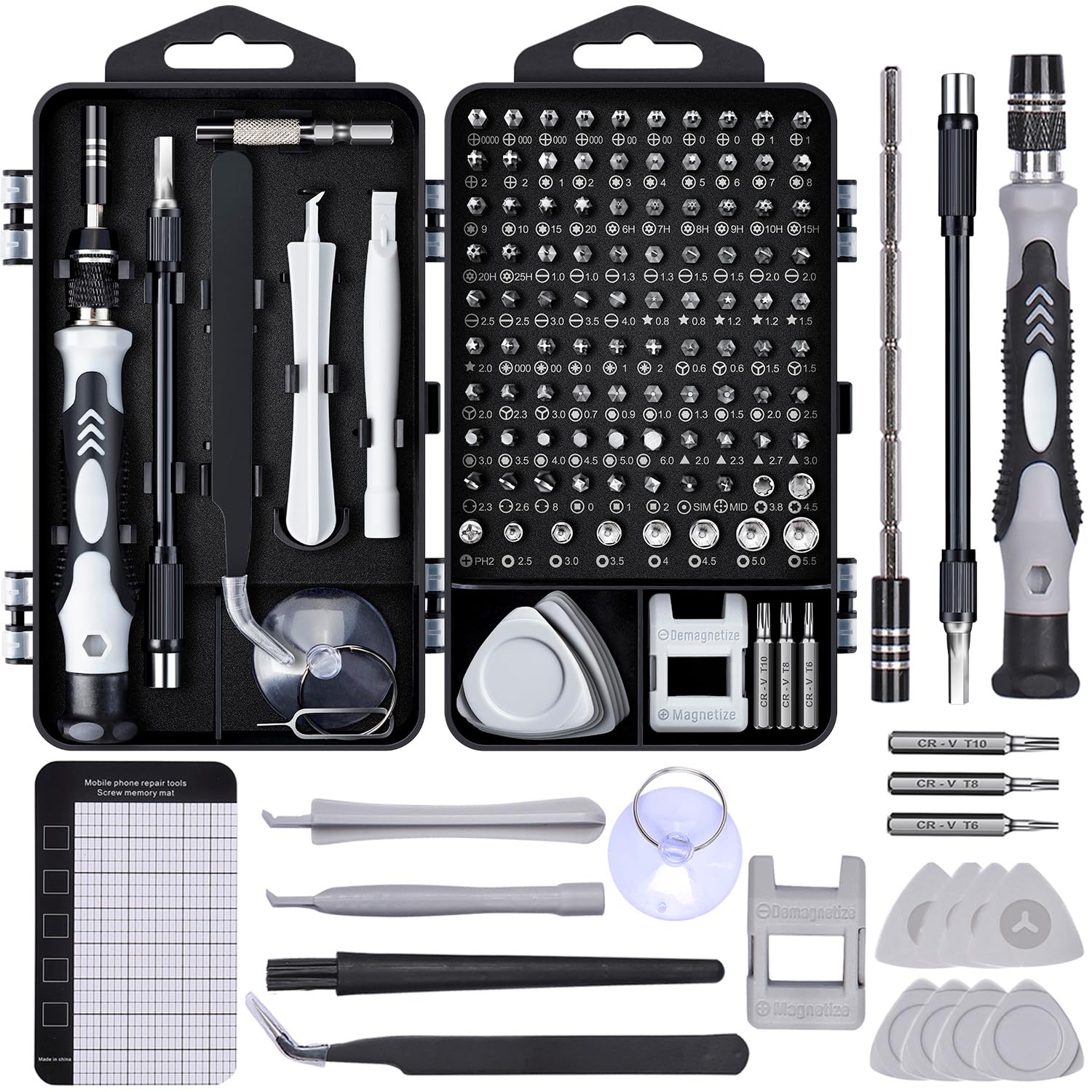
SHOWPIN 122-Piece Kit

95 /100
Lab Score Outstanding

Key details

Bits
101 bits
Extras
Magnetizer, magnetic mat, flexible shaft
Pieces
122 pieces
Bit Material
60 HRC Cr-V steel
View on Amazon

The magnetic mat is the first thing we pull out of the SHOWPIN case. It gives tiny screws a place to sit instead of a place to disappear, and the included magnetizer lets you boost a bit that is struggling to hold a screw. For a kit at the low end of this group, those two extras do more for a build than another dozen bits.

We think the SHOWPIN is the kit to buy when you want a full set of bits without spending much. The 101 bits cover the usual PC and small-electronics fasteners, the flexible shaft reaches around a cooler or case brace, and the ESD tweezers are a nice addition for laptop work. The case is compact and the labels are easy to read.

The bits are the place where the low price shows. Under hard torque, the smallest sizes can snap, so we used steady hand pressure rather than force; the kit handled case screws, fan mounts, and a laptop drive swap without drama.

That makes the SHOWPIN a strong first kit or a second set for the desk drawer. It is not the one we reach for when a screw is already tight and stubborn; the iFixit driver and the Klein long-reach tool are better there. For occasional builds and upgrades, it covers the basics and then some.

Pros

  • Magnetic mat and magnetizer
  • 101 bits plus flexible shaft
  • ESD tweezers for laptop work
  • Very low cost for the coverage

Cons

  • Case grips bits tightly
Our verdict

The SHOWPIN kit is the low-cost starter we recommend when the priority is getting a full set of bits, a magnetic mat, and a magnetizer for occasional builds.

Check Latest Price
7

Best Two-Handle Kit

XOOL 200-in-1 Kit

96 /100
Lab Score Outstanding

Key details

Bits
164 bits
Pieces
200 pieces
Weight
2.8 lb
Handles
Two non-slip handles
View on Amazon

Two handles are the reason the XOOL 200-in-1 stays on the bench. The small driver handles precision work, while the larger handle gives you more leverage on case screws and standoffs without switching to a different kit. The 164-bit library covers Phillips, Torx, hex, and the security shapes that show up on prebuilt machines, and the case has a labeled slot for each one.

The reach accessories are useful, too. The flexible shaft and extension rod get you into angled or recessed spots, and the ESD tweezers are a sensible addition for laptop and small-electronics work. The two handles let you choose between precision and leverage depending on the screw, which is more than most kits here offer.

We think the XOOL is the kit for the tinkerer who wants one case with two handles and a huge bit library. It is heavier than a driver-only kit, and the case takes up real shelf space, so it is not the one we carry to a friend's house. For a home bench where the kit stays put, the range and the second handle are worth the footprint.

Pros

  • Two handles for precision and leverage
  • 164 bits plus reach accessories
  • ESD tweezers included
  • Labeled case keeps bits organized

Cons

  • Large driver does not hold bits magnetically
Our verdict

The XOOL 200-in-1 is for the tinkerer who wants two handles and a huge bit library in one case, with the reach accessories to match.

Check Latest Price
8

Quick Drawer Fixes

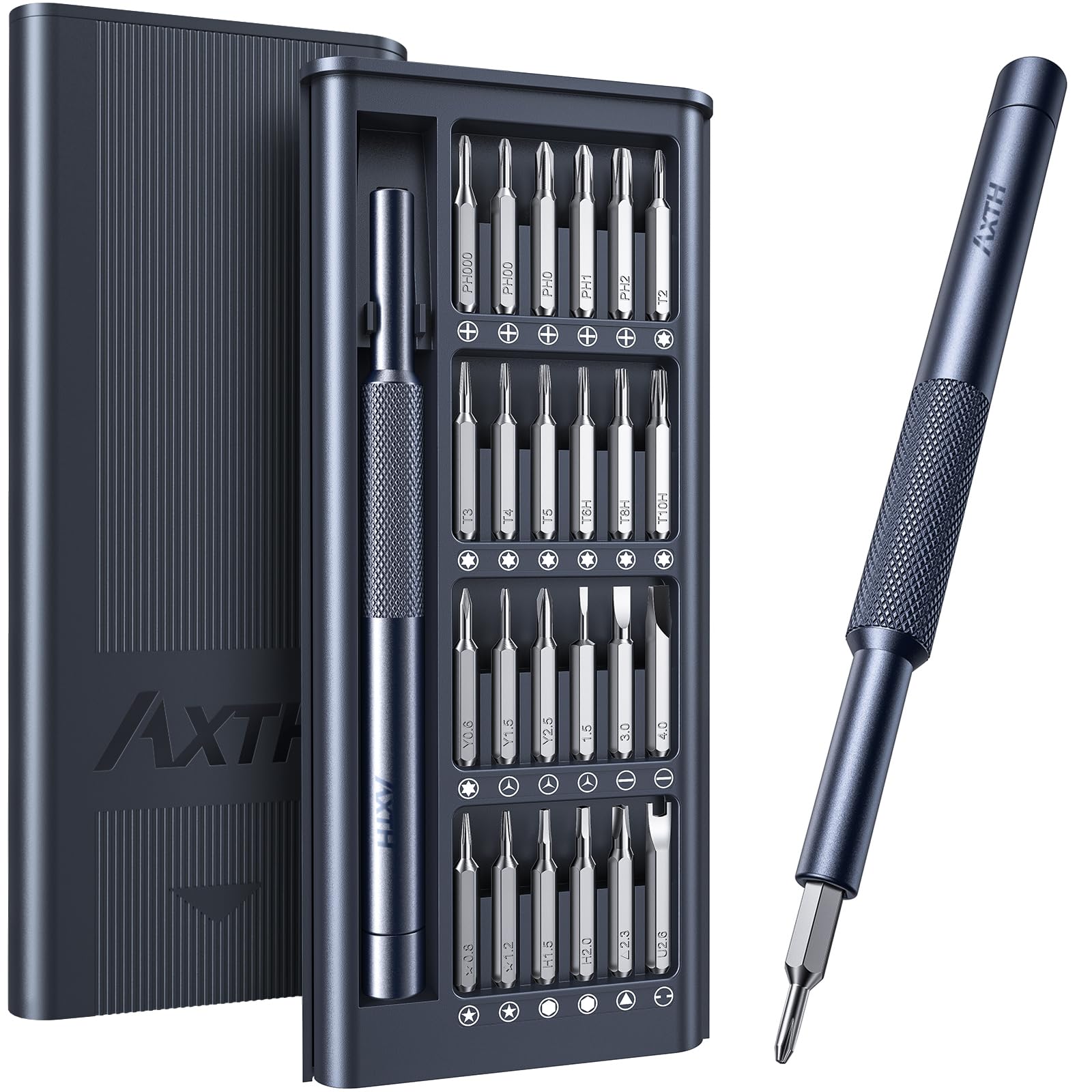
AXTH 25-in-1 Kit

93 /100
Lab Score Outstanding

Key details

Bits
24 bits
Case
Compact stay-shut case
Pieces
25 pieces
Bit Material
Bearing steel, HRC65
View on Amazon

The AXTH case is small enough to live in a desk drawer and forget about until a screw is loose. It holds 24 bits and a single driver in a package that is about the size of a glasses case, with a bit-pattern lid that helps you spot the right tip without opening it. We kept it in the study for quick fixes rather than on the build bench.

The bits are bearing steel rated to HRC65, and the handle has a frosted texture and a smooth swivel cap. For small fasteners, the driver feels more precise than its price suggests, and the swivel cap lets you keep pressure on a screw while your palm turns. It is the kind of kit that saves a trip to the garage for a single laptop screw or a loose toy battery door.

The limits show up when the job gets bigger. The 25-piece set does not have the breadth of a 100-bit kit, so it is a companion for quick swaps rather than a full build. For a loose laptop screw, that narrow range is enough, and the small case is easy to keep close.

We think the AXTH is worth keeping as a second kit. Its bearing-steel bits and swivel cap feel better than the case suggests, and the drawer-friendly size means you actually use it. When a single screw is loose and the big kit is in the garage, this is the one we grab.

Pros

  • Tiny drawer-friendly case
  • Bearing-steel bits rated HRC65
  • Smooth swivel cap
  • Low cost for a secondary kit

Cons

  • Weak magnet on tiny screws
Our verdict

The AXTH 25-in-1 is the tiny kit we keep in a drawer for quick swaps and eyeglass-size fasteners, with a swivel cap that feels better than the case suggests.

Check Latest Price

How We Chose and Tested PC Building Tool Kits

We built the shortlist from kits sold by PC component and tool retailers, then eliminated any set that was missing a standoff socket, a Phillips #1 or #2, or hex and Torx bits in the sizes used by PC cases and coolers. Price mattered, but only after we checked what the kit included: a cheap set that forces you to buy a separate extension or spudger is not a value. That left 14 kits, which we used for four months across full ATX builds, cooler swaps, and upgrades in cramped mini-ITX cases.

Each kit got the same run: assemble a motherboard, CPU cooler, GPU, and drives into a bare case on a dining table; tear it down; then rebuild it. We used the same set for a cooler swap and a small upgrade to see whether it stayed useful beyond one job. Working in tight corners behind a mounted cooler and inside a small case, we noted whether the magnetic tip held a screw at an angle, whether the standoff socket wobbled, and whether the Phillips bit cammed out on a tight motherboard screw. We also checked bit size against the actual screws; a #2 that fit loosely was a strike, and a hex bit that rounded a standoff sent the kit to the bottom of the list.

Durability came from repetition: we used each driver through at least 20 install and removal cycles, applied extra torque to stubborn case screws, and checked bit tips for wear, handles for cracks, and hinges for play. We opened and closed each case or pouch a few dozen times to see whether bits stayed in their slots. At the end, we priced out any missing pieces and counted the bits we had actually reached for; kits with a wide variety of useful sizes scored better than sets padded with odd bits no PC builder needs.

How to Choose a Pc Building Tool Kit

Match the Bits to the Fasteners You Will Actually Turn

Start with the screws on your case, cooler, and power supply, not the bit-count badge. A desktop build usually needs a Phillips #2 for case and PSU screws, a Phillips #1 or #0 for smaller hardware, and a small hex or nut-driver for standoffs if your chassis uses one. Prebuilt machines may add Torx or security bits. A 64-bit kit like the Mako covers the common end of that list; a 120- or 140-bit set adds range for laptops and odd fasteners. Check the standoff bit before you buy.

Bit Fit and Steel Matter More Than Piece Count

Hardness numbers are useful, but heat treatment and machining decide whether a bit fits snugly or cams out. A loose bit is more likely to strip a screw head than a soft one is to snap, and both are worse than a bit you never need. We look for a named steel, a defined hardness, and a warranty that covers breakage. Budget high-count kits can be fine for occasional builds, but treat the smallest Torx and security bits gently and use hand pressure rather than force.

Magnetism Is a System, Not a Checkbox

A magnetic bit socket holds the bit in the driver; a magnetized bit holds the screw. Those are different jobs, and a kit can do one well and the other poorly. A magnetizer or a magnetic project mat solves most of the gap by keeping screws from rolling away and letting you boost a stubborn bit. If you work over a carpeted floor, the mat is worth more than another dozen bits. Check whether the kit includes one, or plan to add a small tray.

Reach and Handle Control Save the Awkward Screws

Recessed case screws and cooler mounts are where short precision drivers run out of room. A dual-length barrel, a flexible shaft, or an extension rod lets you keep the driver straight instead of angling the tip and risking a cammed screw. Handle shape matters just as much: a knurled metal driver with a swivel cap gives you control, while a skinny plastic handle is fine for tiny fasteners but tiring on long case screws. If your case has deep recesses, prioritize reach over bit count.

Storage and Footprint Decide Whether You Use It

A kit that lives in a drawer needs a case that opens easily and keeps the bits labeled; a kit that stays on the bench can justify a larger footprint and a magnetic sorting lid. High-piece-count cases are not automatically better—they take up shelf space and can make the bit you need harder to find. We prefer a case that holds bits securely without making removal a fight, and a size that matches where the kit will actually live.

Frequently Asked Questions

Final Verdict

For most desktop builds, the iFixit Mako is the kit we recommend. Its 64-bit range, precise 4 mm driver, and magnetic sorting case cover the screws you meet without turning your toolbox into a bit warehouse. If you also repair laptops and phones, the Pro Tech Toolkit adds the flex extension and anti-static wristband that make bench work easier. On a tighter budget, the STREBITO kit is the one we hand to new builders, provided you treat the smallest bits gently.