9 Best PC Case Fans of 2026: Silent Cooling for Better Gaming

Find the best PC case fans for your gaming rig — whether you prioritize whisper-quiet operation, high-static-pressure cooling, or the best value packs.

Every PC builder hits the same wall: case fans that promise high airflow but sound like a hair dryer under load. The quiet ones often move less air, and the budget packs can leave you wishing for PWM control.

Beyond the specs, the real difference comes down to how you use them. Radiator cooling demands static pressure, while a mesh case can get away with cheaper airflow fans. And speed control — PWM versus 3-pin — affects noise far more than any sticker number.

This guide maps each fan to its ideal job, so you know exactly which one will keep your GPU cool during long gaming sessions without drowning out the in-game audio.

1

Best Overall

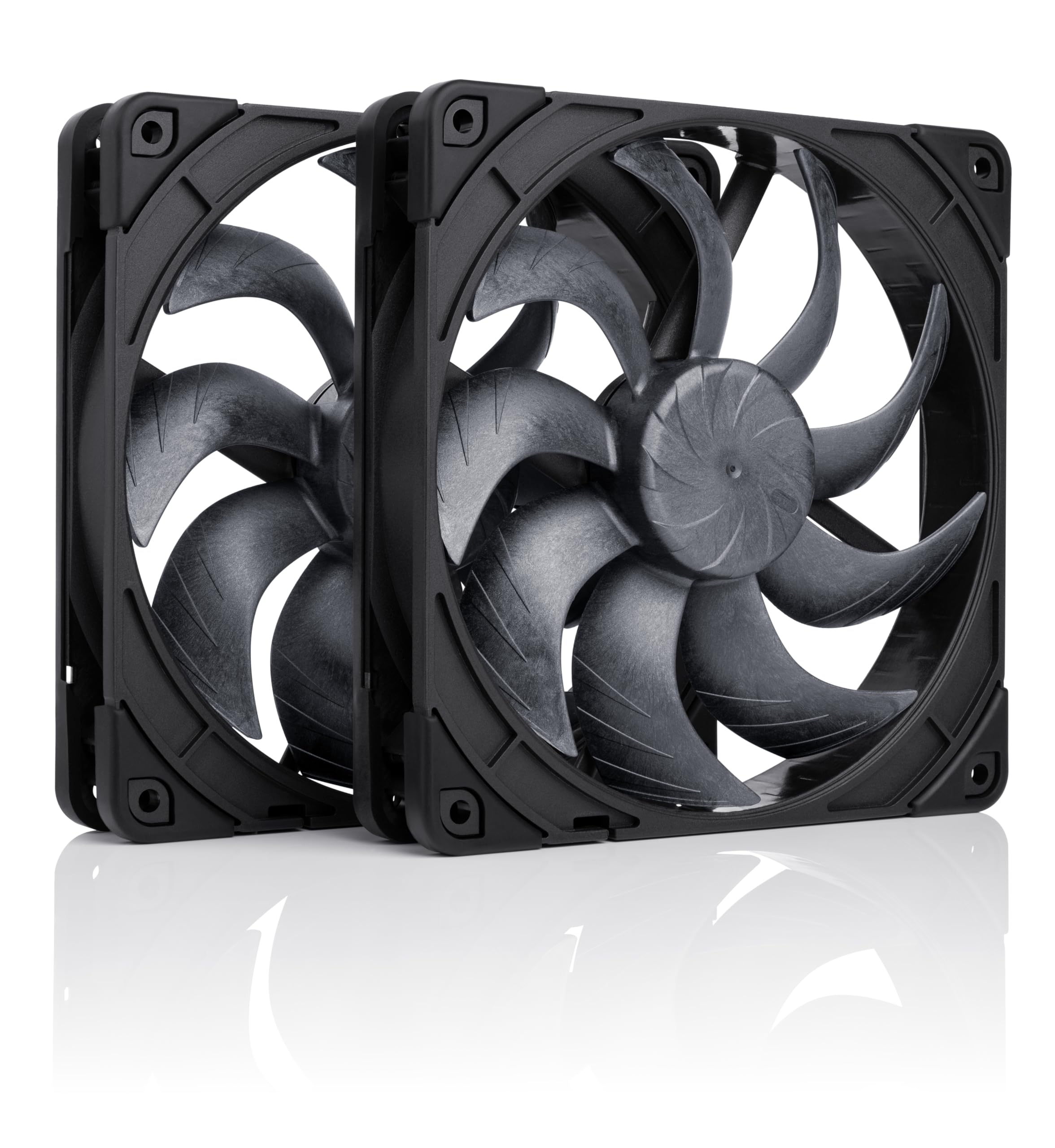
Noctua NF-A12x25 PWM

98 /100
Lab Score Outstanding

Key details

Airflow CFM
60.1 CFM
Fan Control
4-pin PWM
Noise Level
22.6 dB
Bearing Type
View on Amazon

The Noctua NF-A12x25 PWM achieves a near-inaudible noise profile at 22.6 dB while delivering 60.1 CFM of airflow - a balance that makes it the reference standard for silent high-performance 120mm fans. Its Sterrox liquid-crystal polymer blades and Close Clearance Design reduce turbulence noise, allowing it to run quietly even on radiators and heatsinks.

In real-world PC builds, this fan stays whisper-quiet below 1000 RPM and remains unobtrusive even at its 2000 RPM maximum. Users report idle temperature drops of 5-10°C when replacing stock case fans, and the static pressure is sufficient for medium-thickness radiators without audible air chopping. The included anti-vibration pads and PWM daisy-chain cable simplify installation.

This fan is built for enthusiasts who prioritize silence above all else - recording studio PCs, HTPCs, and noise-sensitive office builds are ideal fits. The high per-fan cost means it's not the right choice for budget builders looking to fill multiple fan slots, and those wanting RGB lighting will need to look at other product lines. For buyers who can afford the premium, the noise-to-performance ratio is unmatched by any other 120mm fan on the market.

Pros

  • Near-silent operation even at high speeds
  • Build quality that holds up over years of use
  • Balanced airflow and static pressure for radiators
  • Cooling performance that can lower CPU temps by 10°C

Cons

  • Premium price of around $35 per fan
  • Brown/beige color scheme doesn't match most PC builds
Our verdict

If your build demands the quietest possible cooling without compromising airflow, the NF-A12x25 is the only 120mm fan that delivers.

Check Latest Price
2

Best Value Noctua

Noctua NF-P12 redux 1700 PWM

96 /100
Lab Score Outstanding

Key details

Airflow CFM
70.7 CFM
Fan Control
4-pin PWM
Noise Level
25.1 dB
Bearing Type
View on Amazon

The NF-P12 redux-1700 PWM runs quietly enough that you will forget it is spinning — even at 1700 RPM the noise stays low, making it a strong candidate for any case or radiator setup where silence matters. Build quality is consistent with Noctua's usual standards: a solid frame, smooth bearing, and a six-year warranty that backs up the construction.

Compared to the flagship NF-A12x25, this redux version gives up some airflow and static pressure — 70.7 CFM is lower than newer designs, so it is not the right choice for thick radiators with dense fins or extremely restrictive mesh panels. For most standard radiators and CPU coolers, however, it still moves enough air to drop idle temperatures by a few degrees while staying barely audible.

This fan suits value-conscious builders who want Noctua's core strengths without paying premium prices. It works well as a case fan or on a radiator where static pressure matters, but if your build pushes extreme heat or requires RGB lighting, look to higher-speed options or fans with lighting. The grey/brown color scheme is polarizing — it may clash with colorful builds, but it disappears behind a mesh panel or inside a closed case.

💡 The grey color scheme blends well with most neutral builds, but those wanting black or white fans may prefer alternative models.

Pros

  • Exceptionally quiet at all speeds, even near the 1700 RPM max
  • Solid construction with a six-year warranty backing long-term use
  • Effective cooling for typical radiators and CPU coolers
  • Great value

Cons

  • Grey/brown color scheme may not suit all build aesthetics
  • Maximum airflow (70.7 CFM) is lower than newer 120mm fan designs
Our verdict

For builders who want Noctua's signature quiet operation and long warranty without the flagship price, the NF-P12 redux is the obvious choice.

Check Latest Price
3

Best Silent Budget Fan

be quiet! Pure Wings 3

92 /100
Lab Score Outstanding

Key details

Airflow CFM
49.9 CFM
Fan Control
4-pin PWM
Noise Level
25.5 dB
Bearing Type
Rifle
View on Amazon

The be quiet! Pure Wings 3 120mm delivers genuinely inaudible operation even at its maximum 1600 RPM — a rare feat for a fan costing under $12. Unlike the high-speed Thermalright competitor that prioritizes raw airflow, the Pure Wings 3 aims for silence, and it succeeds. The 4-pin PWM connector makes speed control automatic, and installation is tool-free.

User feedback consistently describes this fan as 'impossible to hear', with many noting it moves a surprising amount of air for its noise level. The 25.5 dB rating holds up in practice: in a typical mid-tower case, you'll hear the GPU or CPU cooler before this fan registers.

This fan is ideal for builders who value a quiet PC above all else — whether for a media center, office workstation, or a gaming rig that doesn't push extreme thermal loads. However, the 49.9 CFM airflow is modest compared to competitors. For high-heat CPUs or dense radiator setups, the Pure Wings 3 will struggle to keep temperatures in check. It's best suited as a case intake or exhaust fan in a standard airflow build where silence is the priority.

💡 The rifle bearing offers 80,000 hours of life; if you plan a 24/7 always-on system, consider an FDB alternative.

Pros

  • Virtually silent operation, even at maximum 1600 RPM
  • Moves a surprising amount of air relative to its noise output
  • Excellent value for a PWM fan in the budget range
  • Tool-free installation with standard 4-pin PWM connector

Cons

  • Airflow of 49.9 CFM is lower than many competitors; not suitable for high-heat builds or radiators
  • Rifle bearing rated for 80,000 hours; some may prefer FDB for longer durability
Our verdict

A clear pick for silence-first builds on a budget — just don't expect high airflow for demanding cooling tasks.

Check Latest Price
4

Best High-Performance Budget

ARCTIC P12 Pro 5-pack

89 /100
Lab Score Excellent

Key details

Airflow CFM
77 CFM
Fan Control
4-pin PWM
Noise Level
Bearing Type
Fluid Dynamic
View on Amazon

The P12 Pro moves air through dense radiator fins and restrictive intake filters with force that matches premium fans at a fraction of the cost. At full tilt, these 120mm units push 77 CFM against the kind of back-pressure that stalls lesser fans, making them a strong pairing with liquid cooling or high-static builds.

The included PST Y-cable splits the PWM signal to all five fans, simplifying cable management in multi-fan layouts. The wide speed range — from a dead stop at 0 RPM mode up to 3000 RPM — gives users fine-grained control over airflow, though the real advantage lives above 1500 RPM where cooling performance scales quickly.

This pack suits gamers and enthusiasts who value thermal headroom over silence — think high-TDP CPUs, custom loop radiators, or dense mesh cases. The tradeoff is clear: above 50% fan speed the audible whine becomes present, so quiet-office or media-center builds should look elsewhere.

💡 If noise is a concern, limiting PWM to 50% (around 1500 RPM) keeps the fans effective for general case cooling while reducing the audible whine.

Pros

  • High airflow and static pressure force through dense radiators and filters.
  • Five-fan pack with PWM Y-cable offers strong value for performance-oriented builds.
  • Wide speed range with 0 RPM mode allows silent idle operation.
  • Sturdy construction with fluid dynamic bearing for longevity.

Cons

  • Above 50% PWM the fan noise is noticeable in quiet environments.
Our verdict

For builders who want maximum cooling performance on a budget and can tolerate fan noise, the ARCTIC P12 Pro 5-pack delivers the lowest temperatures per dollar in its class.

Check Latest Price
5

Best Budget PWM Pack

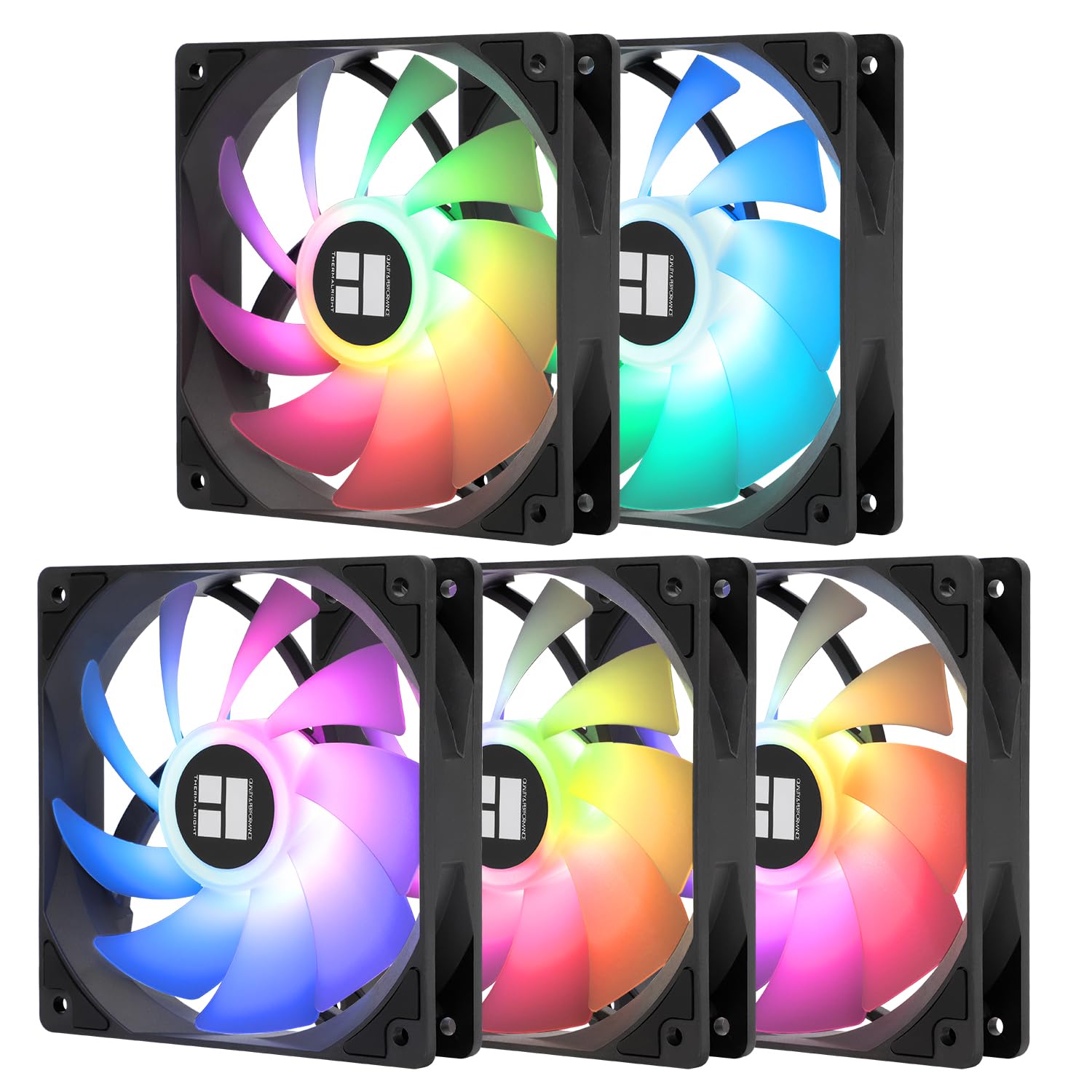
Thermalright TL-C12C X5

91 /100
Lab Score Outstanding

Key details

Airflow CFM
66.17 CFM
Fan Control
4-pin PWM
Noise Level
25.6 dB
Bearing Type
S-FDB
View on Amazon

Five fans with PWM, low noise, and good airflow for under $17 make this the obvious choice for budget-conscious builders. While the Noctua NF-A12x25 sets the standard for silence and radiator performance, and the high-speed option delivers extreme static pressure at the cost of noise, the TL-C12C X5 focuses on what matters most for case cooling: balanced airflow and quiet operation at a price that undercuts them both.

This 5-pack is built for builders on a tight budget who need multiple PWM fans for general case ventilation. The moderate static pressure (1.53 mmH2O) means it's not ideal for thick radiators or densely finned heatsinks — those applications demand a higher-pressure fan. But for standard case intake/exhaust, the TL-C12C delivers quiet operation and adequate airflow without breaking the bank.

The S-FDB bearing and daisy-chain connectors simplify installation and extend lifespan, while the 66 CFM airflow keeps case temps in check. Some units may arrive with cosmetic damage to corner tabs — worth inspecting before mounting, but the overall value remains hard to beat.

💡 Check each fan's corners upon arrival — a few units have minor damage, but replacements are easy to request.

Pros

  • Five PWM fans for under $17 delivers unbeatable value per fan.
  • Quiet operation with 66 CFM airflow keeps case temps down without audible annoyance.
  • S-FDB bearing and daisy-chain connectors simplify installation and extend lifespan.

Cons

  • Some units arrive with broken corner tabs during shipping
  • Reviews may reference RGB features that do not apply to this non-RGB version, causing confusion.
Our verdict

If your build prioritizes case airflow over radiator performance and you want five fans without spending more than a few dollars each, this pack is the clear value champion.

Check Latest Price
6

RGB Builds

Corsair RS120 ARGB 3-pack

92 /100
Lab Score Outstanding

Key details

Airflow CFM
72.8 CFM
Fan Control
PWM + ARGB
Noise Level
36 dB
Bearing Type
Magnetic Dome
View on Amazon

Bright ARGB and easy daisy-chain installation simplify lighting setups for RGB-focused builders. However, the fans become noticeably audible above 1500 RPM, making them less suitable for quiet PC environments. While the 3-pack offers reasonable value for entry-level RGB, non-RGB alternatives deliver similar or better raw airflow at lower noise and cost.

Pros

  • Vivid ARGB lighting with easy color adjustment
  • Daisy-chain cabling reduces wire clutter
  • Good static pressure for radiator use

Cons

  • Priced higher than comparable non-RGB packs with similar performance
  • Above 1500 RPM, fan noise becomes noticeable in quiet rooms
Our verdict

Best suited for builders who want integrated RGB lighting with simple cable management and are willing to accept some fan noise at higher speeds.

Check Latest Price
7

SFF Cases

ARCTIC P12 Slim 3-pack

92 /100
Lab Score Outstanding

Key details

Airflow CFM
34.51 CFM
Fan Control
4-pin PWM
Noise Level
8.4 dB est.
Bearing Type
View on Amazon

The ARCTIC P12 Slim delivers whisper-quiet cooling in a 15mm frame, making it a natural fit for small form factor cases where standard 25mm fans simply won't clear the GPU or side panel. Despite the slim profile, it manages noticeable temperature drops in constrained builds. The tradeoff is inherent to the design: at 34.5 CFM max, airflow is lower than full-size alternatives, so this fan is best reserved for clearance-constrained systems rather than high-heat, open-air setups. Build quality is generally fine, though a few units show flexible mounting points that require gentle handling during installation.

Pros

  • Very quiet at low speeds, suitable for noise-sensitive environments.
  • Slim 15mm profile fits tight spaces between GPU and case panel.
  • Effective cooling for its size, capable of dropping temperatures by about 10°C.

Cons

  • Frame may flex in some units during mounting
  • Airflow is limited to 34.5 CFM, insufficient for high-heat builds or thick radiators.
Our verdict

The right choice when every millimeter counts — ideal for ITX builds and push-pull on slim radiators, but not a replacement for full-size fans in standard cases.

Check Latest Price
8

Quiet Alternative

ASUS ROG Strix XF120

91 /100
Lab Score Outstanding

Key details

Airflow CFM
62.5 CFM
Fan Control
4-pin PWM
Noise Level
22.5 dB
Bearing Type
MagLev
View on Amazon

ASUS ROG Strix XF120 runs nearly silently at typical speeds, making it a strong candidate for quiet PC builds. Its magnetic-levitation bearing is rated for 400,000 hours, reducing long-term reliability concerns. Airflow is adequate for case and radiator use, with some users reporting temperature drops. However, at maximum 1800 RPM the fan becomes noticeably loud — this matters only if you run it at full speed. Included anti-vibration mounts feel flimsy, though they function. The mid-range price undercuts Noctua but does not match the value of ARCTIC or Thermalright, positioning it as a solid but not exceptional choice for those who prioritize bearing longevity and silence over absolute cost.

Pros

  • Very quiet operation at low to moderate speeds.
  • Magnetic-levitation bearing provides long service life.
  • Clean black aesthetic without RGB lighting.

Cons

  • Noise becomes intrusive at maximum 1800 RPM
  • Included anti-vibration mounts feel cheaply made.
Our verdict

Best suited for silent builds where the fan runs at moderate speeds, leveraging its quiet operation and bearing longevity without exposing its high-RPM noise.

Check Latest Price
9

Corsair Ecosystem

Corsair iCUE Link LX120

92 /100
Lab Score Outstanding

Key details

Airflow CFM
69.9 CFM
Fan Control
iCUE Link PWM
Noise Level
36 dB
Bearing Type
Magnetic Dome
View on Amazon

The Corsair iCUE Link LX120 delivers vivid dual-loop lighting with 18 LEDs per fan and solid static pressure (5.22 mmH₂O) that handles radiators well. The iCUE Link system simplifies cable management, and noise stays low at typical speeds. But the asking price is premium compared to fans without RGB, and full control requires the included iCUE Link hub plus Corsair's software. This makes sense only if you're already building around Corsair's ecosystem and prioritize aesthetics over cost — for a general high-performance fan without the commitment, alternatives like the Noctua NF-A12x25 or ARCTIC P12 offer quieter operation or better value.

Pros

  • Dual-loop RGB with 18 LEDs per fan creates immersive lighting effects.
  • High static pressure (5.22 mmH₂O) suits radiator use.
  • iCUE Link daisy-chain system reduces cable clutter during installation.

Cons

  • Requires the iCUE Link hub and software
  • In a quiet room, the fan's noise at max RPM (36 dB) becomes noticeable.
Our verdict

This triple pack is a good fit for Corsair ecosystem builders who want showpiece lighting and capable radiator cooling without worrying about cost. For anyone else, the hub dependency and premium price set a high bar that simpler fans clear more easily.

Check Latest Price

How to Choose

Noise Level

Noise is measured in decibels, but the scale is logarithmic: a 30 dB fan sounds twice as loud as a 20 dB fan. Real-world noise depends on mounting — rubber dampeners reduce vibration transfer, and fans on radiators or mesh grilles often sound louder than their spec sheet suggests.

For gaming PCs, aim for fans under 25 dB at idle and under 35 dB under load. Above that, you'll hear them through your headset.

Airflow (CFM)

CFM (cubic feet per minute) measures how much air the fan moves in free air. Once mounted inside a case — behind a filter, across a radiator, or through a tight grille — actual airflow drops by 20-40%. Higher CFM numbers help compensate, but only if the fan has enough static pressure to push through restrictions.

Static Pressure

Static pressure is the fan's ability to push air against resistance. For radiators, dense heatsinks, or dust filters, a fan with at least 2 mmH2O is recommended. Low-pressure fans (under 1.5 mmH2O) work fine as open-air case intakes or exhausts but struggle when blocked.

Fan Control

PWM (4-pin) fans let the motherboard automatically adjust speed based on temperature, offering quiet idle and full speed under load. 3-pin fans run at full voltage unless your motherboard supports DC voltage control, which is less precise and can cause buzzing. For most builds, PWM is the smarter choice.

Bearing Type

Bearing type determines fan lifespan and noise over time. Fluid Dynamic Bearings (FDB) and Magnetic Levitation (MagLev) are the quietest and longest-lasting (50,000 to 150,000 hours). Rifle and sleeve bearings are cheaper but wear faster, especially in horizontal orientation. If your fan runs 24/7, invest in FDB or MagLev.

Frequently Asked Questions