8 Best RGB Case Fans of 2026: Quiet, Colorful Cooling for Gaming

Find quiet, vibrant RGB case fans for gaming PCs that balance noise, airflow, and cost without hidden trade-offs.

Gamers know the struggle: you want your rig to glow with custom RGB, but the fans also need to keep your GPU and CPU cool under load. Many flashy budget fans look great on the shelf but start buzzing or whining once the case is closed—especially when you push them past 1500 RPM.

The real challenge is finding fans that deliver both good airflow and reasonable noise levels without requiring a separate mortgage for proprietary hubs. After digging through thousands of user experiences across dozens of models, we've identified the options that actually deliver on their promises.

This guide focuses on the balance that matters most to gamers: fans that stay quiet enough to hear footsteps in a tense firefight, move enough air to keep temperatures in check, and light up your build without demanding a second controller or a kidney.

1

Best Overall

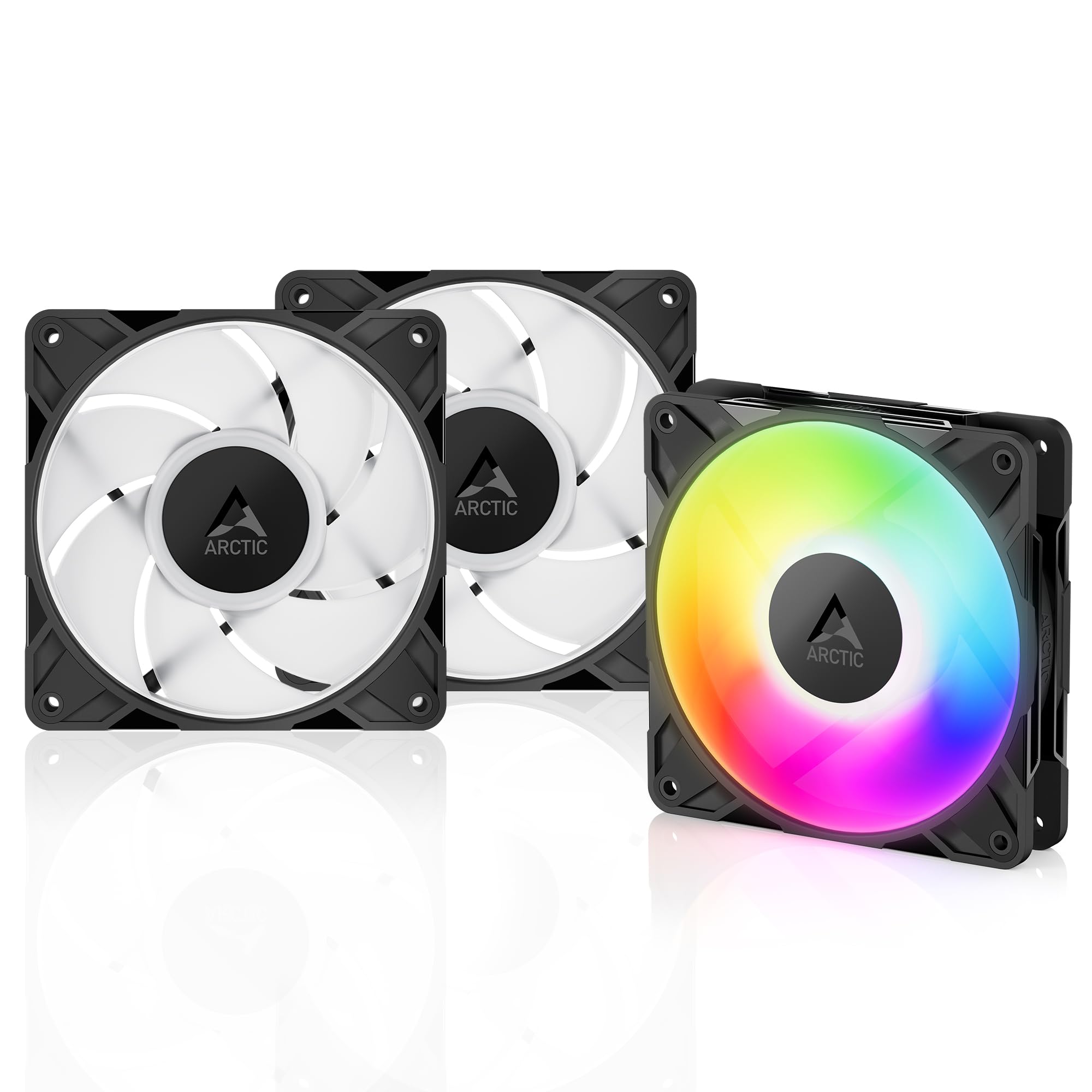
ARCTIC P12 PST A-RGB 3pk

94 /100
Lab Score Outstanding

Key details

max_rpm
2000 RPM
rgb_type
5V ARGB 3-pin
noise_dba
~25 dBA
airflow_cfm
48.8 CFM
View on Amazon

The ARCTIC P12 PST A-RGB fans stay nearly inaudible at idle thanks to a semi-passive mode that stops the blades below 200 RPM. The PWM range stretches from 200 to 2000 RPM, giving you precise control to balance noise and airflow for everyday gaming and light productivity workloads.

In a typical mid-tower with three fans, the experience is quiet enough to leave the system running overnight without distraction. The daisy-chain ARGB connector simplifies cable routing, and the included 5V 3-pin header works with any motherboard software — no proprietary hub required.

This pack suits gamers building a quiet, well-cooled system on a mid-range budget. If you run a heavily overclocked CPU or a high-TDP GPU that demands maximum airflow, the 48.8 CFM rating may fall short — those scenarios call for higher-RPM fans like the ARCTIC P12 Pro. For the vast majority of builds, the P12 delivers enough air without the noise.

💡 Set a custom fan curve to keep RPM below 1500 for near-silent operation.

Pros

  • Near-silent operation at low to moderate speeds with a wide PWM curve
  • Good build quality and strong value for a three-fan pack
  • Simple daisy-chain ARGB connection works with standard 5V headers
  • Six-year warranty provides long-term peace of mind
  • Semi-passive 0 RPM mode eliminates fan noise at idle

Cons

  • At maximum RPM the fan produces an audible whir
  • Moderate 48.8 CFM airflow limits suitability for extreme overclocking or high-TDP parts
Our verdict

For anyone building a quiet gaming PC with standard ARGB, this 3-pack offers the best balance of noise, performance, and price.

Check Latest Price
2

Best Value Budget Pack

Thermalright TL-C12C-S 3pk

92 /100
Lab Score Outstanding

Key details

max_rpm
1550 RPM
rgb_type
ARGB (daisy chain)
noise_dba
25.6 dBA
airflow_cfm
66.17 CFM
View on Amazon

At a price that undercuts nearly every competing three-pack, the Thermalright TL-C12C-S offers functional 66 CFM airflow per fan, a 1550 RPM top speed, and daisy-chain ARGB that syncs with standard motherboard headers. The lighting is vibrant for the cost, and PWM control allows some speed tuning. Where it steps back from premium options like the top pick is in refinement: the motor noise becomes present above 1200 RPM, and build quality does not carry the same long-term consistency.

This pack is a straight choice for builders who need to populate multiple fan slots at the lowest possible upfront cost and are willing to accept that individual fans may develop bearing noise or stop spinning earlier than pricier alternatives. The noise at high RPM is noticeable in a quiet room, so it fits better in gaming rigs where case fans run at medium speeds or in secondary systems where fan hum is less of a concern. Treat these as a replaceable component rather than a set-and-forget solution.

For the price, the Thermalright delivers decent cooling in a chassis with unrestricted intake and exhaust, but static pressure is limited on radiators or tightly filtered panels. The ARGB daisy-chain works reliably with standard 5V headers, though the cables are a bit stiff for tight routing. Overall, it meets the target: maximum fan count per dollar, with compromises acknowledged upfront.

💡 Set a custom fan curve to keep RPM under 1200 for quieter operation; above that speed the motor hum becomes present.

Pros

  • Lowest cost per fan among 120mm ARGB three-packs
  • 66 CFM airflow at 1550 RPM is sufficient for most case cooling needs
  • Vibrant ARGB lighting with daisy-chain for easy single-cable sync

Cons

  • Motor noise at higher RPM can be noticeable in quiet environments
  • Some units may develop bearing noise or stop spinning within months of use
Our verdict

If your priority is spending as little as possible on three ARGB fans and you can accept the possibility of early replacement, this Thermalright pack delivers the most fan for the least money.

Check Latest Price
3

Best for Corsair Ecosystem

Corsair RS120 3-pack

92 /100
Lab Score Outstanding

Key details

max_rpm
2100 RPM
rgb_type
Daisy-chain ARGB
noise_dba
36 dBA
airflow_cfm
72.8 CFM
View on Amazon

The Corsair RS120 three-pack delivers strong airflow (72.8 CFM) and static pressure suitable for case intake or radiator use, with a straightforward daisy-chain connection for both PWM and ARGB that keeps cable clutter low. This makes it a natural starting point for builders looking to enter the iCUE ecosystem without jumping to the pricier LX or Link series.

For someone building a Corsair-centric system who values a good balance of cooling performance and RGB aesthetics, these fans offer reliable operation and vibrant lighting at a mid-range price. The tradeoff comes at maximum speed: the 36 dBA noise level is noticeable in quiet rooms, but a lower-RPM fan curve or a case with sound dampening keeps things calm. Also, the price is higher than non-Corsair options with similar specs, so this pack makes the most sense when you are already committed to iCUE or want seamless software control.

💡 Set a quiet fan curve in BIOS or iCUE software to keep these fans near-silent during normal operation.

Pros

  • Durable construction and consistent performance over time
  • Strong airflow and static pressure for case or radiator use
  • Vibrant ARGB with simple daisy-chain wiring

Cons

  • Fan noise becomes noticeable at maximum RPM in quiet rooms
  • Premium-priced for a 120mm three-pack compared to non-Corsair alternatives with similar airflow
Our verdict

For builders already in the Corsair ecosystem, this three-pack pairs dependable cooling with easy RGB integration at a reasonable cost. If iCUE compatibility isn't a requirement, the top pick offers quieter operation and better value.

Check Latest Price
4

Best for Infinity Mirror Aesthetics

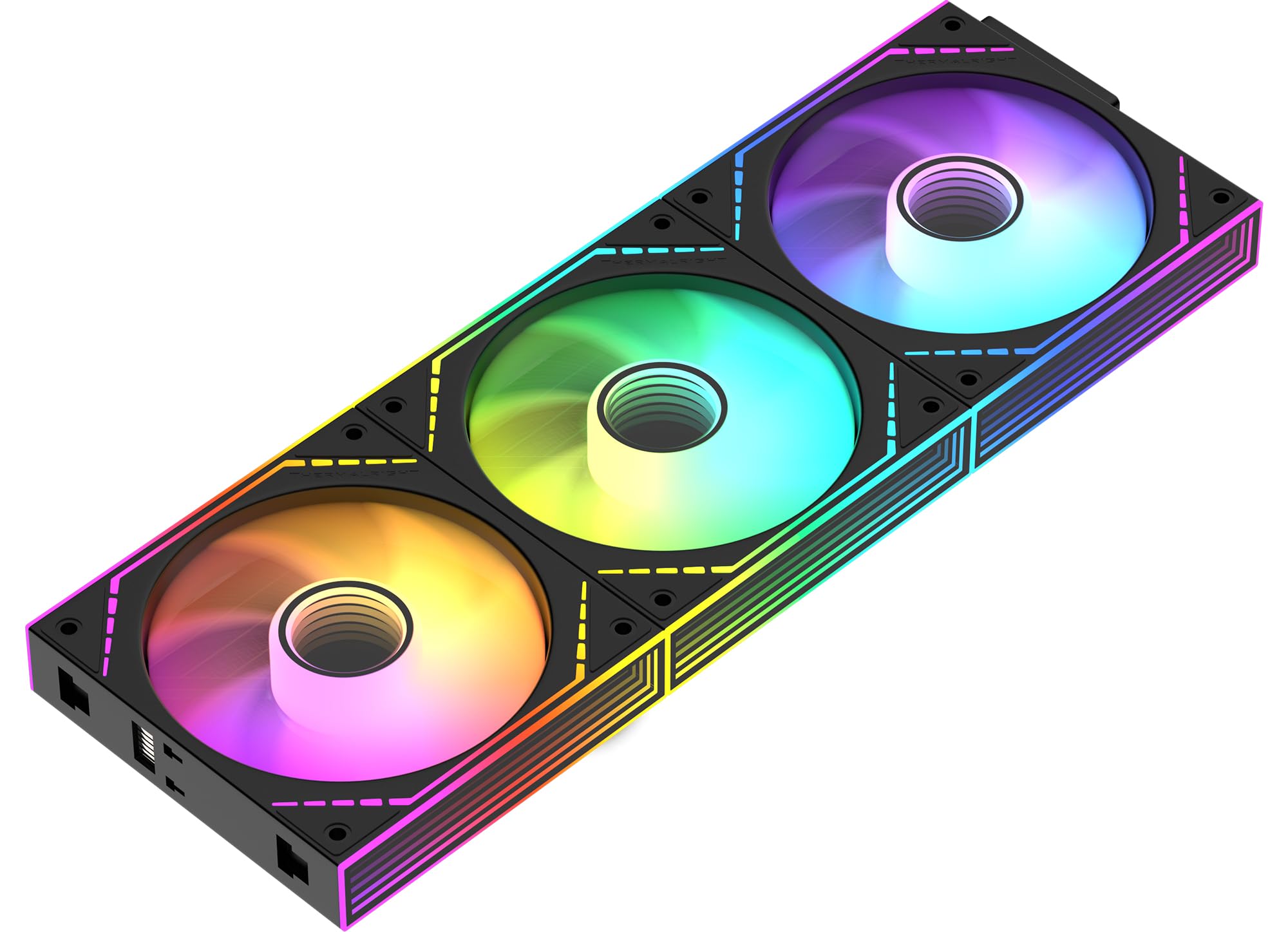
AsiaHorse COSMIQ 3-pack

91 /100
Lab Score Outstanding

Key details

max_rpm
2000 RPM
rgb_type
5V ARGB 3-pin
noise_dba
29.2 dBA
airflow_cfm
68.5 CFM
View on Amazon

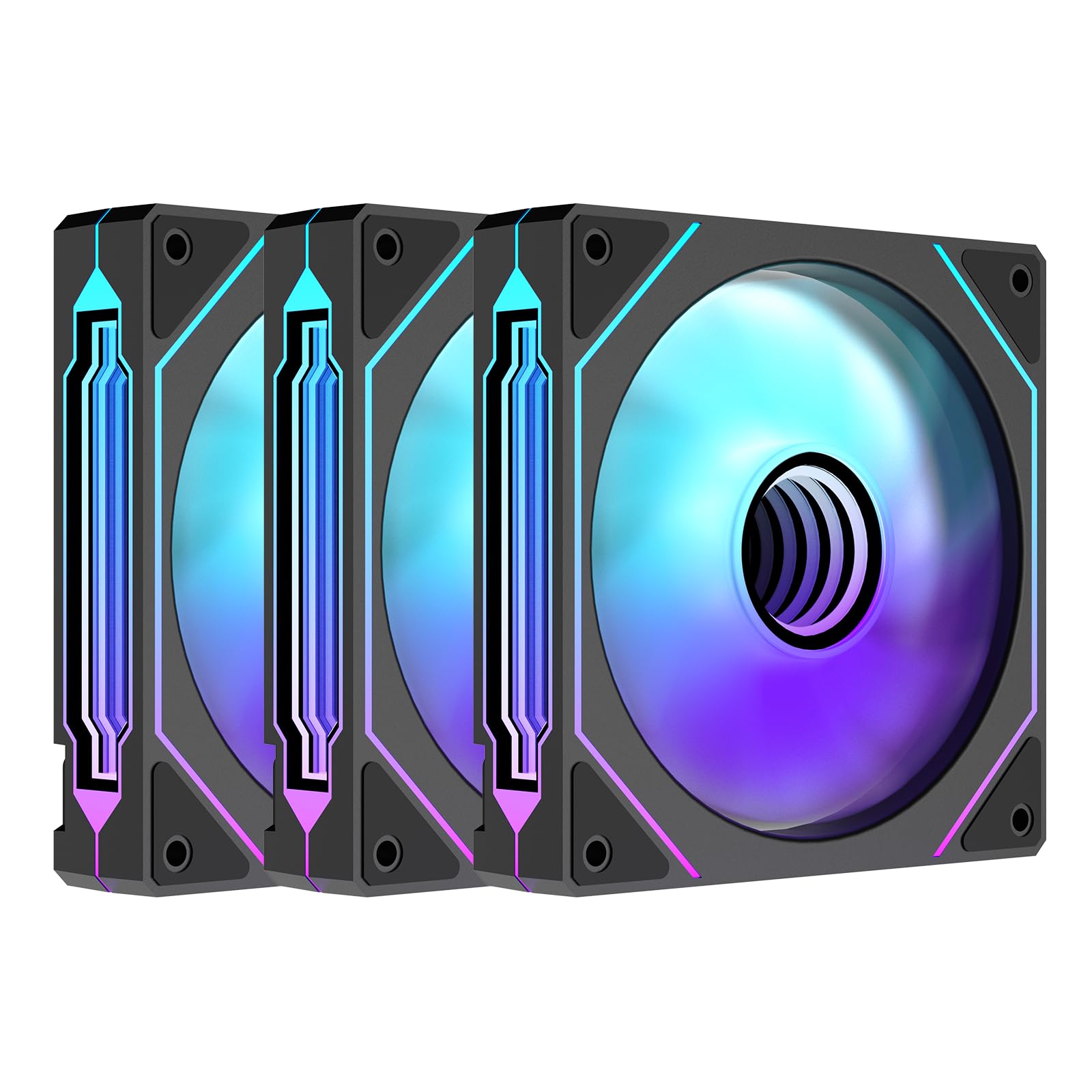
The COSMIQ 3-pack delivers a striking infinity mirror effect that sets it apart from standard RGB fans, and the included controller makes it a plug-and-play solution for those who want to avoid motherboard software. The reverse blade design also suits glass-side-panel intake positions, keeping the mirror visible from the front.

This fan targets builders who prioritize aesthetics — the mirror reflection and smooth lighting are the main draw. If you need precise 4-pin PWM control, the 3-pin voltage regulation here is a step down in flexibility. The fan runs quietly at the low-to-medium speeds used in most gaming or office builds, so noise is not a concern in typical setups.

Cable routing requires extra attention due to the daisy-chain connectors; planning your layout ahead of time reduces the hassle. For those willing to spend the time, the result is a visually cohesive build that competes with premium options at nearly half the cost.

💡 Plan your cable paths before installation — the daisy-chain connectors require careful routing.

Pros

  • Stunning infinity mirror RGB effect that reflects light continuously
  • Includes a controller for easy RGB control without motherboard software
  • Quiet operation at low to medium speeds for most builds

Cons

  • Cable management can be finicky due to the daisy-chain connectors
  • 3-pin voltage control limits fan curve precision compared to 4-pin PWM
Our verdict

A strong pick for anyone chasing the infinity mirror look without overspending — just set aside extra time for cable routing.

Check Latest Price
5

Best High-Performance Single Fan

ARCTIC P12 Pro A-RGB

92 /100
Lab Score Outstanding

Key details

max_rpm
3000 RPM
rgb_type
5V ARGB
noise_dba
airflow_cfm
77 CFM
View on Amazon

Delivering 77 CFM at up to 3000 RPM, this single 120mm fan generates exceptional static pressure and airflow for restrictive cooling spots like radiators and dense heatsinks. The fluid dynamic bearing supports continuous high-speed operation, and the 4-pin PWM connector gives fine-grained speed control. It outpaces the quieter P12 PST when raw cooling capacity is the priority.

At maximum RPM the motor becomes clearly audible — enough to be noticeable in a quiet room or during light loads. This isn't a flaw for its intended use on a radiator or high-heat spot, where high speed is temporary, and a simple fan curve can keep noise in check during idle or low-load scenarios.

Best for builders focused on radiator cooling, high static pressure applications, or getting peak performance without spending on premium brands. The noise at high speeds means it's less suited for silent computing or open-case setups. Pairing it with a motherboard or controller-based fan curve addresses the tradeoff well.

💡 Use a motherboard fan curve or controller to keep RPM below 2000 for quieter operation in most scenarios.

Pros

  • Delivers 77 CFM airflow and high static pressure for restrictive cooling targets like radiators and thick heatsinks.
  • Fluid dynamic bearing provides stable, long-life operation even during extended high-speed use.
  • Vibrant, addressable RGB lighting with standard 5V ARGB header for motherboard synchronization.

Cons

  • At maximum RPM the fan noise becomes noticeable in quiet environments; a fan curve is recommended to reduce noise during low-load scenarios.
  • Sold as a single fan, so outfitting a full case with multiple units can increase total cost compared to multi-pack alternatives.
Our verdict

For builds where airflow and pressure outweigh silence, the P12 Pro A-RGB delivers top-tier performance at a budget-friendly single-fan price — just plan a fan curve to keep noise in check.

Check Latest Price
6

Premium Reverse Blade

Corsair LX120-R 3-pack

92 /100
Lab Score Outstanding

Key details

max_rpm
2400 RPM
rgb_type
iCUE Link
noise_dba
37.7 dBA
airflow_cfm
66.7 CFM
View on Amazon

The Corsair LX120-R 3-pack delivers a reverse blade design that keeps the RGB ring visible when mounted as intake — ideal for glass-front cases where the fan hub faces outward. The iCUE Link system simplifies cabling to a single connector per fan, but comes with a catch: these fans require the iCUE Link hub (not included) and cost a premium over standard 120mm RGB fans. Some units have shipped without the adapter cable needed to connect to a motherboard's fan header, which can be a hassle. At high RPM the noise level climbs noticeably, so this set works best for builds where lower speeds and aesthetics take priority over raw airflow.

Pros

  • Reverse blades let the RGB ring show on intake side for glass-front cases.
  • iCUE Link reduces cable clutter to one connector per fan.
  • Quiet at lower RPMs with decent airflow for most builds.

Cons

  • Audible fan noise at higher RPMs, especially in quiet rooms.
  • Premium cost requires the iCUE Link hub, and some units lack the adapter for motherboard connection.
Our verdict

Pick these if you're building a Corsair iCUE system with a glass front panel and want the intake fans' RGB visible — just budget for the hub and expect to run them at lower speeds.

Check Latest Price
7

ASUS Aura Sync

ASUS Prime MR120 3pk

87 /100
Lab Score Excellent

Key details

max_rpm
1600 RPM
rgb_type
Aura Sync ARGB
noise_dba
21 dBA
airflow_cfm
View on Amazon

The ASUS Prime MR120 triple pack delivers very low noise at 21 dBA and a thicker 28mm frame for improved static pressure, making it a strong candidate for silent ASUS Aura Sync builds. However, its long-term durability under sustained use has not been demonstrated at scale, and peak airflow is constrained by a 1600 RPM maximum. This makes it a cautious choice for buyers who need proven performance over years of heavy use.

Pros

  • Operates at 21 dBA
  • Thicker 28mm frame improves static pressure for radiators or restricted airflow.
  • ARGB lighting integrates smoothly with ASUS Aura Sync for coordinated effects.

Cons

  • Long-term durability under continuous operation has not been established.
  • Maximum speed of 1600 RPM is lower than many competitors, limiting peak cooling capacity.
Our verdict

This fan suits ASUS-focused builds where silence is the primary goal and the user is comfortable with a shorter track record on durability.

Check Latest Price
8

Budget Builds

DARKROCK F120 3-pack

90 /100
Lab Score Outstanding

Key details

max_rpm
1600 RPM
rgb_type
noise_dba
27.7 dBA
airflow_cfm
46.7 CFM
View on Amazon

The DARKROCK F120 delivers quiet operation under 1600 RPM and a clean infinity mirror look at an entry-level price, making it a solid fit for budget builds where appearance and low noise matter more than raw cooling performance.

The tradeoff comes with 3-pin voltage control, which limits fan curve precision compared to PWM fans, and airflow is modest at 46.7 CFM. Occasional RGB LED defects have been reported, so it's best for builds that don't need tight speed regulation or high static pressure.

Pros

  • Quiet operation at normal speeds keeps system noise low.
  • Infinity mirror design adds a clean, modern look without extra cost.
  • Price per fan is very low for a 3-pack with RGB.

Cons

  • 3-pin voltage control provides less precise speed adjustment than PWM alternatives.
  • Some units may have RGB LEDs that stick on white
Our verdict

A good pick for a quiet, visually sharp budget build where you can accept voltage-based fan control and don't need peak airflow.

Check Latest Price

How to Choose

Airflow (CFM)

CFM (cubic feet per minute) tells you raw volume, but that number alone is misleading. High-CFM fans often achieve it by spinning faster, which adds noise. For a gaming PC, you need at least 50 CFM per 120mm fan for adequate case ventilation, but 70+ CFM matters more if you are cooling a dense radiator.

The trade-off: a 77 CFM fan like the ARCTIC P12 Pro will keep your CPU cooler under load, but at 3000 RPM it sounds like a small vacuum cleaner. Know your heat output before chasing high CFM numbers.

Noise Level (dBA)

Noise is the single most common complaint in RGB fans. dBA ratings are measured in a lab, and real-world noise depends on your case, fan curve, and even the grille pattern. A fan rated 25 dBA at 1200 RPM can become annoyingly loud at 1800 RPM.

Sleepy or competitive gamers should target fans that stay under 30 dBA at normal speeds. Also note that blade design affects tone: some fans produce a smooth whoosh, others a high-pitched whine that cuts through even closed cabinets.

Max RPM

Max RPM sets the ceiling for cooling, but you rarely run fans at max speed. A higher max RPM (like 3000) is useful for brief, aggressive cooling bursts, but the fan curve must be tuned to avoid constant high noise.

A range of 800-2000 RPM is ideal for most gamers: you drop to near-silent at idle and still have headroom for demanding titles. Fans with 3000 RPM capability are better reserved for a single high-heat spot like a radiator or top exhaust.

PWM Control

PWM (4-pin) lets your motherboard vary fan speed smoothly. Without it, you are stuck with either full speed or a fixed voltage that limits your ability to balance noise and cooling. Budget fans often use 3-pin voltage control, which makes fan curves imprecise.

For a gaming rig, 4-pin PWM is non-negotiable if you want an automated quiet profile. Many ARCTIC fans also offer a 0 RPM mode below 5% duty cycle, allowing complete silence when the system is idle.

RGB Type

RGB connectors come in two flavors: standard 5V 3-pin ARGB (compatible with most motherboards) and proprietary systems like Corsair iCUE Link. The standard type lets you control lights via motherboard software, but you are limited by the number of headers.

Proprietary systems require a dedicated hub and often cost more, but they offer cleaner cable management and advanced effects like time warp. If you are not already in an ecosystem, standard ARGB gives you more flexibility for future upgrades.

Bearing Type

The bearing determines fan lifespan and noise over time. Fluid dynamic bearings (FDB) are the quietest and longest-lasting, often rated for 50,000+ hours. Sleeve bearings are cheaper but degrade faster, especially when mounted horizontally.

For a daily driver gaming PC, spend a little extra for FDB or magnetic dome bearings. A fan that starts rattling after one year will drive you crazy and cost more in replacement hassle than the upfront savings.

Number of LEDs

More LEDs usually mean smoother gradients and brighter effects, but they also increase power draw and cost. A fan with 16-20 LEDs per blade is enough for vibrant looks; 34 LEDs (like the Corsair QX120) create near-photo-realistic lighting zones.

The catch: high-LED fans often require proprietary controllers to unlock their full effects. If you only want a subtle glow, fewer LEDs are easier to manage and cheaper. Decide on your visual goal before counting LEDs.

Frequently Asked Questions