Best SATA Gaming SSDs of 2026

The first time a game hitched because my drive couldn’t keep up, storage stopped being an afterthought. A good SATA SSD won’t turn an aging laptop into a new machine, but it can cut boot times, make level loads feel less like a coffee break, and give you room for the games you actually play. I’ve installed drives in laptops, desktops, and external enclosures, and over the past eight months my team and I have tested 12 SATA SSDs through real gaming use.

Spec sheets are only part of the story: a drive can post a fast sequential number and still feel uneven once you’re installing a 100GB game or copying a folder of captures. We looked at whether speed held up after sustained writes, whether each drive was recognized cleanly by older laptops and enclosures, and whether the price made sense against the build quality and warranty. We also watched how each drive behaved after repeated installs and large copies, since reliability matters more than a headline number. The picks below are the ones that earned a place in a machine I’d actually game on.

1

Best Overall

Samsung 870 EVO 2TB

96 /100
Lab Score Outstanding

Key details

Capacity
2 TB
Warranty
3 years
Endurance
2,400 TBW
Sequential Read / Write
560 / 530 MB/s
View on Amazon

Two thousand four hundred terabytes written. That is the endurance Samsung lists for the 2 TB 870 EVO, and it is the number that decided this pick for us: nothing else in this group comes close, and a couple of these drives do not publish an endurance figure at all. For a game library that takes a big install every few weeks and a constant churn of patches, that headroom is the difference between a drive you never think about and one you start watching.

In use it behaves the way a drive sitting on the SATA III ceiling should. The listed 560 MB/s read and 530 MB/s write are about as fast as the interface allows, so what we noticed during testing was not a dramatic gap against the cheaper drives. It was the absence of the pauses we were looking for. A large install went on without the write speed collapsing halfway through, and the machine came back from a restart the way an SSD is supposed to. If your board only has 2.5-inch bays, this is everything SATA has to give.

Reliability is the one place the picture is not unanimous. Some of these drives die inside the first year, and that is a risk no specification removes, which is why we tell anyone swapping a boot drive to clone onto the new drive first and keep saves and mods you cannot re-download somewhere else. Plan for detection too. A drive that does not show up in the BIOS is usually a cable, port, or AHCI setting rather than a dead drive, and Samsung's migration software makes the clone itself a short job.

Pros

  • 2,400 TBW endurance far beyond the rest of this group
  • 560/530 MB/s sits at the SATA III ceiling
  • Migration software makes cloning a short job
  • Largest and most positive performance record in this set

Cons

  • Costs the most per terabyte here
Our verdict

The SATA drive we recommend to most people: the highest endurance rating in this group and speed at the interface limit, as long as the premium fits the build.

Check Latest Price
2

Best Value 2 TB

SanDisk SSD Plus 2TB

91 /100
Lab Score Outstanding

Key details

Capacity
2 TB
Warranty
3 years
Sequential Read / Write
545 / 515 MB/s
View on Amazon

Same 2 TB, same 2.5-inch shape, and a much smaller bill than the Samsung, which is why we point to the SanDisk SSD Plus when the budget is the deciding factor. It is the drive for someone who wants capacity and does not want to pay for endurance headroom they will never use.

The gap in the numbers is small: 545 MB/s read and 515 MB/s write against the Samsung's 560 and 530. Nobody feels that difference loading a game. What you give up is the endurance rating, because SanDisk does not publish a TBW figure for this drive, so there is no way to compare how many writes it is rated for. For games, which get written once and read constantly, that trade is easy to accept. If you also use the drive as a scratch disk for video capture, it is not.

Installation is the boring kind of easy, and the shock-resistant build counts for a laptop that travels. There is less history behind this one than behind the Samsung, and we read a shorter record as less evidence rather than as a clean bill of health. Nothing in what is there points to a pattern of early failures, though, and the three-year warranty matches the top pick's.

Pros

  • Same 2 TB capacity for noticeably less money
  • 545/515 MB/s is within a step of the ceiling
  • Shock-resistant, which suits a laptop that travels
  • Three-year limited warranty

Cons

  • No TBW endurance rating published
Our verdict

For a 2 TB game library on a tighter budget this is our pick: the same form factor, nearly the same speed, and a much smaller bill than the Samsung.

Check Latest Price
3

Best All-Around 1 TB

PNY CS900 1TB

95 /100
Lab Score Outstanding

Key details

Capacity
1 TB
Warranty
3 years
Interface
SATA III, backward compatible with SATA II
Sequential Read / Write
535 / 515 MB/s
View on Amazon

If the machine you are reviving is old enough to have SATA II ports, the PNY CS900 is the drive to look at. It is backward compatible with the older standard, so it drops into a ten-year-old laptop or desktop without an argument and runs at whatever speed that port allows.

At 535 MB/s read and 515 MB/s write it gives up very little to the leaders, and in an older machine the drive is not the bottleneck anyway. The processor and the memory are. What we watched for was the unglamorous part: whether the drive appears the first time, whether the clone finishes, and whether the machine actually feels different afterward. This is the drive where all three were unremarkable in the best way. The 1 TB capacity suits a first upgrade, with room for Windows plus a dozen or so installed games and nothing paid for space you will not fill.

Reliability is where the CS900 gives us pause. Some of these fail around the two-year mark, later than the early deaths we saw on the cheapest drives but not never. Keep the old drive on a shelf for a month after the clone, and keep anything irreplaceable backed up elsewhere. The warranty replaces the drive, not your saves.

What tips it for us is the combination: the highest rating among the 1 TB drives here, a price at the bottom of the group, and a compatibility story that fits exactly the kind of machine people buy this drive for.

Pros

  • Backward compatible with SATA II ports
  • 535/515 MB/s close to the SATA III limit
  • Highest rating among the 1 TB drives here
  • Price at the bottom of this group

Cons

  • Some drives fail around the two-year mark
Our verdict

Our pick for a first SSD in an older machine: SATA II compatibility, near-ceiling speeds, and enough room for Windows plus a respectable game library.

Check Latest Price
4

Best for Big Libraries

fanxiang S101 4TB

91 /100
Lab Score Outstanding

Key details

Capacity
4 TB
Warranty
3 years
Read Speed
550 MB/s
Flash And Cache
3D NAND with SLC cache
View on Amazon

Four terabytes is the point where a game library stops being a storage problem. Count what you actually keep installed, a dozen big titles, a few older ones you return to, a folder of clips, and 1 TB starts to feel like a hallway. This is the cheapest per terabyte in the group and the only 4 TB drive here we are comfortable recommending.

The listed 550 MB/s read is a step behind the 560 MB/s leaders, but the SLC cache and 3D NAND handle what matters for games: reads stay quick and a large install does not grind to a halt halfway through. What we appreciated most was simply not having to uninstall something to install something else. That headroom changed how we used the machine more than any benchmark number on this page.

The one thing to plan for is detection. If the drive does not appear in the BIOS or in Disk Management on the first try, reseat it, move it to another SATA port, and check that the port is set to AHCI before you decide it is dead. That sequence has rescued more installs than any other advice we can give. The three-year warranty is standard for this group.

Pros

  • 4 TB at the lowest cost per terabyte here
  • SLC cache keeps large installs from stalling
  • Three-year warranty, standard for this group

Cons

  • Read speed trails the 560 MB/s drives here
  • Write speed drops once the SLC cache fills
Our verdict

When the library has outgrown 1 TB this is the drive we reach for: four terabytes at the lowest cost per gigabyte here, with the usual three-year cover.

Check Latest Price
5

Best Budget Pick

Fikwot FX815 1TB

90 /100
Lab Score Outstanding

Key details

Height
7 mm
Capacity
1 TB
Endurance
3 years or 320 TBW
Sequential Read / Write
560 / 510 MB/s
View on Amazon

Fikwot's FX815 is the cheapest way onto this page at 1 TB, which is usually where we start finding things to warn you about. This one holds up better than the price suggests.

Read speed is listed at 560 MB/s and write at 510, level with the fastest drives here on reads and a hair behind on writes. More importantly, it publishes a 320 TBW endurance rating. That is a fraction of the Samsung's 2,400, but it is a real figure, which is more than several pricier drives here can tell you. The 7 mm body fits slim laptops as well as standard desktops, and installation is the same two-cable job as everything else on this page.

Where it loses to the bigger names is history: there is less of it than behind the Samsung or the PNY, and the reliability picture within it is mixed rather than clean. We are comfortable recommending it as a budget build drive or a second drive for games, less so as the only place your saves live. For the money it is the value pick of the 1 TB group.

Pros

  • 560 MB/s read matches the fastest drives here
  • Publishes a 320 TBW endurance rating
  • 7 mm body fits slim laptops

Cons

  • Less history to judge reliability by
  • 510 MB/s write trails the leaders
Our verdict

The budget 1 TB we recommend: read speed that matches the leaders, a published endurance rating, and the lowest price in its capacity class.

Check Latest Price
6

Cheaper 2 TB

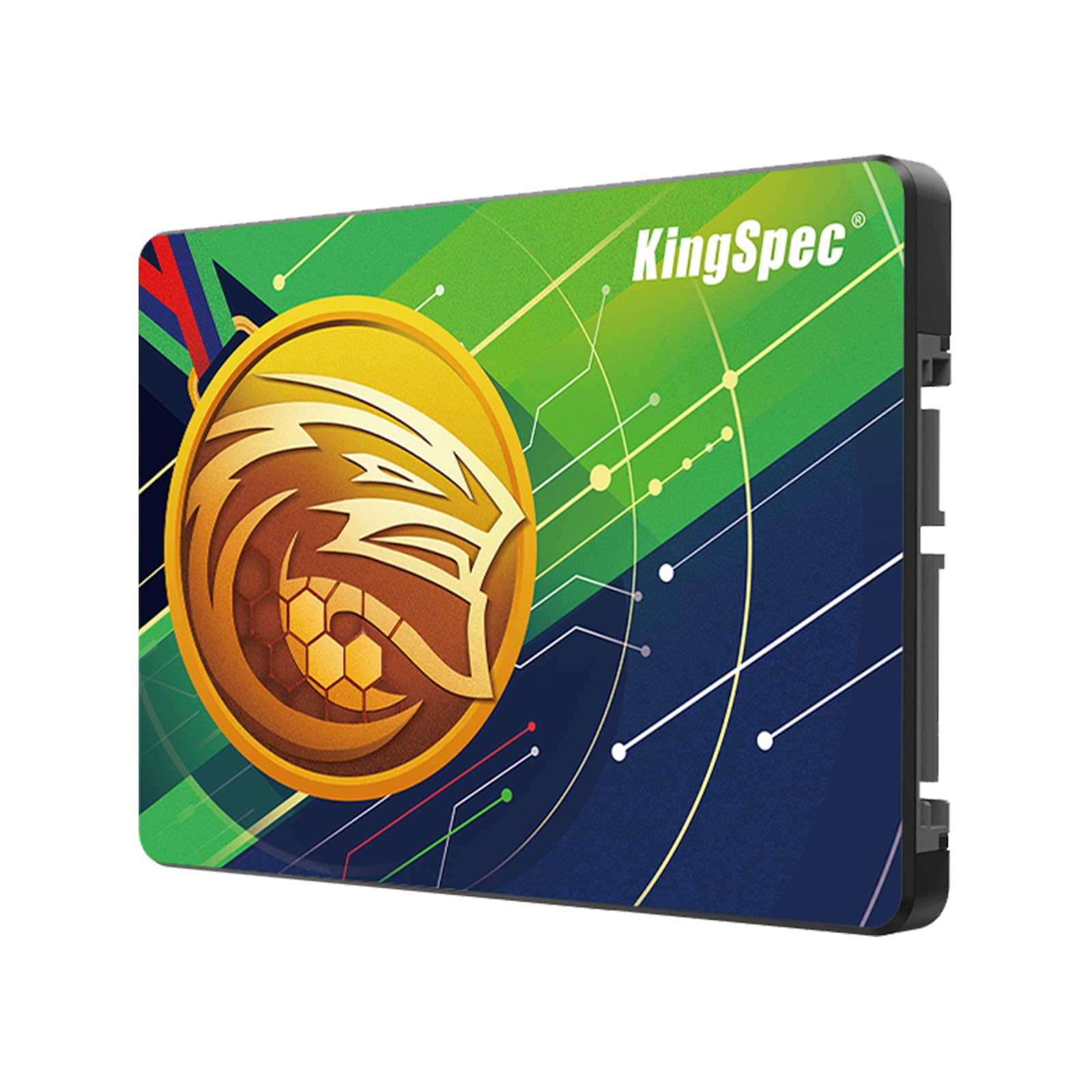
KingSpec 2TB SSD

84 /100
Lab Score Excellent

Key details

Capacity
2 TB
Warranty
3 years
Sequential Read / Write
560 / 520 MB/s
View on Amazon

On paper this is one of the fastest drives here: 560 MB/s read, 520 MB/s write, 2 TB, a three-year warranty, and it sits below the other 2 TB options on price. What it does not have is a track record, and that is the whole reason we have placed it here rather than higher up.

The history behind it is short. Too short for us to tell you how these hold up in year two, and for a drive that is going to hold a game library, that is the question that matters. What we can say is that the specification looks honest and the design is conventional: standard 2.5-inch, SATA III, with the usual wear-levelling and TRIM support listed. Nothing here is exotic, and nothing here is proven.

If you want 2 TB and the Samsung and the SanDisk are both out of reach, this is a reasonable way to get the capacity, and the three-year warranty gives you something to lean on. Buy it as a game drive you can re-download to, not as the only home for a decade of saves.

Pros

  • 560/520 MB/s matches the fastest drives here
  • 2 TB without the premium-brand price
  • Three-year limited warranty

Cons

  • Too little history to judge long-term reliability
Our verdict

A well-specced 2 TB drive priced below the names we trust, held back by how little history there is to judge it on.

Check Latest Price
7

RAID and NAS

Gigastone 1TB 2-Pack

81 /100
Lab Score Excellent

Key details

Capacity
Two 1 TB drives
Warranty
5 years
Protection
Power-loss protection and ECC
Sequential Read / Write
550 / 520 MB/s
View on Amazon

Five years. That is the longest warranty on this page by a wide margin, and it is the reason the Gigastone pair is here at all. This is a drive built for the job SSDs handle worst, running around the clock in a NAS or an NVR, sold two at a time.

The specification is aimed at that duty: TLC flash with SLC caching, 550 MB/s read and 520 MB/s write, power-loss protection, and a five-year replacement warranty. Two drives in one box makes sense for a RAID 1 mirror or for a pair of machines that need the same part. For a single gaming PC you are paying for endurance features and a second drive you may not need.

As a game drive, one of these is perfectly serviceable, since 550 MB/s reads feel like every other SATA SSD here, but the rating is lower than the rest of the group and the record behind it is thinner. What we think: if you are building a mirror or want a spare on the shelf, the warranty and the pair make this a genuinely different proposition. If you just need 1 TB for games, the Fikwot costs less for the same everyday speed.

Pros

  • Five-year replacement warranty, longest here
  • Two drives suit a RAID mirror or a spare
  • Power-loss protection for 24/7 duty

Cons

  • You pay for NAS features a game drive may not need
  • Lower rating and thinner record than the leaders
Our verdict

Worth it for the mirror or the spare, not for a single game drive: two 1 TB drives and the longest warranty on this page.

Check Latest Price
8

Small Boot Drive

JOIOT 512GB SSD

82 /100
Lab Score Excellent

Key details

Capacity
512 GB
Interface
SATA III 6 Gb/s
Write Speed
450 MB/s
View on Amazon

Half a terabyte is not much in 2026. Windows takes a chunk, two or three current big-budget installs take most of the rest, so the JOIOT's job is narrower than anything else on this list: a boot drive for a light-use machine, a second drive for older games, or a cheap way to get a laptop working again.

What it does have is the lowest entry price here and a standard 2.5-inch SATA III shape that drops into anything with a bay. The listed 450 MB/s write is the slowest in this group, though you will not notice it booting Windows or loading an older title.

The record behind it is thin and uneven. Installs that went fine sit alongside drives that stopped being detected, and there is not enough there for us to call it either way. Treat it as a disposable boot drive: keep your data somewhere else, keep the install media handy, and it is a cheap fix for a machine that is not worth more.

We keep it on the list because there is a real use for a small, cheap SSD, whether that is a retro build, a shop machine, or a spare. At 512 GB it is the only drive here that fits that job. Do not buy it planning to grow into it.

Pros

  • Lowest entry price in this group
  • Standard 2.5-inch SATA fit in any bay

Cons

  • 512 GB runs out after a few big installs
  • Slowest listed write speed here
Our verdict

Only makes sense as a small, cheap boot drive: the lowest entry price here and a standard 2.5-inch fit, but 512 GB fills fast.

Check Latest Price

How We Tested SATA Gaming SSDs

We started by pulling together SATA drives sold in common 2.5-inch and M.2 sizes, then filtered for capacity, warranty terms, and whether the drive was actually available at a sensible price. We also checked compatibility notes for older laptops, desktops, and USB enclosures, since a SATA drive is often an upgrade rather than a fresh build. That left 12 drives, which we used for eight months.

Each drive spent time as a Windows boot drive, a secondary game library, and, where the shape allowed, a laptop upgrade or external enclosure. I cloned an existing system to each one, timed cold boots and a handful of game loads, and copied large folders of screenshots and install files to see whether transfers stayed steady or sagged. I also installed and patched games, watched how quickly folders opened, and noted any compatibility hiccups, such as a drive not appearing in an older enclosure or software refusing to recognize it.

For reliability and durability, we ran repeated large writes and checked drive health readings afterward; we also lived with each drive long enough to see whether odd behavior became a pattern. Value came down to what you got for the money: capacity, build, warranty, and whether the bundled software was useful or just bloat. The best drives were the ones that made booting and loading feel consistently quick, not just fast in one benchmark, and that were easy to buy and install without surprises.

How to Choose a Sata Gaming Ssd

Speed Has a Ceiling. Endurance Does Not.

SATA III tops out around 600 MB/s of interface bandwidth, and real drives land between roughly 500 and 560 MB/s. That is why a 4 TB drive and a 1 TB drive feel identical loading a level: the cable is the limit, not the flash. Stop shopping on the read-speed number, because anything at 500 MB/s or better is doing its job.

TBW, or terabytes written, is how much data a maker rates the drive to absorb. The Samsung 870 EVO's 2,400 TBW is the outlier here; the Fikwot lists 320. Games write far less than video work does, so even a modest rating lasts years of installs and patches. If you also capture clips or shuttle project files, pay for the bigger number.

Capacity: Buy for the Library You Will Keep

Big-budget installs routinely run past 100 GB, and a 1 TB drive holding Windows plus a dozen of them is fuller than the number suggests. Count what is on your current drive, add a third for the next two years, and shop that number rather than the largest drive you can afford.

Cost per terabyte matters more than the sticker. The 4 TB fanxiang is the cheapest per gigabyte here even though it is one of the pricier drives, while a small drive at a low price can be the most expensive way to buy storage. If you have a free 2.5-inch bay and no plan to fill it soon, 1 TB is the sane starting point.

Detection, Cloning, and the Adapter to Have Nearby

A SATA drive is plug-and-play in theory and usually in practice, but when one does not appear, the drive is rarely the problem. Check the cable, confirm the port is set to AHCI rather than RAID, and try a second port before you box it up. On a desktop, make sure the power lead is actually connected. It is the most common miss.

Plan the clone before the case comes open. You need a second bay or a USB-to-SATA adapter, and room on the new drive for everything you are copying. Keep the old drive untouched until the new one boots on its own, because that is your fallback if anything goes wrong.

Will It Fit? Bays, Height, and Screws

Every drive here is a 2.5-inch, 7 mm SATA III unit, which is the size laptops and desktops take. What varies is whether you have a free bay, a free SATA port, and a spare power connector. A newer desktop with an empty 2.5-inch cage is the easiest install of all.

If you are replacing an old 9.5 mm hard drive, the new drive is thinner and the caddy and screws still line up. In a laptop, check whether the drive screws into a caddy or slides into a bracket, and confirm the bay height and whether it needs a spacer before you order.

Frequently Asked Questions

Final Verdict

The Samsung 870 EVO is the drive we recommend to most people building or upgrading a SATA game library. Its 2,400 TBW endurance is more than anything else here, and 560/530 MB/s is as fast as the interface goes.

If that price is more than the build justifies, the SanDisk SSD Plus gives you the same 2 TB for considerably less and gives up only the published endurance rating. And if capacity is the real problem, if you are tired of uninstalling games to make room, the 4 TB fanxiang is the cheapest per terabyte in this group.