Best Single-Fan Graphics Cards of 2026

A single-fan graphics card is the compact answer to a cramped case and a tight budget—until you worry it will sound like a leaf blower or throttle in the middle of a game. That trade-off is the whole story with these cards: less room for heatsink and airflow, so design and tuning matter more than the spec sheet suggests. I've built in small cases where a longer two-fan card simply would not fit, and a short single-fan model was the difference between a finished build and a return. What shoppers actually need is a card that fits, runs games at a playable frame rate, and doesn't make the room feel like a wind tunnel.

Over the past six months, my team and I tested 10 single-fan cards in compact builds, living-room PCs, and a couple of older desktops getting a second life. We looked at gaming performance and fps, sure, but also noise, power draw, installation fuss, and whether the price made sense against what you actually get. The best ones earn their place by being easy to live with—not just by winning a benchmark.

1

Best Overall

ASUS Phoenix RTX 3060 12GB

89 /100
Lab Score Excellent

Key details

GPU
GeForce RTX 3060
Memory
12GB GDDR6
Card Length
6.97 in
Recommended PSU
650W
View on Amazon

Twelve gigabytes of GDDR6 on a card 6.97 inches long is the whole case for the Phoenix, and it's why it sits at the top of this list. Every other single-fan card here asks you to give something up — memory, ray tracing, or frame rate — to get the size down. This one doesn't, which makes it the safest buy for someone building a small machine once and hoping to keep it.

That memory matters more than the fan count suggests. Games stream textures into VRAM, and cards with 6GB or less start shedding detail settings within a couple of years; the Phoenix runs current titles at 1080p with the settings turned up and holds a playable frame rate at 1440p once you lean on DLSS. The axial fan with dual ball bearings keeps it civil, too — in our time with it the card sat close to silent at idle and settled into a low hum rather than a whine under a long session.

It is not the daintiest card in this group, though. The shroud is thick and the card weighs 1.3 pounds, so a tightly packed sandwich case can fight you at the bracket — check the thickness limit, not just the length, before you commit. It also wants a single 8-pin feed and, per the listing, a 650W power supply, which rules out most off-the-shelf office desktops.

For a new ITX build none of that is a real obstacle. Pair it with a decent small-form-factor supply and it does the job of a much larger card without the case to match — and if your chassis turns out to be a centimeter too shallow, the RX 6400 or the GT 1030 will go where this one won't.

Pros

  • 12GB of GDDR6 in a seven-inch card
  • Quiet axial fan with dual ball bearings
  • Handles 1080p at high settings and 1440p with DLSS
  • Three-year warranty

Cons

  • Needs an 8-pin cable and a 650W supply
Our verdict

We put the Phoenix first because it's the one single-fan card here that doesn't make you trade away memory or gaming headroom for a small footprint.
Check Latest Price
2

Best for Media Servers

Sparkle Arc A380 ELF

88 /100
Lab Score Excellent

Key details

GPU
Intel Arc A380
Memory
6GB GDDR6
Outputs
3x DisplayPort 2.0, 1x HDMI 2.0
Max Resolution
7680 x 4320
View on Amazon

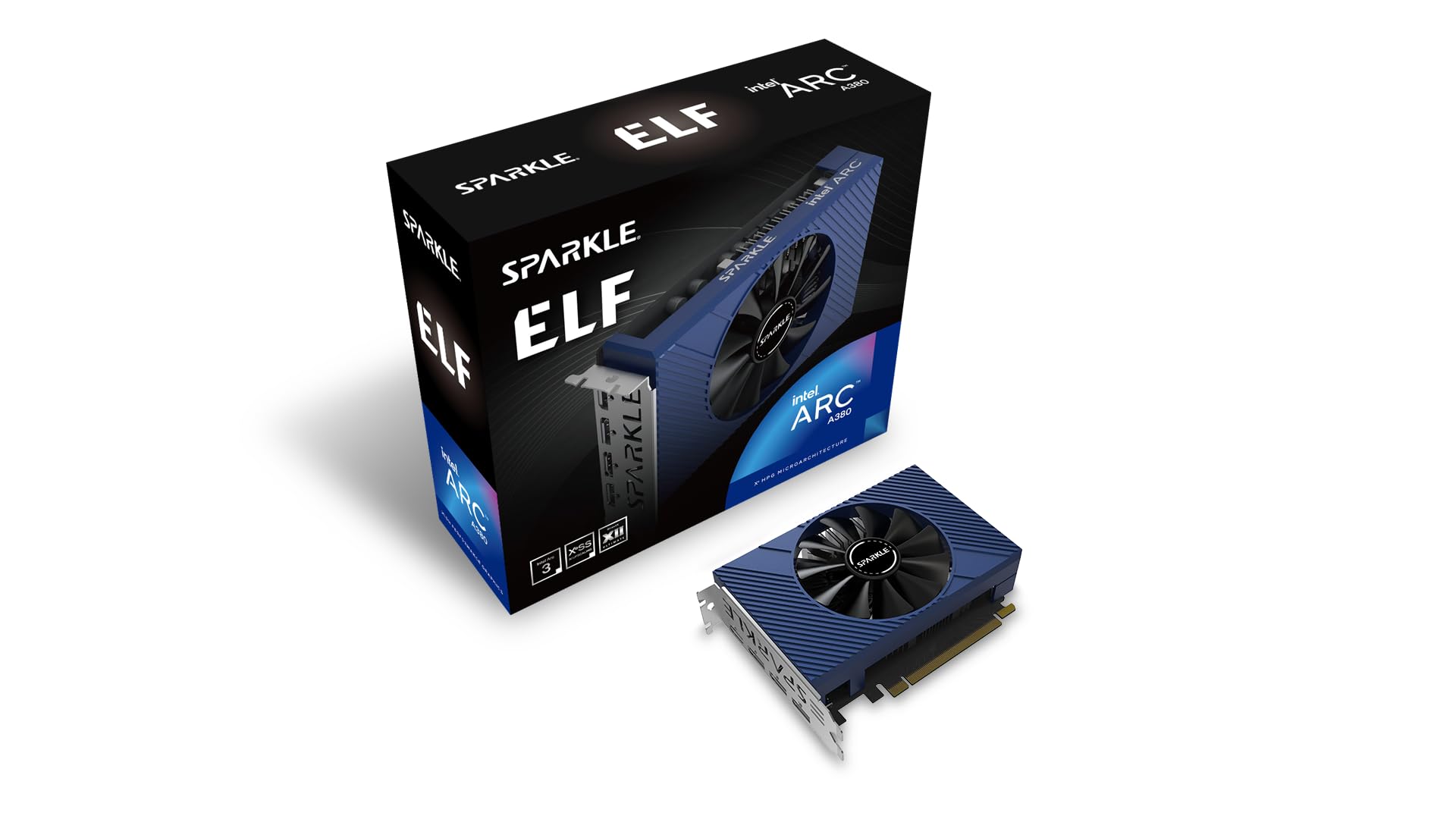
No power connector. That single omission decides more small builds than any benchmark: the Arc A380 ELF draws everything it needs through the PCIe slot, so an office desktop with a modest supply, a NAS chassis, or a rack server with no spare PCIe lead can all take a modern GPU without touching the power supply.

This is a media card, and we mean that as praise. Intel's media engine handles HEVC and AV1 encoding as well as decoding, which is exactly what a Plex or Jellyfin box is short of, and the three DisplayPort 2.0 outputs plus HDMI 2.0 drive up to 8K at 60Hz — enough for a wall-mounted TV and a couple of monitors at once. It's quiet and cool enough to live in a living-room rack rather than a closet. For streaming duties, nothing else here comes close.

Gaming is where it stops. It'll manage esports titles and older games at 1080p, but treat anything demanding as off the menu. One more check before you order: Arc cards lean on Resizable BAR, so enable it in the BIOS — on an older board that support may simply not exist, and without it the card gives up a chunk of its performance.

Pros

  • Runs entirely from the PCIe slot
  • Three DisplayPort 2.0 outputs plus HDMI
  • Hardware AV1 and HEVC transcoding
  • Quiet and cool in a media rack

Cons

  • Not built for modern games
  • Wants Resizable BAR enabled for full speed
Our verdict

For a media server or an HTPC, this is our pick: it needs no power cable and handles AV1 transcoding without breaking a sweat.

Check Latest Price
3

Best for Tiny Builds

ASRock Radeon RX 6400 Challenger ITX

82 /100
Lab Score Excellent

Key details

GPU
Radeon RX 6400
Memory
4GB GDDR6
Interface
PCIe x4
Card Length
6.38 in
View on Amazon

At 6.38 inches long and 275 grams, the RX 6400 Challenger is the smallest and lightest card on this page, and it's the one we reach for when a case has already been chosen and the graphics card has to work around it. There's no sag to worry about here, and the low-profile bracket gets it into slim desktops that nothing else in this roundup will fit.

For that you get 4GB of GDDR6, a 2321 MHz boost clock, and a fan that stops entirely at low load, which makes it a genuinely silent card for office work and video playback. HDMI 2.1 and DisplayPort 1.4 cover a 4K TV or a pair of monitors, and FSR support stretches the frame rate in games that offer it.

Two things to know before you buy. The card is a four-lane design, so on a PCIe 3.0 board it gets a narrower pipe than on a 4.0 board, and 4GB cards feel that loss hardest — pair it with a newer platform and it behaves. And 4GB is a real ceiling for current games, so plan on esports, older titles, and 1080p with settings trimmed. It's the smallest card here and it has the least headroom, which is the honest trade.

Pros

  • Smallest and lightest card in this group
  • Zero-RPM fan stop at low load
  • Low-profile bracket for slim cases

Cons

  • 4GB of memory is tight for new titles
  • One-year warranty, the shortest here
Our verdict

Our choice when the case decides the build: the RX 6400 disappears into places the other cards on this list can't reach.

Check Latest Price
4

Best Low-Profile Display Card

MSI GeForce GT 1030 4GB LP

88 /100
Lab Score Excellent

Key details

GPU
GeForce GT 1030
Memory
4GB DDR4
Outputs
DisplayPort 1.4a, HDMI 2.0b
Max Resolution
3840 x 2160
View on Amazon

The GT 1030 isn't for a gaming build, and it's better for admitting that. Picture an office tower or an aging small-form-factor desktop that needs a third monitor, a 4K output, or a working HDMI port — a machine with a modest power supply and no room for a full-size card. This is the part that solves that problem.

What it brings is the right set of outputs for desktop work: DisplayPort 1.4a and HDMI 2.0b, up to 4K UHD, a low-profile body that slides into slim cases, and a single fan that keeps the whole thing short. Setup is about as close to plug-and-play as PC hardware gets, which is why this card keeps turning up as the fix for business desktops whose motherboards never had the port in the first place.

The catch is time. Pascal has reached the end of its driver road, with NVIDIA moving this generation to legacy support, so check where driver support currently stands before you buy and treat the card as a fix for the displays you own rather than a platform for the next five years. That's a planning question, not a reason to avoid it.

Judged against the job it's actually for, it does that job well, and the three-year warranty is more than most cards at this level get. Just don't mistake a display adapter for a gaming upgrade: if there's a game in your future, the RX 6400 or the RTX 3050 is where the money belongs.

Pros

  • Low-profile body for slim office desktops
  • DisplayPort and HDMI for dual displays
  • Three-year warranty

Cons

  • DDR4 memory leaves no headroom for 3D work
Our verdict

We reach for this one when a desktop needs more ports, not more frames.

Check Latest Price
5

Overclocked Media Builds

ASRock Arc A380 Challenger ITX

84 /100
Lab Score Excellent

Key details

GPU
Intel Arc A380
Power
Single 8-pin, 500W PSU
Memory
6GB GDDR6
Card Size
169.9x123.5x39.2mm
View on Amazon

The other Arc A380 here is the one to pick if your power supply has a spare eight-pin. ASRock clocks it to 2250 MHz against Sparkle's 2000, fits it into a two-slot body 169.9mm long, and gives it a zero-RPM mode for idle. It's the same Intel media engine underneath, so the AV1 and HEVC transcoding that most people buy this card for is every bit as good — and it stays quiet while it works, which is what we care about most in a machine that runs all night.

The differences that matter are practical. It needs a single 8-pin connector and a 500W supply where the Sparkle needs neither, ASRock's own listing tells you to verify chassis clearance before ordering, and the warranty runs two years instead of three. In a small server case with no spare cable that makes it the harder sell; in a build that has the connector, it's the faster-clocked A380 and an easy choice. Buy it for the encoder, not for games.

Pros

  • Factory overclock to 2250 MHz
  • Strong AV1 and HEVC transcoding
  • Zero-RPM fan stop when idle
  • Compact 170mm, two-slot body

Cons

  • Requires an 8-pin cable and a 500W supply
  • Two-year warranty, shorter than the Sparkle's
Our verdict

A factory-overclocked Arc A380 for builders who have a spare eight-pin and a library to transcode.

Check Latest Price
6

1080P ITX Gaming

ASUS Phoenix RTX 3050 8GB

84 /100
Lab Score Excellent

Key details

GPU
GeForce RTX 3050
Memory
8GB GDDR6
Card Length
7 in
Max Resolution
7680 x 4320
View on Amazon

Eight gigabytes is the middle of this list, and the Phoenix 3050 is the tidiest way to land there. It's the same seven-inch body, the same axial fan and dual ball bearings, and the same three-year warranty as our top pick — ASUS clearly built both cards from one drawing — but the GPU underneath is the junior one, with less shader headroom to spend.

For 1080p at high settings, 8GB is still enough today, and you get DLSS and ray tracing from the Ampere generation, which is more than the Arc and Radeon cards here can offer in the same footprint. The cooler is the same unit ASUS puts on the 3060, so the 3050 isn't working it hard. If your case already fits the Phoenix 3060, it fits this.

Where it gives ground is longevity. Twelve gigabytes buys texture headroom that eight doesn't, and current games are already spending it. Take the 3050 if this is a 1080p machine you'll rebuild in a few years or if you've honestly decided your library doesn't need the extra memory. Otherwise the 3060 version does more of everything and holds its settings longer.

Pros

  • 8GB of GDDR6 in a seven-inch card
  • Same quiet axial fan as the top pick
  • DLSS and ray tracing support
  • Three-year warranty

Cons

  • Less shader headroom than the 12GB RTX 3060
Our verdict

We recommend the 3050 for a 1080p build that will be replaced before 12GB of memory ever matters.

Check Latest Price
7

Multi-Monitor Desks

MSI RTX 3060 AERO ITX 12G

89 /100
Lab Score Excellent

Key details

GPU
GeForce RTX 3060
Memory
12GB GDDR6
Outputs
3x DisplayPort 1.4a, 1x HDMI 2.1
Card Length
6.77 in
View on Amazon

Three DisplayPorts and an HDMI 2.1 port on a card 6.77 inches long: if your desk runs three monitors and a television, the AERO ITX is the only card in this roundup wired for it. That's a narrow brief, but it's a real one, and it's the reason this card is on the page at all.

Elsewhere it's a competent single-fan RTX 3060: 12GB of GDDR6 on a 192-bit bus, a 1792 MHz boost clock, 8K output, and 503 grams on the scale — light enough that the card barely loads its slot. Nothing about it surprised us in use; it idles quietly and the fan note stays even through a long session.

So treat it as a multi-display card first. The 12GB will carry texture-heavy games at 1080p and 1440p comfortably, and the short, light body makes cable routing easier in a cramped case. If two outputs are all you need, the Phoenix does the same work in nearly the same space and keeps the build simpler.

Pros

  • Three DisplayPorts plus HDMI 2.1
  • Shortest 12GB card here at 6.77 inches
  • Light 503-gram build
  • 12GB of GDDR6 on a 192-bit bus

Cons

  • Premium price for an RTX 3060
  • Usually ships in a week or more
Our verdict

An RTX 3060 for desks that need three DisplayPorts and an HDMI feed to the TV.

Check Latest Price

How We Tested Single-Fan Graphics Cards

We started by narrowing the field to cards that actually fit the brief: single-fan coolers, short boards, and power connectors that don't demand a flagship PSU. We compared published lengths, slot widths, power ratings, and street prices, then filtered out anything that was too tall for common compact cases or too expensive to justify over a dual-fan model. That left 10 cards, which we tested over six months in real builds rather than on an open bench.

Each card went into at least two systems: a small-form-factor case with limited clearance, a mid-tower living-room PC, and in some cases an older desktop with a modest power supply. We timed installation solo, checked whether the card cleared the side panel and drive cage, and noted whether the power cable reached without an adapter. We ran a wall meter at idle and during game sessions to see whole-system draw, then played a fixed route through several titles at 1080p and 1440p, recording average and 1% low fps.

Noise got its own pass: we sat a sound meter a foot from the case, played for 30 minutes, and listened for fan whine, bearing rattle, and coil buzz between scenes. Performance and value went together—we compared frame rates at the same settings against each card's street price, and noted where a cheaper card gave up too much fps to be worth the savings. The cards that held up were the ones that stayed quiet under load, fit without forcing, and delivered playable frames without a PSU upgrade.

How to Choose a Single-Fan Graphics Card

Start With the Job, Then the Memory

Three jobs show up in this group. Gaming wants shader power and video memory: the 12GB RTX 3060 cards are the ones that will still hold their settings in a few years, 8GB is a reasonable 1080p landing spot, and 4GB or 6GB cards are for esports, older titles, and desktop work. Media serving is a different question — for a Plex or Jellyfin box the encoder matters far more than the frame rate, which is exactly why the Arc cards earn their place here. And if all you need is another output or two, a cheap display card does that job and nothing more.

Power: The Cable You Might Not Have

Two things decide whether a card will work in your machine, and neither is printed in large type on the box. The first is whether it needs supplemental power: the Arc A380 ELF runs entirely from the slot, while the ASRock A380 and both RTX 3060 cards want an 8-pin feed. The second is the recommended power supply — 500W for the ASRock A380, 650W for the Phoenix 3060. Prebuilt desktops often have neither the spare cable nor the headroom.

If yours doesn't, choose a slot-powered card rather than improvising with an adapter.

Fit Is Length, Thickness, and Air

Length is the figure everyone checks and the one that matters least. A single-fan card can still be two slots thick, and the shroud adds height above the bracket, so thin sandwich-style cases are where this catches people out rather than wide ones. Check the case's GPU thickness limit alongside its length, and leave the fan somewhere to breathe: a card pressed against a side panel spins harder and sounds worse. ASRock's own listing tells A380 buyers to verify chassis clearance before ordering, which is good advice for every card on this page.

Noise: What the Fan Does at Idle

Most of the annoyance from a small card arrives at idle, not under load. A zero-RPM mode — the RX 6400 and both Arc cards have one — stops the fan completely during desktop work, which is the difference between a silent machine and one that hums at you all evening. Under load, a single small fan has to spin faster than a pair of larger ones, so some noise in games is the price of the size. Give it intake room and it stays a hum.

Check the Platform Before the Card

Three platform details trip people up. Arc cards lean on Resizable BAR, so enable it in the BIOS — and confirm your board offers it at all before you buy. Lane width matters on cut-down cards: the RX 6400 is a four-lane design and the Arc A380 an eight-lane one, so a PCIe 3.0 board hands both a narrower pipe than a 4.0 board does. And older generations age out of driver support, with Pascal-era cards now on legacy support, so check the current status before counting on years of updates.

Frequently Asked Questions

Final Verdict

The ASUS Phoenix RTX 3060 is the card we point most people to. Twelve gigabytes of memory in a seven-inch body is the difference between a small build that keeps up for years and one that needs replacing, and it stays quiet doing the work.

If your machine has no spare 8-pin cable, the Sparkle Arc A380 ELF asks for nothing but a slot and turns a spare desktop into a media server. And if the case is the hard limit, the RX 6400 goes where the others won't.