Best Travel Routers for Gaming of 2026

Hotel Wi-Fi can ruin a good game night. The connection that handles email fine starts spiking the moment you queue for a match, and the room's Ethernet jack is usually behind the TV. A travel router gives you your own small network in a hotel room, rental, or dorm: log in once, plug in a console or laptop, and stop fighting the building's Wi-Fi for every device. The benefit isn't always more speed; it's a steadier connection with fewer dropouts and less lag.

Over eight months, my team tested 12 travel routers for gaming, from pocket-sized models to small boxes with Ethernet ports. We focused on reliability through an evening of matches, speed with a few devices attached, portability in a packed bag, and setup and configuration that don't require a manual. The picks below are the ones that made gaming away from home feel less like a compromise.

1

Best Overall

GL.iNet Slate 7

88 /100
Lab Score Excellent

Key details

Memory
2 GB
Wired Ports
2 x 2.5 GbE (1 WAN, 1 LAN)
Wi-Fi Standard
Wi-Fi 7 (dual-band)
Devices Supported
120+
View on Amazon

Two 2.5-gigabit ports, one facing the hotel and one facing you, is more wired networking than anything else in this roundup, and the second one is why the Slate 7 keeps coming back to the desk. Plug a console or a laptop into that LAN port and the device you actually care about stops fighting the room's phones and tablets for airtime. The rest of the hardware is current too: a dual-band Wi-Fi 7 radio rated at 688 Mbps on 2.4 GHz and 2882 Mbps on 5 GHz, 2 GB of memory, and OpenWrt 23.05, the newest firmware base of any pick here.

That combination is what earns it the top spot. In a hotel, the point of Wi-Fi 7 isn't the headline number, it's a 5 GHz link that stays usable when everyone on the floor is on the same access point, and 2 GB of RAM gives QoS rules and a VPN tunnel somewhere to live while everything else is attached. We also like how recent the software is: a newer OpenWrt base means newer drivers and packages to draw on, and a travel router you can update is one that keeps working.

Setup is where it surprised us. The touchscreen covers the two things you actually change mid-trip, joining a network by scanning its QR code and switching the VPN on or off, without hunting for the admin address in a browser. Captive portals, the sign-in pages that stop most travel routers dead, get passed through to the devices behind it rather than trapping you on a login screen.

The 12-volt adapter is the one annoyance: it's another brick in the bag and it wants a socket, so a Slate 7 on a train tray table isn't happening. In a hotel room with a desk and an outlet it fades into the background and the touchscreen does the rest.

Pros

  • 2.5-gigabit on both WAN and LAN
  • Touchscreen handles VPN and network joining
  • 2 GB of memory on OpenWrt 23.05

Cons

  • Highest price in this roundup
  • Heaviest of our picks at 0.3 kg
Our verdict

The travel router we recommend for gaming: a fast radio and a wired LAN port that gives a console a clean path instead of a shared hotel access point.

Check Latest Price
2

Best Value

GL.iNet Beryl AX

91 /100
Lab Score Outstanding

Key details

USB
USB 3.0
Weight
6.91 oz
Wired Ports
2.5 GbE WAN + 1 GbE LAN
Wi-Fi Standard
Wi-Fi 6 (dual-band)
View on Amazon

Running a VPN client and a VPN server at the same time is the feature that makes the Beryl AX worth carrying. The router can dial a commercial VPN for the games that need it while still reaching a WireGuard server at home, so a console in a hotel room can sit on your living-room network without a second box in the bag.

The hardware is sensible rather than spectacular: a 2.5-gigabit WAN port for the uplink, a gigabit LAN port for whatever you plug in, USB 3.0 for a drive, WPA3, and OpenWrt underneath. At 196 grams with a retractable antenna it disappears into a laptop bag, and the firmware is the reason to pick it over a sealed consumer router, because SQM and custom packages are there when a hotel's bufferbloat starts eating your shots. The 2402 Mbps 5 GHz rating is also far beyond anything a hotel uplink will hand you.

Where it wins is value. It costs meaningfully less than the Slate 7 and does the same core job: it swallows the hotel's network, hides your devices behind it, and gives you somewhere to terminate a VPN. This is the pick we hand to someone who wants to game on the road without paying top-of-roundup money, and the one we take when the bag is already full.

Pros

  • Runs a VPN client and server together
  • 2.5-gigabit WAN uplink port
  • 196 g with a retractable antenna

Cons

  • Older OpenWrt 21.02 firmware base
  • Connections can drop on hotel and cruise portals
Our verdict

The value pick for gaming on the road: it does the same core job as our top pick for far less, as long as you don't need multi-gigabit wired output.

Check Latest Price
3

Best Budget Wi-Fi 7

TP-Link Roam 7

86 /100
Lab Score Excellent

Key details

Weight
8.8 oz
Wired Ports
2.5 GbE WAN + 1 GbE LAN
Wi-Fi Standard
Wi-Fi 7 (dual-band)
Devices Supported
Up to 90
View on Amazon

If you want a Wi-Fi 7 radio without paying top-of-roundup money, this is the one. The Roam 7 undercuts the other Wi-Fi 7 models here and still brings 2882 Mbps on 5 GHz, a 2.5-gigabit WAN port, USB 3.0, and support for 90 devices, which is more than a hotel room's worth of phones, tablets and consoles put together.

Setup runs through TP-Link's app, and it's the friendliest of the group if you don't want to think about firmware. The mode list is broader than travel usually needs: router, hotspot, access point, range extender and client, so it can double as a Wi-Fi adapter for a desktop that never came with a wireless card. Where the GL.iNet boxes pull ahead is depth, since OpenWrt with thousands of plug-ins is a different kind of toolbox.

Stability is the question mark. On a weak hotel signal a session can drop, which costs you a match rather than a document, so it suits a room with a decent signal or an Ethernet jack. Two bars of hotel Wi-Fi will undo any router in this roundup; the cheaper radio simply gives you less room to absorb it.

Pros

  • Cheapest Wi-Fi 7 pick here
  • 2.5-gigabit WAN port and USB 3.0
  • Client mode doubles as a Wi-Fi adapter

Cons

  • No 6 GHz band
Our verdict

The cheapest way into Wi-Fi 7 here, and a sensible buy if you want a fast 5 GHz link and app setup rather than deeper firmware to tinker with.

Check Latest Price
4

Best for Packing Light

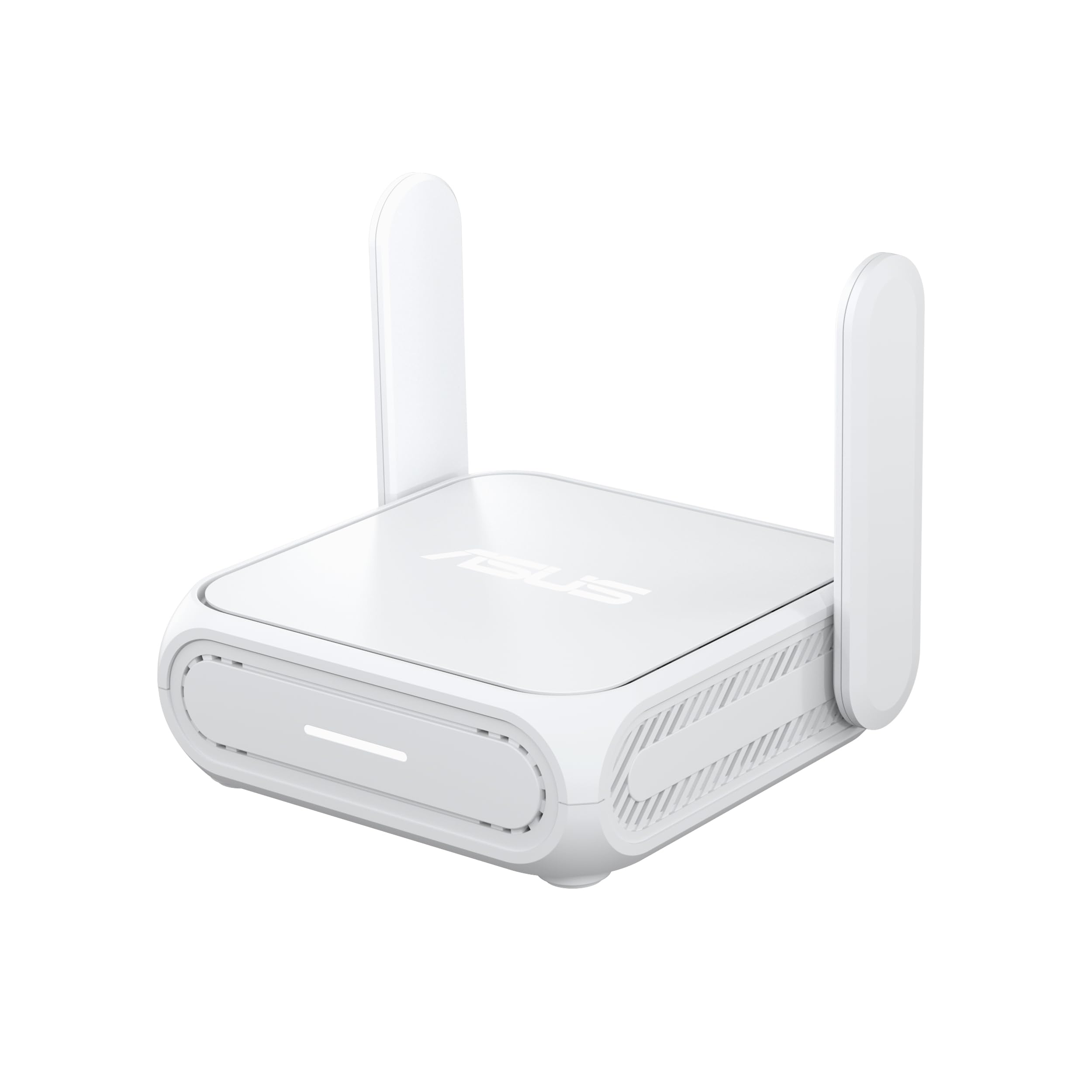
ASUS RT-BE58 Go

81 /100
Lab Score Excellent

Key details

Power
USB-C PD, 18W
Warranty
3 years
Wired Ports
1 x 2.5 GbE
Wi-Fi Standard
Wi-Fi 7 (dual-band)
View on Amazon

The RT-BE58 Go takes power over USB-C at 18 watts, so the charger you already carry for a laptop runs it, and a power bank runs it when there's no outlet in reach. That's one fewer brick than the models shipping their own adapter, and it's the reason this is the router we hand to anyone travelling with a single bag.

It earns its place on more than the plug. Dual-band Wi-Fi 7 with MLO and 4K-QAM puts it in the same class of radio as our top pick, there's a 2.5-gigabit port for a wired console, and hotel sign-in pages are handled through a dedicated public Wi-Fi mode. The three-year warranty is the longest in the group. What we appreciate most is how little it asks of you: set the uplink once and it behaves like a router you've owned for years.

Back home it joins an AiMesh network, so it isn't dead weight between trips. The compromise is physical: one Ethernet port means choosing between the hotel's jack and your console rather than running both at once. If everything you carry is wireless, that costs you nothing.

Pros

  • Powers from USB-C PD or a power bank
  • Wi-Fi 7 with MLO and a 2.5G port
  • Three-year warranty, the longest here

Cons

  • One Ethernet port for uplink and console
  • Pricier than the Wi-Fi 7 TP-Link
Our verdict

Buy this one if you want Wi-Fi 7 and a router that runs off your laptop charger, and you can live with a single Ethernet port.

Check Latest Price
5

Cheap Wired Play

TP-Link Roam 6

81 /100
Lab Score Excellent

Key details

USB
USB 3.0
Weight
5.28 oz
Wired Ports
2.5 GbE WAN/LAN + 1 GbE LAN
Wi-Fi Standard
Wi-Fi 6 (dual-band)
View on Amazon

At 5.28 ounces this is the lightest router here, and it's also the cheapest route to a 2.5-gigabit port: that port can be set as WAN or LAN, so it can face the hotel one day and a console the next, with a gigabit LAN beside it and USB 3.0 for tethering a phone. That's a wired path for a console and a Wi-Fi 6 radio rated at 2402 Mbps on 5 GHz for the least money in the roundup.

Setup is where it asks for patience. Getting it through a hotel's sign-in page takes more steps than the app-driven picks, and moving between properties can mean picking the network out of a list again instead of having it come back on its own. Save the networks you use often as profiles and repeat visits get shorter.

Connection stability is the other soft spot, and it's why this sits below the Roam 7 rather than beside it: a session on a marginal signal is where the cheaper hardware shows. It's the router that lives in a laptop sleeve and comes out when the hotel turns out to have one access point and a thin signal.

Pros

  • Lightest router in this roundup
  • 2.5-gigabit port configurable either way
  • USB 3.0 for phone tethering

Cons

  • Wi-Fi 6 radio only
Our verdict

A cheap, very light router with a flexible 2.5-gigabit port, best kept as the second router in the bag rather than the only one.

Check Latest Price

How We Tested Travel Routers for Gaming

We started by researching travel routers sold for gaming and general travel use, filtering out models without an Ethernet port or a way to repeat a hotel's Wi-Fi signal. That left us with 12 units, which we tested over eight months in hotel rooms, rental apartments, and a dorm-style room with a shared network. We set each one up the way a traveler would: unpacked it, found the power outlet, connected to the building's Wi-Fi or Ethernet, and timed how long it took to get a laptop and a handheld console online.

In each room, we ran the same evening routine: joined a game lobby, played for 30 minutes, then started a large download while another device streamed video. We noted whether the connection held or stuttered, how ping and jitter moved, and whether the router needed a reboot after we left and came back. To test portability, we packed each unit with its cables and power adapter into a backpack side pocket, then checked whether it fit without a tangle. For ease of use, we set up each router without opening the manual, then changed the network name and password through its admin screen; for configuration, we looked at how clearly it handled captive portals and whether it remembered the hotel login after a power cycle.

We also compared wired and wireless connections, because a travel router is only useful if it can take the hotel's flaky signal and turn it into something a console can use. We plugged in where an Ethernet jack was available, repeated Wi-Fi where it wasn't, and checked whether the router kept the same speed in the next room. The models that did best were not the ones with the biggest feature list; they were the ones that stayed connected, were simple to configure, and slipped into a bag without a second thought.

How to Choose a Travel Router for Gaming

Start With How You Get Online

Three uplinks matter: the hotel's Wi-Fi, an Ethernet jack in the room, and your phone's hotspot. The jack is the prize, because wiring it to the router's WAN port gives a console the cleanest path on the property. Wi-Fi is the usual option and the slowest, since repeating a signal spends half the airtime listening.

Whichever you use, the router has to get past the hotel's sign-in page before anything behind it sees the internet, so captive-portal support comes before any radio specification. Ask at booking whether the room has a wired jack; it changes which one of these you want.

Count the LAN Ports, Not Just the WAN

On a travel router the 2.5-gigabit port is usually the WAN, the side facing the hotel. The LAN port faces your console, and that's the one that decides whether you get a wired game session at all.

Only the Slate 7 here puts 2.5-gigabit on both sides. The ASUS has a single Ethernet port, so its uplink and its console compete for the same jack. For online play a gigabit LAN outruns any hotel uplink; a second port is what lets a console and a laptop stay plugged in together.

Where the Latency Actually Comes From

Your ping is three hops: device to router, router to the hotel's gateway, and the distance from there to the game server. A travel router can clean up the first one. It cannot shorten the third, and no radio upgrade changes that.

Adding a commercial VPN inserts a fourth hop, which is why the protocol matters: WireGuard moves traffic faster than OpenVPN on the same hardware. If ping is the problem, put the console on a cable and pick a VPN server near the game's region rather than near your home.

Wi-Fi 7 Is Not the Upgrade You Assume

Every Wi-Fi 7 model here is dual-band, with no 6 GHz lane to escape a crowded hotel. What the newer radio buys is a faster, steadier 5 GHz link and better behaviour with a room full of devices attached.

The 2882 Mbps on the box is a link rate between your laptop and the router. The hotel's uplink is the ceiling, and it's usually measured in tens of megabits. Buy Wi-Fi 7 for link quality and for the ports, not for a speed figure you won't see on the road.

Weight, Power, and the Bag You Already Carry

Our picks run from 5.28 ounces to 0.3 kilograms, and that spread matters less than the plug. A router with its own 12-volt adapter needs a socket and a spare brick; a USB-C PD model shares the charger you already carry and runs from a power bank on a train.

If the bag is already at its limit, power is the feature that decides whether the router comes along at all.

Frequently Asked Questions

Final Verdict

Two questions settle this: will you wire anything in, and how much do you want to spend on a newer radio? For most people the GL.iNet Slate 7 is the answer: Wi-Fi 7, 2.5-gigabit ports on both sides, and 2 GB of memory to keep QoS and a VPN tunnel running while the rest of the room is attached.

If the price is the obstacle, the Beryl AX does the same core job over Wi-Fi 6 for a lot less. If you're travelling with one bag and one charger, the ASUS earns the space instead.