12 Best Wireless Mechanical Keyboard of 2026: Sound and Reliability That Last

Which wireless mechanical keyboard delivers creamy sound and solid reliability without early failure? This guide cuts through the hype for gamers and typists.

The wireless mechanical keyboard market has never sounded better at lower prices. Budget models now deliver creamy, thocky acoustics that rival premium boards. But that satisfaction often fades when keys stop registering or the battery refuses to charge weeks later.

This guide focuses on the keyboards that balance that impressive out-of-box feel with real-world staying power. Whether you need a compact gamer or a full-size workhorse, the picks here prioritize the features that matter during daily use, not just unboxing.

The right choice often comes down to a single trade-off: do you want the cheapest creamy sound and accept a higher risk of early failure, or pay more for proven longevity? Here is how to decide.

1

Best Overall

ASUS ROG Strix Scope II 96

91 /100
Lab Score Outstanding

Key details

Layout
96% Compact
Battery Life
Up to 1500 hours
Connectivity
Tri-mode BT/2.4GHz/USB-C
Build Quality
Metal and plastic
View on Amazon

The ASUS ROG Strix Scope II 96 delivers a 1,500-hour battery life on 2.4GHz (SpeedNova) that outlasts most competitors by a significant margin, and fast USB-C charging means even a short break between sessions tops it off. The pre-lubed NX Snow Linear switches produce a smooth, thocky sound profile straight out of the box — no modding required. Combine that with a 96% layout that squeezes a full number row and navigation cluster into a footprint barely larger than a TKL, and this board immediately stands out as a practical compromise between function and desk space.

Hot-swap support for both 3- and 5-pin switches lets enthusiasts experiment with different tactile or clicky options without soldering, and the PBT keycaps resist shine far longer than standard ABS. The aluminum top plate and sturdy chassis give it a premium heft that budget boards at half the price cannot match. Bluetooth connectivity works well for most users, though some units experience occasional dropouts — a minor tradeoff for a board that otherwise maintains a stable 2.4GHz link even through walls.

This keyboard suits gamers who want the full complement of keys in a compact form, along with wireless freedom and long battery life. Typists will appreciate the linear switches’ quiet, smooth action, though those who prefer a tactile bump may want to swap the switches. The primary compromise is the Armoury Crate software: it can feel bloated and occasionally interferes with custom keymaps or RGB profiles. Configuring the board once and then uninstalling or disabling Armoury Crate sidesteps most issues, but users who enjoy live macro editing may find the experience frustrating.

💡 Configure your RGB and keymaps through Armoury Crate, then uninstall or disable it — the onboard memory retains settings even without the software running.

Pros

  • Build quality that feels dense and premium, with an aluminum top plate and solid construction.
  • Smooth, thocky sound from pre-lubed linear switches
  • Battery life measured in months even with RGB on, plus fast USB-C charging.
  • Compact 96% layout keeps all essential keys without expanding desk footprint.
  • Hot-swap socket accepts nearly any MX-style switch for easy customization.

Cons

  • Bluetooth connectivity can be inconsistent in some setups, with occasional dropouts.
  • Armoury Crate software is bloated and may cause sync issues; best to configure once and leave it.
Our verdict

For buyers who want a wireless full-size keyboard that prioritizes build quality and battery life over frills, the Strix Scope II 96 is the most dependable option in this price range — just budget a few minutes to dial in the software once.

Check Latest Price
2

Best Budget

Kisnt KN85

91 /100
Lab Score Outstanding

Key details

Layout
75%
Battery Life
4000mAh
Connectivity
Tri-mode BT/2.4GHz/USB-C
Build Quality
Plastic chassis
View on Amazon

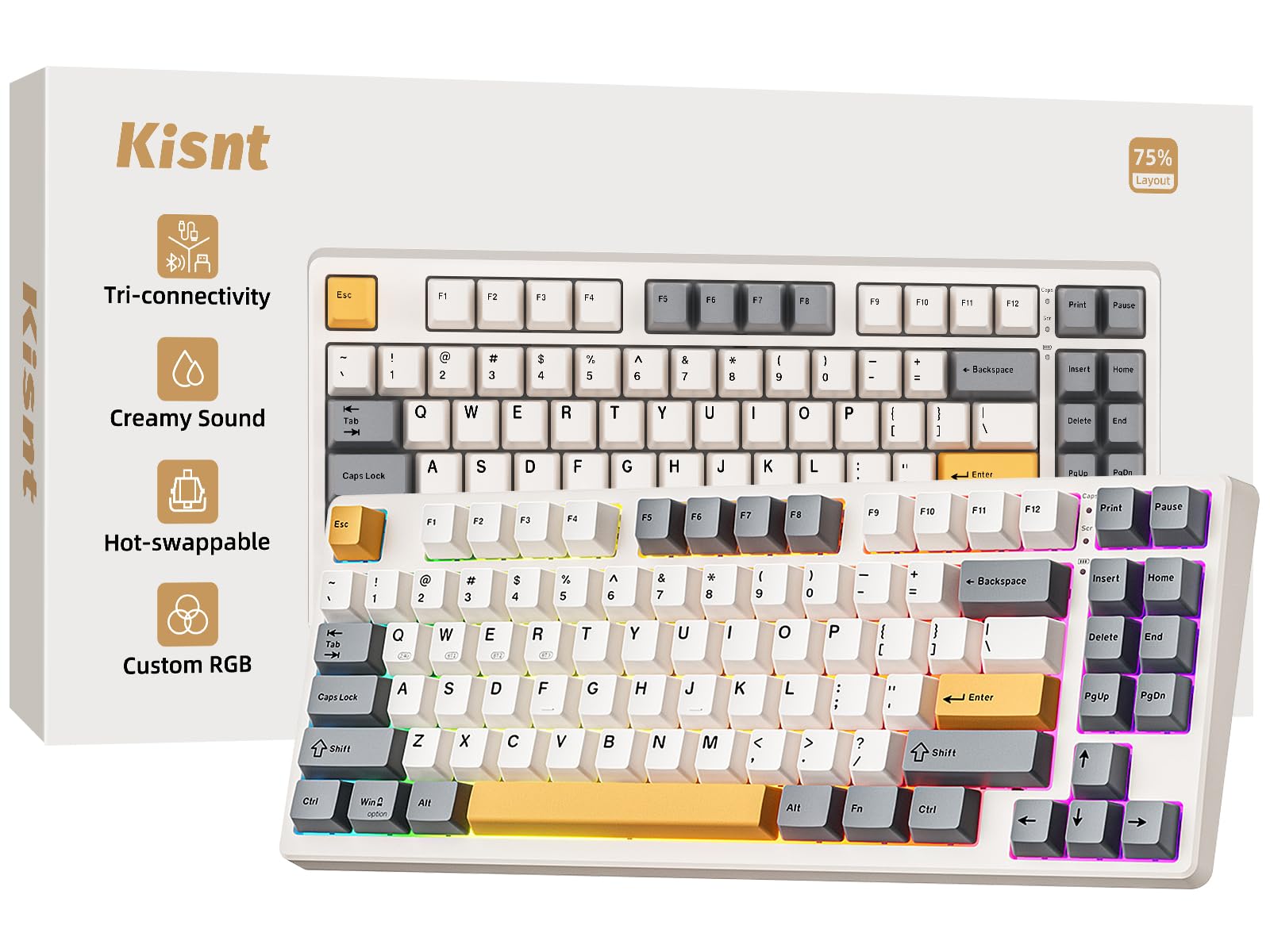
The Kisnt KN85 stands out in the budget segment for its surprisingly creamy acoustic profile, achieved through a gasket-mounted plastic chassis and pre-lubed Bsun linear switches. The 75% layout (85 keys) includes a dedicated function row and arrow keys, while tri-mode connectivity (Bluetooth 5.0, 2.4GHz, USB-C) covers most setups. Hot-swap sockets accept 3- and 5-pin switches, allowing easy customization without soldering.

Bluetooth performance can be inconsistent in rooms with multiple wireless devices – dropouts are possible when using Bluetooth in crowded wireless environments. The 2.4GHz dongle provides a stable connection that avoids that issue. The 4000mAh battery supports several days of mixed use, though heavy RGB lighting will require charging mid-week.

This keyboard suits budget-conscious gamers and typists who value sound quality and switch flexibility over chassis material. The all-plastic construction feels less substantial than metal-framed alternatives, but that trade-off keeps the price under $50. First-time mechanical buyers and anyone wanting that creamy, thocky sound without spending more will find this a fitting choice.

💡 For the most stable wireless experience, use the included 2.4GHz dongle instead of Bluetooth.

Pros

  • Surprisingly creamy, thocky sound for the price
  • Exceptional value
  • Buttery smooth typing feel from pre-lubed linear switches
  • Multiple connectivity modes work well across devices

Cons

  • Bluetooth connectivity can drop in crowded wireless spaces
  • Plastic build feels less premium than metal chassis options
Our verdict

If you want the most audio value under $50 and can accept a plastic body, the KN85 is the clear choice.

Check Latest Price
3

Best for Competitive Gaming

Logitech G515 TKL

88 /100
Lab Score Excellent

Key details

Layout
TKL
Battery Life
36 hours (RGB)
Connectivity
LIGHTSPEED, BT, USB-C
Build Quality
PBT keycaps, plastic
View on Amazon

The Logitech G515 LIGHTSPEED delivers sub-millisecond wireless response that competes with wired keyboards, and its 36-hour battery life easily outlasts a gaming session-filled week. The low-profile GL Brown tactile switches provide a distinct bump without excessive travel, making quick key presses predictable.

This keyboard targets players who want a compact tenkeyless layout and minimal cable clutter. The switches are soldered in place, so switch swapping is not possible without soldering equipment. Bluetooth connectivity is present for multi-device use, but in some environments interference may cause occasional dropouts – the LIGHTSPEED receiver avoids this. Those needing a numpad or hot-swap capability should look at full-size or modular alternatives.

The low-profile chassis and PBT keycaps contribute to a stable typing platform during gaming sessions. Battery life varies with RGB brightness; at moderate settings, overnight charging lasts a full work week.

💡 Using the LIGHTSPEED receiver instead of Bluetooth ensures the most consistent wireless performance during gaming sessions.

Pros

  • Smooth tactile GL Brown switches offer a crisp, responsive feel for both gaming and typing.
  • Compact TKL chassis feels solid and takes up minimal desk space.
  • Battery lasts weeks under normal use, with 36 hours of RGB-enabled gaming per charge.

Cons

  • Switches are soldered; custom switch swaps require desoldering or a new keyboard.
  • Bluetooth connectivity may drop in environments with wireless interference; LIGHTSPEED mode is more consistent.
Our verdict

Competitive gamers prioritizing low latency and long battery life in a TKL form factor will find the G515 a strong match – just plan around the fixed switches.

Check Latest Price
4

Best Value Full-Size

AULA F99

90 /100
Lab Score Outstanding

Key details

Layout
96%
Battery Life
8000mAh
Connectivity
Tri-mode BT/2.4GHz/USB-C
Build Quality
Plastic
View on Amazon

The AULA F99 stands out in the budget segment with its exceptionally creamy, thocky sound profile — a result of pre-lubed Graywood linear switches and a well-damped gasket mount. Its 8000mAh battery provides weeks of use between charges, and the 96% layout keeps a full numpad without taking much desk space. At roughly half the cost of the ASUS ROG Strix Scope II 96, it offers a similar feature set with a different reliability profile.

The pre-lubed switches provide a smooth, almost buttery feel straight out of the box, and the hot-swap sockets allow easy switch swaps without soldering. Tri-mode connectivity (Bluetooth, 2.4GHz, USB-C) works consistently for most use cases, though some users experience occasional Bluetooth dropouts in congested environments.

This keyboard suits budget gamers who prioritize acoustic feel, first-time mechanical keyboard buyers looking for an affordable entry point, and anyone who needs a full numpad without paying a premium. The main consideration is quality control: some units may develop unresponsive keys or other issues within the first few months. It's a board best purchased from a retailer with a good return policy, so you can verify every key works as intended.

💡 Run a key tester within the return window to confirm all switches register consistently.

Pros

  • Creamy, thocky sound that rivals higher-priced keyboards
  • Impressive value
  • Smooth, buttery typing experience from pre-lubed switches
  • Tri-mode connectivity holds a stable link in daily use

Cons

  • Some units may develop unresponsive keys
Our verdict

The AULA F99 rewards budget-minded buyers with impressive sound and battery life, provided they are comfortable with possible early unit variability.

Check Latest Price
5

Best for Adjustability

Keychron K10 HE

84 /100
Lab Score Excellent

Key details

Layout
Full-size
Battery Life
Connectivity
BT 5.2, 2.4GHz, USB-C
Build Quality
Aluminum + wood frame
View on Amazon

The magnetic switches deliver a silky typing feel with adjustable actuation from 0.2mm to 3.8mm, ideal for precision gaming or customized responsiveness. The combination of aluminum frame and wood side panels gives it a rock-solid, premium look that stands out. However, wireless connectivity can be inconsistent, with occasional disconnects or lag reported in some units, so this keyboard performs best when used wired for competitive scenarios.

This keyboard suits enthusiasts who prioritize build quality, aesthetics, and a smooth typing feel, and who are comfortable relying on the USB-C cable for critical gaming sessions. It is not for buyers who need flawless plug-and-play wireless out of the box. The wood accents and quiet sound make it a natural fit for a desk where appearance and acoustics matter.

💡 For the most stable connection, use the USB-C cable during gaming sessions; Bluetooth or 2.4GHz may drop intermittently.

Pros

  • Smooth magnetic switches with adjustable actuation for personalized feel.
  • Quiet, premium sound that suits shared spaces.
  • Beautiful wood-and-aluminum design with rock-solid build.
  • Full-size layout with hot-swap magnetic switches for easy customization.

Cons

  • Adjusting actuation settings via software can feel unintuitive, requiring extra time to fine-tune.
  • In high-stakes gaming or typing sessions, keys may occasionally not register, which disrupts flow.
Our verdict

The K10 HE is a niche choice for enthusiasts who want a silky typing feel and adjustable magnetic actuation, but only if they can accept the wireless quirks and occasional key registration issues.

Check Latest Price
6

Best with LCD Screen

RK S98

88 /100
Lab Score Excellent

Key details

Layout
96%
Battery Life
4000mAh (claimed)
Connectivity
BT 5.0, 2.4GHz, USB-C
Build Quality
Plastic, gasket mount
View on Amazon

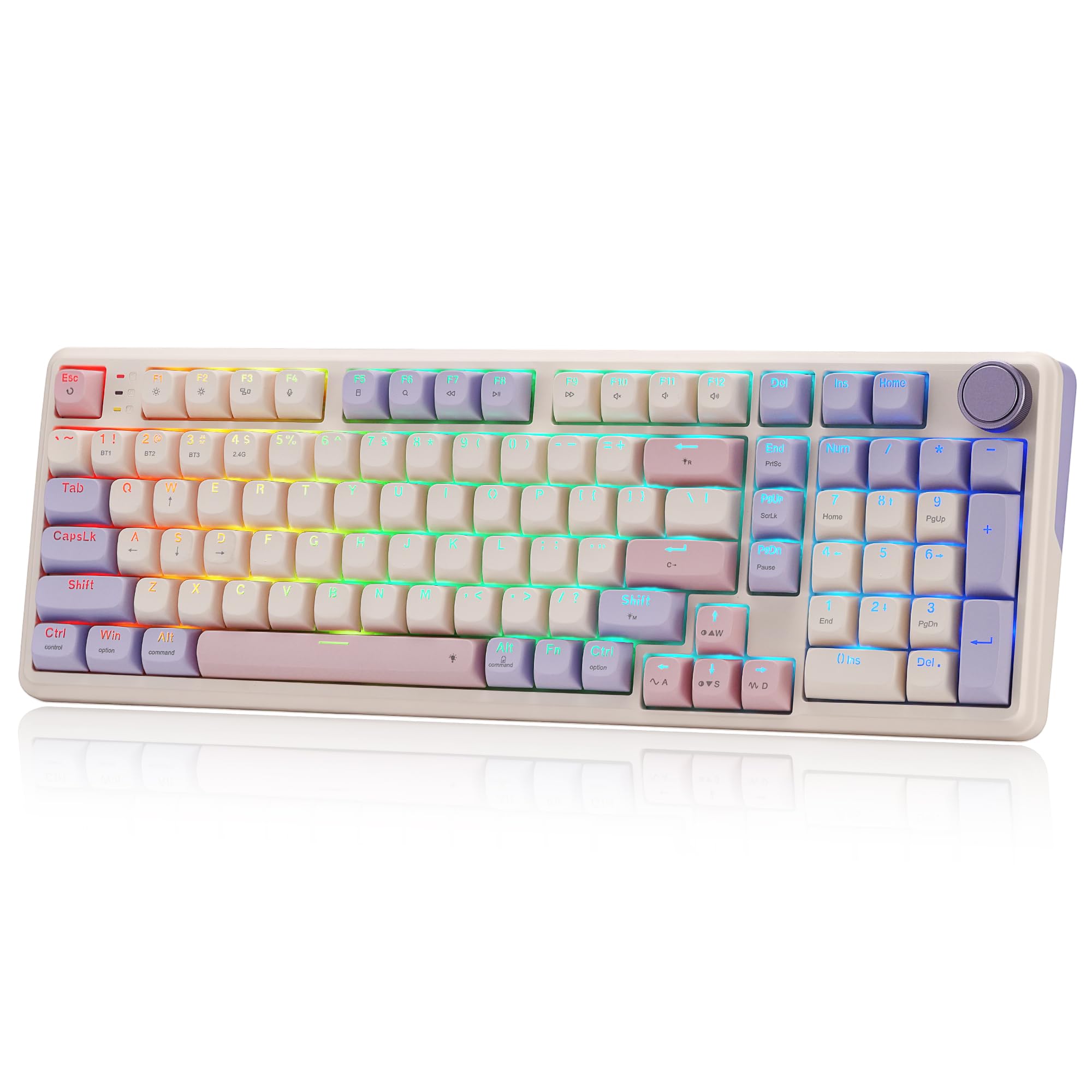
The RK S98 stands out with a 1.14-inch TFT screen and a rotary knob — features the top-pick ASUS omits — plus a creamy, thocky typing feel and hot-swap support for switch experimentation.

This board suits buyers who value acoustic novelty and screen customization over long-term wireless reliability. The battery can stop charging after several months, making wired use a practical fallback. Windows-only software means Mac users will need to skip this model.

The plastic chassis with gasket mount produces a pleasing sound profile, and the screen displays system stats or custom animations. The knob handles volume or scrolling without reaching for the OS — a tidy convenience for desktop tinkerers.

💡 Keep the keyboard plugged in if you rely on wireless — the battery may stop charging after the first few months.

Pros

  • Smart display and knob for system info and volume control without software
  • Creamy, thocky sound and smooth typing out of the box
  • Solid plastic build with gasket mount feels sturdy for the price

Cons

  • Software is Windows-only and can be glitchy on some setups
  • Battery may stop charging after several months in some units
Our verdict

Ideal if you want a screen and knob at this price without chasing the top pick's battery longevity — just plan to use it wired once the battery gives out.

Check Latest Price
7

Office Multi-Device Typist

Logitech MX Mechanical

85 /100
Lab Score Excellent

Key details

Layout
Full-size
Battery Life
15 days/10 months
Connectivity
BT, Logi Bolt, USB-C
Build Quality
Aluminum top case
View on Amazon

The aluminum top case gives this keyboard a solid, premium feel that stands out among low-profile options. The tactile switches provide satisfying feedback for long typing sessions, and the ability to pair with three devices via Bluetooth or Logi Bolt makes it easy to switch between a PC, Mac, and tablet.

However, the backlighting auto-dims aggressively in dark rooms, which can be distracting for those who want consistent illumination. More critically, some units develop sticky or unresponsive keys over time — a reliability concern that is hard to overlook at this price point. Combined with the lack of hot-swappable switches and limited RGB, this keyboard is better suited to productivity-focused multi-device users than gamers looking for customization and durability.

Pros

  • Solid aluminum construction with a premium feel
  • Tactile low-profile switches with crisp feedback for typing
  • Smooth multi-device switching via Bluetooth and Logi Bolt

Cons

  • Backlighting auto-dims aggressively and cannot be kept fully lit, frustrating in dark rooms
  • Keys may become sticky or unresponsive after months of use
Our verdict

Best suited to heavy typists and multi-device users who prioritize build and connectivity over gaming features and are willing to trade off backlight control and long-term key consistency.

Check Latest Price
8

Screen and Knob Fan

AULA S98 Pro

90 /100
Lab Score Outstanding

Key details

Layout
96%
Battery Life
5000mAh
Connectivity
BT 5.0, 2.4GHz, USB-C
Build Quality
Plastic
View on Amazon

The AULA S98 Pro brings a feature set rarely seen at this price: a bright LCD screen, a volume knob, hot-swap sockets, and a large 5000mAh battery. The side-printed PBT keycaps and pre-lubed linear switches produce a creamy, satisfying sound. However, the controlling software can be clunky and the time sync feature may not work, limiting screen usefulness. More significantly, some units have experienced key switch issues after months of use. This board suits tinkerers willing to accept possible unit variance, not buyers wanting a worry-free daily driver.

Pros

  • Creamy, satisfying acoustics with pre-lubed linear switches.
  • Includes an LCD screen, rotary knob, and hot-swap capability at a budget-friendly price.

Cons

No notable drawbacks to flag.

Our verdict

Consider the AULA S98 Pro if you are a modding enthusiast on a tight budget who values a screen and knob over long-term reliability.

Check Latest Price
9

Budget 75% Gamer

AULA F75 Pro

91 /100
Lab Score Outstanding

Key details

Layout
75%
Battery Life
4000mAh
Connectivity
BT 5.0, 2.4GHz, USB-C
Build Quality
Plastic
View on Amazon

The AULA F75 Pro delivers a dense, creamy typing sound and a solid-feeling chassis that undercuts most competitors in this price range. The side-printed PBT keycaps and pre-lubed Reaper switches contribute to a smooth, ergonomic feel right out of the box. However, the main trade-off is long-term reliability: some units have shown keys that stop responding after weeks of use. This places the F75 behind the F99 in overall value and the Kisnt KN85 in pure budget performance. Best suited for first-time mechanical keyboard buyers who prioritize acoustic experience and compact layout over guaranteed durability.

Pros

  • Solid build quality and premium feel at a budget price
  • Creamy, thocky sound that enthusiasts love

Cons

  • In some cases, keys may stop functioning properly after extended use
Our verdict

Best for budget-conscious gamers and typists who want a compact board with knob and great sound, accepting possible unit variance in key stability.

Check Latest Price
10

Metal Budget Full-Size

Redragon K556 PRO

86 /100
Lab Score Excellent

Key details

Layout
Full-size
Battery Life
Connectivity
BT, 2.4GHz, USB-C
Build Quality
Brushed aluminum top
View on Amazon

This keyboard combines a sturdy brushed aluminum top plate with hot-swap switch sockets and a full-size layout, all at a budget-friendly price. The quiet linear red switches work well in shared spaces. Where it struggles is wireless operation — Bluetooth connections can drop unpredictably, and some units may develop key failures over time. For buyers who mainly use wired mode and want a heavy metal board without spending much, it is a reasonable choice, but those needing reliable wireless should look elsewhere.

Pros

  • Solid metal construction with a brushed aluminum top plate at a budget price
  • Quiet linear switches suit shared or quiet environments

Cons

  • Bluetooth connectivity can be inconsistent with occasional disconnects
  • Keys may stop working or fail early in some units
Our verdict

Worth considering only if you plan to use it wired and accept a gamble on long-term reliability — not a wireless daily driver.

Check Latest Price
11

Retro Typewriter Fan

Redragon K710 Typewriter

89 /100
Lab Score Excellent

Key details

Layout
Full-size
Battery Life
4000mAh (claimed)
Connectivity
BT 3.0/5.0, 2.4GHz, USB-C
Build Quality
Metal top plate
View on Amazon

The Redragon K710 delivers a vintage typewriter look with round keycaps and a solid metal top plate, paired with the audible click and tactile bump of blue switches. The 4000mAh battery supports extended wireless use, and the tri-mode connectivity offers flexibility.

Where it falls short: the blue switches are soldered, so switch swaps are off the table, and some units may develop unresponsive keys. This keyboard suits buyers who love the retro style and clicky sound and can accept these limitations — it is not a reliable core keyboard for heavy daily use.

Pros

  • Distinctive retro typewriter styling with metal build
  • Satisfying clicky sound and tactile feel from blue switches
  • Extended battery life from 4000mAh capacity

Cons

  • Switches are soldered and cannot be replaced or swapped
  • Keys may become unresponsive in some units over time
Our verdict

A solid choice for typewriter aesthetic fans who want a clicky, low-cost board and don't need hot-swap or long-term reliability as a daily driver.

Check Latest Price
12

Corsair Compact Gamer

Corsair K65 Plus

84 /100
Lab Score Excellent

Key details

Layout
75%
Battery Life
Up to 266 hours
Connectivity
2.4GHz, BT, USB-C
Build Quality
Plastic
View on Amazon

The Corsair K65 Plus delivers a solid typing and gaming experience with pre-lubed MLX Red linear switches that feel smooth and quiet, aided by a compact 75% layout that keeps all essential keys accessible. Battery life stretches up to 266 hours without RGB, making it a strong choice for travel or desk setups where charging is inconvenient. However, at a premium price, it lacks hot-swappable switches and ties you to Corsair's iCUE software ecosystem. Some units have been noted to experience wireless dropouts (sometimes resolved with firmware updates) and, in rare cases, become non-functional shortly after purchase. These tradeoffs make sense only if you deeply value the long battery and compact form within Corsair's ecosystem.

💡 If you experience wireless drops, check for firmware updates via iCUE before assuming a defect.

Pros

  • Premium build with satisfying key feel from pre-lubed linear switches
  • Quiet operation ideal for shared workspaces or late-night gaming
  • Compact 75% size retains full row of function keys and arrows

Cons

  • Wireless connection may drop intermittently and sometimes requires firmware updates
  • A small number of units can develop faults that render them unusable shortly after purchase
Our verdict

This keyboard is for buyers who prioritize battery life and compact design within the Corsair ecosystem and can accept the lack of hot-swap and occasional connectivity quirks.

Check Latest Price

How to Choose

Connectivity

Wireless mechanical keyboards typically offer Bluetooth, 2.4GHz, or wired USB-C. Bluetooth is convenient for switching between devices but can introduce input lag and occasional dropouts, especially in crowded 2.4GHz environments like gaming setups.

2.4GHz with a dedicated dongle provides near-zero latency and stable signal, making it the choice for competitive gaming. However, the dongle occupies a USB port and can be lost. Wired mode is the most reliable but defeats the wireless purpose. A tri-mode board lets you choose the best connection for each task.

Layout

Layout determines the keyboard's footprint and key count. Full-size (104 keys) includes a numpad but takes desk space. TKL (87 keys) drops the numpad for a more compact width, favored by gamers who want mouse room. 75% and 96% layouts trim the navigation cluster while keeping arrow keys and function row.

The hidden trade-off: compact layouts often require layer switching for missing keys (like Home or End), which can slow down data entry. If you frequently use a numpad, a 96% or full-size board is more practical. For pure gaming, 75% or TKL offers a better balance.

Switches and Hot-Swap

Switch type dictates the typing feel and sound. Linear switches are smooth and quiet, tactile ones give a bump, and clicky produce a sharp noise. Hot-swap sockets allow you to change switches without soldering, letting you customize the feel or replace a worn switch later.

The catch: hot-swap does not guarantee reliability. Many budget hot-swap boards use poor-quality PCB sockets that can loosen over time, causing intermittent key failures. A soldered switch is often more durable in the long term, but you lose the ability to easily replace switches. Prioritize boards with a good socket (like Kailh or Gateron) if hot-swap matters.

Battery Life

Battery life varies widely. Large batteries (4000mAh to 8000mAh) can last weeks with moderate use, but real-world performance depends on backlighting intensity and connection type. 2.4GHz typically drains faster than Bluetooth due to higher power draw.

A common failure point is the charging circuit itself – some keyboards stop charging after a few months even if the battery is healthy. Look for boards with USB-C charging and consistent user reports of long battery health. A keyboard that needs to be charged weekly but lasts years is better than one that promises months but dies in three.

Build Quality

Build quality affects both durability and typing acoustics. Metal frames (aluminum, steel) add weight and rigidity, reducing flex and resonance. Plastic cases are lighter and cheaper but can feel hollow and amplify vibration. Gasket-mounted boards use rubber pads to isolate the plate from the case, creating a softer, deeper sound.

The trade-off: gasket mounts can feel mushy to some typists and may require more force to bottom out. Metal cases are heavy and poor for travel. A well-constructed plastic board with good foam padding can sound just as premium as a metal one at half the price, but may not survive drops or heavy travel.

Frequently Asked Questions