11 Best Silent Mechanical Keyboard of 2026: Quiet Switches That Keep Your Game Focus

Which silent mechanical keyboards deliver creamy, whisper-quiet typing without sacrificing gaming performance? Find your match.

Not all 'silent' mechanical keyboards are actually quiet in use. Many still produce a noticeable clack on the spacebar or upstroke, especially when internal dampening is minimal. The difference between a board that whispers and one that still annoys comes down to switch choice, foam layers, and stabilizer lubrication — not just the label on the box.

This guide focuses on keyboards that use multiple foam layers, gasket mounts, and pre-lubed switches to genuinely cut noise. We've sorted through dozens of models to find the ones that deliver the quiet, satisfying feel gamers and office workers want, without relying on marketing hype.

The main trade-off you'll face is between a proven crowd-pleaser with outstanding sound-for-price and a feature-packed newcomer with a larger battery and extra controls. Both are strong options, but your layout preference and tolerance for quality-control variance will decide which fits best.

1

Best Overall

Kisnt KN85

91 /100
Lab Score Outstanding

Key details

Layout
75% compact
Dampening
Gasket mount 5-layer
Switch Type
Seasalt Silent Linear
Connectivity
2.4GHz / BT / USB-C
View on Amazon

The KN85’s Seasalt Silent switches produce a soft, thocky sound that stays unobtrusive even during fast typing. The gasket mount and multi-layer dampening absorb vibration effectively, so in an open office or shared room, the keyboard fades into the background rather than announcing each keystroke.

At a budget-friendly price, the build quality feels substantial — the retro-inspired plastic case has a dense heft and the pre-lubed switches glide with a buttery consistency. Hot-swap capability means you can later swap in different switches without soldering, extending the board’s lifespan as your preferences evolve.

This keyboard suits first-time mechanical users who want silence without spending on enthusiast gear, or office workers who need a quiet board for daily typing. The wireless connection (Bluetooth or 2.4GHz) can occasionally drop or lag in some setups, so if you require flawless low-latency wireless for competitive gaming, a wired connection is more dependable. Battery life with the RGB lighting on requires charging every few days — turning off the backlight stretches it much longer.

The 75% layout saves desk space but omits the numpad and function row — users who rely on a full-size layout should look at larger options. For the price, the combination of sound, feel, and hot-swap flexibility is unmatched among silent mechanical keyboards in this tier.

💡 Keep a USB-C cable nearby for charging every few days when RGB is active — battery life stretches much longer with the backlight off.

Pros

  • Exceptionally quiet typing with a creamy, thocky sound that suits shared spaces
  • High-end typing feel and build quality at a budget-friendly price
  • Smooth, buttery key travel with satisfying tactile feedback straight out of the box
  • Solid construction with retro-inspired design that feels more premium than its cost

Cons

  • Wireless connectivity can drop or lag in some setups
  • Battery life with RGB active is shorter than advertised, requiring a charge every few days
Our verdict

For quiet-office buyers on a budget, the KN85 delivers a creamy, whisper-quiet typing experience that rivals boards costing twice as much — just plan to keep a USB-C cable handy for charging.

Check Latest Price
2

Best Value Full-Featured

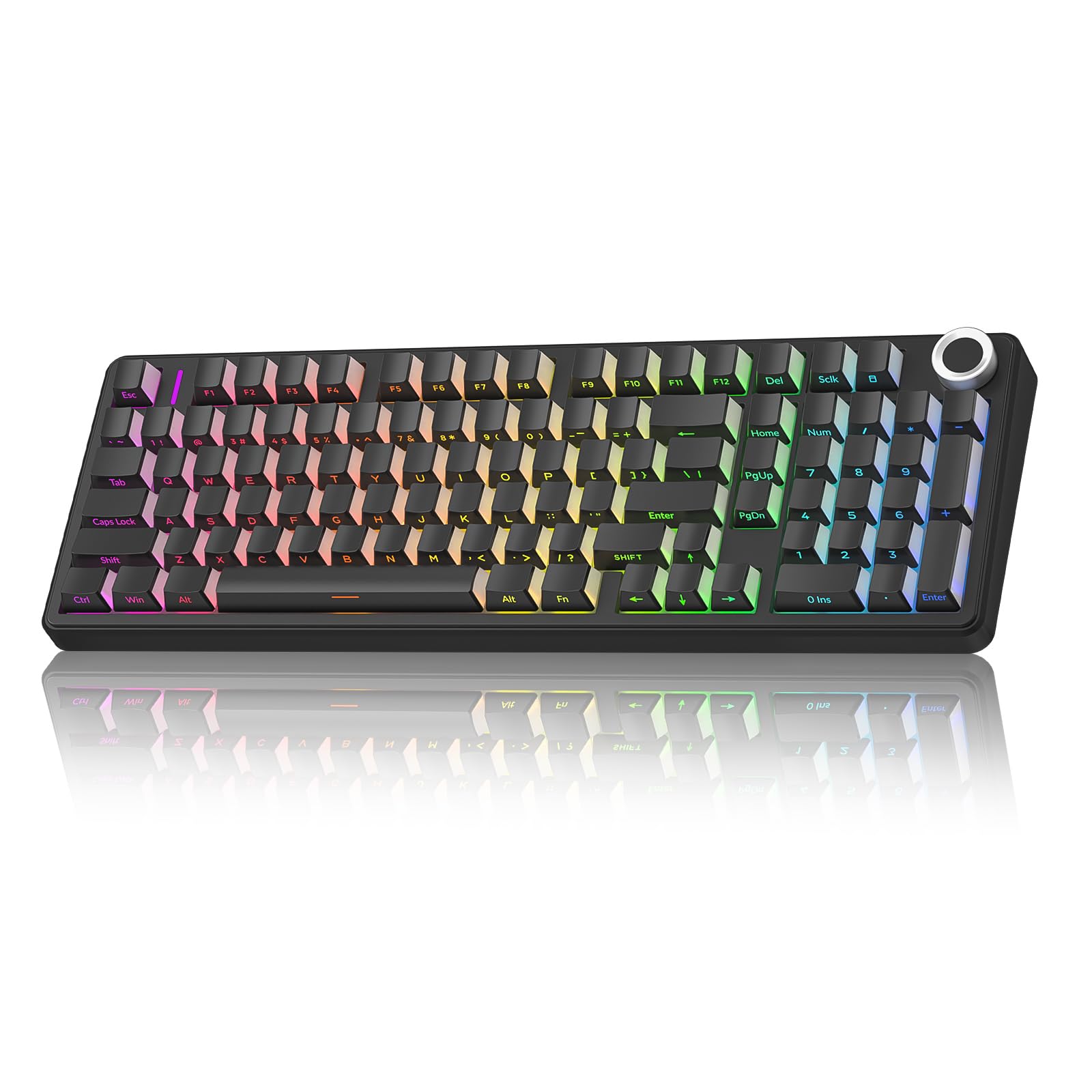
AULA F99 Pro

89 /100
Lab Score Excellent

Key details

Layout
96% compact
Dampening
Gasket mount 5-layer
Switch Type
Pre-lubed Linear Silent
Connectivity
2.4GHz / BT / USB-C
View on Amazon

The F99 Pro stands apart from slimmer silent keyboards with its 96% layout including a numpad and a knob, plus a massive battery that outlasts most competitors. Its tri-mode connectivity and bright per-key RGB add to the feature set.

This keyboard suits users who want a quiet typing experience in a compact format with a numpad, and who value longer battery life over smaller size. The silent linear switches and gasket mount deliver a soft, pillowy sound suited for offices. However, occasional out-of-box QC issues with bent pins or unresponsive keys mean the unit should be inspected promptly.

💡 Inspect the pins on arrival; the hot-swap socket allows quick replacement of a faulty switch.

Pros

  • Extremely quiet typing with a pillowy sound ideal for office or late-night use.
  • Smooth, buttery feel that stays comfortable during long sessions.
  • Solid build quality with a premium appearance.
  • Bright RGB with a wide variety of effects.

Cons

  • Some units arrive with unresponsive or double-typing keys due to bent pins.
Our verdict

For buyers needing a long-lasting battery and a compact numpad in a quiet board, the F99 Pro delivers strong value – just check the unit upon arrival.

Check Latest Price
3

Best Full-Size with Extras

EPOMAKER TH108 PRO

88 /100
Lab Score Excellent

Key details

Layout
Full 104-key
Dampening
Gasket mount 5-layer
Switch Type
Sea Salt Silent V2
Connectivity
2.4GHz / BT / USB-C
View on Amazon

The smart screen and knob give the TH108 PRO an edge for office productivity — volume and app controls are a tap away, something the top pick's 75% layout lacks. Underneath, the Sea Salt Silent V2 switches and gasket-mounted internals deliver a quiet, cushioned keystroke with a creamy thock that suits shared workspaces. The full-size layout with a dedicated numpad is welcome for data entry.

This is for the typist who wants a silent full-size board with extra utility controls and doesn't plan to type in the dark — the RGB underglow adds ambiance but doesn't light up the keycap legends. If you need illuminated letters for late-night sessions, consider a board with shine-through keycaps instead.

💡 Keep a desk lamp handy if you type in the dark; the under-key glow provides ambient light but doesn't illuminate the legends.

Pros

  • Remarkably quiet typing with a creamy, satisfying thock sound
  • Sturdy build with attractive color options and a premium feel
  • Long battery life with useful extras like smart screen and knob

Cons

  • RGB does not illuminate keycap legends, making keys hard to read in low light
Our verdict

This keyboard suits full-size users who want extra controls and don't mind typing without backlit legends — bring a desk lamp for dark rooms.

Check Latest Price
4

Best Premium Wireless

Keychron V6 Max

88 /100
Lab Score Excellent

Key details

Layout
Full 104-key
Dampening
Gasket mount
Switch Type
K Pro Silent Red
Connectivity
2.4GHz / BT / USB-C
View on Amazon

The Keychron V6 Max puts QMK firmware and hot-swappable sockets into a full-size wireless frame, giving programmers and gamers direct control over keymaps and macros without touching a cable. Low-latency 2.4GHz keeps keystrokes responsive in fast-paced use, while gasket-mounted construction and PBT keycaps deliver a solid, consistent typing surface.

This board suits anyone who works in a quiet office or shares a desk and needs the flexibility to remap every key. The K Pro Silent Red switches are genuinely quiet – soft enough not to carry through walls – and the hot-swap design lets you tweak feel or sound later. The tradeoff: RGB lighting drains the battery to roughly a week between charges, so daily plugging may become routine. Full-size layout also demands desk space, but if you need a numpad and navigation cluster, that is a feature, not a compromise.

💡 Keep a charging cable nearby – with RGB enabled, expect to recharge every 7-9 days.

Pros

  • QMK firmware enables deep remapping and macro creation without proprietary software.
  • Hot-swappable switch sockets allow easy switch swaps to customize feel or sound.
  • Silent linear switches produce minimal noise, suitable for shared workspaces.
  • Gasket mount and PBT keycaps provide a premium typing feel with consistent acoustics.

Cons

  • Battery life with RGB on averages a week, requiring regular charging for wireless use.
  • Premium-priced compared to budget silent keyboards with similar quiet typing.
Our verdict

For users who need a full-size layout, QMK customization, and low-latency wireless, the Keychron V6 Max is the logical pick – just plan for weekly charging if you keep the RGB on.

Check Latest Price
5

Best for Gamers with Macros

Razer BlackWidow V4 X

88 /100
Lab Score Excellent

Key details

Layout
Full 104-key
Dampening
Foam dampening
Switch Type
Razer Yellow Linear
Connectivity
Wired USB-A
View on Amazon

A wired full-size keyboard that puts macro control first: six dedicated keys, a media roller, and per-key RGB backed by Razer's Synapse software for deep customization. The Yellow linear switches include foam dampening that lowers clatter compared to clicky Razer boards, making this viable for shared rooms where noise is a concern. That tradeoff in switch type sacrifices the tactile bump some typists prefer, but the consistent linear feel suits rapid gaming inputs.

This board fits a specific buyer: gamers who need quick macro access (game profiles, streaming commands) and want a quieter mechanical option without switching ecosystems. The light actuation force of the Yellow switches can cause accidental key presses when resting fingers on the home row, so those coming from heavier switches may need an adjustment period. Unit-to-unit reliability has been noted as uneven — some units develop unresponsive keys within months, meaning a warranty check at purchase is wise.

Build quality is sturdy, with a steel plate and doubleshot ABS keycaps that resist shine longer than painted legends. The internal foam layer does cut resonance without muting the switch bottom-out entirely, so it's quiet enough for an open office but not whisper-grade like some gasket-mounted competitors. Responsive typing feel and solid weight give it a premium handshake that matches the price tier.

💡 Lowering the key repeat delay in Synapse software helps mitigate accidental double-taps during typing.

Pros

  • Quiet linear switches that reduce noise in shared spaces
  • Six dedicated macro keys and per-key Chroma RGB for deep customization
  • Solid build with steel plate and responsive typing feel

Cons

  • Accidental key presses are possible due to the low actuation force needed
  • Some units may develop unresponsive keys after a few months of use
Our verdict

If you need dedicated macro keys and prefer wired reliability over battery concerns, this is the quietest gaming-oriented mechanical in this group — just plan for possible unit variance.

Check Latest Price
6

Best Budget Compact with Numpad

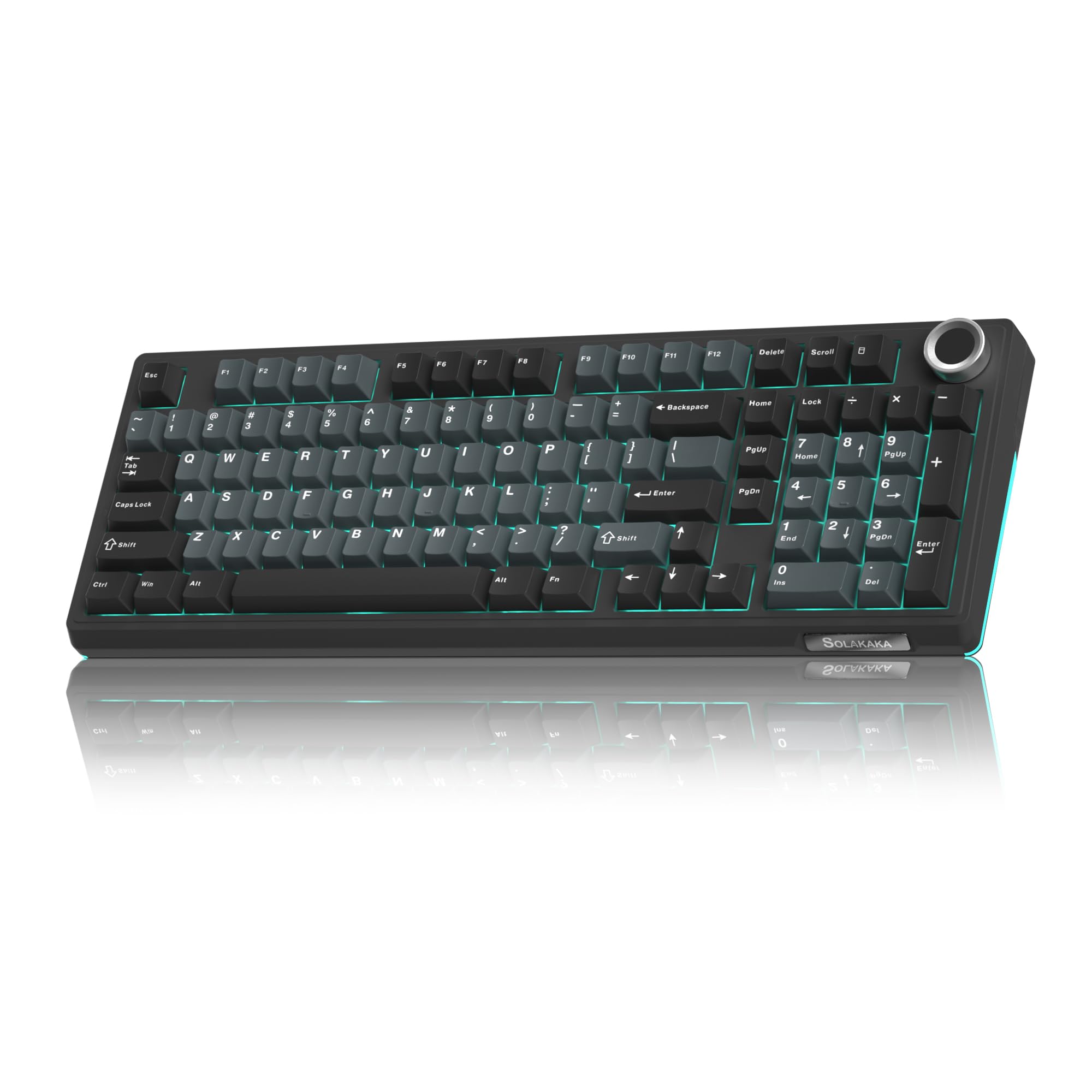
SOLAKAKA KI99 Pro

87 /100
Lab Score Excellent

Key details

Layout
96% compact
Dampening
Gasket mount 5-layer
Switch Type
Silent Linear pre-lubed
Connectivity
2.4GHz / BT / USB-C
View on Amazon

The KI99 Pro delivers a deep, thocky sound and creamy typing feel that rivals keyboards costing twice as much, all in a compact 96% layout with a dedicated numpad. While the top pick offers a smaller 75% layout at a lower price, this board is the better choice if number entry is essential and you want a quiet, satisfying typing experience.

This keyboard is best for budget-conscious office workers and late-night typists who need a numpad and prefer a quiet, bouncy keystroke. The RGB backlighting does not shine through the keycap legends, so in very dim rooms the keys can be hard to read - a tradeoff that matters less in well-lit offices or with a small desk lamp.

The gasket-mounted design and five layers of internal dampening produce a muted, whisper-quiet keystroke with a satisfying bottom-out feel. The pre-lubed linear switches are smooth out of the box, and the hot-swappable sockets let you change switches later if you want to tune the feel further.

💡 Using the keyboard in a well-lit room or adding a small desk lamp resolves the legend visibility issue in dim environments.

Pros

  • Deep, satisfying thock sound that stays quiet enough for shared offices
  • Smooth, soft, and bouncy typing feel reduces fatigue during long sessions
  • Sturdy construction with a premium feel at a budget-friendly price

Cons

  • RGB glow sits under the keys and does not illuminate keycap legends, reducing visibility in dim conditions
Our verdict

The KI99 Pro is a solid choice for anyone who needs a quiet mechanical keyboard with a numpad and can accept non-backlit legends - the typing feel punches well above the price tag.

Check Latest Price
7

Cherry Purist Wired

Cherry MX 3.0S

87 /100
Lab Score Excellent

Key details

Layout
Full 109-key
Dampening
Aluminum housing
Switch Type
MX2A Silent Red
Connectivity
Wired USB-A
View on Amazon

Cherry's own aluminum-bodied keyboard delivers a solid typing experience with authentic MX2A Silent Red switches. The extruded aluminum housing gives it a weighty, premium feel that matches its price. However, the key labeling is unusual: primary and secondary functions are inverted on some keys, and the font is hard to read. It also lacks wireless connectivity and hot-swap sockets, which limits its appeal for users who want flexibility. This wired-only design is best for those who prioritize build quality and a consistent linear feel over advanced features.

Pros

  • Quiet linear switches with barely audible clicks
  • Extruded aluminum housing for a solid, heavy build
  • Smooth, responsive keystrokes

Cons

  • Key labeling can be hard to read due to inverted secondary functions and small font
Our verdict

A good choice for Cherry purists and office users who value build quality over wireless or hot-swap, provided they can adapt to the unusual key legends.

Check Latest Price
8

Full-Size Quiet Wireless

Aula H108

88 /100
Lab Score Excellent

Key details

Layout
Full 108-key
Dampening
Gasket mount 5-layer
Switch Type
Silent Linear hot-swappable
Connectivity
2.4GHz / BT / USB-C
View on Amazon

Typing on the Aula H108 feels exceptionally quiet and smooth, with a gasket-mounted design that reduces resonance. The heavy metal build and distinctive rear RGB lightbar set it apart visually from other full-size boards. However, Bluetooth connectivity has been noted to occasionally drop when paired with laptops, making a wired USB-C connection the more consistent option. This, combined with a smaller review sample compared to established models, means its long-term performance is less documented. For buyers who prioritize a solid typing feel and are comfortable using it as a wired board, the H108 delivers a polished experience.

💡 Keep it connected via USB-C for reliable performance, especially with laptops.

Pros

  • Extremely quiet and smooth typing suits shared office use.
  • High-quality build feels heavy and sturdy with a premium finish.
  • Attractive RGB lighting with a rear lightbar adds ambiance.

Cons

  • Bluetooth connectivity can drop when used with laptops; wired mode is more consistent.
Our verdict

The Aula H108 is a solid wired office board for those who value build quality and a quiet typing experience, but its Bluetooth limitations make wireless use a secondary option.

Check Latest Price
9

Office Budget Wired

Cherry KC 200 MX

85 /100
Lab Score Excellent

Key details

Layout
Full 104-key
Dampening
Metal backplate
Switch Type
MX2A Silent Red
Connectivity
Wired USB-A
View on Amazon

The Cherry KC 200 MX uses genuine Cherry MX2A Silent Red switches in a solid metal housing, giving it a typing feel that is both smooth and satisfying while keeping noise levels low. The minimalist design blends into professional settings. However, it lacks wireless connectivity, RGB lighting, and hot-swap sockets, and some units have reported keycap or switch failures after a few months. For buyers who want a simple, quiet mechanical from a known brand and are willing to accept some QC variance, it is a budget-friendly option.

Pros

  • Minimal typing noise ideal for shared offices.
  • Solid build with a metal backplate that feels stable and premium.
  • Clean, professional look with an attractive bronze accent.

Cons

  • Keycaps or switches may become loose or stop registering after a few months in some units.
Our verdict

Fits best if you need a quiet, no-frills mechanical from a recognized switch maker and can accept a simplified feature set and occasional durability hiccups.

Check Latest Price
10

Full-Size Creamy Feel

EPOMAKER TH108

84 /100
Lab Score Excellent

Key details

Layout
Full 108-key
Dampening
Gasket mount 5-layer
Switch Type
Sea Salt Silent
Connectivity
2.4GHz / BT / USB-C
View on Amazon

The EPOMAKER TH108 delivers the creamy, thocky sound that silent board enthusiasts want, with a heavy build that feels more expensive than its price suggests. The gasket mount and dampening layers produce a consistent, satisfying thud across all keys. However, some units may develop unresponsive keys after a few weeks, so this board suits buyers who prioritize sound and feel over absolute long-term dependability. The RGB underglow does not shine through the keycaps, making legends hard to read in dim lighting. For a slightly higher budget, the TH108 PRO offers a more reliable experience, but the TH108 remains a strong value if you are comfortable with the QC variance.

Pros

  • Near-silent typing with a creamy, thocky tone that is satisfying without disturbing a quiet office.
  • Sturdy all-metal build that feels substantial and well above its price tier.
  • Smooth, buttery key presses that remain comfortable during extended typing sessions.

Cons

  • Some units may develop unresponsive keys after a few weeks of use.
  • RGB lighting does not illuminate key legends, making them hard to see in low light.
Our verdict

Buyers who prioritize a creamy sound and premium feel in a full-size layout and are willing to accept possible QC variability will find strong value here.

Check Latest Price
11

Budget Creamy Compact

EPOMAKER TH99

83 /100
Lab Score Excellent

Key details

Layout
96% compact
Dampening
Gasket mount 5-layer
Switch Type
Sea Salt Silent
Connectivity
2.4GHz / BT / USB-C
View on Amazon

The EPOMAKER TH99 delivers a genuinely soft, creamy typing feel that rivals boards costing twice as much, thanks to its Sea Salt Silent switches and gasket-mounted dampening. The 96% layout saves desk space while retaining a numpad, and the 8000mAh battery keeps it running for weeks. However, the spacebar can produce a louder clack than the rest of the keyboard, and the under-key-only RGB means key legends remain unlit in dark rooms – a drawback for late-night work. Unit-to-unit quality can vary, so inspect carefully on arrival.

Pros

  • Quiet, smooth, and soft typing feel
  • Solid build feels heavy and well-constructed for its price

Cons

  • Spacebar may produce a louder clack than other keys, requiring tuning for a uniform sound
  • Under-key only RGB does not illuminate key legends, reducing usability in dim lighting
Our verdict

A quiet, creamy typing experience at an entry-level price, but only if you can accept the spacebar's clack and the lack of shine-through legends.

Check Latest Price

How to Choose

Switch Type: Linear vs Tactile

Linear switches have a smooth, uninterrupted travel, which minimizes noise from a tactile bump. Tactile switches produce a small bump at actuation, which can add a slight click if not dampened. For true silence, linear switches are the standard choice.

Pre-lubed switches reduce spring ping and friction noise out of the box. If you plan to swap switches later, choose a board that supports hot-swap and standard 3/5-pin sockets.

Sound Dampening Layers

The real noise killer is internal dampening: gasket-mounted plates, foam padding between PCB and case, and lubed stabilizers. These layers absorb vibrations that would otherwise escape as clatter.

Boards with only a metal backplate and no foam still transfer sound to the desk. Look for terms like 'gasket mount' and '5-layer dampening' to ensure the quietest experience.

Connectivity: Wired vs Wireless

Wired connections offer zero latency and no battery concerns. Wireless (2.4GHz or Bluetooth) adds convenience but can introduce input lag or sleep-mode wake delays. For competitive gaming, wired or 2.4GHz is safer than Bluetooth.

Battery life varies widely. Under constant RGB, many wireless boards need charging every 7-10 days. If you plan to keep RGB off, expect several weeks between charges.

Layout: Full-Size vs Compact

Full-size (104-key) layouts include a numpad for data entry, but take up more desk space. Compact 96% boards keep the numpad in a tighter arrangement, saving space without losing function. 75% layouts omit the numpad and function row, ideal for gamers with limited room.

Consider your need for dedicated navigation keys and numpad. Without them, you rely on layers or secondary key functions, which can slow down workflow.

Hot-Swappable Sockets

Hot-swappable boards let you replace switches without soldering, making it easy to swap in a different feel or fix a bad switch later. This adds long-term value, especially if you want to experiment with different silent switches.

Not all hot-swap sockets support every switch type. Check compatibility with 3-pin or 5-pin switches before buying. Boards with optical sockets may limit your options.

Frequently Asked Questions