Best Xbox Storage Expansion Cards of 2026

The download bar hits 60 percent, the game is 130 GB, and your Xbox tells you there's nowhere to put it. That's usually the moment someone starts looking for an expansion card — not because they want more hardware, but because they're tired of deleting games they were halfway through. A good card gives that shelf space back without asking you to manage it: plug it in, and your library behaves the way it always did.

I've had a Series X in the living room and a Series S in the bedroom since launch, and I've shuffled games between drives more times than I'd admit. We've spent six months with eight cards across both consoles, and the pattern held: capacity is where your money goes, while load-speed differences are small enough most people won't feel them. What separates the good ones is how little thought they demand after the first day — the picks below all earned a permanent slot in one console or another.

1

Best Overall

WD_Black C50 2TB

96 /100
Lab Score Outstanding

Key details

Capacity
2 TB
Warranty
5-year limited
Connection
Xbox expansion slot
Quick Resume
Supported
View on Amazon

A 2TB expansion card is the difference between managing an Xbox library and just playing it. The WD_Black C50 adds a full 2TB to either the Series X or Series S, and because it's officially licensed, it connects to the console's expansion slot rather than a USB port. We like that it supports Quick Resume and is built for the same Xbox Velocity Architecture as the internal drive. That's what makes it our default: it removes the transfer shuffle without asking you to give up current-gen performance.

The card itself is tiny — about 27 grams and roughly 2.2 inches long — so it disappears into the back of the console. We appreciate the included protective cover and quick install guide; the cover matters if the card spends time in a drawer or travel bag. Installation is plug-and-play: slide it into the slot, let the console format it, and it shows up as usable storage. There's no cable, no external power, and no desktop software.

The five-year limited warranty is a meaningful cushion on a long-term purchase. The 2TB capacity is the real luxury: it gives you room for a large library of current-gen games, and we didn't have to think about which titles to offload. What surprised us is how quickly the card stops feeling like an accessory. Once the console formats it, it behaves like the internal drive: games launch from it, Quick Resume works, and we stopped checking which drive a title was on.

Pros

  • Officially licensed for Xbox Series X|S
  • 2TB capacity for a large library
  • Five-year limited warranty
  • Quick Resume and plug-and-play support

Cons

  • Premium price for the 2TB capacity
Our verdict

For a large Xbox library, the WD_Black C50 2TB is the card we recommend first: it's officially licensed, Quick Resume-ready, and backed by a five-year warranty.
Check Latest Price
2

Best 1TB

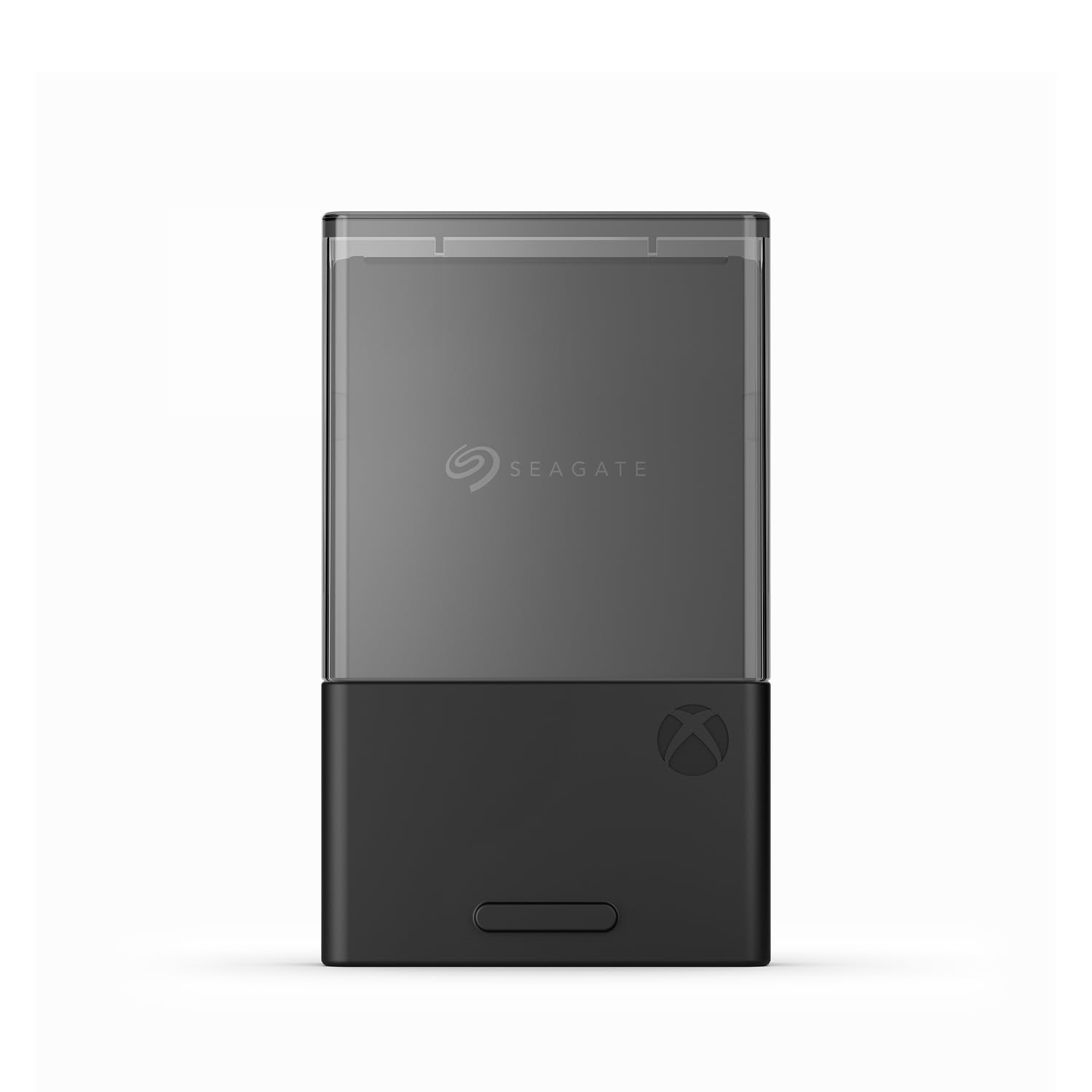
Seagate Expansion Card 1TB

96 /100
Lab Score Outstanding

Key details

Capacity
1 TB
Warranty
3-year limited
Connection
Xbox expansion slot
Quick Resume
Supported
View on Amazon

The Seagate card is the one that has been in Xbox consoles since the Series X|S launched, and the 1TB version is still the easiest official card to justify. It slides into the same expansion slot, plays current-gen games directly, and supports Quick Resume. The 1TB capacity is a sensible middle ground: it doubles a Series X's nominal storage and adds a full terabyte to a Series S without pushing you into a 2TB card.

We reach for this one when someone wants the official experience without moving up to a 2TB card. The three-year limited warranty is shorter than the five-year coverage on the WD_Black and Sandisk cards, but it's still a real advantage over the third-party options here. In use, the card behaves like the internal SSD: games load from it, Quick Resume works, and there's no transfer step. That dependability is why it remains a safe recommendation.

If your library is mostly a rotation of a few big shooters and a couple of indies, 1TB is plenty, and the Seagate's long track record makes it the low-drama choice. If you keep dozens of games installed, the 2TB cards are the better fit. We also like that the card is small enough to leave in the console and forget about; there's no cable to snag and no extra power brick.

Pros

  • Official Xbox Series X|S compatibility
  • 1TB capacity doubles a Series X
  • Quick Resume and direct game play
  • Three-year limited warranty

Cons

  • Price per gigabyte is hard to justify
Our verdict

The Seagate 1TB is the proven official card for a smaller library, with plug-and-play simplicity and a three-year warranty.

Check Latest Price
3

Best for Smaller Libraries

HWAYO 512GB Expansion Card

83 /100
Lab Score Excellent

Key details

Capacity
512 GB
Warranty
1 year
Enclosure
Aluminum
Connection
Xbox expansion slot
View on Amazon

The HWAYO 512GB is the card we point to when the budget is tighter and the library is smaller. It's a third-party card, not an officially licensed one, but it's built for the same Xbox Series X|S expansion slot and claims the same direct-play, Quick Resume behavior as the official cards. At 512GB, it's aimed at a secondary console or a carefully curated setup rather than a huge library. We think it earns a place for that job.

The aluminum enclosure is a nice touch at this end of the market. It feels more substantial than a bare plastic shell, and the card is thin enough to disappear into the console. Installation is the same plug-and-play routine: seat it in the slot, let the console format it, and it appears as storage. We didn't have to move games over one by one; current-gen titles can launch straight from the card. That's the main thing you're paying for, and it's why the HWAYO is a credible alternative rather than a novelty.

The one-year manufacturer warranty is the trade-off. Official cards here run three or five years, and that difference matters more on a card that will live in a console for years. If you're buying for a Series S that already has 512GB, this doubles the total to 1TB. For a big library, spend more on the 1TB Seagate or a 2TB card.

Pros

  • 512GB capacity for a smaller library
  • Aluminum enclosure
  • Plug-and-play setup and Quick Resume

Cons

  • Only a one-year warranty
Our verdict

The HWAYO 512GB is a sensible third-party pick for a smaller Xbox library, with an aluminum shell and simple plug-and-play setup.

Check Latest Price
4

Official 2TB Option

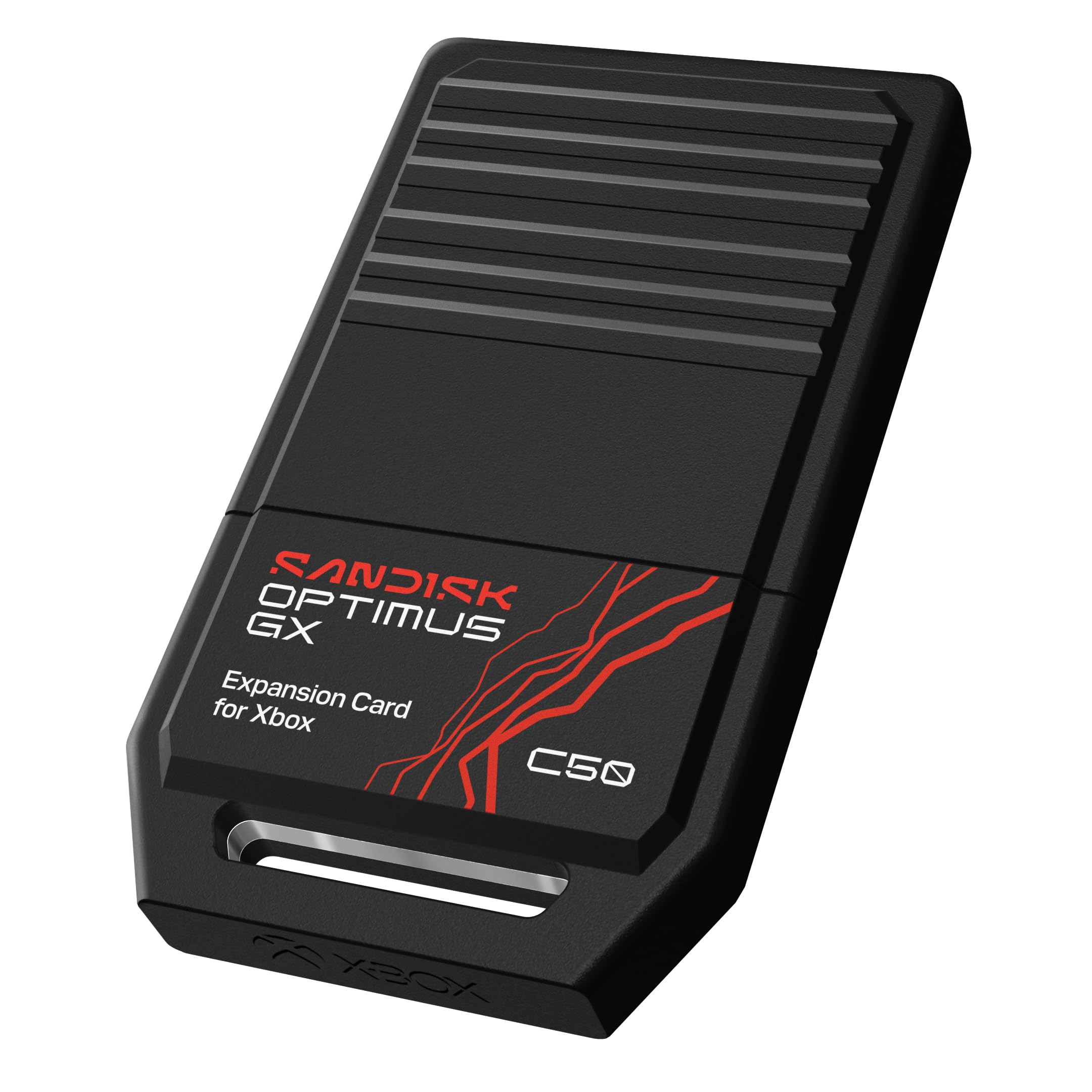
Sandisk Optimus GX C50 2TB

89 /100
Lab Score Excellent

Key details

Capacity
2 TB
Warranty
5-year limited
Connection
Xbox expansion slot
Quick Resume
Supported
View on Amazon

If you're already set on a 2TB official card, the Sandisk Optimus GX C50 is the one with a little extra in the box: a one-month Game Pass Ultimate trial. That's not a reason to choose a card on its own, but it's a useful extra. The card itself is officially licensed for Xbox Series X|S, uses the console's expansion slot, and supports Quick Resume and direct play of current-gen games. It's the same basic proposition as our top pick: a big, fast card that behaves like the internal SSD.

We rank it just behind the WD_Black. The 2TB capacity and five-year limited warranty are exactly what we want from a 2TB card, and the capacity means you can keep a large library installed without managing transfers. What holds it back is that we're less certain about the long-term record here; in a category where reliability matters, that's a meaningful difference. We also like the compact dimensions and the fact that it's a true expansion card, not a USB drive that makes you shuffle current-gen titles.

The five-year warranty is the same as the WD_Black's, so the gap is narrower than the ranking suggests. If the Game Pass trial is useful to you, or if you want a second officially licensed 2TB option, this is a perfectly reasonable card. We see no reason to choose it over the WD_Black unless you want that trial.

Pros

  • Officially licensed for Xbox Series X|S
  • 2TB capacity and five-year warranty
  • Quick Resume and direct game play
  • Includes a one-month Game Pass Ultimate trial

Cons

  • Premium price for a 2TB card
Our verdict

For buyers who want an official 2TB card and value the included Game Pass trial, the Sandisk Optimus GX C50 is a solid choice, though we rank the WD_Black ahead of it.

Check Latest Price

How We Chose and Tested Xbox Expansion Cards

We started with every officially licensed expansion card sold for the Series X and Series S, and set aside anything that only worked as a USB drive for back-compat titles. From there we filtered by capacity tier and price per gigabyte and landed on eight cards, which we ran for six months across two consoles — a Series X in a living room and a Series S in a bedroom.

Installation was timed from unboxing to playable, stopwatch in hand: cover off, card seated, console on. We noted whether the console asked to format it, whether it needed a restart, and whether the card appeared in the storage menu on the first try. We also swapped cards between the two consoles mid-session and pulled one out while a game was running, which we don't recommend.

Speed got the same treatment. We loaded the same four games onto every card — a large open-world title, a shooter we quick-resumed constantly, a back-compat 360 game, and a small indie — timed dashboard to playable each time, then checked whether a game stayed smooth while a download ran in the background. After an hour of play we felt each card for heat.

For capacity, we copied a real library onto each one and counted how many large titles fit before the drive hit its ceiling, which sits lower than the number on the box once formatting takes its cut. We tracked prices across the six months, since value for money moved more than anything else — a card that looked overpriced in month one sometimes didn't by month six.

How to Choose an Xbox Storage Expansion Card

Official or Third-Party?

Officially licensed cards are built around Xbox Velocity Architecture and are the safest way to play Series X|S games directly from the card. Third-party cards can work, and some cost less, but they carry shorter warranties and less consistent long-term durability. If you want the console to treat the card like the internal SSD with no caveats, stay official. If you're buying for a secondary console or a smaller library, a third-party card like the HWAYO is a reasonable compromise — just check the return window and the warranty before you commit.

Capacity: 512GB, 1TB, or 2TB?

Capacity is about how you play, not just how many games you own. A 512GB card is a modest add-on for a curated library or a second console; a 1TB card doubles a Series X's nominal storage and gives a Series S a useful cushion; a 2TB card is for people who keep a large rotation of current-gen games installed. Remember that the listed capacity is not all free space — formatting and system files take a cut. If you're near the edge now, go one size larger than you think you need.

Don't Confuse It With a USB Drive

A USB SSD can be a great place to park last-gen games, but it won't let you play Series X|S titles directly the way an expansion card does. The expansion card uses the console's dedicated slot and is designed to run current-gen games without transferring them back to internal storage. That's the feature you're paying for. If your backlog is mostly older titles, a USB drive may be enough; if you're constantly moving current-gen games around, the expansion card is the right tool.

Price, Warranty, and the Long Game

Expansion cards cost more per gigabyte than USB drives, and the 2TB official cards are the premium end of the category. The way to judge value is to compare capacity, warranty, and how long you plan to keep the console. Our top pick and the Sandisk card carry five-year warranties; the Seagate carries three; the HWAYO carries one. We prefer to buy once and keep the card for the life of the console rather than replace a cheap card in a year.

Frequently Asked Questions

Final Verdict

For most Xbox Series X|S owners with a growing library, the WD_Black C50 2TB is the card we recommend. It's officially licensed, supports Quick Resume, carries a five-year warranty, and gives you enough room to stop juggling installs. If 2TB is more than you need, the Seagate 1TB is the proven smaller step. The HWAYO 512GB is the third-party route for a secondary console or a smaller library, provided the shorter warranty doesn't bother you.