9 Best 1000W Gaming PC Power Supply of 2026: Silent Performance Without the Premium

Find the quietest 1000W Gold PSU for your gaming build, with real-world trade-offs on noise, cable length, and value.

Many builders assume that a Platinum or Titanium rating is essential for a high-end gaming rig. In reality, 80+ Gold delivers nearly identical real-world efficiency at a much lower price, with the main difference being 2-3% less electricity consumption.

The real challenge is finding a unit that stays quiet under load, has cables long enough for your case, and reliably powers modern GPUs without coil whine or early failure.

This guide breaks down the trade-offs that actually matter – fan noise, cable length, ATX 3.1 compliance, and build quality – so you can match the right PSU to your specific build without wasting money on features you don't need.

1

Best Overall

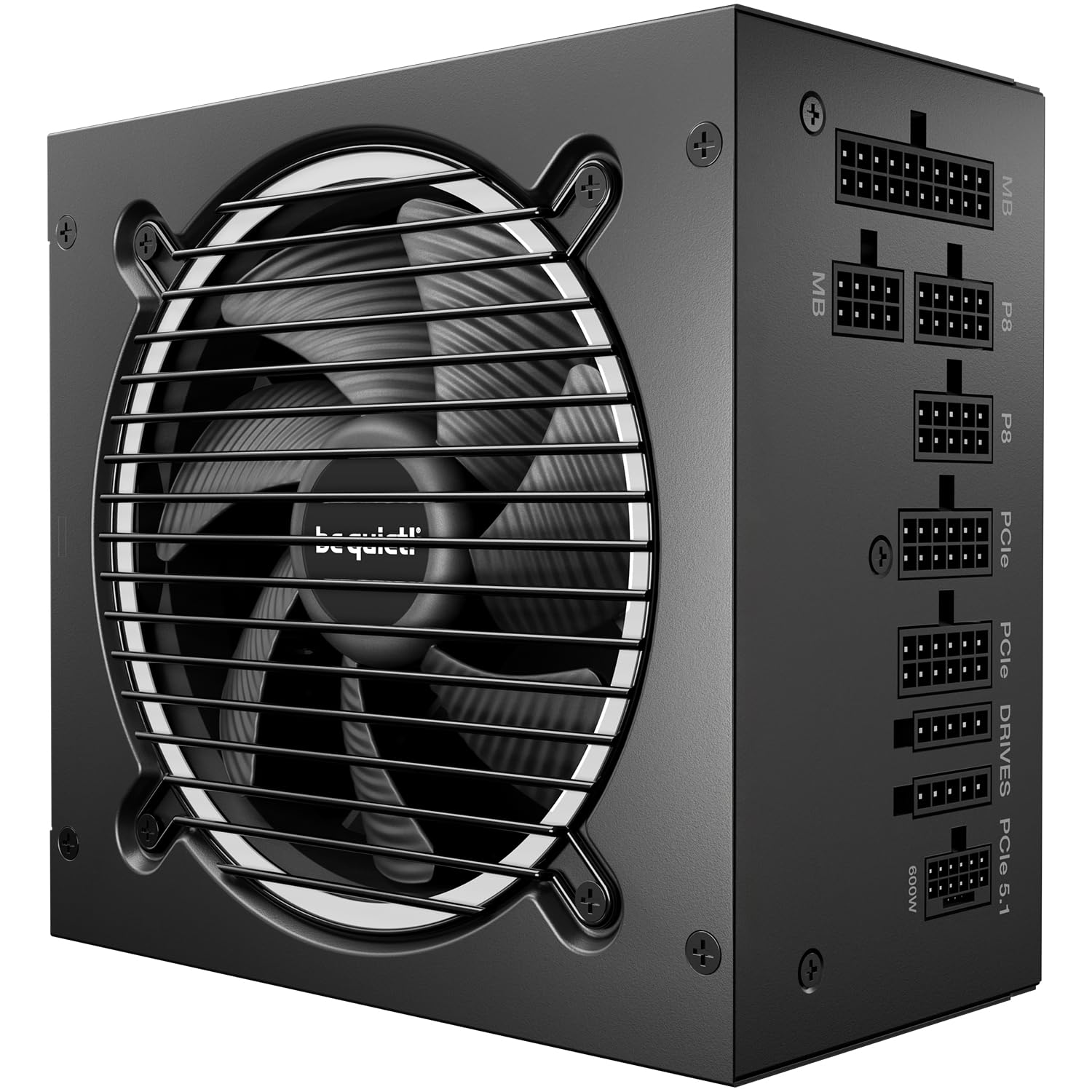
be quiet! Pure Power 13

90 /100
Lab Score Outstanding

Key details

Fan Size
120mm semi-passive
Warranty
10 years
Efficiency
80+ Gold
ATX Version
ATX 3.1
View on Amazon

The Pure Power 13 M delivers near-silent operation under typical gaming loads, thanks to a semi-passive 120mm fan that stays off until the unit hits around 30% load. Efficiency peaks at 94.4%, putting it close to platinum territory without the premium price tag.

During light desktop use or web browsing the fan remains completely still. Under sustained gaming or rendering the fan spins up gradually, but the noise stays low enough that it won't distract in an open-air desk setup. The fully modular design lets you attach only the cables you need, though the included wires are stiffer than average — planning your routing path ahead saves frustration.

This PSU fits best in mid-tower cases with a bottom PSU mount. For full-tower cases or builds with a top-mounted PSU, the CPU cable may not reach the motherboard without an extension. The 12V-2x6 connector is included natively, making it ready for current and next-gen GPUs without adapter juggling.

Build quality feels solid with a painted steel casing and tightly spaced vents. The 10-year warranty signals confidence in long-term durability, though the unit lacks the individually sleeved cables found on pricier competitors — a reasonable trade-off at this price point.

💡 Allow extra time for cable routing — the stiff wires don't bend tightly, so plan your runs accordingly.

Pros

  • Semi-passive fan keeps noise near-zero during light workloads.
  • Premium internal components and sturdy casing contribute to long-term durability.
  • Achieves efficiency close to platinum standards at a mid-range price.

Cons

  • Stiff cables resist tight bends, requiring extra planning for compact cases.
  • CPU cable may be too short for full-tower cases with top-mounted PSUs.
Our verdict

The go-to choice for gamers building a quiet mid-tower system who want modern ATX 3.1 support without overspending for platinum-rated silence.

Check Latest Price
2

Best Value

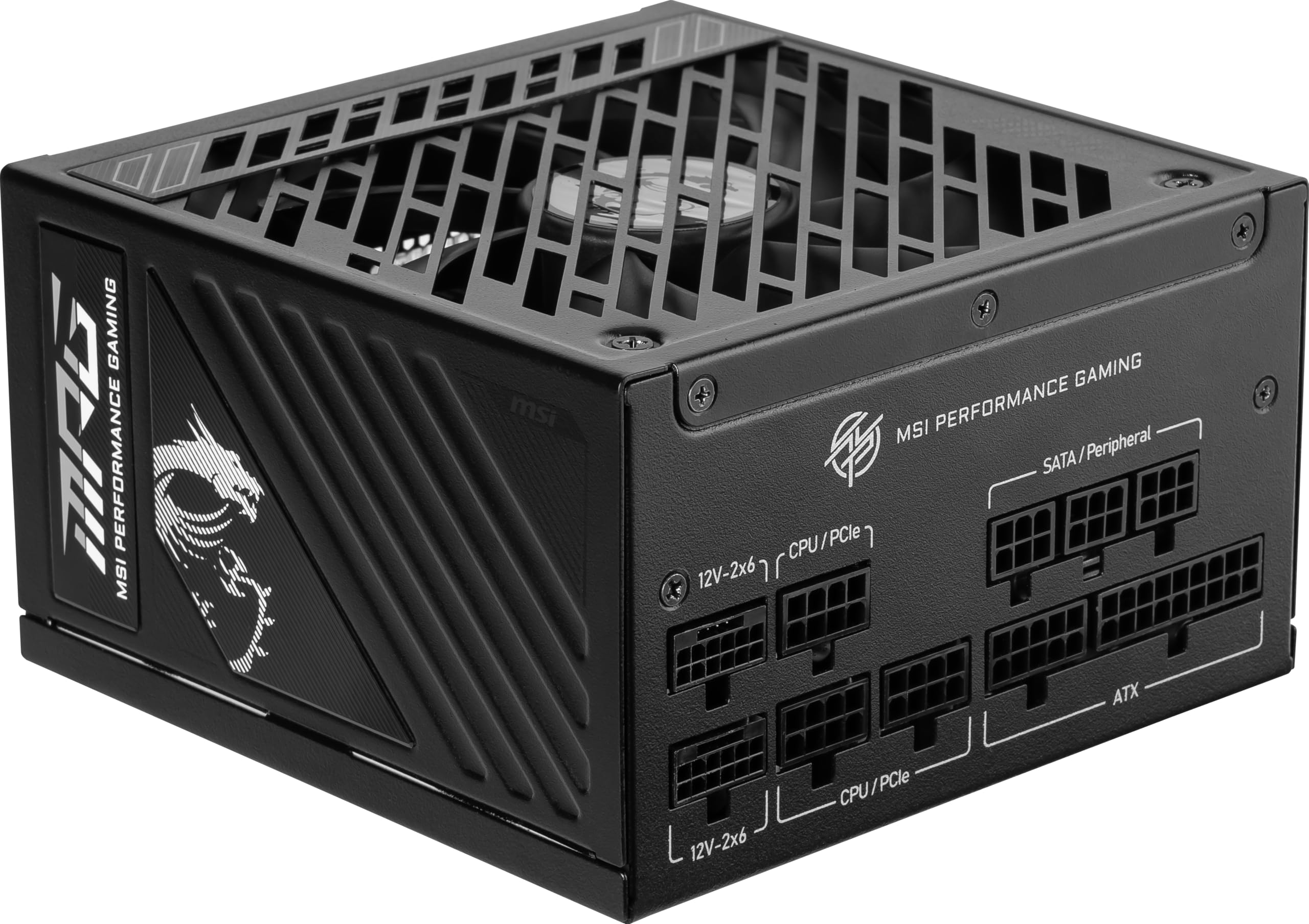
MSI MAG A1000GL

91 /100
Lab Score Outstanding

Key details

Fan Size
120mm
Warranty
10 years
Efficiency
80+ Gold
ATX Version
ATX 3.1
View on Amazon

The MSI MAG A1000GL delivers 1000W of clean power with full modularity and ATX 3.1 support at a price that undercuts most competitors. While the be quiet Pure Power 13 M offers quieter operation and tighter consistency, the MAG A1000GL shaves off a significant portion of the upfront cost. That cost saving comes from a simpler fan setup — the 120mm fan can become audible and, in some units, develop a rattle after a few months of use. Cable selection is generous, covering modern GPU connectors, and the build quality feels adequate for the price.

This PSU suits builders assembling a gaming PC on a strict budget, where every dollar counts more than whisper-quiet operation. The reliability variance — some units arrive DOA or fail within the first year — means it's not ideal for a primary machine that must stay running without interruption. The 10-year warranty provides a safety net, though the possibility of early failure means it's not a set-and-forget component. For a secondary rig, test bench, or a build where the owner can tolerate occasional fan noise, the MAG A1000GL offers undeniable value.

💡 If the fan noise becomes bothersome, positioning the PC in a spot with ambient noise or using a fan speed controller can help.

Pros

  • Outstanding value for a fully modular 1000W Gold PSU
  • Easy installation with good cable selection
  • Decent build quality for the price

Cons

  • In a quiet room, the fan noise and potential rattle may be noticeable after several months of use
  • Reliability can vary between units
Our verdict

For budget gaming builds that can accept fan noise and occasional unit variance, the MSI MAG A1000GL delivers the most bang for the buck in 1000W Gold PSUs.

Check Latest Price
3

Quietest Platinum

be quiet! Power Zone 2

88 /100
Lab Score Excellent

Key details

Fan Size
140mm semi-passive
Warranty
10 years
Efficiency
80+ Platinum
ATX Version
ATX 3.1
View on Amazon

The be quiet! Power Zone 2 runs nearly silently thanks to its 140mm fan and semi-passive mode, making it one of the quietest 1000W units available. The angled 12V-2x6 connector is a practical bonus — it bends out of the way near the GPU, which helps in compact builds or cases with limited side clearance.

This PSU targets builders who prioritize silence above all else and want the cleanest possible cable routing around their graphics card. Compared to the top Gold-rated pick, the Power Zone 2 is noticeably quieter, but you pay a premium for that silence and platinum efficiency. The tradeoff: cables are stiff and require extra effort to route, and some ports may not click as firmly as expected — a nuance worth double-checking during installation.

Build quality is high, with stable power delivery and a 10-year warranty that reflects confidence in the design. For those who value low noise and have room in the budget, the Power Zone 2 delivers where it matters most.

💡 Plan extra time for cable routing and verify each connector clicks fully before closing the case.

Pros

  • Near-silent operation with 140mm semi-passive fan
  • 90° angled 12V-2x6 connector improves GPU cable routing
  • High build quality with stable power delivery

Cons

  • Stiff cables can make routing difficult in tight builds
  • Premium price over 80+ Gold equivalents
Our verdict

If silence is your non-negotiable priority and you can stretch the budget, the Power Zone 2 offers the quietest operation and a clever connector design that simplifies GPU cable management.

Check Latest Price
4

Enthusiast's Choice

ASUS ROG Strix 1000W

92 /100
Lab Score Outstanding

Key details

Fan Size
135mm dual ball bearing
Warranty
Efficiency
80+ Platinum
ATX Version
ATX 3.1
View on Amazon

The ASUS ROG Strix 1000W Platinum uses GaN MOSFETs and a dedicated GPU voltage stabilizer to keep power delivery exceptionally steady under overclocking loads. The Platinum efficiency reduces waste heat, and the fan stays off at low loads so the system remains near-silent during everyday use.

Under moderate gaming loads the 135mm fan spins up but stays quiet enough not to overpower system fans. The all-black design and integrated ROG styling fit neatly into themed builds without looking out of place.

This unit targets enthusiasts who need the latest voltage-stabilization technology and want a premium ROG-matched aesthetic. The premium pricing places it above what most gamers need — better value options exist for standard builds.

💡 Stiff cables can be tamed with aftermarket cable combs or custom sleeved replacements for a cleaner build.

Pros

  • Exceptional voltage stability for overclocked CPUs and GPUs
  • Whisper-quiet operation with 0dB fan mode at low loads
  • Premium build quality with GaN technology and ROG design cues

Cons

  • Stock cables are stiff and resist bending, complicating cable management in tight cases
  • Some units may exhibit shutdown after several weeks of use
Our verdict

For overclocking enthusiasts who want cutting-edge voltage stabilization and don't mind a premium price, the ROG Strix delivers — but budget-minded builders or those who prize cable flexibility should look at the top pick in this roundup.

Check Latest Price
5

Best for Lian Li Cases

Lian Li EDGE 1000W

92 /100
Lab Score Outstanding

Key details

Fan Size
140mm
Warranty
Efficiency
80+ Gold
ATX Version
ATX 3.1
View on Amazon

The Lian Li EDGE1000W shifts its connector panel to the side of the PSU, tucking cables out of sight in cases with a secondary chamber. That L-shape, combined with a built-in USB and fan hub, simplifies routing so the main compartment stays nearly wire-free. A magnetic dust filter on the intake side adds a thoughtful touch.

This design is aimed squarely at owners of Lian Li's O11 Dynamic and similar dual-chamber cases where the PSU sits in a separate compartment. The L-shape requires that specific layout — it won't fit standard bottom-mount PSU positions. Additionally, the included cables are flat and non-braided, a tradeoff for the convenience of the integrated hub that reduces fan and USB cabling.

The 1000W capacity with 80+ Gold efficiency and ATX 3.1 certification means it supports modern GPUs via the native 12V-2x6 connector. The 140mm fan operates near silently, with a zero-RPM mode that keeps it off under light use. A magnetic dust filter on the intake adds a maintenance convenience.

💡 If cable aesthetics matter, aftermarket sleeved extensions can be used without interfering with the L-shape routing.

Pros

  • Side-mounted connectors make cable management effortless in dual-chamber cases
  • Built-in USB and fan hub reduces overall cable clutter
  • Very quiet fan operation, even under gaming loads

Cons

  • Flat non-braided cables may not match the look of sleeved builds
Our verdict

For builders committed to a Lian Li dual-chamber case, the EDGE1000W delivers a uniquely integrated cable solution that few other PSUs match.

Check Latest Price
6

Solid All-Rounder

NZXT C1000 Gold

89 /100
Lab Score Excellent

Key details

Fan Size
135mm FDB with zero mode
Warranty
10 years
Efficiency
80+ Gold
ATX Version
ATX 3.1
View on Amazon

The 135mm FDB fan with zero RPM mode keeps the C1000 Gold nearly silent under light loads, and the 10-year warranty signals confidence in long-term performance. Where the top pick in this category (the be quiet! Pure Power 13 M) edges ahead in overall silence and cable feel, the NZXT offers a comparable feature set at a mid-range price point that often drops further during sales.

This PSU suits builders invested in the NZXT ecosystem or those who value a quiet, no-frills power supply for a standard gaming rig. The included 12V-2x6 cable may not produce a reassuring click on some RTX 40-series or future GPUs, and the stiff cabling requires patience for clean routing - trade-offs that are less of an issue if you use third-party cables or plan a semi-permanent installation.

💡 Push the 12V-2x6 connector fully until it stops - no click is normal for this cable - and consider aftermarket sleeved cables for easier management.

Pros

  • Steady power delivery keeps gaming rigs stable under sustained load.
  • Zero fan mode and 135mm FDB make it nearly silent during low to medium usage.
  • Mid-range price with occasional deep discounts - good value at sale price.

Cons

  • Cable stiffness makes routing inside tight cases more effort.
  • 12V-2x6 connector may not lock with an audible click on some GPUs, risking loose connection.
Our verdict

For builders who can work around stiff cables and want a quiet 1000W unit with a long warranty, the NZXT C1000 Gold is a smart buy when on sale - just verify GPU connector fit.

Check Latest Price
7

Cable Perfectionists

Corsair RM1000x

90 /100
Lab Score Outstanding

Key details

Fan Size
140mm FDB with zero RPM
Warranty
10 years
Efficiency
80+ Gold
ATX Version
ATX 3.1
View on Amazon

The Corsair RM1000x delivers individually sleeved cables with combs, making cable management straightforward for clean builds. Its 140mm fan with zero RPM mode stays silent under light loads. However, this unit sits at a higher price than the top pick, and some samples show early failure after months of use – a concern for buyers prioritizing long-term dependability. The cable combs may also shift during routing, which can bother those aiming for a perfect appearance. This PSU suits Corsair enthusiasts who want the best stock cables and accept the reliability variance.

Pros

  • Solid build quality and stable power output
  • Quiet operation with zero RPM mode keeps noise minimal during idle
  • Individually sleeved cables with combs simplify routing

Cons

  • Some units may stop functioning after several months of use
  • Cable combs can shift during routing, creating a less tidy look
Our verdict

Best suited for Corsair enthusiasts and cable perfectionists who can accept the possibility of unit variance.

Check Latest Price
8

ASUS Ecosystem

ASUS TUF Gaming 1000W

91 /100
Lab Score Outstanding

Key details

Fan Size
135mm dual ball bearing
Warranty
10 years
Efficiency
80+ Gold
ATX Version
ATX 3.0
View on Amazon

This ASUS TUF Gaming unit delivers solid power delivery for high-end builds, backed by a 10-year warranty and military-grade components that inspire confidence. However, it sticks with ATX 3.0 rather than the newer 3.1 standard, and under heavy gaming load the fan can become audible in a quiet room. Cable management also takes more patience since the leads are loose and tangle easily. For builders who prioritize brand reputation and long-term reliability over the latest connector or silent operation, this is a sensible mid-range pick.

Pros

  • Military-grade components and 10-year warranty support long-term reliability.
  • Stable power delivery keeps high-end GPUs running smoothly under load.
  • Competitive pricing for an established brand with a strong build reputation.

Cons

  • In a quiet gaming room, the fan can ramp up noticeably during sustained load.
  • Loose, unbundled cables make tidy routing in small cases more time-consuming.
Our verdict

A good fit for ASUS-themed builds where brand consistency and build quality matter more than ATX 3.1 support or whisper-quiet operation.

Check Latest Price
9

Budget ATX 3.1

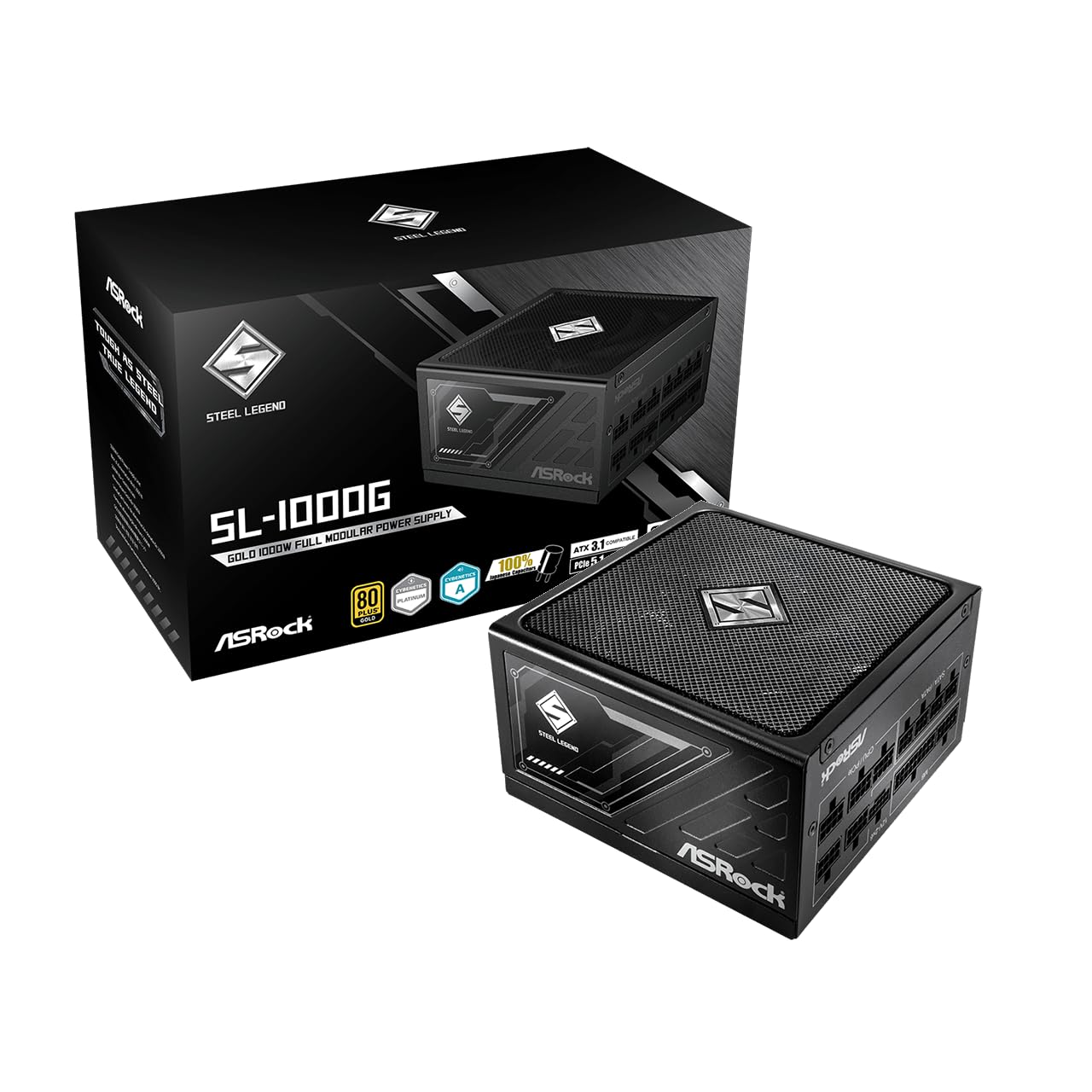
Vetroo 1000W Gold

85 /100
Lab Score Excellent

Key details

Fan Size
120mm FDB
Warranty
10 years
Efficiency
80+ Gold
ATX Version
ATX 3.1
View on Amazon

The Vetroo 1000W Gold delivers steady power to high-end components at a budget-friendly price, with a solid build and full modular cabling that simplifies cable management. Its ATX 3.1 support ensures compatibility with modern GPUs and motherboards. However, coil whine can be noticeable in some units, making this a better fit for builds where the system is not in a quiet room or where the buyer prioritizes cost over silence. For those seeking the best overall value at this wattage, the MSI MAG series offers a more consistent experience with fewer tradeoffs.

Pros

  • Stable power delivery and reliable operation with high-end components.
  • Solid build quality and good power quality.
  • Affordable price with full ATX 3.1 features and modular cabling.

Cons

  • Coil whine may be audible in some units; less suitable for noise-sensitive setups.
Our verdict

Best for budget gaming builds where noise tolerance is acceptable and ATX 3.1 compatibility is a priority.

Check Latest Price

How to Choose

Efficiency Certification

80+ Gold is the sweet spot for most gaming PCs. It delivers around 90% efficiency at typical loads, meaning only 10% of the power is lost as heat. Platinum and Titanium ratings offer 2-4% better efficiency but cost significantly more and rarely pay back the premium in electricity savings over the life of the build.

The practical difference between Gold and Platinum is a few dollars a year for a gaming rig that runs several hours daily. Unless you run the system 24/7 under full load, Gold is the rational choice. Higher ratings also tend to come with larger, more elaborate cooling solutions that may add noise if the fan is always spinning.

ATX Version

ATX 3.0 introduced the 12VHPWR connector for high-power GPUs like the RTX 4090. ATX 3.1 updated that to the 12V-2x6 standard, which has a shorter sense pin to prevent partial insertion — a common cause of melting connectors on earlier designs.

If you own or plan to buy an RTX 40 or 50 series card, choose a PSU with native 12V-2x6 support (ATX 3.1). ATX 3.0 units can work with an adapter, but the connector is physically identical to the problematic original. For current AMD GPUs, ATX 3.0 is sufficient.

Fan Size and Noise

Larger fans (135-140mm) can spin slower to move the same amount of air, resulting in quieter operation. Semi-passive or zero-RPM modes stop the fan entirely at low loads, which is ideal for idle or light gaming. However, when the fan does spin, the bearing type and blade design matter: fluid dynamic bearings (FDB) are quieter and more durable than sleeve bearings.

Smaller 120mm fans often need to spin faster to cool the unit, producing more noise. If silence is a priority, look for a unit with a 135mm or larger FDB fan and a semi-passive mode. Be aware that even quiet units can develop coil whine or bearing noise after a few months — read recent reviews for specific model revisions.

Cable Quality and Length

Short CPU cables are the most common complaint in large cases, especially when the PSU mounts at the top. A standard 600mm EPS cable often forces tight routing above the motherboard tray. Measure your case’s PSU-to-CPU distance before buying, especially for full towers.

Stiff cables are harder to bend and make clean cable management difficult. Individually sleeved cables are more flexible but add cost. Many budget units use stiff ribbon-style cables that splay apart. If you value aesthetics, consider investing in aftermarket cable sets, but check compatibility with your PSU brand and model.

Warranty Length

A 10-year warranty is standard for premium and mid-range PSUs from reputable brands. It signals the manufacturer’s confidence in the unit’s longevity. A shorter warranty, like 5 or 7 years, typically indicates a lower quality or higher risk of failure.

The warranty covers replacement but not the cost of damaged components if the PSU fails catastrophically. For this reason, a longer warranty is not a guarantee of safety — it simply gives you peace of mind that the manufacturer will back the product. Always pair a PSU with a good surge protector or UPS.

Frequently Asked Questions