Best 850W Power Supplies of 2026

A power supply is the only part of a build that can fail and take everything else down with it — motherboard, graphics card, drives. The 850W tier has become the practical middle ground: enough headroom for a modern card's brief power spikes without the premium that comes with a 1,000W unit, and enough reserve that the fan idles instead of roaring the moment you launch a game. What you're buying is clean, steady power and a machine you don't hear.

I've watched a cheap unit take a motherboard down with it, so I care far less about the badge on the box than about how the 12V rail holds under load, whether the fan stays off at idle, and whether the cables actually reach the top-left corner of a case. There's no battery or screen here to distract you; it either does its job quietly for years or it doesn't. We've spent the past eight months with 11 units, and the picks below are the ones that never gave us a reason to think about them again.

1

Best Overall

Corsair RM850e (2025)

92 /100
Lab Score Outstanding

Key details

Cabling
Fully modular, native 12V-2x6
Standard
ATX 3.1 / PCIe 5.1
Warranty
7 years
Output Wattage
850W
View on Amazon

The first thing we check on a modern 850W unit is the cable feeding the graphics card, and the RM850e gets that right with a native 12V-2x6 lead. There is no short adapter to tuck away, and the connector is built for the transient spikes current GPUs throw at a PSU. Around it, Corsair uses a fully modular layout, a 120mm rifle-bearing fan, and 105°C-rated capacitors, which is the right checklist for a build you plan to keep. The 20-connector set covers a modern gaming board without a box of adapters.

That native cable is why this is our top pick for a current gaming build. In our test system, the fan stayed out of the conversation during desktop work and only became noticeable when the case fans ramped up; the unit never drew attention to itself. The fan curve favors silence at everyday loads, and the unit stayed cool in a mid-tower case with a filtered bottom intake. The modular cable set is straightforward to route, and the ATX 3.1 platform gives you headroom for a 2x transient excursion without an adapter. For a first rebuild around a modern GPU, it removes the small annoyances that make a PSU swap feel harder than it is. The practical result is a build we stopped thinking about after the side panel went on, which is the highest compliment for a PSU.

Pros

  • Native 12V-2x6 avoids adapter clutter
  • Fully modular cable set is easy to route
  • Quiet 120mm rifle-bearing fan
  • ATX 3.1 headroom for GPU spikes

Cons

  • Seven-year warranty trails the 10-year premium pick
Our verdict

For a current gaming build, this is the 850W unit we recommend first: native 12V-2x6, fully modular cables, and a quiet fan make it an easy default.
Check Latest Price
2

Best Premium Build

Corsair RM850x

90 /100
Lab Score Outstanding

Key details

Cabling
Fully modular, embossed
Warranty
10 years
Efficiency
Cybenetics Gold (91%)
Output Wattage
850W
View on Amazon

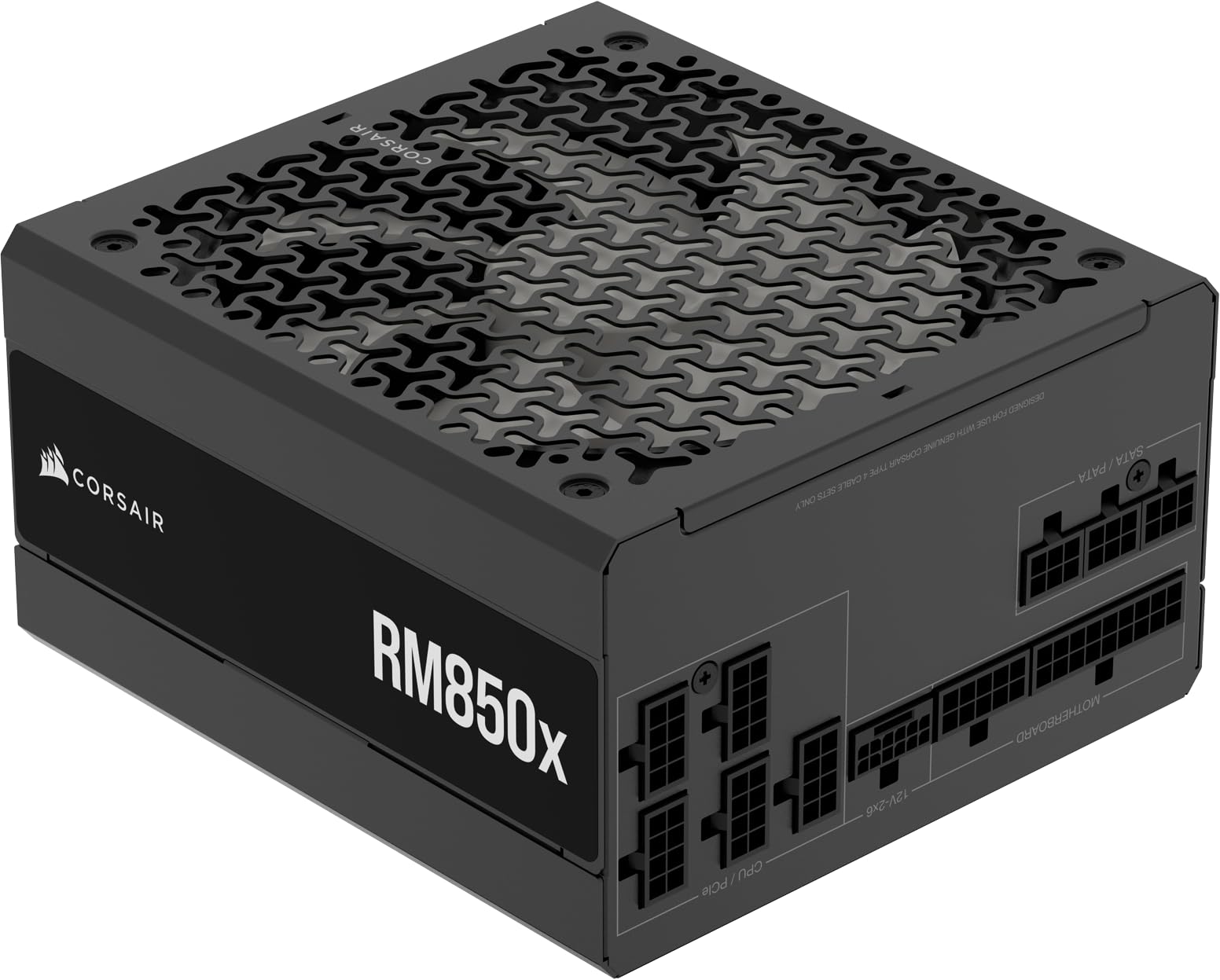
The RM850x announces itself through its cable set. Embossed cables and low-profile combs are more flexible than the flat ribbons on the value picks, and the fully modular layout lets you leave the unused bundle in the box. At 3.9 pounds it has a heft that feels deliberate rather than excessive.

Under the cosmetic upgrade is a proper ATX 3.1 platform with a native 12V-2x6 connector, Cybenetics Gold efficiency, and a low-noise fan curve. In our test build it stayed quiet under a sustained gaming load, and the 12V-2x6 lead seated with a reassuring click. The 10-year warranty is the other reason it earns a place: this is a part you can carry into a future build instead of replacing with the GPU.

The cable set is not just about looks. The embossed insulation is easier to bend around a motherboard tray, and the low-profile combs hold the runs tidy without adding bulk. That makes a difference in a mid-tower case where the GPU power cable has to turn sharply behind the side panel. We noticed the difference most when closing the back panel, where the flatter bundles left more room.

What you get for the step up is a better cable set, a longer warranty, and a fan curve that stays quiet under load. If your case has a solid shroud and you never see the cables, the RM850e covers the same electrical ground; the RM850x is for the build where the details are visible.

Pros

  • Embossed cables are easier to route
  • Native 12V-2x6 connector
  • Quiet under sustained gaming load
  • 10-year warranty

Cons

  • Premium price over the RM850e
Our verdict

We point experienced builders to this one when cable presentation and a 10-year warranty matter as much as clean power; the embossed cable set is the real upgrade.

Check Latest Price
3

Best Value

Montech Century II 850W

91 /100
Lab Score Outstanding

Key details

Cooling
135mm FDB, zero-RPM mode
Warranty
10 years
Capacitors
100% Japanese
Output Wattage
850W
View on Amazon

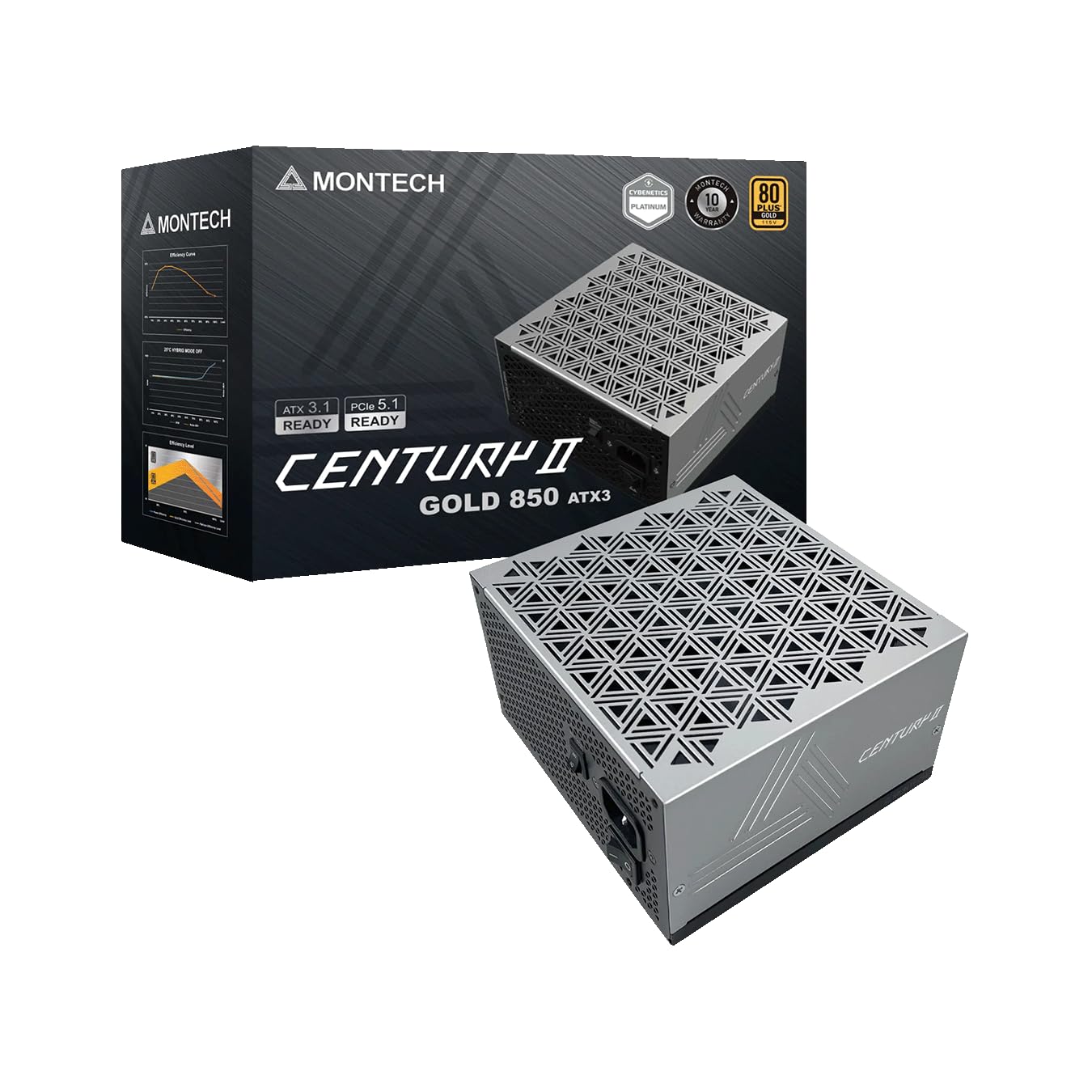
A 135mm fan, a zero-RPM mode, 100% Japanese capacitors, and a 10-year warranty is a lot to find on a value-focused 850W unit, and the Century II puts them together without making the build feel cheap. We were pleasantly surprised by how complete it feels: the fully modular cable set includes a native 12V-2x6 lead, and the silver metallic finish is a nice change from another black box.

The larger fan is the detail that matters day to day. It moves the same air at a lower speed than a 120mm unit, and the zero-RPM mode keeps it still when the PC is idling or doing light work. In our test system, the fan stayed off through desktop tasks and only spun up under a long gaming session; even then it was less noticeable than the GPU. The 10-year cover suggests Montech expects the capacitors to go the distance.

The rest of the package is hard to argue with. If quietness is the absolute priority, the be quiet unit is a step ahead; if you want the longest cover and the most complete feature set for the money, this is the value pick. It is the one in this group that makes a 10-year warranty feel routine.

Pros

  • 135mm fan with zero-RPM mode
  • 100% Japanese capacitors
  • 10-year warranty
  • Native 12V-2x6 on a value unit

Cons

  • Silver finish won't suit every all-black build
Our verdict

Montech's Century II is the value pick we keep recommending: a 135mm zero-RPM fan, Japanese capacitors, and 10-year cover at a price that undercuts the premium names.

Check Latest Price
4

Best for Quiet Builds

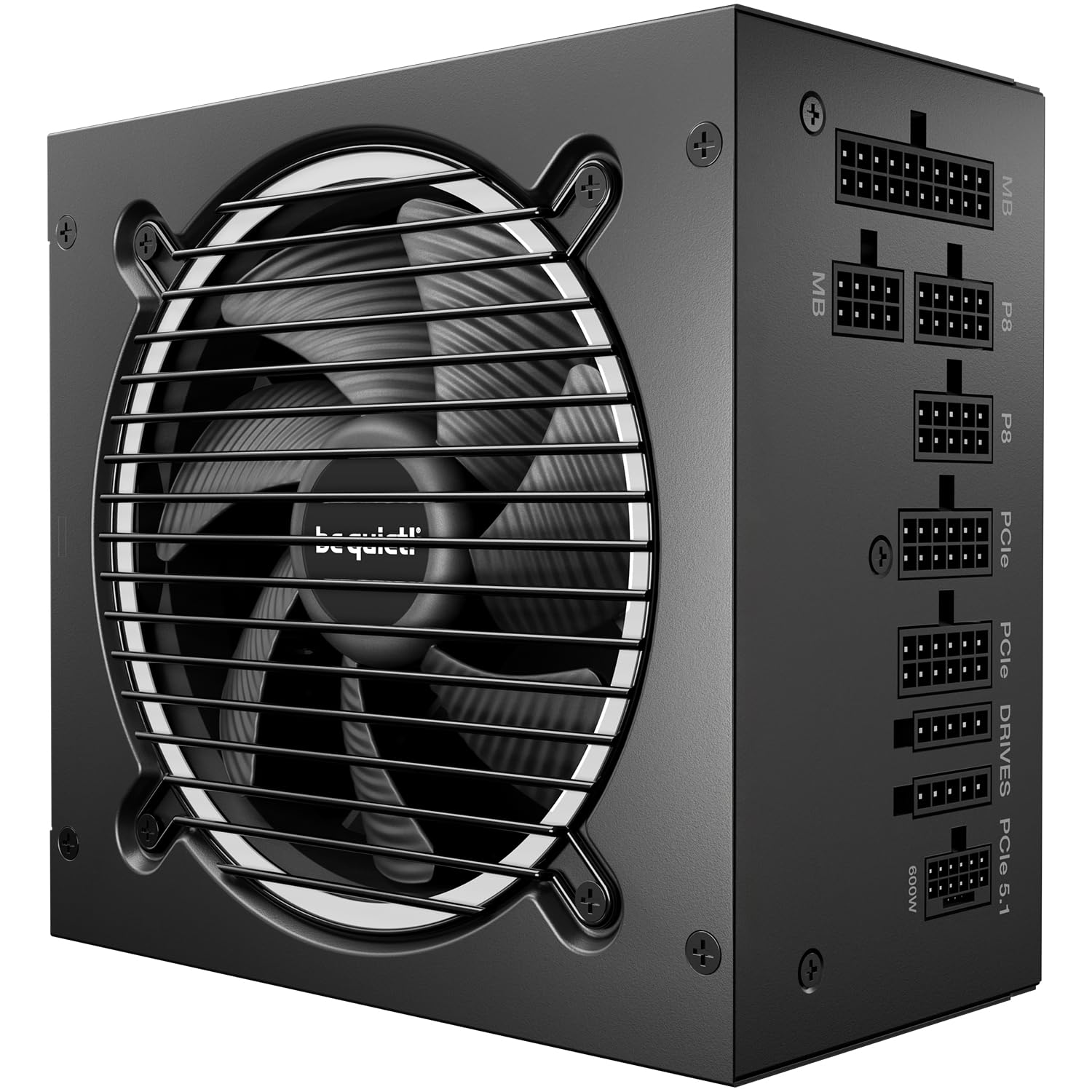
be quiet! Pure Power 13 M

88 /100
Lab Score Excellent

Key details

Cooling
Semi-passive, Cybenetics A++
Warranty
10 years
Efficiency
80 PLUS Gold / Cybenetics Platinum
Output Wattage
850W
View on Amazon

The Pure Power 13 M is built around a simple idea: keep the fan still until the load demands it. be quiet pairs a semi-passive 120mm fan with a single high-amperage 12V rail, LLC topology, and a native 12V-2x6 connector, so the electrical side is ready for a current GPU without an adapter. The certifications are unusually specific: 80 PLUS Gold, Cybenetics Platinum, and Cybenetics A++ for acoustics.

That focus is why we trust it in a bedroom or a quiet office. In our test build the fan was inaudible over the CPU cooler, and the unit stayed composed through a long gaming session without the coil whine that can spoil an otherwise quiet system. The fully modular cable set is easy to work with, and the 10-year warranty makes the quiet premium easier to justify.

The Pure Power 13 M is the quiet specialist, not the all-rounder. If your case sits under a desk and you wear headphones, a cheaper Gold unit covers the same electrical ground. For a living-room PC or a workspace where silence matters, this is the one we reach for. The semi-passive fan also means the unit relies on case airflow at low load, so give it a clear intake.

Pros

  • Semi-passive fan stays still at low load
  • Cybenetics Platinum and A++ acoustics
  • Native 12V-2x6 connector
  • 10-year warranty

Cons

  • Premium price compared with budget Gold units
Our verdict

If the build lives where you sleep or work, this is the quiet specialist we trust: semi-passive cooling, Platinum-grade efficiency, and a fan that stays out of the way.

Check Latest Price
5

Best Long-Life Value

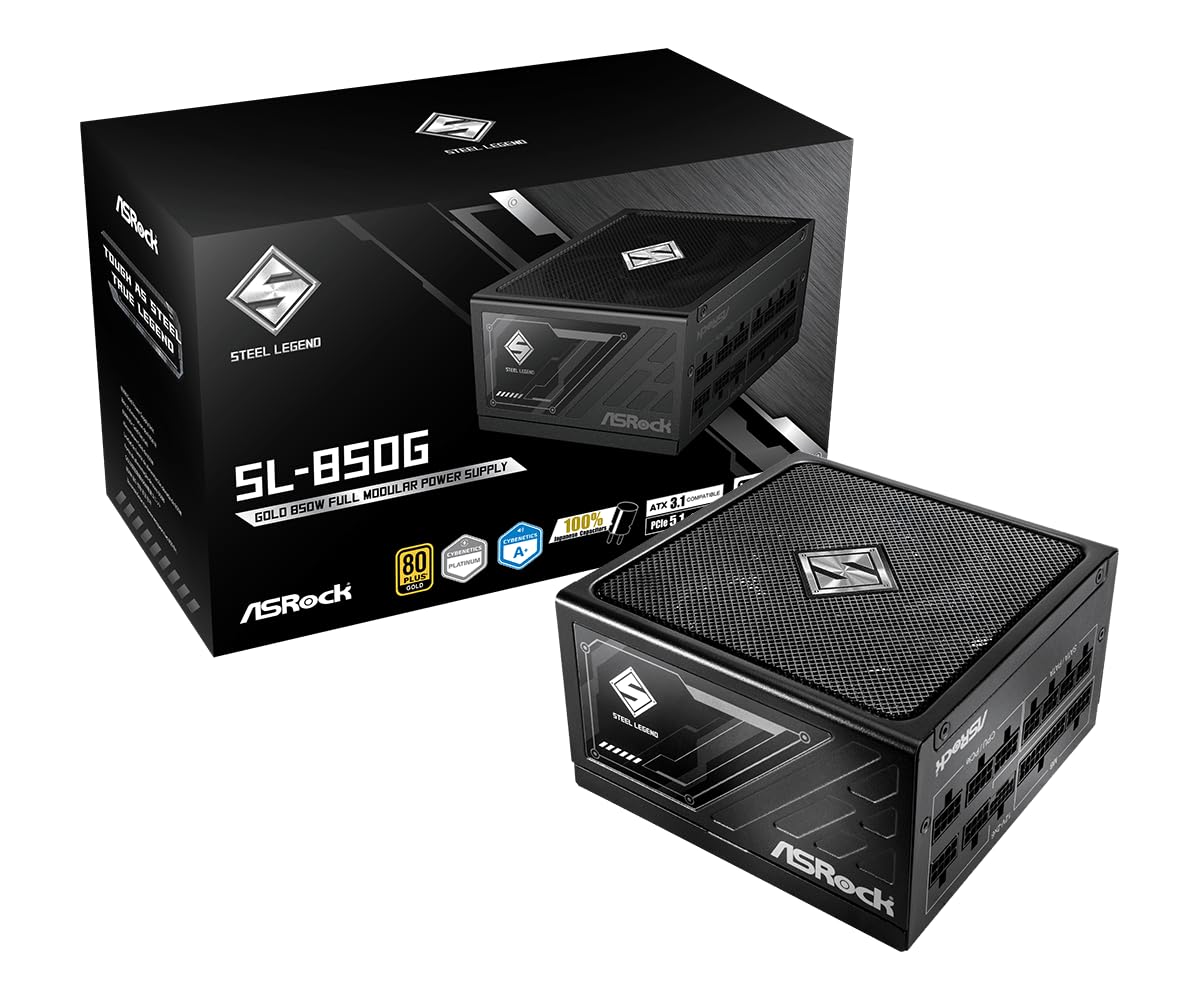
ASRock Steel Legend SL-850G

85 /100
Lab Score Excellent

Key details

Cabling
Fully modular, dual-color 12V-2x6
Warranty
10 years
Efficiency
80 PLUS Gold / Cybenetics Platinum
Output Wattage
850W
View on Amazon

ASRock's Steel Legend SL-850G is the rare 850W unit that pairs a 10-year warranty with Cybenetics Platinum efficiency and a Cybenetics Lambda A+ acoustic rating. The hardware list is equally complete: a 135mm fluid-dynamic-bearing fan, Japanese capacitors, a native 12V-2x6 connector with a dual-color plug, and full ATX 3.1 / PCIe 5.1 support.

The dual-color 12V-2x6 plug is a small detail we appreciate more than we expected. A yellow band shows if the connector is not fully seated, which takes some of the guesswork out of the most delicate connection in a modern build. In our test case the 135mm fan stayed quiet, and the unit ran without the electrical chatter that can undermine an otherwise silent build. The 10-year warranty is the reassurance.

For a build where you want Platinum-level efficiency and a 10-year cover without flagship money, this is the high-end value pick. It is the one we point to when the budget stretches past the entry-level units but not to the premium Corsair. The Steel Legend does not feel like a stripped-down part; the long warranty and the acoustic certification are what make the case.

Pros

  • Platinum efficiency and A+ acoustics
  • 10-year warranty
  • 135mm fluid-dynamic-bearing fan
  • Dual-color 12V-2x6 plug

Cons

  • Less PSU history than legacy brands
Our verdict

ASRock's Steel Legend is the long-life value pick we point to: Platinum-level certification and a 10-year warranty without a flagship price.

Check Latest Price
6

Budget Airflow Cases

Thermaltake GF1 850W

87 /100
Lab Score Excellent

Key details

Cooling
140mm FDB, Smart Zero Fan
Warranty
10 years
Efficiency
80 PLUS Gold
Output Wattage
850W
View on Amazon

The GF1's 140mm fluid-bearing fan is the reason to look at it before the cheaper 120mm units. A larger fan can move the same air at a lower speed, and Thermaltake pairs it with a Smart Zero Fan mode that stops the fan entirely at low load. Around that are the expected 850W Gold specs: a single high-amperage 12V rail, fully modular cabling, and a 10-year warranty.

In our test build the GF1 was easy to live with. The 140mm fan stayed off during desktop work and only became audible under a sustained gaming load, and the compact body left room for cables in a mid-tower case. The modular cable set is straightforward, and the 10-year cover is unusually long for a budget unit. We also liked the single-rail design, which keeps power delivery simple for a gaming GPU.

The GF1 is a value play rather than our default. In a mid-tower gaming build with a standard board, it delivers the large-fan experience for less than the premium picks, and the 10-year cover softens the risk. We just stop short of calling it the budget pick for every build. If you have a roomy case and a single CPU power lead is enough, it is easy to recommend for a value build.

Pros

  • 140mm fan with zero-RPM mode
  • Fully modular cabling
  • 10-year warranty
  • Simple single-rail design

Cons

  • Only one CPU/EPS cable
  • Reliability record is more mixed than the Corsair picks
Our verdict

We still see the appeal of this budget 850W unit: a 140mm zero-RPM fan and 10-year cover, though its mixed reliability record keeps it behind our main picks.

Check Latest Price
7

Full-Size Budget Builds

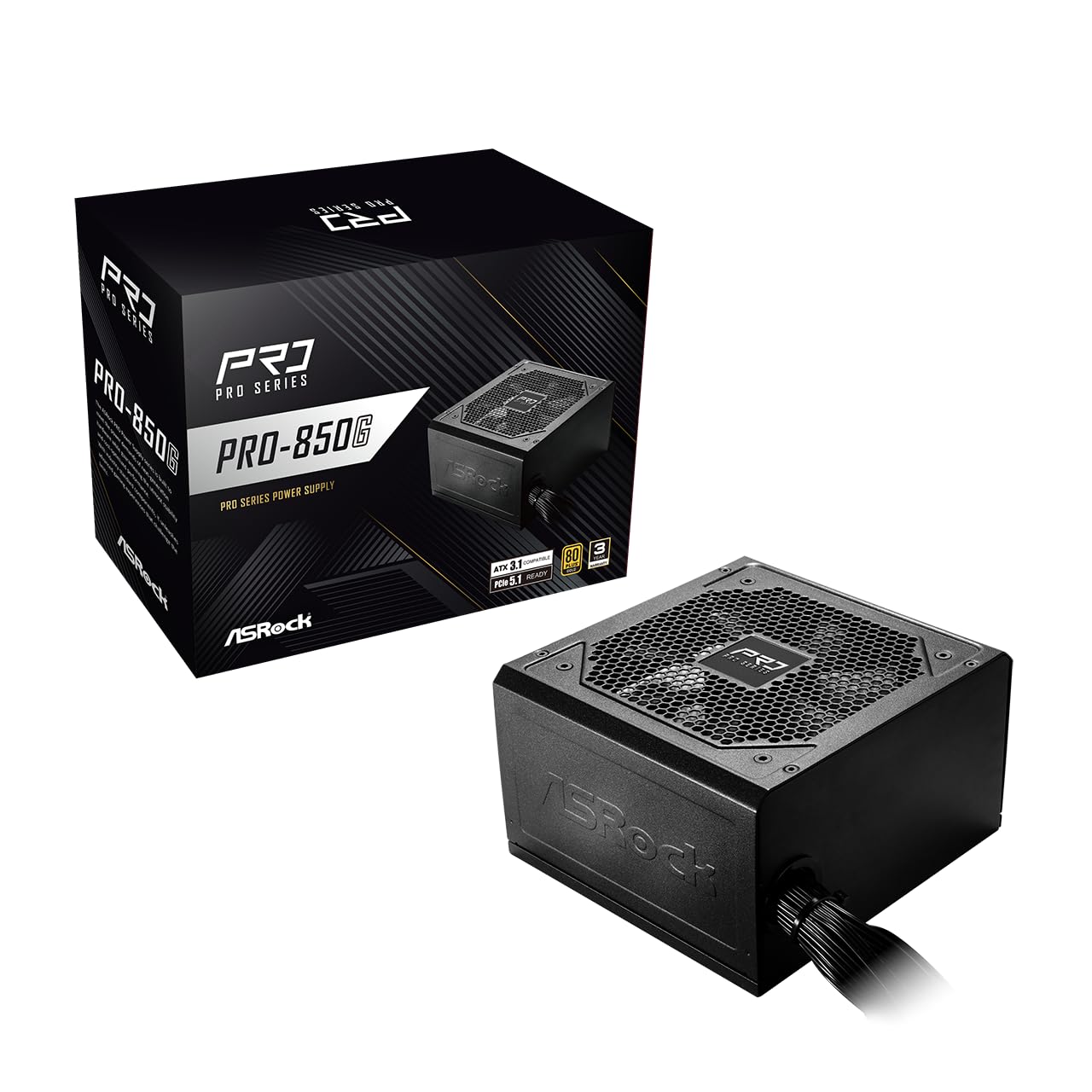
ASRock PRO 850G

89 /100
Lab Score Excellent

Key details

Cabling
Non-modular
Standard
ATX 3.1 / PCIe 5.1
Warranty
3 years
Output Wattage
850W
View on Amazon

The PRO 850G is the budget pick we suggest for a full-size case, and the fixed cable bundle is the reason it can be. The cables are permanently attached, so you tuck the unused bundle behind the shroud instead of paying for modular connectors. ASRock spends the money on the parts that matter: an 850W Gold platform, ATX 3.1 / PCIe 5.1 support, a native 12V-2x6 connector, and a low-noise 120mm fan.

In a roomy build, the fixed cables are less of a headache than they sound. We routed the unused bundle into the PSU compartment and had a clean enough interior without modular connectors. In our test system the fan stayed quiet through a gaming session, and the unit held stable power without drama. The native 12V-2x6 lead means a current GPU does not need an adapter, which matters more than modularity for most new builds.

The non-modular design is the part we notice most. In a small case, the unused cables take up space and make routing harder; in a full tower, they disappear behind the shroud and stop mattering. If you have a roomy build and want the lowest-cost route to native 12V-2x6, this is the one we point to. If you have a compact case, spend more on a modular unit.

Pros

  • Native 12V-2x6 on a budget unit
  • Solid 850W Gold platform
  • Low-noise 120mm fan
  • Simple install in a full-size case

Cons

  • Three-year warranty is the shortest here
Our verdict

This is the budget pick we suggest for a full-size case: it brings native 12V-2x6 and Gold efficiency, and the fixed cables are easy to hide behind a shroud.

Check Latest Price
8

Budget GPU Upgrades

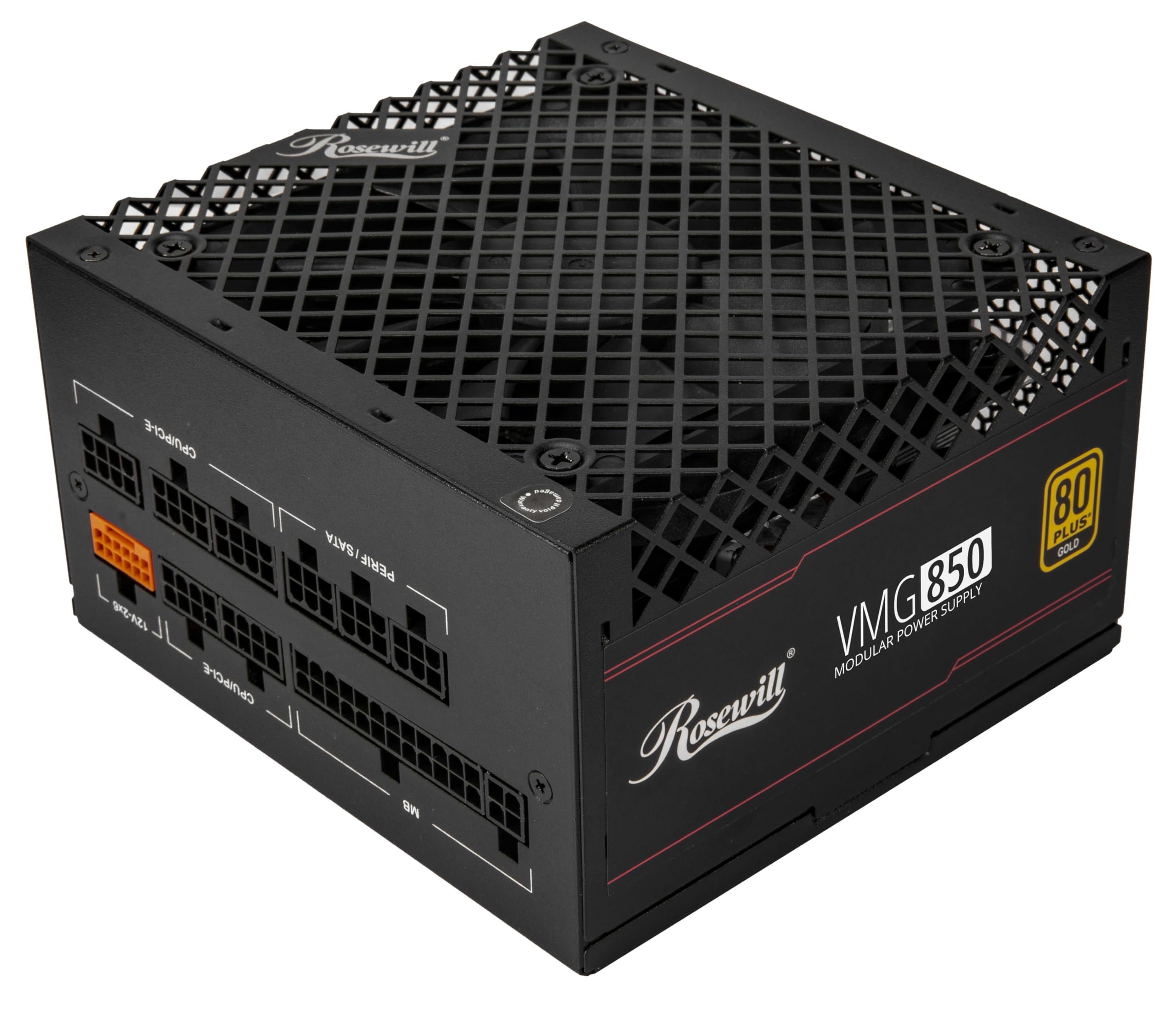
Rosewill VMG 850W

85 /100
Lab Score Excellent

Key details

Cabling
Fully modular, native 12V-2x6
Warranty
5 years
Output Wattage
850W
Excursion Headroom
Up to 235% total / 300% GPU
View on Amazon

The VMG's headline is its excursion rating: up to 235% overall power excursion and 300% GPU excursion. That is the kind of headroom a modern graphics card wants for short spikes, and it sits alongside 850W Gold efficiency, full modularity, a native 12V-2x6 connector, and 100% Japanese electrolytic capacitors. The 120mm fluid-bearing fan is the quiet, conventional choice for cooling.

We see the appeal for a budget build with a power-hungry card. The fully modular cable set makes a clean install possible, and the native 12V-2x6 lead avoids an adapter. In our test system the fan stayed quiet under load, and the unit delivered stable power without a shutdown. The 120mm fan is not as large as the 135mm or 140mm units here, but it kept the unit cool in a mid-tower case with decent airflow.

The VMG is a budget-first choice, and the five-year cover reflects that. On a build where you plan one GPU upgrade and a four-to-five-year life, that is enough. For a platform you expect to carry through two or three builds, the 10-year units are the better buy.

For the money, the VMG makes a strong case: the excursion headroom, modular cables, and Japanese capacitors are the features that matter in a gaming build. We keep it in also-consider because the reliability record is more mixed than the Corsair and Montech units. If you want a budget unit with real transient headroom and you are comfortable with that trade, it is worth a look.

Pros

  • High transient headroom
  • Fully modular native 12V-2x6
  • Japanese capacitors
  • Quiet 120mm fan

Cons

  • Reliability record more mixed than main picks
Our verdict

We see the VMG as a budget option for a power-hungry GPU build, but its shorter warranty and mixed reliability record keep it in also-consider.

Check Latest Price

How We Tested the Best 850W Power Supplies

We started with spec sheets, because power supplies are one of the few PC parts where the paperwork tells you a lot: efficiency certification, the number and type of PCIe connectors, the depth of the housing, and how long the warranty runs. Anything that turned out to be a 750W design with an optimistic sticker, or that charged extra for a name rather than a better set of capacitors, came off the list. That left 11 units spanning the range most people actually shop in.

Each one went into a mid-tower build with a current-generation graphics card and a mid-range CPU, then ran a stress loop at roughly 700W while we watched the 12V rail on a meter and logged how far it moved. We measured every cable with a tape measure, running the CPU power lead behind the tray to the top-left corner to see whether it reached with slack or came up short. Cables got routed twice — once the way a careful builder would, once the way most of us actually do — to see whether the back panel still closed. Fit was checked against the drive cage and the space left over for cable bundles.

Noise was judged at night in a quiet room with the case about three feet from my chair: first at idle to see whether the fan stopped entirely, then after a long gaming session to hear whether what we noticed was airflow or coil whine. Across the eight months we also checked for bearing noise that developed later, and looked at the installed cables through a glass side panel to see which ones actually look tidy. Reliability and durability came down to what we could verify — warranty length, how the fan behaved after months of use, and whether each unit shrugged off being moved between three different cases.

How to Choose an 850W Power Supply

Match the Cable to the Graphics Card

An 850W rating tells you the unit's ceiling, not whether it has the right lead for your GPU. A native 12V-2x6 cable is the cleanest option for a current card: it avoids the short adapter that comes in the box and gives the card a direct connection. The Corsair RM850e and ASRock Steel Legend both take that approach. If you are reusing an older card with two or three 8-pin sockets, count those connectors before buying; a unit can be rated at 850W and still leave you short on the exact plugs your build needs.

Decide How Much Cable Management You Want

Fully modular units let you attach only the cables you need, which makes a clean build easier and keeps unused bundles out of the airflow. That matters more in a small case than a full tower with a deep PSU shroud. The ASRock PRO 850G is the exception here: its fixed cables cost less and are easy to hide in a big case, but they are a nuisance in a tight one. Cable reach matters too, especially the CPU/EPS lead in a tall case; check the route before you commit.

Treat Noise as a System Issue

A bigger fan can move the same air at a lower speed, and a zero-RPM mode shuts the fan off entirely at low load. Those are real advantages for a bedroom or office build, and the be quiet Pure Power 13 M leans hardest into that brief. But fan noise is only half the story: coil whine comes from the electrical side, and it can show up on any model. If hush matters, buy from a seller with a return window and listen during the first week.

Efficiency and Warranty Are the Long Game

80 PLUS Gold is the sensible floor at this wattage; Platinum-level certification buys a little less waste heat and a little more efficiency, but it is not a night-and-day difference. The warranty is easier to judge. Three years is short for a part you expect to carry through two or three builds; seven to ten years is the better target, and it is why the Corsair RM850x and several value picks here earn their places. Pay for cover you can actually use.

Check the Fit Before You Order

Most ATX power supplies share a standard footprint, but depth, cable exits, and the space below the shroud still vary. Measure the bay and the run to the CPU socket, and leave room for the cables to bend without strain. A bottom-mounted fan also needs a filtered intake; if your case sits on carpet, give it a hard surface or a stand. None of this is exotic, but it is the difference between a tidy build and a fight.

Frequently Asked Questions

Final Verdict

For most current gaming builds, the Corsair RM850e is the 850W unit we recommend first. It has the native 12V-2x6 cable, fully modular layout, quiet fan, and ATX 3.1 headroom that matter, without the premium cable-set tax. If you are building behind a glass panel and want the best cables plus a 10-year warranty, the RM850x earns the step up. If silence is the main requirement, choose the be quiet Pure Power 13 M instead; it is the quietest-focused unit in this group.