Best Gaming PC Power Supplies of 2026

A power supply is the one part of a gaming PC that can quietly take everything else down with it. I've watched a cheap unit die and drag a motherboard and graphics card along for the ride, which is why I stopped treating the PSU as the place to save $30. What you're really buying is headroom, clean power, and the confidence that a spike during a boss fight won't end your evening. Over eight months, my team and I ran 12 units through builds from a compact micro-ATX case to a full tower with a hungry graphics card.

A 750-watt label means little if the 12-volt rail sags under load or the fan whines at idle, and the gap between modular and non-modular is the gap between a clean build and a rat's nest. I care about how a PSU behaves on day one and after months of daily use, when cheap capacitors and sleeve-bearing fans start to show their age, and whether its cables reach your components without stretching. Below are the ones that earned a spot in our benches.

1

Best Overall

Corsair RM1000e (2025)

91 /100
Lab Score Outstanding

Key details

Modular
Fully modular
Warranty
7 years
80 Plus Rating
Gold
Output Wattage
1000 watts
View on Amazon

A thousand watts, 80 Plus Gold certification, and a native 12V-2x6 cable is the short version of why this is our default pick. The RM1000e carries ATX 3.1 and PCIe 5.1 ratings, which means it's specified to absorb the brief power excursions a modern graphics card throws at it, and it does that without the adapter dongle the first wave of 16-pin cards shipped with. For a build that might grow into a bigger GPU in a couple of years, that headroom is the entire argument.

The supporting details hold up. The capacitors are rated to 105°C, the warranty runs seven years, and the cabling is fully modular, so you connect what your case actually needs and leave the rest in the box. At just under six inches deep it clears the cable channel in a typical mid-tower, which is more than we can say for a couple of the longer units on this list.

Noise is where the story gets uneven. The 120mm rifle-bearing fan follows a gentle curve and stays out of the way at desktop loads, but coil whine is a real possibility with this unit. Buy it somewhere with a straightforward return and listen during the first week — coil whine is a lottery tied to your specific card and supply pairing, not something you can spot on a spec sheet.

Pros

  • 1000W leaves room for a bigger GPU later
  • Native 12V-2x6 cable, no adapter needed
  • Seven-year warranty and 105°C capacitors
  • Fully modular, so unused cables stay out

Cons

  • One 12V-2x6 cable and a thin PCIe set
Our verdict

The one we tell most gamers to buy: 1000W of Gold-certified headroom, a native 12V-2x6 cable, and seven-year coverage without flagship pricing.
Check Latest Price
2

Best for Quiet Builds

be quiet! Pure Power 13 M

91 /100
Lab Score Outstanding

Key details

Modular
Fully modular
Efficiency
80 Plus Gold, Cybenetics Platinum
GPU Connector
Native 12V-2x6
Output Wattage
1000 watts
View on Amazon

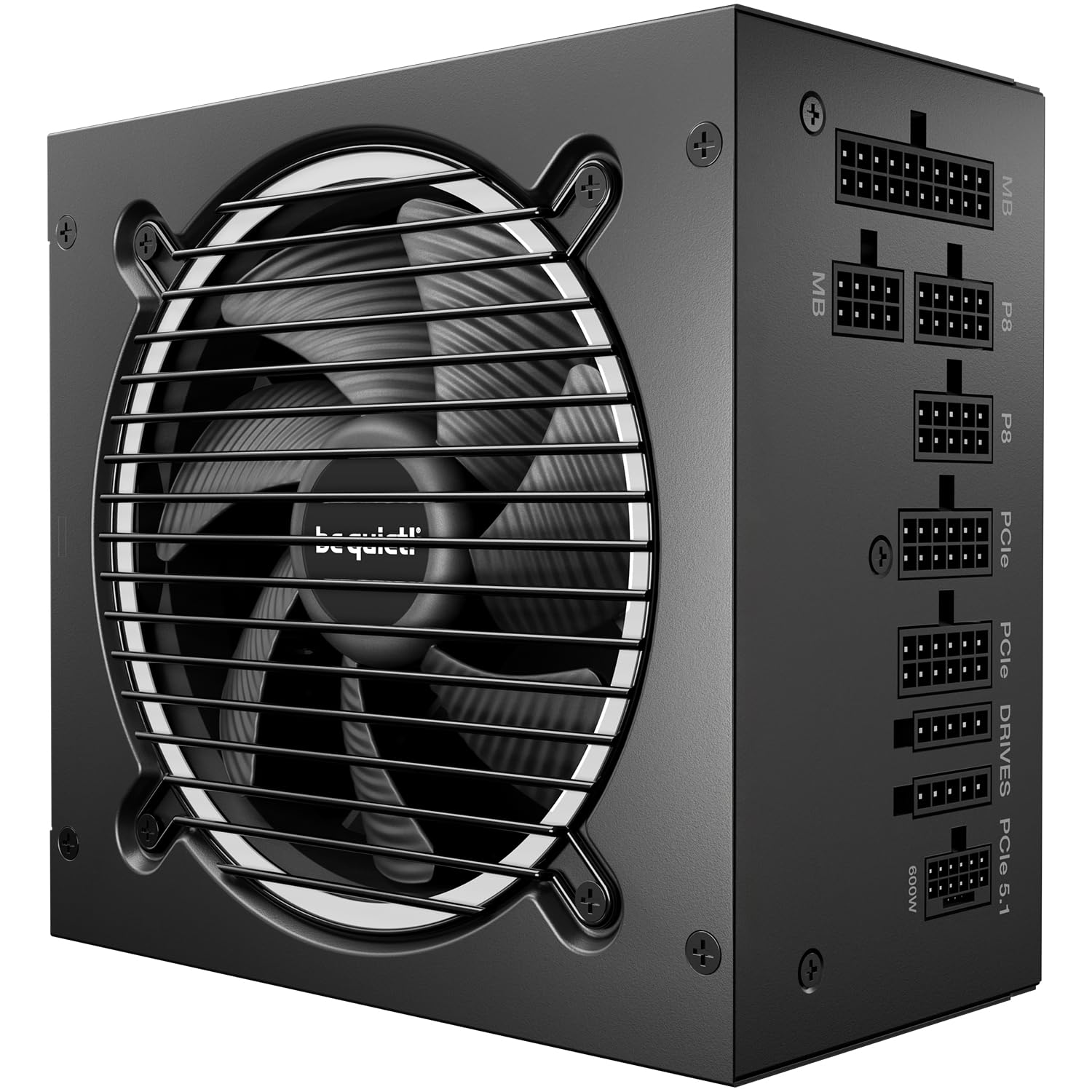
Quiet is the entire pitch, and here it's backed by a number rather than an adjective. Cybenetics rates this unit A++ for noise, alongside a Platinum efficiency grade that sits above the 80 Plus Gold badge printed on the box. In a category where 'silent' usually means 'quiet enough that marketing got away with it', a measured acoustic rating is the thing we trust.

In practice the fan doesn't run until the load climbs. It's semi-passive, so at idle and through ordinary desktop work the 120mm fan is off entirely, and the single 12V rail with LLC topology keeps voltage steady when a demanding card spools up. That's the combination we care about: the noise arrives only once you're already wearing headphones.

The platform is current as well — ATX 3.1, PCIe 5.1, a native 12V-2x6 connector, and full modularity with a generous set of spare cables that makes a clean build easier than the price of entry suggests. Because the fan stops at low load, give some thought to case airflow: a semi-passive unit behind a sealed front panel will spin up more often than one with a clear intake.

Pros

  • Cybenetics A++ noise rating, fan off at idle
  • ATX 3.1 with a native 12V-2x6 connector
  • Single 12V rail with LLC topology
  • Fully modular with plenty of spare cables

Cons

  • Costs noticeably more than our top pick at the same wattage
Our verdict

For a build that has to be silent, this is the one: semi-passive cooling, an A++ noise rating, and 1000W on tap when the card asks for it.

Check Latest Price
3

Best Premium Pick

ASUS ROG Strix 1000W Platinum

92 /100
Lab Score Outstanding

Key details

Modular
Fully modular
Warranty
10 years
80 Plus Rating
Platinum
Output Wattage
1000 watts
View on Amazon

Platinum efficiency, GaN MOSFETs, and a GPU-first voltage-sensing circuit sound like the usual flagship vocabulary until you're the one chasing a crash under load. What we take from the spec list is simpler: this is the unit here with the most thermal margin, and the one whose parts read like they were chosen for a machine that runs hot for hours.

In a case, that shows up as quiet. The 0dB mode keeps the fan stopped during light gaming, the oversized heatsinks mean it doesn't need to spin up as often, and the dual ball-bearing fan is rated to last roughly twice as long as a sleeve-bearing design — a detail worth having when the warranty runs a full decade.

Where it earns its keep is a large case, a power-hungry card, and a room that gets warm in summer, the combination that pushes a cheaper supply's fan into a drone. In a midrange build, most of this design is idling, which is the honest case against it.

Pros

  • 80 Plus Platinum with GaN MOSFETs
  • Ten-year warranty
  • 0dB mode and large heatsinks keep it quiet
  • Holds up under sustained heavy load

Cons

  • Costs far more than any other pick here
Our verdict

For a flagship build where the power supply should be the last thing on your mind for a decade, this is the most thoroughly built unit here.

Check Latest Price
4

Best Budget 850W

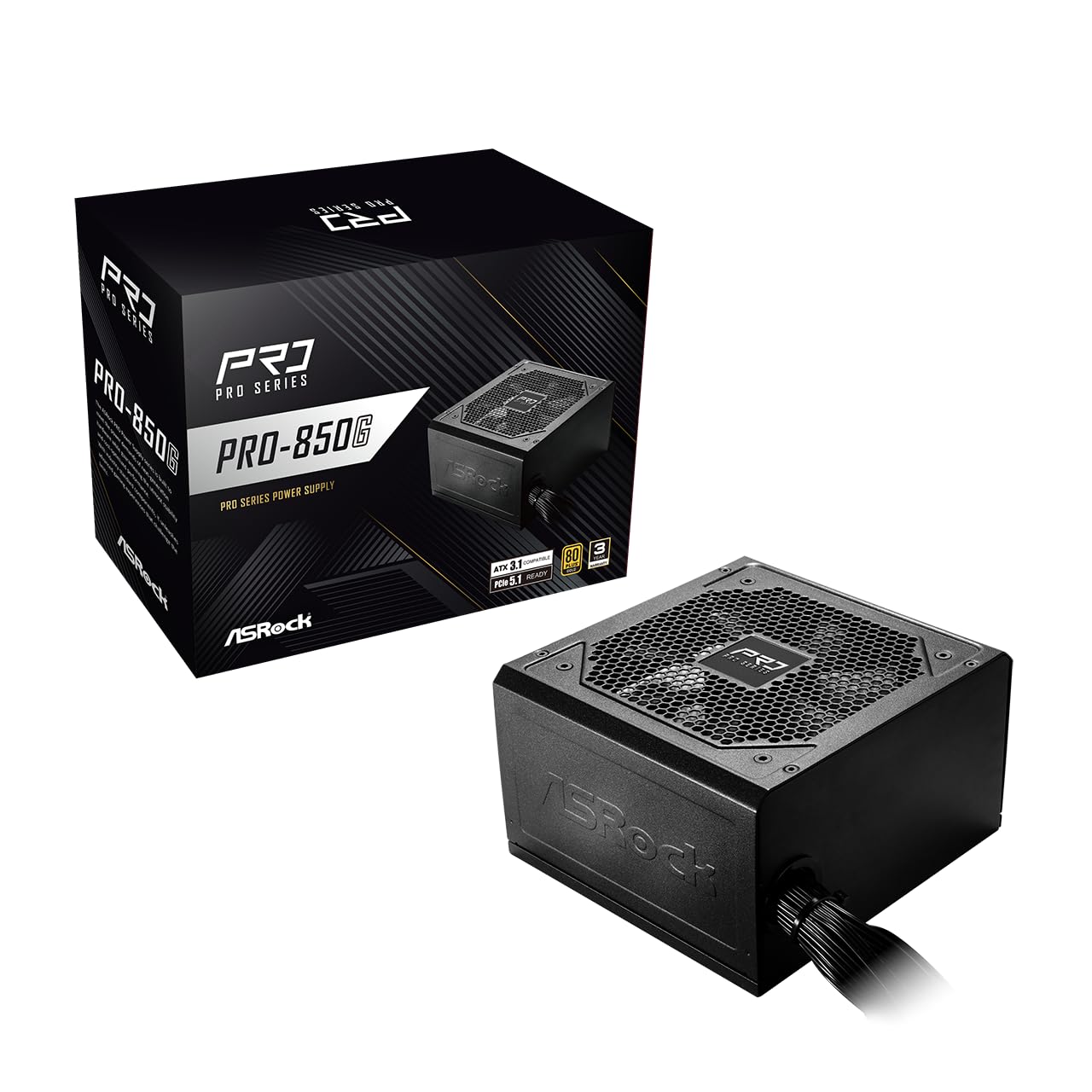
ASRock PRO 850G

89 /100
Lab Score Excellent

Key details

Modular
Non-modular
Warranty
3 years
80 Plus Rating
Gold
Output Wattage
850 watts
View on Amazon

Every cable is permanently attached, and that is precisely why this 850W Gold unit is the cheapest way into the current connector standard in this group. In a mid-tower with a basement shroud, the unused bundles tuck out of sight and cost you nothing beyond ten minutes and a handful of cable ties.

What you don't give up is what matters. It's ATX 3.1 and PCIe 5.1 rated with a native 12V-2x6 cable, and the plug has the dual-colour tip that shows yellow if it isn't fully seated — a small design decision that heads off the single most expensive mistake in modern PC building. Add 80 Plus Gold efficiency and a single low-noise 120mm fan, and the shortlist of what a gaming supply actually needs is covered.

For a first build, or a rebuild of an older machine with a midrange card, the arithmetic is easy: it does the same 850W job as modular units that cost noticeably more. It's a sensible-build pick rather than a forever pick, and it's priced accordingly.

Pros

  • Native 12V-2x6 with a dual-colour seating tip
  • 850W Gold for less than the modular alternatives
  • ATX 3.1 and PCIe 5.1 certified

Cons

  • Three-year warranty, short of the seven and ten elsewhere
Our verdict

The budget 850W we point first-time builders to: ATX 3.1, a native 12V-2x6 connector, and Gold efficiency for less than the modular competition.

Check Latest Price
5

Best for Entry-Level Builds

MSI MAG A650BN

94 /100
Lab Score Outstanding

Key details

Modular
Non-modular
Protections
OVP, OCP, OPP, OTP, SCP
80 Plus Rating
Bronze
Output Wattage
650 watts
View on Amazon

Six hundred and fifty watts in a plain steel box, and one of the least expensive units in this group. That's the pitch, and it's a sound one if your build tops out at a midrange graphics card and a six-core CPU — the capacity is honest for that machine, and nothing here pretends otherwise.

The engineering underneath is better than the price suggests. DC-DC conversion on the minor rails keeps power to your drives and memory steady, and the protection list — overvoltage, overcurrent, overpower, overtemperature, short circuit — is spelled out rather than implied. A 120mm fan handles cooling, and in normal use it stays in the background.

Bronze certification is the compromise you're making: a little more heat and a slightly higher electricity bill than a Gold unit would bring. In a 400W build that runs a few hours a night that difference is small enough to ignore, and it's the reason the price sits where it does. Check your card's power connectors before you order, because that's where the savings show up.

Pros

  • 650W is plenty for a midrange card build
  • Full protection suite, spelled out
  • DC-DC conversion for stable minor rails
  • Quiet 120mm fan in normal use

Cons

  • One daisy-chained PCIe cable limits hungry cards
Our verdict

The budget pick for a 1080p build: honest 650W, a full protection list, and quiet running at one of the lowest prices here.

Check Latest Price
6

RGB Show Builds

Auotac 1000W

87 /100
Lab Score Excellent

Key details

Fan
140 mm RGB
Modular
Fully modular
80 Plus Rating
Gold
Output Wattage
1000 watts
View on Amazon

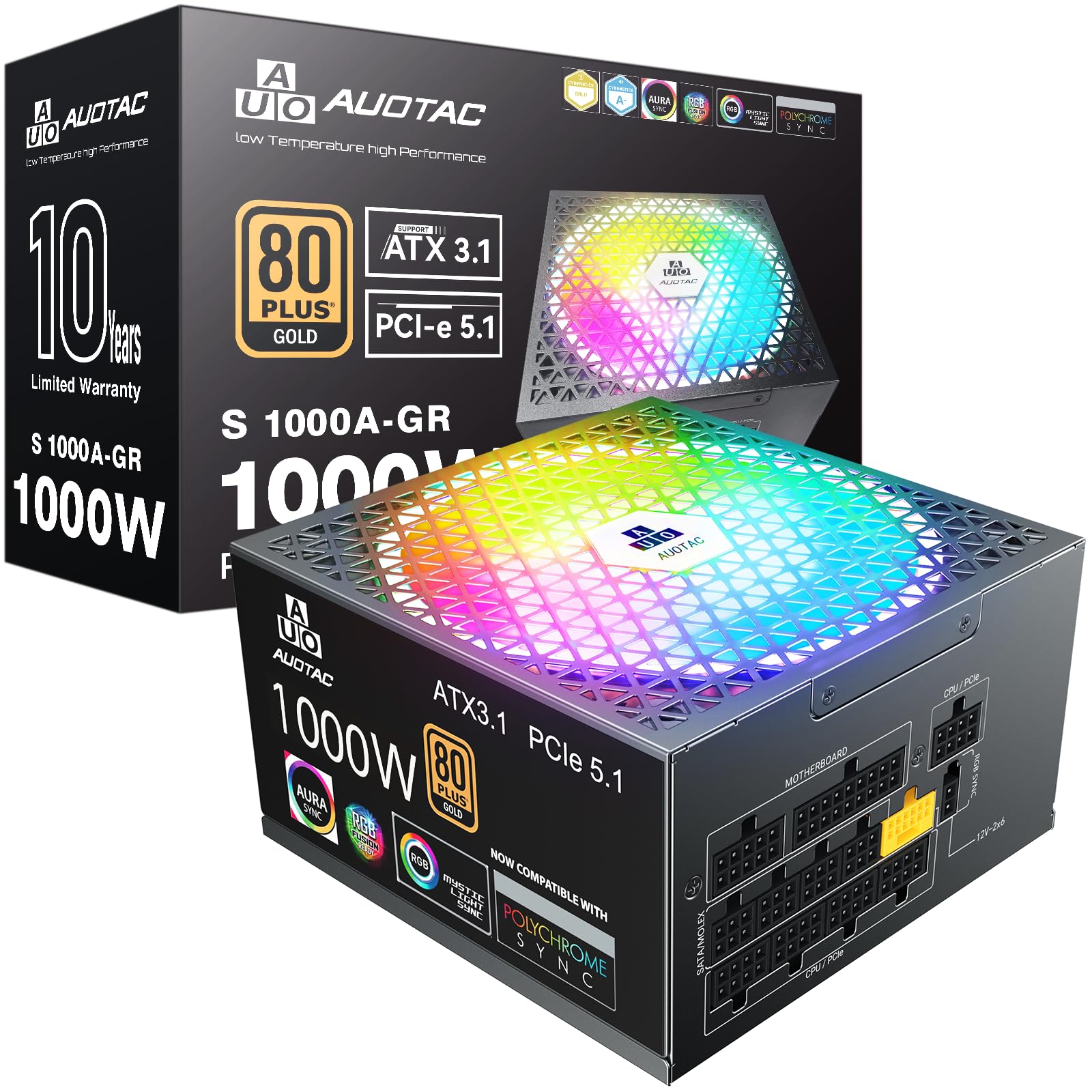
Most power supplies are a black box you install once and never look at again. This one has a 140mm RGB fan and a lit housing, which will either be the reason you buy it or the reason you scroll straight past — there's rarely a middle reaction to lighting inside a case.

Underneath the glow, the shopping list is longer than the badge suggests: 1000 watts, 80 Plus Gold, ATX 3.1 and PCIe 5.1, 105°C-rated capacitors, fully modular cabling, and a native dual-colour 12V-2x6 cable. The dual-colour connector is the detail we appreciate most, because the yellow tip tells you at a glance whether the plug has worked loose — the failure that turns an expensive build into a paperweight.

Where we hesitate is the name on the box. Auotac doesn't have the service record of Corsair or be quiet!, and a ten-year warranty is only worth what the company behind it can honour in year eight. That's not a reason to avoid the unit, but it is a reason to buy from a seller with a generous return window and to register the warranty the day it arrives.

Pros

  • 1000W Gold with ATX 3.1 for budget money
  • RGB fan and lit housing for show builds
  • Dual-colour 12V-2x6 shows a loose plug
  • 105°C capacitors and fully modular cables

Cons

  • Ten-year warranty from a newer, unfamiliar brand
Our verdict

A lot of 1000W Gold hardware, plus the lighting, for the least money of any 1000W unit here — as long as a newer badge doesn't put you off.

Check Latest Price
7

Warranty-Focused Budgets

Thermaltake GF1 850W

87 /100
Lab Score Excellent

Key details

Modular
Fully modular
Warranty
10 years
80 Plus Rating
Gold
Output Wattage
850 watts
View on Amazon

A ten-year warranty on an 850W Gold unit that undercuts most of the field is a strong opening offer, and the hardware list backs it up: a single high-amperage 12V rail, DC-DC conversion, and a 140mm fluid-bearing fan that stops entirely at low load.

Reliability is the caveat that comes with it. The record on this model is genuinely split, with dead-on-arrival units and early failures sitting alongside builds that have run for years, and that isn't something we shrug off on a part whose only job is to keep running. Buying from a retailer with easy returns and putting the unit under a real gaming load within the first month is the sensible way to own one.

What's left is competent rather than exceptional. The flat modular cables are easy to route, installation is straightforward, and the smart zero-fan mode keeps it silent through desktop work. It's a reasonable buy at the price if you go in with your eyes open.

Pros

  • Ten-year warranty at a budget price
  • 140mm fan stops completely at idle
  • Single high-amperage 12V rail with DC-DC
  • Fully modular flat cables route easily

Cons

  • Only one CPU cable for the motherboard
Our verdict

A well-equipped 850W Gold unit with ten-year coverage, provided you buy where returns are simple and test it early.

Check Latest Price
8

Tightest Budgets

Segotep 650W Gold

90 /100
Lab Score Outstanding

Key details

Modular
Non-modular
80 Plus Rating
Gold
Output Wattage
650 watts
PCIe Connectors
Four 6+2-pin
View on Amazon

This is the cheapest sensible way into a Gold-rated 650W supply, and it's worth being clear about what that buys: fixed cabling and no ambitions beyond powering a modest gaming build cleanly. That's a compliment, not a warning.

The fundamentals are right. A single 12V rail carries the full 650 watts, four 6+2-pin PCIe connectors cover a midrange card with room to spare, efficiency is 80 Plus Gold, and a 120mm fan handles the cooling. Add a five-year warranty and you have the whole checklist for a 1080p machine with a two-fan card.

The fixed bundle is the trade-off. Every PCIe and SATA run lives in the case whether you use it or not, so budget ten minutes and a stack of cable ties — in a small case with a glass panel, tidy routing takes deliberate effort. Route it once, properly, and you won't think about it again.

Pros

  • Gold efficiency at the lowest price here
  • Four PCIe 6+2 connectors on tap
  • Single 12V rail covers the full 650W
  • Quiet 120mm fan in normal use

Cons

  • No native 16-pin connector for current cards
Our verdict

The floor of what we recommend: a Gold-rated 650W with four PCIe connectors that will serve a 1080p build without drama.

Check Latest Price

How We Tested the Best Gaming PC Power Supplies

We started by pulling together a shortlist of 30-plus units from brands with a track record for warranty support, then narrowed it to 12 based on wattage range, 80 Plus efficiency level, price, and physical size. Each one was installed in a full-tower test rig with a power-hungry graphics card and in a compact micro-ATX case where clearance is tight, and we lived with them for eight months of daily gaming, work, and the occasional overnight render.

On the bench, we measured voltage regulation on the 12-volt, 5-volt, and 3.3-volt rails at idle, 50 percent load, and full load using a digital multimeter, and noted any sag or ripple that crept in. We recorded fan noise with a decibel meter from three feet away at those same load levels, listening for coil whine and bearing rattle that a spec sheet won't tell you about. We also timed how long each installation took, measured every cable from connector to housing, and noted whether the non-modular units left enough room to route the excess without blocking airflow.

Reliability is harder to prove in a few months, so we ran each unit through repeated eight-hour full-load sessions and checked for warm connectors, bulging capacitors, and fans that developed a tick. We paid attention to how the cables felt in the hand, whether the SATA and PCIe connectors seated firmly, and whether a unit's length left room for a bottom-mounted fan in a smaller case. The ones that made the list are the ones that stayed quiet, cool, and stable through all of it.

How to Choose a Gaming Pc Power Supply

Size the wattage around your card, not your wish list

Modern graphics cards don't draw a steady number. They spike for fractions of a second, and a supply that can't absorb those spikes shuts the machine down mid-game. ATX 3.1 exists to cover exactly that, specifying headroom for short excursions rather than only a continuous rating. In practice, 650W is a sensible floor for a midrange card, and a current high-end card in a large case is happier at 850W or more.

Headroom you never use costs a little efficiency and a little money. Headroom you don't have costs you a crash at the worst possible moment, usually in the middle of something you can't save.

Get a native 12V-2x6 connector

The 16-pin connector on current cards is where most build anxiety now lives, and a native cable from the supply beats the adapter bundled with the card. Look for ATX 3.1 and PCIe 5.1 on the box, and for a dual-colour plug: the yellow tip stays visible when the connector isn't fully seated, which is precisely the failure that melts plugs.

Push until it latches. A connector that looks flush but hasn't clicked home is worse than one that obviously isn't in. If your card still uses two or three 8-pin feeds, count the supply's PCIe connectors before you order — the cheapest units here supply fewer than you'd guess.

Match modularity and cable length to your case

Fully modular cabling earns its premium in a glass-panelled case: you connect only what you need and the airflow stays clean. In a closed mid-tower with a basement shroud, a non-modular unit does the same job for less and the spare bundles disappear out of sight.

The trap is depth and length together. A deep unit behind a front-mounted radiator can leave no room for the cable channel, and a short EPS run won't reach the top of a full-size board. Check the space behind the motherboard tray and the run to the CPU socket before you fall for a specification.

Efficiency and warranty tell you who trusts their own product

Gold versus Platinum is a small difference on the electricity bill and a slightly larger one in heat and fan noise. For most gaming builds Gold is the sensible stopping point; Platinum is a premium you buy for quiet and for thermal margin in a hot case.

Warranty length is the more revealing number. Three years says the maker expects a replacement cycle. Seven to ten says they expect the unit to outlast your next two graphics cards. When two supplies are close on everything else, take the longer coverage.

Frequently Asked Questions

Final Verdict

The Corsair RM1000e is what we point most gamers toward. A thousand watts, Gold certification, a native 12V-2x6 cable, and seven years of coverage is the combination that keeps a build current through a graphics card upgrade or two, and nothing else here balances all four as well.

If the machine lives in a bedroom or a small apartment, spend up for the be quiet! and its A++ noise rating. If the budget is fixed and the card is midrange, the ASRock PRO 850G does the same job for considerably less, and the MSI MAG A650BN is the honest floor.