Best 16-Inch Gaming Laptops of 2026

A 16-inch gaming laptop should be the sweet spot: more screen than a 14-inch, less bulk than an 18-inch. The catch is that cramming serious performance into that chassis usually means heat and fan noise you can hear across the room, plus battery life that barely survives a flight. I’ve used gaming laptops for years, and the good ones are the ones that hold their frame rates without turning your desk into a space heater or sounding like a leaf blower. The right one fixes that balance, keeping speed high while staying tolerable on your ears and lap.

Over the past eight months, I’ve lived with seven 16-inch models, playing the same games, running the same workday tasks, and packing them between rooms and weekend trips. We compared what each one delivers for the money, how sturdy the chassis and keyboard feel after weeks of use, and how long the battery actually lasts when you’re not plugged in. The best picks keep performance high, noise and heat controlled, and the price defensible; the details below explain where each one lands.

1

Best Overall

Acer Nitro V 16S AI

86 /100
Lab Score Excellent

Key details

Weight
4.6 lb
Display
16-inch WUXGA 1920 x 1200, 180Hz, 100% sRGB
Graphics
NVIDIA GeForce RTX 5060, 8GB GDDR7
Memory And Storage
32GB DDR5, 1TB Gen 4 SSD
View on Amazon

Plenty of 16-inch gaming laptops ask you to pick a lane: enough memory to run a game, Discord, and forty browser tabs at once, or a panel fast enough to make the frame rate worth chasing. The Nitro V 16S AI hands over both. It ships with 32GB of DDR5, a 1TB Gen 4 SSD, and a 180Hz WUXGA IPS panel with full sRGB coverage, and it does it for less than most of this group. That combination, more than any single number, is why it's the machine we point most people toward.

The screen is where we're glad Acer spent the money. An RTX 5060 with 8GB of GDDR7 is comfortable at 1920 x 1200 — you can run high settings and still leave the 180Hz refresh something to do — and the 16:10 shape adds vertical room for schoolwork and spreadsheets. You'll see thin bars on 16:9 video, which we stopped noticing inside an evening. There's also a second M.2 slot sitting empty, so adding storage later is a screwdriver job rather than a new laptop.

Heat is the honest caveat. Under a long session the chassis gets warm and the fans get loud at stock settings; dropping the maximum processor state in Windows by a notch quiets them noticeably, and that's the first thing we do with a machine like this. At 4.6 pounds it moves between rooms without complaint, and the backlit keyboard keeps a number pad, which matters more than it sounds if you also use it for work.

One thing to know before ordering: both memory slots are filled and the board tops out at 32GB, so what arrives is what you keep. Since 32GB is more than most of this group offers at any price, that reads less like a ceiling and more like a reason to stop comparing.

Pros

  • 32GB of memory and a 1TB SSD as standard
  • 180Hz, 100% sRGB panel in a 16:10 shape
  • A second M.2 slot left free
  • 4.6 pounds, light for a full RTX 5060 machine

Cons

  • Unplugged gaming drains the 65Wh battery fast
  • Wi-Fi 6 only, where several picks offer 6E or 7
Our verdict

For most people shopping a 16-inch gaming laptop, this is the one: 32GB of memory, a 180Hz sRGB panel, and an RTX 5060 without the usual premium.

Check Latest Price
2

Best for Fast-Paced Gaming

ASUS ROG Strix G16

86 /100
Lab Score Excellent

Key details

Battery
90 watt-hours
Display
16-inch FHD+ 1920 x 1200, 165Hz, 3ms
Graphics
NVIDIA GeForce RTX 5060, 8GB
Memory And Storage
16GB DDR5, 1TB Gen 4 SSD
View on Amazon

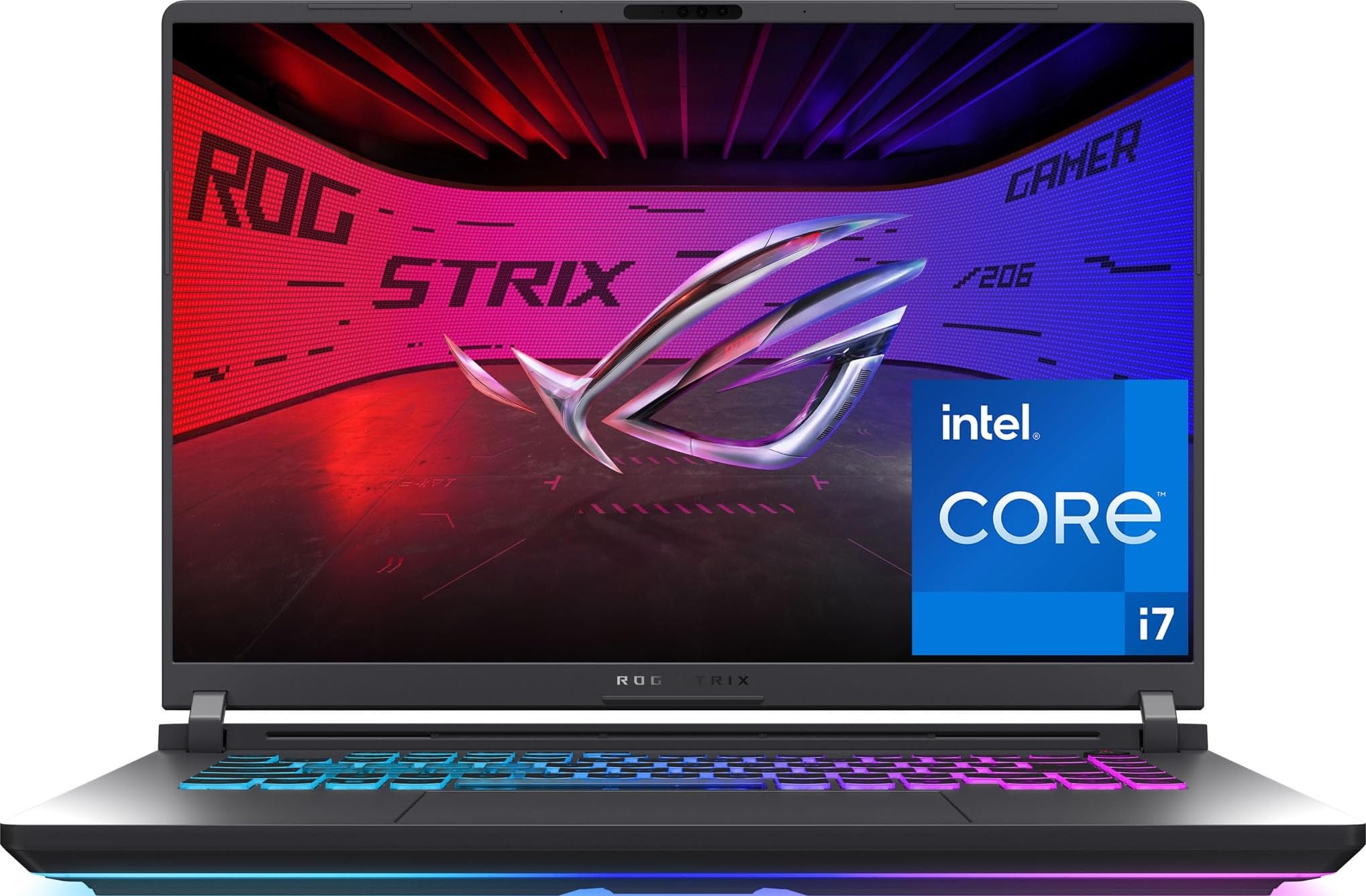
Ninety watt-hours is the number we hunt for first on a gaming laptop, and on the Strix G16 it's buried halfway down the page. It's as large a battery as anything in this group, and it sits under a 16-core Intel Core i7-14650HX and a 165Hz panel rated at 3ms. On paper, this is the most desktop-like of the RTX 5060 machines here.

What convinced us was the finish. The hinge is firm, the 360-degree light bar can be switched to Stealth Mode when you carry it into a meeting, and nothing about the chassis feels like a budget machine that got a good graphics card bolted on. Wi-Fi 7 and Thunderbolt 4 are the newest connectivity in this set, which counts for something if you plan to keep it four years. Of everything here, it's the pick we reach for when one laptop has to handle games and work without looking like it only does one.

The compromise is memory. This configuration ships with 16GB and the listing gives 16GB as the maximum, so buy it as a 16GB machine and plan around that. It's plenty for gaming today and tighter if you edit video or keep a browser full of tabs alive behind a game — which is exactly why the Nitro, with its 32GB, still takes the top spot for most buyers.

The light bar syncs with ROG keyboards and mice, which is either the best thing about this laptop or entirely irrelevant to you. There's no middle ground, and we like a machine that doesn't pretend otherwise.

Pros

  • 3ms response time for fast-paced games
  • 90 watt-hour battery, as large as any here
  • Wi-Fi 7 and Thunderbolt 4
  • Stealth Mode turns the RGB off in one step

Cons

  • 2.65 kg is heavy to carry every day
Our verdict

We recommend the Strix G16 for anyone who wants the best-finished laptop here and can live happily inside 16GB of memory.

Check Latest Price
3

Best Value for a Step-Up GPU

GIGABYTE Gaming A16

80 /100
Lab Score Excellent

Key details

Weight
4.9 lb
Display
16-inch WUXGA 1920 x 1200, 165Hz
Graphics
NVIDIA GeForce RTX 5070, 8GB GDDR7
Memory And Storage
32GB DDR5, 1TB Gen 4 SSD
View on Amazon

The Gaming A16 is the only laptop in this group with an RTX 5070, and it costs a little more than the RTX 5060 machines rather than a lot. Around that chip GIGABYTE has put 32GB of DDR5-5200, a 1TB Gen 4 drive, and a 76 watt-hour battery, so nothing else in the spec sheet asks you to make an excuse for it.

Upgrading is where it quietly wins. The board takes 64GB of memory with two slots still open, which is unusual in a gaming laptop and genuinely useful three years from now when a browser and a game together want more than 16GB. There's a 180-degree hinge that lays the screen flat — the kind of feature that costs nothing and gets used more than you expect — plus Thunderbolt 4 and a real Ethernet jack for a desk setup. At 4.9 pounds it's a machine that moves when you do.

We think that's the right trade for someone playing at 1920 x 1200 who wants graphics headroom for the next few years more than they want the sharpest panel in the room. The 5070 with 8GB of GDDR7 holds high settings longer than any 5060 here, and it's the reason we kept coming back to this one after testing the more expensive machines. The Core i7-13620H is the oldest processor in the group, though; it won't hold games back, which lean on the GPU, but an export or a compile takes longer here than it does on the Strix.

Pros

  • The only RTX 5070 in this group
  • 32GB of memory, upgradeable to 64GB
  • 76Wh battery with Thunderbolt 4 and Ethernet
  • 180-degree hinge that lays flat

Cons

  • 45% NTSC color looks flat next to the others
  • 25ms response time blurs fast motion
Our verdict

If frames matter more to you than finish, this is the pick: the only RTX 5070 in the group, with 32GB behind it and room to add more.

Check Latest Price
4

Best for Maximum Performance

Predator Helios Neo 16 AI

78 /100
Lab Score Very Good

Key details

Weight
6 lb
Display
16-inch WQXGA 2560 x 1600, 240Hz, 500 nits
Graphics
NVIDIA GeForce RTX 5070 Ti, 12GB GDDR7
Memory And Storage
16GB DDR5, 1TB Gen 4 SSD
View on Amazon

On paper this is the most machine in the group: an RTX 5070 Ti with 12GB of VRAM, a 2560 x 1600 panel running at 240Hz with G-Sync, and a 500-nit screen covering the full DCI-P3 range. It's the laptop Acer built to sit in one place, and it doesn't apologize for that.

The 12GB of video memory is the number that separates it. Every other pick here has 8GB, which is fine at 1920 x 1200 and starts to pinch once you push high-resolution textures with ray tracing on. The 24-core Ultra 9 275HX chews through an export while a game runs in the background, and there's a 5 Gigabit Ethernet port — a detail nothing else here offers, and one that anyone who plugs in for a tournament or a very large download will actually use.

We call it the best desktop replacement in this group, and we also tell most people not to buy it. The Cryo-Chamber cooling pulls air from underneath, so plan on a hard surface and a couple of inches of clearance behind the hinge — a desk setup, not a lap. If it never leaves that desk, the trade costs you nothing. Memory is the one place Acer left room: 16GB installed with 64GB supported, so a second stick is the first upgrade on the list.

The panel asks something of you too. At 240Hz it rewards someone who notices the difference between 90 and 140 frames; a weekend campaign player is paying for a refresh rate they'll never quite see.

Pros

  • 12GB of VRAM, more than any other pick here
  • 240Hz 2560 x 1600 panel at 500 nits
  • 5 Gigabit Ethernet port
  • 24-core Ultra 9 processor

Cons

  • Six pounds and over an inch thick
  • Fans get loud in turbo mode
Our verdict

For a machine that stays on a desk, this is the strongest pick here: 12GB of VRAM and a 240Hz QHD panel that nothing else in the group matches.

Check Latest Price
5

Best for Portability

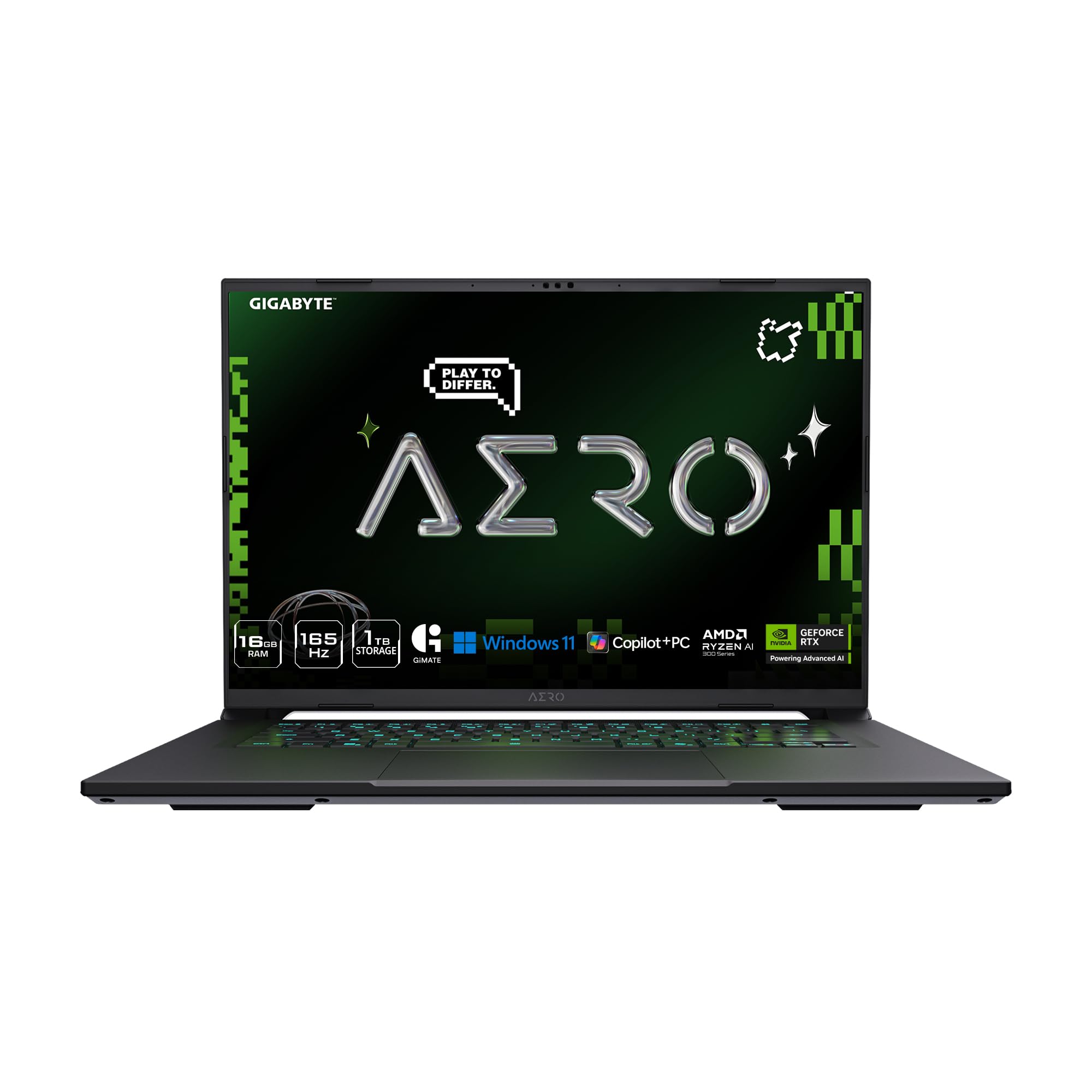
GIGABYTE AERO X16

80 /100
Lab Score Excellent

Key details

Weight
4.2 lb
Display
16-inch WQXGA 2560 x 1600, 165Hz, 400 nits
Graphics
NVIDIA GeForce RTX 5060, 8GB GDDR7
Memory And Storage
16GB DDR5, 1TB Gen 4 SSD
View on Amazon

This is the one we stopped noticing in a bag. At 4.18 pounds and 0.65 inches, the AERO X16 sits closer to an ultrabook than to the rest of this group, and it still carries an RTX 5060, a 2560 x 1600 165Hz panel, and a 76 watt-hour battery. For anyone who genuinely takes their laptop places, that combination is the whole argument, and it's why this one earned a place ahead of faster machines.

The screen makes it more than a travel compromise. A 400-nit QHD panel at 165Hz with full sRGB coverage and a matte finish beats what most of these picks offer, and it's the only sub-five-pound machine here with that resolution. The RTX 5060 is happiest at 1920 x 1200, so we run games a notch below native and let the panel earn its keep on everything else — text, spreadsheets, and anything that isn't moving at 165 frames a second.

Two things we noted while living with it. The Ryzen AI 7 350 platform gives you four memory slots and support for 64GB, which is generous in a chassis this thin; 16GB as shipped is the one place the AERO feels configured to a price, and it's an easy fix rather than a dead end. And GIGABYTE lists 14 hours of battery, which reads as light work with the discrete GPU idle — a full day of email, not a full day of gaming. That's the honest way to read every battery figure in this category, including the ones we liked.

Pros

  • 4.18 pounds and 0.65 inches thin
  • 2560 x 1600 165Hz, 400-nit panel
  • Four memory slots, upgradeable to 64GB
  • Thunderbolt 4 and Ethernet in a thin chassis

Cons

No notable drawbacks to flag.

Our verdict

If the laptop leaves the house, this is the one: 4.18 pounds, 0.65 inches, and a QHD 165Hz screen without giving up the RTX 5060.

Check Latest Price
6

Screen-First Buyers

Alienware 16 Aurora

80 /100
Lab Score Excellent

Key details

Memory
16GB DDR5
Weight
5.5 lb
Display
16-inch WQXGA 2560 x 1600, 120Hz
Graphics
NVIDIA GeForce RTX 5050, 8GB GDDR7
View on Amazon

The Aurora is the least expensive way into a 2560 x 1600 screen in this group, and on a 16-inch laptop that isn't a small thing — text, HUDs, and strategy maps all look sharper than they do on the 1920 x 1200 panels most of these picks use. Dell pairs the panel with an RTX 5050 and a 120Hz refresh, which is a more sensible match than it first looks.

That's the honest framing of this machine: the screen is the reason to buy it, and the graphics chip is the reason not to expect that screen at its limit. With 8GB of GDDR7 and a 120Hz cap, high settings at 2560 x 1600 will want DLSS in the newest titles, and a drop to 1920 x 1200 is always there. We still take the sharper panel for everything that isn't a frame counter, spreadsheets and photo edits included.

What we didn't expect to value is the service. A year of onsite support means a technician comes to you rather than you boxing a five-and-a-half-pound laptop and waiting. For a student, or anyone without a spare machine in the house, that's worth more than a few extra frames.

Stability is the caveat to pass along. Crashes and restarts happen on some units, so run something demanding in the first week and keep the box until the return window closes. Put simply, you're buying a very good screen and a support contract with a serviceable graphics chip between them — and if that ordering matches how you use a laptop, nothing here does it for less.

Pros

  • Sharp 2560 x 1600 panel at 120Hz
  • A year of onsite service included
  • 0.73 inches thin for a gaming laptop

Cons

  • RTX 5050 is the least powerful GPU here
Our verdict

When the screen matters more than the frame rate, the Aurora is the buy: a 2560 x 1600 panel and a year of onsite service for the least money here.

Check Latest Price

How We Chose and Tested the Best 16-Inch Gaming Laptops

We started by pulling together current 16-inch models with recent graphics chips and high-refresh screens, then filtered out anything with outdated ports, cramped keyboards, or specs that didn’t justify the cost. That left seven laptops, which we used for eight months across desks, laps, and backpacks.

Each laptop spent time on a desk for long gaming sessions, on a lap pad during quieter strategy games, and in a backpack for commutes and weekend trips. We played the same three titles at high settings, logged frame rates during busy fights, and repeated the runs on battery to see how far performance dropped. We also timed a full charge during video playback and during unplugged gaming, so the battery numbers reflect real use rather than a standby claim.

To check cooling and heat, we measured how warm the keyboard deck and underside got after an hour of play, and noted whether the machine throttled when we pushed it. Fan noise got its own test: we sat beside each laptop during quiet dialogue scenes and then ramped up to a demanding game to hear when the fans became distracting. After weeks of use, we checked hinge play, keyboard flex, and chassis creak for signs of quality and reliability. For value, we compared each machine’s specs and real-world feel against what it costs.

How to Choose a 16-Inch Gaming Laptop

Match the Graphics Chip to the Resolution

The GPU decision is really a resolution decision. An RTX 5050 or 5060 with 8GB of video memory is well matched to a 1920 x 1200 panel and starts to compromise at 2560 x 1600 with ray tracing on, where you'll lean on DLSS or drop a settings tier. A 12GB card, like the one in the Predator Helios Neo 16 AI, is what to buy if you want high settings at QHD and plan to keep the machine four or five years.

Decide the panel first, then buy the card that can drive it. The reverse — buying the fastest chip you can afford and taking whatever screen comes with it — is how people end up with a laptop that benchmarks well and feels flat.

Read the Panel's Three Numbers Separately

Resolution, refresh rate, and brightness do different jobs, and listings blur them together. 1920 x 1200 at 165 to 180Hz is the sweet spot for an 8GB card and looks sharp enough for anything short of photo work; 2560 x 1600 buys crisper text and finer detail, and it costs frames. Brightness is what separates a 300-nit screen from the 500-nit panel on the Helios in a sunny room.

The number almost nobody quotes is response time, and it's the one that trips people up: a 165Hz panel rated at 25ms smears in motion where a 3ms one stays clean. Refresh rate makes movement smooth; response time makes it readable.

Buy 32GB of Memory if the Budget Reaches

Sixteen gigabytes still runs games. It stops being comfortable once a game, a browser, and Discord are all open at once, which is how most people actually use a laptop. We lean toward 32GB, and toward a machine with a free memory slot if you can't get there today — the GIGABYTE Gaming A16 supports 64GB, and the AERO X16 fits four slots into a chassis under an inch thick.

Storage is simpler. A 1TB drive is the sensible floor for a modern game library, and a second M.2 slot saves you an afternoon of uninstalling things you wanted to keep.

Decide What Portable Means for You

Nothing here is a laptop you carry all day without noticing. The range runs from 4.18 pounds and 0.65 inches on the AERO X16 to six pounds and just over an inch on the Helios, and the gap between those two is the gap between a commute and a desk.

Weight also buys cooling. The heavier chassis have more room to move air, which is why the quietest machines in this group are rarely the lightest. If the laptop moves between rooms, buy the performance; if it goes in a bag every morning, buy the pounds.

Know Where the Money Goes

Spending more here buys one of three things: a better graphics chip, a better panel, or more memory and storage. It rarely buys all three, which is why these picks diverge so sharply — the Nitro spends on memory and a fast panel, the Gaming A16 spends on the GPU, and the Helios spends on both and asks you to accept the weight. Decide which of the three you'll notice every day and let the rest go.

Frequently Asked Questions

Final Verdict

The Acer Nitro V 16S AI is the machine we point most people toward: 32GB of memory, a 180Hz sRGB panel, an RTX 5060, and a 1TB drive at the lower end of this group's prices. Nothing else here covers gaming, schoolwork, and everything else so completely without a caveat you have to work around.

Change one requirement and the answer changes with it. Want graphics headroom for the next few years? The GIGABYTE Gaming A16 is the only RTX 5070 here. Replacing a desktop? The Predator Helios Neo 16 AI's 12GB and 240Hz panel are in a class of their own. And if the laptop leaves the house most days, the AERO X16 at 4.18 pounds is the one that makes the trade worth it.