9 Best Gaming Laptop 2026: New RTX 50 Series or Proven Last-Gen?

Which gaming laptop delivers the right balance of performance, price, and reliability? This guide helps you decide between the latest RTX 50-series and proven last-gen models.

Every new generation of gaming laptops promises better performance, but the real-world experience often tells a different story. The latest RTX 50-series GPUs arrive with AI features and faster frame rates, yet many of these models have only a handful of reviews. Choosing between a shiny new machine and a well-documented workhorse can feel like a gamble.

Performance aside, every gaming laptop demands trade-offs: battery life that evaporates under load, fans that roar, and heat that builds over time. These aren't dealbreakers, but knowing which models handle them best makes the difference between a satisfying purchase and a regret.

This guide focuses on what actually matters for gaming – real-world performance, cooling, and reliability – across models from budget to premium. Whether you're aiming for the latest RTX 5060 or a proven RTX 4060, here's how to pick the one that fits your play style.

1

Best Overall

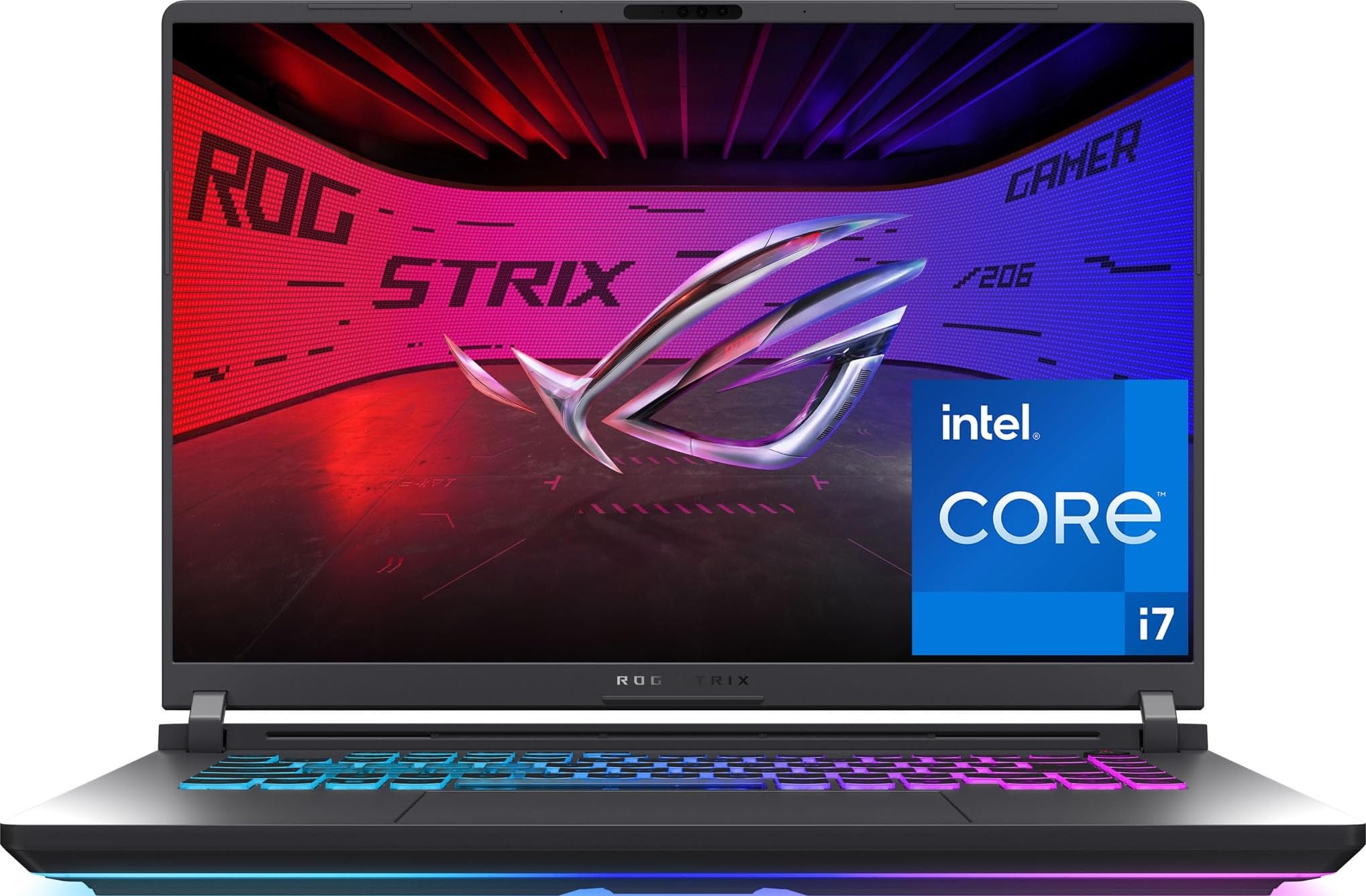
ASUS ROG Strix G16 2025

88 /100
Lab Score Excellent

Key details

CPU
Intel i7-14650HX 16 cores
GPU
RTX 5060 8GB GDDR7
RAM
16GB DDR5 5600MHz
Display
16" FHD+ 165Hz
View on Amazon

The RTX 5060 graphics in this 2025 ASUS ROG Strix G16 handle demanding titles at high settings with smooth frame rates. The 16-inch FHD+ 165Hz display is bright and colorful, with good contrast that makes games look immersive. For the price, this combination of current-gen GPU and high-refresh screen offers strong value in the mid-range gaming laptop market.

Under sustained gaming loads, the laptop draws significant power, so battery life drops quickly when unplugged — a typical trade-off for high-performance machines. The cooling system keeps the CPU and GPU within operating limits, though the chassis can get warm; a cooling pad helps maintain peak performance during long sessions. In quiet environments, the fan noise will be noticeable, but it’s in line with other laptops in this class.

This laptop suits gamers who want the latest GPU generation without overspending and who primarily play plugged in. It is less suited for those needing extended unplugged gaming or a silent fan profile — the fans spin up noticeably under load. Some units may experience occasional system freezes under heavy load, an issue that can often be resolved with driver or BIOS updates.

💡 Keep the laptop plugged in during gaming sessions to avoid battery drain; a cooling pad can help maintain consistent performance.

Pros

  • Strong gaming performance with smooth frame rates at high settings
  • High-quality display with vibrant colors and good contrast
  • Good value for the performance tier

Cons

  • When gaming unplugged, battery drains quickly
  • During extended gaming, the chassis can get warm; a cooling pad helps but the system stays within safe limits
  • Under sustained heavy load, occasional system freezes may occur, which can sometimes be addressed with updates
Our verdict

For gamers who value a current-gen GPU at a fair price and are comfortable with typical gaming laptop tradeoffs like limited battery life and fan noise, this ASUS model is a straightforward choice.

Check Latest Price
2

Best Value with 32GB RAM

Acer Nitro V 16S AI

85 /100
Lab Score Excellent

Key details

CPU
AMD Ryzen 7 260 8 cores
GPU
RTX 5060 8GB GDDR7
RAM
32GB DDR5 5600MHz
Display
16" WUXGA 180Hz
View on Amazon

The Acer Nitro V 16S delivers an unusual combination: 32GB of DDR5 RAM and an RTX 5060 at a mid-range price. That’s double the memory of many similarly priced competitors, giving it a clear edge for running multiple applications alongside demanding games. The 180Hz display and 1TB SSD round out a spec sheet that punches well above its price tag.

This laptop handles modern titles at medium to high settings without stutter, and system responsiveness stays snappy even with a dozen browser tabs open. Battery life under gaming load drops rapidly – expect to stay plugged in for any real play session. Fan noise is also audible when the GPU is pushed, a common tradeoff at this performance tier.

The Nitro V 16S is best suited for gamers who value high multitasking capacity and don’t mind a wired gaming setup. If you need long unplugged runtime or a silent machine, look elsewhere. The generous RAM makes it a strong fit for streamers, content creators, or anyone who keeps many programs open while gaming.

💡 A cooling pad helps manage heat during long gaming sessions.

Pros

  • Unmatched value with 32GB DDR5 RAM at this price point
  • Fast and responsive performance for gaming and multitasking
  • Handles modern titles well at medium to high settings

Cons

  • Battery life drains quickly under gaming load; expect to stay plugged in for extended sessions
  • Under sustained gaming, chassis temperature rises noticeably
Our verdict

If your gaming happens at a desk with power nearby, this Acer offers more RAM than any competitor at this price – a smart choice for multitaskers.

Check Latest Price
3

Proven Workhorse

ASUS ROG Strix G16 2024

89 /100
Lab Score Excellent

Key details

CPU
Intel i7-13650HX 14 cores
GPU
RTX 4060 8GB GDDR6
RAM
16GB DDR5 4800MHz
Display
16" FHD 165Hz
View on Amazon

Extensive user feedback confirms stable gaming performance across a wide range of modern titles. This 2024 model pairs the RTX 4060 with a 165Hz display and Intel i7-13650HX, handling maximum settings at 1080p and 1440p without issue. While the newer RTX 5060-equipped sibling offers the latest architecture, the 4060 remains a solid choice for current-generation games.

The 16-inch 165Hz screen delivers rich colors and fluid motion, suiting fast-paced shooters and open-world titles. Battery life is limited under load – expect to stay plugged in for extended sessions. Fan noise may be noticeable during prolonged gaming, though this is typical for high-performance laptops. Cooling performance can vary between units; some may run warmer than others, so a hard surface or cooling pad can help maintain consistency.

This laptop fits gamers who prioritize a well-validated platform over the newest GPU generation. It's particularly suited for those targeting 1080p and 1440p gaming who don't need RTX 50-series AI enhancements. Buyers should be comfortable with typical trade-offs in battery life and noise, and note that cooling performance may vary across individual units.

💡 A cooling pad can help manage temperatures during extended gaming sessions.

Pros

  • RTX 4060 handles modern games at max settings smoothly
  • 165Hz display with rich colors and fluid motion
  • Broad user feedback indicates consistent performance across many units

Cons

  • Fan noise may be audible during long gaming sessions
  • Battery life under load is limited; expect to stay near an outlet
  • Cooling performance can vary between units
Our verdict

This is the right choice for gamers who value a thoroughly tested platform over the newest GPU generation and are comfortable with typical gaming laptop trade-offs.

Check Latest Price
4

Solid Mid-Range Choice

Acer Nitro V (4050)

89 /100
Lab Score Excellent

Key details

CPU
Intel i7-13620H 10 cores
GPU
RTX 4050 6GB GDDR6
RAM
16GB DDR5
Display
15.6" FHD 165Hz
View on Amazon

The Acer Nitro V with RTX 4050 delivers steady 1080p gaming performance without the unknowns of newer hardware. It's a well-established option that provides consistent frame rates across a range of titles.

This laptop suits mainstream gamers who prioritize proven performance over chasing the newest hardware. The RTX 4050 handles modern titles at 1080p with good frame rates, but it's not meant for 1440p gaming or heavy ray tracing — that's the tradeoff for its price point.

In extended gaming sessions, the fans become audible — a typical trait in this class — and the chassis warms up enough that a cooling pad improves comfort. Battery life is limited under load, so this is best used plugged in.

💡 Using a cooling pad can help maintain performance during long gaming sessions.

Pros

  • Steady 1080p frame rates across a wide range of titles.
  • Strong price-to-performance ratio for a mid-range gaming laptop.
  • Snappy everyday responsiveness and fast game loading.

Cons

  • Fan noise is noticeable during gaming, less of an issue with headphones.
  • System runs warm under load, a cooling pad helps manage temperatures.
  • Battery drains quickly during gaming, requiring a nearby power outlet.
Our verdict

A sensible choice for gamers who value a known quantity over the latest specs — just keep it plugged in.

Check Latest Price
5

Raw Performance Machine

MSI Katana 15 HX

82 /100
Lab Score Excellent

Key details

CPU
Intel i9-14900HX 24 cores
GPU
RTX 5070 8GB GDDR7
RAM
32GB DDR5 5600MHz
Display
15.6" QHD 165Hz
View on Amazon

The Katana 15 HX packs an Intel Core i9-14900HX and RTX 5070 with 32GB of DDR5 RAM — a combination that tears through modern titles at 1440p with high refresh rates. Unlike the more balanced top pick in this category, this MSI cuts corners on cooling to hit a lower price point. The tradeoff is noticeable in how it manages heat and sound under load.

This machine suits enthusiasts who prioritize raw frame rates over ambient noise and plan to game in a setup where a cooling pad and headphones are standard gear. The chassis runs hot enough that a cooling pad becomes a practical necessity for sustained sessions, and fan noise is strong enough to be heard across a room. It works best as a desktop replacement that stays plugged in with its peripherals attached.

The 15.6-inch QHD 165Hz display is sharp and smooth, and the 1TB SSD offers fast load times for games and applications. Build quality feels solid for its price tier, adding to the overall value despite the thermal compromises. For buyers who accept the noise and heat, this laptop delivers exceptional performance per dollar.

💡 A cooling pad and a good pair of headphones make extended gaming sessions much more comfortable.

Pros

  • Intel Core i9-14900HX and RTX 5070 handle demanding games at QHD with high frame rates.
  • Competitive pricing for the performance tier, offering more CPU and GPU power than many rivals at similar cost.
  • Chassis feels sturdy and well-constructed for daily use.

Cons

  • Occasional stutter can appear out of the box, though driver updates typically resolve it.
  • Battery life is short enough that the laptop needs to stay plugged in for gaming sessions.
Our verdict

This MSI is for gamers who want maximum CPU and GPU performance for the price and are ready to manage the noise and heat that come with it.

Check Latest Price
6

Budget Gaming

ASUS TUF Gaming A16

88 /100
Lab Score Excellent

Key details

CPU
AMD Ryzen 7 7445HS 6 cores
GPU
RTX 4050 6GB GDDR6
RAM
16GB DDR5
Display
16" FHD+ 144Hz
View on Amazon

This ASUS TUF delivers solid 1080p gaming performance at a budget price, with a cooling system that keeps temperatures in check during extended sessions. The military-grade build adds durability that budget laptops often skip. However, the 512GB storage fills up quickly with modern game installs, making an upgrade necessary early on. That limitation, rather than performance or build, prevents this model from being a top-tier recommendation — but for buyers who can add a second drive, it's a cost-effective entry point.

Pros

  • Solid 1080p gaming performance for the price
  • Cooling system keeps temperatures under control during heavy use
  • Strong value for the money among entry-level gaming laptops

Cons

  • Fan noise becomes noticeable during gaming sessions
  • 512GB storage fills up quickly and will need an upgrade
Our verdict

For budget-minded gamers who are okay with adding a second drive and don't mind fan hum, this is the most durable and affordable way to play modern titles at 1080p.

Check Latest Price
7

Alienware Design

Alienware 16 Aurora

82 /100
Lab Score Excellent

Key details

CPU
Intel Core 7 240H 10 cores
GPU
RTX 5050 8GB GDDR7
RAM
16GB DDR5 5600MHz
Display
16" WQXGA 120Hz
View on Amazon

The Alienware 16 Aurora delivers a solid aluminum chassis and a vibrant 16-inch WQXGA display that looks great for games and media. On paper, the RTX 5050 and Intel Core 7 240H offer decent performance for the price. However, system stability can be inconsistent — some users encounter crashes, freezes, or sleep/wake issues during normal use. This makes it better suited for Alienware enthusiasts who value the brand's aesthetics and are willing to accept potential quirks over a more predictable experience.

Pros

  • Premium build quality with a sturdy aluminum chassis
  • Sharp 16-inch WQXGA display with accurate color reproduction
  • Competitive hardware specs for the price

Cons

  • System may freeze or crash during gaming sessions, requiring a forced restart
  • Under sustained gaming load, the chassis runs hot enough to benefit from a cooling pad
Our verdict

This laptop fits Alienware fans who prioritize design and are willing to work around potential stability hiccups.

Check Latest Price
8

OLED Display

Lenovo Legion 5i

87 /100
Lab Score Excellent

Key details

CPU
Intel i7-14700HX 20 cores
GPU
RTX 5070 8GB GDDR7
RAM
16GB DDR5 5600MHz
Display
15.6" OLED 2.5K 165Hz
View on Amazon

The Lenovo Legion 5i stands apart from other RTX 50-series models thanks to its 15.6-inch OLED 2.5K panel at 165Hz — a rare combination that gives you rich contrast and wide color coverage out of the box. This makes it a strong option if you value image quality for both gaming and content creation. However, the laptop has only recently hit the market, so real-world behavior in areas like sustained thermal performance, battery life under load, and long-term component stability is not yet confirmed by a broad user base.

Pros

  • OLED display with 2.5K resolution and 165Hz refresh rate for vibrant visuals and smooth motion.
  • Core i7-14700HX and RTX 5070 provide strong theoretical performance for modern titles at high settings.

Cons

  • Limited buyer feedback makes it difficult to confirm real-world durability and thermal behavior during extended sessions.
  • OLED panel may be prone to burn-in over years of static UI elements
Our verdict

This Legion is worth a look if you prioritise a stunning OLED screen over the reassurance of a large review base, and you're willing to accept some uncertainty around long-term behaviour.

Check Latest Price
9

RTX 5070 Ti

Acer Predator Helios Neo 16

80 /100
Lab Score Excellent

Key details

CPU
Intel Core Ultra 9 275HX 24 cores
GPU
RTX 5070 Ti 12GB GDDR7
RAM
16GB DDR5 6400MHz
Display
16" WQXGA 240Hz
View on Amazon

The RTX 5070 Ti delivers top-tier frame rates at high settings, backed by a premium aluminum chassis that feels substantial. Under sustained gaming loads, surface temperatures rise noticeably and the fans become audible — a cooling pad eases the heat, and headphones handle the noise. Battery life around two hours means the laptop stays tethered to an outlet. With limited community feedback, long-term durability is less certain than with more established models; this is a pick for early adopters who prioritize raw GPU power over proven reliability.

💡 A cooling pad is recommended during sustained gaming to manage heat output.

Pros

  • Fastest GPU in this price range with 12GB VRAM for high-resolution gaming.
  • Premium build with aluminum chassis and solid construction.
  • Good value considering the top-tier GPU and build quality.

Cons

  • Fan noise at peak performance can be distracting in quiet environments
  • Battery runtime under light use is about two hours, so the laptop needs to stay plugged in most of the time.
Our verdict

Best for early adopters who want the highest possible GPU performance in this price range and are willing to use a cooling pad and accept limited long-term data.

Check Latest Price

How to Choose

GPU Generation and Performance

The GPU is the heart of any gaming laptop. RTX 40-series cards (4060, 4050) are proven and widely reviewed, while RTX 50-series (5060, 5070) offer AI-accelerated features and higher frame rates in supported titles. The catch: newer GPUs often appear in laptops with limited user feedback, making long-term reliability harder to gauge.

For 1080p gaming, an RTX 4060 is more than sufficient for high settings. For 1440p or ray tracing, an RTX 5060 or 5070 provides headroom, but expect higher heat output and fan noise. Choose based on your target resolution and willingness to trade proven stability for cutting-edge speed.

CPU Core Count and Architecture

Modern gaming laptops use high-core-count CPUs (up to 24 cores) that excel in multitasking and streaming. However, more cores generate more heat, which can throttle performance in thin chassis. An 8-core i7 or Ryzen 7 is a sweet spot for gaming; 16+ cores benefit content creation but add little to frame rates.

Look at single-core boost clock for gaming, not just core count. Intel's 14th Gen and AMD's Ryzen 7000 series are solid. The trade-off: higher-end CPUs like the i9-14900HX require aggressive cooling, so you may need a cooling pad to sustain peak performance.

RAM Capacity and Speed

16GB DDR5 is the baseline for smooth gaming in 2025, but several titles already push past 12GB usage. 32GB provides headroom for background apps, streaming, and future games without hitting swap. The trade-off: 32GB models often cost $100–200 more, and higher-speed RAM (5600MHz vs 4800MHz) yields marginal gains in most games.

Consider your usage pattern. If you keep dozens of browser tabs open while gaming, or run virtual machines, 32GB is a worthwhile upgrade. For pure gaming on a budget, 16GB is sufficient.

Display Refresh Rate and Resolution

A 144Hz to 240Hz refresh rate makes motion smoother, but only if the GPU can deliver those frame rates. A 165Hz 1080p panel is a good match for an RTX 4060; a 240Hz QHD screen demands an RTX 5070 or higher to feel fully utilized. Higher resolutions (1440p, 1600p) require more GPU power, often at the cost of battery life.

For competitive shooters, prioritize refresh rate. For immersive single-player or creative work, resolution and color accuracy matter more. OLED displays offer deep blacks and vibrant colors but cost more and may suffer from burn-in over years.

Storage Speed and Capacity

Modern games easily exceed 100GB, so 512GB fills up fast – you'll be installing and uninstalling frequently. A 1TB PCIe Gen4 SSD is the practical minimum for a gaming library. NVMe speeds affect load times noticeably, but you won't feel much difference between Gen4 and Gen5 in games.

Many laptops have an extra M.2 slot for upgrades. If you buy a 512GB model, factor in the cost of a second SSD. The trade-off: larger SSDs in pre-configured models often come with a price premium, so upgrading yourself can save money.

Frequently Asked Questions