Best 1600W PC Power Supplies of 2026

A 1600W PSU is not a subtle upgrade—it's a heavy box that has to feed a flagship graphics card without tripping, whining, or cooking its own cables. The right one disappears into the build: clean voltage, a fan that stays quiet until you need it, and cables that bend where your case wants them. The wrong one makes you doubt the whole build. I've built enough rigs to know the wattage badge is the boring part; what matters is whether it keeps your parts fed without drama.

Over eight months, my team and I ran seven 1600W units through a test bench, a mid-tower gaming build, and a compact case where cable flexibility and fit matter more than the spec sheet suggests. We watched power quality under sudden loads, how much heat each unit pushed into the case, and whether the fan stayed quiet during long sessions. Value here isn't the cheapest sticker—it's what you get in the box, how the cables feel and seat, and whether the thing feels built to last. The picks below earned their place.

1

Best Overall

ASRock PG-1600G

85 /100
Lab Score Excellent

Key details

Depth
7.09 in
Warranty
10 years
Efficiency
80 PLUS Gold, Cybenetics Platinum
Native GPU Connectors
2x 12V-2x6
View on Amazon

Two native 12V-2x6 connectors, ATX 3.1 compliance, and a ten-year warranty for the least money in this group — that is the case for the PG-1600G, and it is a strong one. For a single flagship graphics card and a big CPU, this is the unit we point people to first, because everything that matters at this wattage is here and none of the budget has gone into a badge you will never notice.

Those badges are still worth explaining. 80 PLUS rates it Gold while Cybenetics puts it at Platinum, and the certification we paid most attention to is the Lambda A noise rating: a 1600W unit that stays out of the way under a gaming load matters more day to day than a sticker on the box. The 135mm fan never became the loudest thing in our runs, and the two-tone housings on the 12V-2x6 plugs let you see at a glance that a connector is fully seated. Given how much damage a half-inserted plug can do to a flagship card, that is a detail we ended up appreciating more than the headline numbers.

The 180mm depth is the one thing to check before ordering. It is shorter than the two Seasonics here — both land near 210mm — but a compact mid-tower will still need measuring from the PSU shroud to the front panel, with room left behind the unit for the cables to bend. Do that and the PG-1600G quietly does what the premium picks do for a build with one very hungry card in it.

Pros

  • Two native 12V-2x6 connectors
  • Ten-year manufacturer warranty
  • Cybenetics Lambda A noise rating
  • Lowest price tier in this group

Cons

  • Lower peak efficiency than the Titanium picks here
Our verdict

For a single flagship GPU and a big CPU, the PG-1600G is the 1600W unit we recommend first: two native 12V-2x6 connectors, ATX 3.1, a ten-year warranty, and quiet running at the bottom of this group's price range.
Check Latest Price
2

Best for Workstations

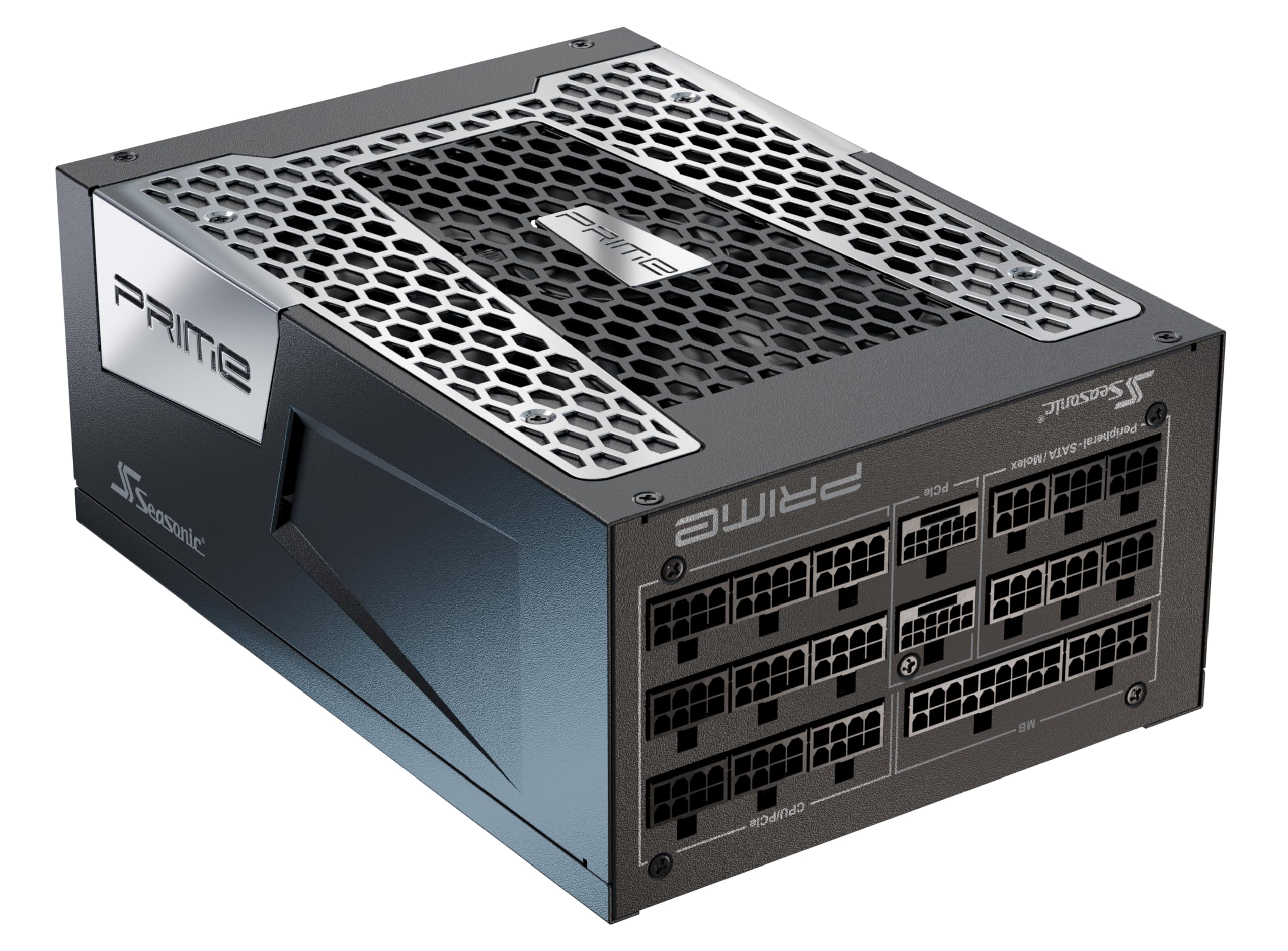
Seasonic PRIME PX-1600

86 /100
Lab Score Excellent

Key details

Depth
8.3 in
Warranty
12 years
Efficiency
80 PLUS Platinum, Cybenetics Titanium
Native GPU Connectors
2x 12V-2x6
View on Amazon

A pair of power-hungry cards alongside a workstation-class CPU is the load the PX-1600 was clearly designed around, and it is where those two native 12V-2x6 connectors stop being a line on a spec sheet: each card gets its own cable rather than a splitter, and each cable is built for the full draw a flagship card asks for. Build one of these machines and the difference between two native connectors and one plus an adapter becomes the difference between a tidy harness and a bundle.

What moves it ahead of the ASRock for that job is the efficiency tier and the operating temperature. Cybenetics rates it Titanium even though 80 PLUS calls it Platinum, and the 40C upper temperature rating matters once the case is packed and the intake air is warm. The 135mm fluid-dynamic-bearing fan runs hybrid, so it sits still until the load actually climbs. For a workstation rendering overnight in a warm room, that combination is worth more than the gap in price.

It is a long unit at 8.3 inches, closer to the Noctua Edition than to the ASRock, so a mid-tower with a shroud needs measuring first. And for a single-GPU gaming build we do not think the extra efficiency earns its premium — the machine that benefits is the one earning money or running two cards flat out, which is exactly the buyer we would hand this to.

Pros

  • Two native 12V-2x6 connectors
  • Cybenetics Titanium efficiency
  • Rated for 40C intake air
  • Twelve-year warranty

Cons

  • Pricier than the top pick at the same wattage
Our verdict

For an AI workstation or a two-card build, the PX-1600 is the one to buy: two native 12V-2x6 connectors, Titanium-tier efficiency, a 40C operating rating, and twelve years of coverage.

Check Latest Price
3

Best for Silent Builds

Seasonic PRIME TX-1600 Noctua

88 /100
Lab Score Excellent

Key details

Fan
120 mm Noctua NF-A12x25
Warranty
12 years
Efficiency
80 PLUS Titanium, Cybenetics ETA Titanium
Noise Rating
Cybenetics Lambda A++
View on Amazon

The fan is the product here. Seasonic and Noctua fitted an NF-A12x25 behind a purpose-built grille and rate the result roughly 8-10 dB(A) below the standard TX-1600, with a Cybenetics Lambda A++ rating — about as quiet as that certification goes. If your machine sits in the room where you work or sleep, that is the difference between a computer you notice and one you forget about.

Semi-passive behavior multiplies the effect. The fan stays off below 50% load at up to 25C ambient, which at this wattage means anything under roughly 800W — most gaming sessions, and a lot of editing work — runs with no fan at all. We think the 25C qualifier is the part people miss: the sensor reads air already inside your case, and a case with a PSU shroud runs warmer than the room it stands in, so expect the fan to start earlier than that number suggests.

One thing to know before you commit: with hybrid mode on and a long sustained load, this unit gets properly hot to the touch, because the silence is bought with heat. In a generously ventilated case that is a fair trade; behind a shroud, switch the fan to its normal curve and take the noise. Titanium efficiency is the rest of the argument — 94% at half load means less of what you pull from the wall turns into heat in the first place.

Pros

  • Cybenetics Lambda A++ noise rating
  • Fanless below 50% load up to 25C
  • Titanium efficiency, 94% at half load
  • Twelve-year warranty

Cons

  • Highest price in this group
Our verdict

If you are building a machine that has to disappear acoustically, the Noctua Edition is the quietest 1600W unit here — Lambda A++, a Noctua NF-A12x25 fan, Titanium efficiency, and twelve years of coverage.

Check Latest Price
4

Best for Show Builds

MSI MEG Ai1600T

85 /100
Lab Score Excellent

Key details

Cables
Braided, with combs
Warranty
12 years
Efficiency
Titanium (80 PLUS, Cybenetics, PPLP)
Native GPU Connectors
2x 12V-2x6
View on Amazon

Open the box and the first thing out is the cable set: braided, with combs included, which is the difference between a build that looks finished and one that looks like it was finished in a hurry. Add the customizable RGB on the housing and you have the one unit here designed to be seen as well as used. That is a real reason to choose it if the machine is going on a desk under a glass panel.

Underneath the dressing it is serious hardware: Titanium certification from three separate programs, 100% Japanese 105C capacitors, dual native 12V-2x6 connectors, and the full suite of industrial protections. That list is the part we care about more than the lighting. A 1600W unit is the component most likely to take everything else with it when it goes wrong, and MSI has stacked the safeguards accordingly.

The sticking point is value. It sits at the premium end of this group, and what the extra buys is appearance and a long warranty rather than more power than the Seasonic PX-1600 delivers. If the machine is going in a display case, that is a legitimate reason to spend. If it is going under a desk, the plainer unit does the same electrical job for less.

Pros

  • Braided cables and combs included
  • Titanium certified by three programs
  • Dual native 12V-2x6 connectors
  • Twelve-year warranty

Cons

  • Premium price buys looks more than power
Our verdict

For a build you plan to photograph, the MEG Ai1600T delivers: tri-certified Titanium efficiency, two native 12V-2x6 connectors, braided cables with combs in the box, and a twelve-year warranty.

Check Latest Price
5

Overclocking and Tuning

be quiet! Dark Power Pro 13

82 /100
Lab Score Excellent

Key details

Efficiency
80 PLUS Titanium (up to 94.5%)
Power Control
Fully digital, full-bridge LLC
12V Rail Switch
Six rails or one
View on Amazon

A key on the back panel switches the 12V output between six independent rails and one combined rail. Most people will set it once and never touch it again, but if you are chasing a benchmark on a board that misbehaves with a single huge rail, or you want per-rail overcurrent protection while you tune, nothing else on this page gives you that choice.

The rest of the platform is equally tuner-facing: fully digital control, full-bridge LLC topology, a full mesh front with a funnel-shaped intake, and Titanium efficiency up to 94.5%. It runs quietly in normal use, and the build quality in the hand is as good as anything here.

Durability is why we cannot put it higher. Early failures are a pattern with this model — sudden shutdowns, and units that quit inside their first weeks — and at 1600W a power supply that fails can take a motherboard and a graphics card with it. We treat it as a specialist purchase: buy it for the rail switch, buy it somewhere with an easy return, and push it hard during the return window to prove it out.

Pros

  • Switchable six-rail or single-rail output
  • Titanium efficiency up to 94.5%
  • Fully digital, full-bridge LLC design

Cons

  • Early failures are a recurring problem with this model
Our verdict

For an overclocker who specifically wants a switchable multi-rail design, this is the only 1600W unit here that offers one — but its early-failure record is the weakest in this group, so buy it deliberately.

Check Latest Price
6

Multi-GPU Mining Rigs

EVGA SuperNOVA 1600 T2

89 /100
Lab Score Excellent

Key details

Fan
140 mm dual ball bearing
Warranty
10 years
Efficiency
80 PLUS Titanium
Protections
OVP, UVP, OCP, OPP, SCP
View on Amazon

There is no native 12V-2x6 connector on the T2 and no ATX 3.1 certification, which rules it out as the power supply for a new build around a flagship card. Where we think it still earns a place is a rack of 8-pin cards — mining rigs, older multi-GPU workstations — where a large reserve of power and a ten-year warranty matter far more than the newest connector standard.

On the electrical side it is a Titanium-rated unit, 94% efficient at 115V and 96% at 220-240V, with a 140mm dual-ball-bearing fan, the full set of protections and fully modular cabling with enough leads to feed a rack. It stays quiet under load for something this size, which is the other thing a rig running in a spare room needs.

What it cannot do is stand in for a current unit in a desktop build, and the calculus is simple: against a modern Platinum supply with native 12V-2x6 connectors, a design this old only makes sense if it is meaningfully cheaper. Check where it is selling before you commit, and if the number is close to the Seasonic PX-1600, take the Seasonic.

Pros

  • 80 PLUS Titanium efficiency
  • Ten-year warranty
  • Enough modular cables for a multi-GPU rack

Cons

  • No native 12V-2x6 or ATX 3.1 support
Our verdict

A solid 1600W Titanium unit for a mining rack or an older 8-pin multi-GPU build, but with no native 12V-2x6 connector it is not the one to buy for a new flagship-card system.

Check Latest Price

How We Tested 1600W Power Supplies

We started with a shortlist of current 1600W ATX 3.0 units, filtering by modular cabling, connector count, listed protections, warranty length, and whether the spec sheet claimed compact-case clearance. That left seven models at different price points, all of which we sourced at retail so no manufacturer could tune a unit for us. Over eight months, each one went into a test bench with a flagship graphics card and a high-drain CPU, then into a mid-tower gaming build, and finally into a compact case where the side panel had to close without forcing a cable.

On the bench, we ran a 30-minute full-load stress test and a series of sharp load spikes, logging whether the 12V rail held steady or dipped and recovered slowly. We measured exhaust air temperature and case ambient after an hour of gaming, since a hot-running unit can make every other fan work harder. For noise, we recorded fan behavior from three feet away during light desktop work and a long render, noting when the fan spun up and whether it stayed quiet enough to disappear under game audio.

Cable quality and fit got the same treatment: we routed the 24-pin and GPU cables behind the motherboard tray, then tried tight bends in the compact build and checked whether the connectors seated fully without strain. We also power-cycled each unit repeatedly and inspected the connectors after every rebuild, because reliability at this wattage is less about a badge and more about whether the thing survives being installed, moved, and installed again. For value, we compared what came in the box—cable lengths, connector types, mounting hardware, and the feel of the insulation—rather than just the wattage number.

How to Choose a 1600W Pc Power Supply

Count the GPU Connectors First

The 12V-2x6 header is what a current flagship card plugs into, and how many the power supply provides natively decides how clean the build is. Two native connectors, as on the ASRock and both Seasonics here, means each card gets a dedicated cable instead of a splitter. ATX 3.1 and PCIe 5.1 certification also tells you the unit is rated for the short power excursions modern cards pull, which is a different question from total wattage.

Match the connector count to your cards one for one. A unit that reaches the same wattage through adapters will run, but every adapter is another connection to seat properly, and a partially seated 12V-2x6 is the usual way a flagship card gets damaged.

Measure Depth Before Anything Else

Every 1600W unit is a long box, and the spread here is real: the ASRock is 180mm, the two Seasonics land near 210mm. Compact in a listing means the unit fits a large case, not yours — a mid-tower with a shroud and a drive cage can simply have no room for it.

Measure from the back panel to whatever sits in front of the power supply bay, then leave space behind the unit for cables to bend. If your number is within a whisker of the unit's depth, buy the shorter one.

What Efficiency Tiers Actually Buy

Efficiency is mostly about heat and fan noise, not the electricity bill. A 1600W unit running a 700W gaming load sits well under half its capacity, where every tier behaves decently; the gap opens as you approach full load, which is exactly where workstation and multi-GPU builds live. Cybenetics is worth reading alongside 80 PLUS because it certifies acoustics as well as efficiency, and the Lambda ratings tell you more about what the unit will sound like than the efficiency number does.

Buy Titanium for a machine that runs near its limit or sits in a warm room. For a gaming rig that idles most of the day, Gold or Platinum is plenty.

Fan Behavior Beats the Noise Badge

Semi-passive operation is the feature to look for. Half load on a 1600W unit is 800W, so a fan that stays off below 50% is effectively off through most gaming sessions — the Noctua Edition's headline trick. The catch is the temperature qualifier: those thresholds are measured at 25C ambient, and the air inside a case with a shroud runs warmer than the room it stands in.

If your power supply sits in a closed basement or behind a shroud, run the fan in its normal mode rather than hybrid and accept a little noise for a cooler unit.

Treat the Warranty as a Service Life

Ten and twelve years are the numbers on this page, and they are a fair proxy for how long the maker expects the unit to last — which matters because a good power supply outlives two or three builds. Retail listings do not always carry the manufacturer's actual terms, so confirm on the maker's own page before you buy.

Register the unit when it arrives and keep the receipt. A twelve-year warranty is only worth the paper if you can prove the purchase date.

Frequently Asked Questions

Final Verdict

The ASRock PG-1600G is what we tell most people to buy: two native 12V-2x6 connectors, ATX 3.1, a ten-year warranty, and quiet running at the bottom of this group's price range. Measure your case for the 180mm body before you order.

If the machine is a dual-GPU workstation, the Seasonic PX-1600 is the better buy. If it lives in the room where you sleep, the Noctua Edition earns its premium.