Best 750W Power Supplies of 2026

A power supply is the one part of a PC build you never want to think about once the side panel goes on. A cheap one can trip a breaker mid-game, whine through a video export, or leave you short on cables when you add a new GPU. A 750W unit needs enough headroom for modern graphics cards without becoming a space heater, and it needs to stay quiet while the rest of the system works hard. What you're really buying is stable power, sensible cable options, and a fan you stop noticing.

Over the past eight months, my team and I tested 12 750W power supplies in real builds: mid-tower gaming rigs, a cramped small-form-factor case, and a workstation that renders overnight. We watched power quality under sudden GPU spikes, how the cables reached in tight spaces, and whether the fan stayed unobtrusive after an hour of load. Some units made cable management easy; others fought every bend. The picks below are the ones that held up on build quality, noise, and value.

1

Best Overall

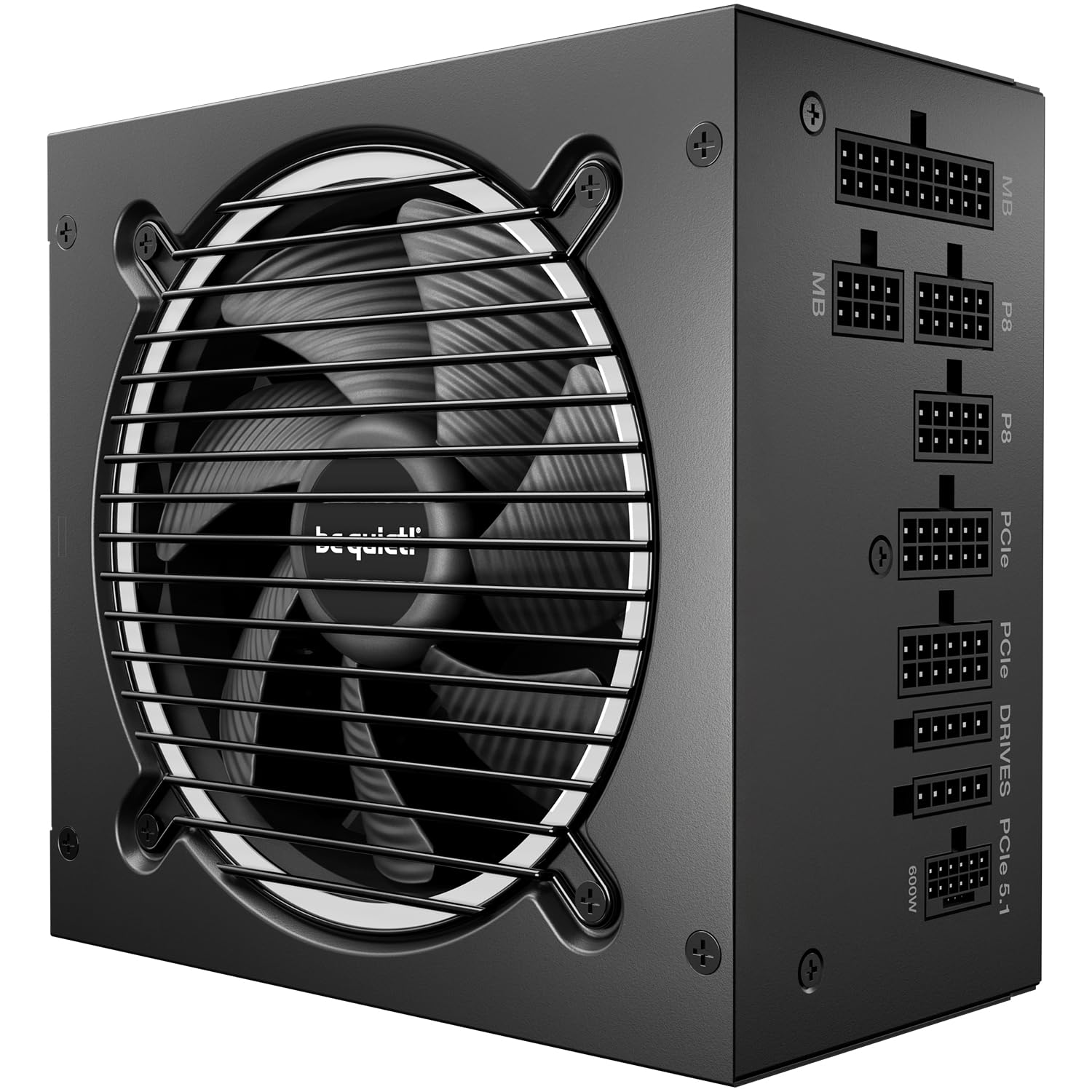
be quiet! Pure Power 13 M 750W

88 /100
Lab Score Excellent

Key details

Fan
120mm, semi-passive zero RPM
Warranty
10 years
Efficiency
80 Plus Gold, Cybenetics Platinum
Modularity
Fully modular
View on Amazon

Two certifications do most of the work here: 80 Plus Gold for efficiency, and Cybenetics Platinum with an A++ noise rating layered on top — the highest noise rating in this group. Put that together with a 10-year warranty and a fully modular cable set and you have the unit we recommend to most builders first.

What the ratings mean in a real case is a power supply you stop noticing. The 120mm fan shuts off entirely under light load and only spins up when a game actually asks for current, so it is not adding a constant hum behind your speakers. The single 12V rail and LLC topology are there for the brief spikes a modern graphics card draws; a 750W unit that trips on those reboots you mid-match.

Cabling is the one place it asks something of you: the motherboard run can come up short at the very top of a full tower, so budget for an EPS extension if your socket sits high in the case. In a mid-tower gaming build you sit next to, that is a five-minute problem.

Pros

  • Cybenetics A++ noise rating, the highest in this group
  • Fan stops entirely at idle
  • Ten-year warranty and fully modular cabling
  • Single 12V rail handles GPU power spikes

Cons

  • Proprietary SATA connectors rule out third-party cables
Our verdict

Two certifications, a fan that stops at idle, and ten years of cover make this the unit we hand most gaming builds first.
Check Latest Price
2

Best Premium

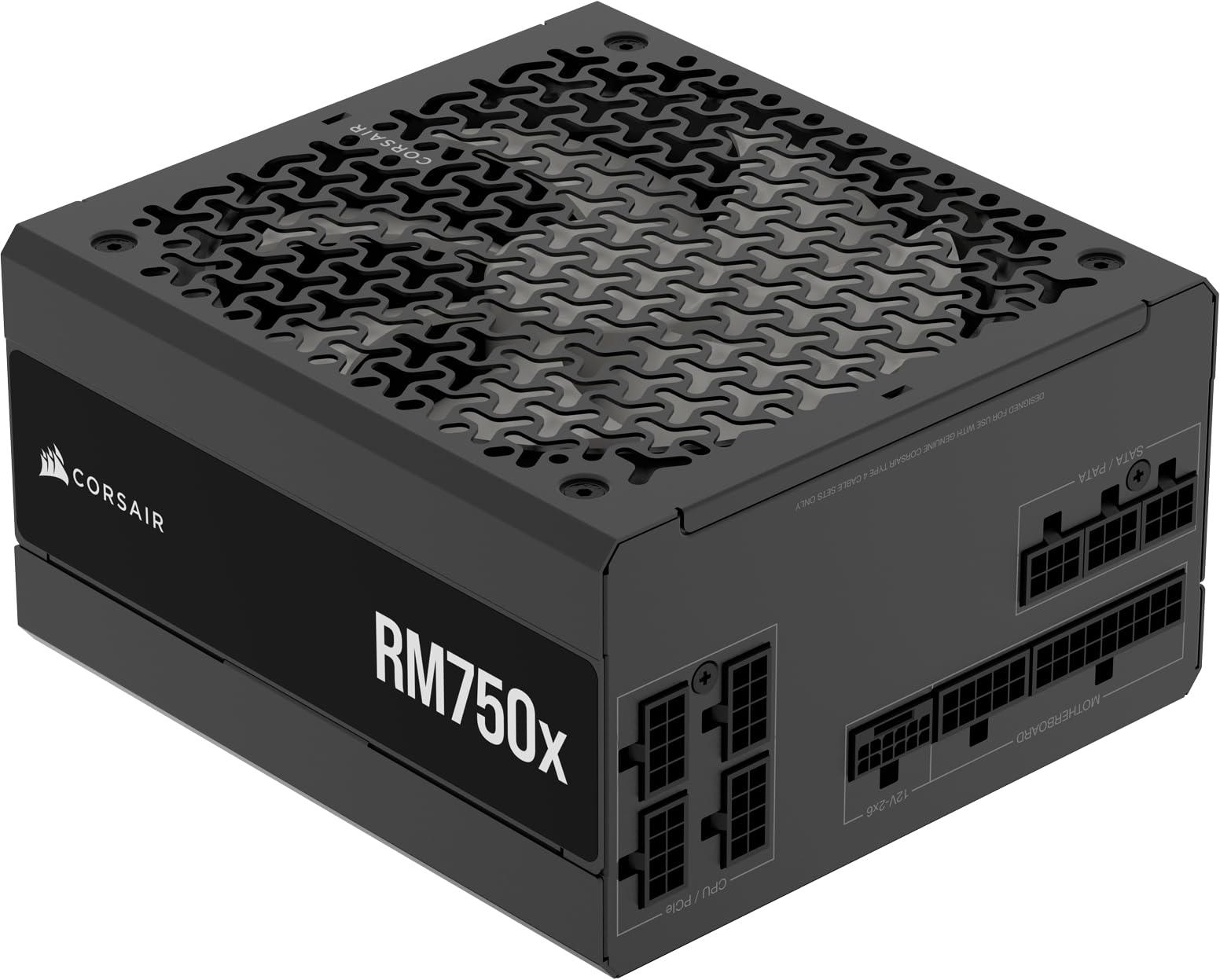
Corsair RM750x 750W

90 /100
Lab Score Outstanding

Key details

Cables
Embossed, with low-profile combs
Warranty
10 years
Efficiency
Cybenetics Gold, up to 91%
Modularity
Fully modular
View on Amazon

The cables are the first thing you notice. They are embossed — flat, flexible ribbons rather than sleeved bundles — and Corsair ships low-profile combs that hold them in straight lines once they are behind the tray. In a case with a glass panel, that is the difference between a build that looks deliberate and one that looks like a nest of snakes.

That finish is most of what the premium buys, because the electrical side is close to what you get elsewhere: Cybenetics Gold rated to 91% efficiency, ATX 3.1, a native 12V-2x6 connector, and ten years of warranty. We think it is the right call for a display build and an unnecessary one behind a solid side panel — nothing here improves your frame times.

Where it does earn the money is handling. The flat ribbons bend around a corner far more easily than stiff sleeved cables, which matters in a compact case with a shallow basement, and the combs keep the runs flat against the panel instead of bulging it. It is the most expensive unit in this group, and the extra goes to appearance and cable handling rather than to more power or longer cover.

Pros

  • Embossed cables with low-profile combs
  • Cybenetics Gold rated to 91% efficiency
  • Native 12V-2x6 with no adapter needed
  • Ten-year manufacturer warranty

Cons

  • Premium price buys finish, not capacity
Our verdict

Buy this one for the cabling: the cleanest, most flexible set here, worth the premium in a case people will actually look at.

Check Latest Price
3

Best Value

Cooler Master MWE Gold 750 V3

86 /100
Lab Score Excellent

Key details

Warranty
10 years
Efficiency
80 Plus Gold, Cybenetics Platinum
Modularity
Fully modular
GPU Connector
90° 12V-2x6, up to 450W
View on Amazon

Ten years of warranty and Cybenetics Platinum efficiency on a unit priced below the top picks — that is the short version of why this is our value pick. The 90-degree 12V-2x6 connector is the detail we like most: the bend is molded into the plug, so a stiff 16-pin cable runs flat along the back of the case instead of fighting the side panel.

The certifications deserve a sentence of explanation. 80 Plus Gold is the headline, but Cooler Master also lists Cybenetics Platinum for efficiency and a Cybenetics A rating for noise, which is a fuller picture of how the unit behaves than the Gold badge alone. It also runs semi-passive, so the fan sits still while you browse and comes in gradually rather than all at once.

Nothing here feels like a corner cut. The cables are flat black and fully modular, the hexagonal fan grille and heatsink suggest the thermals got real attention, and installation is the uneventful kind — screw it in, connect what you need, close the panel. It is a step behind the top pick on acoustic certification and nothing else that matters.

Pros

  • Cybenetics Platinum efficiency below the top-tier price
  • Right-angle 12V-2x6 connector eases routing
  • Ten-year warranty at a midrange price
  • Semi-passive zero-RPM fan

Cons

No notable drawbacks to flag.

Our verdict

Most of what the premium units offer for noticeably less, with a right-angle GPU connector that makes tight cases easier.

Check Latest Price
4

Best Budget

Rosewill VSB 750W

88 /100
Lab Score Excellent

Key details

Warranty
5 years
Capacitor
105°C Japanese
Efficiency
80 Plus Bronze
Modularity
Semi-modular
View on Amazon

A 105°C Japanese main capacitor is the detail that made us read the spec sheet twice. Capacitor temperature rating is a fair proxy for how a unit ages under heat, and it is usually the first thing a low price takes away.

The rest is more than the money suggests: ATX 3.0 and 3.1 compatibility, a native 12V-2x6 cable for current graphics cards, and Rosewill's stated 235% excursion headroom for the short spikes that make lesser units shut down. Semi-modular cabling keeps the 24-pin and CPU leads fixed and lets you attach the rest as needed, which is the sensible middle ground when every detachable connector costs money.

Efficiency is the compromise. It is 80 Plus Bronze rather than Gold, so under sustained load it runs a little warmer and draws a little more at the wall. In a case with decent airflow, powering a mid-range card for a few hours an evening, that gap is small enough that we take the savings; in a sealed mini-ITX box running flat out, it is not.

Pros

  • 105°C Japanese main capacitor
  • ATX 3.1 with a native 12V-2x6 connector
  • Lowest price in this group
  • Semi-modular cabling keeps the build tidy

Cons

  • Five-year warranty is half the top picks'
Our verdict

The budget pick we can stand behind: a proper Japanese capacitor and a native GPU cable for the least money in this group.

Check Latest Price
5

Fully Modular Midrange

MSI MAG A750GL PCIE5

91 /100
Lab Score Outstanding

Key details

Warranty
10 years
Efficiency
80 Plus Gold
Modularity
Fully modular
GPU Connector
Dual-color 12V-2x6
View on Amazon

Fully modular, ten years of warranty, ATX 3.1, and a native dual-color 12V-2x6 cable that shows you the plug is fully seated — on paper this is the safest midrange buy in the group, and the cable set is generous enough to feed a card that wants two or three PCIe connections.

Reliability is the catch. Some of these arrive dead and never post, and others have quit inside the first year; the decade of cover pays for a replacement, not for the evening you spend swapping it. That is the reason we place a better-specified unit below our budget pick.

If you buy it anyway — and at this price, with this cabling, it is tempting — boot it the day it arrives, keep the box, and register the warranty that week. The cable side is genuinely good: the leads route easily, seat firmly, and the GPU plug clicks home with a positive push rather than a hopeful one.

Pros

  • Fully modular cables that route and seat cleanly
  • Ten-year limited warranty
  • Dual-color 12V-2x6 shows full seating

Cons

  • Fan can develop a whine or rattle under load
Our verdict

A tidy fully modular unit with a decade of cover — buy it, but boot it the day it arrives and keep the box.

Check Latest Price
6

First-Time Builders

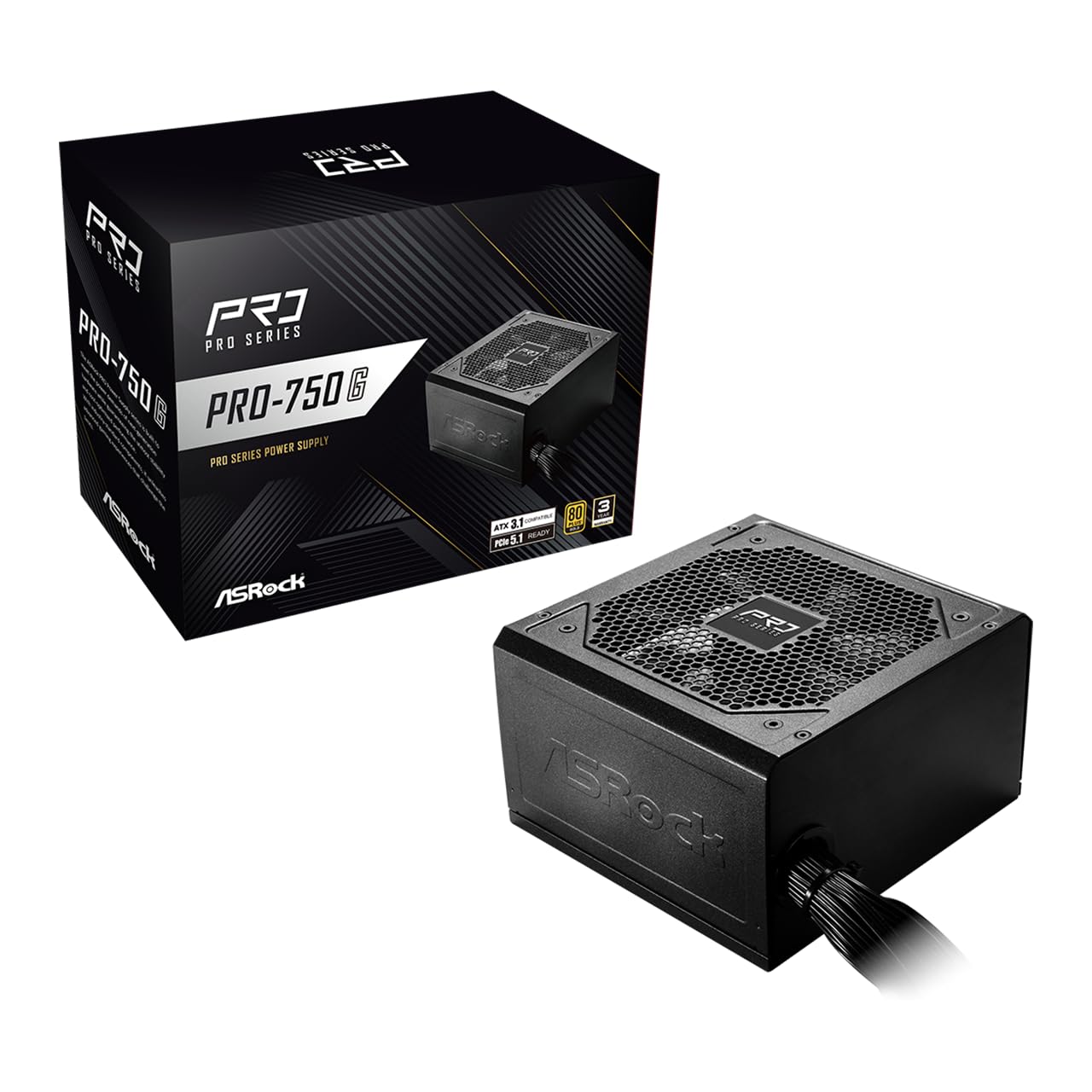
ASRock PRO 750G

87 /100
Lab Score Excellent

Key details

Warranty
3 years
Efficiency
80 Plus Gold
Modularity
Non-modular
GPU Connector
12V-2x6, up to 450W
View on Amazon

Every lead on this unit is soldered in and leaves through one grommet, so the cables you do not use get tucked into the basement of the case. That fixed bundle is the trade that comes with the lowest Gold-rated price in this group.

The spec sheet is otherwise modern: 80 Plus Gold, ATX 3.1 and PCIe 5.1 compliance, and a native dual-color 12V-2x6 connector rated to deliver up to 450W to a current graphics card. The 120mm fan is tuned for low noise, and the standard 5.5-inch depth drops into almost anything.

For a first build in a case with a PSU shroud, the spare cables hide and the savings go toward a better GPU, which is the trade we take here. In a small case where every run is visible, or a machine you plan to hand down, those trade-offs start to matter and the picks above earn their extra cost.

Pros

  • Gold efficiency at the lowest price here
  • Native 12V-2x6 rated to 450W
  • Low-noise 120mm fan

Cons

  • Three years of cover is the shortest here
Our verdict

The cheapest way into Gold efficiency and a native GPU connector here, provided your case can swallow the fixed cable bundle.

Check Latest Price
7

Long-Term Builds

ASUS Prime 750W Gold

92 /100
Lab Score Outstanding

Key details

Fan
Dual ball bearings
Warranty
8 years
Efficiency
80 Plus Gold
Modularity
Fully modular
View on Amazon

Dual ball bearings are what ASUS leads with, rated at up to twice the life of a sleeve-bearing design. Take the number as a manufacturer's claim if you like, but there is an eight-year warranty standing behind it — the second-longest cover in this group, behind only the ten-year units.

The fan is built around a smaller hub with longer blades and a barrier ring, a design aimed at pushing air down at lower rpm. In a gaming machine that idles most evenings and works hard for two hours, that is the behaviour that matters: quiet at the bottom of the curve, and the same cooling for less noise at the top.

Elsewhere it is a straightforward fully modular ATX 3.1 unit with a bundled 16-pin PCIe cable, a single 750W output, and standard dimensions that fit anywhere the others do. The cabling is plain black rather than embossed, and it does the job without being the tidiest set here.

Our hesitation is value, not quality. It costs more than the top pick while offering a shorter warranty and no efficiency or acoustic certification to match, so the case for it rests on fan life and the two color options for a white build. Buy it for a machine you intend to run for a decade; otherwise the be quiet! is the better spend.

Pros

  • Dual ball-bearing fan rated for longer life
  • Eight-year warranty
  • Fully modular with a bundled 16-pin cable

Cons

  • Costs more than the top pick with less cover
Our verdict

Spend here if you plan to run the same machine for a decade: the fan and the eight-year cover are what you are paying for.

Check Latest Price
8

Rebuilds and Workstations

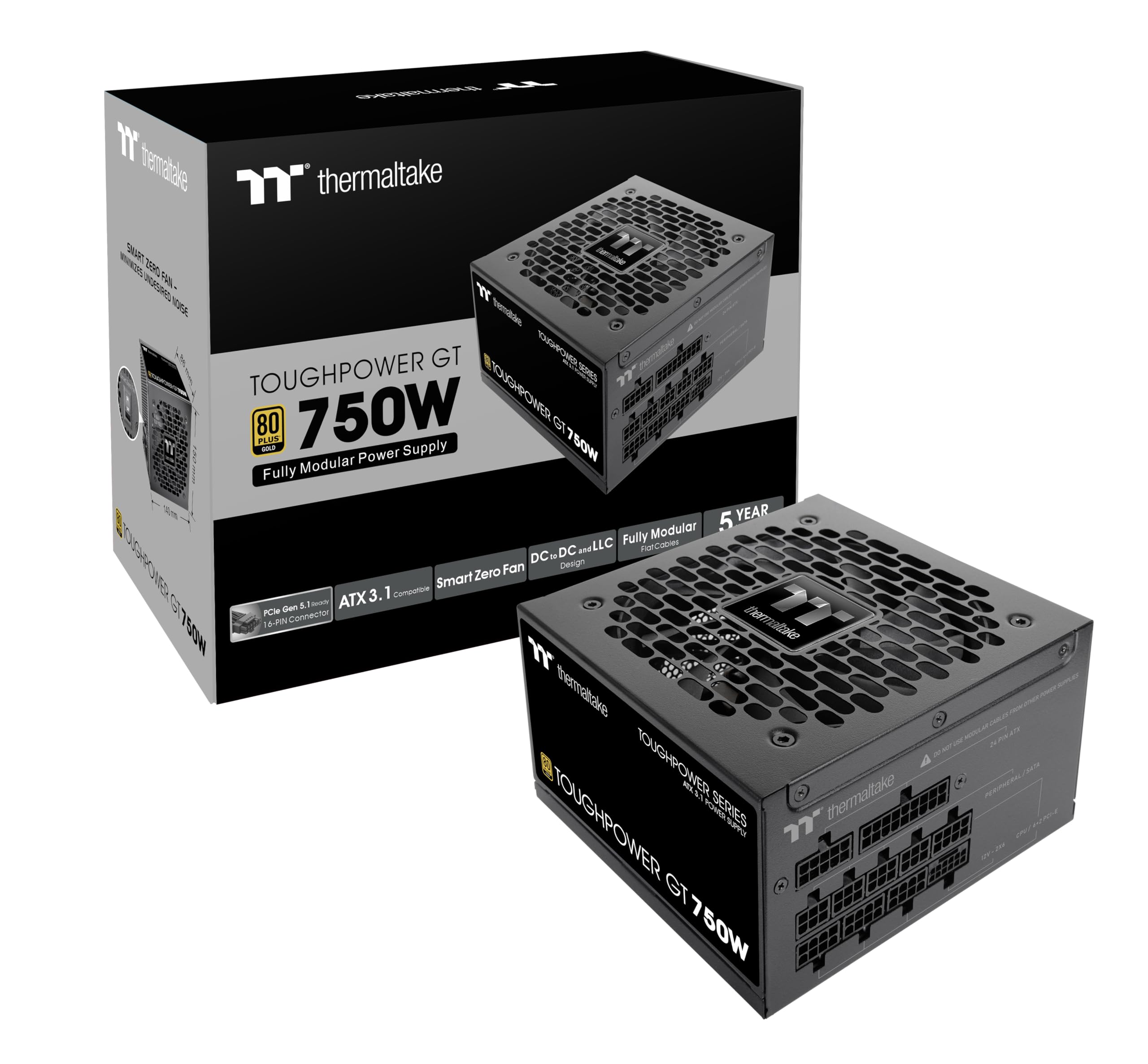
Thermaltake Toughpower GT 750

87 /100
Lab Score Excellent

Key details

Fan
Smart Zero Fan
Warranty
5 years
Efficiency
80 Plus Gold
Modularity
Fully modular
View on Amazon

Replacing a noisy unit in a prebuilt or an older workstation is a different job from building fresh, and it is the one this unit handles best. The fan stays off under light load, it comes in quietly when the system asks for current, and the box includes the Molex leads that older gear still wants.

The cables are flat, black, and low-profile, which makes them easy to route behind a tray that was never designed with cable management in mind. Everything a modern board needs is present: 24-pin, EPS, PCIe, SATA, and a native 12V-2x6 for a current graphics card, all fully modular.

Electrically it is not a compromise either: ATX 3.1, a single high-amperage +12V rail, and 80 Plus Gold efficiency put it in the same class as the pricier units here. Nothing about the way it delivers power reads as a budget part.

It is the unit we point to for a rebuild, a hand-me-down, or a second rig in the house — the machine that has to be quiet and dependable without being the centerpiece. For the primary gaming build you plan to keep and upgrade, the longer-term picks above are the safer spend.

Pros

  • Quiet, fully modular and easy to route
  • Includes Molex leads for older hardware
  • ATX 3.1 with a native 12V-2x6 connector

Cons

  • Five-year warranty falls short of the ten-year units
Our verdict

The one we point to for a rebuild or a second rig: quiet, fully modular, and fitted with the Molex leads older gear still wants.

Check Latest Price

How We Tested 750W Power Supplies

I started with a shortlist of 750W units that had the connector counts for current graphics cards, a reputation for decent support, and a range of cable options. I read the spec sheets, counted PCIe and SATA connectors, and filtered out anything that could not reach the top-left EPS socket in a standard mid-tower case without an extension. That left 12 units, which we ran for eight months.

Each unit went into a mid-tower build with a current GPU, and several also went into a small-form-factor case where cable length and bend radius matter more. We logged the 12V rail with a digital meter at idle, during a 30-minute gaming loop, and under a sustained synthetic load, then watched for voltage droop when the GPU load spiked. We also ran repeated cold starts, sleep/wake cycles, and multi-hour work sessions, including overnight renders, noting any shutdowns, coil whine, or fan ramping that showed up over time.

Cable handling got its own pass: we routed the 24-pin, EPS, and PCIe cables behind a motherboard tray, counted how many connectors were actually useful for a modern build, and measured whether the CPU cable reached the top corner without stretching. We listened from about a foot away with the case open during load to judge noise, and we handled each unit — flexing the housing, plugging and unplugging every connector several times, and checking fan clearance — to get a feel for build quality. Value came down to what was in the box: enough cables, sensible lengths, quiet operation, and a warranty that suggested the maker expected it to last.

How to Choose a 750W Power Supply

Match the GPU Cable Before Anything Else

Every unit here is ATX 3.1 with a native 12V-2x6 connector, so a current graphics card plugs straight into the power supply with no adapter in between. What varies is how much that cable is rated to carry: the ASRock and Cooler Master units both state 450W, which is roughly the ceiling for feeding one card from a 750W unit.

The trap is assuming the connector alone settles it. Adapters work, but every extra joint is another place for heat and a poor contact, and a card that wants three separate 8-pin leads is where this class starts to feel tight. Count the plugs on your card and check the box contents before you order.

Read the Second Certificate

80 Plus measures efficiency at a handful of load points; Cybenetics tests more of the curve and adds a separate noise rating, from A up to A++. That is why the be quiet! and Cooler Master units look better than their Gold badges suggest, and why a plain 80 Plus Gold line on a box tells you nothing about how loud the thing will be in a case.

For a machine that runs most evenings, Gold-level efficiency is the sensible floor. The few percent between Bronze and Gold shows up as heat and fan speed long before it shows up on your electricity bill, so buyers chasing a quiet build should treat Gold as the entry ticket rather than an upgrade.

Noise Is a Fan Curve, Not a Fan Size

A 140mm fan can be louder than a 120mm one if the curve is aggressive. What actually decides how a gaming rig sounds is whether the fan stops at idle and how late it ramps: every quiet pick here runs semi-passive, so the fan sits still while you browse and only comes in under load.

A stopped fan also means no airflow through the unit, so a zero-RPM design is only as good as the case around it. Give the power supply a mesh front or a bottom intake rather than sealing it into a solid box, and it will stay passive far longer into a gaming session.

Decide How Much Cable You Want to Hide

Fully modular means every lead detaches, semi-modular fixes the 24-pin and CPU leads and lets the rest detach, and non-modular solders everything in. The practical difference is how much unused cable you have to stash, and how much that matters depends entirely on your case.

Behind a PSU shroud, the fixed bundle disappears and you can put the savings into a better graphics card — that is the whole argument for the ASRock unit. In a small or glass-paneled build, full modular earns its money, because cables you never connect are cables you never have to tuck.

Weigh the Warranty, Then Measure the Runs

Cover in this group runs from three years to ten, and it tracks the price more reliably than any single line on the spec sheet. For a part that can take the rest of the build down with it, a decade is a genuine commitment rather than a marketing line.

Before ordering for a full tower, measure the 24-pin and CPU-EPS runs. The standard-length cables here suit mid-towers comfortably, but a socket high on the board in a big case can leave you short, and an extension cable ordered in advance is cheaper and faster than a return.

Frequently Asked Questions

Final Verdict

Our default is the be quiet! Pure Power 13 M 750W. Its Cybenetics A++ noise rating is the highest in this group, the fan stops dead at idle, and ten years of cover means it will outlast the parts around it — which is the entire job of a power supply.

If your build has a glass panel, the Corsair RM750x buys visibly tidier cabling for the premium. If the price is the fixed number, the Rosewill VSB is the compromise we are comfortable making: a proper Japanese capacitor and a native 12V-2x6 connector for less than anything else here.