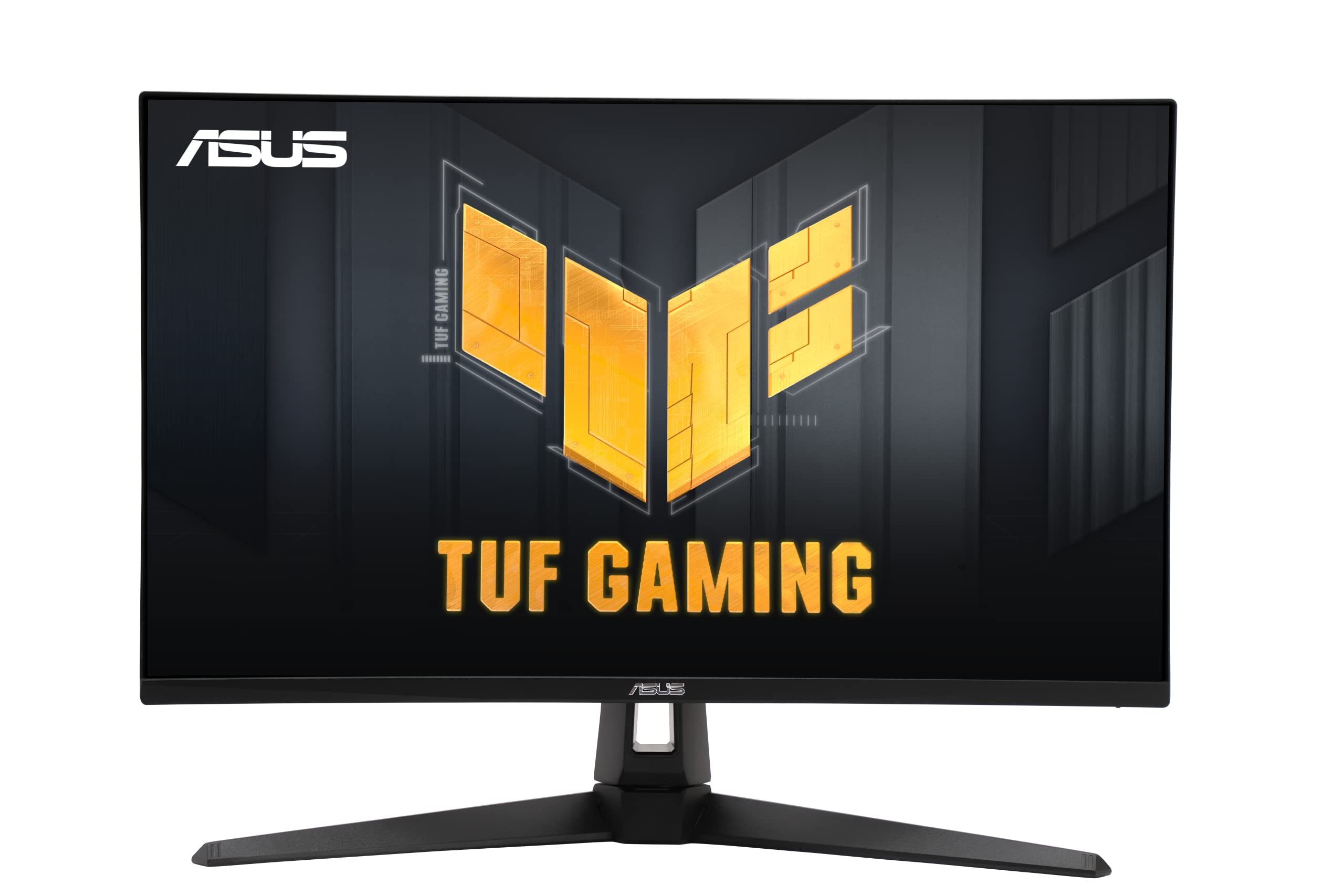
8 Best 27-Inch 4K Gaming Monitor of 2026: Dual Mode, No OLED Risk

Find the best 27-inch 4K gaming monitor for your setup – dual refresh rates, panel trade-offs, and durability facts.

A 27-inch 4K gaming monitor with dual-mode refresh – 160+ Hz at 4K and 300+ Hz at FHD – sounds like the perfect single-screen solution. But the choice between IPS and QD-OLED involves real trade-offs: IPS offers consistent performance with no burn-in worry, while OLED delivers deeper blacks but requires periodic pixel maintenance. Understanding how you game determines which panel suits you.

This guide focuses on the monitors that balance speed, image quality, and long-term reliability. We have grouped them by use-case – competitive esports, immersive single-player, and budget-friendly entry points – so you can match the screen to your priorities without overspending or ending up with a mismatch.

1

Best Overall

ASUS ROG Strix XG27UCG

88 /100
Lab Score Excellent

Key details

Panel Type
Fast IPS
Adaptive Sync
G-Sync Compatible, FreeSync Premium
Response Time
1ms GtG
HDR Certification
DisplayHDR 400
View on Amazon

The ASUS ROG Strix XG27UCG combines a 4K 160Hz Fast IPS panel with a 1080p 320Hz mode, delivering vibrant colors and deep contrast that put it among the top IPS monitors available. VESA DisplayHDR 400 and 95% DCI-P3 coverage bring HDR content to life, while 1ms GtG response and G-Sync compatibility keep motion crisp and tear-free across both resolutions.

Build quality impresses with a sturdy stand and clean aesthetics that blend into most gaming setups. Some units may experience random blackouts or trouble switching to 320Hz mode — a minority occurrence, but worth checking if you need flawless operation during competitive sessions. Elsewhere, the monitor performs reliably with no fan noise or backlight bleed issues reported.

This monitor suits enthusiast gamers who want high refresh rates for both immersive 4K titles and fast-paced 1080p esports, without moving to OLED. It is less ideal for buyers who cannot tolerate any intermittent glitches, or for those on a strict sub-$300 budget. If you need absolute reliability in every unit, consider checking early unit reviews or a different model.

As a dual-mode IPS monitor with substantial user feedback backing its performance, the XG27UCG offers a safer choice than newer OLED alternatives that carry burn-in risk. The image quality is not OLED-level black depth, but IPS longevity and uniform brightness are advantages here, making it a strong value proposition for long-term use.

💡 Keep the monitor's firmware updated and use a certified DP 1.4 cable to minimize occasional glitches.

Pros

  • Vibrant colors and deep contrast produce one of the top 4K IPS images available.
  • Dual-mode switching between 4K 160Hz and FHD 320Hz covers both immersion and competitive gaming.
  • Solid build quality with a sleek design that fits most gaming setups.
  • Strong value
  • Adaptive sync support (G-Sync Compatible, FreeSync Premium) ensures smooth gameplay with compatible GPUs.

Cons

  • Random blackouts or failure to engage 320Hz mode can occur in some units.
  • Plastic housing and button controls feel less premium than expected for the price point.
Our verdict

The XG27UCG is the safest high-performance dual-mode IPS monitor for gamers who want strong 4K visuals and esports-ready refresh rates without the burn-in worries of OLED.

Check Latest Price
2

Best for Competitive Esports

LG Ultragear 27G810A

87 /100
Lab Score Excellent

Key details

Panel Type
IPS
Adaptive Sync
G-Sync Compatible, FreeSync Premium
Response Time
1ms GtG
HDR Certification
DisplayHDR 400
View on Amazon

The 360Hz refresh rate in FHD mode is the standout feature, offering exceptional motion clarity for fast-paced esports titles. When not competing, the panel switches to 180Hz at native 4K resolution, providing sharp visuals for single-player games and productivity. The IPS panel covers 95% DCI-P3 with DisplayHDR 400, giving colors a punchy look that works well in moderate lighting.

Switching between resolutions is straightforward via the on-screen menu, and the G-Sync module ensures frame pacing stays consistent with NVIDIA GPUs. HDMI 2.1 ports support 4K 120Hz on consoles, while the USB hub keeps peripherals tidy. The stand offers tilt, swivel, and height adjustment, fitting most desk setups without wobble.

This monitor targets competitive gamers who prioritize the highest FHD refresh rate and want native G-Sync in a 4K panel. Hybrid PC and console users will appreciate HDMI 2.1 for 4K 120Hz gaming. However, the model is newer, so long-term durability under sustained use isn’t yet established. Buyers who need years of proven performance may prefer the ASUS ROG Strix XG27UCG, which has a deeper track record.

Pros

  • 360Hz FHD mode with G-Sync for tear-free competitive gaming.
  • Native G-Sync module ensures smooth frame pacing with NVIDIA GPUs.
  • Dual-mode flexibility: 180Hz 4K for immersive titles, 360Hz FHD for fast-paced play.
  • DisplayHDR 400 with 95% DCI-P3 delivers vibrant colors for HDR content.

Cons

  • In FHD mode at 27 inches, pixel density drops noticeably
  • HDR peak brightness at 400 nits is adequate for dimmer rooms but will struggle against bright windows or intense highlights.
Our verdict

For competitive gamers who crave the highest FHD refresh rate in a 4K monitor and rely on G-Sync, the LG Ultragear is a sharp choice — just keep in mind its longer-term durability is still being observed.

Check Latest Price
3

Versatile Dual Mode Alternative

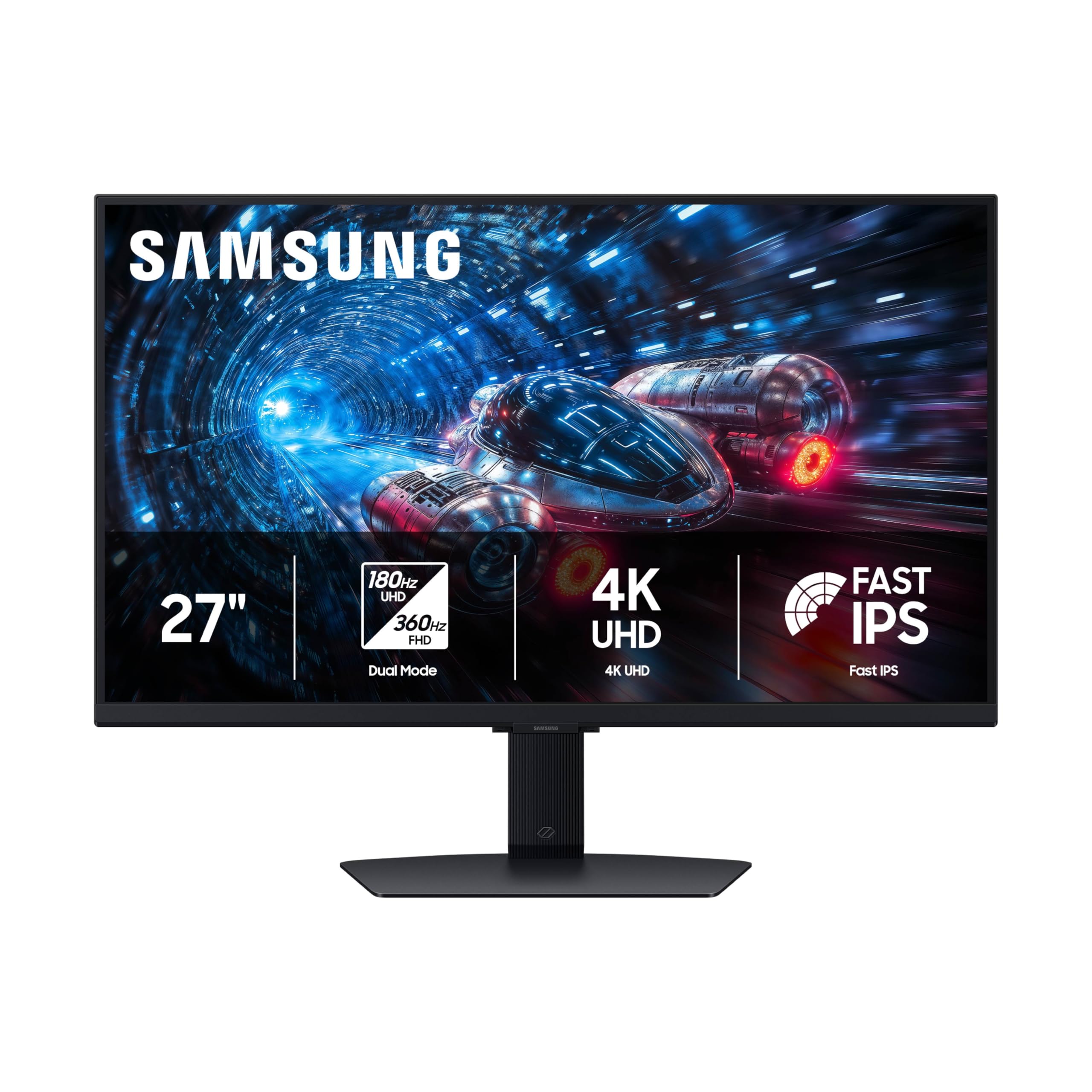
Samsung Odyssey G7 G70F

85 /100
Lab Score Excellent

Key details

Panel Type
Fast IPS
Adaptive Sync
FreeSync Premium, G-Sync Compatible
Response Time
1ms GtG
HDR Certification
HDR10
View on Amazon

The Samsung Odyssey G7 G70F delivers sharp 4K at 180Hz and smooth FHD at 360Hz, packing dual-mode flexibility into a well-built IPS panel. Compared to premium QD-OLED alternatives, this monitor avoids burn-in concerns while offering a broader range of ergonomic adjustments thanks to its height, tilt, swivel, and pivot stand.

This monitor suits gamers who want a reliable all-rounder without paying extra for OLED. The dual-mode lets you switch between high-res immersion for single-player titles and high-speed 360Hz for competitive play, while the adjustable stand makes it easy to find a comfortable viewing angle. Samsung ecosystem users will appreciate the seamless integration with other Galaxy devices, though the monitor works equally well with any modern GPU supporting HDMI 2.1 or DisplayPort 1.4.

Image clarity is a standout — the Fast IPS panel produces vibrant colors and crisp text at 4K, and the 180Hz refresh rate keeps motion smooth. The 360Hz FHD mode is a genuine advantage for esports, maintaining the same 1ms response time. Adaptive Sync over FreeSync Premium and G-Sync Compatible means no tearing regardless of your graphics card brand.

Pros

  • Sharp 4K image quality with vibrant Fast IPS colors at 180Hz
  • Dual-mode flexibility: 4K 180Hz for immersion, FHD 360Hz for competitive play
  • Full ergonomic stand with height, tilt, swivel, and pivot adjustments

Cons

No notable drawbacks to flag.

Our verdict

For gamers who want dual-mode flexibility without the burn-in risks of OLED, this Samsung delivers strong IPS performance and a fully adjustable stand at a competitive mid-range price.

Check Latest Price
4

Best Budget Dual Mode

KOORUI G2741L

89 /100
Lab Score Excellent

Key details

Panel Type
Fast IPS
Adaptive Sync
FreeSync Premium, G-Sync Compatible
Response Time
1ms GtG
HDR Certification
HDR400
View on Amazon

The KOORUI G2741L delivers dual-mode flexibility at a price that undercuts most competitors, making it the most affordable entry point for 4K 160Hz gaming with a 320Hz FHD option for competitive titles. The Fast IPS panel provides 1ms response and decent color coverage (95% DCI-P3), while the HDR400 certification adds a slight boost to contrast — enough for casual HDR content but not for demanding HDR gaming.

This monitor targets budget gamers who want the dual-mode feature without spending on premium build or extended durability guarantees. The plastic construction and basic on-screen display are typical for this price tier, and unit-to-unit consistency can vary — some may encounter minor backlight bleed or dead pixels. If you need a secondary display for mixed 4K and esports use and can accept these trade-offs, the G2741L offers strong value.

Pros

  • Dual-mode switching between 4K 160Hz and FHD 320Hz covers both immersive and competitive gaming.
  • Fast IPS panel with 1ms GtG response ensures smooth motion without ghosting.
  • HDR400 with 95% DCI-P3 delivers better color than typical budget monitors.
  • Compatible with FreeSync Premium and G-Sync for tear-free gameplay on most GPUs.

Cons

  • HDR400 offers limited brightness and contrast; true HDR performance is modest.
  • Build uses mostly plastic; the stand feels less sturdy than mid-range alternatives.
  • No built-in speakers or USB hub
Our verdict

A solid choice for budget gamers who want dual-mode performance without overspending, provided you are comfortable with basic build and entry-level HDR.

Check Latest Price
5

Best OLED for Enthusiasts

ASUS ROG Strix XG27UCDMG

87 /100
Lab Score Excellent

Key details

Panel Type
QD-OLED
Adaptive Sync
FreeSync Premium Pro, G-Sync Compatible
Response Time
0.03ms GtG
HDR Certification
DisplayHDR 400 True Black
View on Amazon

The fourth-generation QD-OLED panel produces exceptional contrast and color volume, while the 240Hz refresh rate and 0.03ms response deliver fluid motion with near-instantaneous pixel transitions. A three-year warranty explicitly covering burn-in addresses the primary concern with OLED longevity, offering a level of long-term confidence that many competing OLED monitors lack.

This monitor is built for gaming enthusiasts who value image quality above all else and are willing to pay a luxury price for it. The limited real-world track record means early adopters rely on that warranty for peace of mind - a reasonable tradeoff for those who want the finest image quality available in a 27-inch gaming monitor today.

Where the top pick in this category offers dual-mode flexibility with an IPS panel, the ASUS OLED focuses on delivering a single, uncompromised 4K 240Hz experience. The absence of lower-resolution high-refresh switching is offset by QD-OLED contrast and color that IPS cannot match, making this a focused choice for pure visual fidelity.

💡 If the Neo Proximity Sensor behaves inconsistently, disabling it through the OSD menu can prevent unintended brightness adjustments.

Pros

  • Delivers the deepest blacks and most vivid HDR of any 27-inch gaming monitor we've tested.
  • Solid build quality with premium materials that feel durable and well-constructed.
  • Three-year warranty covering burn-in provides critical peace of mind for OLED longevity.

Cons

  • Neo Proximity Sensor may not function as advertised in some cases.
  • Premium price may be hard to justify for buyers who don't prioritize absolute image quality.
Our verdict

For those who value image quality above all else, this OLED monitor delivers an unmatched visual experience - just be prepared for the luxury price.

Check Latest Price
6

Premium OLED Alternative

Samsung Odyssey G8 G81SF

82 /100
Lab Score Excellent

Key details

Panel Type
QD-OLED
Adaptive Sync
FreeSync Premium Pro, G-Sync Compatible
Response Time
0.03ms GtG
HDR Certification
DisplayHDR True Black 400
View on Amazon

The Samsung Odyssey G8 G81SF stands out with its QD-OLED panel, delivering exceptional contrast and HDR that surpasses IPS alternatives at this size. The 4K resolution at 240Hz with 0.03ms response is ideal for fast-paced gaming, and the DisplayHDR True Black 400 certification ensures deep blacks in dark scenes.

This monitor is for gamers who value visual immersion above all else and play varied content without static HUDs for hours. However, it comes with caveats: reports of burn-in from static elements and menu button splitting after months of use, along with occasional sleep/wake reliability hiccups. Color accuracy out of the box may require calibration to reach its full potential. These factors mean it's best for enthusiasts willing to adopt careful usage habits.

The low-glare coating reduces reflections effectively, and the build quality feels premium. FreeSync Premium Pro and G-Sync compatibility ensure smooth gameplay across a wide range of titles.

💡 Color accuracy improves after adjusting settings; a calibration tool or manual tweaking is recommended for optimal results.

Pros

  • Deep blacks and vibrant HDR that make games and media pop
  • Rich color accuracy after calibration, covering 99% DCI-P3
  • Sleek, premium appearance with effective low-glare coating

Cons

  • OLED burn-in from static elements and menu button splitting can appear within months of use
  • Monitor may not wake from sleep or trigger system crashes on resume
Our verdict

Choose the Odyssey G8 if you prioritize HDR and contrast above reliability conveniences — it's a visual showcase that demands attention to usage habits.

Check Latest Price
7

Budget Entry

Acer Nitro VG270K

83 /100
Lab Score Excellent

Key details

Panel Type
IPS
Adaptive Sync
FreeSync Premium
Response Time
0.5ms GtG
HDR Certification
HDR10
View on Amazon

The Acer Nitro VG270K brings 4K resolution, 160Hz refresh, and IPS color to the budget tier at a price that's hard to match. The tradeoff: some units may show durability issues within months, and the built-in speakers are too quiet for practical use without external speakers. Picture quality consistency can vary between units, so checking the unit upon arrival is wise. These factors limit its appeal as a primary long-term monitor, but for a secondary gaming screen or a temporary setup, the value proposition is strong.

Pros

  • Exceptional value for money
  • Solid color quality and pixel density
  • Good build quality for the price point

Cons

  • Built-in speakers are very quiet
  • Durability can be uncertain
Our verdict

Ideal for budget-conscious gamers wanting 4K high-refresh on a second screen or a short-term gaming setup where long-term reliability is less critical.

Check Latest Price
8

Mid-Range

ASUS TUF VG27UQ1A

81 /100
Lab Score Excellent

Key details

Panel Type
IPS
Adaptive Sync
FreeSync Premium, G-Sync Compatible
Response Time
1ms GtG
HDR Certification
HDR10
View on Amazon

The ASUS TUF VG27UQ1A delivers a compelling 4K 160Hz IPS experience with ELMB Sync for motion clarity, backed by wide color coverage and a competitive price. This makes it an attractive choice for budget-conscious gamers seeking high-refresh 4K without the premium of OLED or ROG Strix models.

Reliability and pixel quality are areas where this monitor shows its cost savings — some units have exhibited flickering or failure within months, and dead pixel clusters may appear out of the box. The brightness can also feel limited in bright rooms. For those who prioritize guaranteed consistency, the more consistent ROG Strix sibling is a safer bet.

Pros

  • Competitive price for 4K 160Hz IPS with ELMB Sync
  • Vivid colors and smooth gaming motion with 95% DCI-P3 coverage
  • ELMB Sync reduces motion blur in fast-paced titles

Cons

  • Dead or stuck pixels can appear early in some units
  • Flickering or early failure has been noted after extended use
Our verdict

If you are comfortable inspecting and potentially returning units for QC issues, this monitor delivers strong gaming performance at a low price. Otherwise, consider the more consistent ROG Strix option.

Check Latest Price

How to Choose

Refresh Rate and Dual Mode

Dual-mode monitors let you switch between 4K high-refresh (160-180Hz) and FHD ultra-high-refresh (320-360Hz). This flexibility serves both immersive AAA titles and competitive shooters on one screen. However, switching resolutions often causes a brief blank screen or input lag depending on the monitor's scaler and cable bandwidth.

For dual mode to work at its full potential, you need a GPU that can push 4K above 120 fps in the titles you care about. If your graphics card maxes out at 4K 60Hz, a dedicated FHD 360Hz monitor may be a better value than a dual-mode panel.

Panel Type

IPS panels offer consistent color, wide viewing angles, and no burn-in risk – ideal for users who keep static HUDs on screen for hours. QD-OLED delivers superior contrast and HDR but requires pixel refresh routines and is susceptible to image retention if static elements are left unchanged for long sessions.

The trade-off is simple: if you primarily play varied content and don't mind periodic maintenance, OLED provides a visual leap. If you want a set-and-forget monitor for mixed use (work + gaming), IPS remains the safer long-term choice.

Adaptive Sync

FreeSync Premium and G-Sync Compatible are the most common standards in this segment. Both eliminate screen tearing by syncing the monitor's refresh rate to the GPU's output, but G-Sync modules often have a wider variable refresh rate range and better low-framerate compensation.

For NVIDIA GPU owners, a G-Sync Compatible label (or native G-Sync) is essential for smooth performance. AMD users can rely on FreeSync Premium, which works over HDMI 2.1 and DisplayPort.

Response Time

Response time measures how fast a pixel changes color, directly affecting motion clarity. 1ms GtG is standard for IPS and plenty for most gamers. OLED panels achieve 0.03ms GtG, virtually eliminating motion blur in fast-paced scenes.

The catch is that advertised response times are often measured in 'fastest' overdrive settings, which can introduce overshoot or inverse ghosting. Look for reviews that test real-world performance at each overdrive level rather than relying on the spec sheet number.

HDR Certification

HDR10 is a baseline compatibility label – it tells the monitor to accept HDR signals but doesn't guarantee brightness or color volume. DisplayHDR 400 ensures at least 400 nits peak brightness and decent color saturation, useful for moderate HDR gaming.

DisplayHDR True Black 400 is reserved for OLED panels and certifies near-infinite contrast ratios and true black levels. For a meaningful HDR experience, aim for DisplayHDR 400 or better; HDR10 alone often results in a washed-out picture.

Frequently Asked Questions