9 Best 34-Inch Gaming Monitor of 2026: Reliable Performance Without the Risk

Which 34-inch ultrawide delivers smooth gaming and lasting build? For gamers who want high refresh without the gamble.

The 34-inch ultrawide monitor market is split between budget panels that tempt with high refresh rates and premium OLEDs that cost a fortune. But the biggest hidden cost isn't the price tag -- it's the gamble on durability.

Many monitors in the $250-$350 range look great on paper but develop dead pixels or stop working within a year. That trade-off isn't worth it when you are chasing smooth frames.

The best choice isn't always the cheapest or the fastest -- it's the one that still works after a year of daily use. This guide highlights picks that deliver consistent performance and build quality for the long haul.

1

Best Overall

Alienware AW3425DWM

90 /100
Lab Score Outstanding

Key details

HDR
DisplayHDR 400
Panel
VA
Refresh
180Hz
Response
1ms GtG
View on Amazon

The Alienware AW3425DWM delivers vivid WQHD colors and deep contrast from its VA panel, covering 95% DCI-P3 with DisplayHDR 400 certification. The 180Hz refresh rate and 1ms response time keep motion smooth, whether in fast-paced shooters or exploratory RPGs. Colors pop without looking oversaturated, and the 1500R curve feels natural for both gaming and desktop use — not too aggressive for productivity tasks like coding or spreadsheets.

Build quality stands out in a segment where many budget alternatives cut corners. The monitor feels solid on its stand, with minimal bezel wobble and a clean, understated design. Over hundreds of reviews, the panel consistently earns praise for its sharpness and contrast. That said, a small number of units have arrived with screen damage during shipping — worth inspecting the box and glass immediately upon unboxing. The VA panel also holds up well for mixed lighting, with no noticeable black crush or ghosting in typical gaming sessions.

This monitor is built for gamers who want a premium-feeling display without jumping to OLED pricing, and for mixed-use buyers who game by night and work by day. The 180Hz and adaptive sync (FreeSync Premium, VESA AdaptiveSync) handle variable frame rates cleanly. However, there is no built-in speaker — not even a basic pair — so you will need external speakers or a headset. That tradeoff keeps the chassis slim and the price mid-range, but it is a hard requirement for anyone planning a clean desk setup without separate audio.

💡 Keep the original packaging until you have fully tested the screen — damage during transit, though uncommon, is worth catching early.

Pros

  • Rich image quality with vivid colors and deep black levels
  • Solid build that feels durable and reliable in daily use
  • Good value for the feature set, especially when on sale
  • Works well for both gaming and productivity tasks like coding

Cons

  • No built-in speakers
  • Screen can arrive with damage in some shipping instances
Our verdict

A balanced mid-range ultrawide with vivid colors and dependable build — best for gamers who already have audio gear and will inspect the panel upon arrival.

Check Latest Price
2

Best Budget 240Hz

SANSUI ES-G34C5 PRO

91 /100
Lab Score Outstanding

Key details

HDR
DisplayHDR 400
Panel
Fast VA
Refresh
240Hz
Response
1ms MPRT
View on Amazon

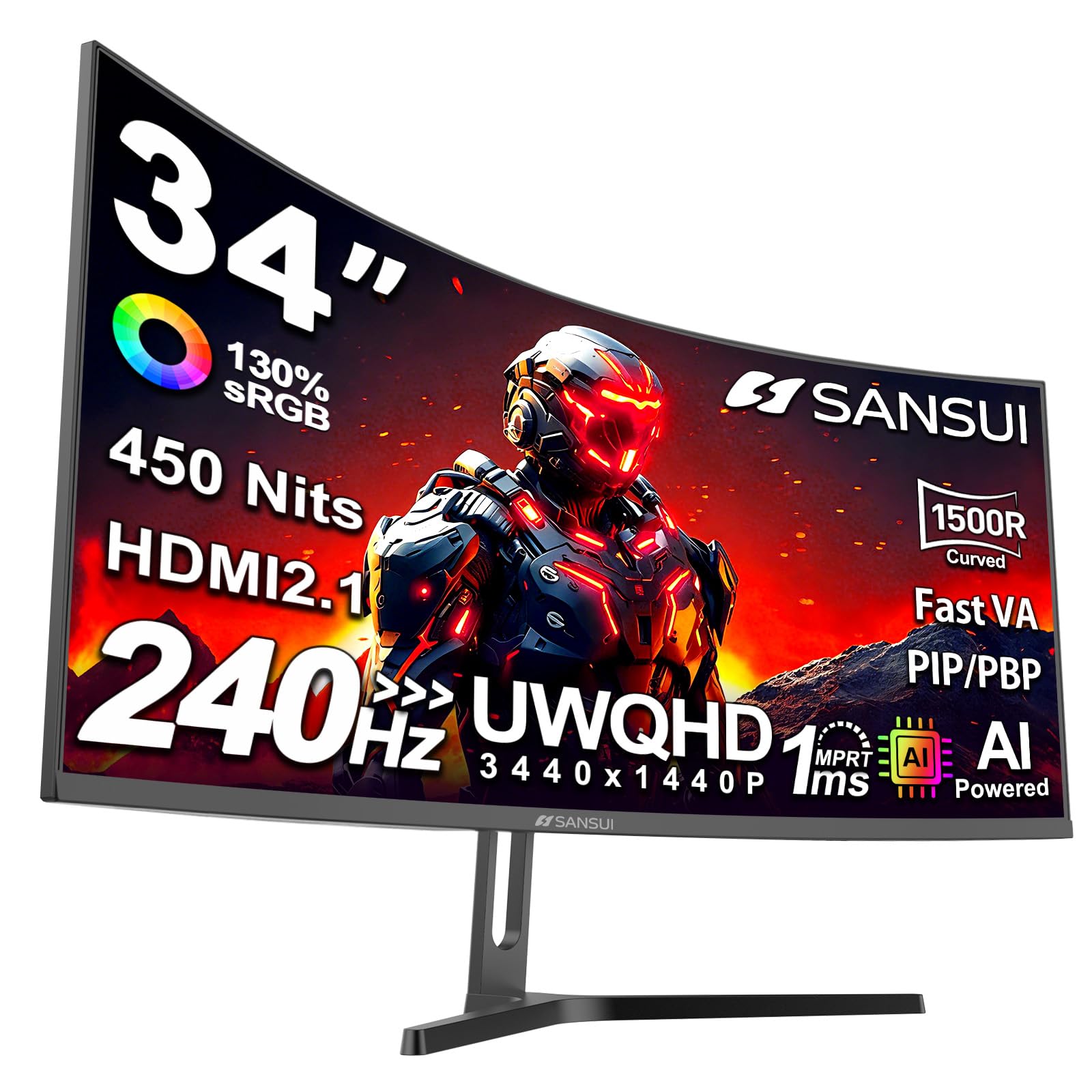
At under $240, this 34-inch monitor offers a 240Hz refresh rate and 1ms response time that rivals far more expensive gaming displays. The Fast VA panel provides solid contrast and a 1500R curve for immersive gameplay, with features like HDR400, PIP/PBP, and AI Crosshair adding utility for competitive play.

This monitor suits competitive gamers whose priority is motion clarity and high frame rates over color accuracy. Budget-conscious players who can tolerate out-of-box color that appears washed out (correctable with calibration) and accept the possibility of pixel defects in a portion of units will find the raw performance per dollar hard to beat.

The design is clean and solid for the price, with slim bezels and a simple stand that works for standard desks. The 3440x1440 resolution combined with 240Hz delivers a smooth ultrawide experience in fast-paced titles, keeping focus on gameplay rather than aesthetics.

💡 Calibrating the display and running a pixel test within the return period can address the two main concerns.

Pros

  • 240Hz refresh rate at a budget-friendly price
  • Good picture quality and brightness for a VA panel
  • Sleek design and solid build that looks more expensive than it is

Cons

  • Out-of-box color is washed out and needs manual calibration for accurate hues
  • Some units may arrive with dead or stuck pixels
Our verdict

For competitive gamers chasing the highest refresh rate on a tight budget, this monitor delivers where it counts — just be prepared to calibrate and inspect your unit.

Check Latest Price
3

Best All-Rounder with Ergo

ASUS VG34VQ3B

87 /100
Lab Score Excellent

Key details

HDR
DisplayHDR 400
Panel
VA
Refresh
180Hz
Response
1ms MPRT
View on Amazon

The ASUS TUF VG34VQ3B stands apart from older VA options like the VG34VQL1B by offering a fully adjustable stand — height, tilt, and swivel — plus ELMB-Sync blur reduction alongside a native 180Hz refresh rate and 1ms MPRT response time. This combination directly addresses two common complaints about budget ultrawides: limited ergonomics and motion clarity without sacrificing brightness.

The 3440x1440 VA panel delivers strong contrast and decent SDR color, with DisplayHDR 400 adding acceptable highlight pop for HDR content. FreeSync Premium keeps frame pacing smooth across the 48–180Hz range, and the 1500R curve wraps the image naturally without feeling aggressive in productivity apps.

This monitor is a fit for gamers who prioritize a high-refresh ultrawide with proper adjustability and are willing to accept a small risk: a minority of units have arrived dead on arrival or developed issues within the first few weeks. The built-in speakers are quiet and thin, so external audio is a practical requirement. With a relatively small review base, long-term durability under heavy use is a known unknown.

💡 The built-in speakers lack volume and clarity — external headphones or desktop speakers are recommended for gaming and media.

Pros

  • Full ergonomic stand with height, tilt, and swivel adjustments at a mid-range price
  • Sharp QHD resolution and high 180Hz refresh rate for fluid, clear motion
  • Effective ELMB-Sync reduces motion blur without the typical brightness drop
  • Solid all-around performance for gaming and daily desktop use

Cons

  • Built-in speakers produce quiet, tinny audio
  • Some units can arrive non-functional or stop working within weeks of purchase
Our verdict

A capable ultrawide for gamers who need ergonomic adjustments and high-refresh performance, but factor in the possibility of a DOA unit and plan for external speakers.

Check Latest Price
4

Best Premium OLED with Smart Features

LG 34GX90SA-W

86 /100
Lab Score Excellent

Key details

HDR
DisplayHDR True Black 400
Panel
OLED
Refresh
240Hz
Response
0.03ms GtG
View on Amazon

The LG 34GX90SA-W combines a 240Hz OLED panel with integrated webOS, making it one of the few monitors that doubles as a standalone streaming hub — no PC required for Netflix or cloud gaming. The 0.03ms response time and DisplayHDR True Black 400 deliver deep blacks and vibrant colors that elevate HDR content.

This monitor targets gamers who prioritize immersion and convenience over modularity. The 800R curve wraps tightly around the field of view, ideal for single-player titles and cinematic experiences, but may cause eye strain in productivity apps or multi-monitor setups. The DisplayPort connection can lose signal during power cycling or cable movement — a behavior to plan around if you frequently swap inputs.

Build quality is solid, with a white finish that stands out on a desk. The integrated webOS is responsive and offers easy access to streaming services and cloud gaming platforms. However, the reliance on DisplayPort for high refresh rates means occasional no-signal errors that require reseating the cable — a minor but recurring inconvenience for some setups.

💡 If the DisplayPort loses signal, a quick cable reseat usually restores the connection — keep the cable accessible.

Pros

  • OLED panel with deep blacks and vivid colors for HDR gaming and media.
  • Integrated webOS allows streaming and cloud gaming without a PC.
  • High-quality white build with a sleek, modern look.

Cons

  • Premium price tag may feel steep even with discounts.
  • 800R curve may cause discomfort for users accustomed to flatter screens or productivity work.
  • DisplayPort connection can lose signal, requiring a cable reseat.
Our verdict

The LG 34GX90SA-W offers a unique all-in-one OLED experience for gamers who want deep blacks and smart TV features, but the aggressive curve and occasional DisplayPort signal drops mean it's best suited for dedicated gaming setups rather than mixed productivity use.

Check Latest Price
5

Best Value 240Hz VA

LG 34G630A-B

83 /100
Lab Score Excellent

Key details

HDR
DisplayHDR 400
Panel
VA
Refresh
240Hz
Response
1ms GtG
View on Amazon

The LG 34G630A-B delivers a 240Hz refresh rate and integrated speakers for under $350, putting high-speed ultrawide gaming within reach of tighter budgets. The VA panel provides rich colors and decent HDR for the price, and the 1ms response keeps motion crisp during fast-paced matches.

In practice, the 240Hz refresh lives up to its billing in titles like Valorant and Call of Duty, where fluid camera movement and quick reaction times matter. The built-in speakers are adequate for casual play, saving desk space from separate audio gear. However, the monitor can briefly shut down during extended sessions — a few seconds of black screen that breaks immersion. The stand also tends to wobble on less stable desks, which may distract during precise aiming.

This LG suits competitive gamers who prioritize raw refresh rate and convenience features over absolute polish. Buyers who need a flawless daily driver may prefer alternatives with more rigorous quality control, but for those willing to accept an occasional brief interruption, the 34G630A-B offers solid performance at a compelling price point.

💡 Mounting the monitor on a VESA arm eliminates the stand wobble and improves overall stability.

Pros

  • 240Hz refresh keeps fast-paced gameplay fluid and responsive.
  • Built-in speakers deliver adequate sound for casual use without extra desk clutter.
  • VA panel produces rich colors and decent HDR for an immersive gaming experience.

Cons

  • In longer gaming sessions, the monitor may briefly turn off for a few seconds
  • The stand feels unstable on uneven or lightweight desks, making a VESA mount preferable for stability.
Our verdict

For budget-focused competitive gamers who value 240Hz over flawless operation, this LG delivers where it counts — just be prepared for the occasional hiccup.

Check Latest Price
6

Gaming & Work

ASUS VG34VQL1B

87 /100
Lab Score Excellent

Key details

HDR
DisplayHDR 400
Panel
VA
Refresh
165Hz
Response
1ms MPRT
View on Amazon

The ASUS VG34VQL1B pairs a sharp WQHD VA panel with 165Hz and 1ms response, making it capable for gaming and desktop use. The 1500R curve and FreeSync Premium enhance immersion. Color and contrast outperform typical mid-range monitors. However, backlight bleed and color uniformity can vary between units, and some owners have reported black screen episodes. The stand lacks height adjustment. At a similar price to the Alienware AW3425DWM, this older model has more quality variability, making it better suited when discounted or for buyers accepting possible panel quirks.

Pros

  • Sharp WQHD resolution with vibrant colors that make games and content pop.
  • Cost-effective alternative to premium ultrawides with comparable performance.
  • Handles both competitive gaming and productivity tasks smoothly.

Cons

  • Black screen or white screen episodes can occur in a portion of units, requiring exchange.
  • Backlight bleed and uneven brightness may be visible in dark scenes.
Our verdict

This monitor suits gamers who prioritize 165Hz performance and value over ergonomic features and perfect panel consistency, especially when found at a discount.

Check Latest Price
7

Adjustable Use

KTC H34S5

90 /100
Lab Score Outstanding

Key details

HDR
HDR (no cert)
Panel
HVA
Refresh
180Hz
Response
1ms MPRT
View on Amazon

The KTC H34S5 combines a full ergonomic stand with a 180Hz refresh rate and 4000:1 contrast ratio, delivering solid specs for the cost. HDR performance lacks certification, and pixel consistency may vary between units, so this monitor suits buyers who value adjustability and are willing to inspect their screen on arrival.

Pros

  • Full ergonomic adjustments (height, tilt, swivel, pivot) for comfortable long sessions
  • Competitively priced for a 180Hz ultrawide with PIP/PBP support

Cons

  • HDR brightness and color accuracy are unverified without certification
  • Pixel uniformity can vary between units, requiring careful inspection
Our verdict

Best for gamers on a tight budget who need a fully adjustable stand and accept some uncertainty in image quality consistency.

Check Latest Price
8

Budget Gaming

KOORUI 34E6UC

89 /100
Lab Score Excellent

Key details

HDR
DisplayHDR 400
Panel
VA
Refresh
180Hz
Response
1ms MPRT
View on Amazon

This 34-inch VA ultrawide delivers strong gaming specifications — 180Hz, 1ms, HDR400, and a 1000R curve — along with a fully adjustable stand that many budget monitors omit. The curvature pulls you into games effectively, but the same aggressive bend makes productivity tasks like spreadsheet work or reading less comfortable. While the monitor has been widely adopted, specific feedback on common issues like dead pixels or backlight uniformity is scarce, so buyers are relying on its overall popularity rather than detailed reliability data. It's a solid option if you prioritize immersion and ergonomics over verified long-term track records.

Pros

  • Full ergonomic stand with height, tilt, and swivel
  • Competitive gaming specs at a budget price
  • Deep 1000R curve enhances immersion in supported games

Cons

  • VA panel narrows viewing angles
  • 1000R curve can feel aggressive for productivity tasks like document editing
Our verdict

Best for gamers who want an adjustable, high-refresh ultrawide on a budget and are comfortable with the uncertainty of real-world durability reports.

Check Latest Price
9

Enthusiast

ASUS ROG XG34WCDG

87 /100
Lab Score Excellent

Key details

HDR
DisplayHDR 400 True Black
Panel
QD-OLED
Refresh
175Hz
Response
0.03ms GtG
View on Amazon

The ASUS ROG XG34WCDG delivers exceptional image quality with its QD-OLED panel, offering deep blacks and vibrant colors that make games and media pop. Its OLED Care Pro warranty covers burn-in, a genuine concern for OLED longevity. However, the near-$900 price tag places it firmly in luxury territory, making it a significant investment. This monitor is best for enthusiasts who demand the best visuals and are willing to pay a premium for peace of mind; budget-conscious buyers or those who want more user history may prefer alternatives.

Pros

  • Brilliant QD-OLED picture with deep blacks and vivid colors.
  • Burn-in protection warranty reduces long-term display risk.
  • Premium build quality and sleek design.

Cons

  • Premium pricing puts it beyond the budget of most gamers.
Our verdict

A top-tier OLED experience with generous warranty coverage, but the high price limits it to buyers who prioritize image quality above all else.

Check Latest Price

How to Choose

Panel Type: VA vs IPS vs OLED

VA panels offer the best contrast and deepest blacks among LCD types, making them ideal for dark games and movies. However, they suffer from black smearing and ghosting in fast motion, especially at lower refresh rates. IPS panels provide faster pixel response and wider viewing angles but weaker contrast. OLED delivers perfect blacks and instant pixel response, but carries burn-in risk with static elements like HUDs.

Refresh Rate: 165Hz vs 240Hz

Refresh rate determines how many frames the screen can display per second. For competitive shooters like Valorant or Overwatch, 240Hz provides a tangible edge in fluidity and reduced motion blur. But for single-player games or mixed use, 165-180Hz is already very smooth and often comes with better value and fewer compromises in other areas like HDR or build quality.

Response Time: 1ms GtG vs MPRT

GtG (grey-to-grey) measures actual pixel transition speed; 1ms GtG is excellent and generally free of visible ghosting. MPRT (motion picture response time) is often lower but includes backlight strobing tricks that can cause flicker or crosstalk. For the cleanest motion, prioritise GtG ratings and look for reviews that confirm real-world performance.

HDR Certification: What to Expect

DisplayHDR 400 is the entry-level certification; it adds a brightness boost but limited local dimming, so HDR impact is modest. VESA DisplayHDR True Black 400, common on OLEDs, offers genuine high dynamic range with deep blacks. Avoid monitors without any HDR certification if you care about HDR content. Many budget models list 'HDR10 support' but lack the hardware to display it meaningfully.

Ergonomic Adjustments

Height, tilt, and swivel adjustments are often missing on budget ultrawides, forcing you to use books or monitor arms. A stand that allows height adjustment is essential for comfortable long sessions, especially if you switch between sitting and standing. Pivot (rotation) is rare on curved monitors but valuable for productivity.

Frequently Asked Questions