8 Best 4K OLED Gaming Monitor 2026: Glossy vs Matte & 165Hz vs 240Hz

Which 4K OLED gaming monitor delivers the perfect combination of deep blacks, high refresh, and long-term reliability for your setup and play style?

OLED gaming monitors deliver stunning contrast and sub-1ms response times, but the best choice depends on your room lighting (glossy vs matte) and preferred game genres (165Hz vs 240Hz). This guide cuts through the spec sheet to match you with a monitor that actually fits your setup.

Peak brightness on OLEDs is lower than high-end LCDs — a trade-off that matters in bright rooms. Dual-mode monitors (4K at 165/240Hz and FHD at 330/480Hz) offer real flexibility for both immersive single-player and fast competitive titles.

The most overlooked factor is warranty coverage for burn-in and overall reliability. Spending a little extra on a model with a proven track record and at least a 3-year warranty can save headaches months down the road.

1

Best Overall

MSI MPG 321URX QD-OLED

86 /100
Lab Score Excellent

Key details

Refresh
240Hz native
Warranty
3-year burn-in coverage
Connectivity
90W USB-C, HDMI 2.1, DP 1.4a
Panel & Finish
32-inch QD-OLED Glossy
View on Amazon

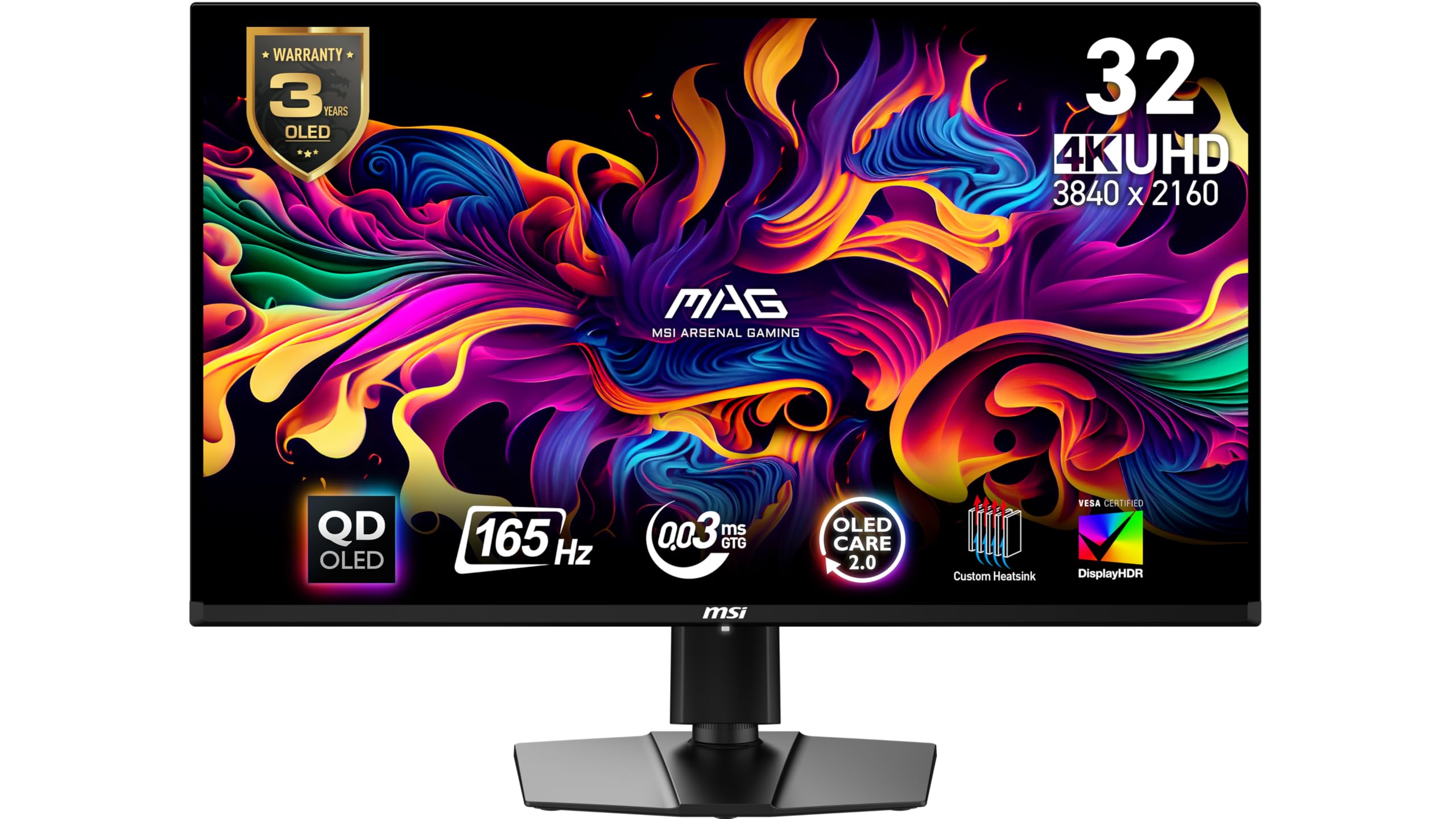
The MSI MPG 321URX delivers a vivid, fluid 4K gaming experience that matches the highest expectations for an OLED panel. Colors pop, blacks reach true darkness, and the 240Hz refresh rate keeps motion crisp across both competitive shooters and single-player epics. The 0.03ms response eliminates ghosting altogether, making it one of the fastest 4K monitors available without sacrificing detail.

Beyond the panel itself, the monitor integrates features that simplify daily use: a built-in KVM switch lets you control two PCs with one keyboard and mouse, while the 90W USB-C port charges a laptop and carries video simultaneously. OLED Care 2.0 runs pixel refresh routines automatically to mitigate burn-in risk, giving peace of mind for long gaming sessions. The generous connectivity (HDMI 2.1, DP 1.4a) covers current consoles and GPUs without adapters.

This monitor suits gamers who want a premium 4K OLED without compromises in refresh rate or feature completeness. The moderate 250-nit typical brightness means it performs best in rooms where direct sunlight doesn't hit the glossy screen — HDR highlights won't compete with a bright window, but in a controlled lighting setup the True Black 400 delivers impressive contrast. The lack of DisplayPort 2.1 is a limitation for early adopters of next-gen GPUs that support higher bandwidth, but for today's hardware DP 1.4a is fully sufficient.

The MPG 321URX also stands out for its consistent color reproduction out of the box; calibration reports show Delta E under 2, so creative professionals can rely on it for photo editing alongside gaming. The matte coating on the rear chassis keeps fins cool during extended use, and the stand offers tilt, swivel, and height adjustment with a clean cable management channel.

💡 Keep ambient lighting controlled to get the most out of the HDR performance.

Pros

  • Vivid QD-OLED colors with deep blacks and fast 0.03ms response
  • KVM switch and 90W USB-C charging reduce desk clutter
  • OLED Care 2.0 automates pixel refresh to reduce burn-in worry
  • 240Hz native refresh handles both competitive and cinematic gaming

Cons

  • 250-nit typical brightness looks subdued in sunlit rooms
  • Lacks DisplayPort 2.1
  • No built-in speakers
Our verdict

If you want the most complete 32-inch 4K OLED gaming package today — with fast refresh, KVM, high-watt USB-C, and a large base of satisfied owners — this MSI is the reference to compare others against.

Check Latest Price
2

Best Value

LG UltraGear 32GX850A

89 /100
Lab Score Excellent

Key details

Refresh
4K 165Hz / FHD 330Hz dual-mode
Warranty
Connectivity
HDMI 2.1, DP, headphone jack
Panel & Finish
32-inch WOLED Glossy
View on Amazon

The LG UltraGear 32GX850A stands out as the highest-rated glossy OLED gaming monitor in this set, combining a WOLED panel with deep blacks and vibrant colors that many call the best they’ve seen. Dual-mode lets you switch between 4K at 165Hz and Full HD at 330Hz, offering flexibility for both immersive single-player titles and faster competitive rounds — all at a price that undercuts most rivals with similar image quality.

Where the top pick (MSI MPG 321URX) offers a 240Hz native refresh, KVM, and 90W USB-C, the LG focuses on pure display performance and value. For competitive gamers who demand the highest refresh rates or integrated productivity features, the MSI is the stronger choice. But if your priority is jaw-dropping image quality and you’re willing to trade extra Hz and connectivity for a lower price, this LG delivers where it counts.

The glossy coating enhances contrast and color saturation — especially in controlled lighting — but also means reflections can be distracting in bright rooms. The monitor supports G-SYNC and FreeSync Premium Pro, with a 0.03ms response time that eliminates visible motion blur. Some units may exhibit minor flickering or gray banding in specific scenes, a known trait of WOLED panels that most users find negligible during gameplay.

💡 The monitor has no built-in speakers — plan for a headphone or external speaker setup.

Pros

  • Class-leading glossy OLED with deep blacks and rich, accurate colors
  • Dual-mode 4K 165Hz / FHD 330Hz adapts to different game genres smoothly
  • Strong build quality with full ergonomic adjustability (tilt, height, swivel, pivot)
  • Competitive pricing for a 32-inch 4K glossy OLED with this feature set

Cons

  • Minimal flickering or gray banding may appear in certain content
  • No built-in speakers
  • Native 165Hz refresh rate falls short of 240Hz options preferred by some competitive gamers
Our verdict

If you value image quality above all else and don’t need built-in speakers or the highest refresh rates, this glossy OLED delivers standout visuals at a fair price.

Check Latest Price
3

Best for High Refresh Rate

LG UltraGear 32GX870A

83 /100
Lab Score Excellent

Key details

Refresh
4K 240Hz / FHD 480Hz dual-mode
Warranty
Connectivity
DP2.1, USB-C, HDMI 2.1
Panel & Finish
32-inch OLED Matte
View on Amazon

The LG UltraGear 32GX870A pairs a native 4K 240Hz OLED with a one-button switch to 1080p 480Hz, giving competitive shooters a genuine speed edge. DisplayPort 2.1 enables full-bandwidth 4K 240Hz without compression, and the matte anti-glare coating preserves deep blacks and accurate colors even in bright rooms.

Switching resolutions takes less than a second, and the 480Hz mode delivers noticeably smoother motion in fast-paced titles like Valorant and Overwatch. The 0.03ms response time eliminates ghosting, while OLED blacks remain deep and uniform at any brightness.

This monitor targets competitive gamers who will actively toggle to 480Hz and need DP2.1 for future GPUs. The tradeoff: power supply or signal loss can occur in some units, so a generous return policy is advisable. For those who prioritize raw speed and maximum refresh rate over absolute reliability, the LG delivers what it promises.

💡 Refer to online community guides for detailed setup instructions, as the printed manual is sparse.

Pros

  • 4K 240Hz native with one-button switch to 480Hz FHD for competitive shooters.
  • Deep blacks and accurate colors with matte coating that reduces glare in bright rooms.
  • DisplayPort 2.1 and USB-C for future GPU compatibility.

Cons

  • Setup documentation is sparse; the printed manual provides minimal guidance.
  • Built-in webOS adds streaming apps that clutter the gaming interface.
Our verdict

The LG 32GX870A offers the highest dual-mode refresh rates in a 4K OLED, but its reliability variance means it's best suited for competitive gamers who value speed above all and can manage a return process if needed.

Check Latest Price
4

Best 27-Inch 4K

ASUS ROG Strix XG27UCDMG

87 /100
Lab Score Excellent

Key details

Refresh
240Hz
Warranty
3-year
Connectivity
DP 1.4, HDMI 2.1, USB-C 15W
Panel & Finish
26.5-inch QD-OLED Matte
View on Amazon

The ASUS ROG Strix XG27UCDMG delivers the sharpest desktop image among 4K OLEDs thanks to its 27-inch size and 3840x2160 resolution – a pixel density that makes text and fine details exceptionally crisp. The matte QD-OLED panel preserves deep blacks and vibrant colors while reducing reflections in bright rooms. With 240Hz refresh and 0.03ms response, motion clarity matches the top performers in this class, making this the reference for clarity among 4K gaming monitors.

Color accuracy and contrast earn consistent praise. SDR content looks rich and lifelike, and HDR with DisplayHDR True Black 400 produces meaningful highlight pop without blooming. The panel's 10-bit color depth ensures smooth gradients without banding. The 0.03ms response eliminates visible motion blur, making fast-paced shooters feel immediate and responsive.

This monitor suits competitive gamers who prioritize a compact desk footprint and maximum pixel density over immersive screen size. The 27-inch format may feel small for cinematic single-player titles or split-screen console use. Additionally, the Neo Proximity Sensor – intended to detect user presence – may not work as advertised, so buyers should not rely on that feature. For those who want a larger 4K OLED with better connectivity like DP2.1, the alternative with future-proof ports is worth considering.

💡 Keep the proximity sensor feature as a secondary convenience – manual power management offers more reliable control.

Pros

  • Exceptional pixel density on a 27-inch 4K panel
  • Excellent color accuracy and contrast with QD-OLED
  • Matte finish reduces reflections while maintaining OLED quality
  • 240Hz refresh and 0.03ms response for buttery-smooth motion

Cons

  • Neo Proximity Sensor may not function as advertised
  • Higher price per inch compared to larger 4K OLED monitors
Our verdict

For competitive gamers who value pixel density and a compact setup, the ASUS XG27UCDMG delivers unmatched sharpness – but the smaller size and unreliable proximity sensor steer it away from being a universal recommendation.

Check Latest Price
5

Best Curved OLED

MSI MAG 321CUP QD-OLED

86 /100
Lab Score Excellent

Key details

Refresh
165Hz
Warranty
3-year
Connectivity
HDMI 2.1, DP 1.4a, USB-C 15W
Panel & Finish
32-inch QD-OLED Curved Glossy
View on Amazon

The MSI MAG 321CUP offers a curved 4K QD-OLED experience that prioritizes immersion and value, standing apart from the flat, higher-refresh top pick. The 1700R curve wraps the 32-inch panel to create a more enveloping view for cinematic games, while the 165Hz refresh and 0.03ms response keep motion smooth. The price point undercuts most 4K OLEDs, making this a compelling option for those who want the QD-OLED visual signature without the premium.

This monitor fits best with gamers who spend most of their time in story-driven titles, open-world adventures, or console games where 4K visual fidelity matters more than raw frame rates. The 165Hz refresh is ample for these scenarios, though competitive players who demand 240Hz+ should look to the top pick. Bear in mind that some units have reported sleep/wake glitches - an occasional inconvenience that doesn't affect the panel's core performance.

The 1700R curvature is a matter of preference - it enhances depth perception in dark rooms but can be disorienting in brightly lit spaces or when sharing the screen. For those who want a flat panel, the tradeoff is clear: this monitor's curved design is a feature, not a flaw, for its intended audience.

💡 If sleep/wake issues occur, trying a different DisplayPort cable or disabling the monitor's power-saving mode can improve responsiveness.

Pros

  • Immersive curved 4K QD-OLED image quality with deep blacks and vibrant colors.
  • Excellent value for a curved 4K QD-OLED - premium pixel performance without the premium price.
  • Near-instant 0.03ms response time eliminates ghosting for smooth gameplay.

Cons

  • 1700R curve may not suit flat-screen purists or shared desk setups.
  • Sleep/wake behavior can be inconsistent - monitor may not wake or respond promptly.
Our verdict

For gamers seeking immersive single-player experiences on a budget, the MAG 321CUP offers strong value in a curved 4K OLED - just account for the occasional sleep quirk.

Check Latest Price
6

Best Connectivity

ASUS ROG Swift PG32UCDMR

86 /100
Lab Score Excellent

Key details

Refresh
240Hz
Warranty
3-year
Connectivity
DP2.1, HDMI 2.1, USB-C 90W
Panel & Finish
32-inch QD-OLED Matte
View on Amazon

DisplayPort 2.1 offers 80 Gbps bandwidth, enabling uncompressed 4K at 240Hz — a step ahead of the HDMI 2.1 and DP 1.4 used by most competitors. The 90W USB-C port powers a connected laptop over a single cable, making it a natural fit for hybrid gaming-and-work desks. This connectivity set is unique among 32-inch QD-OLED monitors at launch, positioning it for buyers who want the latest standards before they become mainstream.

This monitor targets tech enthusiasts and laptop users who prioritize maximum bandwidth and integrated charging over a smaller form factor. The 27-inch variant in the same lineup offers higher pixel density, but drops DP2.1 and reduces screen real estate — this 31.5-inch model gives you the full desktop workspace and uncompressed signal. Buyers who upgrade GPU generations frequently will appreciate the headroom.

The matte QD-OLED panel delivers the contrast and color saturation expected from OLED with a semi-gloss coating that suppresses reflections in bright rooms. DisplayHDR True Black 400 certification ensures consistent luminance across the screen, and the 0.03ms response time eliminates motion blur at 240Hz. This panel quality matches the top pick in perceived image quality, though the ASUS stands out for its connectivity.

Pros

  • DisplayPort 2.1 supports uncompressed 4K at 240Hz, future-proofing for next-gen GPUs.
  • 90W USB-C powers a laptop while transmitting video, reducing cable clutter.
  • Matte QD-OLED delivers deep blacks, wide color gamut, and effective reflection control.

Cons

No notable drawbacks to flag.

Our verdict

If DP2.1 and 90W USB-C are deal-makers, this is the only 32-inch QD-OLED that delivers both — ideal for early adopters building a high-bandwidth setup.

Check Latest Price
7

Budget OLED

ASUS ROG Strix XG32UCWG

81 /100
Lab Score Excellent

Key details

Refresh
4K 165Hz / FHD 330Hz dual-mode
Warranty
3-year burn-in coverage
Connectivity
USB-C, HDMI 2.1
Panel & Finish
32-inch WOLED Glossy
View on Amazon

The ASUS ROG Strix XG32UCWG delivers the deepest blacks and best contrast in this class thanks to its glossy WOLED panel, and the dual-mode switching between 4K@165Hz and FHD@330Hz makes it adaptable for both cinematic single-player and fast-paced competitive gaming. At this price point, it’s the only way to get a 4K OLED with that glossy pop. However, the savings come with a tradeoff: unit-to-unit quality control can vary, with some displays having dead pixels or random white flashes, and the Neo Proximity Sensor for automatic OLED care may not trigger dependably. This monitor is a strong fit for budget-minded buyers who prioritize image quality over guaranteed out-of-box perfection and are comfortable inspecting their unit immediately.

Pros

  • Exceptional black levels with glossy coating for immersive contrast
  • Dual-mode 4K@165Hz / FHD@330Hz for varied game genres
  • Competitive price for a 4K OLED with glossy finish

Cons

  • Some units may have dead pixels or random white flashes
  • Neo Proximity Sensor may not trigger reliably, affecting automated OLED care
Our verdict

Best suited for budget-focused gamers who value OLED contrast over guaranteed out-of-box perfection and can work around potential QC variances.

Check Latest Price
8

Glare-Free Gaming

Samsung Odyssey G81SF

82 /100
Lab Score Excellent

Key details

Refresh
240Hz
Warranty
3-year
Connectivity
HDMI 2.1, DP 1.4, USB-C
Panel & Finish
32-inch QD-OLED Matte
View on Amazon

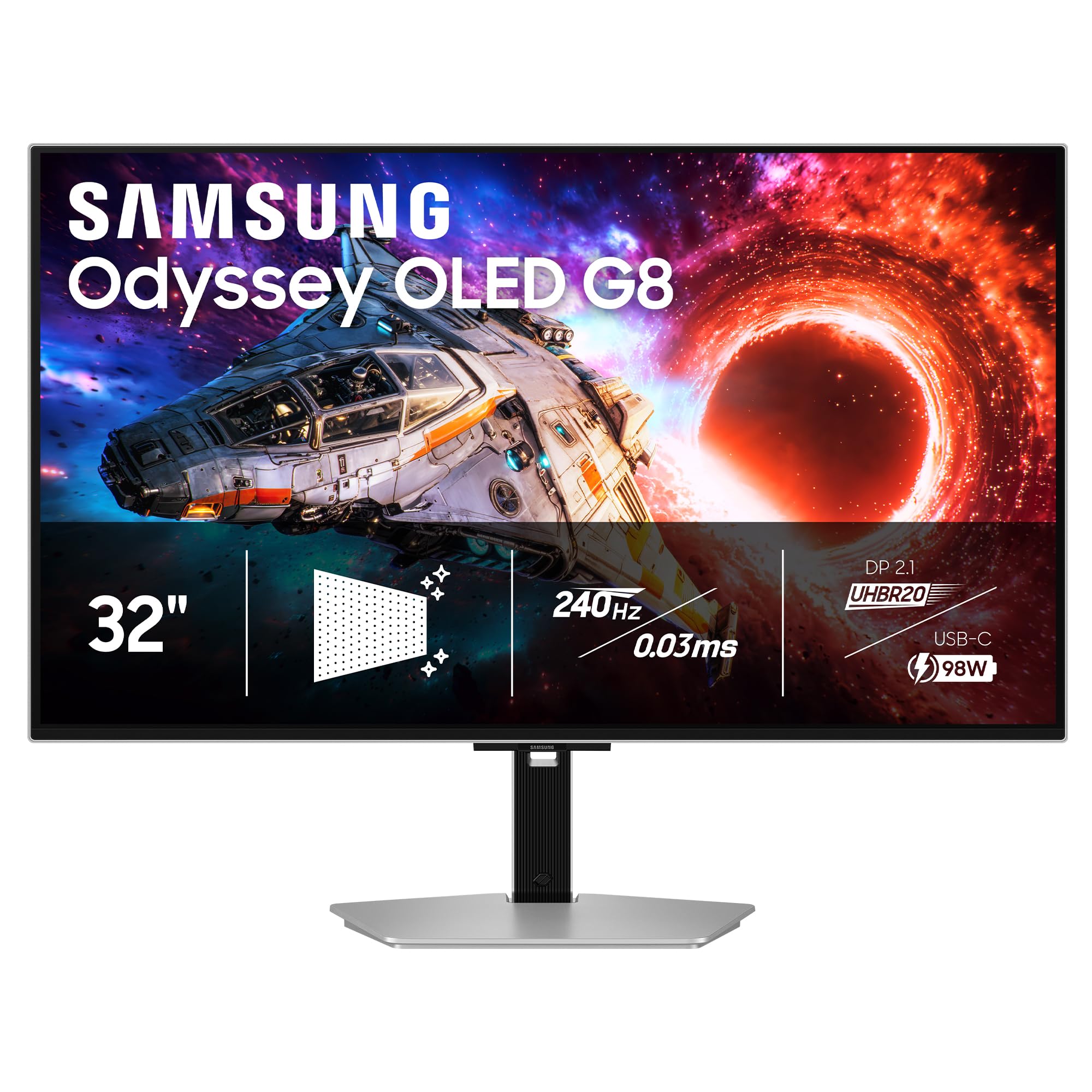
The Samsung Odyssey G81SF delivers vivid 4K HDR with sharp text and exceptional glare control, making it one of the best options for bright-room gaming. However, color accuracy out of the box may require manual adjustment, and long-term durability — particularly the built-in speakers and menu button — has been noted as a concern. These issues prevent it from being a broader recommendation, but for those who prioritize reflections reduction and 240Hz speed, it is a capable choice.

Pros

  • Excellent HDR with vivid colors and sharp 4K detail
  • Robust anti-glare coating effectively reduces reflections in bright rooms

Cons

  • Color accuracy out of the box can be off, requiring manual calibration
  • Built-in speakers and menu button can deteriorate over time, especially with frequent use
Our verdict

For bright-room gamers who value anti-glare and 240Hz over out-of-box color accuracy or built-in audio, this Odyssey delivers impressive visuals.

Check Latest Price

How to Choose

Refresh Rate

Higher refresh rates reduce motion blur and allow smoother gameplay, but the difference between 165Hz and 240Hz is more noticeable in fast-paced shooters than in story-driven games. Dual-mode monitors let you switch to a lower resolution for even higher frame rates — a genuine advantage for competitive gamers.

Panel Type and Finish

QD-OLED panels offer wider color gamut and higher brightness, while WOLED panels have slightly better black levels. Glossy coatings enhance contrast and color pop in dim rooms but reflect light; matte coatings reduce glare at the cost of a subtle haze.

Choose glossy for controlled lighting and maximum contrast; choose matte if your desk faces a window or overhead lights are unavoidable.

Peak Brightness and HDR

OLED peak brightness (250-275 nits typical) is lower than high-end LCDs, limiting HDR impact in bright rooms. Look for DisplayHDR True Black 400 certification, which ensures good contrast even at these levels.

Connectivity

HDMI 2.1 and DP 1.4a are standard for 4K at 240Hz. DP 2.1 offers higher bandwidth for uncompressed signals and future GPU compatibility. USB-C power delivery (15W to 90W) allows single-cable laptop setups.

Warranty and Burn-In Coverage

OLED burn-in is a long-term risk, especially with static HUD elements. A 3-year warranty that explicitly covers burn-in is essential for peace of mind. Some brands like MSI and ASUS offer this, while others may only provide standard 2-year coverage.

Frequently Asked Questions