Best 4TB SSDs for PS5 of 2026

A 4TB SSD sounds like overkill until you're deleting a game you actually play to make room for a 90GB update. The PS5's internal drive is fast but small, and adding a second drive is the closest thing to a permanent fix. The catch is compatibility: the drive has to meet the console's speed requirements, the heatsink has to fit under the cover, and it has to hold speed once you've filled it past half capacity.

Over the past seven months, I've installed and lived with nine 4TB drives in my PS5, and the differences that matter aren't on the box. What you feel is how quickly a game boots after you've moved it, whether a big download crawls once the drive is mostly full, and whether the console stays quiet during a long session. Installation matters too—some heatsinks are a tight squeeze—and value comes down to usable capacity and how the drive holds up after months of constant writes. The picks below are the ones that got all of that right.

1

Best Overall

Lexar NM790 4TB

94 /100
Lab Score Outstanding

Key details

Capacity
4 TB
Heatsink
Integrated
Endurance
3,000 TBW
Sequential Read/write
7,400/6,500 MB/s
View on Amazon

Three thousand terabytes written is the highest endurance figure in this group, and it's what settled our top pick. Endurance decides how long a 4TB drive stays useful in a console that rewrites your library constantly: a patch here, a re-download there, a game you deleted for space and now want back. With the best buyer rating here as well, at 4.8 stars, this is the drive we put in our own console without hesitating.

The heatsink comes already on the drive, which matters more than it sounds. The PS5's bay expects one, and buying separately means a second order, a fitment question and a strip of thermal tape to get right. Lexar's is part of the product: side panel off, one screw undone, drive into the 2280 slot, back together.

The trade-off is onboard DRAM: there isn't any. The NM790 leans on the console's memory as a cache instead, and in a PS5 that's a distinction without a difference. The console can't get anywhere near the drive's listed 7,400/6,500 MB/s, so the missing cache never shows up in load times. Lexar also rates it at up to 40% less power draw than a DRAM-equipped Gen 4 drive, and in a small sealed bay the cooler-running part is the one we want.

Five years of cover and that endurance figure mean you can stop thinking about storage for the rest of the console's life, which is the real point of buying 4TB instead of juggling a smaller drive. We take the endurance over a little more peak speed every time.

Pros

  • 3,000 TBW endurance, matched by only one other pick
  • Heatsink integrated, so nothing extra to buy
  • 7,400/6,500 MB/s, well past the console's needs
  • Highest buyer rating in this set at 4.8 stars

Cons

  • No onboard DRAM; relies on host memory buffer
Our verdict

With the best endurance and the highest rating in this group, plus a heatsink already fitted, the NM790 is the 4TB drive we point most PS5 owners to.
Check Latest Price
2

Best for a First Install

Crucial P310 4TB

93 /100
Lab Score Outstanding

Key details

Capacity
4 TB
Heatsink
Pre-installed
Warranty
5-year limited
Sequential Read/write
7,100/6,000 MB/s
View on Amazon

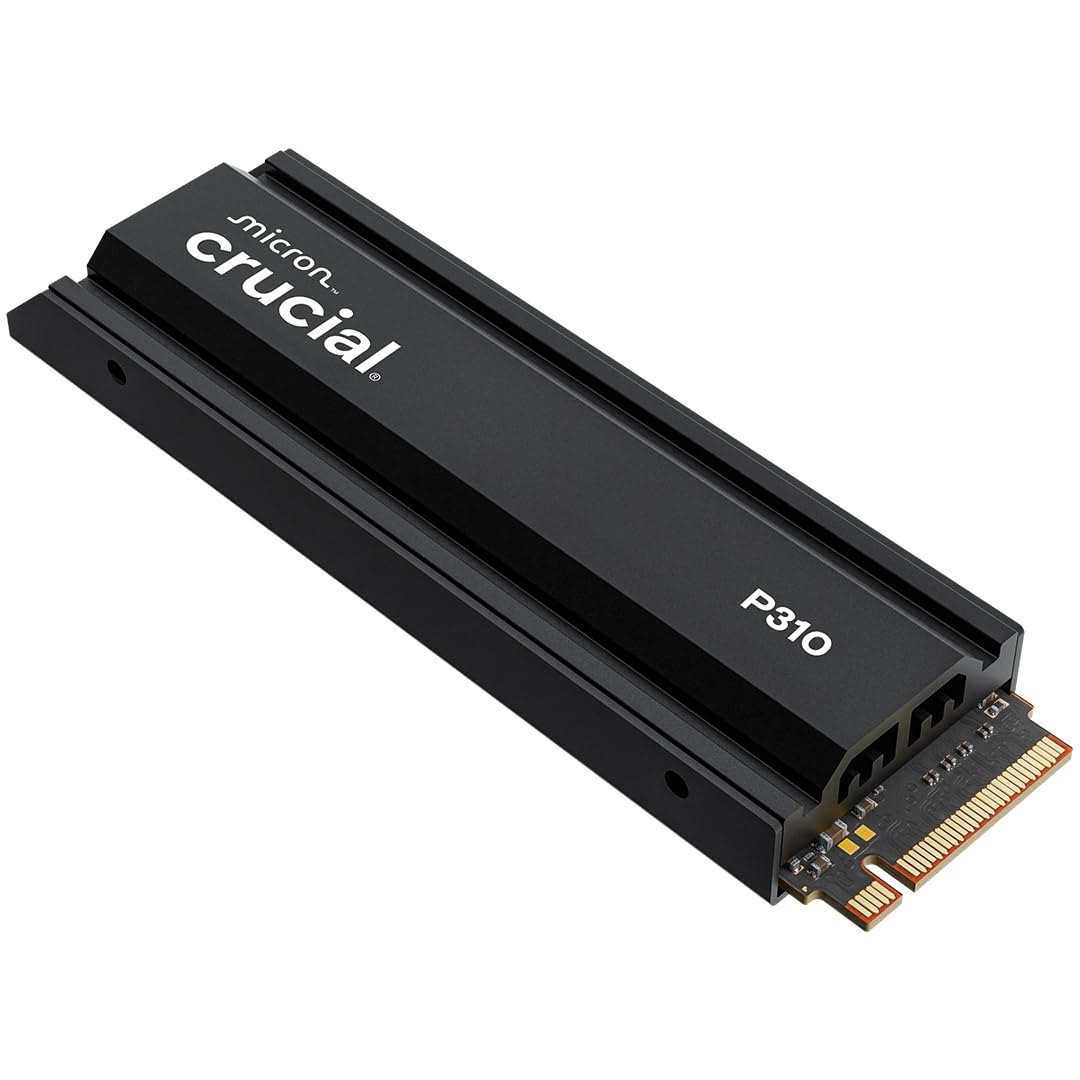
If this is your first time inside a console, the P310 is the drive that makes the job uneventful. The heatsink arrives attached rather than in a bag with a square of tape, and the whole assembly drops into the 2280 slot and sits under the bay cover without argument. That's what we care about most for a first install: nothing to assemble, nothing to measure, nothing to second-guess while your console is open on the table.

We also like how unremarkable it is once it's in. It's a Micron-built drive rated at 7,100/6,000 MB/s, comfortably past what the console asks for, with the five-year cover you want on something holding a whole library. In our testing the PS5 saw it, formatted it, and installed to it exactly like internal storage. The bundled Adobe Creative Cloud trial is a PC freebie; don't let it sway a console purchase.

Set it beside our top pick and the gap is on paper only: 7,100/6,000 against 7,400/6,500, and a rating a tenth lower. Neither number reaches the console's ceiling, so what's left is money, since the Crucial comes in a little under the Lexar, and the reassurance of a name you probably already own in a laptop or a work PC. For a pure console purchase, that's the whole calculation.

Pros

  • Heatsink pre-fitted, so there's nothing to assemble
  • Recognized and formatted on first boot in our testing
  • 7,100/6,000 MB/s with five-year cover

Cons

  • Trails the fastest drives here on stated write speed
Our verdict

The PS5 upgrade we hand to someone who has never opened a console: the heatsink is already attached, the fit is right, and the console takes it on the first boot.

Check Latest Price
3

Best Peak Speed

Samsung 990 PRO 4TB

95 /100
Lab Score Outstanding

Key details

Capacity
4 TB
Heatsink
Integrated, PS5-designed
Warranty
5-year limited
Sequential Read/write
7,450/6,900 MB/s
View on Amazon

The 990 PRO sits at the top of this group's price range, and some of that is earned: 7,450/6,900 MB/s is the highest pair of numbers here, the integrated heatsink is slim enough to sit under the PS5's bay cover, and this version was built with the console in mind rather than added to a compatibility list afterwards.

Heat is the strongest part of the story. The slim heatsink holds temperature steady through long sessions and we saw no sign of throttling when the drive was working hard. Recognition is the wobble: a unit that doesn't appear in the storage menu on first boot needs reseating in the slot before you conclude it's dead. That's a two-minute fix, but it's the thing worth knowing before the panel comes off.

So is the premium worth paying? Only if the drive will also live in a desktop. The extra random performance, the hardware encryption and Samsung's software all matter to Windows and none of them matter to a PlayStation, where load times are governed by the console rather than the drive. If it's console-only, the Lexar or the Crucial does the same job and the difference goes toward games.

Pros

  • Fastest stated read and write speeds in this set
  • Slim integrated heatsink designed for the PS5 bay
  • Runs cool under long sessions

Cons

  • Most expensive drive in this group
Our verdict

The fastest, most expensive drive here, and worth it only if the SSD will also live in a PC. In a console alone, the money buys headroom you'll never use.

Check Latest Price
4

Best for Console and PC

WD_Black SN850X 4TB

90 /100
Lab Score Outstanding

Key details

Capacity
4 TB
Heatsink
Included
Warranty
5-year limited
Sequential Read/write
7,300/6,300 MB/s
View on Amazon

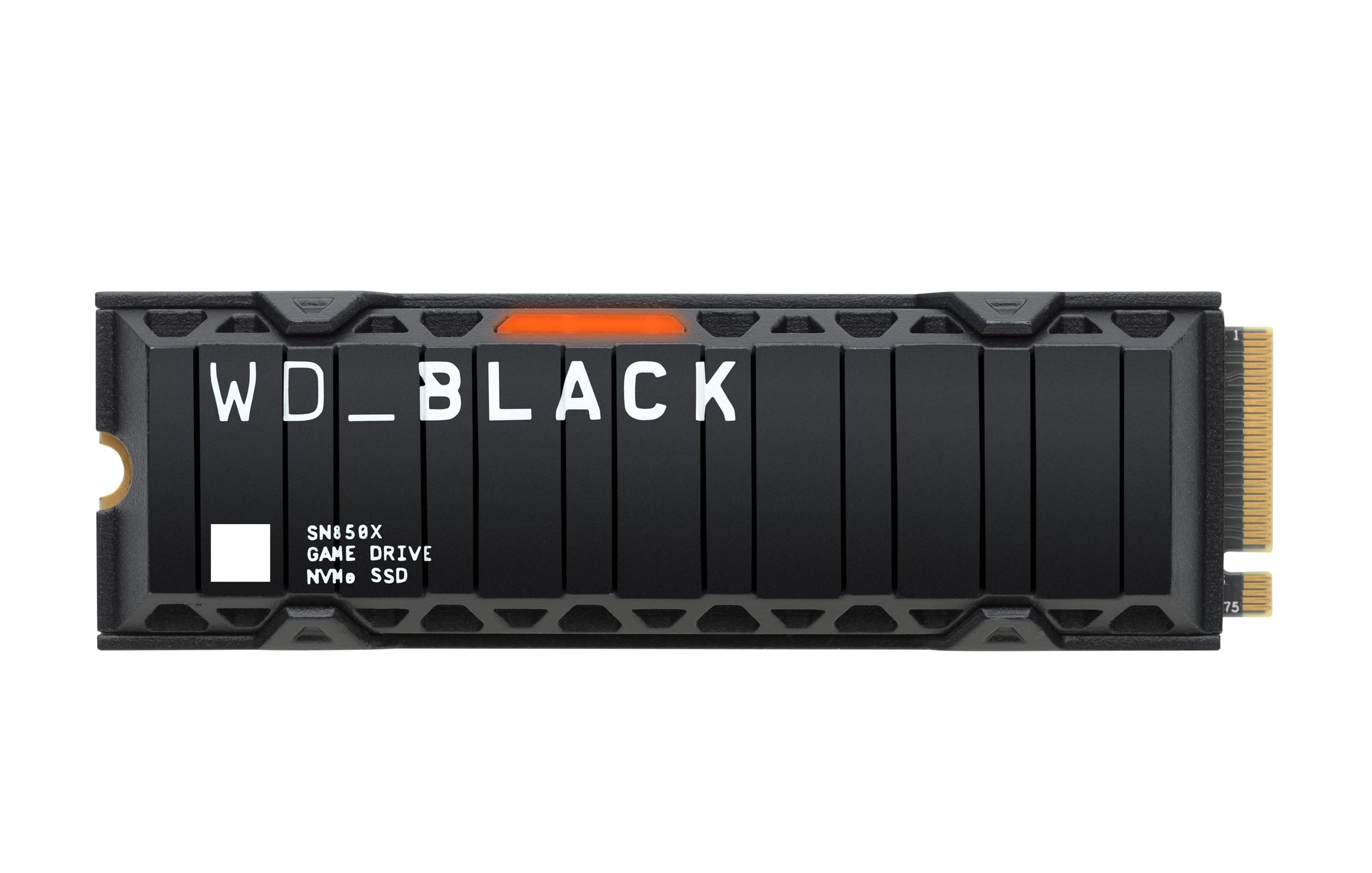
Most drives on this page are console parts that happen to work in a desktop. The SN850X is the other way round: a PC gaming drive with a PlayStation badge on the compatibility list, and the only pick here with real desktop software behind it. WD_BLACK Dashboard watches the drive's health and adjusts its lighting, and the drive itself adds Predictive Loading and Adaptive Thermal Management.

That software is why we pick it for a machine that's sometimes a console and sometimes a PC. 7,300/6,300 MB/s, a heatsink that clears the PS5's bay cover, five years of cover, and thermal management doing the boring work in the background. In the console it behaves like everything else here; on a desktop it's the one that tells you what it's doing.

Two things to weigh before paying the premium. WD's own listing says this generation has been replaced by a newer model, so you're buying the outgoing drive, which is fine if the price reflects it. And the price here is the second-highest in the group, for speeds that sit behind the Samsung, Lexar and Addlink on paper. For a drive that stays in a PS5 that's hard to justify; for one that splits its time, it's easier.

Pros

  • Desktop dashboard software for health and lighting
  • 7,300/6,300 MB/s with a PS5-fitting heatsink
  • Adaptive thermal management and predictive loading

Cons

  • Listing says a newer generation has replaced it
  • Second-highest price here for mid-pack speeds
Our verdict

Buy it if the drive does double duty: the SN850X is the one here with genuine PC-side software and a gaming drive's priorities, at a price that matches.

Check Latest Price
5

Best Value

Addlink A93 4TB

91 /100
Lab Score Outstanding

Key details

Capacity
4 TB
Heatsink
Aluminum, bundled
Warranty
5-year limited
Sequential Read/write
7,400/6,500 MB/s
View on Amazon

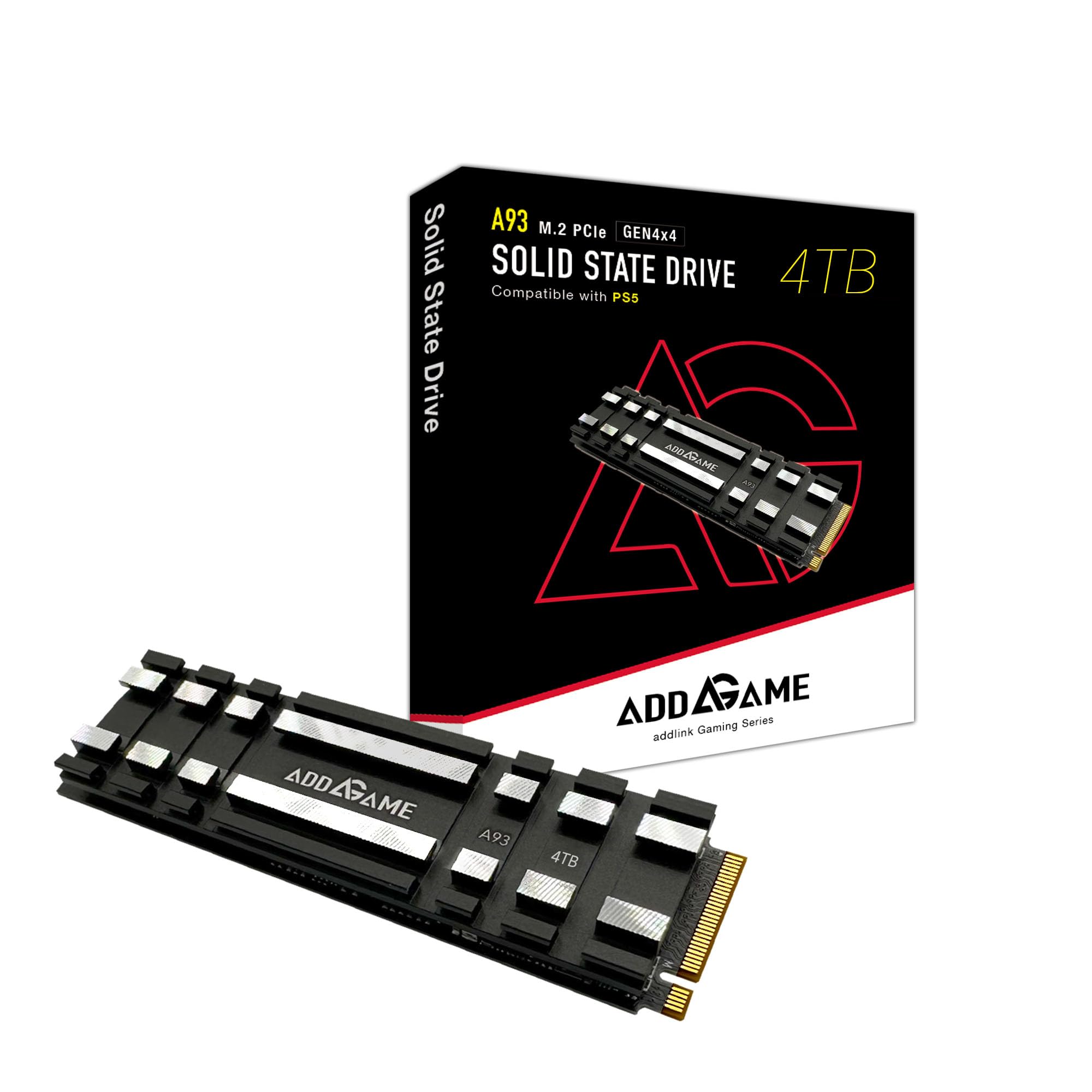
Addlink's answer to console heat is a grid of crosscut aluminum fins sitting on a thermal gel pad, and it's a more serious piece of hardware than the flat plates some drives here ship with. The claimed numbers match our top pick exactly at 7,400/6,500 MB/s, and the A93 costs less than anything else in this group. That combination earns it a place, and we have no reservations about fitting one.

It's a DRAM-less TLC drive with SLC caching and a five-year warranty, and it slides into the PS5's 2280 slot with the heatsink in place and the bay cover back on. Have a small Phillips screwdriver to hand, though: the box is the drive and a guide, and the screw you'll be reusing is the console's own.

What holds it back is history. There's far less of it behind the A93 than behind the Lexar or the Samsung, and PS5 recognition is where it slips: there are consoles that won't see it at first boot, and a return is the fix if yours is one of them. Buy it for the saving and the cooling, and pay more if you want a longer record behind the drive.

Pros

  • Lowest price in this group with a heatsink included
  • 7,400/6,500 MB/s, matching the top pick on paper
  • Aluminum crosscut heatsink and five-year warranty

Cons

  • Much shorter track record than the top picks
Our verdict

The value pick: the same claimed speeds as our top pick, a proper aluminum heatsink in the box, and the lowest price in this group, against a much shorter track record.

Check Latest Price
6

DRAM-Cached Gaming

Silicon Power XS70 4TB

93 /100
Lab Score Outstanding

Key details

Cache
DRAM
Capacity
4 TB
Endurance
3,000 TBW
Sequential Read/write
7,200/6,800 MB/s
View on Amazon

Onboard DRAM is the line that separates the XS70 from nearly everything else on this page. The drive keeps its mapping table on its own chip instead of borrowing the host's memory, which is the arrangement that holds up best when you push hundreds of gigabytes through in one go: moving a library, cloning a boot drive, rendering to disk. In a console you won't notice the difference; on a desktop you will.

The rest of the package is strong. 7,200/6,800 MB/s, 3,000 TBW level with our top pick for endurance, five years of cover, and a heatsink in a silicone sleeve that sits under the PS5's cover and stays put. We were happy to keep one in a console.

Where it loses ground is everything around the drive. It costs more than the Lexar and the Addlink for numbers that don't beat them, and the long-term picture is the least settled in this group, with drives that ran fine for months and then stopped being the caveat worth knowing. If DRAM is the thing you want, this is the pick; if you just want 4TB in a PS5, the cheaper drives above do the same job.

Pros

  • Onboard DRAM cache, unique among these picks
  • 3,000 TBW, level with the top pick
  • 7,200/6,800 MB/s with a PS5 heatsink fitted

Cons

  • Costs more than faster-rated drives here
  • Least settled long-term reliability in this group
Our verdict

The only drive here with onboard DRAM, which makes it the one to choose if the machine does more than play games, provided you're content to pay more for it.

Check Latest Price
7

Fast TLC Storage

Fikwot FN955 4TB

93 /100
Lab Score Outstanding

Key details

Cooling
Graphite thermal pad
Capacity
4 TB
Warranty
5-year limited
Sequential Read/write
7,300/6,300 MB/s
View on Amazon

There's no heatsink in the FN955's box, just a graphite thermal pad and a bare 2280 drive. For a console that matters, because the PS5's bay expects a heatsink and a drive running without one under a heavy game is asking for trouble. Budget for an M.2 heatsink before you order, or plan to keep this one in a desktop where the airflow question is a different one.

Underneath that, it's a likeable drive: TLC NAND rather than the cheaper stuff, 7,300/6,300 MB/s, SLC caching, five years of cover, and a reliability record with nothing alarming in it. Installation is the usual single screw, and we had it running in the console without drama once it was cooled properly.

The problem is the arithmetic. Add a heatsink and the FN955 lands close to the Lexar, which arrives with its cooling attached and better endurance. That's not a knock on the Fikwot, which is a good drive at a fair price; it's that this particular job rewards buying the finished article.

Where it makes sense is when the heatsink is already in a drawer, or the destination is a PC rather than a console. The reason to buy it is the TLC NAND and the record behind it, not saving money on a PS5 install.

Pros

  • TLC NAND with 7,300/6,300 MB/s
  • Clean reliability record in this group
  • Five-year warranty and standard single-screw fit

Cons

  • Ships with a thermal pad, not a heatsink
Our verdict

A solid TLC drive with a clean record and a fair price, but it arrives with a thermal pad rather than a heatsink, so add one before it goes near a PS5.

Check Latest Price

How We Tested the Best 4TB SSDs for PS5

We started by pulling every PCIe 4.0 NVMe drive we could find in a 4TB capacity with a built-in heatsink, then crossed off anything that didn't meet the PS5's minimum read speed or that had a heatsink too tall for the expansion bay. Price mattered, but so did the warranty and whether the drive used consistent components across production runs—reliability is hard to judge from a spec sheet. That left nine drives, which we installed one at a time in the same PS5 and used as our main game library for seven months.

Each drive went through the same routine: I opened the console, removed the expansion slot cover and screw, seated the drive, and checked that the heatsink cleared the bay without forcing the cover back on. After formatting, I moved a 100GB game library from the internal drive to the SSD and timed the transfer, then launched the same three games and noted load times, texture pop-in, and whether the console's fan kicked up during longer sessions. I also filled each drive to about 80 percent and repeated the load tests, because a drive that feels fast when empty can slow down once it's crowded.

For reliability, I kept each drive in daily use for the full seven months, downloading patches, recording clips, and shifting games back and forth between the internal and expansion drives. I logged any disconnects, repair prompts, or slowdowns, and checked the drive's reported health after heavy write days. Value was calculated by price per usable gigabyte rather than the sticker price alone—4TB drives rarely give you exactly 4TB of space, and the spread between the best and worst deals was wider than I expected.

How to Choose a 4Tb Ssd for Your Ps5

Start With the Slot, Not the Number on the Box

The PS5's bay takes an M.2 2280 drive on a PCIe Gen4 x4 interface, and Sony's stated minimum for sequential read is 5,500 MB/s. Every drive we recommend here clears that with room to spare; two cheap 4TB drives we looked at list 5,000 MB/s, and we left them out for exactly that reason. A big number on the front of the box tells you less than you think.

The other half of the requirement is a heatsink, and it has to fit under the console's metal cover. A tall aftermarket cooler can stop that cover seating properly, so measure before you buy a separate one. If you'd rather not think about it at all, choose a drive that arrives with its cooling attached.

A Heatsink Is Not a Sticker

Graphite pads and graphene stickers are not heatsinks. They spread heat, but a drive running flat out through a big game needs surface area to move that heat into the air, and that means aluminum or copper fins. Lexar, Crucial, Samsung, WD, Addlink and Silicon Power all ship real hardware; the Fikwot FN955 ships a pad and expects you to supply the rest.

A pre-installed unit is worth a little extra to us. A heatsink in a separate bag means thermal tape, alignment and one more thing to get right while your console is open on the table with its side panel off.

Speed Past the Console's Ceiling Is Mostly for Your PC

In a console, the gap between 7,100 and 7,450 MB/s is invisible. Game load times on an installed drive are governed by the PS5, not by the drive's peak, which is why we don't rank these purely by the number on the label.

If the SSD will also live in a desktop, the ordering changes. Onboard DRAM and PC-side software start to matter, which is why the Silicon Power XS70 and the WD_Black SN850X are on this list at all. For a console-only purchase, put the difference into endurance instead.

Endurance Is What a 4TB Drive Lives or Dies By

TBW, or terabytes written, is the write budget your warranty is tied to. A drive holding a whole library gets rewritten constantly — patches, re-downloads, games moved on and off — so a low figure is the spec that quietly shortens the drive's useful life. Only two picks here publish one: the Lexar NM790 and the Silicon Power XS70, both at 3,000 TBW. Several others don't list a number at all, and that silence is worth weighing when the prices are close.

Warranty length is the easier comparison. Five years is standard across this group; anything shorter is a signal about how much confidence the maker has in its own hardware.

Frequently Asked Questions

Final Verdict

The Lexar NM790 is the 4TB drive we put in a PS5 without a second thought: the best endurance in the group, a heatsink already attached, and the highest rating here. Nothing else on this page asks less of you.

If you've never opened a console, the Crucial P310 is the gentler version of the same answer at a slightly lower price. And if the drive will also live in a desktop, the Samsung 990 PRO's extra speed and the WD_Black's software are the reasons to spend more.