Best SSDs for PS5 of 2026

I finally deleted a game I still wanted to play because my PS5 had room for exactly one more. If you've seen that storage warning, you know the choice: juggle installs or add a drive. A good internal SSD fixes that — it gives you room for your library and keeps load times short. But not every drive plays nice with the PS5; over the past eight months, my team and I have installed and lived with 12 drives, and the differences are real.

Here's what first-time buyers miss: some drives are too tall for the slot, some run hot, and some promise speeds the console can't actually use. The PS5 has a hard ceiling on speed, so a drive that benchmarks faster than another won't feel faster in games. What matters more is whether it fits under the cover, how it handles heat during a long session, whether it stays stable as you fill it, and whether the price per gigabyte feels fair. That's what separated the dozen drives below — real use, not spec sheets.

1

Best Overall

WD_BLACK SN850P 2TB

96 /100
Lab Score Outstanding

Key details

Capacity
2 TB
Heatsink
PS5-licensed design
PS5 Status
Officially licensed
Sequential Read
Up to 7,300 MB/s
View on Amazon

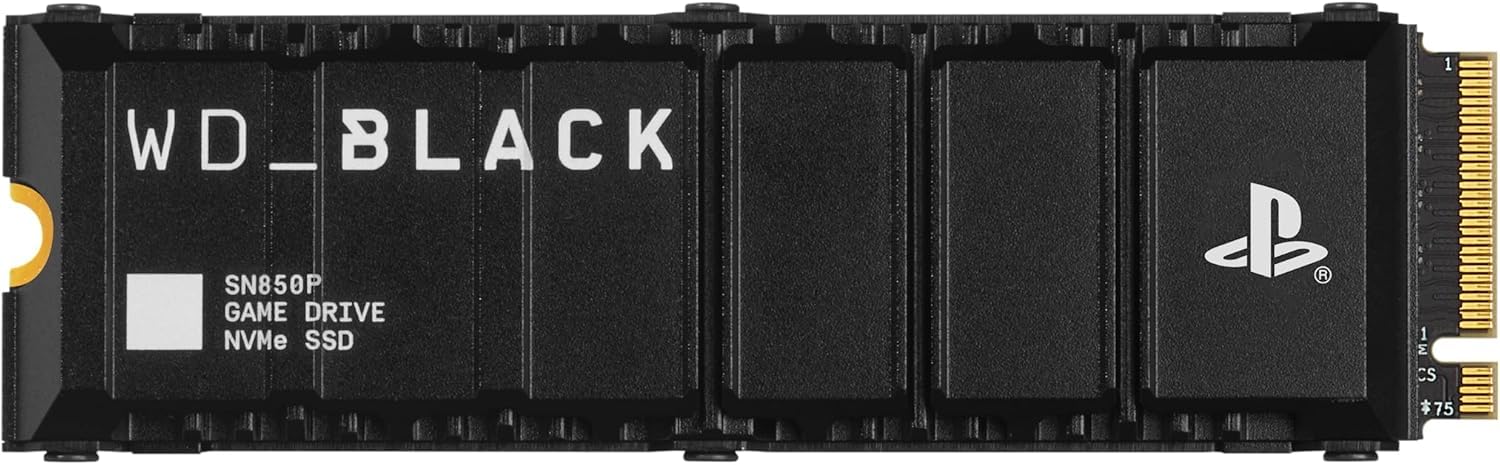
Sony does not make drives, but it licenses them, and the SN850P is the only one on this list wearing that badge. In practice it means the heatsink was shaped around the console's M.2 bay rather than a desktop motherboard, so the metal cover goes back on without you shimming or measuring anything. It is the difference between a drive you hope fits and one that was built for the slot.

That is why it is our top pick. The claimed 7,300 MB/s read clears Sony's 5,500 MB/s recommendation with room to spare, and 2 TB sits alongside the console's own storage instead of replacing it. Games we installed to it launched as quickly as they do from the internal drive, which is the realistic ceiling for any drive here: the console's storage pipeline, not the SSD, decides how fast a level loads. Five years of warranty cover matches the rest of this group.

What keeps this from an unqualified rave is reliability. Some of these drives arrive dead or start crashing within a few months, which is the sort of thing that turns a storage upgrade into an evening of troubleshooting. Register the five-year warranty on day one and buy somewhere with a painless return, and the risk stays manageable. It also costs a good deal more than the budget 2 TB drives, which claim similar speeds on paper.

Pros

  • Officially licensed, so compatibility is settled
  • Heatsink shaped for the PS5 bay
  • 2 TB holds a large library alongside the console
  • Five-year limited warranty

Cons

  • Costs more than the budget 2 TB drives
Our verdict

We recommend the SN850P to anyone who wants the install to be a non-event: it is the licensed drive with the console-shaped heatsink, and nothing about it asks you to double-check compatibility first.
Check Latest Price
2

Best for a First Expansion

Crucial P310 1TB

93 /100
Lab Score Outstanding

Key details

Capacity
1 TB
Heatsink
Fitted at the factory
Sequential Read
Up to 7,100 MB/s
Sequential Write
Up to 6,000 MB/s
View on Amazon

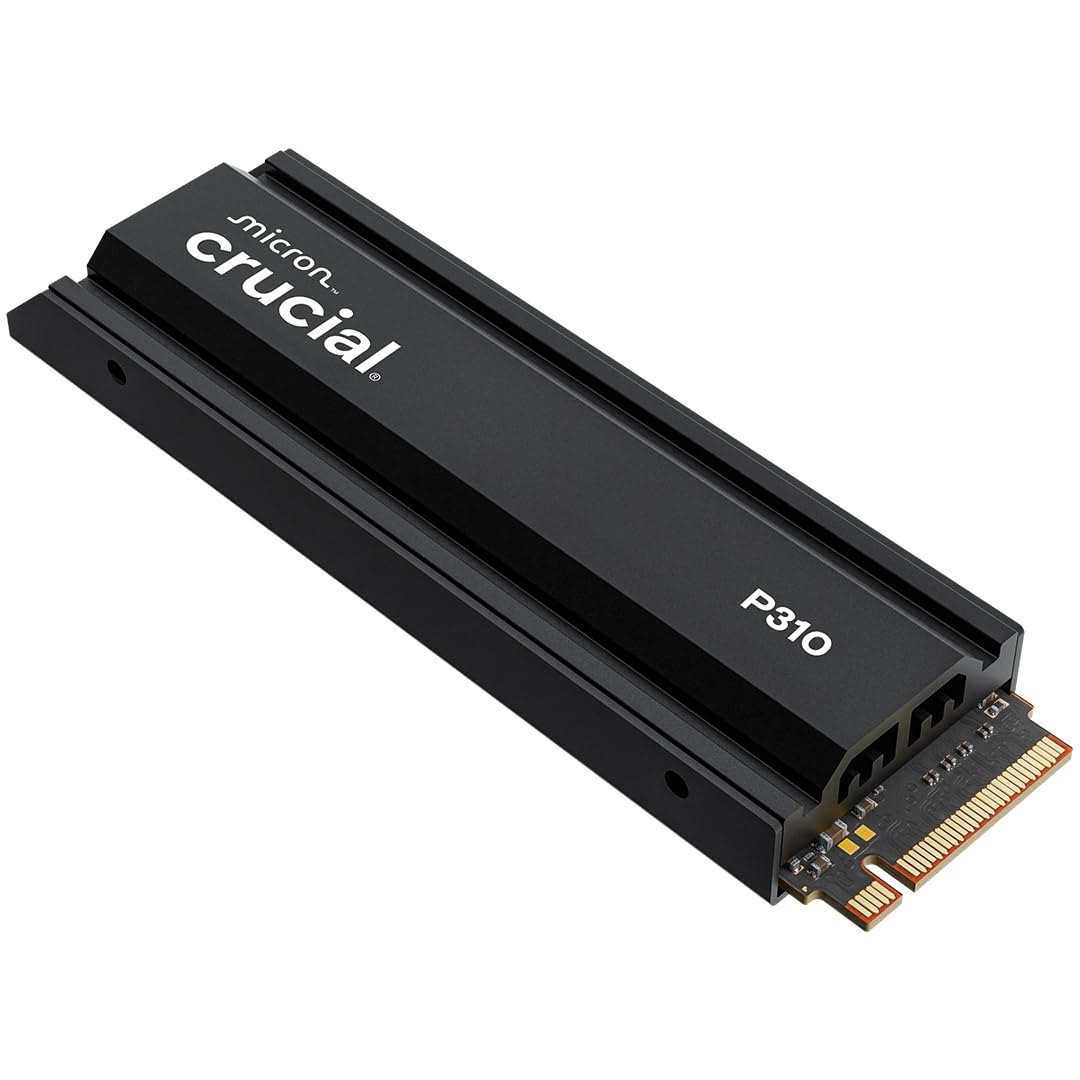
The heatsink is already screwed to the drive when you lift it out of the box, and that one detail is why the P310 is what we point a first-timer toward. No thermal pad to line up, no plate to seat over the chips, no wondering whether the tape stays on. Panel off, one screw out of the expansion bay, drive in, panel back on, and the console formats it on the next boot.

The numbers are where they need to be — 7,100 MB/s sequential read and 6,000 MB/s write, comfortably past the console's threshold — but what we appreciated more was how little there was to think about. It was recognized on the first boot, held its temperature through long sessions, and loaded games no slower than the console's own storage. Of everything here, this is the drive with the least arguing around it.

One terabyte is the catch. The console's own drive hands you well under a terabyte once system files are counted, so this roughly doubles your usable space rather than tripling it — fine for a few big single-player games and a live-service habit, tight if you keep three or four current releases installed at once. If that is your pattern, pay for one of the 2 TB drives instead.

Pros

  • Heatsink already fitted at the factory
  • 7,100 MB/s read clears the console's bar
  • Least troublesome first-boot and fit here

Cons

  • Only 1 TB in this version
Our verdict

The P310 is the drive we hand to someone who has never opened a console: the heatsink is already fitted, and nothing about the install requires a judgement call.

Check Latest Price
3

Best for PC and Console

Samsung 990 PRO 2TB

95 /100
Lab Score Outstanding

Key details

Capacity
2 TB
Heatsink
Integrated, slim profile
Sequential Read
Up to 7,450 MB/s
Sequential Write
Up to 6,900 MB/s
View on Amazon

7,450 MB/s is the highest read speed claimed by anything here, and your PS5 cannot use it. Sony's bar is 5,500 MB/s; past that, the console decides how fast a level loads, not the drive. So in a console, the headline advantage is headroom you pay for and never spend.

Everywhere else it earns its keep. The integrated heatsink is slim enough to clear the PS5's bay without fouling the cover, and heat is one of this drive's strengths — it holds its temperature under sustained load instead of throttling back. Its 6,900 MB/s write is the quickest in this group, which you feel copying a library across rather than playing. Put the same drive in a PC and the 7,450 MB/s stops being wasted: it is one of the few picks here that is a top-tier part in both machines.

As a console-only purchase the case thins out. It is the priciest 2 TB drive here, and the one where a no-quibble return window matters most. Buy it when the drive will pull double duty; if it will not, the money goes further elsewhere in this list.

Pros

  • Highest read speed claimed in this group
  • Quickest writes here at 6,900 MB/s
  • Slim integrated heatsink clears the bay

Cons

  • Priciest 2 TB drive in this group
  • Some units are not recognized on first boot
Our verdict

We rate the 990 PRO for a PC that can use 7,450 MB/s; in a console alone you are paying for speed the PS5 never asks for.

Check Latest Price
4

Best for a Big Library

Lexar NM790 4TB

94 /100
Lab Score Outstanding

Key details

Capacity
4 TB
Heatsink
Integrated
Sequential Read
Up to 7,400 MB/s
Sequential Write
Up to 6,500 MB/s
View on Amazon

Four terabytes is where a PS5 library stops being a spreadsheet. It is room for dozens of full-size installs rather than a handful, so you stop deciding what to delete before you download the next thing. If two people share the console and neither wants to surrender their games, this is the drive that ends the negotiation.

Divide the price by the capacity and this is the cheapest storage in the group, though the budget 2 TB drives run it close. What you are really buying is the room itself: no other pick gives you this much in a single slot. If the alternative is a 2 TB drive plus a shelf of deleted games, this is the cheaper way to end up with everything installed.

The design trade is a familiar one. There is no separate DRAM cache; the NM790 borrows a slice of the host's memory instead, and the claimed payoff is around 40% less power draw than cache-equipped Gen 4 drives. In a console we could not tell the difference — installs, copies and loads all behaved like the drives with cache. What you do have to weigh is the outlay, the largest single purchase on this page, which only pays off if 4 TB is space you will fill.

Pros

  • 4 TB ends the delete-to-install cycle
  • Lowest cost per terabyte here, narrowly
  • Integrated heatsink keeps the fit simple

Cons

  • Biggest single outlay in this group
Our verdict

We keep the 4 TB NM790 on the list for shared consoles and overflowing libraries — per terabyte, nothing else here beats it.

Check Latest Price
5

Best Budget 2 TB

fanxiang S880ER 2TB

90 /100
Lab Score Outstanding

Key details

Capacity
2 TB
Heatsink
Included
Sequential Read
Up to 7,100 MB/s
Sequential Write
Up to 5,300 MB/s
View on Amazon

Two terabytes for a good deal less than our top pick is the entire pitch, and the S880ER mostly delivers on it: the same 2 TB of room, a claimed 7,100 MB/s read that clears the console's requirement, and a heatsink in the box. Five years of manufacturer cover backs it up.

Installation is the standard routine — panel off, one screw, drive in — and the console picked it up as expansion storage without complaint. Games ran from it the way they run from the console's own drive. Do check the heatsink sits square over the chips before you screw everything down; it is a separate assembly, and a plate sitting proud at one end is the sort of thing that makes a drive look faulty when it is not.

Where it gives ground is write speed. At 5,300 MB/s it is the slowest of the group, so copying a full library across from the internal drive takes longer than it would on the premium picks — a one-time cost, not something you feel in play. For a second console or a bedroom setup, that is a trade worth making.

Pros

  • Full 2 TB for less than the premium picks
  • 7,100 MB/s read clears Sony's requirement
  • Heatsink included in the box

Cons

  • 5,300 MB/s writes are the slowest here
Our verdict

For a 2 TB drive without the premium, we point to the S880ER: the same space, similar game loading, and slower writes you notice only when copying.

Check Latest Price
6

Small Libraries

SIX X7400 1TB

90 /100
Lab Score Outstanding

Key details

Capacity
1 TB
Heatsink
Included
In The Box
Screwdriver kit
Sequential Read
Up to 7,350 MB/s
View on Amazon

One terabyte is the smallest expansion on this page, and for the right console it is plenty. Keep a dozen games installed, play two or three at a time, or put this in a second PS5 in a spare room, and the X7400 does the job for the least money in the group. That is the case for it.

The claim is 7,350 MB/s read, the highest of the 1 TB drives here and well past what the console asks for. It turns up with a heatsink and a small screwdriver kit, which matters more than it sounds: the bay screw is small, easy to lose, and the right driver is not always in the house. It was recognized immediately and behaved like the rest of the group — installs, loads, nothing worth flagging.

The heatsink is a plain plate rather than a machined block. We had no temperature trouble with it, and at this capacity there is less sustained writing to heat it up in the first place, but it is the part of the package that feels built to a price. The limit that actually matters is capacity: current releases are big, you will fill a terabyte faster than you expect, and the size is what you outgrow rather than the speed.

Pros

  • Cheapest drive in this group
  • 7,350 MB/s read is the highest 1 TB claim here
  • Screwdriver kit included

Cons

  • 1 TB is the smallest expansion here
Our verdict

We like the X7400 as the cheapest way onto the list, for a small library or a second console — the 1 TB is what you will outgrow, not the speed.

Check Latest Price
7

Hands-On Builders

MOVE SPEED HB7450 2TB

90 /100
Lab Score Outstanding

Key details

Capacity
2 TB
Heatsink
Included, not fitted
Sequential Read
Up to 7,450 MB/s
Sequential Write
Up to 6,500 MB/s
View on Amazon

On a PS5 Slim, check before you commit. Some Slim consoles do not see the HB7450 at all, which is a compatibility question the officially licensed drives here do not carry. On an original PS5 it is a different story.

The draw is speed for the money. Read and write are claimed at 7,450 MB/s and 6,500 MB/s, which puts it alongside the fastest drive here on paper, and it is priced as a mid-range 2 TB rather than a premium one. Under the label sits a Maxio MAP1602 controller with 3D NAND, and the box includes the heatsink, screws and a screwdriver.

That heatsink is not attached when the drive arrives. You fit it yourself over the 1 mm graphene layer bonded to the chips, and seating it squarely takes a few minutes and a steady hand. Done properly it does the job; left loose or left off, you have a fast Gen 4 drive with no way to shed heat inside a sealed bay. Heat is the other thing to watch, since some consoles run hot with it installed.

Where it lands for us: the speed is real and the price is right, but you are doing assembly work the Crucial and the WD_BLACK do for you, and taking on a compatibility question the licensed drive does not have. Two small frictions that add up to a drive for tinkerers rather than for everyone.

Pros

  • 7,450 MB/s read at a mid-range price
  • Screws, screwdriver and heatsink all in the box

Cons

  • Heatsink must be fitted before installation
  • Some PS5 Slim consoles do not recognize it
Our verdict

We recommend the HB7450 for an original PS5 and a buyer who does not mind fitting the heatsink; on a Slim, or for anyone wanting plug-and-play, it is the wrong drive.

Check Latest Price

How We Tested PS5 SSDs in Real Consoles

We started by pulling every internal SSD that met the PS5's required spec — PCIe 4.0, M.2 2280, and a heatsink either built in or easy to add. From there we filtered by price and capacity, aiming for a spread of 1TB to 4TB drives that a real shopper would consider. That left us with 12 drives, which we installed in two consoles — one in a living room, one in a bedroom — and used for eight months.

Installation was the first test: I timed each drive from the moment I picked up a screwdriver to the moment the console recognized it, and I noted whether the heatsink cleared the metal slot cover without forcing it. For speed, I moved a 60GB game from the internal drive to the SSD and back, timing both transfers, then launched the same open-world title and counted load times. Heat came next — an IR thermometer reading after 30 minutes and again after two hours of play, plus a check for throttling during long sessions.

To judge reliability and stability, we filled each drive to 90 percent with game installs, ran a read/write loop, and watched for speed drops or crashes. Over eight months we also paid attention to everyday annoyances: a drive that vanished from the console after rest mode, or one that made a game stutter during a boss fight. Finally, we compared price per terabyte at the time of testing, because value matters as much as raw speed.

How to Choose an Ssd for Your Ps5

The Specs Sony Checks Before Anything Else

Three things make a drive eligible: PCIe Gen 4 rather than Gen 3, the M.2 2280 form factor, and a sequential read speed at or above 5,500 MB/s. A heatsink is not optional either — the expansion bay sits in the console's airflow but expects a cooled drive.

The trap is the bargain Gen 3 or bare drive that looks like the same product in a smaller box. It either will not be recognized or runs hot enough that you stop trusting it. Confirm all four points before you read anything else on the packaging.

Decide Whether You Are Fitting the Heatsink

Most drives here arrive with cooling already attached. The Crucial P310 comes with its heatsink screwed down, and the WD_BLACK's was shaped around this specific bay. Others ship the plate loose in the box and you fit it over the chips yourself before the drive goes in.

Neither approach is better once the job is done, but assembly is the step where first-timers go wrong, so be honest about whether you want it. Whichever you choose, the finished drive needs to sit flat so the console's metal cover goes back on cleanly.

Choose Capacity by How Often You Delete

The console's own drive hands you well under a terabyte of usable space once system files are counted, so a 1 TB SSD roughly doubles it rather than tripling it. That is enough for a dozen games if you prune as you go; 2 TB is the comfortable middle for most households, and 4 TB is for shared consoles and people who want everything installed at once.

Divide price by capacity before you commit. In this group the bigger drives are the better buy per gigabyte, not the worse one.

Read Speed Sells Drives; Write Speed Is What You Feel

Every drive here clears the read threshold, and inside a console the gaps between them stop mattering for loading. What you notice is write speed, which sets how long it takes to copy a library over from the internal drive — and that is where the cheaper picks separate, at 5,300 MB/s against 6,900 MB/s across this group.

Quote figures are best-case sequential numbers, so treat a 7,450 MB/s headline as a ceiling rather than a promise for every file you move.

Match the Drive to the Console You Own

Original PS5 and PS5 Slim use the same M.2 slot and the same speed requirement, but the Slim is where fit and recognition trouble turns up, and a couple of drives here are fussier about it than others.

If you own a Slim, buy from a seller with a straightforward return policy and check the drive appears under Settings > Storage before you move a library onto it. Ten minutes of testing on day one saves a return argument later.

Frequently Asked Questions

Final Verdict

Start with the WD_BLACK SN850P. It is the only drive here that Sony licenses for the console, its heatsink was built for that bay, and 2 TB means you stop thinking about storage for a long while.

If the premium is hard to justify, the Crucial P310 is what we hand to first-timers — the heatsink is already fitted and it has the least drama around it — while the 4 TB Lexar NM790 is the answer for a shared console with an overflowing library.