Best External SSDs for PS5 of 2026

Buying storage for a PlayStation 5 comes with a catch that no product listing explains: PS5 games have to live on the console's internal drive, so an external SSD works more like a parking garage than an extra room. You shift a 100GB game onto it in a few minutes, and suddenly you have your built-in space back for whatever you're actually playing this week. What separates the good drives is how quickly that shuffle happens, whether the enclosure stays cool enough that you trust it with your whole library, and whether it's small enough to vanish behind the console instead of hanging off the front like an afterthought.

I've been rotating a sprawling PS5 library across external drives for the better part of a year, and over the past six months my team and I ran 11 of them through the same routine of big game transfers, long weeknight sessions, and constant unplugging. Plenty of drives look fast on a spec sheet and then feel ordinary once a 90GB download is crawling onto them. The ones below are the ones that earned a permanent spot next to my console.

1

Best Overall

Samsung T7 Portable SSD 1TB

95 /100
Lab Score Outstanding

Key details

Size
3.3 x 2.2 x 0.3 in
Capacity
1 TB
Warranty
3 years
Rated Read Speed
Up to 1,050 MB/s
View on Amazon

The number that decides this category isn't printed on any of these drives. The PS5's SuperSpeed USB ports run at 10 Gbps, which lands around 1,000 MB/s in the real world, and the T7 is rated at 1,050 — so it arrives able to use everything the console can give it. The 2,000 MB/s models here do their best work over USB 3.2 Gen 2x2, a mode the PS5 doesn't offer. Nothing the T7 offers goes unused on a PS5 and nothing the console needs is missing, which is why it's our pick for most people.

We formatted ours as extended storage, moved a pile of PS4 games onto it, and they launched from the drive exactly as they had from the console. PS5 titles are the catch, and it's the same catch for every drive here: they can sit on the T7 as cold storage, but they have to come back to the console's internal SSD before they'll run. Copying a 100 GB game across is a short wait rather than an errand, and that is the whole reason to spend SSD money instead of hard-drive money.

Physically it's the least demanding thing in the group — 3.3 by 2.2 by 0.3 inches, just over two ounces, small enough to sit on top of the console or vanish into a coat pocket. Hardware encryption is built in for anyone who'll also use it for work files, and the three-year warranty is standard for this set.

Two things worth knowing. It warms up during a long copy, which is normal for a metal-cased SSD and passes once the work is done. And 1 TB disappears faster than you expect with 100 GB titles on it — if a whole library is the goal rather than enough room for now, one of the 2 TB drives is the better spend.

Pros

  • Uses the PS5's full USB speed
  • Credit-card footprint at just over two ounces
  • Hardware encryption built in

Cons

  • 1 TB fills fast with 100 GB-plus titles
  • Costs more per terabyte than every 2 TB drive here
Our verdict

If you want one drive to plug in and stop thinking about, this is it: the T7 uses every bit of the PS5's USB speed and it's the one we trust with a whole library.

Check Latest Price
2

Best for Large Libraries

WD_BLACK P40 Game Drive 2TB

91 /100
Lab Score Outstanding

Key details

Capacity
2 TB
Warranty
5 years
In The Box
USB-C to USB-A and USB-C to USB-C cables
Rated Read Speed
Up to 2,000 MB/s
View on Amazon

The box is the first clue that this one was designed by people who own a console: a USB-C to USB-A cable and a USB-C to USB-C cable, so it doesn't matter which port you free up at the front of the PS5. The shell wears WD_BLACK's shipping-container styling with a light strip down one edge, and it's rated to survive a two-meter drop.

We think it's the right buy when the problem is quantity rather than speed. Two terabytes takes a real dent out of a PS5 backlog, and the drive is listed for the PS5 and the PS5 Slim as well as the Xbox consoles. The speed is the part to be clear-eyed about: 2,000 MB/s arrives over USB 3.2 Gen 2x2, the console tops out around 1,000, so that headroom is for your desktop rather than your TV stand. That's a reason to buy it for the right job, not a reason to skip it.

The bundled cable is short. It's fine when the drive sits on top of the console and awkward if your PS5 lives in a cabinet and the drive has to reach around to the front. Budget for a longer USB-C cable if that's your setup.

What you're paying for is capacity plus the console-shaped details — two cables, a drop rating, a shell that doesn't look out of place beside a PS5. For a library that won't fit on a terabyte, that's the trade.

Pros

  • Two cables in the box, USB-C and USB-A
  • 2 TB holds a large library
  • Five-year limited warranty
  • Rated for two-meter drops

Cons

  • Costs the most of any drive here
  • Lighting setup needs a Windows PC
Our verdict

We reach for the P40 when 1 TB isn't enough: 2 TB, two cables in the box, and the longest warranty here.

Check Latest Price
3

Best for Travel

SanDisk Extreme Portable SSD 1TB

88 /100
Lab Score Excellent

Key details

Capacity
1 TB
Warranty
5 years
Durability
IP65, 3 m drop protection
Rated Read Speed
Up to 2,000 MB/s
View on Amazon

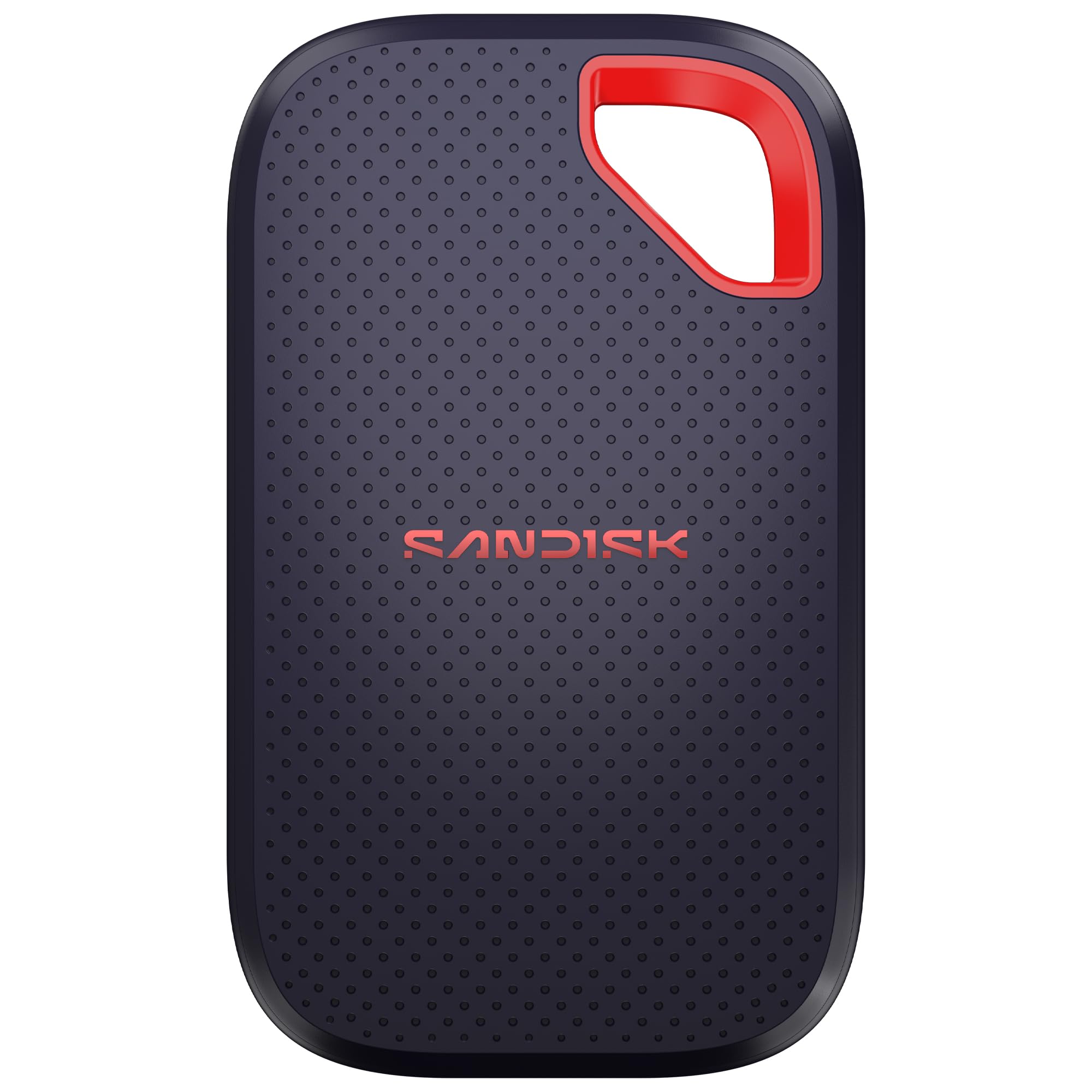
Console on the floor, drive on the carpet, someone's foot on the way past — that's where a lot of external drives actually live, and it's the case the Extreme is built for. It carries an IP65 rating against dust and sprayed water and a three-meter drop rating, both higher than anything else in this group.

Rated at 2,000 MB/s, it's another USB 3.2 Gen 2x2 drive, so the PS5 feeds it at 10 Gbps and the extra headroom waits for a laptop that can use it. What stands out is how little care it asks for: a rubberised body, a 3.35 by 2 by 0.39-inch footprint, 1.6 ounces, and a five-year warranty that matches the longest here.

Against the T7 the choice is capacity and price versus toughness. Both are 1 TB, the SanDisk asks more, and what comes back is the rugged rating and two extra years of cover. We pick this one when the drive leaves the house.

The one thing it won't fix is capacity. If you're already deleting games to make room, the same money spent on a 2 TB drive buys more shelf than a tougher shell does — toughness only pays off on the day you drop it.

Pros

  • IP65 dust and water resistance
  • Three-meter drop rating, the highest here
  • Five-year limited warranty
  • Pocket-sized at 1.6 ounces

Cons

  • 2,000 MB/s is more than the PS5's port can feed
Our verdict

The Extreme is the drive we hand over when it has to survive being knocked about — IP65, a three-meter drop rating, and five-year cover.

Check Latest Price
4

Best Cable-Free

Buffalo SSD-SAO 2TB

84 /100
Lab Score Excellent

Key details

Form
Cable-free USB-A stick
Capacity
2 TB
Warranty
2 years
Rated Read Speed
500 MB/s
View on Amazon

There's no cable in the box because there's no cable. The SSD-SAO is a stick with the USB-A plug built into the body, so it goes straight into the console and stays there. On a PS5 that sits on a shelf or inside a media unit, that's the difference between a drive and a drive plus a loop of wire you're forever tucking behind the TV. It's the one we leave plugged in.

Officially licensed for PS5 and PS4, with two terabytes in a body you can close your fist around, it suits the living-room console that everybody shares and nobody unplugs — a household where games come and go but nobody wants hardware hanging off the front panel.

A stick can't move, either. It lives where it's plugged in, protruding straight out of the console, so a PS5 wedged into a cabinet with barely an inch in front of it is a bad home for one. That's the case for a cabled drive instead.

Pros

  • No cable to lose or replace
  • Officially licensed for PS5 and PS4
  • 2 TB in a pocketable stick

Cons

  • 500 MB/s reads trail the cabled drives
  • Two-year warranty is the shortest here
Our verdict

We leave the SSD-SAO plugged into the console and forget it: no cable to lose, 2 TB of shelf space, nothing dangling off the front.

Check Latest Price
5

Best for Tight Spaces

Lexar ES3 Portable SSD 1TB

87 /100
Lab Score Excellent

Key details

Weight
1.59 oz
Capacity
1 TB
Warranty
3 years
Rated Read Speed
Up to 1,050 MB/s
View on Amazon

Forty-five grams and 10.5 mm thick — the ES3 is the drive that disappears. If the console lives in a media unit with an inch of clearance, or the same bag carries a laptop and a game drive, that shape is the whole point.

It's rated at 1,050 MB/s read and 1,000 MB/s write over USB 3.2 Gen 2, which is the sweet spot for a PS5: the console's port is the limit, not the drive, so the money you don't spend chasing 2,000 MB/s stays in your pocket. In use it does what a game shelf should — PS4 titles launch from it, PS5 titles copy across to internal storage and back.

The silver shell feels more solid than its weight suggests, and Lexar includes DataShield encryption software if the drive will carry work files as well as games. One thing to check before ordering: the listing only promises the drive itself, so confirm a cable is in the box rather than assuming.

What it gives up is presence. Nothing about it stays put — at 45 grams it slides across a smooth shelf — so give it a flat surface rather than a ledge and it will sit there quietly for years.

Pros

  • 45 g and 10.5 mm thin
  • Rated 1,050 MB/s, matching the PS5's port
  • Encryption software included

Cons

  • No magnetic mounting on this version
  • Three-year warranty against five on two rivals
Our verdict

The ES3 is the drive we tuck beside a crowded console: 45 grams, thinner than a phone, and fast enough to use the PS5's full port speed.

Check Latest Price
6

Laptop First

MOVE SPEED RX20 2TB

84 /100
Lab Score Excellent

Key details

Capacity
2 TB
Interface
USB 3.2 Gen 2x2
Durability
Zinc body, 4 ft drop rating
Rated Read Speed
Up to 2,000 MB/s
View on Amazon

The magnets are the pitch: an X of them hidden in a zinc frame, sized to hold the drive against a laptop lid while you work. It's a good trick, and on a machine that never leaves a desk it's genuinely useful. The PS5's shell isn't steel, though, so on a console the magnets do nothing except add weight.

The 2,000 MB/s rating comes from USB 3.2 Gen 2x2, and the PS5's ports top out at 10 Gbps, so a big chunk of what you're paying for only shows up on a computer that supports the faster mode. The 2 TB does the job regardless: it's real shelf space, and the console reads and writes to it without fuss.

It's also the drive here most likely to survive being carried around. The zinc frame is rated for four-foot drops onto concrete, and the squared-off shape makes it easy to fish out of a bag of cables.

So the RX20 works on a PS5, it just isn't the reason to buy it. If the drive spends most of its life on a laptop and visits the console when a download won't fit, that's a sensible 2 TB. For console-only duty, the magnets and the extra bandwidth sit unused and the money belongs elsewhere.

Pros

  • 2 TB at a midrange price
  • USB 3.2 Gen 2x2 for fast PC transfers
  • Zinc body rated for four-foot drops
  • Magnets hold it against a laptop lid

Cons

  • Heaviest and thickest drive here
  • Lighting is bright in a dark room
Our verdict

We rate the RX20 as a laptop drive that moonlights on a PS5; console-only, the magnets and the Gen 2x2 speed go to waste.

Check Latest Price
7

Tight Budgets

Buffalo SSD-PG 1TB

88 /100
Lab Score Excellent

Key details

Size
4.6 x 3 x 0.5 in
Capacity
1 TB
Warranty
3 years
Rated Read Speed
340 MB/s
View on Amazon

Every other drive here sells speed. The SSD-PG sells a terabyte at the lowest price in the group, and for the job most people actually have — parking PS4 games and a few PS5 installs they don't want to re-download — that's a fair trade.

It's a conventional slab, 4.6 by 3 by half an inch, with a USB-A cable in the box and a USB-C adapter for a laptop. Nothing about it asks for attention, which is what you want from a drive that lives behind a TV.

Where it earns its keep is PS4 games: they load straight from it without the stutter that spinning drives used to bring, and the console treats it like any other extended storage. We keep it on the list for a second console, a bedroom setup, or anyone who prefers to spend the difference on games.

The USB-C adapter is the small detail we appreciate most. The same drive pulls duty on a laptop without a second cable, which is more flexibility than the price suggests.

Pros

  • Lowest price per terabyte here
  • USB-C adapter included
  • Plays PS4 games straight from the drive

Cons

  • 340 MB/s reads, the slowest SSD here
  • Mounting trouble on some PCs and Macs
Our verdict

The SSD-PG stays on our list because it's the least expensive terabyte here, and for parking PS4 games that's plenty.

Check Latest Price

How We Tested the Best External SSDs for PS5

We started by rounding up every USB 3.2 Gen 2 portable drive we could find in 1TB to 4TB capacities, then cut the list down by spec and price. Anything still running SATA speeds, anything shipping without a USB-C cable in the box, and anything costing noticeably more per terabyte than a bare internal drive got dropped before testing began. Each finalist was plugged into a PS5, formatted, and checked that the console recognized it immediately and could move a game onto it without an error.

The core test was a stopwatch. We moved the same roughly 95GB PS5 game onto each drive and back again, timing both directions, then loaded a batch of PS4 games and played directly off the drive to see whether load screens or texture pop-in gave anything away. We repeated the transfer through the front USB-C port and the rear USB-A port on the same console to see if the connection changed the numbers. After a full evening of play we put a hand on each enclosure to judge how warm it got, and we watched for stutter or dropouts during a long download.

Size and durability got judged the way they actually get used: each drive went into a backpack for a weekend trip, cable coiled and stuffed in the same pocket, and each took a tumble off a coffee table onto hardwood. Over six months we reconnected them again and again, noting which ones needed a second try before the PS5 saw them. We also sat with each one in a dark room to see whether its lighting was a nice accent or a glowing distraction under the TV.

How to Choose an External Ssd for a Ps5

What a USB Drive Can and Can't Do

An external SSD attached to a PS5 plays PS4 games directly, and that part is simple: the console reads them off the drive like any other game. PS5 games work differently. They can be stored on the external drive but not launched from it — you copy them back to the console's internal storage first. That's also why an internal M.2 drive, not a USB one, is the only way to add playable PS5 space.

So the real question is how much churn you have. If you keep four or five games installed and rotate through a backlog, a fast 1 TB drive saves hours of re-downloading. If you want a whole library ready to go, capacity matters more than the speed badge.

Speed: Buy for the Console's Port

The PS5's USB connection tops out at 10 Gbps, which works out to roughly 1,000 MB/s in practice. The 2,000 MB/s drives here reach that figure over USB 3.2 Gen 2x2, a mode the console doesn't support, so they run at 10 Gbps when plugged into it and only stretch their legs on a compatible computer.

That's the trap in this category: a bigger number on the box isn't a faster game shelf on a PS5. A drive rated around 1,050 MB/s already uses everything the console offers, and the money you don't spend chasing bandwidth buys capacity — which is the thing that actually runs out.

Capacity: Size the Shelf, Not the Console

Current PS5 titles routinely pass 100 GB once patches are counted, and the advertised capacity isn't all usable after the console formats the drive. A 1 TB drive holds a decent slice of a library; 2 TB is the choice if you'd rather move games once a month than once a week.

Per terabyte, the 2 TB drives here generally work out cheaper than the 1 TB ones, so if the budget stretches, the bigger drive is usually the better buy. The exception is when you're paying a premium for a tougher shell or five-year cover — that's money spent on something other than capacity, which is fine as long as you know it.

Shape, Cable, and Where It Sits

Stick drives plug straight into the console, which is the tidiest option and the right one if the drive never travels — with the caveat that the body protrudes, so leave clearance in front. Cabled drives are more flexible about placement, and cable length starts to matter: a short bundled cable is fine with the drive sitting on top of the console and awkward if it has to reach around a cabinet.

Where the drive physically lives should decide how much toughness you pay for. A console on the floor next to a doorway is a bad home for a bare plastic slab, and an IP65 rating with a three-meter drop spec costs less than losing a library. Magnetic backs are worth having on a laptop and irrelevant on a console.

Frequently Asked Questions

Final Verdict

The Samsung T7 is the drive we point most PS5 owners toward. It hits the console's USB ceiling, it's small enough to forget about, and nothing about it asks for special handling.

Spend more only for a reason you can name: the WD_BLACK P40 when 2 TB is the point, the SanDisk Extreme when the drive gets knocked about, or the Buffalo stick when you want nothing hanging off the front of the console.