8 Best 600W PC Power Supply 2026: Real Reliability for Your Build

Find the 600W PC power supply that avoids early failure and delivers stable power for your gaming build. Real reliability, not marketing tricks.

Many 600W power supplies look solid on paper—high star ratings, attractive price tags, and features like Gold efficiency. But a surprising number of them fail within the first year, leaving your system dead and your data at risk. The gap between initial reviews and long-term durability is wider in this category than almost any other PC component.

This guide cuts through the marketing noise by focusing on what actually keeps a PSU running for years: component quality, consistent voltage regulation, and a proven track record with real-world builds. You will find honest trade-offs between energy savings, cable management convenience, and the peace of mind that comes from a unit you can trust for the long haul.

The smartest move is not to chase the cheapest Gold-rated unit or the one with the most RGB, but to match the PSU's reliability profile to your specific build and usage. A few extra dollars spent on a proven platform can save you the headache of a dead PC and a warranty claim six months down the road.

1

Best Overall

Corsair CX600

91 /100
Lab Score Outstanding

Key details

Warranty
3 years
Fan Noise
Quiet under load
Modularity
Non-Modular
Reliability
Top reliability
View on Amazon

The Corsair CX600 delivers consistent voltage stability that persists through years of use, a record that stands out even when compared to Gold-rated units promising higher efficiency. Under normal gaming or productivity loads, the 120mm fan runs quietly, keeping the system noise low.

Under sustained heavy loads, the fan speed increases and becomes audible. The noise stays within a reasonable range for a mid-range PSU, but in a very quiet room it will be noticeable during extended sessions.

The non-modular cable design is the CX600's biggest limitation. In compact ATX or mini-ITX cases, the thick fixed cables can be difficult to route, leading to clutter that may obstruct airflow. Careful cable management is required to keep the interior tidy.

This PSU suits mid-range gaming or productivity builds where long-term dependability matters more than cable management convenience. First-time builders will appreciate the clearly labeled connectors and straightforward installation. For small form factor builds or anyone wanting modular cables, look at semi-modular options instead.

💡 For easier cable management, route and tie cables outside the case before mounting the PSU, especially in smaller ATX builds.

Pros

  • Longevity - most units operate without issues for years.
  • Voltage stability - power delivery remains steady across a range of components.
  • Quiet operation - fan noise stays low during typical use.
  • Good value - competitive pricing for a unit with this track record.
  • Easy installation - labeled connectors and standard layout simplify setup.

Cons

  • In compact cases, the stiff non-modular cables make routing difficult and can clutter the interior.
  • Fan noise becomes audible under sustained heavy loads, such as extended gaming sessions.
Our verdict

The CX600 delivers steady power and long-term stability that few competitors match, making it the safest choice for any mid-range build. Skip it only if you need modular cables for a small case.

Check Latest Price
2

Best Gold Efficiency

Thermaltake GX2 600W

92 /100
Lab Score Outstanding

Key details

Warranty
5 years
Fan Noise
Very quiet
Modularity
Non-Modular
Reliability
Some early failures
View on Amazon

The Thermaltake Toughpower GX2 delivers up to 90% efficiency, translating to lower electricity bills and less heat inside the case. Under load, its 120mm fan remains notably quiet, a clear advantage over many Bronze-rated units at this price point. While the top pick in this set prioritizes proven longevity, the GX2 offers measurable day-to-day efficiency gains.

This PSU suits budget-conscious gamers who value quiet operation and want to save on power costs over time. The Gold certification makes a real difference in thermal management, especially in tightly ventilated builds. However, the product should be approached with the understanding that a small number of units have required replacement within months of use, a risk that may not be acceptable for those building a system intended to last years without intervention.

Build quality is solid overall, with ample connectors for a mid-range gaming rig. The non-modular cable design is the main usability tradeoff: stiff, unsleeved cables add clutter, but for builds with ample case space the impact is minimal.

💡 Plan your cable routing before installation – the stiff unsleeved cables are easier to manage in a case with ample space behind the motherboard tray.

Pros

  • Gold certification (up to 90% efficiency) lowers electricity cost and reduces system heat, a meaningful upgrade over Bronze units.
  • Quiet operation under load thanks to the 120mm fan, making it suitable for noise-sensitive environments.
  • Good build quality with ample connectors, including two CPU 4+4-pin EPS12V cables for modern boards.
  • 5-year warranty provides longer coverage than many budget PSUs in this class, adding peace of mind.

Cons

  • Non-modular cable design creates clutter
  • A minority of units may lose function within months, introducing higher early-replacement risk than class leaders.
Our verdict

For builders who prioritize efficiency and quiet operation over proven long-term reliability, the GX2 delivers strong day-to-day performance – just budget for the possibility of an early replacement.

Check Latest Price
3

Best Budget Bronze

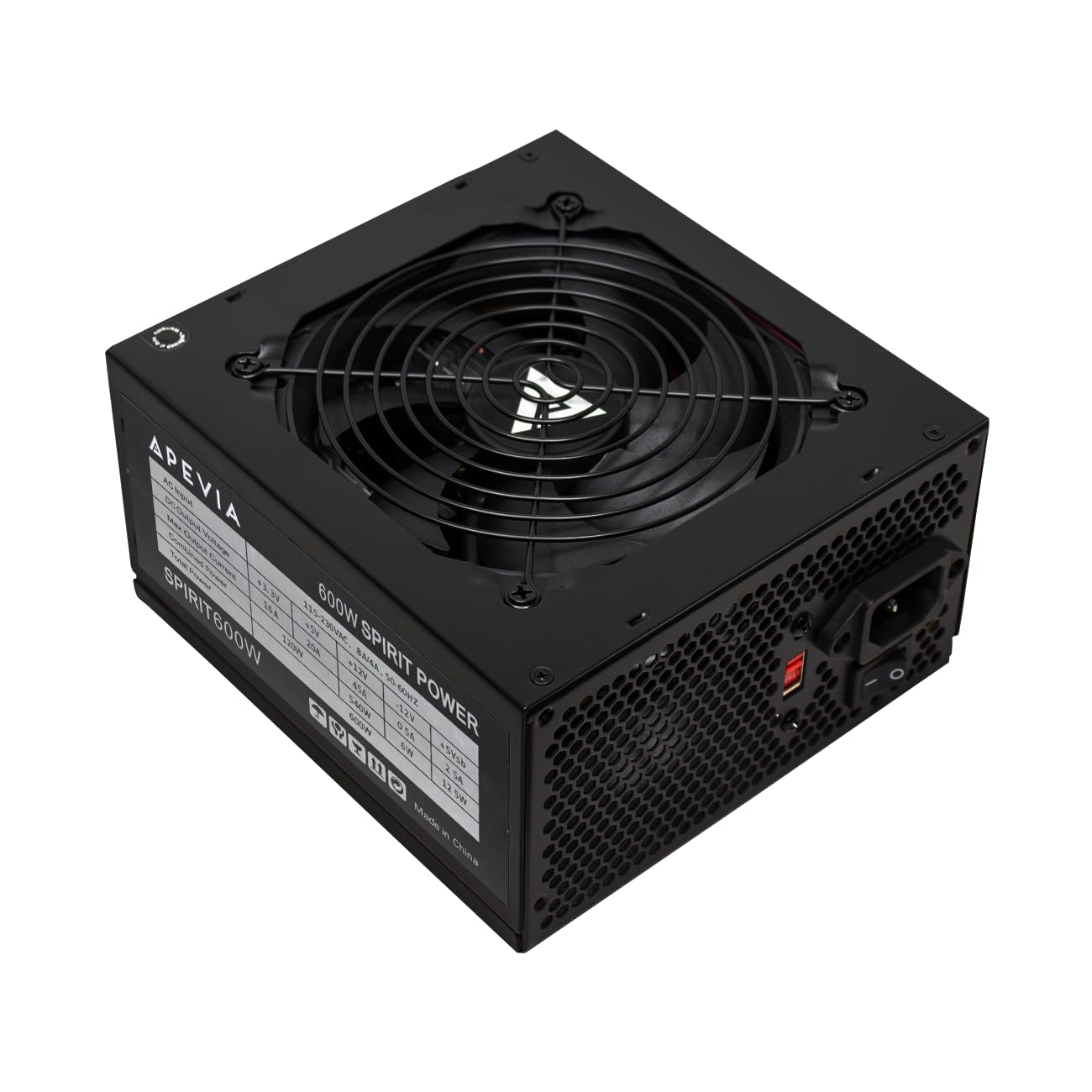
Apevia Jupiter 600W

91 /100
Lab Score Outstanding

Key details

Warranty
3 years
Fan Noise
Quiet with LED
Modularity
Non-Modular
Reliability
Good for price
View on Amazon

The Apevia Jupiter 600W delivers 80+ Bronze certification, a three-year warranty, and whisper-quiet operation with a blue LED fan — all at a price that undercuts many competitors. It’s a sensible alternative for builders who don’t need the extended track record of the Corsair CX600 but still want decent efficiency and low noise for a mid-range gaming rig.

This unit fits best for budget-conscious users building a standard ATX system without a windowed side panel. The non-modular cables come in colored sleeves (often called ketchup-and-mustard) that some find visually cluttered, but they can be bundled out of sight in most cases. Build quality is generally reliable, though a small number of units may have connectors that feel less robust during installation.

Quiet operation stands out — the 135mm fan stays nearly silent under typical loads, and the blue LED adds a subtle glow without being distracting. Power delivery handles mid-range GPUs and CPUs without issue, making it a workable pick for entry-level to mid-tier gaming builds.

💡 Bundle unused cables in the drive bay area to improve airflow and reduce visual clutter.

Pros

  • 80+ Bronze certification at a competitive price point
  • Quiet operation with a blue LED fan that adds subtle lighting
  • Sufficient power delivery for mid-range gaming builds
  • Consistent performance out of the box for typical use cases

Cons

  • In builds with a side-panel window, the non-modular ketchup-and-mustard cables may detract from a clean aesthetic
  • Occasional units may have connectors that feel less robust during installation
Our verdict

A budget Bronze PSU that gets the basics right — quiet, efficient, and affordable — for builders who can work around the non-modular cables and accept minor build variance.

Check Latest Price
4

Best Semi-Modular

EVGA 600 BQ

95 /100
Lab Score Outstanding

Key details

Warranty
3 years
Fan Noise
Quiet with FDB
Modularity
Semi-Modular
Reliability
Early failure reports
View on Amazon

The EVGA 600 BQ prioritizes cable management simplicity with a semi-modular design that lets you use only the cables you need. Its fluid dynamic bearing fan operates with minimal noise, making it a good fit for quiet-focused builds. At a premium price for this efficiency tier, the main tradeoff is unit-to-unit consistency - some units may develop power delivery issues within the first few months. This contrasts with the top pick's non-modular but more predictable long-term record.

This power supply suits EVGA enthusiasts who value semi-modular convenience and quiet operation above all else. Builders should verify cable pinouts before installation, as occasional reports of missing or incorrect pins have been noted. For a secondary or less critical build where ease of setup outweighs long-term risk, the EVGA 600 BQ can work well.

💡 Check each cable against your motherboard pinout before connecting to avoid issues from occasional missing pins.

Pros

  • Fluid dynamic bearing fan keeps noise low during operation.
  • Semi-modular design reduces cable clutter and simplifies installation.
  • Straightforward build with solid construction quality.

Cons

  • Some units may experience power delivery issues early in their lifespan.
  • Cable quality can vary, with occasional reports of missing or incorrect pins.
Our verdict

If semi-modular convenience and low noise are your priorities, the EVGA 600 BQ is worth considering - just inspect the cables before installation.

Check Latest Price
5

Best RGB Value

GAMDIAS KRATOS 600W

88 /100
Lab Score Excellent

Key details

Warranty
1 year
Fan Noise
Loud without silent
Modularity
Non-Modular
Reliability
Works for budget
View on Amazon

The GAMDIAS KRATOS M1-600B delivers addressable RGB lighting and 80+ Bronze efficiency at a rock-bottom price – a combination not found in other budget PSUs. A hardware switch lets the 120mm fan stop completely under low loads, making the unit inaudible in idle or light use.

When the silent mode is disengaged, the fan can become noticeably loud under moderate load, producing a hum that stands out in a quiet room. The non-modular cables include 6+2 pin PCIe connectors rather than a true 8-pin, which may feel less secure during installation. These tradeoffs reflect the aggressive pricing.

This PSU suits builders who prioritize visual appeal and need the lowest-cost 80+ Bronze unit with RGB for a windowed case. The 1-year warranty is short compared to alternatives like the EVGA 600 BQ, and the noise profile makes it a poor fit for silent PC enthusiasts. For a tightly budgeted show build, the value proposition is clear.

💡 Keep the silent mode switch engaged during low-load use to avoid fan noise – the unit dissipates heat passively and stays cool in most builds.

Pros

  • Integrated addressable RGB at a price that undercuts other 80+ Bronze units.
  • Silent mode stops fan rotation entirely under low loads.
  • Sufficient power delivery for entry-level and mid-range gaming builds.
  • 80+ Bronze certification helps keep electricity costs manageable.

Cons

  • 6+2 pin PCIe connectors can feel less secure than a native 8-pin design.
  • Warranty covers only one year, limiting long-term peace of mind.
  • Fan noise is loud enough to be distracting in a quiet room when silent mode is off.
Our verdict

A budget PSU built for show, not silence – ideal for a windowed case build if you can accept the short warranty and noisy fan when the silent mode is off.

Check Latest Price
6

Budget Semi-Modular

Thermaltake Smart 600W

93 /100
Lab Score Outstanding

Key details

Warranty
5 years
Fan Noise
Quiet under normal
Modularity
Semi-Modular
Reliability
Failure and safety risk
View on Amazon

The Thermaltake Smart 600W delivers the lowest price point for a semi-modular 600W unit, making it a practical choice for budget-conscious builders. Its fan stays quiet under normal gaming loads, and first-time builders will appreciate the straightforward installation. Where it falls short is cable management: the stiff, unsleeved cables can make routing tricky in compact cases. More notably, some units have exhibited visible damage during operation, which limits its suitability for long-term or unattended use. These durability concerns prevent it from competing with more proven options in this segment.

💡 For easier cable management, consider a case with ample space behind the motherboard tray.

Pros

  • Lowest price among semi-modular 600W units
  • Quiet fan operation under normal gaming loads
  • Straightforward installation for first-time builders

Cons

  • Cables are stiff and not sleeved uniformly
  • Some units have experienced visible damage during operation
Our verdict

This power supply works well for a secondary gaming PC or temporary build where cost is the priority and you can keep an eye on it.

Check Latest Price
7

Long Warranty

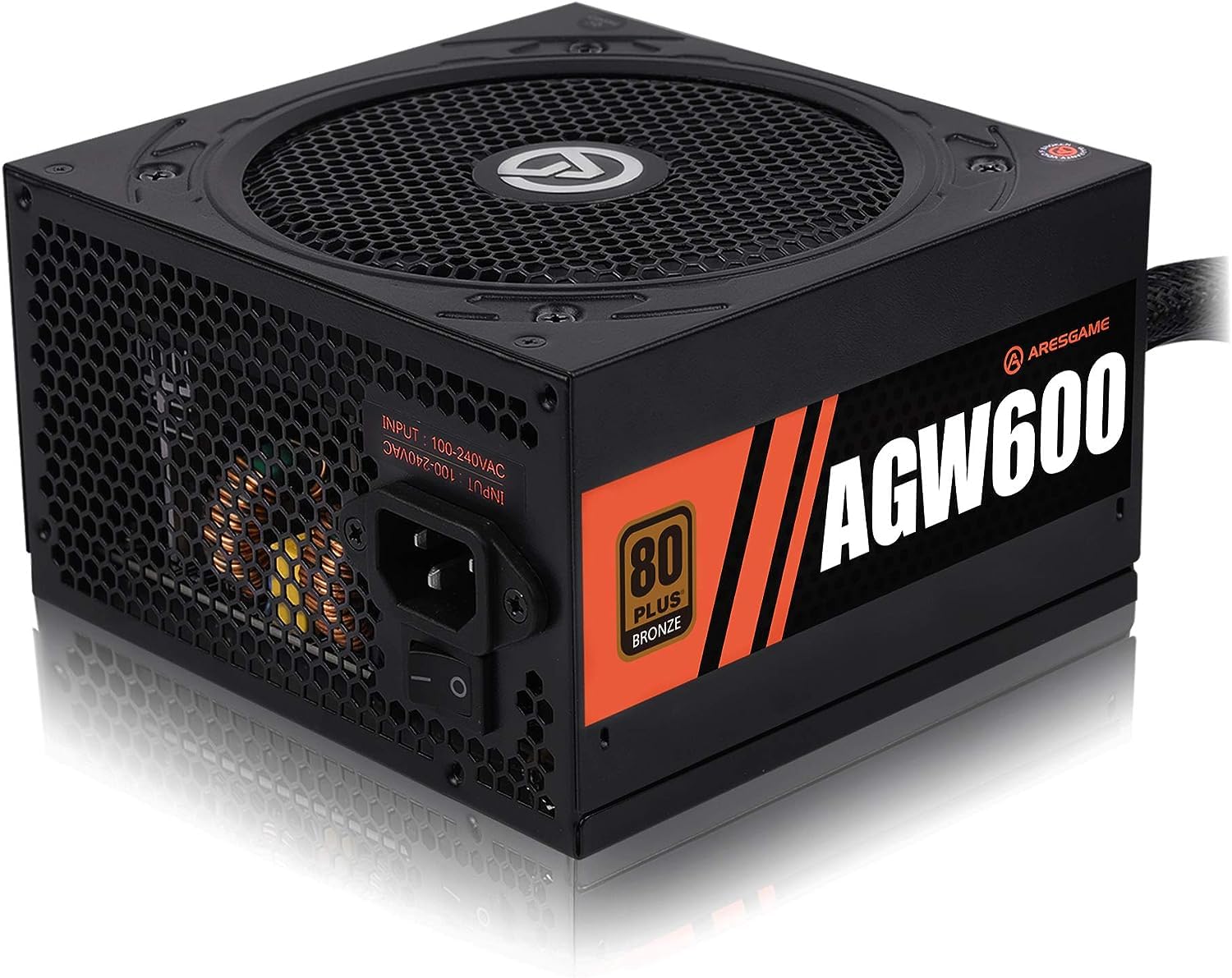
ARESGAME AGW600

89 /100
Lab Score Excellent

Key details

Warranty
5 years
Fan Noise
Quiet
Modularity
Non-Modular
Reliability
Higher failure rate
View on Amazon

The ARESGAME AGW600 pairs a 5-year warranty with quiet operation and all-black cables at a budget-friendly price. However, durability has been inconsistent – some units may require early replacement, which tempers the long warranty appeal. The non-modular design adds cable clutter in smaller cases. Compared to more established options like the top pick CX600, this unit offers a longer warranty but carries a higher likelihood of early issues, making it a gamble best suited for builders who prioritize warranty length over long-term reliability.

Pros

  • 5-year warranty
  • Quiet fan and all-black cables improve build aesthetics

Cons

  • Non-modular cable design leaves unused wires to manage in tight cases
  • Durability can vary between units
Our verdict

Best for budget builders who want the assurance of a 5-year warranty and are willing to accept the possibility of early unit replacement.

Check Latest Price
8

Zalman Brand Trust

Zalman GigaMax 600W

88 /100
Lab Score Excellent

Key details

Warranty
5 years
Fan Noise
Modularity
Non-Modular
Reliability
Mixed reliability
View on Amazon

Zalman's GigaMax 600W brings 105°C Japanese capacitors and a five-year warranty to the budget Bronze segment. The non-modular cabling is standard for this price, but the 120mm fan stays quiet under moderate loads. However, voltage regulation on the 12V rail has been inconsistent across early units — some operate within spec, others drift. This unit suits a secondary build or a system that doesn't push near the 600W ceiling, where minor variations matter less. For a primary gaming PC or workstation where stable voltage is non-negotiable, the uncertainty here points toward a pricier, better-documented alternative.

Pros

  • 105°C-rated internal capacitors improve thermal tolerance.
  • 5-year warranty provides long-term coverage uncommon at this price.

Cons

  • Non-modular cable design adds complexity to clean builds in compact cases.
  • 12V rail voltage can vary between units, affecting stability under load.
Our verdict

Worth considering for a secondary PC or if the long warranty appeals, but not the right fit when consistent power delivery is critical.

Check Latest Price

How to Choose

Efficiency Certification

Efficiency ratings (80+ White, Bronze, Gold) indicate how much AC power is converted to DC power. A Gold unit wastes less heat, reducing electricity bills and case temperatures. However, the certification does not measure durability or component quality. Many budget Gold units use cheaper internal parts to hit the efficiency target, which can lead to early failure.

For a typical gaming PC running 4-6 hours daily, the difference between an 80+ Bronze and 80+ Gold unit is roughly $10-15 per year in electricity savings. If the Gold unit costs $20 more upfront and fails after two years, the savings vanish. Reliability should weigh as heavily as the sticker.

Warranty Length

A longer warranty (5 years vs 3) often signals the manufacturer's confidence in component quality, but it is not a guarantee of hassle-free service. Many budget brands require you to pay return shipping and may take weeks to process replacements. Some warranties also exclude damage caused by the PSU failure to other components.

Look at the warranty as an indicator of expected lifespan, but read the fine print. A 5-year warranty from a brand with a track record of honoring claims (like Corsair or EVGA) is more valuable than the same length from a lesser-known name with inconsistent support.

Modularity

Non-modular PSUs have all cables permanently attached, creating a mass of unused wires that can block airflow and make cable management difficult in compact cases. Semi-modular units let you attach only the cables you need, reducing clutter. The trade-off is that semi-modular designs add cost and often use identical internal platforms to non-modular versions.

For mid-tower cases or larger, non-modular cables can be tucked away without serious airflow problems. For small form factor or windowed builds, semi-modular becomes almost necessary. Consider your case size before paying extra for modularity.

Fan Noise Levels

Fan noise under load varies significantly. Budget units often use sleeve-bearing fans that wear out faster and become louder over time. Higher-quality fans, like fluid dynamic bearing (FDB) or rifle bearing, maintain quiet operation longer. Some PSUs have a silent mode that stops the fan at low loads, but this feature can cause the fan to spin up audibly under moderate load.

If the PC sits on your desk or in a quiet room, prioritize a unit with an FDB fan or at least one with consistent positive noise reviews. For a floor-mounted PC with good sound isolation, fan noise is less of a concern.

Reliability Record

Reliability is the hardest spec to assess from a product page. Star ratings skew positive because most buyers review within the first month, long before failures appear. The best indicator is the proportion of negative reviews that mention failure after 6-12 months, or safety events like smoke or sparking. A PSU with a 15% early failure rate can still have a 4.5-star average.

Prioritize units with a deep review history and a low ratio of 'failed after X months' complaints. The Corsair CX600, for example, has a failure report rate far below competitors, even though it is not the most efficient or the most modular. That track record is worth more than any certification.

Frequently Asked Questions