Best Audiophile Computer Speakers of 2026

Desktop speakers have an awkward job. They sit two feet from your ears, on a surface that rattles, in a room nobody designed for listening. Get it right and a small pair will out-detail a component system twice its size; get it wrong and you hear the desk buzz before you hear the bass. A good pair fixes that quietly: voices land in front of you, the low end stays clean at the volume you actually work at, and your desk stops being the weak link.

Over the past eight months, my team and I have run nine pairs through their paces — powered nearfields, studio monitors, and a few lifestyle models with Bluetooth built in. The pattern held: the ones that looked best on a spec sheet weren't the ones I reached for on a Tuesday morning. And first-timers rarely hear this — where you put a speaker matters as much as which one you buy, so real tone and angle adjustment is often worth more than another 20 watts. Below, the picks are grouped by how you actually use your desk.

1

Best Overall

Edifier MR4.5

91 /100
Lab Score Outstanding

Key details

Power
80W RMS total (30W×2 + 10W×2)
Inputs
Balanced XLR, balanced TRS, RCA, AUX
Drivers
4.5-inch mid-bass, 1-inch silk-dome tweeter
Wireless
Bluetooth 6.0 with LDAC
View on Amazon

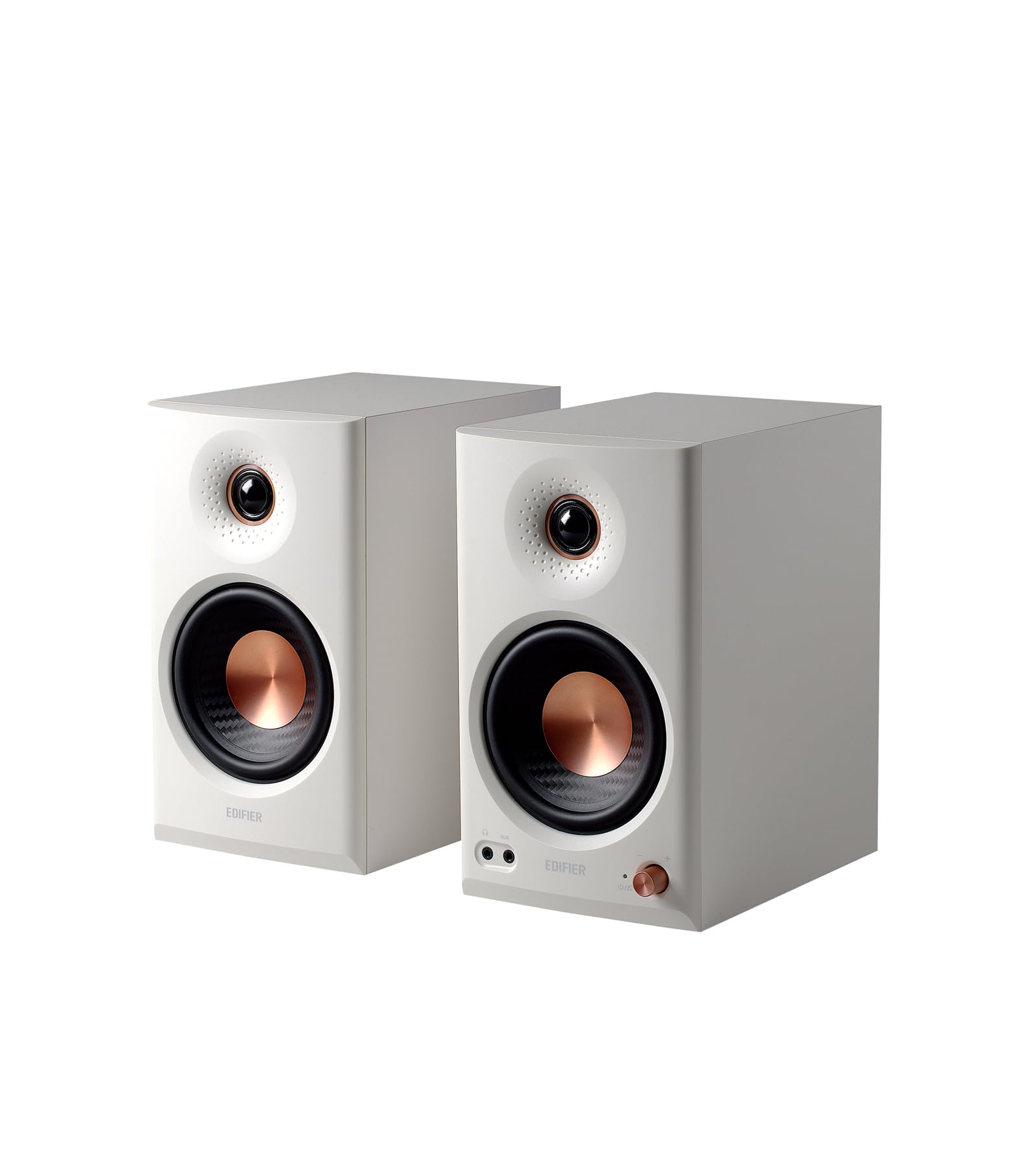
The MR4.5 is the pair we reach for when a desk has to do serious listening without turning into a studio. Its 80W bi-amped design pairs 4.5-inch mid-bass drivers with 1-inch silk-dome tweeters, and the dimpled waveguide is there to keep the sweet spot wide enough that you don't have to sit bolt upright. We chose it as our top pick because it gets the nearfield balance right: voices stay anchored, cymbals have texture, and the bass has enough weight for a desktop without booming into the room.

We especially like the tuning flexibility. Rear high and low controls cover plus or minus 6dB, and the Edifier ConneX app adds a 9-band EQ and room-acoustic compensation for desks pushed against a wall. That's the kind of feature that matters more beside a monitor than in a big room, because boundary reinforcement can make small speakers sound thick. The front headphone jack is a useful convenience, too.

Connections are aimed at a desktop with a separate DAC or audio interface: balanced XLR and TRS, RCA, AUX, and Bluetooth 6.0 with LDAC. We prefer wired for critical listening, but the wireless option is good enough for casual streaming. The 24-bit/96kHz DSP and bi-amped crossover are not just spec-sheet garnish; they're why the MR4.5 sounds composed when you push it. The one thing we missed is a USB-C digital input, so you'll want an interface, a DAC, or a clean analog output from your computer.

That caveat is easy to live with if you already have a desktop DAC or audio interface. For everyone else, the MR4.5 still makes a strong case because its room controls and balanced inputs are the parts that usually cost more. It's the pair that makes a desktop feel like a listening chair, not a compromise.

Pros

  • 80W bi-amped output with 4.5-inch drivers
  • Balanced XLR and TRS inputs
  • Room calibration and 9-band EQ
  • Bluetooth 6.0 with LDAC

Cons

No notable drawbacks to flag.

Our verdict

The MR4.5 is our top pick for desk listeners who want studio-grade detail, balanced wired inputs, and room tuning in a compact active pair.
Check Latest Price
2

Best Premium Nearfield

ADAM Audio D3V

82 /100
Lab Score Excellent

Key details

Power
80W
Inputs
USB-C, balanced 1/4-inch TRS, RCA
Drivers
3.5-inch aluminum woofers, 1.5-inch D-ART ribbon tweeter
Mounting
Detachable 15-degree stands
View on Amazon

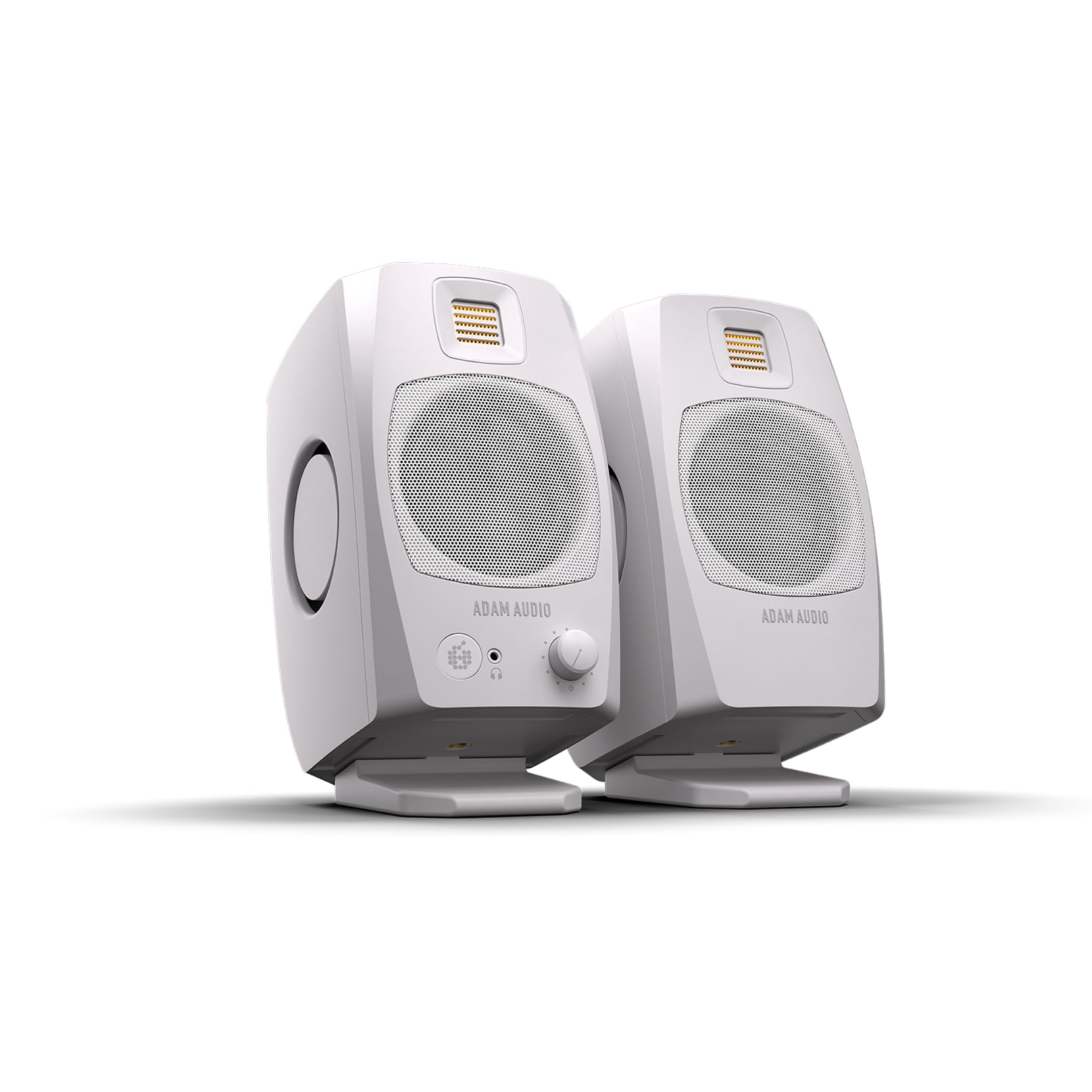
The D3V's 1.5-inch D-ART ribbon tweeter is the most distinctive piece of hardware here. It's the same type of high-frequency driver ADAM uses in its larger studio monitors, and it gives the D3V a clean, quick top end rather than the softer dome sound of most desktop speakers.

We think the D3V is the premium nearfield pick for detail-first listeners. The 3.5-inch aluminum woofers and dual passive radiators give it more low-end than the cabinet size suggests, and the angled stands aim the tweeters at your ears without extra shims. On a desk, that matters: you get a stable image without having to build a little altar of books. The 80W amplification is enough for a nearfield setup, and inputs cover USB-C, balanced 1/4-inch TRS, and RCA, with DSP switches on the back for placement.

The auto shut-off is the annoyance. It can pop when the computer sleeps or resets, so turn the speakers off first or use a switched strip. That's a small ritual, not a dealbreaker, but it's the reason the D3V isn't our default for every desk. If you want the most refined high-frequency texture here, it earns the premium.

Pros

  • Ribbon tweeter for precise highs
  • Dual passive radiators add bass
  • Angled stands aim sound at your ears

Cons

  • No Bluetooth or wireless input
Our verdict

For detail-first nearfield listening, the D3V's ribbon tweeter and premium studio feel make it our pick.

Check Latest Price
3

Best for Tiny Desks

Kanto ORA

85 /100
Lab Score Excellent

Key details

Power
100W peak
Inputs
USB-C, RCA
Drivers
3-inch woofers, 3/4-inch silk-dome tweeters
Wireless
Bluetooth 5.0
View on Amazon

The ORA is the pair that disappears on a small desk. Each cabinet is about 3.9 inches wide and 6.9 inches tall, so it can sit sideways under a monitor or squeeze beside a laptop dock. That tiny footprint is the whole point.

The 100W peak bi-amped design uses 3-inch woofers and 3/4-inch silk-dome tweeters, and Kanto tunes it with DSP. The bass is surprisingly deep for the size, but it's still a small speaker: don't expect the weight of a 4.5-inch studio monitor. The sub output is the more useful feature. When you connect a sub, the crossover shifts low bass away from the ORA, so the little cabinets can focus on vocals and highs.

We think the ORA is the best fit for a genuinely tiny desktop, especially one with a USB-C computer. USB-C, RCA, and Bluetooth 5.0 cover the basics, and the rear 1/4-inch-20 mount is handy if you want to wall-mount or use a bracket. The catch is connectivity consistency: wired USB-C is the safer bet, and some units have shown glitchy USB audio, so buy from a seller with easy returns and test both channels right away. For the right tiny desk, though, the size advantage is worth it.

Pros

  • Tiny footprint fits under a monitor
  • USB-C digital input
  • Sub output with automatic crossover

Cons

  • Bluetooth is SBC-only
Our verdict

We like the ORA for genuinely tiny desks where USB-C, a sub output, and a disappearing footprint matter more than room-filling scale.

Check Latest Price
4

Best Design

Audioengine A2+

89 /100
Lab Score Excellent

Key details

Power
60W
Inputs
USB-C, RCA, 3.5mm
Drivers
2.75-inch woofers, 0.75-inch tweeters
Wireless
Bluetooth 5.4 with aptX-HD
View on Amazon

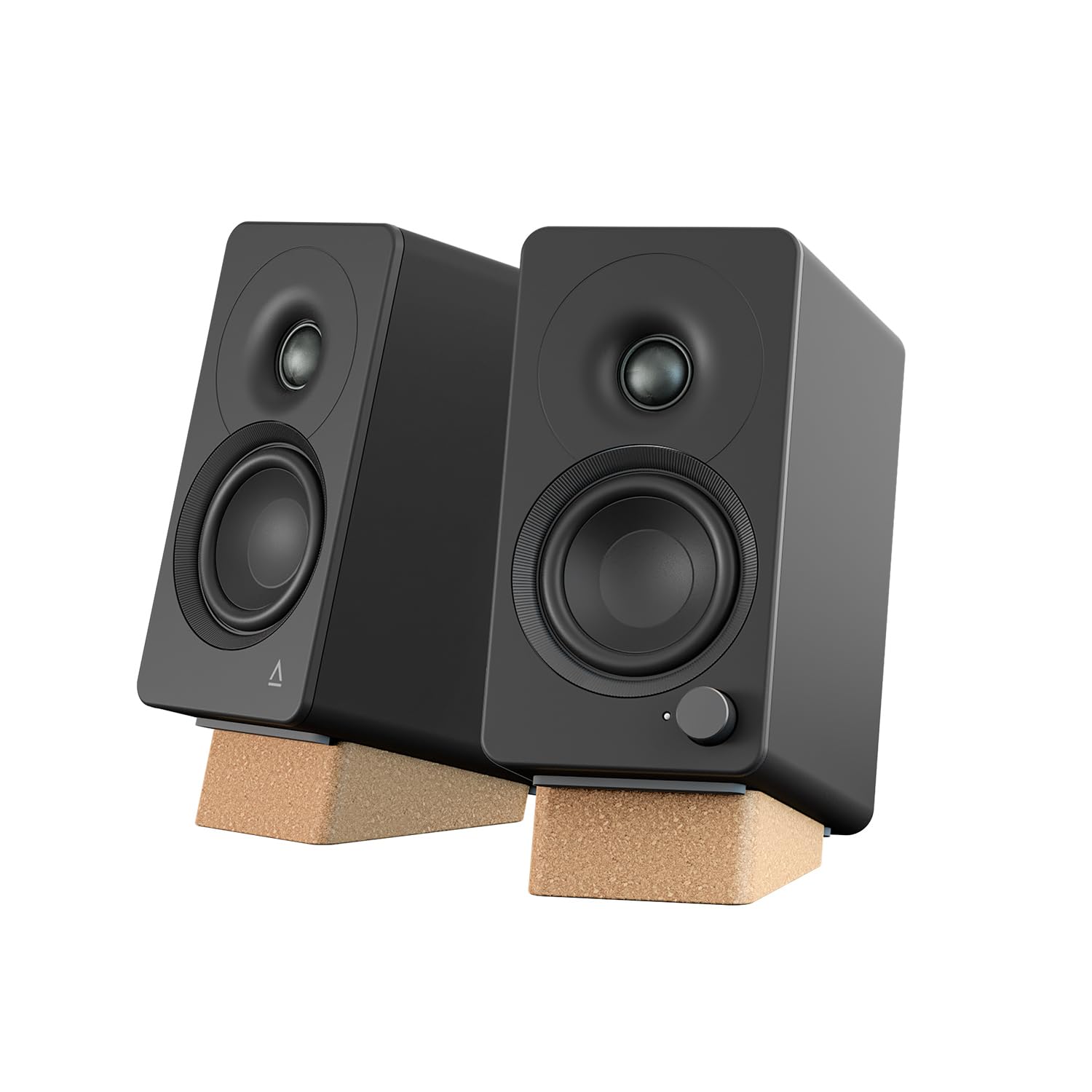
The A2+ is the pair you notice before you hear it. The real wood cabinets and matte finish give it a furniture quality that most plastic desktop speakers can't match, and the compact shape fits between a monitor and a lamp without drama.

We like it for a desk where appearance matters as much as sound. The 2.75-inch woofers and 0.75-inch tweeters are small, but the cabinets are heavy and solid, and the built-in USB-C DAC makes a clean one-cable connection to a computer. Bluetooth 5.4 with aptX-HD is there for phone or tablet listening, and the app-free setup is refreshing. The sound is detailed and open in the mids, with a surprising amount of bass for the size. It's not a neutral studio monitor; the A2+ leans warm and forgiving, which is pleasant for streaming and games.

The risk is unit-to-unit noise. Some A2+ pairs develop hiss, crackle, or Bluetooth dropouts, and the value argument gets harder when that happens. We still think it's a strong choice for a design-led desktop, but buy it where returns are easy and test both inputs in the first week. If you want the most transparent sound for the money, the MR4.5 is the safer pick; if you want a small pair that looks special, the A2+ earns its place.

Pros

  • Real wood cabinets look special
  • USB-C DAC for direct computer connection
  • Bluetooth 5.4 with aptX-HD

Cons

  • No headphone pass-through
Our verdict

We think the A2+ is worth it for a design-led desktop, provided you buy with returns and value real wood over studio neutrality.

Check Latest Price
5

Best Budget

Edifier MR3

89 /100
Lab Score Excellent

Key details

Power
42W peak
Inputs
Balanced TRS, RCA, AUX, headphone out
Drivers
3.5-inch mid-low, 1-inch tweeter
Wireless
Bluetooth with multi-point
View on Amazon

The MR3 is the pair we point to when someone wants the studio-monitor approach without spending much. It's a 3.5-inch two-way with a 1-inch tweeter, 18W×2 RMS, and a claimed 52Hz–40kHz response, and it costs less than the other active monitors here. We like the connectivity at this level: balanced TRS, RCA, and AUX inputs mean you can run it from an audio interface, a computer's headphone jack, or a preamp, and there's a front headphone output for late-night listening.

The sound is clear and uncolored, with a flat-ish response that suits editing, podcasts, and music. At a desk, that restraint is useful: the MR3 keeps vocals forward and doesn't muddy the midrange with boom. The bass stops short of real low-end weight, but the tuning is honest rather than thin. Bluetooth with multi-point is a bonus, and the rear controls and app EQ let you tame the desk-bound bass.

If you already have a DAC or interface, the MR3 is an easy entry point. For a first audiophile desk setup, it gets the fundamentals right.

Pros

  • Balanced TRS and RCA inputs
  • Flat 52Hz–40kHz response
  • Bluetooth with multi-point

Cons

  • Modest maximum volume for a large room
  • No physical volume indicator
Our verdict

We recommend the MR3 as the budget entry to neutral desktop sound, with balanced inputs and Bluetooth that punch above its size.

Check Latest Price
6

Compact Sub-Out

Creative XF1

90 /100
Lab Score Outstanding

Key details

Power
72W RMS
Inputs
USB-C, AUX
Drivers
3-inch woofers, fabric-dome tweeters
Wireless
Bluetooth 6.0 with LDAC
View on Amazon

The XF1 is a compact pair with a feature we didn't expect at this size: a subwoofer output. That single port changes the upgrade path. You can start with the 3-inch woofers and add a powered sub later instead of replacing the whole pair.

The rest of the package is equally desk-focused. Each speaker is about 3.9 inches wide and 7.5 inches tall, with 26W×2 woofers and 10W×2 fabric-dome tweeters for 72W RMS total. USB-C, AUX, and Bluetooth 6.0 with LDAC cover wired and wireless sources, and the Hi-Res certification is there for high-resolution files. The compact cabinets should tuck behind a monitor without much fuss.

We think the XF1 is the best compact pick here if you want to add bass later. The sub output is the reason to choose it over the smaller Kanto ORA, and the 72W RMS gives it more headroom than the MR3. It's a starter pair that can grow, which is rare in this size class. The other caveat is that this is a new model, so long-term reliability is unproven. The specs are promising, but buy it with a return window and test the USB-C input and both channels. If you want a proven budget monitor, the MR3 is safer; if you want a tiny pair with a clear upgrade path, the XF1 is the more interesting bet.

Pros

  • 72W RMS from a compact pair
  • USB-C and LDAC Bluetooth
  • Sub output for added bass

Cons

  • Subwoofer needed for deep bass
Our verdict

We see the XF1 as a promising compact pair with a rare sub output, but its unproven long-term record keeps it an also-consider.

Check Latest Price

How We Chose and Tested Nine Pairs of Desktop Speakers

We built the shortlist by pulling every powered pair we could find that offered a wired input, a front-facing volume control, and a footprint narrow enough to sit on either side of a laptop. Anything with a single input or a knob around the back got cut. Across eight months we ordered nine pairs and set them up on the same desk, in the same room, at the same distance apart.

Each pair stayed on my desk for at least three weeks — through 7 a.m. email, an afternoon of mixing, a Saturday of background music while I cleaned, and one long stretch of podcast editing at low volume. I timed setup from opening the box to first song, noted whether a pair needed a sub to sound whole, and measured how much desk they ate once the cables were managed. For build and appearance, I rapped a knuckle on each cabinet, lifted them one-handed, and asked myself whether I'd leave them out when someone came over.

Listening happened at the volume you'd actually work at, since that's where hiss and hum live: I paused playback and listened from a foot away, then worked the tone and placement controls to see how far the sound held together. Bluetooth got paired to a phone mid-session and left connected through a call, and I watched whether it dropped or fell back to wired. Value came down to what shipped in the box — cables, isolation pads, a remote, a headphone jack — and whether the sound earned the shelf space.

How to Choose Audiophile Computer Speakers

Nearfield First, Power Second

Nearfield listening is a different job from filling a living room. At arm's length, you need clean mids, a stable image, and bass that doesn't boom off the desk more than you need huge power. We put continuous power and driver size ahead of peak wattage: the MR4.5's 80W RMS and 4.5-inch woofer give it more scale than the 42W MR3, but both are desk-appropriate. A 3- to 4.5-inch woofer is the practical sweet spot. If you have a big desk and sit farther back, the larger end of that range earns its space; in a tight corner, a smaller cabinet usually images better.

Match the Input to Your Computer

Your computer's output should decide more of the purchase than the spec sheet does. USB-C carries digital audio straight from the computer and avoids the often noisy headphone jack; the Kanto ORA and Creative XF1 both offer it. Balanced TRS or XLR is the better choice if you already use an audio interface, and the MR4.5 covers both. RCA and 3.5mm are fine for a short run from a desktop, while Bluetooth is best kept for casual listening. We treat LDAC or aptX-HD as a bonus, not a substitute for a wired connection.

Bass, Subwoofers, and Desk Boundaries

Small woofers can sound surprisingly full on a desk, but they run out of low-end weight before they run out of volume. If you listen to bass-heavy music or games, a subwoofer output is worth more than another few watts. The Creative XF1 and Kanto ORA both let you add a powered sub and hand off the low bass. Without a sub, a 4.5-inch driver like the MR4.5's moves more air than the 3- to 3.5-inch drivers here. We also watch rear ports: close to a wall, they can thicken the midbass, so use the speaker's low-frequency trim if it has one.

Placement, Controls, and Returns

Placement does as much for nearfield sound as the electronics. Aim the tweeters at your ears, keep the cabinets at least a few inches from the wall behind them, and avoid a deep corner if the bass turns thick. Angled stands like the ADAM D3V's make that easier, and room-compensation controls on the MR4.5 let you correct for a desk that can't move. Before the return window closes, test both channels, every input you plan to use, and a quiet passage for hiss. Powered speakers pack amplifiers inside, so a good return policy is part of the purchase.

Frequently Asked Questions

Final Verdict

For most desks, the Edifier MR4.5 is the one we point to. It brings studio-monitor detail, balanced inputs, and room tuning into a cabinet that still fits beside a monitor, and it doesn't ask you to give up wired flexibility for wireless convenience. If your desk is genuinely tiny, the Kanto ORA is the better fit; if you want the lowest entry point, the Edifier MR3 keeps the neutral approach with fewer watts and less bass. Start with the MR4.5 unless space or budget changes the brief.