10 Best Back-Connect PC Cases of 2026: Clean Cable Routing, No Motherboard Guesswork

Which back-connect PC cases actually work with standard ATX boards? This guide matches your GPU, radiator, and budget to the right case. No motherboard surprises.

Back-connect cases promise a tidy interior, but the real question is whether you need a new motherboard to take advantage. The answer: most back-connect cases work with standard ATX boards – the routing channels just hide cables from view.

What matters more are things like GPU clearance, radiator support, and pre-installed fan quality. These specs determine whether your build actually looks clean and stays cool.

1

Best Overall

Corsair 4000D RS ARGB

93 /100
Lab Score Outstanding

Key details

GPU Clearance
Radiator Support
Pre-installed Fans
3x RS ARGB PWM
Back-Connect Compat
ASUS BTF, MSI Zero, Gigabyte
View on Amazon

The InfiniRail system inside the 4000D RS ARGB lets you mount fans and radiators at any point along the rails, eliminating the need to align with fixed screw holes. This, combined with the generous interior, means you can fit up to a 360mm radiator in the front and a 280mm in the roof while leaving room for large GPUs. The three pre-installed RS ARGB fans move solid airflow out of the box, and the open mesh front panel keeps air flowing freely without choking the intake.

During a build with a back-connect motherboard, the dedicated cutouts and routing channels behind the tray made cable management almost effortless – even with a fully modular PSU, the front-facing side stayed clean. The modular panels (FRAME system) also pop off and on with minimal effort, giving you access to swap components or clean filters. The one real-world hiccup: the tempered glass side panel requires firm, steady pressure at the corners to remove. Pulling from the center can cause it to bind, and several builders have noted the glass can shatter under uneven force. Once you know the technique, it's manageable, but it is not a 'finger-pry' design.

This case suits DIY enthusiasts who want to configure fan layouts, radiator sizes, and drive positions without being locked into a single arrangement. It also specifically supports ASUS BTF, MSI Zero, and Gigabyte Stealth back-connect boards, so if you are planning a cable-free front look, the 4000D RS ARGB provides the necessary rear channels. However, the build quality consistency can vary – some units ship with slightly flimsy front panels, missing screws, or minor rust spots on steel parts. That means you should inspect the case on arrival and contact Corsair if anything is off. The glass panel also demands careful handling, so this isn't the best pick for someone who frequently opens the side panel to tinker.

💡 When removing the glass side panel, apply steady, even pressure at the corners and avoid pulling from the center to reduce the risk of binding or shattering.

Pros

  • InfiniRail fan mounting lets you position fans and radiators at any point along the rails.
  • Spacious interior accommodates large components and multiple cooling configurations.
  • Excellent airflow out of the box with mesh front panel and three pre-installed ARGB fans.
  • Generous cable management channels, especially with back-connect motherboards, keep the front view clean.
  • Modular FRAME panels make it easy to access and reconfigure internals without tools.

Cons

  • Some units arrive with flimsy panels, missing screws, or rust spots
  • Tempered glass side panel requires careful removal technique and has been known to shatter under uneven force.
Our verdict

For builders who value modular fan placement, back-connect compatibility, and room to customize cooling, the 4000D RS ARGB delivers more flexibility than competitors at its price – just approach the glass panel with patience.

Check Latest Price
2

Best Premium Ecosystem

Corsair 3500X iCUE

95 /100
Lab Score Outstanding

Key details

GPU Clearance
Radiator Support
Up to 360mm
Pre-installed Fans
3x iCUE Link RX120 RGB
Back-Connect Compat
ASUS BTF, MSI Project Zero
View on Amazon

The Corsair 3500X integrates iCUE Link to unify fan and lighting control through a single cable, combining back-connect motherboard compatibility with a panoramic glass showcase. While the 4000D RS focuses on modular fan mounting and a lower price, the 3500X offers a more streamlined build experience with its white finish and seamless ecosystem integration.

The interior provides ample space for EATX boards and long GPUs, with copious ventilation panels supporting up to 360mm radiators top and front. Assembly is straightforward when following the iCUE Link daisy-chain method, reducing fan cable clutter.

This case fits Corsair enthusiasts who want a cohesive iCUE ecosystem and a clean back-connect build. The glass panel requires careful removal to avoid shattering, and cable management behind the tray is tighter than some competitors – less of an issue for builders using custom-length cables. At full speed, the included RX120 fans are loud, but at typical speeds they are well-behaved.

💡 When removing the glass panel, lay the case flat and lift straight off to avoid stress on the mounting points.

Pros

  • Beautiful panoramic glass design with a crisp white finish
  • Spacious interior accommodates large components and EATX boards
  • iCUE Link system simplifies fan wiring and RGB control

Cons

  • At full speed, the included fans produce noticeable noise
  • Cable routing behind the motherboard tray is tight with thicker cables
  • Tempered glass panel can shatter during removal if not handled carefully
Our verdict

For builders who prioritize a cohesive iCUE ecosystem and back-connect support over modularity and lower cost, the 3500X delivers a clean, glass-heavy build with minimal cable clutter – just handle the side panels with care.

Check Latest Price
3

Best Value with Fans

Lian Li LANCOOL 217

91 /100
Lab Score Outstanding

Key details

GPU Clearance
Radiator Support
Pre-installed Fans
2x170mm, 2x120mm, 1x140mm
Back-Connect Compat
Yes
View on Amazon

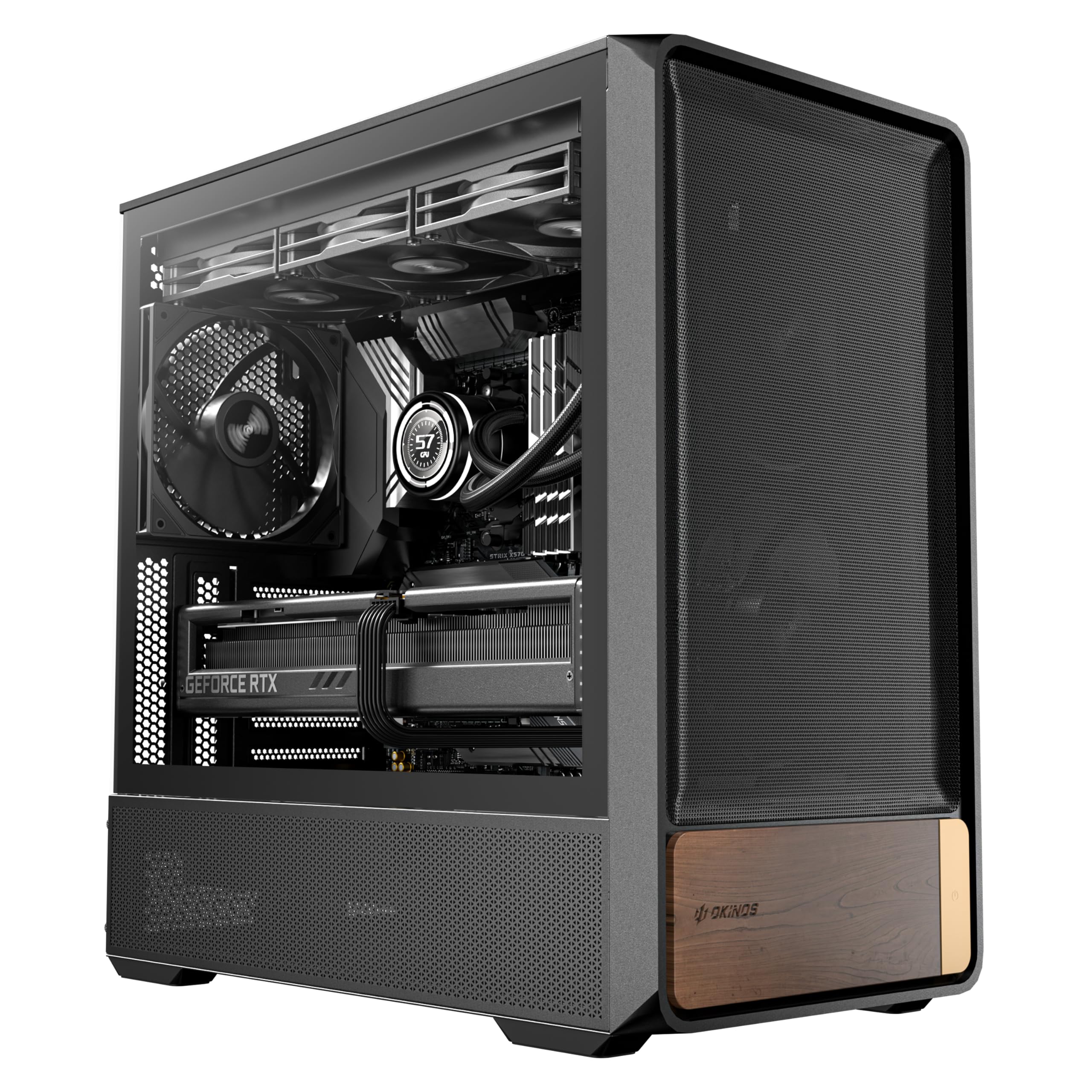
The LANCOOL 217 ships with five pre-installed fans — two 170mm, two 120mm, and a 140mm — plus genuine walnut wood accents on the front panel. This is the most fan-dense back-connect ATX case in its segment, and the wood trim gives it a distinctive look that stands out from glass-and-metal competitors like the budget-oriented fishtank cases. The dual PSU mounting options (front or bottom) add flexibility for cable routing, and the back-connect cutouts make hiding wires fairly straightforward.

Where this case shows its limits is under load. The large 170mm fans move a lot of air but generate a noticeable hum at full speed — quiet enough to blend into a gaming session but present in a silent living room or recording space. Panel fitment has also been inconsistent: some units arrive with dented metal or fragile wood trim, and the front USB 2.0 port has been reported to stop working after several months. These are not universal issues, but they shift this from a 'set-and-forget' case to one that benefits from early inspection.

For back-connect builders who want maximum fan capacity and a warm aesthetic without spending premium money, the LANCOOL 217 is a strong fit. The wood trim and five-fan bundle justify the mid-range price if you can accept the noise at high RPMs and the possibility of cosmetic imperfections. It competes directly against cases with fewer or no fans that cost more, so the value equation leans heavily in its favor for users who prioritize airflow and appearance over absolute silence or flawless fit.

💡 At full speed, the 170mm fans produce a steady hum — using a fan controller or low-speed profile keeps noise in check.

Pros

  • Five pre-installed fans including two large 170mm units provide strong airflow out of the box
  • Real walnut wood trim gives a warm, natural look that few cases offer
  • Solid steel and tempered glass construction feels sturdy during assembly
  • Back-connect motherboard cutouts and dual PSU positions simplify cable management

Cons

  • Front USB 2.0 port may stop working after a few months of use
  • Some units show dented panels or fragile wood trim on arrival
  • 170mm fans produce audible hum at full speed, noticeable in quiet rooms
Our verdict

For back-connect builders who value fan quantity and natural aesthetics over silence and perfect panel alignment, this case delivers remarkable bang for the buck.

Check Latest Price
4

Best Budget mATX

Lian Li V100 MINI

91 /100
Lab Score Outstanding

Key details

GPU Clearance
up to 415mm
Radiator Support
Up to 360mm, no 280mm
Pre-installed Fans
4x120mm ARGB PWM
Back-Connect Compat
Yes
View on Amazon

The Lian Li V100 MINI is the most affordable way to get a back-connect mATX case with a glass fishtank look and four ARGB PWM fans included. Unlike the triple-glass ATX option that lacks fans and costs more, this one gives you a ready-to-build setup without stretching the budget.

This case targets builders who want a clean, cable-free front with a compatible reverse-connection motherboard but don't need ATX size or 280mm radiator support. The panoramic glass shows off components well, and the included fans keep cooling costs low. The tradeoff is radiator flexibility: only 240/360mm fit, and a small number of units have glass panel prongs that may require careful alignment.

Cable management is genuinely spacious for an mATX case, with room behind the motherboard tray to route back-connect cables neatly. The 415mm GPU clearance handles almost any graphics card, and the 4 pre-installed fans (three side intake, one rear exhaust) provide adequate airflow for mid-range builds.

💡 Verify your radiator size before buying; only 240mm or 360mm units fit, and the glass panel prongs may require gentle pressure during installation.

Pros

  • Premium build quality with a solid, heavy feel that belies the budget price
  • Panoramic tempered glass fishtank design gives full component visibility
  • Four ARGB PWM fans included, saving $40-60 compared to buying separately
  • Generous cable management space behind the tray for clean back-connect builds

Cons

  • Glass panel mounting prongs can occasionally be misaligned on some units
  • No support for 280mm radiators, only 240/360mm AIOs fit
Our verdict

The Lian Li V100 MINI delivers the cheapest back-connect mATX build with four fans and a glass fishtank – ideal for budget builders who don't need 280mm radiators.

Check Latest Price
5

Best Panoramic Value

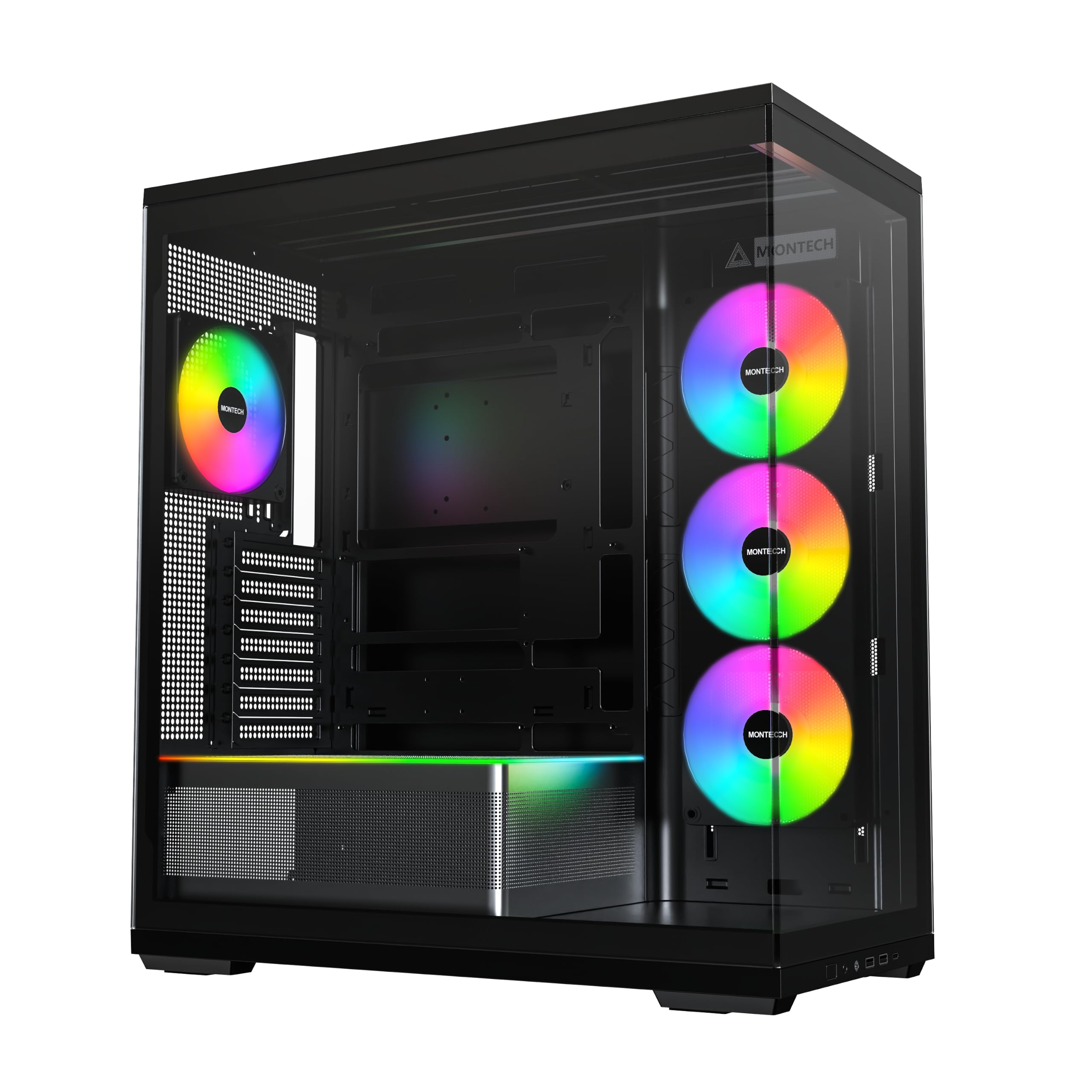
Montech Sky 3

89 /100
Lab Score Excellent

Key details

GPU Clearance
up to 445mm
Radiator Support
360mm
Pre-installed Fans
3 ARGB
Back-Connect Compat
Yes
View on Amazon

The 13-degree angled panoramic glass, wireless pogo-pin lighting, and 445mm GPU clearance give the Sky 3 a distinct visual identity that stands out in the mid-range segment. It supports back-connect motherboards directly, keeping the front tidy without requiring an adapter. Compared to pricier panoramic cases, it achieves a similar clean look for less money, though the materials feel slightly less dense than the top pick's.

This case fits builders who want a showcase-style case without overspending – especially those comfortable with a bit of extra attention during assembly. The rear cable channel is tight once the panel is closed, so thicker PSU cables may require careful routing. The RGB fan hub has been noted to stop working in some units, so testing it early is prudent. For anyone not planning to run more than three fans or rely heavily on the hub's control, these limitations are manageable.

Airflow is solid out of the box: the three 120mm ARGB fans move enough air for mid-range components, and the mesh top and bottom panels keep thermals in check. The modular bottom chamber makes it easy to hide excess cabling and offers space for a 360mm radiator. Overall, the Sky 3 delivers the panoramic look and back-connect compatibility that many shoppers want, but with a few corners cut on component quality that the top pick smooths over.

💡 Test the RGB fan hub immediately after building – if it fails, Montech's warranty process is simple and replacements ship quickly.

Pros

  • Panoramic angled glass provides a wide, unobstructed view of components.
  • Back-connect support with dedicated cutouts keeps the motherboard area clean.
  • Generous GPU clearance (up to 445mm) fits nearly any modern graphics card.
  • Tool-free panel access and modular bottom chamber simplify cable management.

Cons

  • In some units, the RGB fan hub may stop functioning and require replacement.
  • Cable routing behind the motherboard tray can feel cramped with thicker cables.
  • Only three pre-installed fans
Our verdict

If you want a clean panoramic back-connect case at a mid-range price and can handle a minor QC check on the fan hub, the Sky 3 offers strong value without the premium.

Check Latest Price
6

Best Compact Quality

NZXT H3 Flow

93 /100
Lab Score Outstanding

Key details

GPU Clearance
up to 377mm
Radiator Support
Front 280mm, Top 240mm
Pre-installed Fans
1x120mm rear
Back-Connect Compat
No
View on Amazon

The NZXT H3 Flow delivers the brand's signature build quality and clean aesthetic in a compact mATX footprint. Airflow performance is strong thanks to the mesh front and vented top, and the interior layout makes assembly straightforward. However, unlike the top pick in this roundup, this case has no support for back-connect (reverse connection) motherboards — the cable routing channels and cutouts are designed for standard connectors.

This case suits builders who value a small desktop footprint and don't need the cable-hiding benefits of a back-connect system. It does come with only one pre-installed rear fan, so plan to add at least two front intakes for proper airflow. The missing front panel headphone jack means you'll use the motherboard's rear audio. Also, a small number of units may arrive with bent back panel screws that complicate installation — something to check during unboxing.

💡 Adding at least two 120mm intake fans will improve cooling given the single rear fan.

Pros

  • Solid build quality with a premium feel
  • Great airflow keeps components cool
  • Easy to build with good cable management
  • Compact footprint fits well on small desks

Cons

  • Only one pre-installed fan; additional fans needed for optimal airflow
  • Lacks front panel headphone jack; must use motherboard audio
  • Occasional QC issue: back panel screws can be bent, making installation difficult
Our verdict

A well-built compact mATX case with strong airflow, but not for back-connect builds — best for standard mATX systems where a single rear fan and missing front audio are acceptable tradeoffs.

Check Latest Price
7

Compact mATX Budget

Jonsbo D32 PRO

90 /100
Lab Score Outstanding

Key details

GPU Clearance
up to 365mm
Radiator Support
Pre-installed Fans
0
Back-Connect Compat
Yes (A/B modes)
View on Amazon

The Jonsbo D32 PRO delivers budget-friendly back-connect support in a compact chassis that accommodates GPUs up to 365mm and standard ATX power supplies. Build quality and finish are commendable at this price point, and the minimalist design suits a clean workspace. However, the ultra-compact layout means cable routing behind the motherboard is tight — a modular PSU and slim cables help but don’t eliminate the effort. Additionally, bottom fan clearance can be blocked when a thick GPU occupies the first PCIe slot, and some ATX PSUs may not fit due to the internal partition. No fans are included, so you’ll need to budget for those as well. This case is a capable foundation for an ultra-budget back-connect build, but it rewards careful part planning over quick assembly.

💡 For bottom fans under a large GPU, check motherboard PCIe slot position and GPU thickness — the first slot may block intake fans.

Pros

  • Back-connect motherboard support at an entry-level price point
  • Compact mATX chassis fits GPUs up to 365mm and ATX/SFX power supplies
  • Solid build quality and clean minimalist aesthetic for the price

Cons

  • Cable management is tight behind the motherboard tray, especially without a modular PSU
  • Limited internal drive mounting
Our verdict

Best for budget-conscious micro-ATX builders who prioritize back-connect compatibility and large GPU support, provided they plan for a modular PSU and verify component clearances.

Check Latest Price
8

Dual 360Mm Panoramic

Okinos Aqua 9

86 /100
Lab Score Excellent

Key details

GPU Clearance
up to 420mm
Radiator Support
Dual 360mm
Pre-installed Fans
5x120mm ARGB PWM
Back-Connect Compat
Yes
View on Amazon

The Okinos Aqua 9 delivers a panoramic glass design with five ARGB PWM fans and room for dual 360mm radiators, all at a mid-range price. The build quality is solid, and the glass panels create a clean showcase for components. However, fan reliability can be inconsistent — some units may require a manual nudge on startup to spin, and the included fan hub lacks clear documentation. These quirks make it a better fit for builders comfortable troubleshooting minor issues or those prioritizing radiator capacity over immediate out-of-box simplicity.

Pros

  • High quality build and finish give the case a premium feel.
  • Panoramic glass design offers an unobstructed view of components.

Cons

  • Pre-installed fans may not spin on startup and may require manual intervention.
  • Limited documentation for the built-in fan hub leaves setup unclear.
Our verdict

Best suited for water-cooling enthusiasts who value dual 360mm support and glass aesthetics, and are willing to accept occasional fan spin quirks.

Check Latest Price
9

Unique Water Cooling

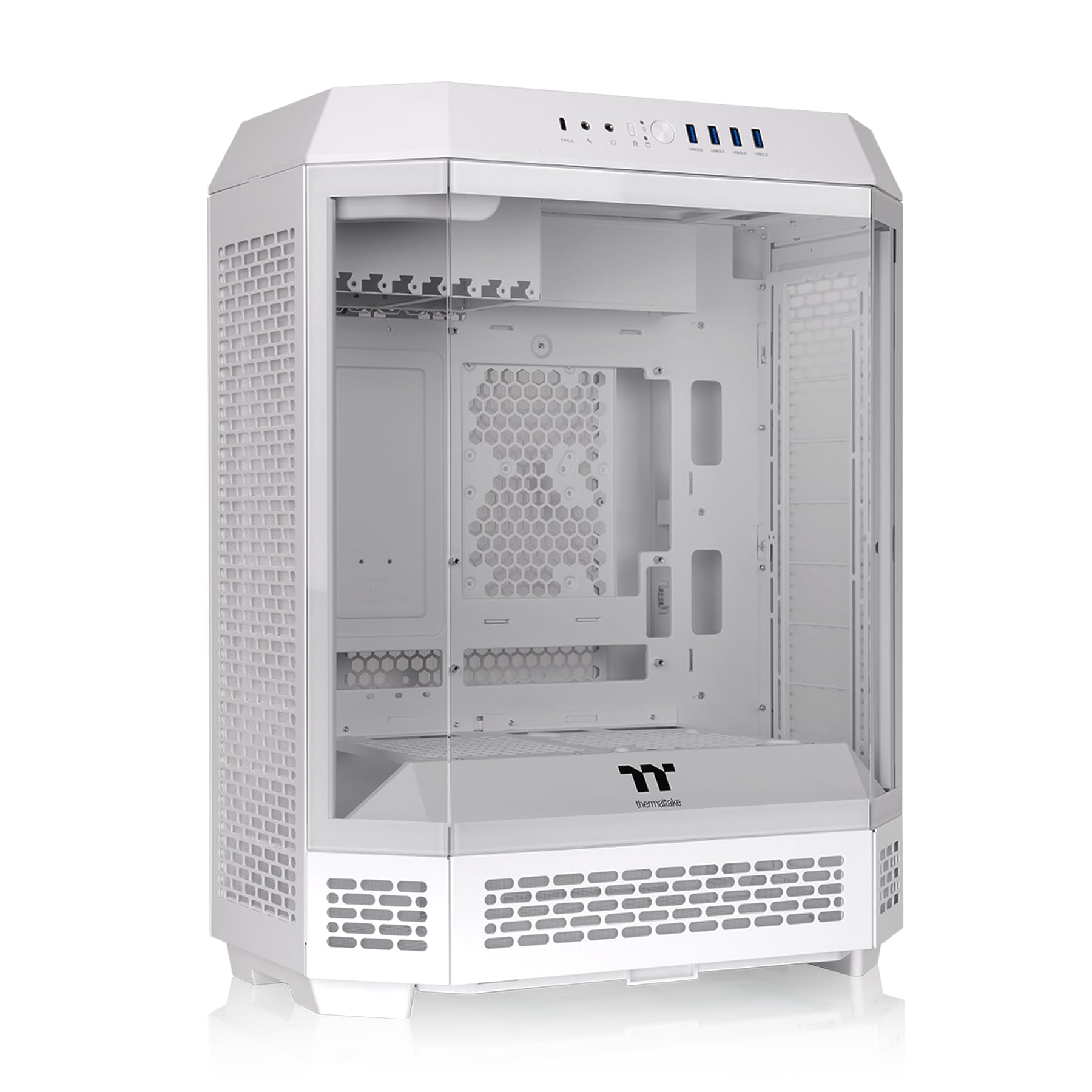
Thermaltake Tower 600

89 /100
Lab Score Excellent

Key details

GPU Clearance
up to 400mm
Radiator Support
Up to 420mm
Pre-installed Fans
0
Back-Connect Compat
ASUS BTF, MSI Zero, Gigabyte
View on Amazon

The Thermaltake Tower 600 stands out with its three-glass-panel octagonal design and generous clearance for up to 420mm radiators, making it a natural fit for custom loop builders who want a visual centerpiece. The hidden-connector motherboard support helps cable routing, but the front panel clip design can be fragile — panels may not stay fully seated after repeated removal. Rear I/O access requires taking off the top panel, which adds steps when plugging in peripherals. Assembly overall leans toward the frustrating side, so this case rewards patience and a willingness to work around the layout quirks rather than promising a quick, hassle-free build.

💡 When installing components, handle the front panels gently and plan to leave the top panel off until after connecting rear I/O cables.

Pros

  • Unique octagonal design with three glass panels for a distinct showcase look
  • Ample interior space supports 420mm radiators and large GPUs up to 400mm
  • Cable management channels behind the motherboard tray aid hidden-connector routing

Cons

  • Front panel clips can snap, causing panels to not stay closed after assembly
  • Rear I/O ports are blocked by a top panel that must be removed for access
Our verdict

Choose this case if you prioritize a standout design and maximum water cooling capacity over build convenience — it’s a showpiece first, a practical chassis second.

Check Latest Price
10

Also Great

also_consider

89 /100
Lab Score Excellent
View on Amazon

This case delivers the triple-glass showcase look that makes every component visible from three sides, and its back-connect support keeps cables out of sight. Builders who value aesthetics over raw airflow will appreciate the clean lines and white steel-tempered glass finish. The limited number of hands-on reports means that real-world durability and assembly quirks are less certain than with more established models.

Pros

  • Three tempered glass panels provide full component visibility from nearly every angle.
  • Back-connect motherboard compatibility simplifies cable management for a cleaner build.
  • Compact mid tower footprint fits standard ATX boards without excess bulk.

Cons

  • No pre-installed fans, requiring additional investment for any cooling setup.
  • Long-term build quality is not yet well-documented, so potential issues may arise with extended use.
Our verdict

Choose this case if you want a glass-heavy showcase with back-connect support and are ready to supply your own fans and accept some uncertainty in durability.

Check Latest Price

How to Choose

Back-Connect Motherboard Compatibility

Back-connect cases route cables through motherboard tray cutouts designed for specific brands: ASUS BTF, MSI Project Zero, Gigabyte Stealth. If you use a standard ATX board, the cutouts still reduce cable clutter, but you won't achieve the hidden-cable look. Always check which boards the case lists as compatible before buying.

Pre-installed Fans: Quantity and Quality

More fans don't always mean better cooling. Cases with five or six fans often cut costs on fan bearings and blade design, leading to noise or early failure. A case with two or three quality PWM fans from a trusted brand (like Corsair or Noctua) can outperform a bundle of cheap 120mm units.

If silence matters, plan to replace budget fans or buy a case with fewer but better fans. In contrast, for high-airflow builds, lots of fans at low RPM can be quieter than a few running fast.

GPU Clearance and Radiator Support

GPU clearance numbers can be misleading. A case may claim 420mm, but that measurement assumes no bottom fans or a radiator. With a triple-slot card and bottom intake fans, the effective clearance drops by 25-40mm. Always measure your GPU length, thickness, and planned fan configuration.

Radiator support is similar: a case may fit a 360mm radiator but only in the top or side position, limiting airflow direction. Dual 360mm support allows push-pull setups but often sacrifices drive bays.

Cable Management Depth and Routing

The space behind the motherboard tray determines how much cable you can hide. Budget cases often have <20mm depth, making it tight with non-modular power supplies. Premium cases offer 25-30mm with Velcro straps and multiple routing channels. Back-connect cases rely on those channels to keep the front clean, so a shallow tray defeats the purpose.

Build Quality and Glass Panel Durability

Tempered glass panels can shatter if stressed during removal, especially on cases with metal clips instead of screws. Cases with removable top panels or side panels that slide out reduce that risk. Look for panel attachment methods that don't require forcing – threaded thumbscrews are safer than snap-in clips.

Frequently Asked Questions