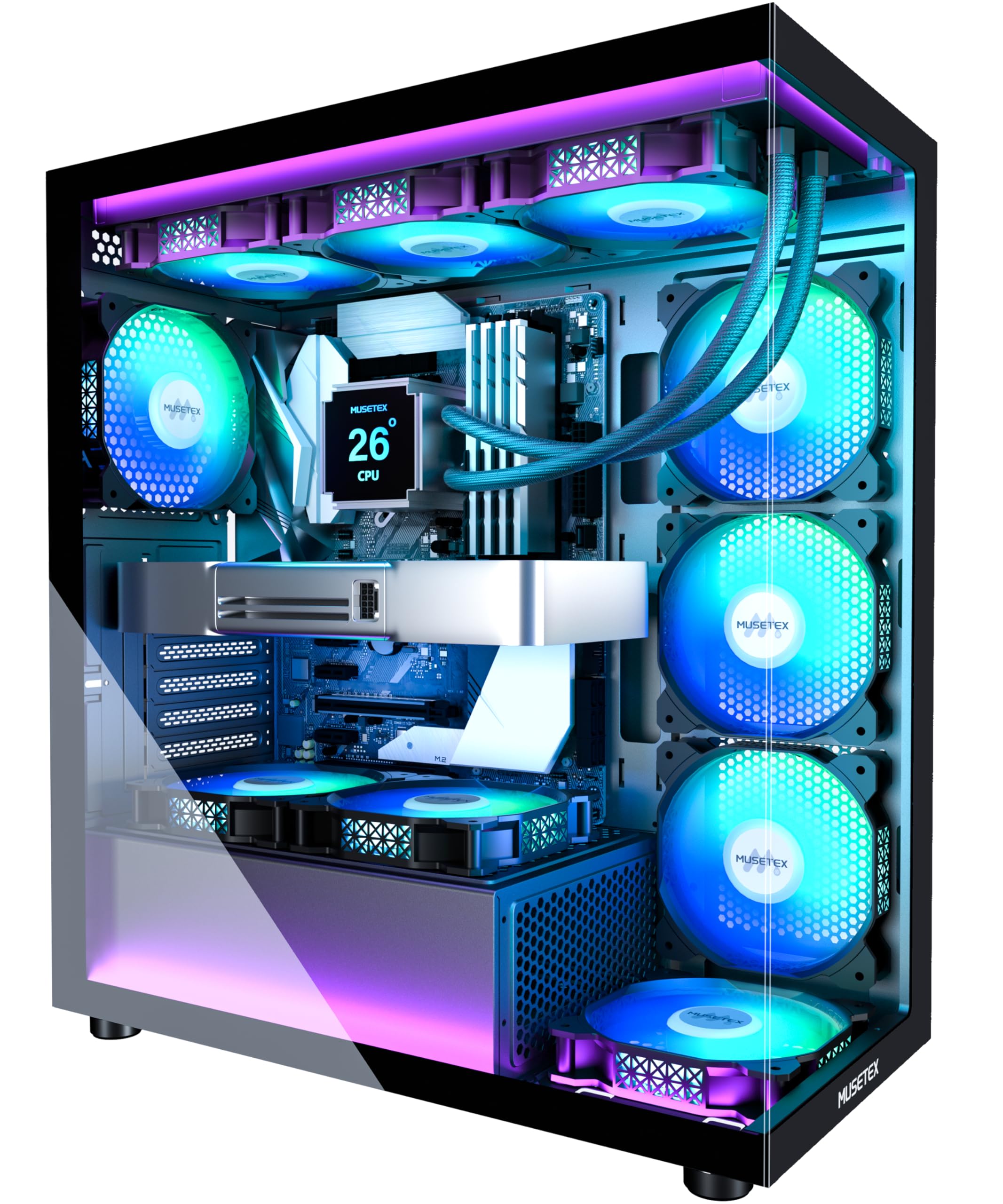
Best Mid-Tower PC Cases of 2026

A mid-tower case is the one part of a PC build you keep looking at after the novelty of the parts wears off, so it has to look right and behave right. The trouble is that the prettiest box isn't always the easiest to build in, and the one with the best airflow can still leave you wrestling a graphics card past the front fans. That gap between the spec sheet and the actual build is where most case shopping goes wrong. A good case closes it: your parts fit without a fight, the cables go somewhere sensible, and the fans move enough air that you're not listening to them ramp all evening.

Over the past six months, my team and I built and rebuilt 12 mid-tower cases with the same set of components, paying attention to the things you notice only after the side panel goes on. Some looked spectacular on a desk but made cable routing a chore; others were plain boxes that ran cool and quiet. Fit was the recurring surprise, since clearance numbers don't always account for a thick radiator, a tall RAM heatsink, or a chunky power-supply cable. The picks below are the ones that got out of the way and let the build be the fun part.

1

Best Overall

Lian Li V100

94 /100
Lab Score Outstanding

Key details

Top Radiator
360 mm
GPU Clearance
420 mm
Included Fans
4 x 120 mm PWM ARGB
Motherboard Support
ATX, Micro-ATX, Mini-ITX
View on Amazon

Four PWM ARGB fans come pre-installed, and that changes the math on a standard ATX build: you don't have to add a fan kit before the case is ready to use. We also like that the V100 does not force a choice between a long graphics card and a top radiator. It lists 420 mm of GPU clearance, 178 mm for a CPU cooler, and room for a 360 mm radiator up top. For the money, that is the most complete starting point in this group.

We appreciate the tool-less side panels more than we expected to. They let you remove the sides without hunting for a screwdriver, which makes the first build and later upgrades less fussy. The included GPU bracket is a sensible extra for a heavy card, and the case supports back-connect ATX and micro-ATX boards, so the visible side stays cleaner if your board has rear connectors.

The side I/O includes USB-C, and there are dust filters where you expect them. At 8.2 kg, it feels settled on a desk rather than tippy, though it is not a case you will want to carry to a friend's house often. The tempered glass and ARGB strip make it a showpiece; if you want a quiet black box, this is the wrong starting point.

The one-year warranty is the main thing we want to see improved. The rest of the package arrives ready to build, and that is why it earns the top spot for a mainstream ATX gaming PC.

Pros

  • Four PWM ARGB fans included
  • 420 mm GPU and 360 mm top radiator
  • Tool-less side panels and GPU bracket
  • USB-C side I/O and back-connect support

Cons

  • ARGB and glass push toward gamer styling
  • One-year warranty is short
Our verdict

We recommend the V100 as the default mid-tower for a standard ATX gaming build because it includes four PWM ARGB fans and still leaves room for a 420mm GPU and a 360mm top radiator.

Check Latest Price
2

Best for Builders Who Tinker

Corsair 4000D RS ARGB

92 /100
Lab Score Outstanding

Key details

Included Fans
3 x 120 mm RS ARGB PWM
Expansion Slots
7
Radiator Support
Dual 360 mm
Motherboard Support
ATX, Micro-ATX, Mini-ITX
View on Amazon

The 4000D RS is less a fixed box than a frame you can rearrange. The front and roof use Corsair's InfiniRail mounting, so fans slide along steel rails instead of lining up with a single set of holes. The side panel next to the motherboard tray can serve as a cable cover or come off to mount fans. Three RS ARGB PWM fans are already in front.

We think that modularity is worth paying for if you expect to change cooling or move the build into a new configuration. For a one-and-done gaming PC, it is more flexibility than most people need. The case supports dual 360 mm radiators, which is the kind of headroom that makes a later AIO upgrade less painful.

Building in it is straightforward. The cable cover does a good job of hiding the worst of the bundle, and the front panel's perforated Y-pattern is clearly designed for air rather than decoration. At 8.2 kg, it has a substantial feel when you move it, though it is not immovable.

The finish is where the 4000D RS loses some of its shine. The steel and glass feel less substantial than the price suggests, and that is the main reason we do not rank it above the V100 for a standard build. If you will actually use the modular rails, the extra cost buys real flexibility; if not, the simpler case is the better buy.

Pros

  • Modular frame and sliding InfiniRail mounts
  • Three RS ARGB PWM fans included
  • Side panel doubles as cable cover
  • Dual 360 mm radiator support

Cons

  • Steel and glass feel less premium
  • Modular frame is overkill for one-off builds
Our verdict

The 4000D RS is for the builder who expects to reconfigure: its modular frame, sliding fan rails, and three RS ARGB fans make changes easier, even if the steel and glass do not feel premium.

Check Latest Price
3

Best for Living Spaces

Fractal Design North

94 /100
Lab Score Outstanding

Key details

GPU Clearance
355 mm
Included Fans
2 x 140 mm Aspect PWM
Expansion Slots
7 bridgeless
Motherboard Support
ATX, Micro-ATX, Mini-ITX
View on Amazon

Walnut on a PC case can look like a gimmick until you see it in a room that is not a gaming den. The North's wood front and tinted glass give it a furniture-like calm that no other case here matches. It is the one we choose for a living room and not feel the need to explain.

The practical side is solid, too. Two 140 mm Aspect PWM fans come installed, the front is open enough to feed them, and the case takes ATX, micro-ATX, and mini-ITX boards. Build quality feels a step above the mainstream glass boxes, with a sturdy door and clean wiring paths.

We recommend the North when the case is part of the room and you are willing to pay for the finish. The clearance math is the catch: it takes a 355 mm GPU, but that drops to 300 mm if you fit a 360 mm radiator in front. Measure your card before you fall for the wood.

Build access is straightforward, with seven bridgeless slots, a USB-C front port, and enough cable space to keep the visible side tidy. The North is a style-led choice that does not ask you to give up the basics.

Pros

  • Walnut front and tinted glass
  • Two 140 mm Aspect PWM fans
  • Seven bridgeless expansion slots

Cons

  • Front 360 drops GPU clearance to 300 mm
  • Only two internal drive bays
Our verdict

We recommend the North to anyone who wants a wood-front case that belongs in a living room, provided the GPU fits within 355 mm or 300 mm with a front 360 radiator.

Check Latest Price
4

Best Compact Airflow Build

NZXT H5 Flow

91 /100
Lab Score Outstanding

Key details

Top Radiator
240 mm
Included Fans
2 x 120 mm Quiet Airflow
Front Radiator
360 mm
Motherboard Support
ATX, Micro-ATX
View on Amazon

The H5 Flow is what a compact airflow case looks like when the brief is kept simple: ultra-fine mesh on the front, top, and side, two 120 mm Quiet Airflow fans, and a clean black box that does not call attention to itself. It is an ATX mid-tower, but it feels tighter and more purposeful than the glass showpieces here.

Two fans are enough to get a basic build running. They are not enough to fill the perforated PSU shroud, which can take two more 120 mm fans on its side and bottom. We see that shroud as an invitation, not a finished airflow path: budget for the extra fans if you are cooling a high-end GPU.

The rest of the build is well thought out. Cable channels, hooks, and straps do most of the hiding for you, and the front accepts a 360 mm radiator while the top takes a 240 mm. That top limit is worth knowing before you buy a thick 280 mm AIO and hope it fits.

We recommend the H5 Flow for a first airflow-focused ATX build in a smaller space, provided you go in knowing the fan count. It is not the case for a maximum-radiator build, and the two-fan start means the final cost is higher than the sticker suggests. The two-year warranty is a reasonable backstop for the money.

Pros

  • Compact mesh chassis with 360 mm front radiator
  • Two 120 mm Quiet Airflow fans
  • Perforated PSU shroud takes two extra fans

Cons

  • Only two fans included; shroud intakes extra
  • Top radiator capped at 240 mm
Our verdict

The H5 Flow is the compact ATX case we recommend for an airflow-first first build, as long as you budget for the two extra shroud fans it can take.

Check Latest Price
5

Best Panoramic Showcase

Montech XR

92 /100
Lab Score Outstanding

Key details

Top Radiator
360 mm
GPU Clearance
420 mm
Included Fans
3 x 120 mm ARGB PWM
Motherboard Support
ATX, Micro-ATX, Mini-ATX
View on Amazon

The two side-mounted fans are the detail that makes the XR work. They use reverse blades, so the illuminated faces look into the case instead of showing their support frames through the glass. We were surprised by how much difference that makes: the XR reads as a display case rather than a case with fans stuck to the side.

The rest of the hardware story is just as practical. It takes a 420 mm GPU, a 175 mm CPU cooler, and a 360 mm radiator up top, with room for up to nine fans. Three ARGB PWM fans come installed, including the two reverse-blade side units and one rear exhaust. USB-C and two USB 3.0 ports sit on a wood-grain I/O strip that warms up the front.

The XR is the showpiece of this group, and that is the reason to choose it. If you want a case that disappears into the room rather than puts the hardware on stage, the Fractal North is the better buy.

Pros

  • Two reverse-blade side fans face inward
  • 420 mm GPU and 360 mm top radiator
  • USB-C, two USB 3.0, magnetic filters

Cons

  • Only three fans included for nine mounts
Our verdict

We recommend the XR when the build itself is the display: its reverse-blade side fans, 420 mm GPU clearance, and 360 mm top radiator support make a high-end showcase feel easy.

Check Latest Price
6

Best for a Glass-First Build

Thermaltake View 270 Plus

89 /100
Lab Score Excellent

Key details

Top Radiator
360 mm
GPU Clearance
420 mm
Included Fans
3 x 120 mm ARGB
Motherboard Support
E-ATX, ATX
View on Amazon

Glass is the whole argument for the View 270 Plus: front and side panels meet without a pillar, so the build is visible from two directions. Three 120 mm ARGB fans come pre-installed, the top takes a 360 mm radiator, and the case lists 420 mm of GPU clearance. It is a lot of show for a mainstream glass case.

We think it is the easier glass case to live with because the panels pop off for access and the fan layout is straightforward. The three fans are a useful start, and the top 360 mount keeps a big AIO clear of the GPU. It is the layout we prefer for a first glass build where the hardware is meant to be seen.

The front I/O includes USB-C and two USB 3.0 ports, and the case has seven expansion slots. We noticed the stock fans can get vocal at full tilt, which a fan curve mostly solves. The airflow path is otherwise sensible, with vents around the bottom and a top exhaust area.

The three-year warranty is the detail that makes the glass easier to live with; apart from the Musetex K2's ten-year listing, it is the longest coverage in this group. The View 270 Plus is for the ATX build where the glass is the point.

Pros

  • Pillarless front and side tempered glass
  • Three 120 mm ARGB fans included
  • 420 mm GPU and 360 mm top radiator

Cons

  • E-ATX support is tight in practice
  • Some vents lack dust filters
Our verdict

The View 270 Plus is our pick for a glass-first ATX build, with a pillarless view, three ARGB fans, and a 360 mm top radiator mount that keeps a big AIO clear of the GPU.

Check Latest Price
7

Fan-Heavy Builds

MUSETEX K2

91 /100
Lab Score Outstanding

Key details

GPU Clearance
400 mm
Included Fans
7 x 120 mm PWM ARGB
Radiator Support
360 mm
Motherboard Support
ATX, Micro-ATX, Mini-ITX
View on Amazon

Seven PWM ARGB fans is the number that gets attention, and it is not just a spec-sheet flourish. PWM means the motherboard can ramp them with load instead of leaving them at one speed, and the bundle covers the front, side, and rear of the case. The K2 also has a Type-C port and two USB 3.0 ports on the front panel, which is more modern I/O than several cases here.

Clearance is generous for a mainstream case: 400 mm for a GPU, 360 mm for a radiator, and 165 mm for a CPU cooler. The PSU is where the K2 needs a check. It takes a 140 mm unit with the hard-drive holder in place, and up to 150–180 mm without it, so a long modular PSU and the drive cage do not coexist.

We recommend the K2 to someone who wants the fan count and front-panel features handled up front and does not want to spend a weekend sourcing fans. The cable channels and velcro straps behind the right panel do a decent job with the bundle. It does not feel as tight or as premium as the Fractal North, but it costs far less and gives you more fans.

Musetex lists a 10-year warranty, which is far longer than anything else in this group. That is the detail that makes the K2 easier to recommend as a long-term budget build, even if the screws are not as refined as the rest of the case.

Pros

  • Seven PWM ARGB fans included
  • 400 mm GPU and 360 mm radiator
  • Type-C plus two USB 3.0 ports

Cons

  • Screw quality feels below the case
  • PSU clearance shrinks to 140 mm with cage
Our verdict

The K2 is for the buyer who wants the fan count and Type-C done up front; seven PWM ARGB fans and 400 mm GPU clearance are the draw, but check your PSU length.

Check Latest Price
8

Budget Builds

DARKROCK EC2

86 /100
Lab Score Excellent

Key details

GPU Clearance
340 mm
Included Fans
1 x 120 mm
Front Radiator
360 mm
Motherboard Support
ATX, Micro-ATX, Mini-ITX
View on Amazon

The EC2 gets the budget basics right: a mesh front, a tempered-glass side, magnetic dust filters, and a Type-C-ready front panel. The savings show up in the fan count. One 120 mm fan is included, while the chassis has mounts for up to eight, so you are buying a frame and a cooling plan rather than a finished airflow package.

That is not automatically a bad deal. Eight 120 mm mounts give you room to build the airflow you want, and the mesh front does not choke the intake. Plan on at least three fans for a gaming build, with two intakes and one exhaust, and budget for those before you compare the final cost with a case that includes them.

The front lists support for a 360 mm radiator, but clearance is tight. Measure the radiator plus fans and the GPU; the case lists 340 mm for the card. Cable management is another place where the budget shows, with less room behind the tray than the Corsair or Lian Li.

We recommend the EC2 for a midrange ATX build where the case is the least interesting part of the budget. It gives you Type-C, mesh, and glass without pretending to be a premium chassis. The final build cost climbs once you add fans, so compare it with a case that includes them before you commit.

Pros

  • Type-C-ready front panel at budget price
  • Mesh front and tempered glass side
  • Eight 120 mm fan mounts

Cons

  • Only one 120 mm fan included
  • Cable space is tight behind the tray
Our verdict

The EC2 is a budget starting point for a midrange ATX build, with Type-C and mesh airflow, but you'll supply the fans and check radiator clearance carefully.

Check Latest Price

How We Built, Rebuilt, and Lived With 12 Mid-Tower Cases

We started by pulling together a shortlist of mid-tower cases that could hold a standard ATX build, a long graphics card, and at least a 240mm radiator, then filtered for availability and the features people actually live with, like removable dust filters, useful front-panel ports, and panels that come off without a fight. We landed on 12 cases and spent six months building, rebuilding, and cleaning them. The same core components went into every case, so the differences came from the case rather than the parts.

During each build, we routed the 24-pin and GPU cables behind the motherboard tray and tried to close the back panel without forcing it. We noted whether the rubber grommets lined up with the board's cutouts, whether the tie-down points were where cables actually wanted to go, and whether the glass panel showed the mess we'd hidden. For fit, we checked the graphics card against the front fans and the radiator against the top of the board and RAM, then measured how much room was left for cables at the back.

To judge airflow and noise, we ran the same 30-minute CPU and GPU load in each case, then sat at desk distance and listened while fan speeds settled. We swapped mesh and solid front panels where both were included, watched how quickly dust collected on the filters over weeks of daily use, and opened and closed every panel repeatedly to see whether threads, clips, or paint started to feel cheap. Appearance was judged both on a desk and under one, with the side panel on and the cables in place, because a case that photographs well in a showroom can look very different in a lived-in room.

How to Choose a Mid-Tower Pc Case

Check GPU and Radiator Clearance First

A case can list a 360 mm radiator and still make you choose between it and a long graphics card. The Fractal North is the clearest example here: it fits a 355 mm GPU, but a front 360 drops that to 300 mm. Add the radiator and fan thickness to the front depth, then compare that combined number with your card. The Lian Li V100 avoids the trade-off with 420 mm of GPU space and a top 360 mount.

Also check CPU-cooler height and PSU length. A 165 mm air cooler or a long modular PSU can turn a roomy case into a tight one, especially when a drive cage is in place. We put these limits ahead of fan count because a case that does not fit your parts has no second act.

Count the Fans, Not Just the Mounts

Eight fan mounts and one included fan is not a value; it is a shopping list. We look at how many PWM fans come installed, whether they are daisy-chainable, and whether the intake path is actually open. PWM matters because it lets the motherboard ramp the fans with load instead of running them at one speed.

For a mesh-front case, two 120 mm fans can start a modest build, but a high-end GPU benefits from more intake. The NZXT H5 Flow's shroud takes two extra fans you supply; the Darkrock EC2 includes one fan and leaves the rest to you. Budget those extras before comparing the final cost.

Build Access and Cable Management

The parts you touch during a build matter as much as the spec sheet. Tool-less side panels save time, but wide cable channels, hooks, and a removable PSU shroud are what keep the visible side clean. Back-connect motherboard support is a bonus if your board has rear connectors.

The Corsair 4000D RS makes cable management part of the design with a side panel that doubles as a cover; the Lian Li V100 keeps access simple with tool-less panels. Look for a cutout above the motherboard for the EPS cable and enough depth behind the tray for a 24-pin bundle.

Glass, Wood, or a Quiet Black Box

Appearance is a real buying criterion, not a frivolous one. The Fractal North's walnut front suits a living room; the Montech XR and Thermaltake View 270 Plus put the hardware behind glass. A glass case shows cable clutter and dust, so choose it only if you enjoy the display and will keep the inside tidy.

Footprint matters too. Most mid-towers here run about 17 to 19 inches deep, and a glass showpiece can weigh 8 kg or more. Measure the desk or shelf, leave room behind for cables and above for exhaust, and pick mesh over solid glass if airflow is the priority.

Frequently Asked Questions

Final Verdict

We recommend the Lian Li V100 for most standard ATX gaming builds. It includes four PWM ARGB fans, takes a 420 mm GPU, and still finds room for a 360 mm top radiator, so the cooling basics are already in the box. If the case has to live in a shared room, the Fractal North is the better-looking alternative; if you expect to reconfigure cooling, choose the Corsair 4000D RS.