Best Cable Management Kits of 2026

A tidy desk can fool you. Crouch down and you’ll find the real situation: a tangle of power bricks, monitor cables, and charging cords that you swore was organized last week. A cable management kit is meant to fix that, but the wrong one just adds weak adhesive and a handful of flimsy clips that pop off the first time you move a laptop. What you actually need is a set complete enough for a whole desk, varied enough for thick and thin cables, and durable enough to survive daily plugging and unplugging.

My team and I installed 14 kits over four months, on home-office desks, under a standing desk, and behind a TV console that collects every black box in the house. The best ones disappeared into the setup: ties reopened cleanly, clips held through repeated cable swaps, and the piece count matched the job instead of leaving me short. A kit with 60 pieces is not automatically better than one with 20—the useful mix matters more than the total. The picks below are the ones that made the back of my desk boring, in the best way.

1

Best Overall

N NOROCME 192-Piece Kit

93 /100
Lab Score Outstanding

Key details

Ties
100 fastening ties, 20 reusable ties
Clips
35 clips plus 11 holders
Pieces
192
Sleeves
4, 20 in L x 0.4 in W
View on Amazon

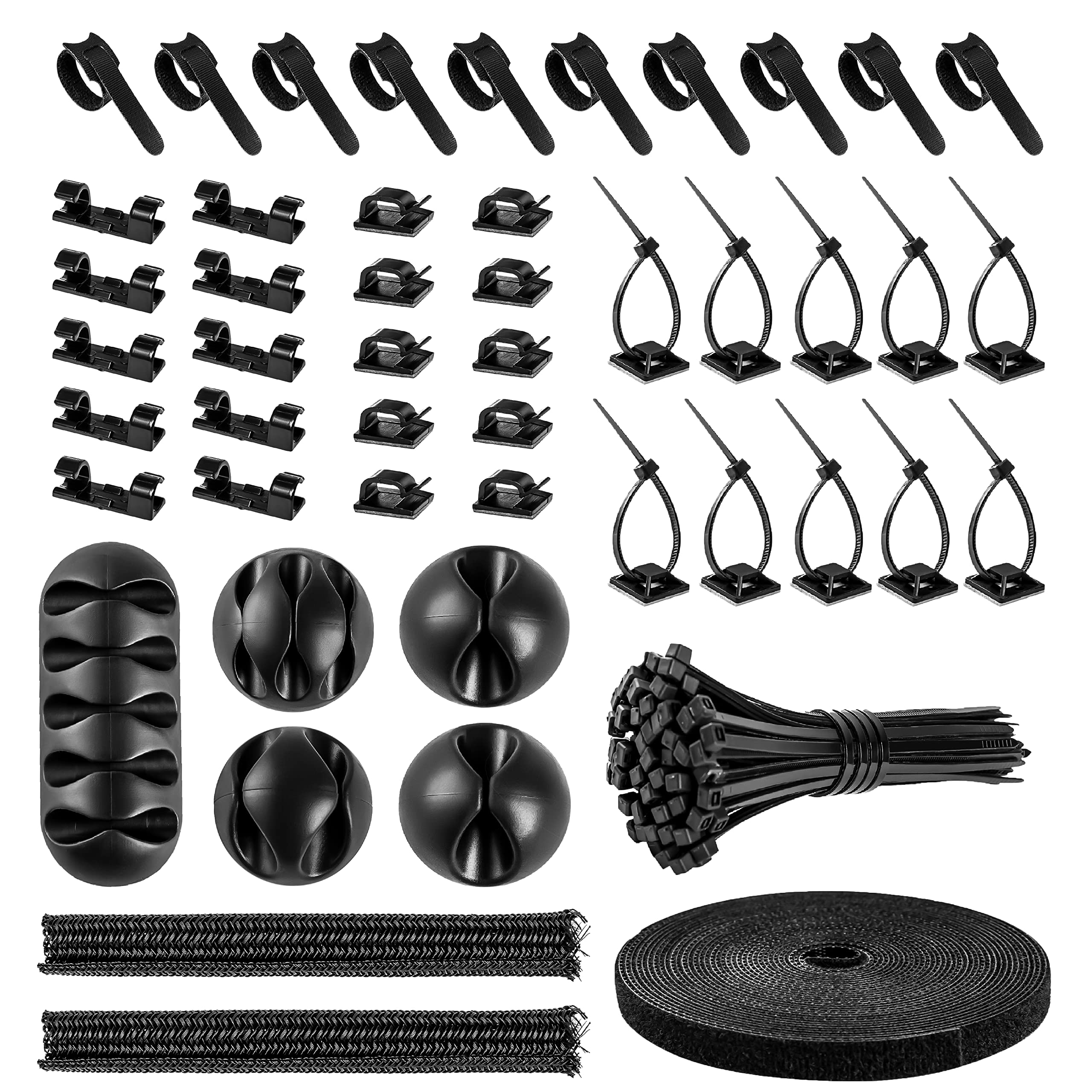
Four sleeves, 35 clips, 11 cord holders, and two rolls of adhesive ties — the N NOROCME kit is built for a full desk or TV re-route, not a single messy charging cable. The 20-inch split sleeves are the centerpiece: you load the bundle, the sleeve closes around it, and you have one clean run instead of five cables wandering behind a monitor. The rest of the box supports that run, with 20 reusable ties for changes and 100 fastening ties for the permanent stuff.

That balance is why we rate it the best all-around kit here. It has enough sleeves to handle a monitor, a lamp, and a speaker run without stealing from the next project, and the clip variety means you can follow a corner or a desk edge instead of forcing every cable into the same holder. The 192-piece count is not just padding; most of it is the stuff you actually use.

The reusable ties are the part we keep reaching for when a device moves or a new cable arrives. They are easier to adjust than the one-time ties, and the eye hole in the tail lets you anchor a cable without a separate clip. That is the kind of small design choice that makes a kit stay useful after the first weekend.

The two adhesive rolls are the detail that makes the kit easier to live with: they anchor a bundle at the back of a desk without committing to a clip, and they peel away if you change your mind. If you are wiring several machines at once, the DRIVUU kit gives you more clips and a bigger tie supply; for one desk or TV, this is the better balance.

Pros

  • Four 20-inch sleeves for main runs
  • Broad clip and holder mix
  • 20 reusable ties plus 100 fastening ties
  • 192 pieces leave spares for future changes

Cons

  • Adhesive clips can peel from dusty or textured surfaces
Our verdict

Buy this one if you want a single box that can handle a full desk or TV re-route, with four sleeves and a broad enough clip mix to follow the cables you actually have.

Check Latest Price
2

Best for Multi-Device Setups

DRIVUU 311-Piece Kit

91 /100
Lab Score Outstanding

Key details

Ties
200 fastening ties, 20 adhesive ties
Clips
53 clips plus 12 holders
Pieces
311
Sleeves
4, 20 in L x 0.4 in W
View on Amazon

The DRIVUU kit advertises 311 pieces, and the number is the point: this is the box you buy when one desk is not the whole job. You get four sleeves, 53 clips, 12 cord holders, 20 adhesive ties, and 200 fastening ties, so there is enough to wire a couple of PCs or a small rack without rationing. We rate it the best kit here for multi-device setups for exactly that reason — it lets you finish the whole run instead of stopping to order more.

The catch is that the count is top-heavy with zip ties. Two hundred fastening ties is a lot, and if you are mostly bundling cables that you move, the reusable ties and clips matter more. We found the clip mix more useful than the raw total: 53 clips and 12 holders give you options for thick power cables and thin charging cords, and the four sleeves handle the main trunk.

The adhesive is decent on clean surfaces; on a dusty baseboard, wipe first and let it dry. The 200 ties are genuine heavy-duty ties, not the flimsy kind that snap when you pull them tight. That matters if you are hanging a bundle under a desk and want it to stay put.

If you are organizing one desk, the N NOROCME kit is easier to manage. The DRIVUU is for the person with a tangle behind two monitors, a gaming PC, and a TV that all need to be handled in one pass. The extra clips are what we kept reaching for when a route turned a corner or a thick power cable needed its own holder.

Pros

  • 311 pieces for multi-device installs
  • 53 clips and 12 holders cover odd routes
  • 200 heavy-duty fastening ties

Cons

  • Some kits arrive with missing pieces
Our verdict

Choose the DRIVUU kit when you are wiring several desks or a small rack and need enough clips and ties to finish the whole job in one pass.

Check Latest Price
3

Best for White Desks

Topavatop 313-Piece Kit

92 /100
Lab Score Outstanding

Key details

Clips
67 clips in 11 styles
Finish
White
Pieces
313
Sleeves
4 split sleeves
View on Amazon

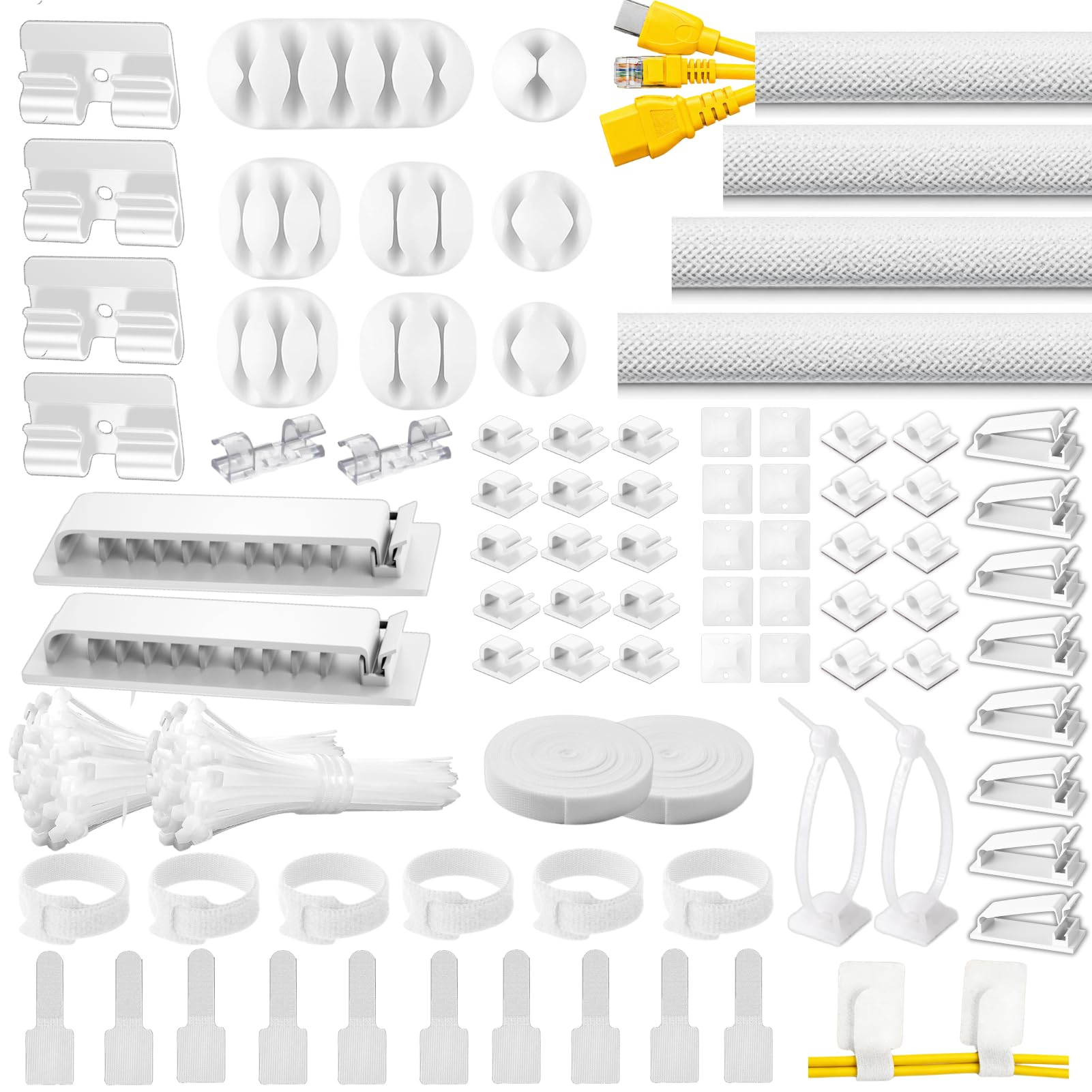
The first thing you notice about the Topavatop kit is the color. White sleeves, white clips, and white ties are a deliberate choice: against a pale desk, a white wall, or a light TV stand, the hardware disappears in a way black kits do not. The 313-piece box includes four split sleeves, 67 adhesive clips in 11 styles, and 200 zip ties with 20 mounting bases.

The clip variety is the practical half of that story. There are small clips for charging cables, larger holders for a monitor bundle, and mounting bases for heavier runs, so you can match the holder to the route rather than making one shape do everything. The four sleeves are the same 20-inch split type you see in most kits here, and they close around a bundle without drilling or taping.

We rate this the best pick for white desks because the finish is not just cosmetic — it is the reason the kit disappears. If your setup is light, the 11 clip styles give you a lot of flexibility; if it is black, the N NOROCME or DRIVUU kit is the more sensible match.

The white zip ties are the detail that makes the finish feel intentional rather than a gimmick. They are the same heavy-duty ties as the black version, but they do not create a dark line across a white desk leg. That is a small thing until you are staring at it every day.

Pros

  • White finish blends into light desks
  • 11 clip styles for different routes
  • Four sleeves and 200 zip ties

Cons

  • White hardware stands out on dark desks
Our verdict

The Topavatop kit is the pick for a white desk or light wall, where its white sleeves and 11 clip styles blend in instead of adding another visual line.

Check Latest Price
4

Best Budget Kit

ZIIYAN 163-Piece Kit

89 /100
Lab Score Excellent

Key details

Ties
100 fastening ties plus reusable straps
Clips
25 clips plus 8 soft holders
Pieces
163
Sleeves
3, 19.7 in L
View on Amazon

The ZIIYAN kit is the budget option we point to when someone wants a tidier desk without buying a lifetime supply of cable gear. It is the least expensive kit here, and the 163 pieces are chosen with a single desk in mind: three 19.7-inch sleeves, 25 clips, eight soft anti-slip holders, 100 fastening ties, and a handful of reusable straps and mounts. We rate it the best budget starter because it covers the basics without burying you in zip ties.

The soft holders are the nice surprise. They grip charging cables and thin USB cords without the hard click of a plastic clip, and they are easier to reposition when you change your mind. The three sleeves are enough for a monitor cable, a power cord, and a lamp cord, and they close around the bundle without any drilling.

The adhesive is not the strongest part of the box, so we used the sleeves and ties for the main routes and saved the clips for clean, smooth edges. That is the right way to use a kit this size: let the sleeves do the heavy lifting and treat the clips as helpers. The smaller clip count is the trade-off for a kit that does not leave you with a drawer of leftovers.

The reusable straps are the part we kept using after the first install. They are easier to adjust than the one-time ties, and they make a desk change less annoying.

Pros

  • Low-cost starter kit for one desk
  • Soft holders grip thin cables

Cons

  • Three sleeves may be short for long runs
Our verdict

For a first tidy-up on one desk, the ZIIYAN kit gives you the sleeves, clips, and reusable straps you need without a box full of extras.

Check Latest Price
5

Best for Small Spaces

CHZHLI 2-Sleeve Kit

91 /100
Lab Score Outstanding

Key details

Ties
100 fastening ties, 10 reusable ties
Clips
41 self-adhesive holders
Sleeves
2, 1 m protectors
Sleeve Fit
0.5 to 0.8 in diameter
View on Amazon

Two sleeves are enough for a TV corner or a single-monitor desk, and the CHZHLI kit is built around that smaller job. It comes with two one-meter cord protectors, 41 self-adhesive holders, 10 reusable ties, a roll of adhesive ties, and 100 fastening ties. That is a smaller box than the full-size kits, and the two sleeves are the reason: you are not paying for a garage full of extras you will never open.

We rate it the best small-space kit because the format matches the job. Two sleeves handle the main run from the wall to the desk, the 41 holders cover the little charging-cable drops, and the 100 ties take care of the permanent bundle behind the furniture. It is a sensible split for a TV corner or a one-monitor setup, and it is easier to store than a 300-piece box.

The 41 holders are the useful middle ground: more than enough for a charging cable at the desk edge, a monitor cable, and a speaker wire, but not so many that you are sorting through a dozen shapes you do not need. The two sleeves are long enough for a one-meter run, and they close around the bundle without drilling.

The adhesive is the part that can let you down on a bare metal desk. The holders stick well to painted wood and clean laminate, but on a metal surface they may need a strip of your own tape. For a TV corner with a wooden stand, the kit is an easy call.

Pros

  • Two sleeves suit a TV corner
  • 41 self-adhesive holders for short drops
  • 100 fastening ties plus reusable ties

Cons

  • Sleeve diameter limits thick bundles
Our verdict

This is the kit for a TV corner or one-monitor desk, with two sleeves and enough holders to clean up the short runs without overbuying.

Check Latest Price
6

Permanent Installs

ELII 300-Piece Kit

90 /100
Lab Score Outstanding

Key details

Ties
200 fastening ties, 20 mounts
Clips
35 clips plus 11 holders
Pieces
300
Sleeves
4, 20 in L x 0.4 in W
View on Amazon

Two hundred fastening ties and 20 zip-tie mounts tell you what the ELII kit is for: a permanent route you set once and leave alone. The box also includes four 20-inch sleeves, 35 clips, 11 cord holders, and 25 zip ties. It suits someone who wants to finish a desk install and not think about it again.

The mounts are the part we appreciate most. They give you a screw-free anchor point for a heavy bundle, and they work with the included ties to hold a run under a desk or along a baseboard. The four sleeves handle the main trunk, while the 35 clips and 11 holders take care of the branches. It is a practical mix if you are wiring a desk once and do not want to think about it again.

We rate it a solid also-consider rather than a top pick because it is built for permanent routes. If you want a box that covers a big install and leaves you with spares, it earns its place; if you change your desk layout often, the reusable ties in the N NOROCME kit are easier to live with. The adhesive clips are the usual weak point — clean the surface and give them a smooth home.

The 20 mounts are the detail that makes the kit more useful than its tie count suggests. They turn a loose bundle into a fixed route, and they are the reason we reach for this box when a desk has a heavy power strip to support.

Pros

  • 200 fastening ties and 20 mounting bases
  • Four sleeves and 35 clips cover a full desk

Cons

  • Many pieces are one-time zip ties
  • Only 35 clips for a 300-piece kit
Our verdict

The ELII kit suits a permanent desk install where a large supply of fastening ties and mounting bases matters more than reusable clips.

Check Latest Price

How We Tested Cable Management Kits

We built a shortlist of kits in different sizes and piece counts, then narrowed it by reading the specs closely enough to know what was actually included: clips, ties, sleeves, mounting squares, and the small odds and ends that make a kit feel finished or frustrating. I ruled out sets that looked incomplete for a basic desk setup, along with anything whose adhesive was described so vaguely that I couldn’t tell what surface it was meant for. That left 14 kits, which we used for four months in the places cables actually pile up: the back of a home-office desk, the underside of a standing desk, and the shelf of a TV console holding a router, streaming box, and game console.

For each kit, I laid every piece out first and tried to manage a full desk setup without stealing supplies from another kit. That showed quickly whether the mix was genuinely complete or just padded with one size of clip. I routed a thick monitor power cable and a thin braided charging cord through the same system, then added and removed a laptop charger a few times a day to see whether the ties reopened easily or the clips shifted. On the TV console, I ran cables around corners and behind furniture, which is where versatile kits separate from the ones that only work in a straight line.

Adhesion got its own round of abuse. I cleaned each surface first, pressed the clips on, waited a day, then hung the cables and gave them a tug—not enough to rip them down, but enough to mimic the yank of unplugging a charger. Over the following weeks I checked for peeling, sagging, and clips that slid out of position, and when I removed them I noted whether the adhesive left a sticky patch or came away clean. Durability showed up in smaller ways too: hinges that loosened, ties that frayed, sleeves that split at the seam. The kits that survived still held cables tight without making future changes a chore.

How to Choose a Cable Management Kit

Start With the Routes, Not the Piece Count

Walk around your desk or TV area and count the main runs: the thick bundle from the wall to the desk, the monitor cable drop, the charging cables at the edge. A kit with three or four split sleeves handles a full desk; a two-sleeve kit is a better match for a TV corner or one monitor. Then look at the clips and holders. A box with 200 zip ties and only 30 clips is built for permanent bundles, not for a layout you change often. The DRIVUU kit is a good example: its 311 pieces are useful for a multi-device install, but the reusable ties and clips are the parts you will actually touch.

Treat Adhesive as a Helper, Not a Guarantee

Most kits rely on peel-and-stick clips, and that is where the experience diverges. Adhesive holds best on clean, smooth, dry surfaces such as painted wood, laminate, glass, and most plastics. Dusty baseboards, textured walls, and bare metal are the places it can let go, especially with a heavy power cable. Wipe the surface with a damp cloth and let it dry fully before sticking anything down. For a heavy bundle, use a mounting base or a zip tie around a desk leg instead of trusting a small pad. A kit with good sleeves and ties can still work well even if you end up reinforcing a few clips.

Match Sleeve Size to the Bundle

Split sleeves are listed by length and diameter, and the diameter is the number that decides whether your bundle fits. A 0.4-inch sleeve is for a few thin cables; a 0.5-to-0.8-inch sleeve can take a monitor cable plus a power cord, but not a thick HDMI bundle and a power strip cable together. If the bundle is too fat, split it into two runs rather than forcing it. Length matters too: a 20-inch sleeve covers a short desk run, while a one-meter sleeve is better for a TV stand. The CHZHLI kit's two one-meter protectors are a good small-space size, while the larger kits give you four 20-inch sleeves to work with.

Choose Reusable Ties for Layouts That Change

Zip ties are strong and cheap, but they are a one-time decision. If you move a monitor, add a dock, or swap a charging cable, you cut the tie and start again. Hook-and-loop straps and reusable ties are easier to adjust and reuse, which matters if the desk changes with your gear. A good kit gives you both: reusable ties for the cables you touch and fastening ties for the bundle behind the desk. The ZIIYAN kit leans toward reusable straps in a small package, while the ELII kit is weighted toward permanent ties and mounts. Buy for the way you use the desk, not for the biggest bag.

Match the Finish to the Room

Black is the default because it disappears against dark electronics and most cable jackets. White is the better choice against a pale desk, a white wall, or a light TV stand, and it can make a visible run look intentional rather than like a repair. The catch is that white hardware stands out on a black desk or a dark media console. If you are buying for a shared living space, match the kit to the surface the cables run against, not to the cables themselves. The Topavatop kit's white sleeves and clips are the obvious pick for a light setup; the N NOROCME and DRIVUU kits are the safer match for dark desks.

Frequently Asked Questions

Final Verdict

Most people should start with the N NOROCME 192-piece kit. It has the sleeves, clips, and reusable ties to handle a full desk or TV re-route without turning into a box of one-time zip ties, and it is the best balance of coverage and flexibility in this group.

If your setup is white, the Topavatop kit is the better visual match. If you are wiring several machines at once, the DRIVUU kit gives you more clips and a bigger tie supply. Buy for the routes you have, and the rest will follow.