Best Under-Desk Cable Trays of 2026

The moment I knew I needed an under-desk cable tray wasn't a design epiphany — it was my foot catching a loop of ethernet cable and yanking the router off the shelf. Everything I'd hidden under my desk was only out of sight from above: power bricks, a coiled surge protector, and enough slack cable to trip a guest. A tray gives all of it a fixed home an inch or two beneath the desktop, so cables run in a straight line instead of pooling on the floor. It changes how the desk looks, and honestly how it feels to sit at.

We've spent four months with 14 of these trays under desks of every kind, and the differences come down to things no product photo shows. The mounting surface decides almost everything, for one: a tray that feels rock-solid in solid wood can sag out of particleboard with the wrong anchors. The picks below cover the range — deep steel baskets for loaded standing desks, slim ones for shallow desks, and a few that go on without drilling.

1

Best Overall

Mzmaxy 25-Inch Cable Tray

94 /100
Lab Score Outstanding

Key details

Mount
Desk clamp
Load Rating
About 15 lbs
Basket Length
25 inches
Desk Thickness
0.4 to 2 inches
View on Amazon

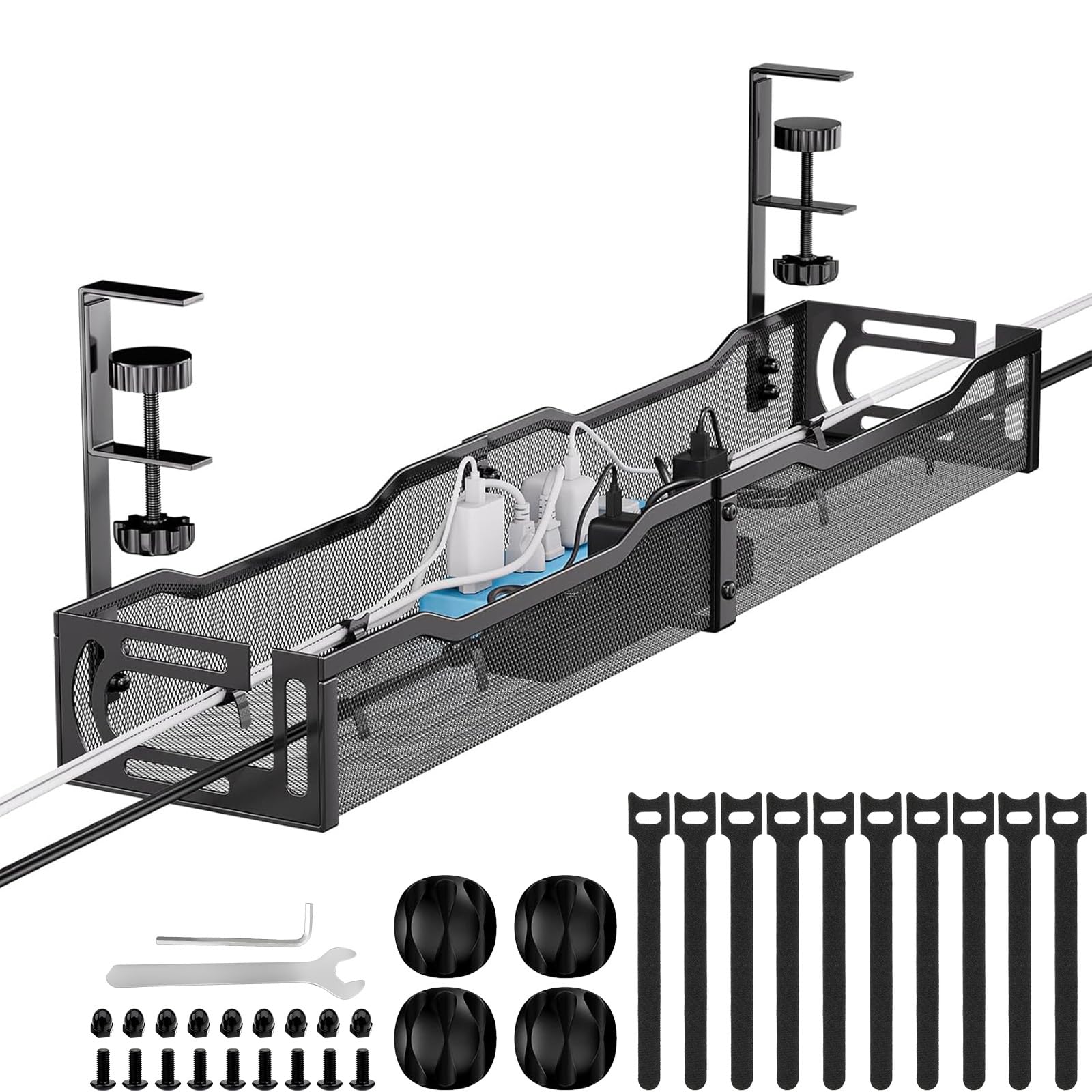
Twenty-five inches is the length that covers the most desks without asking for space you don't have: room for a full-size surge protector with a couple of monitor bricks beside it, and shallow enough that the basket sits behind your shins rather than against them. That balance is why this Mzmaxy tray is the one we recommend first. The clamp opens wide enough for desktops from 0.4 to 2 inches thick, so it handles a thin laminate top and a chunky standing-desk slab alike.

Setup is two padded clamps and a twist of each screw — no drill, no template, no holes to live with if you move. What we appreciate most after living with it is the open mesh top: cables drop in from above instead of being threaded end to end, and the two side openings let a bundle leave the tray exactly where it needs to go. Adding a cable later takes seconds, which matters more than it sounds like it should.

The basket is rated to about 15 pounds, well beyond what a strip and a few adapters weigh, and the mesh lets a power brick breathe instead of sitting in its own heat. A wide 12-outlet strip fits with room left over; a cluster of oversized bricks is where it starts to feel full. The clamp is the only mounting option, so if you want screws, look at the pamo pair instead.

Small thing, but it's the kind of detail that decides whether you keep liking an accessory: the mesh floor lets dust and crumbs fall straight through, so the tray doesn't slowly turn into a shelf you have to vacuum. Over a year of use, that's the difference between a cable tray and another thing to clean.

Pros

  • 25-inch basket holds a full surge protector
  • Clamp fits desktops from 0.4 to 2 inches
  • Open mesh keeps power bricks ventilated
  • No-drill install that takes minutes

Cons

  • Clamp-only; no screw-mount option
  • Short 3-month manufacturer warranty
Our verdict

We recommend this one first for most desks: 25 inches swallows a full power strip, the padded clamp needs no drill, and the open mesh makes adding a cable painless.
Check Latest Price
2

Best for Long Desks

Univivi 36-Inch Fabric Tray

92 /100
Lab Score Outstanding

Key details

Mount
Clamp or screw
Material
600D Oxford fabric
Warranty
1 year
Basket Size
36"L x 5.5"W x 5.5"H
View on Amazon

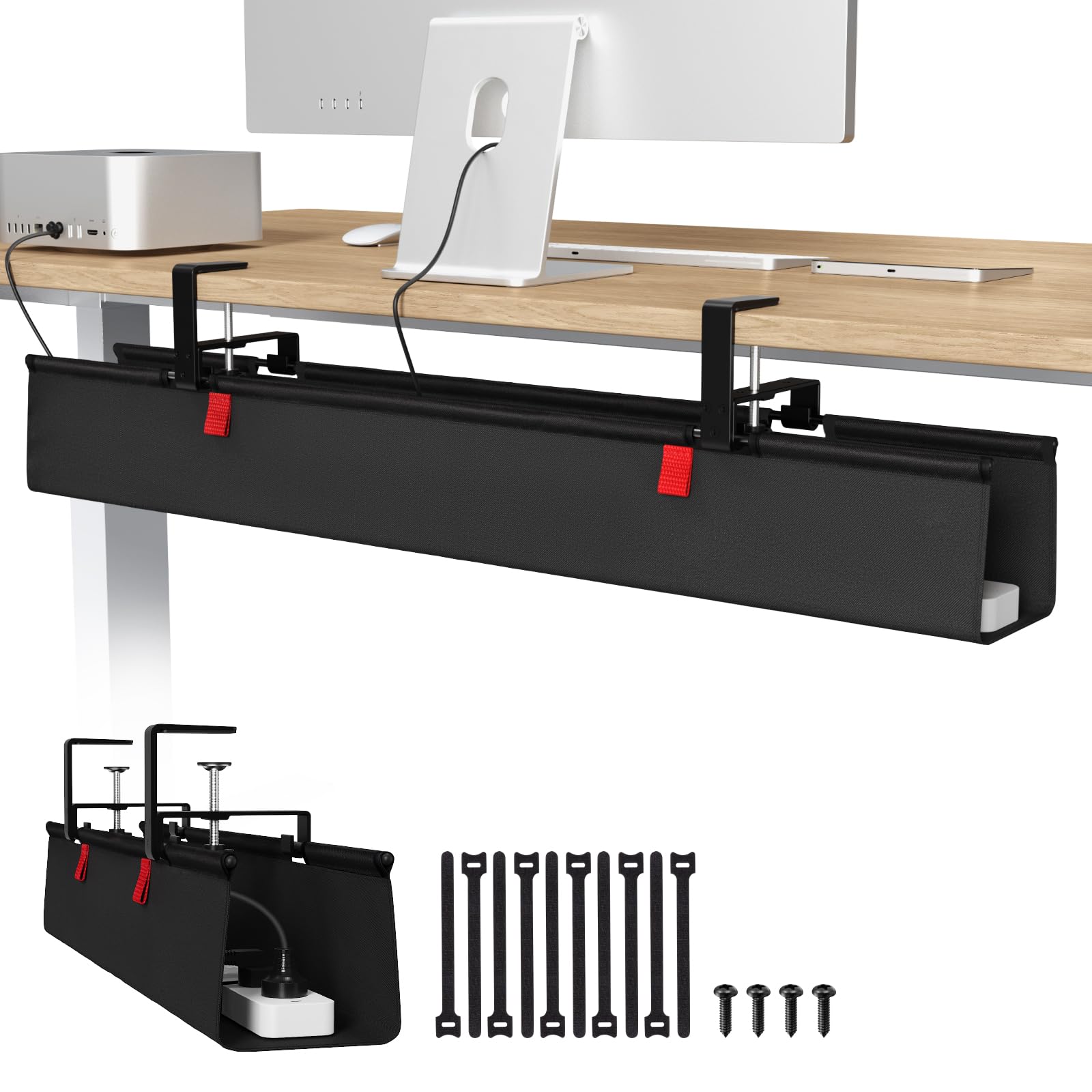
Sized like a small trough rather than a tray, the Univivi measures 36 inches long and 5.5 inches on both the width and the depth, which puts it in a different class from the 13- and 16-inch trays here. It mounts two ways — a clamp for a clean desk edge, or screws for a top with no edge to grab — and the fabric cradle opens along its length so you can lay a power strip in from above instead of fishing it through.

For a desk with two monitors, a dock, and a desktop tower, this is the tray we point to. The room is real: multiple surge protectors, an iMac-style power box, and the thick braided cables that come with a gaming setup all disappear inside it, and the built-in ties pin each brick where you put it so nothing slides to the middle. We were also impressed by how quiet the fabric is — nothing rattles or scratches when you push a brick past it, which a metal basket can't promise.

The cost of all that room is depth. A 5.5-inch cradle hangs noticeably lower than a flat metal tray, so if a keyboard drawer or your chair's armrests already skim the underside of the desk, measure before you commit. On an open desk it's a non-issue, and being able to unfasten the front and reach straight in — without unmounting anything — is what makes a basket this big worth owning.

Pros

  • 36-inch basket swallows two monitors' worth of gear
  • Folds open for loading without unmounting
  • Clamp or screw mounting suits more desks
  • Built-in ties hold bricks in place

Cons

  • 5.5-inch depth hangs into knee space
Our verdict

If your desk carries two monitors and a dock, this is the tray to buy: a 36-inch fabric cradle that folds open and holds the whole pile.

Check Latest Price
3

Best Screw-Mounted Pair

pamo Cable Management, Set of 2

94 /100
Lab Score Outstanding

Key details

Mount
Screw-in
Material
1 mm powder-coated steel
Pack Size
Set of 2
Tray Size
17.32"L x 3.94"W
View on Amazon

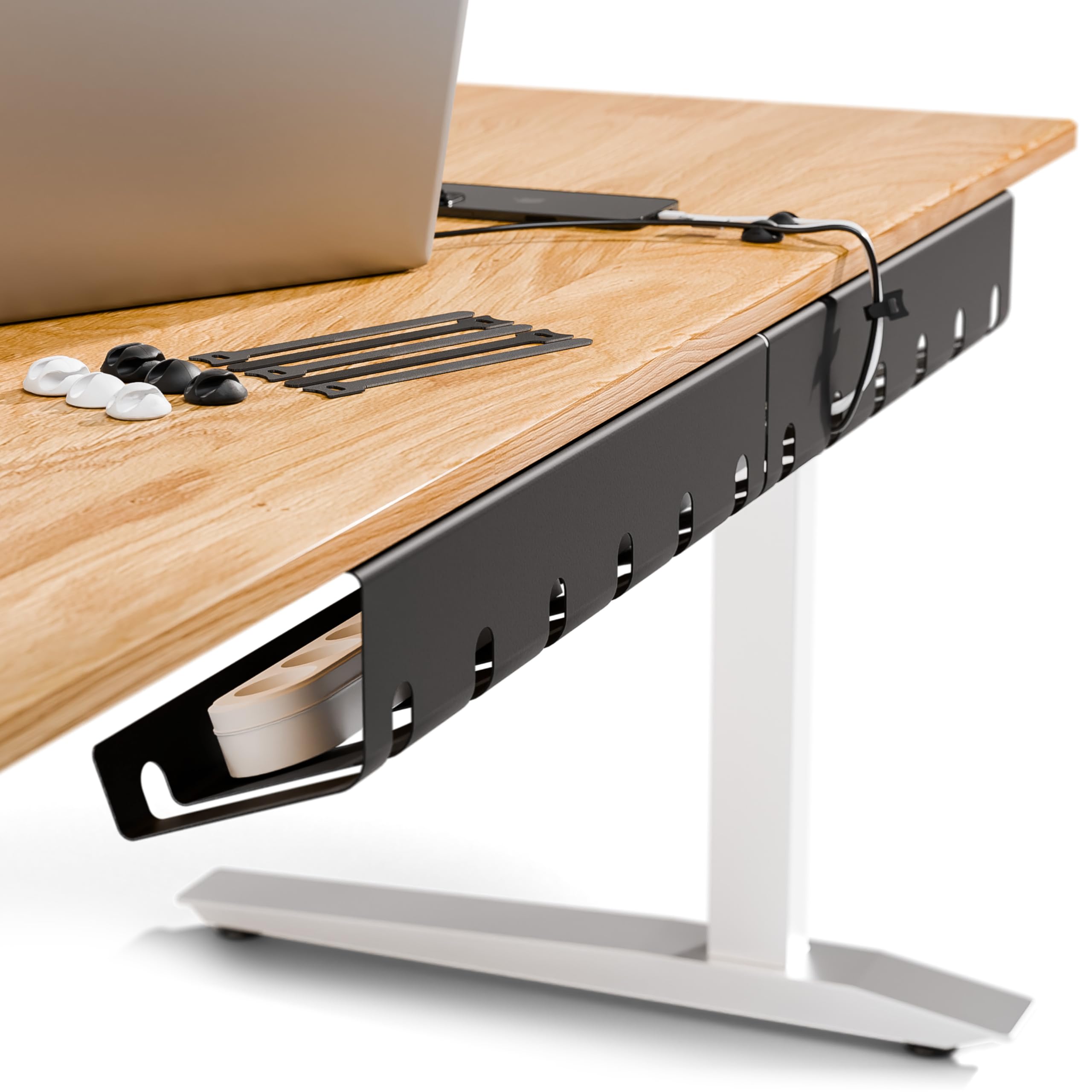
Two trays come in the box, each 17.32 inches long and 3.94 inches deep, and together they cover roughly 35 inches of desk — with a gap in the middle if you want one under the monitor and one under the tower. The steel is 1 mm thick and powder-coated, with a beveled front edge instead of a straight lip.

Mounting is screws, and only screws. The included flat-head self-tapping screws drive straight into a wood or particleboard top with a screwdriver, no pre-drilling needed, though you'll want a stubby driver or a long bit to reach the underside comfortably. Reusable cable ties come with the pair, and the slots along the tray let you tie a bundle down exactly where it crosses.

The beveled profile is what we like most. A MacBook-style brick and a 12-port strip sit angled toward you rather than flat on the floor of the basket, so the switch on the strip stays reachable without pulling anything out — and screwed-in steel is the most secure mounting in this set, which matters if you're hanging real weight. It goes in at an angle that also keeps the tray out of your legs.

Pros

  • Two 17-inch steel trays cover a wide desk
  • 1 mm powder-coated steel resists bending
  • Beveled front keeps plugs reachable
  • Cable ties included in the box

Cons

  • Screw mounting puts permanent holes in the desk
  • No clamp option for glass or borrowed desks
Our verdict

Two screwed-in steel trays make the most secure mount in this set, and they're the right buy when the desk is yours to drill.

Check Latest Price
4

Best No-Assembly Pick

Xpatee 15.7-Inch No-Assembly Tray

93 /100
Lab Score Outstanding

Key details

Mount
C-clamp
Assembly
None required
Tray Size
15.7"L x 6.1"W
Included Hardware
Cable clips and ties
View on Amazon

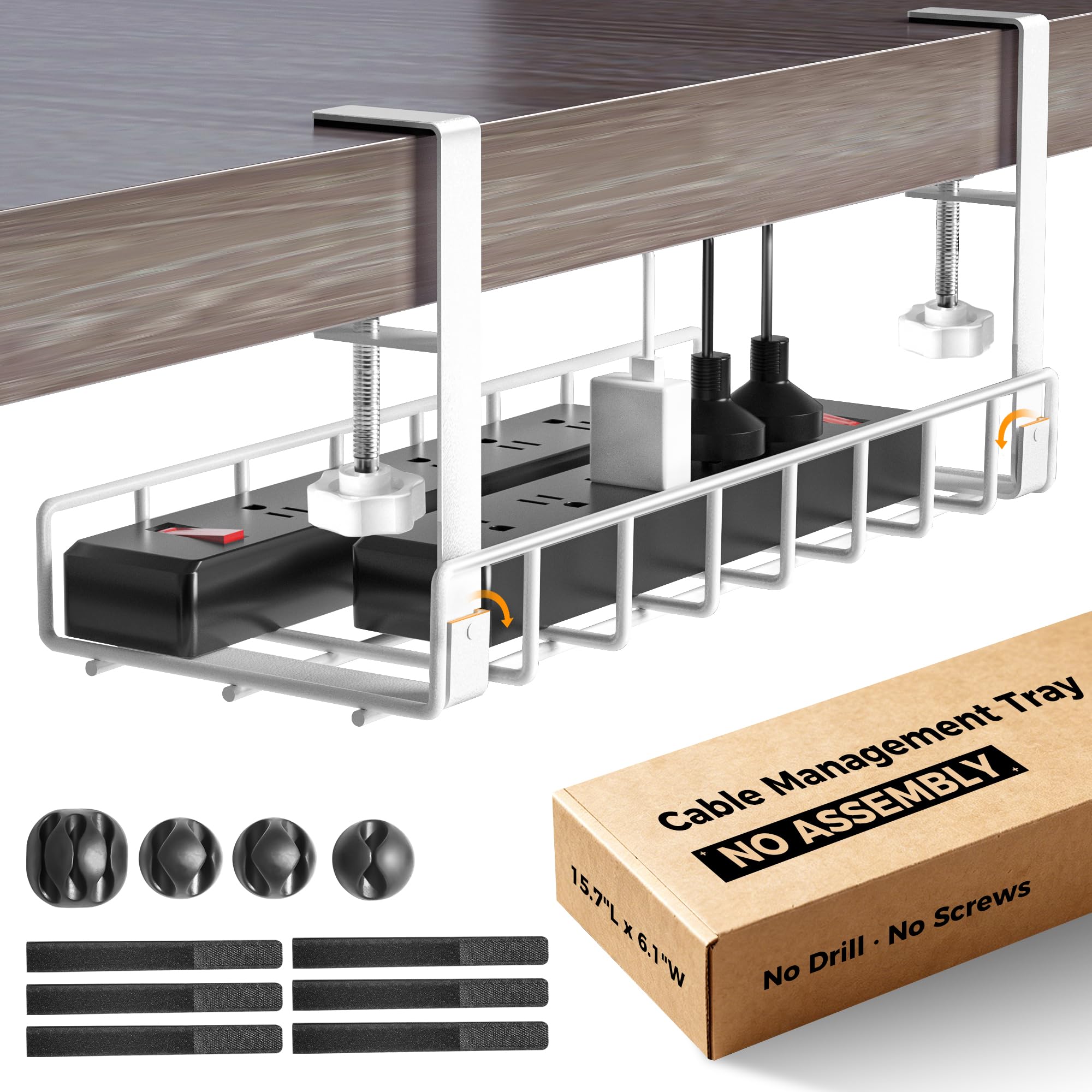
Nothing to assemble, nothing to thread: the Xpatee arrives as one welded, powder-coated basket with the C-clamps already attached, and it's the widest basket in this group at 6.1 inches front to back. That combination — deep enough for a surge protector and a charger box side by side, and no build step at all — is why it's the tray we hand to people who want the job finished in one sitting. The white finish all but disappears against a light desk, which is more than you can say for most black steel baskets.

The clamps carry anti-scratch mats, so a finished or glass top comes away unmarked, and the guardrail keeps a brick from sliding out when you nudge the tray. What it won't do is swallow a long multi-outlet strip: at 15.7 inches the basket is shorter than most full-size surge protectors, so it suits one strip plus a pile of bricks rather than a whole wall of adapters. Four cable clips and six ties come in the box, which is a nicer starting kit than most.

Pros

  • Arrives welded; nothing to assemble
  • 6.1-inch depth is the widest basket here
  • C-clamps have anti-scratch pads
  • Cable clips and ties included

Cons

  • 15.7 inches is short for a long surge protector
Our verdict

The one to grab when you want it done tonight: it arrives welded, clamps on, and its 6.1-inch depth beats everything else here.

Check Latest Price
5

Best Low-Profile Pick

VIVO 16.5-Inch Steel Tray

91 /100
Lab Score Outstanding

Key details

Mount
Screw-in
Tray Size
16.5"L x 3"W
Load Rating
11 lb
Mounting Holes
11 inches apart
View on Amazon

Three inches is narrow, and VIVO doesn't pretend otherwise: this is a 16.5-inch steel channel with a partially closed front, built for cable bundles and power bricks rather than a full surge protector laid flat. It screws to the underside of the desk through two holes set 11 inches apart, and it's rated for 11 pounds.

Where it earns its place is clearance. If your desk has a keyboard drawer, a shallow apron, or a chair that already grazes the underside, a low-profile channel disappears where a 5-inch cradle would be in the way. The closed front is a detail we came to appreciate: cords stay put when you slide a brick along the channel instead of catching on a lip and popping out, and the holes along the base let you run cables out at a sensible angle.

Installation is the part to plan. The mounting holes sit 11 inches apart, so a crossbar or a metal frame rail running through that span will foul the screws; a long driver bit or a right-angle attachment earns its keep here. Screw it into a solid top rather than thin hollow core, and check the tray against your power strip before you drill — this is the pick for a bundle of cords, not for a wide strip.

Pros

  • Three-inch profile stays out of knee space
  • Partially closed front keeps cords from slipping
  • Steel tray rated to 11 lbs
  • Holes along the base route cables cleanly

Cons

  • 3-inch width won't take a wide surge protector
Our verdict

Choose this narrow steel channel when clearance is the problem — at 3 inches deep it tucks under desks where bigger baskets hit your knees.

Check Latest Price
6

Best Budget Pick

Litwaro 13.4-Inch Clamp Tray

94 /100
Lab Score Outstanding

Key details

Mount
Desk clamp
Warranty
1 year
Tray Size
13.4"L x 4.72"W
Load Rating
About 15 lbs
View on Amazon

This is the least expensive tray here, and it's also one of the smallest: 13.4 inches long, 4.72 inches deep, and made of carbon steel rather than the thinner stamped metal you might expect at this end of the market. Two holes in the sides give cables somewhere to exit, and the clamps carry soft rubber pads so a veneered or painted top doesn't come away marked.

The clamps tighten by hand, and the tray is hanging in about the time it takes to clear the old nest off the floor — no drill, no brackets to line up, nothing to assemble beyond the clamps themselves. The stated capacity of about 15 pounds is far more than a strip and a handful of adapters will ever weigh, and the coating has held up without rust where a cheaper basket would have given in.

Where it makes sense is a compact desk or a single strip with a few adapters — the 13.4-inch basket swallows that easily. Run the cables out through the side holes rather than over the rim and the strip sits flush, with nothing draping down toward your feet; that one habit is what keeps a small tray looking tidy instead of like a bowl of spaghetti.

Pros

  • Least expensive tray in this set
  • Rubber pads protect the desktop
  • Rated to about 15 lbs
  • Side holes route cables out cleanly

Cons

  • Tight squeeze for wide surge protectors
Our verdict

A sensible first tray for a small desk: the clamp installs without tools, the price is the lowest here, and one strip is all it needs to swallow.

Check Latest Price

How We Chose and Tested Under-Desk Cable Trays

We started by gathering every tray we could find that was actually built to mount under a desk — slotted steel baskets, plastic channels, fabric sleeves on rigid frames — and then filtered the list against real desks rather than spec sheets: overall capacity, width against typical 48- and 60-inch desktops, hardware included in the box, and whether the mounting method would survive a desk that moves up and down. From that shortlist we bought 14 trays and spent four months living with them in our home offices.

Installation came first, since it's the part most people dread. I installed each tray alone, timing from opening the box to the last cable secured, and repeated the job by hand wherever the hardware allowed it without a drill. I watched whether the pilot holes lined up with the tray's slots, whether screws bit cleanly into solid wood and particleboard or spun and stripped, and how far the instructions got someone who had never drilled into a desk before. Trays that clearly needed a second person, or that arrived short on screws, were marked down on the spot.

Then we loaded them the way a desk actually gets loaded: a laptop brick, a monitor power supply, a dock, a power strip, and the usual run of HDMI, USB, and ethernet. We raised and lowered the standing desks several times a day to see whether cables pulled taut or the tray flexed, re-checked the screws after a month for backing out, and ran a hand along the underside to feel for sag. Because these live under a desk, appearance counted for more than we expected — I looked at each one from a chair pushed back, roughly the view a visitor gets — and we weighed value by what came in the box: hardware, cable ties, and whether one tray swallowed everything without a second basket.

How to Choose an Under-Desk Cable Tray

Decide the mount before the basket

Clamp trays grab the desktop edge, so they need a flat edge of the right thickness — 0.4 to 2 inches across the picks here — and nothing in the way just behind it. They leave no holes and come off when you move. Screw-in trays earn their place when the edge is blocked by an apron, a rail, or a deep lip, or when the load is heavy; the trade is four permanent holes and a driver in tight space.

Adhesive-only cradles are the ones to avoid for a loaded power strip. When the tape gives up, the whole tray and its contents end up on the floor, and that is a failure of the mount rather than a matter of taste.

Match the basket to your power strip

Width decides more than length. A 3-inch channel holds cords and power bricks; a 4.6- to 4.7-inch tray takes a standard strip; 5.5 to 6.1 inches holds a strip plus a charger box beside it. Then check length: 13 to 16 inches covers one strip and a few adapters, 25 inches takes a full 12-outlet strip with room left, and 36 inches is for a desk carrying two monitors and a dock.

Measure the widest thing going in, add an inch of breathing room, and buy to that. Most disappointment in this category comes from a basket that fits the cables and not the strip.

Plan the drop below the desk

A flat metal tray hangs 3 to 4 inches down; a deep fabric cradle can hang 5.5. That difference matters if you have a keyboard drawer, high chair armrests, or sit with your knees under the frame. Sit down at the desk and look at the gap between the underside and your legs — that is the space the basket has to share.

Shallow channels exist for exactly this reason, and choosing one over extra capacity is the right call when clearance is tight.

Choose for access, not just looks

You will add a cable in a few months. An open mesh top lets you drop one in from above; a folding fabric cradle opens along its length; a closed steel channel asks you to feed the bundle in from the end. None of these is wrong, but if you swap devices often, pick the tray that opens.

Also check what comes in the box. Ties and clips are the difference between a bundle that stays where you put it and a pile that sags onto the tray floor.

Frequently Asked Questions

Final Verdict

The Mzmaxy is the tray we point most people toward: 25 inches of metal basket takes a full power strip, the padded clamp fits almost any desktop without a drill, and the open mesh top makes future cable changes easy.

If your desk carries two monitors, a dock, and a tower, the 36-inch Univivi holds all of it in one folding cradle — measure your knee clearance before you hang 5.5 inches of fabric underneath. And if the underside is already tight, the VIVO's 3-inch channel is the one that stays out of the way.