7 Best Smart Power Strip for Gaming of 2026: Reliable Outlets for Your Rig

Find a smart power strip with enough outlets and stable WiFi for your gaming setup, without overpaying for features that don't matter.

A gaming rig demands more than just surge protection: your PC, monitor, console, and peripherals need a power strip that can handle six or more devices without randomly dropping connection. Too many smart strips skimp on outlet count or rely on finicky WiFi that disconnects mid-session.

This guide focuses on models that balance enough individually controlled outlets with reliable connectivity and practical extras like fast USB-C charging. The goal is to power your entire setup without adding daily frustration.

1

Best Overall

Tapo P316M

89 /100
Lab Score Excellent

Key details

Smart Outlets
6
Voice Control
Alexa, Google, Siri, Bixby
View on Amazon

The Tapo P316M pairs Matter certification with individual outlet energy tracking, giving you direct control via Apple HomeKit, Alexa, Google Assistant, or Siri without extra hubs. Setup through the Tapo app finishes in minutes, and the app interface keeps each outlet labeled and grouped for quick toggling.

Energy monitoring shows real-time wattage for each connected device, so you can see exactly how much power your gaming PC draws versus the monitor or console. This data helps identify which peripherals consume power even when idle, supporting smarter scheduling and potential savings.

This strip suits gamers who already use multiple smart assistants and want a single power strip that works with all of them. The six AC outlets cover a full gaming rig, and the three USB ports handle low-power accessories. However, those USB ports max out at 12W each, so they won't fast-charge modern phones or tablets — keep a dedicated charger handy for that.

💡 The USB ports are best for slow charging or low-power accessories; keep a dedicated fast charger for phones and tablets.

Pros

  • Seamless integration with Apple HomeKit and the Matter ecosystem
  • Per-outlet energy monitoring shows real-time power draw for each device
  • Easy setup and a consistent app interface for scheduling routines
  • Six independently controllable smart outlets plus three USB ports for peripherals

Cons

  • For gamers charging phones or controllers via USB, the 12W ports deliver slower speeds than modern fast chargers.
Our verdict

Gamers who want a single smart strip that works with any voice assistant and tracks energy per outlet will find the Tapo P316M meets those needs without the connectivity headaches seen in cheaper alternatives.

Check Latest Price
2

Best Value with Fast USB-C

GHome WP12

86 /100
Lab Score Excellent

Key details

Smart Outlets
6
Voice Control
Alexa, Google
View on Amazon

The GHome Smart Power Strip packs six smart AC outlets and a 30W USB-C port into a budget-friendly package — a rare combination for gaming setups that need fast phone or tablet charging alongside PC power. While the top pick offers per-outlet energy monitoring and Matter compatibility, the GHome focuses on raw outlet count and charging speed at a lower price.

The 30W USB-C charging is a standout: it will top up a phone or tablet noticeably faster than the 12W ports found on many competing strips. App setup is quick, and voice control with Alexa or Google Assistant works as expected for turning outlets on and off. Energy monitoring covers the whole strip, though not per-outlet.

This strip best suits budget-conscious gamers who need six outlets and fast USB-C charging and are comfortable with occasional troubleshooting. WiFi connectivity can drop, and some units have been noted to lose response after several months of use — so it is not for those who demand long-term stability or have complex mesh WiFi networks. If that risk is acceptable, the value here is hard to beat.

💡 Position the strip near a stable WiFi router to reduce the chance of connectivity drops.

Pros

  • 30W USB-C port charges phones and tablets much faster than standard 12W ports
  • Budget-friendly price includes six smart outlets, surge protection, and voice control
  • Straightforward app setup and intuitive controls for schedules and voice commands

Cons

  • WiFi connectivity may drop on occasion, requiring re-pairing or a router reset
  • Some units may stop responding after several months of use, a risk to consider for long-term setups
Our verdict

For budget gamers who prioritize fast USB-C charging and outlet count over long-term reliability, the GHome Smart Power Strip delivers exceptional value — but be prepared for potential WiFi hiccups.

Check Latest Price
3

Most Outlets

Geeni Surge Ultra

88 /100
Lab Score Excellent

Key details

Smart Outlets
6
Voice Control
Alexa, Google
View on Amazon

Eight total outlets set the Geeni Surge Ultra apart from other smart strips, giving you six controllable AC ports and two always-on outlets ideal for keeping a router and modem powered during scheduled off-times. The 1200-joule surge protection and app-based scheduling add utility for gaming setups that run multiple devices. In contrast, the top-pick Tapo strip offers more consistent connectivity but lacks the dedicated always-on ports.

This strip works best for gamers who need always-on power for network hardware and can accept that WiFi connectivity drops may occasionally interrupt smart control. After a router change, the strip may lose connection and require a manual power cycle to re-pair. If rock-solid WiFi stability is a must, consider the Tapo P316M instead.

Some units have been noted to stop responding to app commands for no apparent reason, requiring a quick unplug and replug to restore function. This behavior appears sporadic and may be influenced by network congestion or firmware quirks.

💡 If the strip stops responding to app commands, unplug it for 10 seconds and plug back in — this usually restores connectivity.

Pros

  • Eight AC outlets with two always-on ports for network gear
  • App setup is quick and the interface is simple to navigate
  • Scheduling works well for automating power to lights and other timed devices

Cons

  • WiFi connectivity can drop after network changes, sometimes requiring re-pairing
  • Some units may become unresponsive and need a manual power cycle to restore function
Our verdict

For gamers who need always-on ports for network gear and can tolerate occasional resets, this strip delivers good value. If seamless WiFi stability is non-negotiable, the Tapo P316M is a safer choice.

Check Latest Price
4

Best for Alexa Users

Amazon Basics WP26

85 /100
Lab Score Excellent

Key details

Smart Outlets
6
Voice Control
Alexa only
View on Amazon

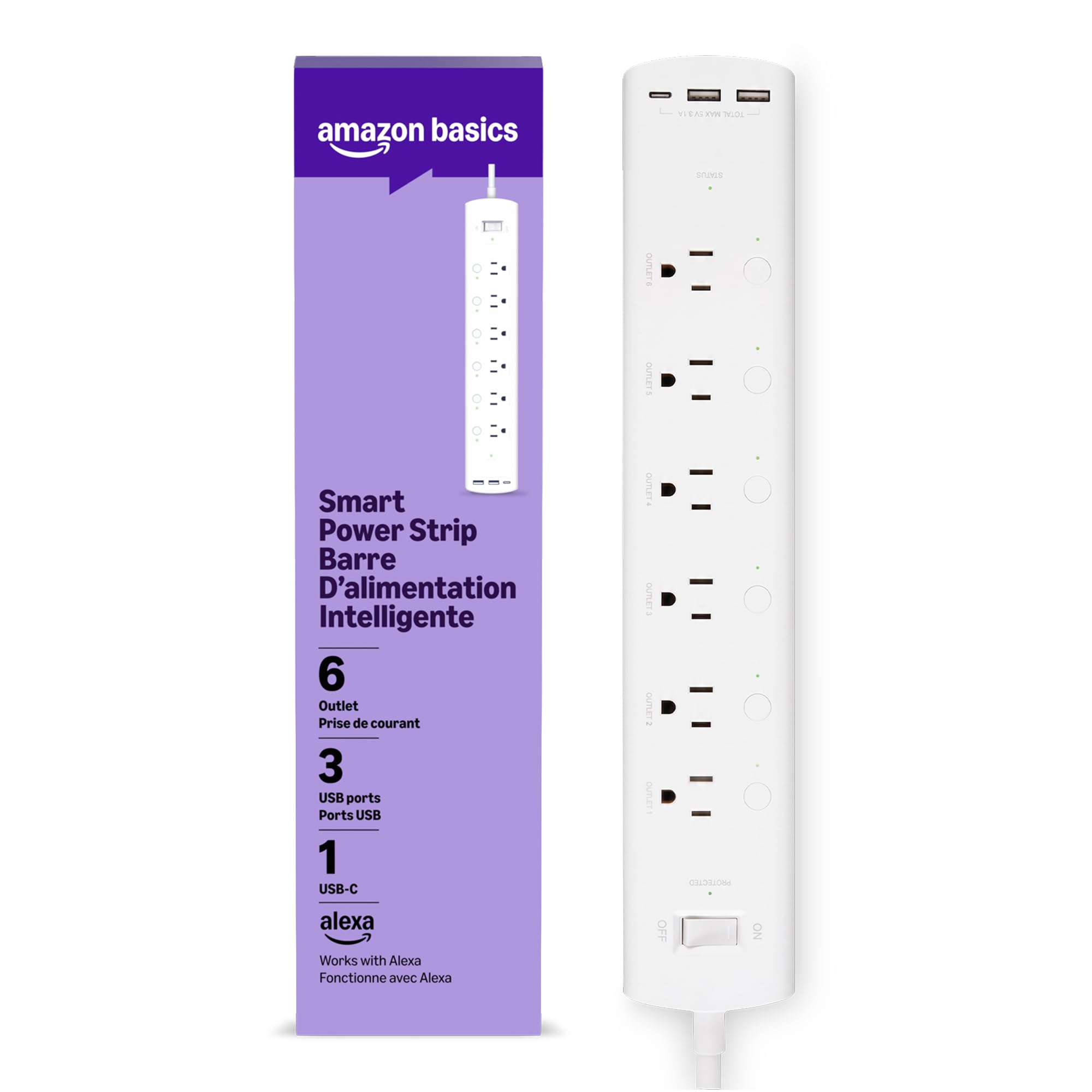
The Amazon Basics smart strip connects to the Alexa app in seconds, allowing each of its six outlets to be individually named and controlled by voice. The build feels solid, with a 790-joule surge protector built in. Three USB ports (two USB-A, one USB-C) provide basic charging for controllers or phones — keep expectations modest as they don't support fast charging. Unlike the top pick in this set, it only responds to Alexa — Google Home users should look elsewhere.

This strip suits Alexa users who want a no-fuss solution for powering a gaming desk: plug in a PC, monitor, console, and peripherals, then use voice commands or schedules to turn them off at bedtime. However, occasional schedule failures have been noted — outlets may not follow routines or may turn off randomly. That makes it best suited for devices where a missed schedule isn't disruptive, such as lights or non-essential peripherals.

For an Alexa-dedicated household, this is a cost-effective way to add voice control to multiple devices without spending on a more feature-rich strip. The tradeoff is accepting that long-term schedule adherence may require occasional manual intervention. The 790-joule surge rating offers basic protection for electronics, enough for a desktop setup.

💡 Placing the strip near the router and using a dedicated 2.4GHz network can reduce WiFi disconnects.

Pros

  • Voice setup takes seconds through the Alexa app, with immediate recognition.
  • Each outlet can be individually named and controlled by voice
  • Solid plastic build with a 790-joule surge protector feels sturdy on a desk.

Cons

  • WiFi connection may drop after a few days, requiring manual re-pairing.
Our verdict

A cost-effective entry into voice-controlled power strips for Alexa households, but those needing consistent schedule adherence should consider a more stable option like the top pick.

Check Latest Price
5

Small Setups

Kasa Smart KP303

93 /100
Lab Score Outstanding

Key details

Smart Outlets
3
Voice Control
Alexa, Google
View on Amazon

The Kasa Smart KP303 offers a stable smart power strip experience with easy app configuration and seamless voice assistant integration. However, with only three AC outlets, it falls short for a gaming setup that typically requires six or more outlets for a PC, monitor, console, and peripherals. This strip is best suited as a secondary unit for a desk area or for a small home office needing basic smart control for a few devices.

Pros

  • Individual outlet control via the Kasa app.
  • Seamless integration with Alexa and Google Assistant.
  • Stable operation and quick setup with the Kasa app.

Cons

  • Only three smart AC outlets
  • WiFi connection may drop intermittently, requiring occasional reconnection.
Our verdict

A dependable option for a small desk setup or secondary strip, but not suitable as the primary power center for a gaming rig.

Check Latest Price
6

Nightlight Control

Govee H5089

88 /100
Lab Score Excellent

Key details

Smart Outlets
2
Voice Control
Alexa, Google
View on Amazon

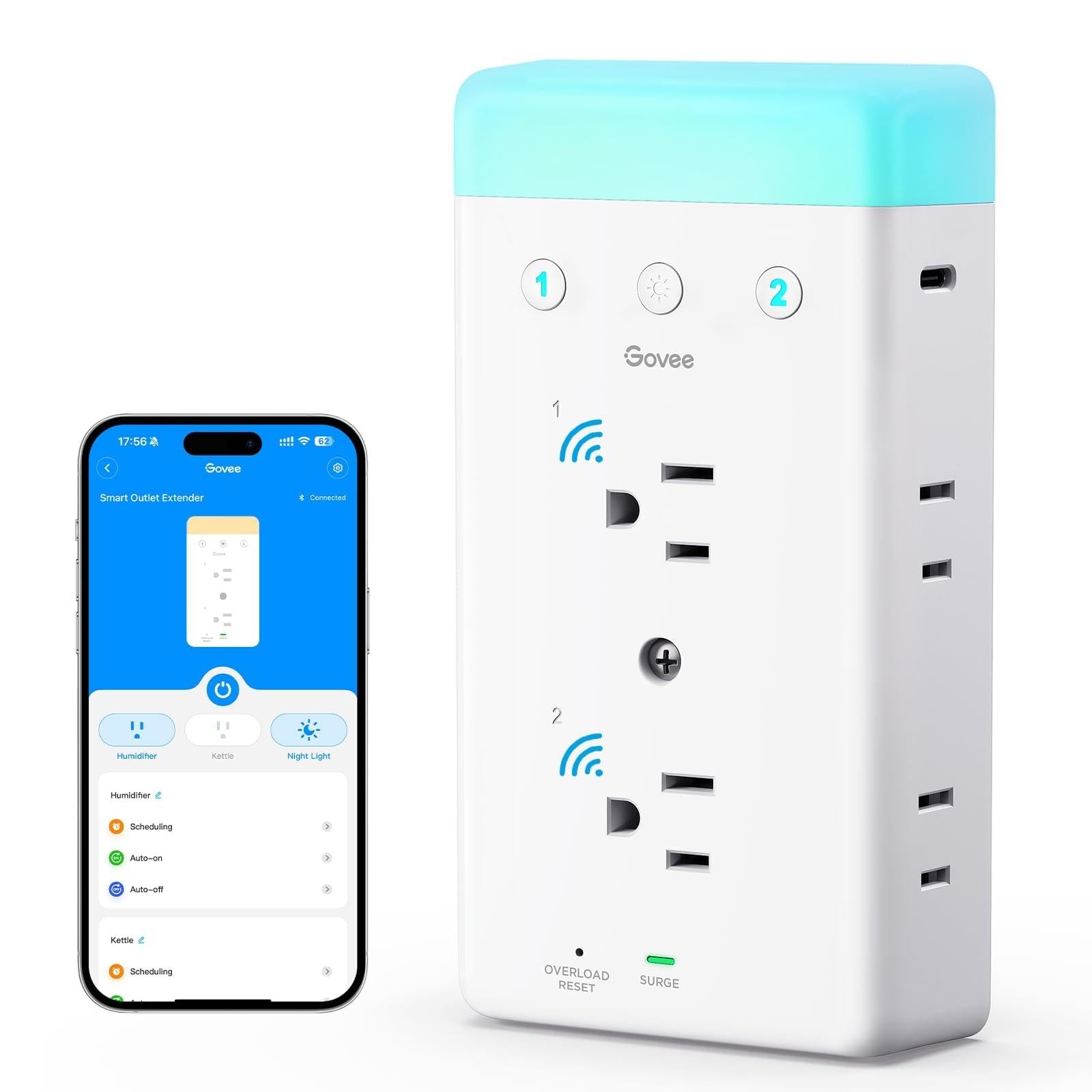
The Govee H5089 stands out with its app-controlled RGB nightlight, offering multiple colors and scenes that add ambient lighting to a desk or bedside area. The build quality is solid and setup with the Govee app is simple. However, this strip prioritizes accent lighting over outlet control: only two of six AC outlets are smart, the rest are always-on, and USB charging is slow at 5W (USB-A) and 10W (USB-C). It suits users who value the nightlight and only need to control a couple of devices, but it falls short for a full gaming rig requiring multiple smart outlets and faster charging.

Pros

  • Built-in RGB nightlight with customizable colors and scenes
  • High build quality with easy integration into Govee app
  • Compact design with two USB ports for charging small devices

Cons

  • In a gaming setup needing independent device scheduling, only two smart outlets are available
  • USB charging speeds at 5W and 10W are insufficient for fast charging modern phones or tablets
Our verdict

If accent lighting and controlling a couple of devices are priorities, this Govee strip delivers a unique feature set, but it is not a fit for a full gaming setup needing multiple smart outlets.

Check Latest Price
7

Budget Small Desk

XENON 4-Outlet

82 /100
Lab Score Excellent

Key details

Smart Outlets
4
Voice Control
Alexa, Google
View on Amazon

The XENON offers 1700 joules of surge protection and four USB ports including a 20W USB-C port, making it a strong choice for low-power desk setups. Voice control via Alexa and Google Assistant adds convenience, but the low outlet count limits its role to a secondary or solo-device strip. With only four smart AC outlets, it cannot power a full gaming rig with monitor, console, and peripherals simultaneously — a firm boundary for anyone with more than a few devices.

Pros

  • 1700 joule surge protection defends electronics against power spikes.
  • 20W USB-C port charges modern devices at fast speeds.
  • Voice control compatible with Alexa and Google Assistant.

Cons

  • USB ports cannot be individually scheduled or voice-controlled; they remain on whenever the strip is powered.
  • Four AC outlets are insufficient for a full gaming PC, monitor, console, and peripherals simultaneously.
Our verdict

Best suited for a small desk with a laptop and phone, or as a dedicated strip for a single gaming peripheral — not for a complete gaming setup.

Check Latest Price

How to Choose

Smart Outlets Count

A gaming setup typically needs at least six individually controlled AC outlets: one for the PC, one for the monitor, one for the console, and three for peripherals like a router, speakers, and charging docks. Strips with fewer than six smart outlets force you to leave some devices always-on or buy additional smart plugs.

Always-on outlets (unswitched) can still be useful for modems or routers that need constant power, but they defeat the purpose of smart control. Verify the total number of smart outlets, not just the physical ports.

USB-C Fast Charging

Many smart strips include USB ports, but most are limited to 5-12W per port, which charges a modern smartphone slowly. A 30W USB-C port can fast-charge a phone or tablet while you game, eliminating the need for a separate brick.

The trade-off: strips with 30W USB-C often use less reliable WiFi modules or sacrifice build quality to hit a lower price. If fast charging is critical, prioritize a dedicated USB-C charger over a strip that advertises it as a bonus.

Voice Assistant Compatibility

Most strips support Alexa and Google Assistant, but some are restricted to one ecosystem. Amazon Basics, for example, works only with Alexa, which locks out Google Home users. If you use Siri or Bixby, look for Matter certification or explicit HomeKit support.

Matter compatibility future-proofs the strip across all major platforms, but currently adds a small price premium. Decide whether you need multi-assistant control or you're firmly in one ecosystem.

Energy Monitoring

Energy monitoring lets you see real-time power draw per outlet or for the entire strip. This is useful for tracking how many watts your PC draws under load or identifying vampire power from peripherals.

The hidden limitation: per-outlet monitoring requires more complex circuitry and can be less accurate or slower to update than a simple whole-strip meter. If you only need to know total usage, a whole-strip monitor suffices.

Surge Protection Rating

Surge protection is measured in joules; a rating of 800-1200 joules is adequate for most gaming setups. Higher ratings (1500+ joules) offer more headroom against repeated surges.

Many smart strips omit a published joule rating or rely on basic MOV protection that degrades after a single large surge. Look for ETL certification and a clear joule number. If your area experiences frequent storms, consider a dedicated surge protector instead of relying solely on the strip.

Frequently Asked Questions