8 Best Capture Card for Xbox Series X of 2026: Avoid 4K Marketing Traps

Stop falling for '4K' capture cards that only record 1080p. This guide helps Xbox Series X streamers pick genuine 4K60 HDR capture.

A capture card that says '4K' on the box doesn't always record in 4K. Many budget models only pass through 4K while capturing at 1080p – a distinction that frustrates Xbox Series X owners expecting full quality.

The real gap isn't between brands but between passthrough and capture resolution. Understanding that difference is key to spending wisely. This guide cuts through the marketing to highlight cards that deliver genuine 4K60 recording or reliable 1080p capture without audio headaches.

1

Best Overall

Elgato 4K S

91 /100
Lab Score Outstanding

Key details

HDR
HDR10
Connection
USB 3.0 Type-C
Passthrough
1440p120/1080p240
Capture Res.
4K60 HDR
View on Amazon

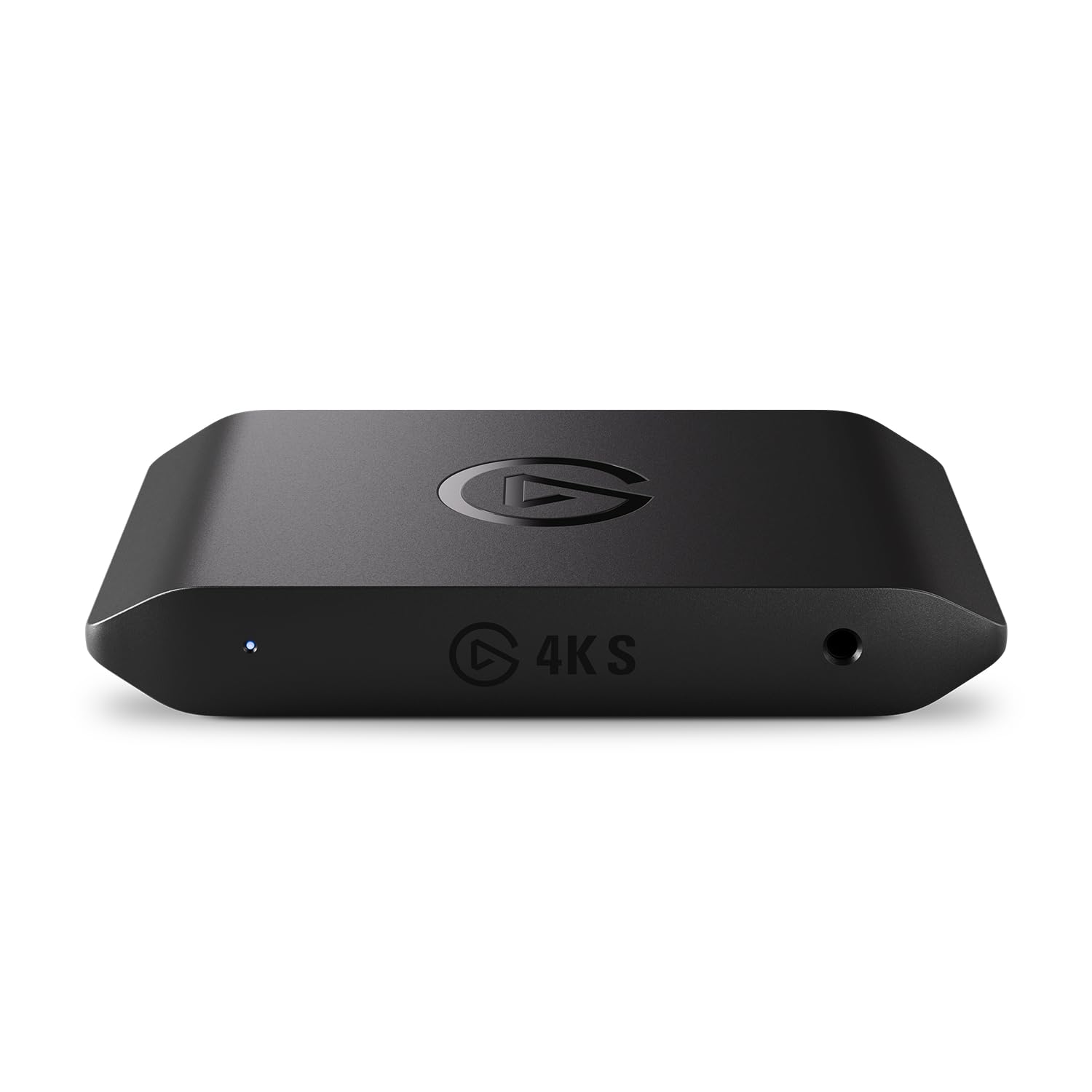
The Elgato 4K S captures 4K60 HDR footage with vivid colors and fine detail, while its 1440p120 passthrough keeps gameplay smooth on high-refresh monitors.

Setup is generally plug-and-play on Windows, though some users may encounter connectivity hiccups when switching cables or USB ports. Once stable, the card maintains consistent performance with no perceptible delay.

This card is aimed at Xbox Series X owners who want to capture full 4K60 HDR and benefit from high-refresh passthrough. Mac users should note that HDR and 4K capture are not supported on macOS, making this a Windows-focused accessory.

The 3.5mm analog audio input allows mixing in commentary without extra hardware, useful for streamers already invested in a microphone.

💡 Keep the USB cable securely connected and try different ports if you encounter disconnects – stability is typically restored with the right cable.

Pros

  • Captures 4K60 HDR with crisp detail and vivid colors
  • Works consistently with Xbox Series X, PS5, and Switch 2
  • Low latency ensures smooth gameplay during fast-paced titles
  • Easy plug-and-play setup on Windows systems

Cons

  • Connectivity may require cable reseating or different USB ports in some cases
  • HDR and 4K capture not supported on macOS
Our verdict

For Xbox Series X owners seeking true 4K60 capture and smooth high-refresh passthrough, the Elgato 4K S delivers without compromise on quality – just ensure you are on Windows.

Check Latest Price
2

Best Budget 1080P Capture

Dcyfol Capture Card

87 /100
Lab Score Excellent

Key details

HDR
No HDR
Connection
USB 3.0
Passthrough
4K60
Capture Res.
1080p60
View on Amazon

The Dcyfol captures sharp 1080p60 video with no configuration needed — plug it into an Xbox Series X and it appears in OBS within seconds. While the card’s title says ‘4K,’ that refers to passthrough; recordings max out at 1080p60.

This capture card suits streamers who want a low-cost entry point for 1080p streaming without fuss. If 4K recording is necessary, the top pick in this roundup offers that capability at a higher price. Build quality holds up during extended sessions, and latency stays low enough for real-time gameplay.

Compatibility covers Xbox, PlayStation, Switch, and PC without headaches. The plug-and-play design eliminates driver installation, making it a practical choice for beginners or secondary streaming setups.

💡 If you notice audio static, try switching to a different USB 3.0 port or using a shielded cable.

Pros

  • Captures smooth 1080p60 video with no stutter for Twitch streaming.
  • Setup takes seconds
  • Works with Xbox, PlayStation, Switch, and PC without compatibility headaches.

Cons

  • In some units, occasional audio pop or static may occur during recordings.
  • Captures only 1080p60 despite ‘4K’ in the product name
Our verdict

This card is a strong fit for Xbox Series X streamers on a budget who don’t need 4K recording — it delivers consistent 1080p60 performance and simple setup.

Check Latest Price
3

Best Future-Proof Premium

AVerMedia GC553G2

82 /100
Lab Score Excellent

Key details

HDR
HDR10
Connection
USB 3.2 Gen 2
Passthrough
4K144 HDR/VRR
Capture Res.
4K60
View on Amazon

The AVerMedia GC553G2 brings HDMI 2.1 passthrough to external capture cards, supporting 4K144 HDR with VRR for Xbox Series X – a step ahead of cards limited to 4K60 passthrough. Where the top pick focuses on reliable 4K60 HDR capture with analog audio input, this card prioritizes high-refresh gaming passthrough without sacrificing capture sharpness.

Actual capture quality at 4K60 is clean and artifact-free, thanks to USB 3.2 Gen 2 bandwidth. The build feels sturdy, with a compact metal chassis that dissipates heat well during long streaming sessions.

This card suits early adopters who already have an HDMI 2.1 display and want to stream or record their Xbox Series X gameplay at 4K without sacrificing high refresh rates. However, audio output can produce crackling or desync in some setups, and a small number of units may require a reset or driver refresh to function out of the box. Buyers who need flawless audio immediately should budget for a separate audio capture path or look elsewhere.

💡 If audio issues arise, capturing audio via a separate USB microphone or chat link cable can bypass the internal audio path.

Pros

  • 4K144 HDR passthrough with VRR for Xbox Series X
  • Clean 4K60 capture with minimal compression artifacts
  • Solid metal construction with good thermal management

Cons

  • Some units may not work immediately out of the box, requiring a reset or driver reinstall
  • Audio path can produce crackling or desync in certain configurations
Our verdict

For Xbox Series X streamers who prioritize high-refresh passthrough and are willing to manage occasional audio quirks, the GC553G2 is a capable future-proof option.

Check Latest Price
4

Best Internal (Desktop)

AVerMedia GC573

87 /100
Lab Score Excellent

Key details

HDR
HDR10
Connection
PCIe x4
Passthrough
4K60 HDR10/1080p240
Capture Res.
4K60 HDR10
View on Amazon

The GC573 delivers clean video capture through a direct PCIe connection, keeping latency low for dual-PC streaming setups. This internal design avoids USB bandwidth bottlenecks common with external cards, and many users find it works well with OBS for stable 1080p240 passthrough.

This card is best for desktop gamers who already have a free PCIe x4 slot and prioritize high frame rate capture (1080p240) over guaranteed HDR. If you rely on HDR10 capture for color-accurate content, the inconsistency some units show with HDR – despite marketing claims – may be a dealbreaker. The top pick (an external HDMI 2.1 card) offers more consistent HDR and wider compatibility at a higher price.

💡 Keep a free PCIe x4 slot accessible – installation is quick once the case is open.

Pros

  • Build quality holds up under heavy streaming sessions with OBS.
  • Video capture is clean and detailed at supported resolutions.
  • Installation is straightforward

Cons

  • Requires a desktop with a free PCIe slot
  • HDR10 capture may not function as advertised; some units don't capture HDR despite product claims.
Our verdict

If you need an internal card for a desktop streaming setup and can work around HDR limitations, this is a capable performer – but test HDR early and consider the top pick if consistent HDR capture is essential.

Check Latest Price
5

Best for Mac Users

VIXLW U168-1

87 /100
Lab Score Excellent

Key details

HDR
No HDR
Connection
USB 3.0 / USB-C
Passthrough
4K30
Capture Res.
1080p60
View on Amazon

VIXLW's capture card delivers exactly what its price suggests: clean 1080p60 video output that works plug-and-play on macOS, with no driver hunting or compatibility headaches. At under $10, it undercuts premium cards by a wide margin while still providing a usable stream feed.

The metal shell feels solid for its size, and the USB 3.0 to USB-C interface handles stable throughput. Video quality at 1080p60 is crisp enough for game commentary or conference calls, though fine detail can soften in darker scenes – acceptable for casual use.

This card suits Mac users who need a no-fuss capture solution for casual streaming, video calls, or recording Nintendo Switch gameplay. The tradeoff: capture resolution stops at 1080p60 (2K30 from 4K input), and input lag becomes noticeable in fast-paced shooters if you're playing through the capture window. For those scenarios, use the passthrough output to your monitor and record separately.

💡 To avoid lag when playing directly, route the HDMI passthrough to your monitor and capture separately – the delay only affects the recording feed, not the game display.

Pros

  • Solid functionality for the price
  • Cost-effective
  • Wide device compatibility
  • Solid metal construction feels durable for its size.

Cons

  • When playing fast-paced games through the capture feed, input lag becomes noticeable
  • Recording resolution caps at 2K30 from 4K sources
Our verdict

For Mac-using casual streamers who want the lowest price of entry, the VIXLW captures what you see without hassle – just don't expect 4K or zero-latency gaming.

Check Latest Price
6

First-Time Streamers

Portta HCC101

82 /100
Lab Score Excellent

Key details

HDR
No HDR
Connection
USB 3.0
Passthrough
4K60
Capture Res.
1080p60
View on Amazon

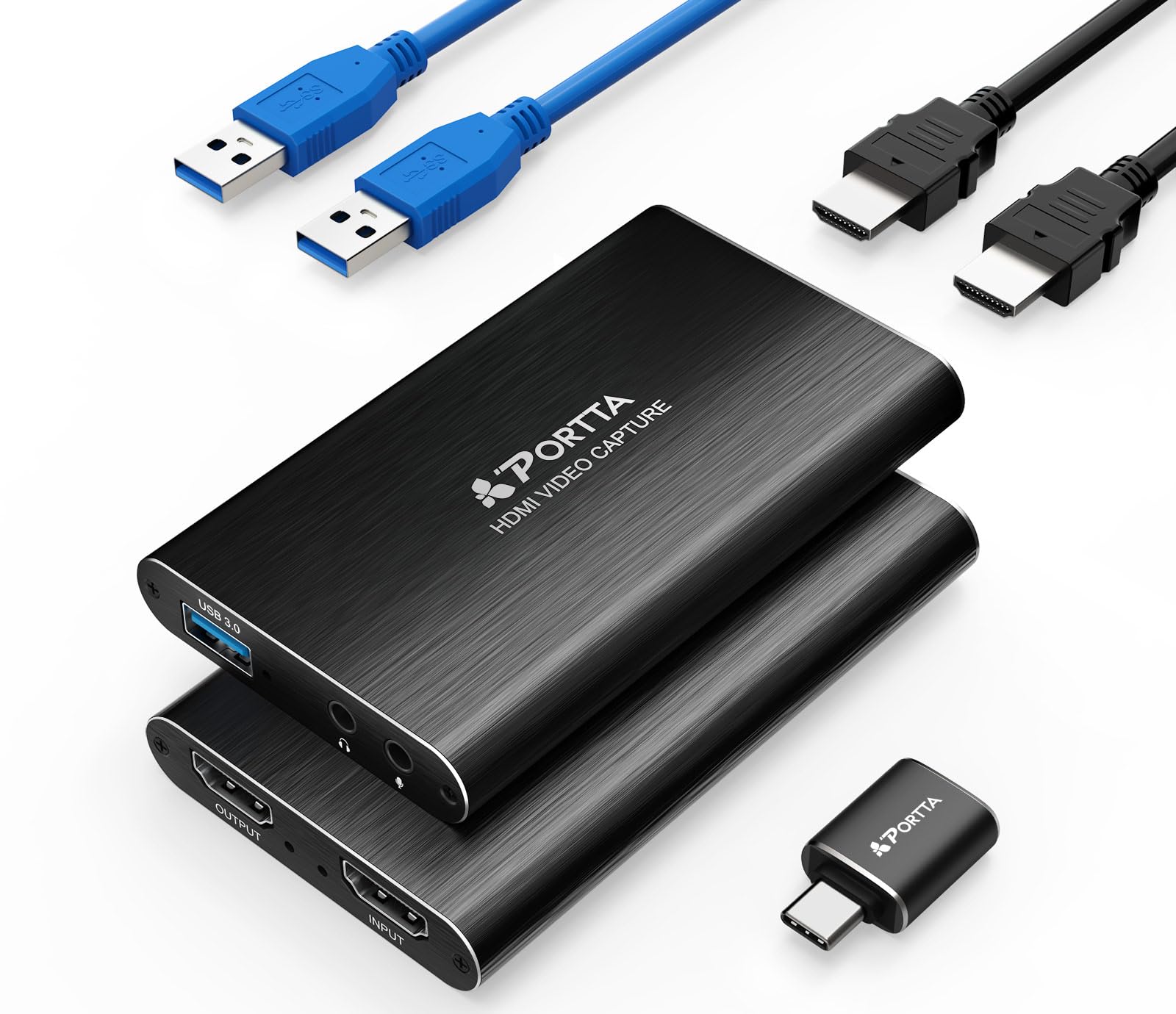
The Portta HCC101 delivers exactly what it promises: straightforward 1080p60 capture over USB 3.0 with a 4K60 passthrough output. Setup is genuinely instant – connect between your Xbox and display, open OBS, and you're recording. For a streamer just getting started who wants to test the waters without spending much, this card removes all friction.

The tradeoffs are clear: there's no HDR support, and capture is limited to 1080p despite the '4K' label on the box (that applies only to passthrough). Audio delay may surface in some configurations, requiring a small offset adjustment in your streaming software. This isn't a card for serious 4K capture or latency-free competitive play, but for learning the ropes on a tight budget, it works.

💡 If you hear lip-sync drift, add a fixed audio delay of 100-200ms in OBS to realign audio with video.

Pros

  • Recognized immediately on Windows and OBS
  • 4K60 passthrough preserves your Xbox display quality while recording at 1080p.
  • Price is low enough that even a short-term trial doesn't feel like a risk.

Cons

  • Records at 1080p only
  • Audio delay can occur in some setups, requiring manual sync adjustment in streaming software.
Our verdict

Best suited for first-time streamers on an Xbox Series X who want to try 1080p streaming without commitment – skip this if 4K capture or HDR matters to you.

Check Latest Price
7

Budget Video-Only

XIIXMASK U3.0

88 /100
Lab Score Excellent

Key details

HDR
No HDR
Connection
USB 3.0
Passthrough
4K60
Capture Res.
1080p60
View on Amazon

The XIIXMASK Video Capture Card delivers clean 1080p60 video capture and a 4K60 passthrough for Xbox Series X at an accessible price point. Setup is quick in OBS, and the footage looks sharp enough for entry-level streaming.

The catch is audio: the card may output no sound or produce glitchy audio, making it unsuitable for capturing game audio directly. Compatibility with certain Xbox consoles or HDMI cables can also be inconsistent — expect to troubleshoot if the signal isn't recognized.

Pros

  • Clean 1080p60 video capture for budget streaming setups
  • Simple plug-and-play setup recognized quickly by OBS
  • Affordable entry point for Xbox Series X passthrough

Cons

  • Audio capture can fail entirely
  • Signal compatibility may vary; some Xbox consoles or cables may not be recognized
Our verdict

A cost-effective video-only capture card for Xbox Series X users who already have a separate audio solution and are comfortable with occasional compatibility quirks.

Check Latest Price
8

Elgato Brand, Budget

Elgato HD60 X (Renewed)

88 /100
Lab Score Excellent

Key details

HDR
HDR10
Connection
USB
Passthrough
4K60 HDR10
Capture Res.
1080p60 HDR10
View on Amazon

The Elgato HD60 X (Renewed) delivers the same 4K60 HDR passthrough found in the new version, making it a cost-effective way to play Xbox Series X at high refresh rates while streaming. Its capture resolution tops out at 1080p60 HDR10, which is sufficient for most streaming platforms but falls short if you need 4K recording. The renewed status means a 90-day warranty instead of the standard two years, and some units may show cosmetic wear or require minor setup adjustments.

Pros

  • Same 4K60 HDR passthrough as the new HD60 X at a lower price
  • Captures 1080p60 HDR10 for clean, lag-free streams

Cons

  • Warranty covers only 90 days, much shorter than new units
  • Unit condition may vary; some may show wear or need troubleshooting
Our verdict

A sensible choice for Xbox Series X owners who want the passthrough features of the HD60 X without paying full price, provided they can accept 1080p capture and limited warranty coverage.

Check Latest Price

How to Choose

Capture Resolution

Capture resolution determines the quality of your recorded footage. Many cards boast '4K' on the box but only capture 1080p60. For Xbox Series X, 4K60 capture requires a card with sufficient bandwidth and encoding hardware – typically found in the $130+ range. If you stream at 1080p, a quality 1080p capture card like the Dcyfol can save you money and still deliver crisp video.

Passthrough Resolution and Refresh Rate

Passthrough resolution is the signal sent to your monitor. A card that passes 4K144 HDR lets you game at high refresh rates while recording at a lower resolution. The trade-off: cards with high-refresh passthrough (1440p120 or 4K120) cost more. If you play competitive shooters at 120Hz, prioritize a card that doesn't cap your monitor's refresh rate.

For example, the AVerMedia GC553G2 supports 4K144 HDR passthrough, preserving your visual experience while you capture at 4K60.

HDR Support and Tone Mapping

HDR support can mean passthrough only or capture too. Some cards pass HDR to your monitor but convert it to SDR when recording – fine for streaming services that don't support HDR. Others, like the Elgato 4K S, capture HDR10 directly. If you want HDR in your final video, ensure the card explicitly captures HDR, not just passes it through. Mac users should note that even HDR-capture cards often lack full support on macOS.

Connection Type

USB 3.0 cards are plug-and-play and work with laptops, but they rely on your computer's USB controller – some users report disconnects or bandwidth conflicts. PCIe internal cards offer lower latency and consistent bandwidth, ideal for dual-PC streaming setups. Your choice depends on whether you need portability (USB) or rock-solid reliability (PCIe).

PCIe cards like the AVerMedia GC573 also eliminate cable clutter and free up USB ports.

Audio Input Options

Capturing Xbox party chat requires a card with a separate analog audio input or built-in chat link. Many budget cards lack this, forcing you to route audio through a second device. Cards like the Elgato 4K S include a 3.5mm jack for party chat, simplifying the setup. If you stream with friends, this feature is worth the extra cost – otherwise you'll need a USB audio mixer.

Frequently Asked Questions