13 Best CPU Cooler of 2026: Cooling Without the Pump Worry

Which CPU coolers keep high-end gaming CPUs cool without noise or pump failure? For gamers building or upgrading a PC.

Choosing a CPU cooler is about more than keeping temps low - it's about avoiding the headaches that come with pump failures, loud fans, or a cooler that doesn't fit. Many budget liquid coolers promise high performance but bring noise and reliability risks, while air coolers in the $35-$85 range often deliver equal cooling with none of those worries.

The real challenge is matching the cooler to your case and CPU. A top-tier air cooler won't help if it blocks your RAM or won't close the side panel. This guide focuses on coolers that actually work in real gaming builds - whether you need silent operation, compact size, or maximum cooling per dollar.

By focusing on compatibility, noise, and long-term reliability, you can pick a cooler that performs without surprises.

1

Best Overall

Thermalright PS120SE

94 /100
Lab Score Outstanding

Key details

Cooling
7 heatpipes
Noise (dB)
25.6 dB
View on Amazon

The Phantom Spirit 120SE’s seven-heatpipe dual-tower design places it within 1°C of the best air coolers on the market. At a price near $35, it outperforms many coolers that cost twice as much, and the dual 120mm TL-C12B V2 PWM fans deliver enough airflow to handle an i9-13900K under sustained loads while staying below 26 dB. Liquid coolers at this price point often have pump noise or reliability concerns; this cooler matches their thermal performance without those tradeoffs.

Installation is notably simple for a dual-tower design — the mounting hardware works for both Intel and AMD, the backplate is captive, and fans clip on without tools. Under typical gaming loads the fans hover near inaudible, and even at full 1500 RPM the noise remains subdued. The cooler’s offset design clears standard RAM slots, though the width means it overhangs the socket area.

This cooler is for gamers and overclockers building high-end systems on a budget, particularly those with full-tower or large mid-tower cases. The main constraint is RAM clearance: the cooler’s 4.92-inch width can conflict with tall memory modules, so check your RAM height before buying. It is not suited for small form factor builds. For anyone with the case space, it delivers near-flagship cooling at a fraction of the price.

💡 If the adhesive foam peels, simply remove it; the cooler still functions normally.

Pros

  • Cools within 1°C of the best air coolers available.
  • Exceptional value
  • Quiet operation; fans are barely audible at low RPM.
  • Tool-free fan clip installation with clear mounting instructions.

Cons

  • Adhesive foam on the heatsink may peel in some units; it can be removed without affecting cooling.
Our verdict

If your case has room for its width, the PS120SE gives you air cooling performance that matches the best — without the premium price.

Check Latest Price
2

Premium Air Cooler

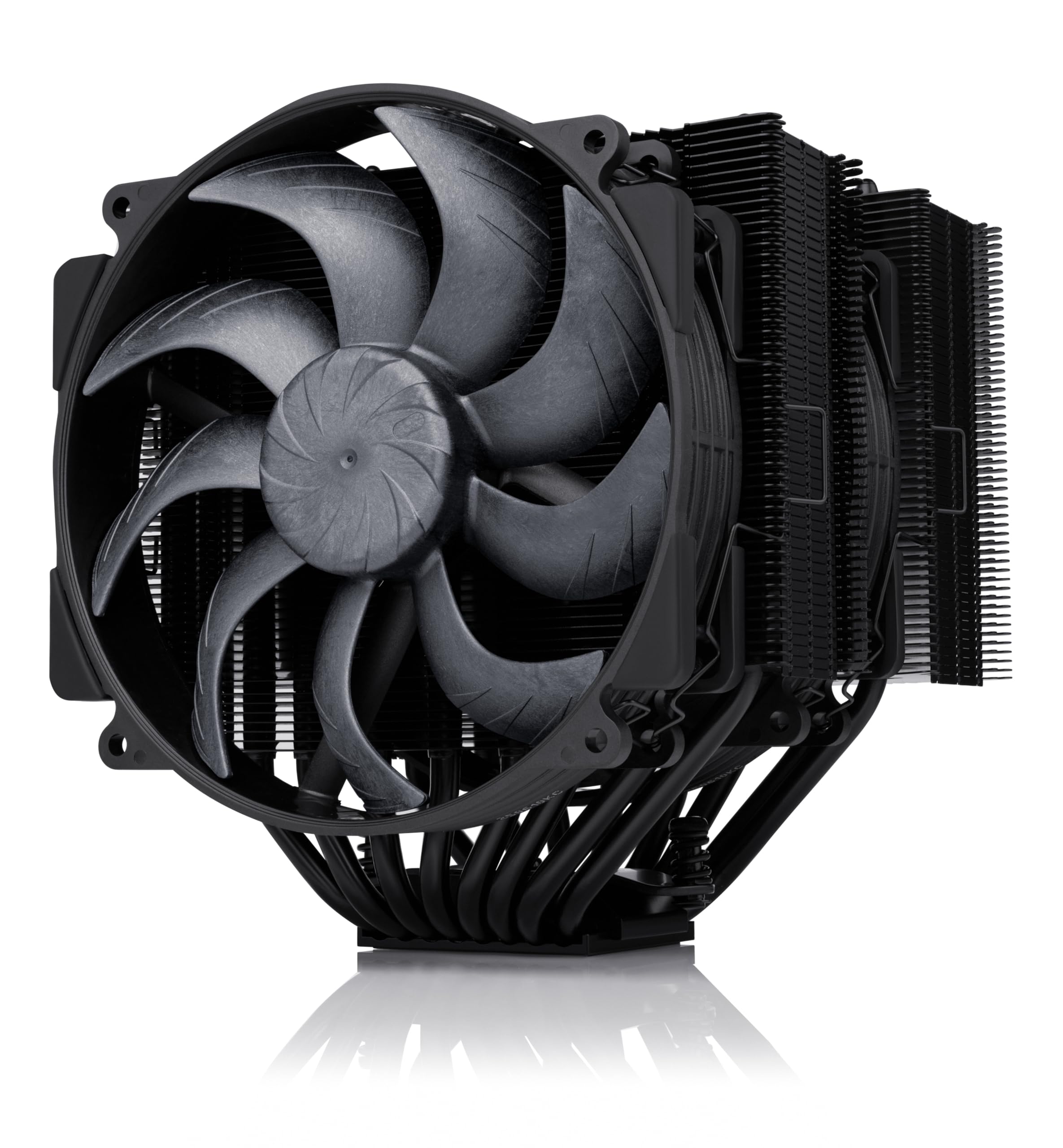
Noctua NH-D15 chromax

96 /100
Lab Score Outstanding

Key details

Cooling
6 heatpipes
Noise (dB)
24.6 dB
View on Amazon

The NH-D15 chromax.Black uses six heatpipes and dual 140mm fans to move heat efficiently, rivaling 240mm and 280mm AIOs in thermal performance while eliminating pump noise worries. Its all-black design fits modern builds better than the standard silver version. Compared to the top pick Phantom Spirit 120SE, the Noctua offers slightly lower noise at idle and a longer six-year warranty, but costs more than double. The real tradeoff is size: this cooler is massive, requiring 165mm of case clearance and leaving little room for tall RAM sticks.

This cooler suits builders who prioritize absolute cooling headroom and silence over cost savings, and who have a case that can accommodate its width and weight — full-tower or wide mid-tower cases with low-profile memory. The 1.2kg weight can stress the motherboard if not properly supported, so handling during installation needs care. For users with standard RAM or smaller cases, the slimmer Phantom Spirit 120SE or the NH-U9S are more practical options.

At idle the fans are nearly inaudible, and under full load the noise stays subdued — a benefit for quiet PC setups. The included NT-H1 thermal paste and the SecuFirm2 mounting system make installation straightforward on most sockets, though the cooler's overhang can make reaching the CPU power connector awkward on some boards.

💡 Use low-profile RAM and a wide case; consider a motherboard support bracket for heavy coolers.

Pros

  • Strong cooling performance comparable to liquid coolers
  • Very quiet at idle and under load
  • Solid build quality with included thermal paste

Cons

  • May not fit cases with under 165mm CPU clearance or tall RAM sticks
  • Weight can strain the motherboard tray if the case is moved without support
Our verdict

For builders who value top-tier air cooling and near-silent operation and have the case space to accommodate it, the NH-D15 chromax.Black delivers class-leading performance without pump risk.

Check Latest Price
3

Best Value Air Cooler

Thermalright PA120 SE

94 /100
Lab Score Outstanding

Key details

Cooling
6 heatpipes
Noise (dB)
25.6 dB
View on Amazon

While the updated Phantom Spirit 120SE adds a seventh heatpipe, the Peerless Assassin 120 SE has a longer track record of consistent cooling across thousands of builds. Its six-heatpipe dual-tower design keeps temperatures within a few degrees of premium air coolers that cost over $100, making it a strong alternative for anyone wanting high-end cooling without moving to liquid.

This cooler is best suited for gamers with full-size ATX cases who want air-cooling performance that rivals AIOs without the pump failure risk. Its large dimensions may not fit smaller cases, and some units may arrive with missing mounting hardware — worth verifying before installation. For those with enough clearance, the PA120 SE delivers consistent results across a wide range of high-TDP CPUs.

💡 Check that all mounting hardware is present before starting your build.

Pros

  • Keeps high-end CPUs like the i9-13900K within safe temperatures under sustained load.
  • Delivers cooling that matches coolers costing over $100 for a mid-range price.
  • Fans remain quiet during typical gaming sessions, only becoming audible at full RPM.

Cons

  • May not fit in smaller ATX cases or any micro-ATX/mini-ITX builds.
  • Some units may arrive with missing mounting screws, requiring a check before installation.
Our verdict

If you have a full-size case and want air cooling that performs like a high-end AIO without the pump risk, the PA120 SE delivers everything most gamers need at a price that's hard to beat.

Check Latest Price
4

Silent Air Cooling

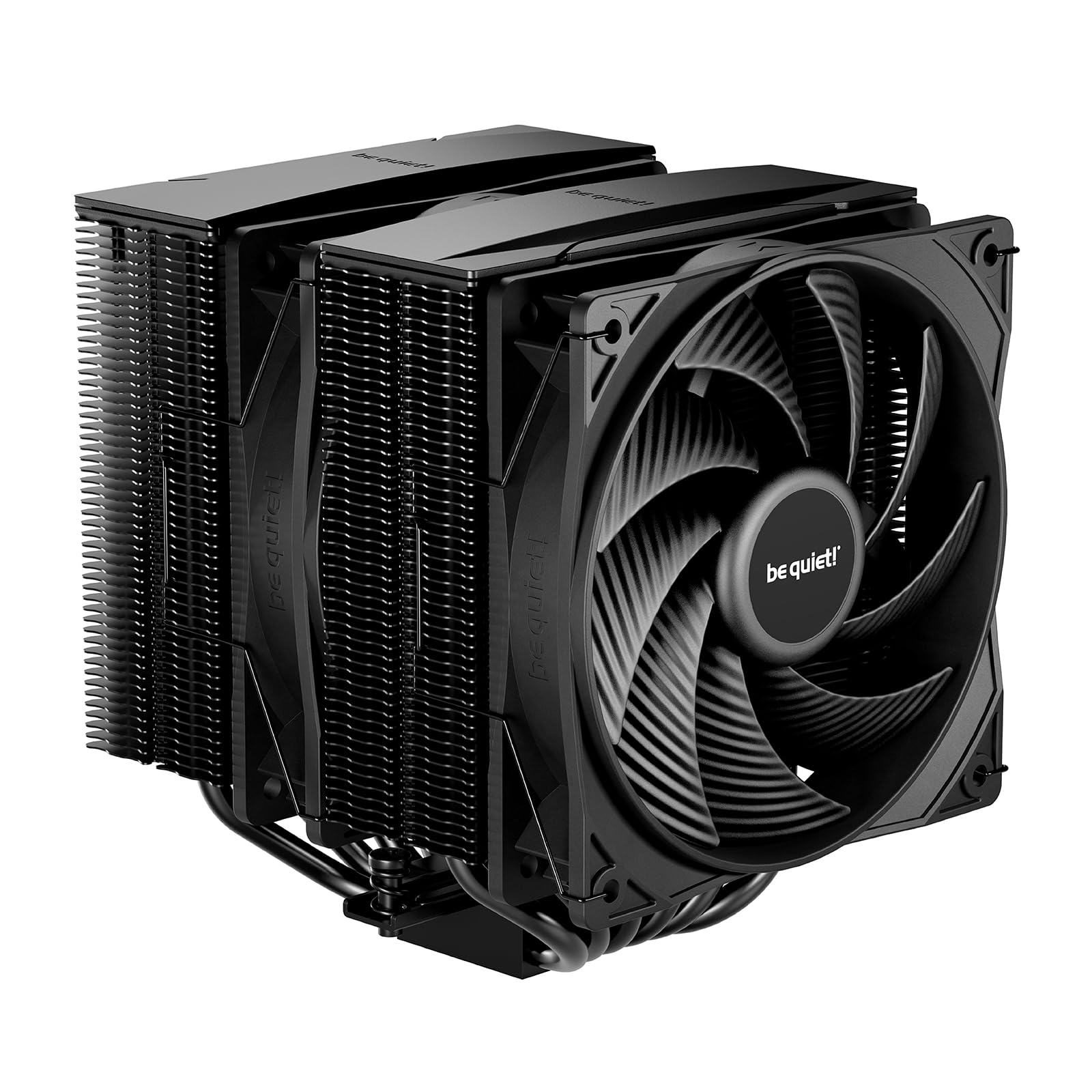
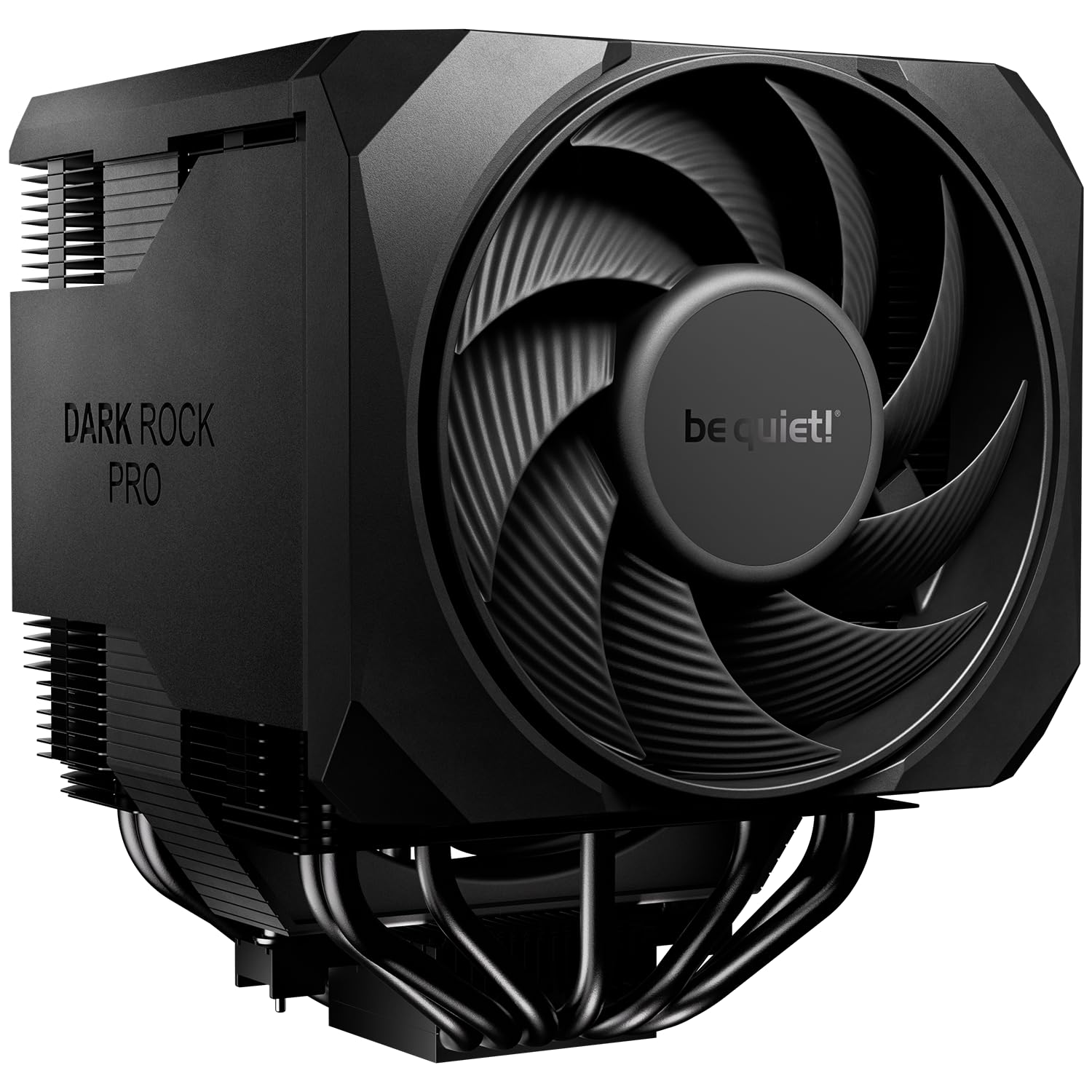
be quiet! Dark Rock Pro 5

92 /100
Lab Score Outstanding

Key details

Cooling
7 heatpipes
Noise (dB)
23.3 dB
View on Amazon

The Dark Rock Pro 5's 7-heatpipe dual-tower design hits a noise floor of just 23.3 dB in performance mode — among the lowest of any air cooler at this cooling capacity. It handles high-TDP CPUs like the Intel Core i9-14900K or AMD Ryzen 9 7950X without thermal throttling, while staying nearly inaudible during desktop use.

This cooler suits builders who prioritize silence over every other factor — a quiet gaming rig or workstation where fan noise is the primary concern. The tradeoff is its size: at 5.7 x 5.35 x 6.61 inches, it requires a wide case with at least 180mm clearance and may not fit standard mid-towers. Pair it with low-profile RAM to avoid clearance conflicts.

A two-mode fan controller lets you choose between near-silent operation for everyday tasks or maximum cooling for heavy loads — a flexible touch that adds to its premium feel. The build quality is solid, with a brushed aluminum top plate and a dense fin stack that looks at home in high-end builds.

💡 Measure case width and RAM clearance beforehand — this cooler extends 5.7 inches from the motherboard and may overhang memory slots.

Pros

  • Near-silent operation even under heavy CPU load
  • Sustains high cooling performance with CPUs up to 250W TDP
  • Premium build quality with a clean, understated look

Cons

  • Large dimensions may not fit standard mid-tower cases
  • Price sits well above mid-range dual-tower alternatives
Our verdict

Buyers who value silence over cost will find the Dark Rock Pro 5 a compelling choice — just confirm your case has the necessary width.

Check Latest Price
5

Best Budget 360Mm AIO

ARCTIC LF III Pro 360

86 /100
Lab Score Excellent

Key details

Cooling
360mm radiator
Noise (dB)
View on Amazon

The ARCTIC Liquid Freezer III Pro 360 pairs a thick 38mm radiator with a 6-year warranty, delivering cooling performance that rivals higher-priced AIOs. Its high-static-pressure fans and large surface area handle sustained all-core workloads comfortably, giving overclocked CPUs headroom that many budget liquid coolers can't match. In a market where dual-tower air coolers often come close, this unit pulls ahead on thermal capacity — at the cost of careful case selection and a demanding installation process.

This cooler is built for enthusiasts who prioritize temperature control above all else and are comfortable with a hands-on mounting routine. It fits best in larger cases with at least 2.9 inches of radiator clearance and suits systems where pump and fan noise under load blends with other ambient sounds. Those who expect a quick, tool-free setup or whisper-quiet operation will find the top air cooler a more natural fit.

The 6-year warranty provides long-term coverage that exceeds many competitors, and the all-black design keeps the build clean. At a mid-range price, the thermal performance competes with AIOs costing considerably more, making it a strong option for builders who value heat dissipation above convenience.

Pros

  • Outperforms several more expensive AIOs in thermal testing
  • Build quality uses solid materials and a clean aesthetic
  • Includes a 6-year warranty for long-term coverage

Cons

  • Thick radiator may not fit in smaller or mid-tower cases
  • Fans and pump can generate audible noise under heavy load
  • Mounting system requires patience due to short screws and tight clearances
Our verdict

The ARCTIC Liquid Freezer III Pro 360 is for thermal performance seekers who don't mind a longer install and some fan noise. If you prefer a simpler setup with quieter operation, the top air cooler is a better match.

Check Latest Price
6

Premium Compact AIO

Corsair Titan 240 RX

93 /100
Lab Score Outstanding

Key details

Cooling
240mm radiator
Noise (dB)
36 dB
View on Amazon

The 240mm radiator with iCUE Link daisy-chaining reduces cable clutter significantly, making wiring in smaller cases far less frustrating. Thermal performance keeps mid-to-high-end CPUs at safe temperatures under typical gaming loads, and the pump and fans stay near-silent during normal operation — only becoming audible under sustained heavy loads.

This cooler suits builders who already own Corsair iCUE components and want a tidy, coordinated system. The premium price is the main hurdle — equivalent cooling can be had from air coolers at half the cost. Additionally, some units may arrive with missing cables, so checking the box on delivery is wise. For those who value clean aesthetics over raw value, the tradeoff is acceptable.

💡 Inspect the package immediately upon arrival — missing cables can be requested from Corsair support.

Pros

  • Quiet operation at default fan curve suits daily use
  • iCUE Link simplifies cable routing in compact cases
  • Solid thermal performance keeps mid-to-high end CPUs cool
  • 6-year warranty covers pump and fan failure

Cons

  • Some units arrive without necessary cables, so check contents before installation
  • Premium pricing doesn't always beat cheaper air coolers on per-dollar cooling
Our verdict

For builders who value clean aesthetics and iCUE integration over absolute thermal value, this 240mm AIO delivers a tidy solution — but shoppers on a strict budget or those who don't need RGB should look elsewhere.

Check Latest Price
7

Budget Gaming

Cooler Master Hyper 212 Black

95 /100
Lab Score Outstanding

Key details

Cooling
4 heatpipes
Noise (dB)
26 dB
View on Amazon

The Hyper 212 Black delivers cooling that clearly beats stock AMD and Intel coolers, making it a straightforward upgrade for entry-level builds. Its default fan speeds stay quiet enough for typical use, and the price is hard to beat for what you get. That said, the mounting system can be frustrating — instructions are sparse and the bracket alignment takes patience. Under sustained heavy loads, the cooling capacity falls short for high-TDP CPUs, so this is not a fit for overclocked or high-end processors. Thermalright coolers at similar or lower prices outperform it, but the Hyper 212's long track record of tens of thousands of builds makes it a low-risk choice for budget-focused builders who are comfortable with a tricky install.

Pros

  • Drops temperatures noticeably over stock coolers on mid-range CPUs
  • Quiet operation at default fan speeds for most environments
  • Strong value for money in the entry-level air cooler segment

Cons

  • Mounting system can be difficult to align and instructions lack clarity
  • Under sustained heavy loads, cooling may not suffice for high-TDP CPUs
Our verdict

For a tight-budget build with a mid-range CPU that stays at stock speeds, this cooler delivers enough cooling at a low price — if you can tolerate the fiddly installation.

Check Latest Price
8

Extreme Budget

Thermalright AX120 R SE

93 /100
Lab Score Outstanding

Key details

Cooling
4 heatpipes
Noise (dB)
25.6 dB
View on Amazon

Under $20, the Thermalright AX120 R SE drops temperatures significantly compared to stock coolers, making it a sensible choice for low-TDP office or light gaming PCs. Its four heatpipes and 120mm fan deliver adequate cooling for CPUs up to around 65W TDP, and noise stays within acceptable limits. However, the budget-friendly design shows in the fan mounting clips, which can be fiddly to attach, and the cooler may not align properly with some Gigabyte motherboards. For high-end CPUs or overclocking, a larger dual-tower cooler is necessary, but for an extreme budget build, this cooler provides solid performance with minor installation quirks.

Pros

  • Significantly lowers temps over stock coolers for low-power CPUs
  • Very good value at a budget-friendly price
  • Noise level is acceptable for general use

Cons

  • Fan mounting clips can be difficult to install and may break
  • May not fit on some Gigabyte motherboards due to mounting hole placement
Our verdict

For extreme budget office or light gaming builds where every dollar counts, the Thermalright AX120 R SE offers consistent cooling — just verify motherboard compatibility before buying.

Check Latest Price
9

SFF Builds

Noctua NH-U9S

95 /100
Lab Score Outstanding

Key details

Cooling
5 heatpipes
Noise (dB)
25.6 dB
View on Amazon

The NH-U9S slides into cases that reject full-size towers, making it a strong fit for ITX and HTPC builds where clearance is tight. Its five heatpipes and 92mm fan keep CPUs up to roughly 150W well within operating temperatures, and noise levels stay low enough that you’ll hear case fans first. The trade-off is price: per degree of cooling it costs more than larger air coolers, and its thermal ceiling means it’s not suited for overclocked 200W+ chips. That’s not a flaw for the intended use case, just a boundary to respect.

Pros

  • Compact 92mm footprint fits small form factor cases where larger coolers won't
  • Near-silent operation under typical loads
  • Installation is simple with clear instructions

Cons

  • Some units ship without AM4/AM5 brackets
Our verdict

For ITX builders who prioritize case clearance and low noise over raw cooling headroom, the NH-U9S gets the job done — just confirm the mounting kit is included.

Check Latest Price
10

Budget 360Mm AIO

Cooler Master 360L Core

90 /100
Lab Score Outstanding

Key details

Cooling
360mm radiator
Noise (dB)
27.2 dB
View on Amazon

The 360L Core handles mid-to-high-end CPU loads effectively thanks to its 360mm radiator and included CryoFuze thermal paste. Installation is straightforward with a pre-applied paste, making it accessible for first-time AIO builders. However, the mounting system for AM4 motherboards may require additional effort or a separate bracket, and the fans can become audible under sustained full load. These noise and compatibility issues keep it from competing with quieter or more flexible options, but for budget-conscious gamers who want 360mm liquid cooling with ARGB, it remains a viable choice.

Pros

  • Capable cooling performance for the price point.
  • Pre-applied thermal paste and simple mounting process.
  • Fan noise stays moderate at lower speeds.

Cons

  • For AM4 boards, the mounting process may need a separate bracket or extra effort
  • Under sustained full load, the fans produce noticeable noise
Our verdict

A decent entry into 360mm liquid cooling for budget builds, provided you are okay with potential AM4 mounting adjustments and the fan noise at high loads.

Check Latest Price
11

Mid-Range Builds

be quiet! Pure Rock Pro 3

91 /100
Lab Score Outstanding

Key details

Cooling
6 heatpipes
Noise (dB)
34.8 dB
View on Amazon

The Pure Rock Pro 3 delivers quiet, capable cooling for mid-range CPUs with a sturdy build and low noise levels. Its six heatpipes and dual-tower design handle typical gaming loads effectively. However, cooling performance falls short of the top-tier dual-tower coolers, making it less suited for high-end overclocking. Additionally, installation can be confusing for some builders, and its size may not fit smaller cases. These tradeoffs keep it as a solid secondary option for noise-sensitive mid-range builds.

Pros

  • Quiet operation even under moderate loads.
  • Build quality feels substantial and well-made.
  • Adequate cooling for most mid-range processors.

Cons

  • Mounting process can be confusing, particularly for first-time builders.
  • Larger height may cause clearance issues in compact cases.
Our verdict

Best for noise-sensitive mid-range gaming builds with ample case space, where top-tier cooling isn't required.

Check Latest Price
12

White Builds

Corsair Nautilus 360 RS

93 /100
Lab Score Outstanding

Key details

Cooling
360mm radiator
Noise (dB)
36 dB
View on Amazon

The Corsair Nautilus 360 RS delivers solid cooling performance for high-end CPUs, and its daisy-chain fan design cuts down on cable clutter — a win for builders prioritizing a clean white aesthetic. However, the fans become audible at higher speeds, making this less suited for noise-sensitive setups. At its retail price, the Nautilus faces competition from quieter 360mm AIOs and even powerful air coolers that offer similar cooling for less, which limits its overall value proposition.

Pros

  • Daisy-chain fans simplify wiring and reduce cable clutter
  • Solid cooling performance keeps high-end CPUs under control
  • White finish matches themed builds

Cons

  • Fan noise becomes noticeable under load, especially in quiet rooms
  • Price premium over comparable coolers may not be justified for performance alone
Our verdict

Best for builders who prioritize cable aesthetics and a white theme over absolute silence or maximum value per dollar.

Check Latest Price
13

Ultimate Air Cooling

Noctua NH-D15 G2

90 /100
Lab Score Outstanding

Key details

Cooling
8 heatpipes
Noise (dB)
24.8 dB
View on Amazon

The NH-D15 G2 pushes air cooling to its limit with eight heatpipes and a redesigned fan that moves more air at lower noise. Temperatures on high-TDP CPUs stay well within safe ranges, and the 24.8 dB noise level means it's barely audible in a quiet room. However, this performance comes at a premium: the price is higher than many 360mm AIOs, and the original NH-D15 chromax delivers similar thermal results for about 30% less. The cooler's massive dimensions — nearly six inches wide — can block the first RAM slot on standard ATX boards and may not fit mid-tower cases with depth under 185mm. For enthusiasts with a large case, low-profile memory, and a budget that prioritizes absolute cooling over cost, the NH-D15 G2 is the ceiling of air cooling.

Pros

  • Delivers top-tier air cooling, keeping high-TDP CPUs well below thermal limits.
  • Operates near-silently even under sustained load, with a 24.8 dB noise floor.
  • Built with premium materials and backed by a six-year warranty.

Cons

  • Price is among the highest for air coolers, rivaling entry-level 360mm liquid coolers.
  • Large footprint can interfere with the first RAM slot and may not fit cases with less than 185mm clearance.
Our verdict

For builders who want absolute air cooling performance and have a spacious case with low-profile RAM, this is the peak — but the original NH-D15 chromax offers near-identical cooling for less.

Check Latest Price

How to Choose

Cooling Capacity: Heatpipes vs. Radiator Size

For air coolers, more heatpipes generally mean better heat transfer, but the number of heatpipes is only part of the story: the fin density, fan static pressure, and base plate quality also affect performance. A 7-heatpipe dual-tower cooler can handle a 250W CPU, while a 4-heatpipe single tower is fine for 100W loads.

For AIOs, radiator size matters most. A 360mm radiator dissipates heat better than a 240mm, but the pump quality and fan speed determine how effectively that heat is removed. A cheap 360mm AIO with a weak pump can be outperformed by a $35 air cooler.

Noise Level: dBA and Fan Curves

Noise is measured in dB, but the number alone doesn't tell you the whole story - fan pitch, bearing type, and pump whine matter. A 25 dB air cooler at idle is virtually silent, but at full load many fans become audible. Some coolers have two speed modes (e.g., be quiet! Dark Rock Pro 5) to prioritize silence.

If you game with headphones on, any cooler under 35 dB at full load is fine. For open-back or quiet environments, aim for under 30 dB. AIOs add pump noise, which can be a constant hum or click after months of use.

Physical Dimensions: Clearance Is King

CPU cooler height is the first check: most mid-tower cases accept 155-165mm, while full towers handle 170mm. Also measure the distance from the CPU socket to the top of your RAM sticks - dual-tower coolers often overhang the RAM slots, requiring low-profile RAM or moving the fan up.

For AIOs, radiator thickness and fan thickness matter. A thick 360mm radiator (38mm) combined with 25mm fans totals 63mm, which may not fit in some cases with top-mounted radiators. Always check case specs for radiator clearance.

Socket Compatibility: Don't Assume

Most modern coolers support LGA1700 and AM5, but older ones may require a separate mounting bracket. Check the product page for included brackets - some Noctua coolers have had AM5 bracket shortages. If you buy a cooler that needs a separate bracket, you may wait weeks for delivery.

Budget coolers often include universal brackets but with less precise fit, leading to uneven pressure and higher temps. Premium coolers include dedicated brackets for each socket, ensuring full contact.

Long-Term Reliability: Air vs. Liquid

Air coolers have no pump, so the only failure point is the fan, which can be easily replaced (usually $15-20). They can last 10+ years without issue. The main risk is physical damage from weight - a heavy cooler on a motherboard shipped horizontally can bend the socket.

AIOs have a pump that will eventually fail. Quality units (6-year warranty) typically last 5-7 years before pump degradation or coolant loss. Budget AIOs often fail within 6-12 months. If you plan to keep your build for 4+ years, an air cooler is the safer bet.

Frequently Asked Questions