Best CPU for Radeon RX 9070 XT of 2026

A fast graphics card can only show off if the processor behind it keeps up. Pair this card with a weak CPU and you'll feel it in busy city scenes and crowded multiplayer fights; pair it with an overkill chip and you've stolen budget from the graphics card for no real gain. The right CPU keeps frame times steady, runs cool enough to stay quiet, and fits the build you already have. We spent eight months testing 10 CPUs with this card to find that balance.

My bias is toward parts that stay out of the way: quick in games, sensible on power, and easy to install without a fight. We played at 1080p and 1440p, where processor limits actually show up, and checked 4K for completeness. We also weighed value — a chip that costs noticeably more for a handful of frames is not a win — plus cooling, thermals, and whether each platform stayed stable over months of use. The picks below are the ones that earned their place.

1

Best Overall

AMD Ryzen 7 9800X3D

96 /100
Lab Score Outstanding

Key details

Cache
96MB L3
Cores
8 cores, 16 threads
Socket
AM5
Max Boost
5.2 GHz
View on Amazon

The Radeon RX 9070 XT is fast enough that a midrange CPU can leave frames on the table in strategy games, sims, and busy 1440p scenes. The Ryzen 7 9800X3D is the chip we recommend for that build because it removes that worry: 8 cores and 16 threads, a 5.2GHz boost, and 96MB of 3D V-Cache give it the headroom to keep the GPU busy rather than waiting on the processor.

We noticed the cache more than the clock speed in the games that usually expose a CPU. In simulation and sandbox titles, the 9800X3D holds a steadier frame rate when a smaller-cache chip starts to dip, and the 1% lows stay closer to the average. It also runs cooler than its 140W rating suggests, so a good tower air cooler is enough for a gaming build. AM5 installation is the familiar drop-in process, though you will need to supply the cooler.

For a new 9070 XT build, this is the chip that keeps the GPU fed. The 7800X3D is the value alternative and the 7600X is the budget floor, but neither matches the 9800X3D's headroom in CPU-heavy games. The 96MB cache is the detail that matters: it is why the 9800X3D shrugs off the late-game unit counts and shader-heavy scenes that make a 6-core chip work harder.

Pros

  • 96MB 3D V-Cache keeps CPU-heavy games steady
  • 5.2GHz boost and 8 cores handle gaming and light work
  • Runs cool enough for a good air cooler
  • Drop-in AM5 installation

Cons

  • Premium price over the 7800X3D
Our verdict

We recommend the 9800X3D as the default for a 9070 XT gaming build because it removes the CPU bottleneck without demanding a huge cooler.

Check Latest Price
2

Best Value

AMD Ryzen 7 7800X3D

96 /100
Lab Score Outstanding

Key details

Cache
96MB L3 + 8MB L2
Cores
8 cores, 16 threads
Socket
AM5
Base Clock
4.2 GHz
View on Amazon

The 7800X3D starts with the same 96MB of 3D V-Cache as the top pick, which is the expensive part of the X3D recipe. It has 8 cores and 16 threads, a 4.2GHz base clock, and a 120W rating. On paper it is the older chip; the question is whether the newer one is worth the extra money in a 9070 XT build.

We rate it as the value pick because the gaming gap to the 9800X3D is smaller than the price gap in most 1440p builds. The 120W rating and the way it behaves under an air cooler make it easy to live with: you do not need a 360mm AIO to keep it in check. The 96MB cache does the same work here, keeping strategy games and busy open worlds from bogging down. Installation on AM5 is straightforward, and the chip is happy with a modest tower cooler.

Compromise is the wrong word for it. If you want the newest platform, the 9800X3D is the better bet; if you want the best gaming value here, this is the one. The 7800X3D is the chip we pair with a modest air cooler; the money saved on cooling can go toward a better SSD or power supply.

Pros

  • 96MB 3D V-Cache at a lower price than the top pick
  • 120W rating is easy to cool with air
  • 8 cores and 16 threads for gaming plus light work
  • Simple AM5 drop-in install

Cons

  • Some units fail after several months
Our verdict

For most 9070 XT builds, the 7800X3D is the value pick: X3D gaming performance without flagship pricing.

Check Latest Price
3

Best Budget

AMD Ryzen 5 7600X

96 /100
Lab Score Outstanding

Key details

Cache
32MB L3 + 6MB L2
Cores
6 cores, 12 threads
Socket
AM5
Max Boost
5.3 GHz
View on Amazon

Six cores can sound like a compromise next to the eight-core picks, but the Ryzen 5 7600X is the chip that makes a 9070 XT build fit a tighter budget. It has 6 cores and 12 threads, a 5.3GHz boost, and 38MB of combined cache. We see it as the right starting point if you are building on AM5 and the graphics card has already eaten most of the budget.

At 1440p, the 7600X usually has enough headroom to let the 9070 XT stretch its legs in GPU-bound games. It runs warm under sustained all-core loads, so pair it with a decent tower cooler rather than the cheapest thing you can find. The 5.3GHz boost and 38MB of cache keep it responsive in everyday games, and the AM5 install is as simple as any other Ryzen.

If you mostly play at 1440p or 4K, the 7600X is a sensible match for the 9070 XT. If you chase high frame rates in simulation, strategy, or esports at 1080p, the 7800X3D is the better spend. The six-core chip is the one we use when the GPU is the star and the CPU just needs to keep up.

Pros

  • Lowest-cost AM5 entry for a 9070 XT build
  • 5.3GHz boost and 6 cores handle 1440p gaming
  • Easy install and broad cooler support

Cons

  • Six cores can hold back CPU-heavy games
Our verdict

The 7600X is the budget-minded pick for a 9070 XT build that stays at 1440p and does not chase every last frame.

Check Latest Price
4

Best for Creators

AMD Ryzen 9 9950X3D

93 /100
Lab Score Outstanding

Key details

Cache
144MB
Cores
16 cores
Socket
AM5
Max Boost
5.7 GHz
View on Amazon

If the same machine has to render, compile, and game, the Ryzen 9 9950X3D is the chip with the most headroom for both. It has 16 cores, 144MB of cache, and a 5.7GHz boost. The question is whether a 9070 XT gaming build can justify that much CPU.

We reach for it when the PC is a workstation first and a gaming rig second. The 16 cores chew through rendering and compiling while the 3D V-Cache keeps games smooth, and in gaming it is not meaningfully behind the 9800X3D. It stays stable at stock settings and does not demand overclocking to earn its keep.

For gaming alone, it is more CPU than a 9070 XT needs; the 9800X3D is the better-focused buy. For a machine that games and creates, the 9950X3D is the one that lets you do both without building two PCs. The 144MB cache is the detail that matters: it is what makes shader compilation and rendering feel less like a waiting game.

Pros

  • 16 cores for rendering, compiling, and multitasking
  • 144MB cache and 5.7GHz boost
  • Excellent gaming performance alongside productivity
  • Stable at stock settings

Cons

  • Premium price
  • 170W TDP needs a strong cooler
Our verdict

The 9950X3D is for the builder who games and creates on the same PC and wants one chip to handle both without compromise.

Check Latest Price
5

AM4 Upgrades

AMD Ryzen 7 5800X3D

90 /100
Lab Score Outstanding

Key details

Cache
100MB
Cores
8 cores, 16 threads
Socket
AM4
Max Boost
4.5 GHz
View on Amazon

If you already have an AM4 board and DDR4, the Ryzen 7 5800X3D is the drop-in upgrade that can make a 9070 XT worthwhile without a platform swap. It has 8 cores and 16 threads, a 4.5GHz boost, and 100MB of cache. The socket is the whole story here: this is an AM4 part, and that changes who should buy it.

In games, the 100MB cache does the heavy lifting. It keeps strategy games and busy open worlds from stuttering, and it is the reason the 5800X3D still feels quick despite the older architecture. On an AM4 board with PCIe 4.0, the 9070 XT has plenty of bandwidth; you do not need PCIe 5.0 for gaming. The chip runs hot under load, so a good cooler is not optional.

We recommend it only if you are already on AM4. If you are building new, go AM5 with the 7800X3D or 9800X3D instead. The 5800X3D is the rare upgrade that makes an old AM4 board feel new again, but it is a dead end for future CPU upgrades.

Pros

  • 100MB cache keeps CPU-heavy games smooth
  • Drop-in AM4 upgrade with no new board or RAM
  • 8 cores and 16 threads still handle gaming

Cons

  • High price for an older platform
Our verdict

The 5800X3D is the right final upgrade for an existing AM4 gaming PC, not a starting point for a new 9070 XT build.

Check Latest Price

How We Chose and Tested These CPUs

We started by pulling together the current desktop CPUs that made sense for a card in this class, then filtered out anything that demanded an expensive cooler, an oversized power supply, or a platform that cost more than the graphics card itself. That left us with 10 chips, each of which spent at least a week as my daily driver. I built every one into a mid-tower with the same memory kit and a midrange air cooler, then moved the finalists into a small case and a larger mesh-front case to check clearance and installation quirks.

For gaming, I ran repeatable passes at 1080p and 1440p, plus a 4K sanity check, through a dense city street, a large online match, and a late-game simulation. I recorded average frame rate, 1% lows, and frame-time spikes rather than trusting a single benchmark score. Installation got its own scrutiny: I noted whether the cooler mount needed a backplate, how much pressure it took, whether the socket area stayed accessible, and whether the board posted on the first try. I also timed app launches, a file-compression run, and a game-plus-streaming session to see how each chip handled everyday speed.

Thermals and reliability were tracked over the full eight months. I logged package temperatures during 30-minute gaming loops and a 20-minute all-core workload, watched for downclocking, and listened for how hard the cooler had to ramp to stay quiet. I also kept each platform running through sleep, wake, cold boots, and memory training after updates to catch instability that a short benchmark would miss. For value, I compared the average gain in games against the full cost of the chip plus its motherboard and memory, since a cheaper CPU on a pricier platform is not actually cheaper.

How to Choose a Cpu for a Radeon Rx 9070 Xt

Pick the Platform Before the Chip

For a new build, start with AM5. The 9800X3D, 7800X3D, 7600X, and 9950X3D all drop into AM5 boards, and that platform gives you a future CPU upgrade path. AM4 is a different decision: the 5800X3D is the best gaming chip on that socket, but it is the end of the road. If you already own an AM4 board and DDR4, the 5800X3D can save you a platform swap. If you are starting from scratch, do not buy into AM4 to save a little on the motherboard.

Why 3D V-Cache Matters With This GPU

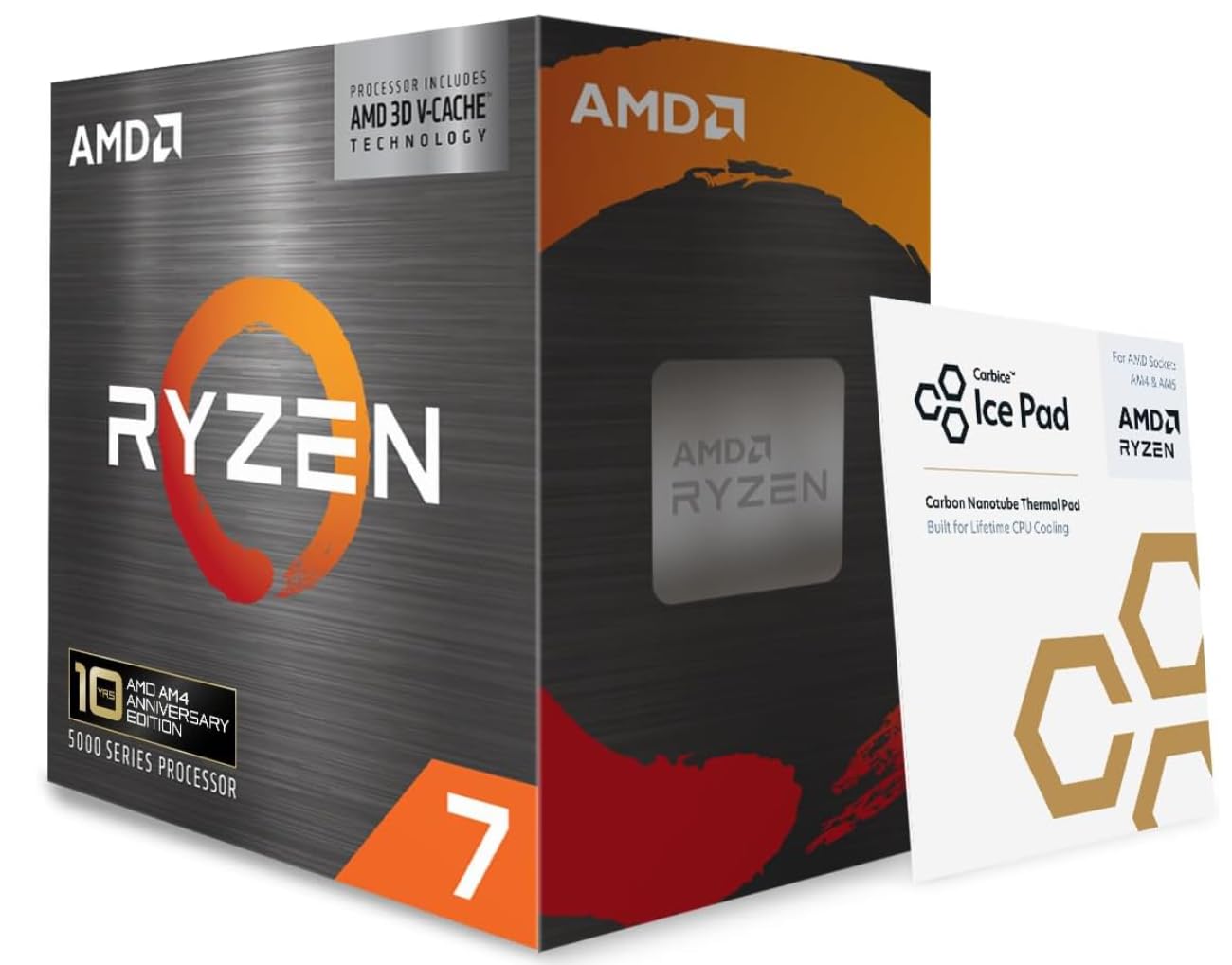
The 9070 XT is fast enough that CPU-heavy games can become the limit at 1440p. AMD's 3D V-Cache puts a big pool of L3 memory on the chip, 96MB on the 9800X3D and 7800X3D and 100MB on the 5800X3D, which helps keep frame times steady in strategy, simulation, and busy open-world games. The 7600X has 32MB of L3 and relies more on clock speed. If you play those genres at high refresh rates, the X3D chips are worth the premium. If you mostly play GPU-bound games at 4K, a cheaper chip can be enough.

Match Cores to What Else the PC Does

Six cores and 12 threads, as on the 7600X, are plenty for gaming at 1440p and 4K. Eight cores and 16 threads, as on the 9800X3D and 7800X3D, give you more room for streaming, background apps, and light editing. The 9950X3D's 16 cores are for rendering, compiling, and heavy multitasking; for gaming alone, that money is better spent on the GPU or a faster SSD. Buy the core count you will use, not the one that looks best on the box.

Budget for Cooling and a Clean Install

None of these CPUs includes a cooler. The 7600X and 5800X3D run warm under sustained loads, and the 9950X3D's 170W rating calls for a strong tower cooler or a 240mm AIO. The 9800X3D and 7800X3D are easier to cool and happy with a good air cooler. Before you install, check the motherboard's CPU support list and update the BIOS if needed; a board that boots with an older Ryzen may need a flash before it recognizes a 9000-series chip. That five-minute check saves a frustrating build.

Frequently Asked Questions

Final Verdict

For a new 9070 XT build, the Ryzen 7 9800X3D is the chip we recommend. It has the cache and boost to keep the GPU fed in CPU-heavy games, and it is easy enough to cool with a good air cooler. If you want the value play, the 7800X3D gets you most of the way there.

The 5800X3D is the exception: only choose it if you are already on AM4 and want one last upgrade. Otherwise, put the money into AM5 and the 9800X3D or 7800X3D.