13 Best Monitor Light Bar of 2026: Which Actually Eliminate Glare

Cut through exaggerated 'no-glare' claims. Find monitor light bars that actually deliver even, flicker-free task lighting for your screen setup.

Most monitor light bars claim 'zero glare' and 'eye-care', but the reality varies with bezel design and curvature. A poorly shaped light pattern leaves dark corners or reflects off the screen, defeating the purpose.

The real choice comes down to how much brightness and automation you need versus extra features like backlighting or a wireless remote. A budget-friendly high-CRI model can match premium lighting quality, while a high-end option adds sensors that eliminate the need to touch controls.

This guide cuts through marketing to focus on which light bars actually deliver even, flicker-free illumination for different setups - whether you game on a massive curved ultrawide or work on a standard flat monitor.

1

Best Overall

BenQ ScreenBar Pro

94 /100
Lab Score Outstanding

Key details

CRI
Color Temp Range
Adjustable
View on Amazon

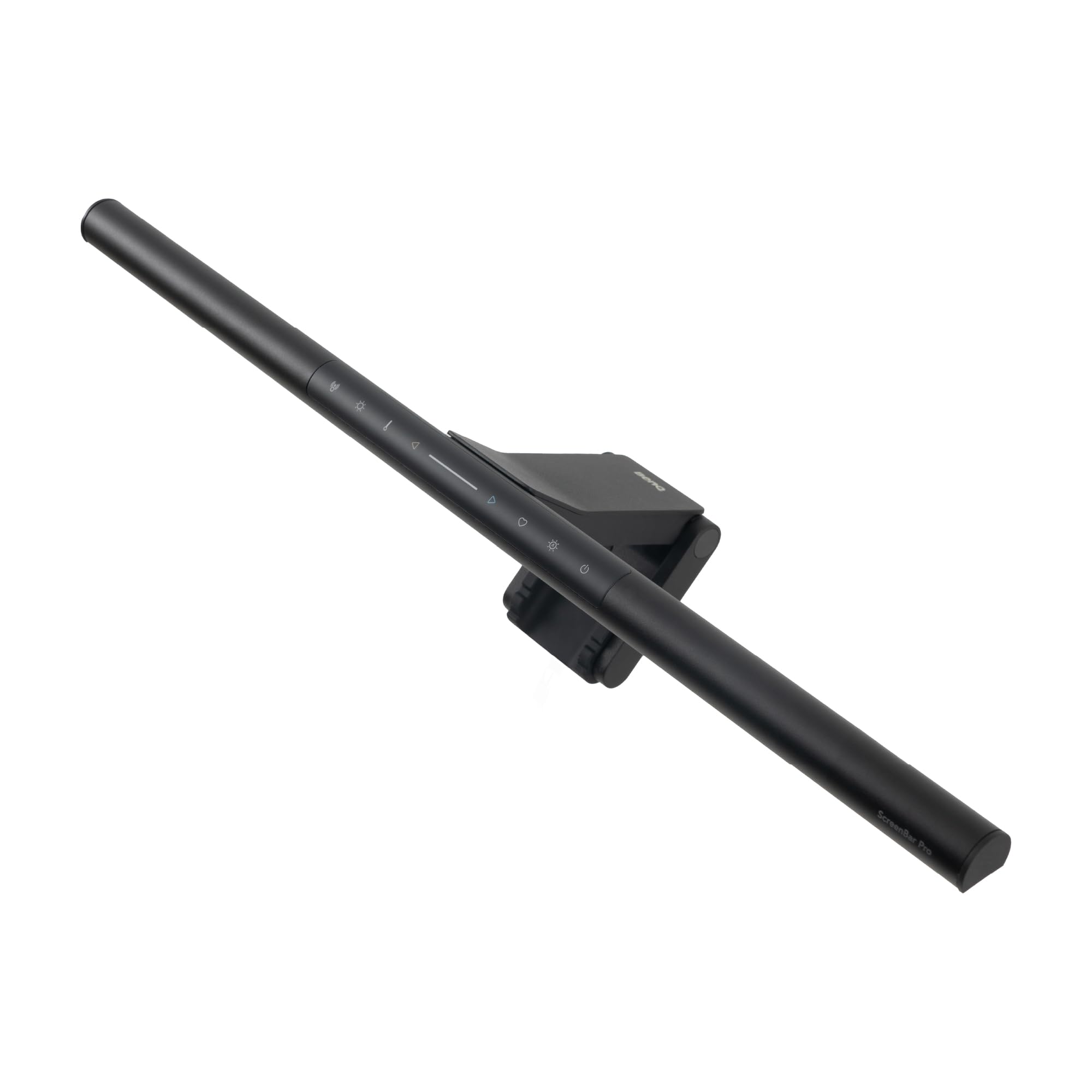
The BenQ ScreenBar Pro delivers 1000 lux of centered light and 500 lux across a 33x20 inch area, making it the brightest and most uniform option in this category. The ultrasonic motion sensor turns the light on and off automatically as you approach or leave your desk, removing the need to reach for a switch or remote.

The patented clamp fits monitors up to 2.56 inches thick, including many curved panels, with a solid grip that stays put. The aluminum body and matte finish give it a premium look that matches high-end workstations, and the adjustable color temperature and brightness let you dial in the exact light you need.

This bar is built for users who want the best possible task light without extra features like a backlight or wireless remote. If you need ambient lighting behind your monitor or a wireless controller, the more expensive Halo 2 covers those. For pure desktop illumination that reduces eye strain and eliminates glare, the ScreenBar Pro is the standard-setter.

💡 Keep the sensor unobstructed for reliable on/off; the light remembers your last brightness and color temperature setting.

Pros

  • Bright, even light covers a wide desktop area without any screen glare
  • Motion sensor provides reliable hands-free on/off every time
  • Sturdy aluminum build with a sleek, low-profile design

Cons

  • No backlight or wireless remote
  • Premium price may feel steep for those who don't need maximum brightness or automation
Our verdict

For professionals and enthusiasts who demand the brightest, most even task light with zero glare, the ScreenBar Pro delivers without compromise — just note the lack of backlight and remote.

Check Latest Price
2

Best Premium Experience

BenQ ScreenBar Halo 2

92 /100
Lab Score Outstanding

Key details

CRI
>95
Color Temp Range
2700-6500K
View on Amazon

The BenQ ScreenBar Halo 2 delivers the broadest feature set among monitor light bars: a wireless controller with an intuitive display, an adjustable ambient backlight, and a motion sensor for hands-off operation. The front light uses asymmetric optics to keep screen glare minimal, and the color temperature spans a wide 2700K–6500K range. Where the top pick focuses on raw brightness, this model surrounds the workspace with balanced illumination — front task light plus backlight that reduces contrast strain.

This setup suits professionals who spend long hours at the desk and want precise control over their lighting environment without reaching for a cable or button. The wireless dial lets you adjust brightness and color temperature with a simple rotation, and the backlight can be set independently to match room ambience. However, the premium price is a clear boundary — budget buyers will find better value elsewhere. Also, the remote uses replaceable batteries and may occasionally lose connection; keeping a spare pair nearby resolves the latter.

💡 Keep spare batteries for the remote — the convenience of wireless adjustment outweighs the occasional battery swap.

Pros

  • Wireless controller with display offers precise, intuitive adjustments
  • Glare-free front light reduces eye strain during extended use
  • Adjustable ambient backlight improves contrast and comfort

Cons

  • Price is significantly higher than comparable bars
  • Wireless controller requires batteries and can lose connection on occasion
Our verdict

If you want both a high-quality task light and a customizable ambient backlight with wireless control, the Halo 2 is the most complete package — just be prepared to pay for it.

Check Latest Price
3

Best Value

Quntis ScreenLinear Pro

93 /100
Lab Score Outstanding

Key details

CRI
Ra98
Color Temp Range
3000-6500K
View on Amazon

The Quntis ScreenLinear Pro brings auto-dimming and stepless color temperature control to the mid-range category, alongside a CRI rating that rivals professional studio lights. While the top pick leads in brightness and motion-sensor convenience, this bar offers comparable light quality for half the cost — a meaningful saving for those who don't need hands-free on/off.

This lamp suits budget-conscious home office workers who prioritize accurate color rendering and flexible adjustment. The mounting system uses a weighted clip that can feel loose on thinner or irregular bezels, and a small number of units have exhibited flickering after several months of use — worth checking your monitor's top edge thickness and the seller's return policy before buying.

💡 Keep the mounting weight centered on the monitor to minimize wobble on thinner bezels.

Pros

  • High Ra98 CRI for natural, accurate color rendering
  • Stepless brightness and color temperature adjustment for any scenario
  • Quick installation with a sturdy weighted clip that stays put on most monitors

Cons

  • Clip may not grip securely on thinner or irregular monitor bezels
  • Occasional flickering or early unit failure has been noted
Our verdict

For those who want high-CRI task lighting without the premium markup, the Quntis delivers where it counts — just verify your monitor's bezel thickness and consider extended warranty coverage.

Check Latest Price
4

Best for Curved Ultrawide Monitors

Quntis Curved RGB Pro

91 /100
Lab Score Outstanding

Key details

CRI
Ra98
Color Temp Range
3000-6500K
View on Amazon

The Quntis Curved Monitor Light Bar uses two independent arms that pivot to match the curve of 1000R-3000R monitors, delivering 1400 lux at center with Ra98 color rendering. That level of brightness and coverage is unusual for a curved-specific bar. The front task light is cool or warm adjustable, while the rear 15-mode RGB backlight adds ambient color to the wall behind the screen. Compared to the value-focused alternative that omits RGB and curved-specific mounting, this one trades a lower price for dedicated fit and gaming flair.

This bar is designed for owners of 34-inch and larger curved monitors who want both a glare-free task light and the option of colored backlighting for immersion. The RGB backlight is intentionally subtle – it adds ambiance but won't compete with a bright room. That tradeoff keeps the clamp slim and the unit stable, but if you expect the backlight to function as a second task light, you'll be disappointed. For its intended use – mood lighting behind a gaming monitor – it works fine.

💡 The RGB backlight shows best against a dark wall in a dim room – ambient light will wash it out.

Pros

  • Bright, even task light that covers large curved screens without hotspots
  • Adjustable arms contour to any monitor curve from 1000R to 3000R
  • Remote control with intuitive stepless dimming and color temperature

Cons

  • RGB backlight output is modest
Our verdict

If you have a large curved monitor and want RGB ambiance along with serious task lighting, this bar fits better than standard flat bars. Just don't expect the backlight to light up a bright room.

Check Latest Price
5

Best Budget Pick

YEELIGHT ScreenBar

89 /100
Lab Score Excellent

Key details

CRI
Ra95
Color Temp Range
2700-6500K
View on Amazon

The YEELIGHT Monitor Light Bar offers a full aluminum body and Ra95 color rendering at the lowest price among bars of this quality — a no-frills bar that clips onto standard flat monitors and delivers bright, even light without glare. Stepless dimming and adjustable color temperature (2700K-6500K) give users control over the lighting environment.

This is the right choice for budget-conscious buyers who want a metal build and good light quality without paying for auto-dimming or smart features. The absence of an ambient light sensor means you adjust brightness and color temperature manually — a non-issue if you prefer setting it once. Some units have shown reduced light output over time, so checking return policy is wise. The clip fits standard monitor thicknesses; curved or thick monitors may need a different bar.

Pros

  • Bright, even, glare-free lighting with high color accuracy
  • Easy installation and a premium aluminum finish
  • Flexible light control with stepless dimming and color temperature range

Cons

  • No automatic brightness adjustment or motion sensor
  • Light output can dim over time for a minority of units
Our verdict

For those who value a solid build and high CRI at a low price, this bar delivers without unnecessary extras.

Check Latest Price
6

Best Classic Reliability

BenQ ScreenBar Classic

94 /100
Lab Score Outstanding

Key details

CRI
>95
Color Temp Range
2700-6500K
View on Amazon

The BenQ ScreenBar Classic auto-dims to room lighting and avoids screen glare with asymmetrical optics. Its clamp mounts securely on monitors up to 1.2 inches thick. Unlike the ScreenBar Pro, it omits a backlight and wireless remote, keeping the focus on task lighting.

This light bar suits office workers and home users who want automatic eye-care lighting without extra features. The clamp won't fit very thick or curved monitors, so measure before purchasing.

💡 Check your monitor thickness before buying - the clamp works best on standard flat screens up to 1.2 inches thick.

Pros

  • Auto-dimming adjusts brightness and color temperature to match ambient light
  • Glare-free optics prevent screen reflections
  • Simple clamp installation - mounts in seconds and stays secure

Cons

  • No backlight or remote - requires reaching the bar to adjust settings
  • Clamp thickness limit (0.4-1.2 inches) excludes thick or curved monitors
Our verdict

A no-frills task light that delivers automatic brightness adjustment - ideal if you don't need ambient backlighting or a remote.

Check Latest Price
7

Home Office Workers

Quntis Glow with Backlight

92 /100
Lab Score Outstanding

Key details

CRI
Ra95
Color Temp Range
Stepless warm-cool
View on Amazon

The Quntis computer monitor light bar delivers clean, glare-free task lighting with a handy remote and an adjustable backlight that helps reduce eye strain in dim rooms. Build quality is notably good for the price, with a sleek gray finish and a weighted clip that installs quickly on most flat monitors. The backlight adds ambient depth, though its brightness range may not satisfy everyone — some find it too dim or too bright for their setup. Extended use can cause the unit to warm up, but that is more a comfort note than a safety concern. This model sits below top-tier picks in overall brightness and feature polish, but it remains a strong choice for anyone who values a backlight and remote at a mid-range price.

Pros

  • Attractive, sturdy build with a premium feel for a mid-range price.
  • Remote control for convenient adjustment without touching the bar.

Cons

  • The backlight's brightness range may not suit all ambient lighting preferences.
  • Extended use can cause the unit to warm up noticeably.
Our verdict

A good pick if you want a backlit monitor light with a remote and don't need extreme brightness or precision CRI for color-critical work.

Check Latest Price
8

Wide Monitor Users

Quntis 20" Dual Light

88 /100
Lab Score Excellent

Key details

CRI
Ra95
Color Temp Range
Stepless warm-cool
View on Amazon

The Quntis 20-inch bar delivers wide, even light across larger monitors, and the remote control makes switching between front and back light effortless. The backlight, however, is less intense than some might want for ambient fill, and the sliding clip may feel less stable on monitors with thicker or curved bezels.

Pros

  • Covers 27-inch and larger monitors with bright, even task light.
  • Remote control allows easy adjustment without reaching behind the monitor.

Cons

  • On thicker monitor bezels, the clip may not maintain a secure hold.
  • Backlight brightness may be insufficient for those wanting strong ambient room fill.
Our verdict

A good fit for owners of 27-inch or larger flat monitors who want separate front/back control and can accept a softer backlight and occasional clip adjustment.

Check Latest Price
9

Curved Monitor Users

ONWAY Curved Light Bar

89 /100
Lab Score Excellent

Key details

CRI
Ra95
Color Temp Range
3000-6500K
View on Amazon

This light bar delivers bright, even illumination across 27-34 inch curved monitors without screen reflection, and the wireless remote makes adjustments easy. The auto-dimming adjusts to ambient light but may not always match your preferred brightness. While most units work well initially, some may develop flickering or reduced function after a few months of use, which places it below the best-in-class for consistent performance.

Pros

  • Even, glare-free lighting that reduces screen reflection
  • Wireless remote provides intuitive brightness and color adjustment

Cons

  • Auto-dimming level may not suit all ambient light conditions
  • Flickering or reduced function can appear after extended use
Our verdict

Best suited for curved monitor users who want auto-dimming and a wireless remote at a reasonable price, provided you accept possible unit-to-unit variation over time.

Check Latest Price
10

Physical Dial Remote

Xiaomi Mi Light Bar

89 /100
Lab Score Excellent

Key details

CRI
Ra95
Color Temp Range
Adjustable
View on Amazon

The Xiaomi Mi Light Bar delivers a solid aluminum body and a magnetic clamp that feels more substantial than most in this price range. Its wireless dial remote provides easy, precise control over brightness and color temperature. However, the clamp may not grip thicker or unusually shaped monitors securely, and some units experience connectivity hiccups with the remote or stop responding after extended use. This makes it a better fit for those who prioritize build feel and convenience over long-term certainty.

Pros

  • Solid aluminum body and magnetic clamp give a premium feel.
  • Wireless dial remote offers convenient, precise adjustment of brightness and color temperature.

Cons

  • Clamp may not secure tightly on some monitor thicknesses or shapes.
  • Remote connectivity can be inconsistent; in some cases, the light bar may stop responding after extended use.
Our verdict

Best for buyers who want a premium-feeling light bar with a physical dial remote and are willing to accept potential mounting and remote connectivity quirks.

Check Latest Price
11

Budget RGB Gamers

Quntis 15" RGB

89 /100
Lab Score Excellent

Key details

CRI
≥95
Color Temp Range
View on Amazon

This light bar attaches easily to screens up to 15.7 inches wide and offers plenty of color options for a low cost. The front light is bright enough for reading, and the smart memory remembers your last setting. However, the RGB backlight can appear dim in a well-lit room compared to the front light, and the touch controls may need a firm press to respond. Build uses lightweight plastic rather than metal, so it’s not as premium as pricier alternatives. Best suited for budget-conscious gamers with compact monitors who want RGB flair without a high investment.

Pros

  • 24 RGB backlight modes and smart memory at a budget price
  • Easy counterweight clamp installation with intuitive controls

Cons

  • RGB backlight may appear dim in bright rooms, reducing its impact
  • Touch-sensitive buttons can be unresponsive with a light tap
Our verdict

This bar is a good match for smaller monitors in a darker gaming space where the RGB backlight adds ambiance without needing high brightness or premium materials.

Check Latest Price
12

Extreme Budget Buyers

Colorpanda 16" Bar

88 /100
Lab Score Excellent

Key details

CRI
95
Color Temp Range
2700-6500K
View on Amazon

An ultra-budget option for those who need basic screen lighting without breaking the bank. The Colorpanda bar brings 95 CRI color rendering and a clip-on mount that fits most monitors, all at the lowest price in this roundup. However, the 250-lumen output works best on small desks in dimmer rooms, and some units can stop working after a few months — a risk that makes this a short-term solution rather than a long-term investment.

Pros

  • Exceptional value for an ultra-budget light bar with solid color accuracy.
  • No screen glare and adequate brightness for the price point.

Cons

  • 250 lumens may be insufficient for larger desks or rooms with bright ambient light.
  • Units can stop working after a few months, making long-term use uncertain.
Our verdict

This bar fits users on a tight budget who need basic desk lighting for a small monitor and are willing to accept the possibility of an early replacement.

Check Latest Price
13

Customizable RGB Gamers

Quntis RGB Pro+ 20"

88 /100
Lab Score Excellent

Key details

CRI
Ra95
Color Temp Range
4 color temps
View on Amazon

The Quntis RGB Pro+ serves up 144 LEDs with 15 RGB modes and 4 adjustable color temperatures for the front light, giving gamers substantial control over their desk lighting. However, the RGB backlight is less bright than the front light, making it suitable for accent rather than full ambient lighting. Additionally, some units may develop issues within months, tempering long-term confidence. This combination of extensive features and potential reliability concerns is why it remains an also-consider rather than a runner-up.

Pros

  • Extensive RGB customization with 15 modes for gaming ambiance
  • High brightness and good coverage from the 20-inch bar lights up the desk well

Cons

  • RGB backlight is dimmer than the front light
  • Some units may develop issues within months, making a flexible return policy worth checking
Our verdict

For gamers who want extensive RGB control on a large monitor and are prepared for possible unit variation, this bar delivers unique customization.

Check Latest Price

How to Choose

Glare-Free Asymmetrical Optics

Asymmetrical optics direct light downward at a sharp angle to avoid hitting the screen. If the lens is poorly designed or the bar sits too high, light spills onto the display and causes glare. Look for bars that explicitly mention an asymmetrical light path or a patented lens design.

On curved monitors, the bar must follow the screen's curve; otherwise, the center may be well-lit but the edges stay dark. Some bars use pivoting arms or flexible mounts to adjust the angle.

Color Temperature Range

Adjustable color temperature lets you switch between warm (2700K-3000K) and cool (6500K) light. Warm light reduces eye strain at night, while cool light improves focus during the day. A stepless range gives finer control than preset modes.

If you work in a room with mixed lighting, having a wide temperature range helps match the ambient light. Some budget bars only offer three presets, which may not be precise enough for sensitive eyes.

Color Rendering Index (CRI)

CRI measures how accurately colors appear under the light. A CRI of 95 or higher is essential for tasks like photo editing, drawing, or reading fine print. Lower CRI can make colors look washed out and increase eye strain.

Be aware that not all 'Ra95' claims are equal - uniformity matters. Check user feedback on color accuracy rather than trusting the spec alone. High CRI often costs more, but budget models like YEELIGHT and Quntis deliver Ra95 at lower prices.

Mounting Compatibility

The clamp must fit your monitor's bezel thickness and curvature. Most bars work with flat monitors up to about 1.5 inches thick, but curved ultrawide screens (1000R-3000R) require a specialized clamp or pivoting arms. A loose mount can cause the bar to wobble or fall off.

Thick bezels (over 2 inches) or unusual shapes (e.g., iMac) often need a counterweight design rather than a simple clip. Always measure your monitor's top edge before buying.

Brightness and Uniformity

Brightness is measured in lux at the desk center. For comfortable reading, aim for at least 500 lux; for detailed work, 800-1000 lux is better. However, raw brightness matters less than uniformity - a bar that drops off sharply at the edges creates shadows.

Higher brightness often comes with more heat generation. Some bars use passive cooling, while others can get warm after hours of use. If you work long sessions, check review comments about overheating.

Frequently Asked Questions