15 Best FPS Controller 2026: Hall Effect Sticks That Actually Last

Which FPS controller keeps your aim precise without stick drift? This guide helps you pick based on stick type, polling rate, and platform compatibility.

Stick drift doesn't just ruin your aim — it undermines the confidence you need in a firefight. Even premium controllers can develop drift or bumper failure within months, leaving you questioning the value of your investment.

The real solution isn't spending more — it's choosing the right stick technology and feature set for your platform. Hall effect and TMR sticks eliminate drift entirely, while extra paddles and trigger stops give you a competitive edge without breaking the bank.

This guide cuts through the marketing to show which controllers deliver on their promises for actual FPS play, based on component quality and real-world feedback.

1

Best Overall FPS Controller

GameSir G7 Pro

89 /100
Lab Score Excellent

Key details

Platform
Xbox, PC
Stick Type
TMR
Polling Rate
1000Hz (wired & 2.4G)
Extra Buttons
4 (rear+shoulder)
View on Amazon

With 1000Hz polling and TMR sticks, the G7 Pro offers sub-millisecond input response on PC, matching or exceeding controllers that cost twice as much. The four extra buttons — two rear paddles and two shoulder bumpers — provide ample room for mapping jump, slide, or reload without lifting your thumbs. Hall effect analog triggers with clicky trigger stops let you fire faster in competitive FPS titles.

On the 2.4G wireless mode, some users note occasional disconnects that require a quick re-pair — not a constant issue, but worth checking in your setup. The Xbox connection is wired-only, a limitation confirmed by owner feedback that also points to occasional right trigger or stick inconsistencies in a minority of units. These variances don't affect every unit, but testing the controller early is a reasonable precaution.

This controller suits PC FPS players who want wireless freedom and extra programmable buttons without entering premium pricing territory. Xbox players can still benefit from the hall effect triggers and textured grip, provided they accept a wired connection. The possibility of trigger or stick inconsistencies means this pick works best for those willing to inspect their unit soon after purchase.

💡 Keep it plugged in via USB during Xbox sessions — wired mode ensures stable performance and eliminates battery concerns.

Pros

  • 1000Hz polling on PC ensures near-instant input registration for competitive play
  • TMR sticks combine magnetic longevity with accurate centering
  • Four extra buttons (two rear paddles, two shoulder bumpers) offer customizable controls
  • Hall effect analog triggers with clicky stops enable faster weapon firing
  • Ergonomic textured grip reduces hand fatigue during long sessions

Cons

  • Wireless connectivity is limited to PC and Android; Xbox requires a wired connection
  • In some units, the right trigger or sticks may develop responsiveness issues
Our verdict

For PC FPS players seeking a wireless controller with pro-level specs at a mid-range cost, the G7 Pro is a strong match. Xbox players who prioritize hall effect triggers and don't mind a cable will find value — just confirm your unit's quality early.

Check Latest Price
2

Best Budget Wired Controller

GameSir G7 SE

89 /100
Lab Score Excellent

Key details

Platform
Xbox, PC
Stick Type
Hall effect
Polling Rate
1000Hz (overclockable)
Extra Buttons
2 rear
View on Amazon

The GameSir G7 SE delivers the same drift-free hall effect sticks as its pricier sibling, but trades wireless and extra buttons for a lower price. On PC or Xbox, the wired connection keeps input latency minimal — useful for competitive FPS where every frame matters. The removable USB-C cable is long enough for most desk setups, but you are tethered to your console or PC.

This controller is best for FPS players who prioritize reliable, drift-free aiming over wireless freedom or extra programmable buttons. The two rear buttons cover common inputs like jump or reload, but those wanting four or more paddles should look at the G7 Pro instead. A small number of units have been reported to stop working after months of use — a risk worth weighing against the price advantage.

Pros

  • Hall effect sticks eliminate drift without calibration or deadzones.
  • Budget-friendly build quality that feels solid in the hand.
  • Hall effect triggers with vibration provide responsive feedback in shooters.

Cons

  • Wired-only design limits placement flexibility and cable management.
  • Some units may stop working entirely after extended use, requiring replacement.
Our verdict

If you want drift-free sticks and a lower price than the G7 Pro, and you don't mind being wired, the G7 SE is a sensible buy for competitive FPS on Xbox or PC.

Check Latest Price
3

Best Ultra-Budget PC Controller

8BitDo Ultimate 2C

91 /100
Lab Score Outstanding

Key details

Platform
PC, Android
Stick Type
Hall effect
Polling Rate
1000Hz (2.4G & wired)
Extra Buttons
2 shoulder bumpers
View on Amazon

While the more premium 8BitDo model adds TMR sticks and a charging dock, the Ultimate 2C cuts to the essentials: hall effect sticks, 1000Hz polling, and wireless connectivity that keeps up with fast-paced shooters. For under thirty dollars, it delivers the low-latency response and drift-free aiming that competitive FPS demands — no frills, but no fluff either.

This controller is built for PC and Android gamers who want competitive performance without spending premium dollars. The hall effect sticks eliminate drift over time, and the 1000Hz polling rate keeps input lag minimal whether you are playing on a desktop or streaming from the cloud. However, it lacks back paddles — the two extra shoulder buttons (L4/R4) are remappable but less intuitive than rear controls for advanced schemes. Also note: there is no support for Xbox, PlayStation, or Switch, so this is strictly a PC-and-mobile companion.

Battery life comfortably outlasts long sessions, and the ergonomics suit most hand sizes without fatigue. The 2.4G wireless connection is stable at desk distance, and wired USB-C mode offers an alternative for latency-sensitive play. If you can work around the button layout and platform limits, the core performance here is hard to beat at this price point.

💡 Remap L4/R4 to less frequently used actions (like weapon swap or melee) to reduce awkwardness during intense play.

Pros

  • Hall effect sticks and 1000Hz polling at a budget-friendly price
  • Comfortable ergonomics with long battery life

Cons

  • Extra shoulder buttons (L4/R4) are less intuitive than rear paddles for advanced controls
  • PC and Android only; no console support
Our verdict

For PC and Android gamers who prioritize competitive FPS performance on a budget, the Ultimate 2C delivers where it counts — just accept the platform limits and the shoulder-button tradeoff.

Check Latest Price
4

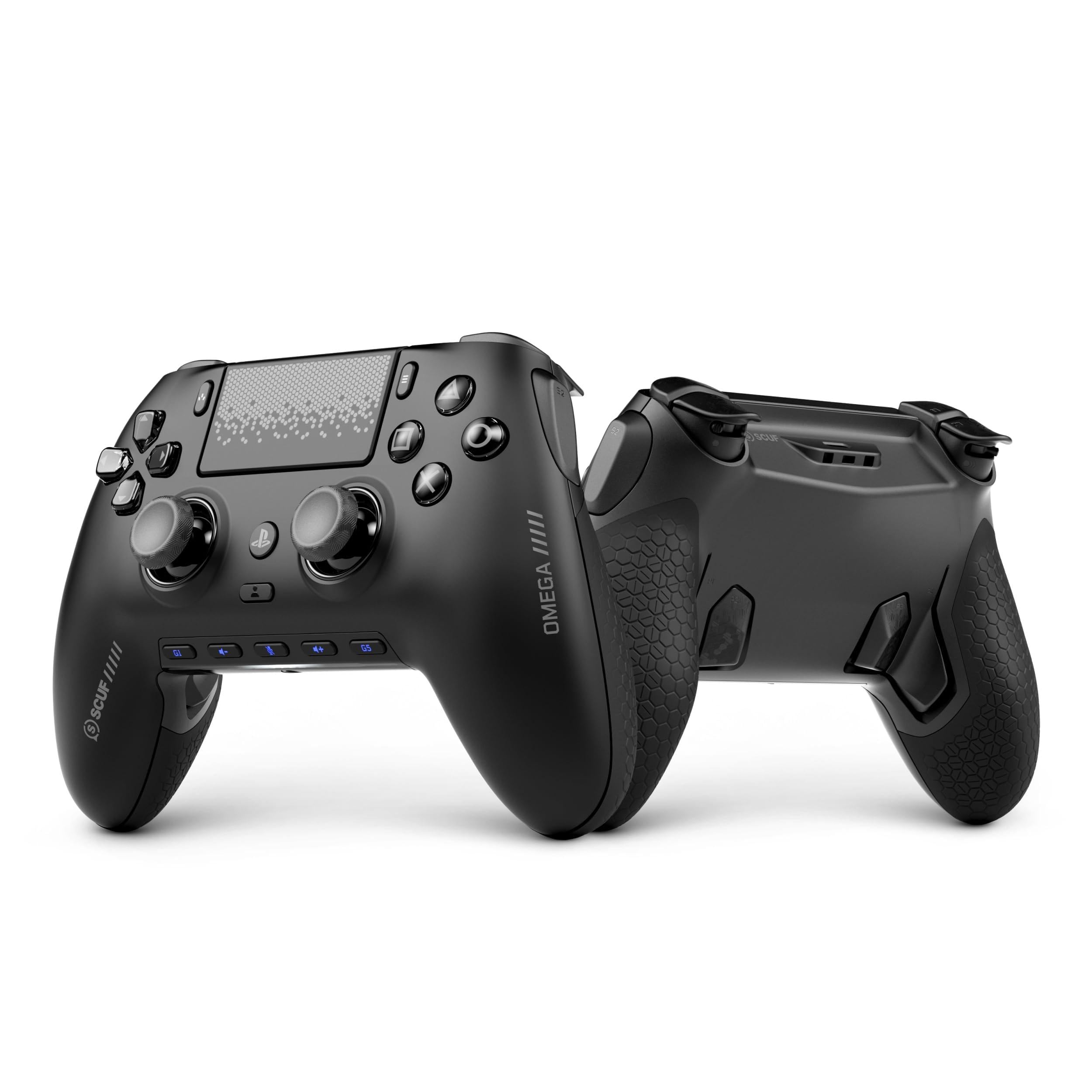
Best for PS5

DualSense Edge

93 /100
Lab Score Outstanding

Key details

Platform
PS5, PC (limited)
Stick Type
Potentiometer (replaceable)
Polling Rate
250Hz (standard)
Extra Buttons
2 back paddles
View on Amazon

The DualSense Edge brings pro-level customization to PlayStation without requiring third-party repairs or modifications. Adjustable trigger travel, swappable back paddles, and the ability to replace stick modules when drift appears give competitive FPS players control over both input feel and long-term durability. The build quality rivals custom shops like Scuf, with a solid feel that justifies the premium price.

This controller suits PS5 players who want back buttons for faster reactions and the peace of mind that worn sticks can be swapped rather than sending the whole unit for repair. Competitive FPS sessions that last two to three hours are fine, but the 5-6 hour battery requires recharging between longer sessions. The rubber grips on the handles can peel over time — a detail to watch if you play daily and prefer a textured hold.

On PS5, the wireless connection is stable and latency feels consistent thanks to the standard 250Hz polling. The stick modules pop out with a simple latch, and replacement units cost roughly a third of a new controller. Trigger stops lock into two positions, letting you shave milliseconds off ADS inputs without losing the dual-stage haptics that distinguish the platform.

💡 Plug in during breaks or after each session — the battery handles two to three hours of play before needing a top-up.

Pros

  • Replaceable stick modules reduce long-term drift risk and repair costs
  • Adjustable trigger stops and back paddles for faster competitive inputs
  • Swappable paddle configurations and stick cap options for personalized ergonomics

Cons

  • Rubber grips on the handles can peel with extended daily use
  • Battery life drops to 5-6 hours, requiring a recharge after moderate play sessions
Our verdict

For PS5 competitive FPS players who want official compatibility and modular repairability, the Edge is the closest first-party option — PC-focused gamers will find better battery life and platform flexibility elsewhere.

Check Latest Price
5

Best Wireless Xbox Controller

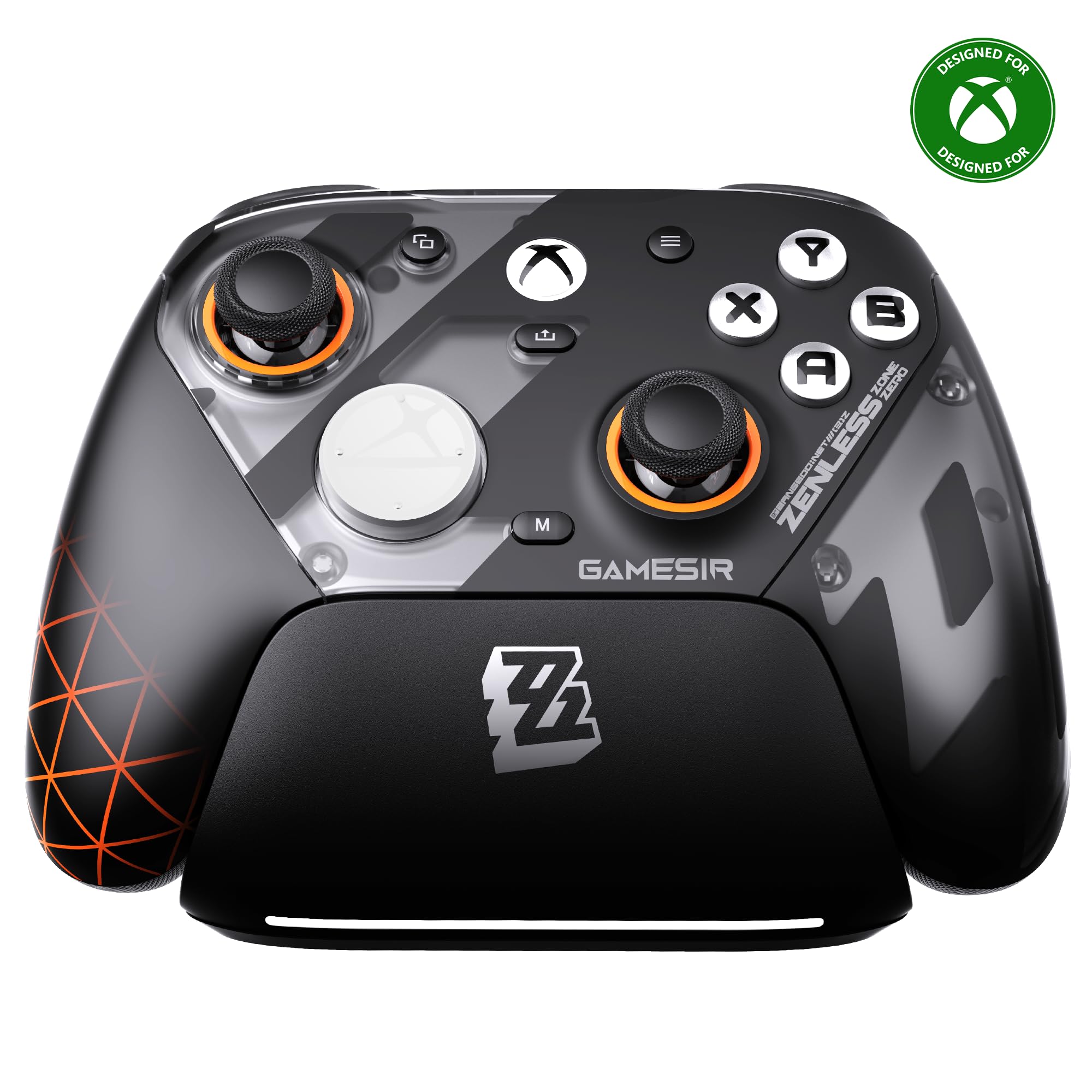
GameSir G7 Pro ZZZ

89 /100
Lab Score Excellent

Key details

Platform
Xbox, PC
Stick Type
TMR
Polling Rate
1000Hz (PC wired & 2.4G)
Extra Buttons
4 (rear+shoulder)
View on Amazon

The GameSir G7 Pro ZZZ is the only third-party Xbox controller with official wireless support, TMR sticks, trigger stops, and hall triggers — a combination typically found only in first-party hardware.

TMR sticks deliver drift-free magnetic precision. 1000Hz polling on PC keeps input latency low. Trigger stops and four remappable buttons provide responsive FPS control.

Designed for Xbox FPS enthusiasts who want wireless freedom and the limited-edition Zenless Zone Zero look. Works on PC but not PlayStation or Switch. Price premium over standard G7 Pro and occasional trigger failures reported.

Pros

  • TMR sticks deliver drift-free precision with magnetic resistance.
  • Official Xbox wireless with low latency
  • 1000Hz polling rate on PC for responsive, near-instant input.
  • Four remappable buttons (two rear, two mini bumpers) allow custom control layouts.

Cons

  • Premium pricing compared to the standard G7 Pro, which offers similar features wired.
  • A small number of units have reported trigger failures
Our verdict

If wireless Xbox play and the collector's design resonate with you, the G7 Pro ZZZ is a capable choice. For most, the standard G7 Pro is more practical.

Check Latest Price
6

Best for PC Enthusiasts

8BitDo Ultimate 2

91 /100
Lab Score Outstanding

Key details

Platform
PC, Steam Deck
Stick Type
TMR
Polling Rate
1000Hz (2.4G & wired)
Extra Buttons
4 (rear+shoulder)
View on Amazon

The 8BitDo Ultimate 2 brings TMR joysticks and a 1000Hz polling rate to PC gaming, delivering precise aim tracking for FPS titles. The included charging dock keeps the controller topped up between sessions, and the four extra buttons (two rear paddles, two shoulder bumpers) give you more mapping options than the cheaper 8BitDo alternative. Build quality feels solid, with a textured grip that suits long play.

Bluetooth connectivity can be intermittent in crowded wireless environments — for low-latency play, the included 2.4G dongle is the recommended connection. The dock doubles as a convenient cradle for the controller and its dongle, keeping your desk tidy. TMR sticks offer high sensitivity and durability, though the lack of a headphone jack means you'll need a separate audio solution.

This controller is for PC and Steam Deck gamers who prioritize low latency and a premium feel without needing Xbox or PlayStation support. If you rely on a wired headset or play on consoles, the missing audio jack and platform compatibility are dealbreakers. For its target audience, the Ultimate 2 delivers a focused experience that steps up from hall-effect budget models.

💡 Keep the 2.4G dongle plugged in for the low-latency connection; Bluetooth is best for casual use.

Pros

  • Solid build quality with a comfortable shape that suits long gaming sessions
  • Charging dock and low-latency wireless included at a mid-range price
  • TMR joysticks provide high sensitivity and durability for FPS aim
  • Four extra buttons (two rear paddles, two shoulder bumpers) for advanced mapping

Cons

  • Bluetooth may drop connection in crowded wireless environments
  • No headphone jack and no native Xbox or PlayStation support, which limits its ecosystem
Our verdict

For PC and Steam Deck gamers who want TMR sticks and a dock without paying premium prices, the Ultimate 2 is a strong contender — just plan to use the dongle and a separate headset solution.

Check Latest Price
7

PC Customization

FLYDIGI Vader 5 Pro

80 /100
Lab Score Excellent

Key details

Platform
PC only
Stick Type
Hall effect (adjustable)
Polling Rate
3ms wired, 4ms wireless
Extra Buttons
8 remappable
View on Amazon

Eight remappable buttons keep your thumbs on the sticks while executing actions like jump or reload — a clear advantage in fast-paced shooters. The adjustable tension (40-100gf) and trigger stops let you dial in resistance for flick aiming or rapid fire. However, gyroscope and full button mapping rely on FLYDIGI software, and some PC games may not recognize the extra inputs or gyro properly. This makes the Vader 5 Pro best for PC-only players comfortable with tinkering who want maximum customization over plug-and-play simplicity.

Pros

  • Extra buttons enable faster inputs without lifting thumbs off sticks.
  • Adjustable stick tension and trigger stops allow fine-tuning for different game genres.

Cons

  • Tension collars may loosen over time, requiring occasional retightening.
  • Gyro and extra button mapping can be incompatible with certain PC games.
Our verdict

For PC gamers who prioritize button quantity and stick adjustability over plug-and-play ease, the Vader 5 Pro delivers unique customization — just be prepared for occasional software quirks.

Check Latest Price
8

Xbox/PC Adjustable

FLYDIGI Vader 5S

82 /100
Lab Score Excellent

Key details

Platform
Xbox, PC
Stick Type
Hall effect (adjustable)
Polling Rate
Standard
Extra Buttons
6 remappable
View on Amazon

The Vader 5S brings adjustable stick tension and trigger stops to Xbox and PC at a competitive price, making it a solid option for FPS players who want finer control over aim without spending premium. Hall effect sticks eliminate drift, and the six extra buttons give useful remapping options. However, the accompanying software limits full button customization, so not every button can be reassigned. Additionally, some units may develop random disconnects or audio jack problems — a concern for players using headsets or who need consistent connectivity.

Pros

  • Adjustable stick tension and trigger modes give FPS players flexible control over aim and response.
  • Good value with hall effect sticks and extra buttons at a lower price than many competitors.

Cons

  • Software limits full button remapping
  • Occasional disconnects or audio jack issues may occur, affecting headset use.
Our verdict

If adjustable stick tension matters more than software flexibility, and you’re fine with wired play, the Vader 5S delivers strong FPS performance at a reasonable price.

Check Latest Price
9

Mobile & PC

EasySMX D10

88 /100
Lab Score Excellent

Key details

Platform
PC, Switch, Android
Stick Type
TMR
Polling Rate
1000Hz (wired & 2.4G)
Extra Buttons
2 back (fixed)
View on Amazon

The EasySMX D10 delivers TMR sticks, 1000Hz polling, and mechanical buttons at a budget price, with a charging dock that simplifies storage. The back buttons are fixed as L3/R3 with no remapping, a limitation for FPS players who rely on customizable paddles for additional inputs. Wireless connectivity may also drop after a period of inactivity, requiring redocking to reconnect. These quirks keep it from being a top contender for competitive shooters, but for casual PC and mobile gaming where remapping is not a priority and you can tolerate the occasional reconnect, the D10 offers solid value.

Pros

  • Mechanical buttons and TMR sticks for responsive, drift-resistant gameplay
  • Includes charging dock and low latency wireless for the price

Cons

  • Back buttons are fixed as L3/R3 with no remapping option
  • Wireless connection may drop when idle, requiring manual redocking
Our verdict

A capable budget controller for PC and mobile gamers who don't need remappable back buttons and can handle occasional disconnects.

Check Latest Price
10

Symmetrical Layout

Hyperkin The Competitor

84 /100
Lab Score Excellent

Key details

Platform
Xbox, PC
Stick Type
Hall effect
Polling Rate
Standard
Extra Buttons
2 rear
View on Amazon

The Competitor is the only wired Xbox controller with a symmetrical stick layout found on PlayStation controllers, paired with smooth hall effect joysticks that resist drift. The D-pad suits fighting game inputs, and the two rear buttons handle extra functions. However, the bulky body can feel awkward for larger hands, and there is no wireless option — a wired-only connection that suits desktop setups but limits couch play. Some units may have button placement that feels unintuitive during fast-paced sessions, making this a niche pick for players who prioritize symmetrical ergonomics over convenience.

Pros

  • Symmetrical stick layout matches PlayStation muscle memory for FPS players.
  • Hall effect joysticks deliver smooth, drift-resistant aiming.
  • Programmable rear buttons offer basic paddle-like functionality.

Cons

  • In a living room setup, the wired tether limits movement
  • The chunky frame may feel bulky for players with larger hands during extended sessions.
Our verdict

Best suited for Xbox or PC players who strongly prefer PlayStation-style stick placement and value drift protection over wireless freedom.

Check Latest Price
11

Screen Features

ManbaOne

89 /100
Lab Score Excellent

Key details

Platform
Switch, PC
Stick Type
Hall effect
Polling Rate
800Hz+ wired
Extra Buttons
4 back keys
View on Amazon

The ManbaOne stands out with its built-in screen that lets you adjust settings, remap buttons, and program macros without needing a PC app, paired with hall effect sticks and a charging dock at a budget-friendly price. For PC and Switch players who prioritize customization over platform breadth, this is an intriguing option. However, some units may develop button sticking or intermittent disconnects after months of use, and it lacks Xbox or PlayStation compatibility altogether. These factors make it a niche pick rather than a reliable choice for competitive FPS gaming where consistent performance and broad console support are expected.

Pros

  • Onboard screen enables settings and macro changes without software
  • Includes charging dock and hall effect sticks at a budget price
  • Four back buttons with macro support for additional inputs

Cons

  • Some units may develop button sticking or disconnects over months of use
  • Not compatible with Xbox or PlayStation; gyro only works on Switch
Our verdict

If you primarily play on PC or Switch and want a controller with a built-in screen for on-the-fly macro control without extra software, the ManbaOne delivers unique value for its price, provided you can accept potential unit variance.

Check Latest Price
12

Budget Wireless

GameSir Nova Lite 2

88 /100
Lab Score Excellent

Key details

Platform
PC, Switch
Stick Type
Hall effect
Polling Rate
1000Hz (wired & 2.4G)
Extra Buttons
2 rear
View on Amazon

The Nova Lite 2 packs hall effect sticks, two-way trigger stops, and 1000Hz polling - features typically found in controllers costing twice as much. For budget-conscious PC gamers focused on first-person shooters, that combination offers strong value at this price. However, battery life is short at 4-6 hours, and some units may experience occasional wireless disconnects. These tradeoffs make it a better fit for players who play near a USB port or prioritize wired mode, rather than those needing long, untethered sessions or flawless wireless reliability. If your top concern is getting drift-free aiming and fast response on a tight budget, this controller delivers - just be prepared for its limitations.

Pros

  • Hall effect sticks eliminate drift concerns for long-term precision in FPS games.
  • Trigger stops and 1000Hz polling provide snappy, responsive inputs at a budget price.

Cons

  • Battery life of 4-6 hours requires charging or wired use during extended play sessions.
  • Wireless connectivity can drop unexpectedly, potentially causing missed inputs in competitive matches.
Our verdict

Best for PC FPS players who prioritize hall effect sticks and trigger stops over battery longevity and connection consistency.

Check Latest Price
13

Casual Gaming

Xbox Wireless Controller

91 /100
Lab Score Outstanding

Key details

Platform
Xbox, PC, Cloud
Stick Type
Potentiometer
Polling Rate
125Hz
Extra Buttons
None
View on Amazon

The Pulse Red delivers the familiar comfortable grip and responsive buttons of a first-party Xbox controller, with a vibrant red finish that adds personality. The build quality meets the typical Xbox standard, with a solid feel in hand. However, it lacks the hall effect stick protection and extra programmable buttons found on many competitors at a similar price, so competitive FPS players will find it outclassed for precision aiming and customization.

💡 Using a wired USB-C connection avoids wireless connectivity drops and reduces input latency - useful for longer sessions.

Pros

  • Comfortable ergonomics and responsive buttons for standard Xbox layout
  • Vibrant Pulse Red color with good build quality for a first-party controller

Cons

  • Traditional stick design may develop drift after months of use, affecting precision
Our verdict

A suitable choice for casual Xbox/PC gamers who value brand consistency and color options over the competitive features found in third-party alternatives.

Check Latest Price
14

Pro Customization

Xbox Elite Series 2

88 /100
Lab Score Excellent

Key details

Platform
Xbox, PC
Stick Type
Potentiometer (adjustable)
Polling Rate
125Hz
Extra Buttons
4 rear paddles
View on Amazon

The Elite Series 2 offers swappable thumbsticks, paddles, and trigger locks — letting you fine-tune aim and response for competitive shooters. The built-in rechargeable battery lasts up to 40 hours, and the carrying case protects your setup.

This controller suits Xbox and PC players who demand maximum physical customization and are comfortable with the possibility of bumper or stick issues down the line. Those unwilling to invest in repairs or replacements should consider alternatives with hall effect sticks and lower cost.

Pros

  • Swappable components allow custom thumbstick tension, paddle layouts, and D-pad styles for personalized control.
  • Long battery life (up to 40 hours) reduces charging interruptions during long sessions.
  • Premium carrying case and built-in rechargeable battery add convenience for travel.

Cons

  • Left bumper may become unresponsive over time under heavy use.
  • Stick drift can develop, requiring replacement of thumbstick modules.
Our verdict

A fit for competitive FPS players who prioritize customization and are prepared for possible maintenance — not for those seeking long-term reliability out of the box.

Check Latest Price
15

Budget Wireless

AceGamer Aurora II

87 /100
Lab Score Excellent

Key details

Platform
PC, Android, Switch
Stick Type
Hall effect
Polling Rate
Standard
Extra Buttons
2 rear
View on Amazon

The AceGamer Aurora II delivers hall effect joysticks and wireless connectivity at a price that undercuts almost everything else on the market. Battery life holds up for extended sessions and recharges quickly, which suits casual play on PC, Android, Switch, or iOS. The tradeoff for that low cost comes in two areas: unit-to-unit consistency can vary, with some controllers developing sticky buttons or joystick issues within months, and Bluetooth connections may drop unexpectedly. This puts it outside the range of competitive FPS gaming where stable, predictable input is critical. For a secondary controller or lightweight mobile use, however, the Aurora II offers a functional entry point.

Pros

  • Hall effect sticks and wireless for under $25
  • Good battery life with fast recharge for extended play sessions

Cons

  • Durability can vary between units
  • Bluetooth connectivity may drop unexpectedly; no support for Xbox or PlayStation consoles
Our verdict

Best for occasional mobile or PC gaming on a tight budget where occasional disconnects and shorter lifespan are acceptable tradeoffs.

Check Latest Price

How to Choose

Stick Type: Hall Effect vs. Potentiometer vs. TMR

Hall effect sticks use magnetic sensors instead of physical contacts, so they never develop the drift that plagues traditional potentiometer sticks. TMR (Tunnel Magneto-Resistance) sticks are a newer hybrid that offers even higher sensitivity and longevity than standard hall effect, though both are drift-free.

If you play daily for hours, hall effect or TMR sticks are worth the slight premium — a drifting potentiometer stick will cost you in replacements or frustration within a year. For occasional use, a good potentiometer stick can still be fine, but you're gambling on durability.

Polling Rate and Latency

Polling rate (measured in Hz) determines how often the controller reports its position to the console or PC. 1000Hz means updates every 1ms, which translates to smoother aim tracking and faster response in high-frame-rate shooters. Standard 125Hz (8ms) is fine for casual play but introduces noticeable lag at high precision levels.

Wireless can add latency too — 2.4G dongles are nearly as fast as wired, while Bluetooth usually has 3-10ms extra delay. For competitive FPS, wired or 2.4G wireless with 1000Hz polling gives the best consistency.

Extra Programmable Buttons

Back paddles or shoulder buttons let you jump, slide, or reload without taking your thumb off the stick. Two extra buttons cover the basics (slide and jump), while four or more allow complex combos like building in Fortnite or swapping weapons mid-fight.

The key is placement: uncomfortable paddle positions defeat the purpose. Look for controllers with adjustable or swappable paddles, and make sure they can be remapped to any button via software — some cheap controllers lock them to L3/R3, which limits their usefulness.

Trigger Stops and Dual-Mode Triggers

Trigger stops reduce the travel distance of the trigger, letting you fire semi-automatic weapons faster by eliminating the full pull motion. This is critical in games where split-second shots matter — think rapid-fire pistols or snipers in Call of Duty.

Dual-mode triggers switch between a linear analog pull for driving/vehicles and a short clicky stop for guns. If you play a mix of shooters and racing games, this flexibility is a major advantage. Otherwise, dedicated trigger stops are sufficient.

Platform Compatibility

Not every controller works on every platform. Xbox and PlayStation have proprietary wireless protocols, so a third-party PC controller like the 8BitDo Ultimate 2C won't work wirelessly on a console. Licensed Xbox controllers (like GameSir G7 Pro ZZZ) are rare and more expensive.

If you play on multiple platforms, consider a controller that works wired on both (like the GameSir G7 SE on Xbox and PC) or invest in separate controllers optimized for each system. A single controller for all platforms usually requires compromise in latency or features.

Frequently Asked Questions