4 Best Gaming CPU for DDR4 of 2026: Get Top FPS on AM4/LGA1700

Which gaming CPUs still support DDR4? Find the best options for AM4, LGA1200, and LGA1700 that deliver high FPS without a DDR5 motherboard.

DDR4 motherboards still power the majority of gaming PCs, and replacing them for a DDR5 upgrade isn't always necessary. The right CPU can extend your system's life by years, delivering high frame rates in the latest titles without changing your board or memory. For AM4, LGA1200, and LGA1700 DDR4 boards, options exist that rival newer platforms in gaming performance.

But not every compatible CPU is a smart buy. Some run hot enough to require expensive aftermarket coolers. Others, especially certain Intel 13th and 14th gen models, have documented stability issues under load. A few budget chips limit your GPU through PCIe 3.0, leaving performance on the table in CPU-bound games.

The key is knowing which trade-offs matter for your specific build and gaming habits. This guide highlights the DDR4 CPUs that deliver reliable, high-FPS gaming without hidden costs or headaches.

1

Best Gaming CPU for DDR4
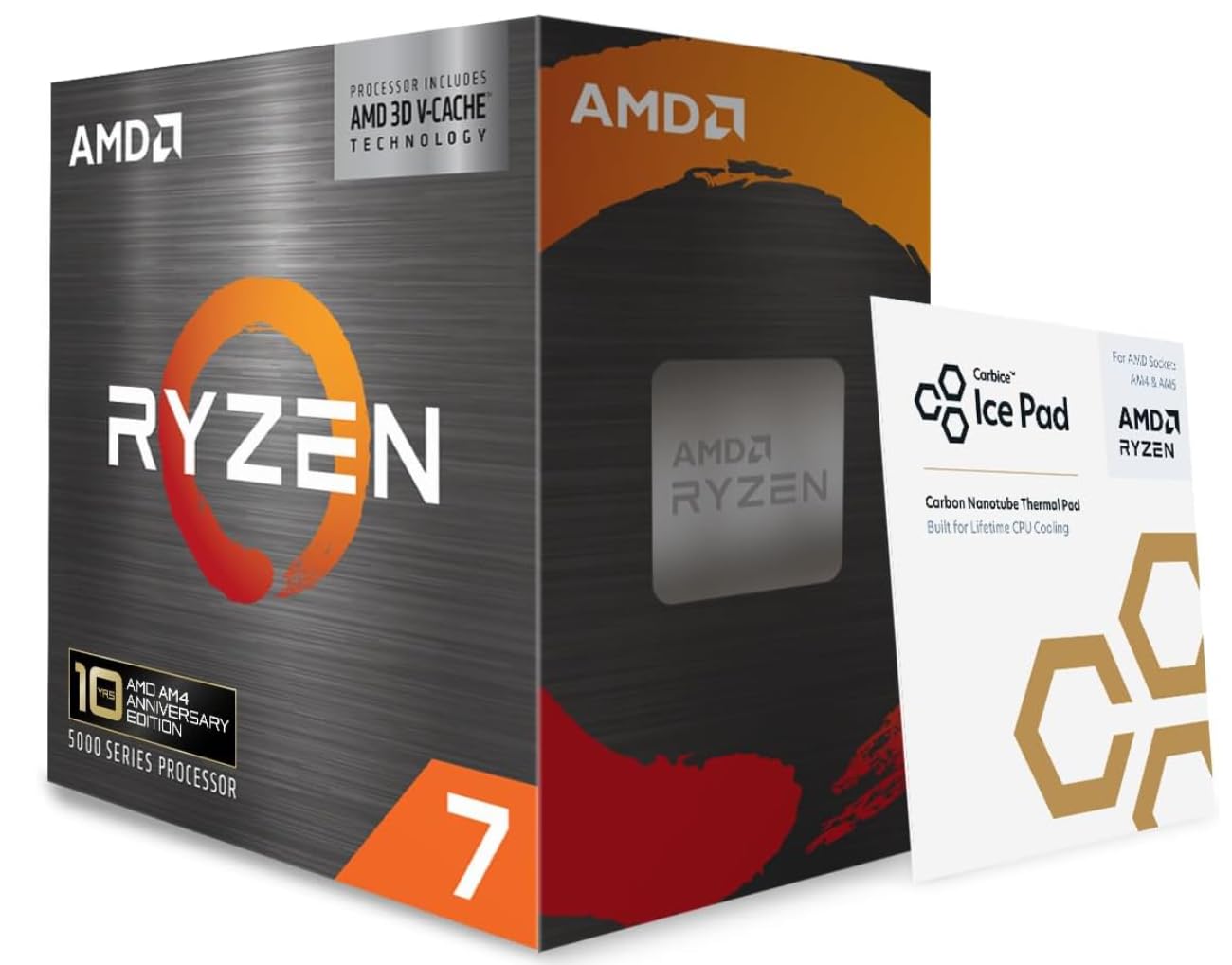
AMD Ryzen 7 5800X3D

90 /100
Lab Score Outstanding

Key details

TDP
105 W
Socket
AM4
L3 Cache
100 MB
PCIe Gen
4.0
View on Amazon

The 5800X3D's 3D V-Cache pushes frame rates in CPU-bound games beyond what any other AM4 processor can achieve, often outperforming newer CPUs in titles like Warzone, Factorio, and Stalker. The 100MB L3 cache reduces memory latency dramatically, benefiting simulation and strategy games where CPU throughput is the bottleneck.

Frame-time consistency is a standout -- 1% lows stay high, eliminating the micro-stutter that can mar otherwise fast gameplay. It drops directly into any AM4 motherboard, making it a straightforward upgrade for existing Ryzen users who want to extend their system's life without swapping to a new platform.

This processor is built for gamers who want to squeeze every frame out of their DDR4 system and aren't interested in switching to a new platform. It's less suited to multi-threaded workloads like video rendering, where a cheaper 12-core alternative offers more throughput. The heat output is significant -- a high-end air cooler or 240mm AIO is necessary to maintain boost clocks under sustained gaming loads, and the premium price reflects its single-minded gaming focus.

Pros

  • Best gaming performance on the AM4 platform, often beating newer CPUs in CPU-bound titles.
  • Smooth gameplay with high 1% lows minimizes stutter in demanding scenes.
  • 100MB of 3D V-Cache boosts frame rates in cache-sensitive games like WoW, Factorio, and Stalker.
  • Drop-in upgrade for any AM4 motherboard, extending the life of existing DDR4 builds.

Cons

  • Premium price compared to other AM4 CPUs; value depends on primary use being gaming.
  • No cooler included in the box, adding to overall build cost.
Our verdict

For gamers on AM4 who want the highest possible frame rates without upgrading to a new platform, the 5800X3D is the only choice -- just budget for a capable cooler.

Check Latest Price
2

Best Value Intel Gaming

Intel Core i5-14400F

93 /100
Lab Score Outstanding

Key details

TDP
148 W
Socket
LGA 1700
L3 Cache
20 MB
PCIe Gen
4.0
View on Amazon

The i5-14400F uses a hybrid 10-core layout with six performance cores and four efficiency cores, boosting to 4.7 GHz. This design achieves higher core counts while keeping thermal and stability issues in check, unlike some other recent Intel CPUs.

This CPU fits gamers building a mid-range rig with an LGA1700 motherboard that supports DDR4 memory. It is not for users who need integrated graphics for display output or video encoding - a discrete GPU is mandatory. The lack of an iGPU also means troubleshooting a blank screen requires a spare dedicated card, so plan accordingly.

With a decent air cooler, the i5-14400F runs cool and quiet even under sustained gaming loads. Installation is simple, and the platform offers a clear upgrade path for those not interested in DDR5 or the instability risks of higher-end Intel chips.

💡 Keep a spare GPU ready for initial setup - no integrated graphics means no display output without a dedicated card.

Pros

  • Smooth gaming performance without instability issues
  • Good value for a modern Intel DDR4 platform
  • Runs cool with a standard cooler, maintaining consistent performance under load
  • Simple installation, suitable for mid-range gaming builds

Cons

  • Requires a discrete GPU - no integrated graphics for troubleshooting or display output
Our verdict

The i5-14400F is a stable gaming CPU for LGA1700 DDR4 builds, ideal for those who want plug-and-play reliability without chasing maximum multi-core performance.

Check Latest Price
3

Best AM4 Upgrade

AMD Ryzen 7 5800XT

95 /100
Lab Score Outstanding

Key details

TDP
105 W
Socket
AM4
L3 Cache
36 MB
PCIe Gen
4.0
View on Amazon

The Ryzen 7 5800XT delivers gaming performance within a few percent of the 5800X3D in most titles, but at a substantially lower cost. For AM4 users, this is the sweet spot between budget options like the 5600X and the premium 3D V-Cache part, offering eight cores and 16 threads that handle both gaming and productivity without breaking the bank.

This processor is ideal for gamers upgrading from older Ryzen CPUs on DDR4 motherboards, especially those playing at 1440p or 4K where CPU differences shrink. Streamers will appreciate the eight cores for simultaneous streaming and gaming without needing the top-tier 5800X3D. The included Wraith Prism cooler works fine for standard gaming sessions, but sustained all-core workloads may push it beyond its comfort zone. A small number of units have exhibited early failure, though this is not a pattern affecting most buyers.

💡 If you plan to run sustained all-core workloads or extended gaming sessions, a budget aftermarket cooler like the Cooler Master Hyper 212 will keep temperatures in check.

Pros

  • Near-5800X3D gaming performance at a lower price.
  • Excellent value for AM4 users upgrading from older chips.
  • High boost clock and good overclocking headroom.
  • Included Wraith Prism cooler handles stock gaming and light workloads.

Cons

  • Under sustained multi-threaded loads, the stock cooler may struggle to keep temperatures in check.
  • A small minority of units have experienced early failure within weeks of use.
Our verdict

For AM4 users who want almost the same gaming performance as the 5800X3D without the premium price tag, this is the smart upgrade.

Check Latest Price
4

LGA1200 Budget

Intel Core i5-11600KF

91 /100
Lab Score Outstanding

Key details

TDP
125 W
Socket
LGA 1200
L3 Cache
12 MB
PCIe Gen
4.0
View on Amazon

The i5-11600KF delivers capable gaming performance and good value for LGA1200 owners on a tight budget. However, LGA1200 is a dead platform with no upgrade path beyond 11th gen, and the chip lacks PCIe 4.0 support – a limitation when pairing with high-end graphics cards. Its older architecture also trails newer options in per-core performance and efficiency. This makes sense only if you're committed to an existing LGA1200 board and can't justify a full platform upgrade.

Pros

  • Solid gaming performance at a mid-range price
  • Good value for budget builds

Cons

  • LGA1200 support ends with 11th gen
  • Lacks PCIe 4.0, which may limit throughput with high-end GPUs
Our verdict

Best for gamers with an existing LGA1200 motherboard who want a low-cost upgrade and accept no further CPU upgrade path.

Check Latest Price

How to Choose

Core Count and Thread Count

More cores sound better, but games rarely use more than 8. The real trade-off: higher core-count CPUs often run hotter and cost more, while delivering no extra gaming performance. For a pure gaming rig, 6 to 8 cores is the sweet spot. If you stream or edit video alongside gaming, consider 12+ cores.

Boost Clock Speed

Boost clock matters most in single-threaded games, but sustained boost depends on cooling. A high boost clock that throttles after a few minutes due to thermal limits is worse than a slightly lower clock that stays stable. Look at all-core boost under load, not just single-core peak.

Cache Size (L3)

Large L3 cache, like AMD's 3D V-Cache, reduces memory latency and boosts frame rates in CPU-bound titles. This matters most at 1080p resolution with a high-end GPU. At 1440p or 4K, the GPU becomes the bottleneck, reducing the cache's impact.

Socket Compatibility

Socket determines physical fit, but also upgrade path. AM4 has been a long-lived platform, while LGA1200 is effectively dead. LGA1700 offers DDR4 support but no future CPU upgrades beyond 14th gen. Choose based on whether you plan to drop in a later CPU or want to keep the board for years.

Thermal Design Power (TDP)

TDP is a design limit, not actual power draw under load. High-TDP CPUs like the i7-14700K can pull 250W, requiring a high-end air cooler or liquid cooling. A cheaper CPU with a lower TDP may run on a budget cooler and still perform well. Don't assume a stock cooler is enough for sustained gaming.

PCIe Generation Support

PCIe 4.0 doubles the bandwidth of PCIe 3.0. With a high-end GPU like an RTX 4070 or better, PCIe 3.0 can cost 5-10% performance in some games. For mid-range GPUs, the difference is negligible. Check your GPU class before choosing a PCIe 3.0 CPU to save money.

Included Cooler

A bundled cooler saves money but often runs noisy or insufficient under load. The Ryzen 7 2700X's Wraith Prism is a rare exception that handles stock operation well. Most stock coolers are adequate for office tasks but will throttle under extended gaming. Budget for an aftermarket cooler if you plan to push the CPU.

Frequently Asked Questions