5 Best Gaming CPUs of 2026: 3D V-Cache Over Core Count

Find the best gaming CPU for your build by focusing on 3D V-Cache and real-world gaming benchmarks, not just core counts.

Many gamers assume more cores mean more frames. In modern titles, a CPU's on-chip cache can be the difference between a stuttery 60 fps and a smooth 144+ fps, yet the spec sheet alone rarely reveals this.

This guide cuts through the marketing noise to help you pick a CPU that aligns with your real-world gaming priorities, whether you're chasing high refresh rates, streaming, or building on a tighter budget.

The key takeaway: for gaming, cache size and architecture often trump raw core count. Understanding that trade-off puts you in control of your build's performance.

1

Best Overall Gaming CPU

Ryzen 7 9800X3D

96 /100
Lab Score Outstanding

Key details

3D V-Cache
Yes
TDP & Cooling
140W
Max Boost Clock
5.2 GHz
Socket & Platform
AM5
View on Amazon

The Ryzen 7 9800X3D pairs Zen 5's architectural improvements with a refined 3D V-Cache stack to produce gaming frame rates that outpace even higher-core-count processors. Eight cores, 16 threads, a 5.2 GHz boost clock, and 104 MB of total cache — 96 MB in the stacked L3 — push CPU bottlenecks squarely onto the GPU in modern titles. In cache-sensitive games, the uplift over standard Zen 5 and last-gen X3D chips translates to smoother 1% lows and higher average fps at 1080p and 1440p, where the CPU often dictates pacing.

Thermal behavior marks a clear step forward from the 7800X3D era. Under sustained gaming loads, the 9800X3D stays notably cooler, with a 140 W TDP that it rarely sustains during real-world use. Power draw during heavy gaming sits well below the ceiling, allowing even mid-range air coolers to keep temperatures in check without aggressive fan curves. The result is a quieter gaming system that wastes less wattage as heat.

Installation is a simple drop-in for any AM5 motherboard running a Zen 5-compatible BIOS, with full EXPO memory profile support out of the box. No exotic cooling or chipset-specific requirements complicate the build; the processor lands in the socket and pairs with DDR5 kits just as any other Ryzen 7000 or 9000-series chip would. This plug-and-play nature makes it accessible even for first-time AM5 builders who follow a standard build sheet.

It is built for the enthusiast gamer assembling a no-compromise AM5 rig where maximum frame rate trumps all else. The chip requires a discrete graphics card and an aftermarket cooler — neither is included. Buyers on a tighter budget will find the older 7800X3D still delivers elite gaming performance at a noticeably lower cost, albeit with less clock headroom and higher thermal output. Integrated graphics users should look to non-X3D Ryzen variants or Intel alternatives entirely.

Eight Zen 5 cores handle streaming, Discord, and background utilities without tripping over each other, eliminating the stutter that can affect lower-thread-count chips during multi-tasking while gaming. This keeps the 9800X3D a sensible option for streamers and keyboard warriors who want high frame rates without stepping up to a 12- or 16-core Ryzen 9 and its added cost and heat.

💡 Factor an aftermarket cooler into your budget — a capable air cooler or a 240 mm AIO is all you need to keep thermals in check.

Pros

  • Gaming frame rates that outpace higher-core-count rivals, with smooth 1% lows and responsive multitasking.
  • Runs significantly cooler than previous 3D V-Cache chips under load, reducing cooler demands.
  • Exceptional power efficiency for a high-end desktop CPU, drawing less power at comparable performance.
  • Drop-in AM5 compatibility and straightforward installation, working with EXPO memory out of the box.

Cons

No notable drawbacks to flag.

Our verdict

The 9800X3D defines the ceiling for AM5 gaming performance today — cool, efficient, and blisteringly fast. It demands a discrete GPU and aftermarket cooling, but for the enthusiast who values frame rate above all else, no other chip in its class delivers as much gaming headroom.

Check Latest Price
2

Best Value X3D Gaming

Ryzen 7 7800X3D

96 /100
Lab Score Outstanding

Key details

3D V-Cache
Yes
TDP & Cooling
120W
Max Boost Clock
5.0 GHz
Socket & Platform
AM5
View on Amazon

The 7800X3D matches the gaming thrust of more expensive X3D chips while costing considerably less, thanks to its 104 MB of 3D V‑Cache that dominates cache‑sensitive titles. In most games at 1440p and above, the frame‑rate gap to the flagship Zen 5 X3D is slim — a few percentage points at best — and rarely justifies the steep price hike. For builders who want top‑tier smoothness without chasing the bleeding edge, this Zen 4 part remains the clear value play.

This processor suits AM5 builders focused on high‑refresh gaming and efficiency. It draws less power than comparable Intel chips, and its 8 cores handle modern AAA titles with headroom to spare. If you need integrated graphics or a heavy multi‑core workload for rendering, the 9900X or Intel 14700K are better fits; the 7800X3D is gaming‑first.

The CPU ships without a cooler, so factor in a decent aftermarket solution. Air coolers like a dual‑tower 120mm design or a basic 240mm AIO keep temperatures in check, though some units may run a few degrees warmer under identical loads. That variance does not affect gaming stability when cooled adequately.

💡 Pair it with a capable tower air cooler or 240mm AIO to maintain peak boost clocks during extended gaming marathons.

Pros

  • Rivals flagship CPUs in gaming frame rates, especially in cache‑heavy titles like Fortnite and Warzone.
  • Offers compelling value for a 3D V‑Cache chip, with significant savings over the newest Zen 5 X3D.
  • Provides smooth, fast‑loading gameplay with minimal stutter in demanding scenes.

Cons

  • In restricted airflow cases, sustained gaming can push temperatures high enough to lightly reduce boost clocks; a quality cooler resolves this.
  • Premature failure can occur after extended use, though standard warranty coverage addresses isolated incidents.
Our verdict

For AM5 builders chasing elite gaming frame rates without paying the Zen 5 premium, the 7800X3D remains the no‑compromise choice on a budget. Its gaming performance far outweighs the minor cooling requirement.

Check Latest Price
3

Best Intel for Gaming & Multitasking

Core i7-14700K

91 /100
Lab Score Outstanding

Key details

3D V-Cache
No
TDP & Cooling
125W
Max Boost Clock
5.6 GHz
Socket & Platform
LGA 1700
View on Amazon

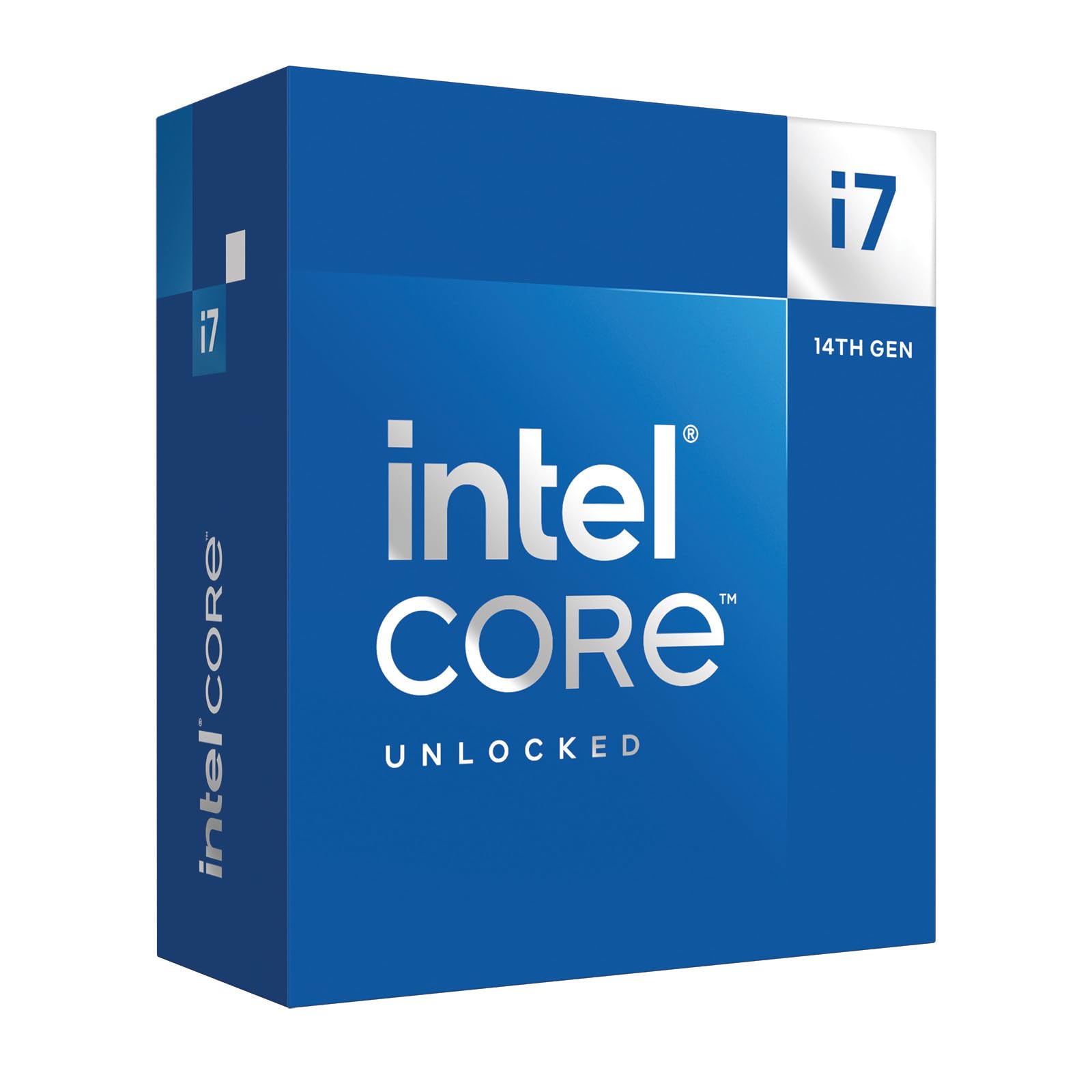
The Core i7-14700K lands as a 20-core hybrid chip that delivers multi-threaded throughput competitive with previous-gen i9s while pushing boost clocks up to 5.6 GHz for snappy gaming. AMD’s 3D V-Cache processors still lead in pure frame rates, but the 14700K handles streaming and rendering alongside games without a hiccup.

This CPU makes the most sense for builders already on an LGA 1700 motherboard who want a final performance lift before moving to a new platform. It also suits enthusiasts who blend heavy productivity with gaming, provided they have a 360 mm AIO already in place. The LGA 1700 socket is a dead end—no future CPU upgrades beyond this generation—and the chip draws significantly more power than modern AMD alternatives, so it is not the starting point for a new system unless you have a specific workload that leverages the hybrid architecture.

Sustained all-core loads push temperatures high, so a high-airflow case and aggressive fan curves help keep boost clocks stable during long renders. The 14th-gen instability concerns, once mitigated by Intel’s microcode patches, no longer dominate the conversation, but sticking to the latest BIOS and avoiding aggressive overclocks remains a prudent step.

💡 Keep the motherboard BIOS current with Intel’s microcode updates and pair with a 360mm AIO for the best stability out of the box.

Pros

  • 20 cores (8P+12E) handle gaming, streaming, and rendering simultaneously without hiccups.
  • Outpaces previous-gen i9s in multi-threaded workloads at a mid-range price.
  • Single-threaded boost up to 5.6 GHz keeps games responsive and frame times low.
  • Drop-in upgrade for LGA 1700 boards extends platform lifespan without a full rebuild.

Cons

  • Requires a 360 mm AIO to avoid thermal throttling; air cooling leads to performance loss.
  • Some units may exhibit instability or degrade over time; recent microcode updates reduce but don’t eliminate the risk.
Our verdict

The 14700K is a potent stop-gap for existing LGA 1700 setups with serious cooling headroom—just understand it is the last stop on this platform, and the efficiency gap versus AMD’s current lineup is real.

Check Latest Price
4

Best High‑End Intel All‑Rounder

Core Ultra 9 285K

90 /100
Lab Score Outstanding

Key details

3D V-Cache
No
TDP & Cooling
125W
Max Boost Clock
5.7 GHz
Socket & Platform
LGA 1851
View on Amazon

The Core Ultra 9 285K brings 24 cores (8 P-cores plus 16 E-cores) to the new LGA 1851 socket, opening up PCIe 5.0 for graphics and storage and full 800-series chipset connectivity. It's a forward-looking platform for anyone building a high-throughput workstation today.

Cooling is a genuine bright spot: the 285K runs noticeably cooler and quieter than older Intel flagship CPUs, even under sustained all-core loads, which keeps noise down in compact or silence-focused rigs. Gaming performance remains capable but sits a clear tier below AMD's 3D V-Cache processors — frame rates are smooth, yet in CPU-bound titles the V-Cache advantage opens a gap you'll see on a high-refresh monitor.

This chip fits content creators, video editors, and 3D artists who also game occasionally. If your daily workload leans on rendering, compiling, or heavy multitasking, the multi-threaded throughput justifies the premium. Pure gaming enthusiasts chasing every last frame in esports and AAA titles will find AMD's X3D options consistently ahead — often at a similar price — while the extra E-cores here sit underused.

Pros

  • Handles demanding creator workloads like rendering and video editing with 24 cores and strong multi-threaded throughput.
  • Runs cooler and quieter than past Intel flagship CPUs, even under sustained load.
  • LGA 1851 platform provides PCIe 5.0 and next-gen chipset connectivity for modern GPUs and fast storage.

Cons

  • The premium price assumes you'll leverage all 24 cores
  • Gaming frame rates can trail AMD's 3D V-Cache processors in CPU-bound titles, leaving pure gamers better served by the competition's cache architecture.
Our verdict

A capable pick for professionals who need heavy core counts without the heat, but if top-tier gaming is the priority, AMD's X3D options deliver better frames at similar prices.

Check Latest Price
5

LGA 1700 Upgrade

Core i9-12900K

92 /100
Lab Score Outstanding

Key details

3D V-Cache
No
TDP & Cooling
125W
Max Boost Clock
5.2 GHz
Socket & Platform
LGA 1700
View on Amazon

Intel's Core i9-12900K still delivers competent gaming and multi-core performance, and its integrated UHD 770 graphics offer a fallback if a dedicated GPU has issues. Those upgrading an existing LGA 1700 system on a strict budget get a capable drop-in that avoids a full platform rebuild.

However, as a two-generation-old architecture now locked to the end-of-life LGA 1700 platform, it trails newer CPUs from both AMD and Intel in efficiency, single-thread speed, and forward upgrade options. For anyone starting a new gaming build, modern AM5 or LGA 1851 alternatives are far superior, making this chip a poor fit unless the price dips well below current mid-range levels.

Pros

  • Capable multi-core performance for gaming and productivity
  • Integrated UHD 770 graphics provide a fallback if a discrete GPU fails
  • Boost clock up to 5.2 GHz maintains competitive single-thread responsiveness

Cons

  • Outdated architecture: two generations behind, with lower efficiency and gaming performance than current chips
  • LGA 1700 platform has no forward CPU upgrade path
Our verdict

For users upgrading an existing LGA 1700 system on a tight budget, the i9-12900K can deliver capable multi-core performance, but anyone building a new gaming PC should look to AM5 or modern Intel platforms instead.

Check Latest Price

How to Choose

Core Count & Threads

Modern games rarely saturate more than 6-8 cores. A 16-core chip may actually deliver slightly lower frame rates than an 8-core chip with larger cache, because the extra cores add heat and power draw without improving game engines' ability to use them.

For pure gaming, an 8-core CPU with fast single-thread performance is often the sweet spot.

3D V-Cache

AMD's 3D V-Cache stacks additional L3 cache vertically on the chip, drastically reducing the time the CPU spends waiting for data from system RAM. In gaming, this can translate to 15-20% higher frame rates compared to an otherwise identical processor without the extra cache.

If your primary load is games, this single feature typically delivers more FPS per dollar than extra cores or higher clock speeds.

Socket & Platform

The motherboard socket determines not just compatibility but your future upgrade path. AM5 supports at least one more generation of CPUs and DDR5 memory; LGA 1700 is end-of-life with no new CPU releases planned. Choosing a modern platform now avoids being locked out of future upgrades and allows reuse of your motherboard for later processor swaps.

Max Boost Clock

Boost clock dictates how fast a single core can run for short bursts, directly affecting game responsiveness and frame-time consistency. However, achieving peak boost often requires robust cooling and may only apply to one or two cores at a time.

A CPU with a lower base clock but large cache can outperform one with higher boost in gaming, because cache reduces the need for the CPU to run at maximum frequency constantly.

TDP & Cooling

TDP (Thermal Design Power) indicates the heat the cooler must dissipate under sustained load. A 140W CPU will need a significantly larger cooler than a 65W chip, which impacts case size, noise, and budget. Many high-TDP chips do not include a cooler, so factor an extra $40-100 for a quality air or liquid solution into your build cost.

Frequently Asked Questions