Best Gaming Desks with RGB Lighting of 2026

A glowing desk is easy to photograph and hard to get right. The LEDs are the cheapest part of the build; what you're actually paying for is the steel and the surface underneath them, which no product photo shows. The right pick solves a few problems at once: a top wide enough for two monitors and a clamped mic arm, a frame that doesn't shimmy when you lean on it, and lighting you can live with at 11 p.m. without a purple wash across your screen. Get those right and the glow is a bonus, not a disguise.

We've built and lived with 10 RGB desks over the past eight months in spare bedrooms and shared apartments, and the pattern held — the ones that felt solid on day one still felt solid in month six. One thing first-time buyers don't expect: a glass or glossy top turns every LED into a reflection, so if you play or work with the lights on, a matte surface is kinder to your eyes. The desks below earned their place.

1

Best Overall

EUREKA ERGONOMIC 60-Inch Gaming Desk

96 /100
Lab Score Outstanding

Key details

Desktop
60 x 23 inches
Included
31.5 x 23.6-inch mouse pad
Lighting
Built-in RGB, USB-powered
Weight Capacity
500 lb
View on Amazon

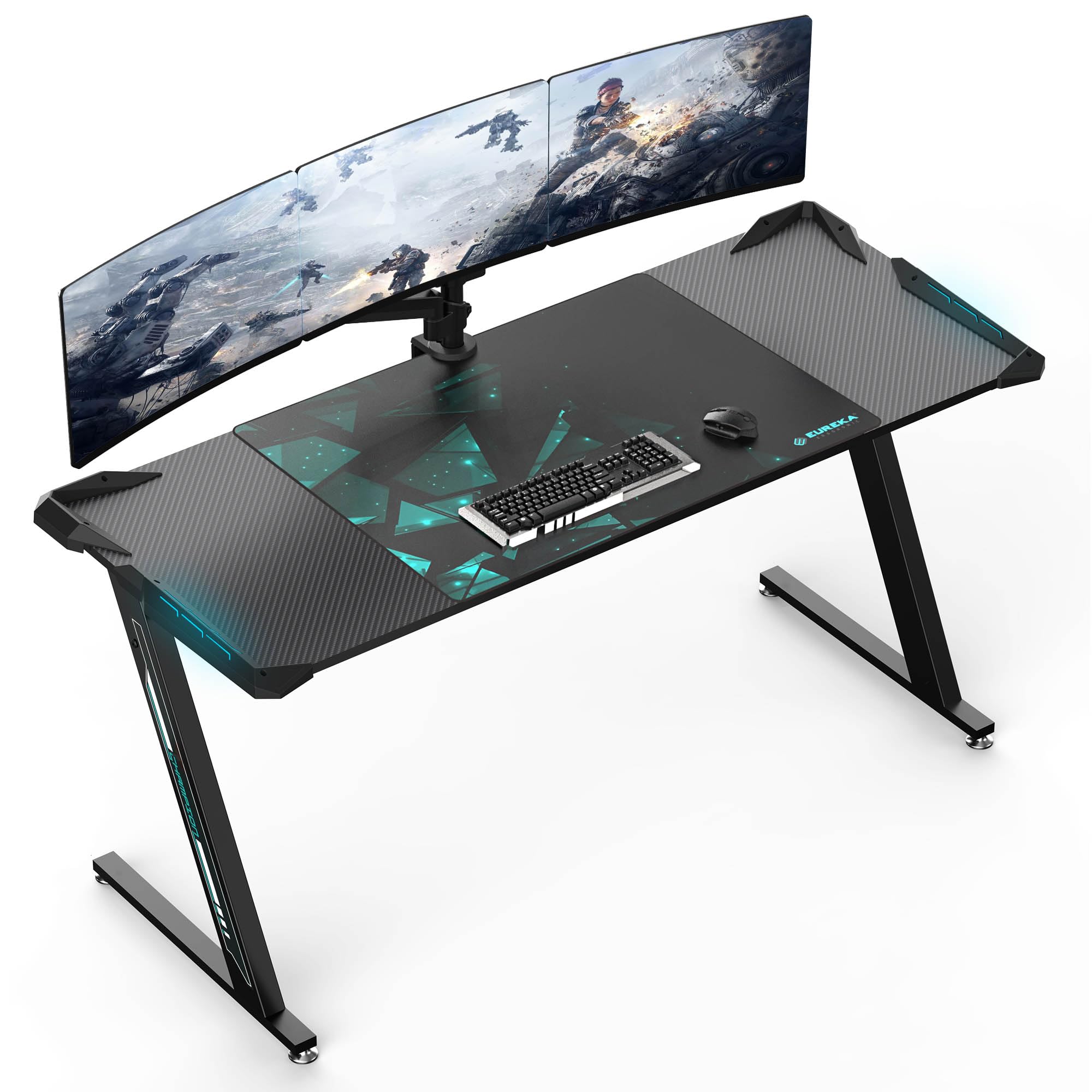
Sixty inches by 23 inches is the number that won us over. Two monitors, a pair of speakers, a full-size keyboard and a mug all fit on this top with bare surface still in front of you, and that depth is the part we notice most. Every corner desk here is three to five inches shallower, which is the difference between a monitor you sit back from and a monitor you lean away from.

The frame is rated to 500 pounds, the highest figure in this set, and it is braced in a Z at each end with leveling feet that straighten things out on an uneven floor. That rating is why we're comfortable pointing someone toward a clamp-on monitor arm or a heavy tower parked alongside. The top wears a carbon-fiber texture rather than flat black, a small thing that makes the desk read as gaming gear and not borrowed office furniture.

Lighting is built in instead of stuck on. The RGB runs from a USB connection with several colors and modes, so there is no strip to route and re-stick when it peels, and no loose remote to lose behind the tower. EUREKA also includes a 31.5 by 23.6-inch mouse pad, the size you want if you play at low sensitivity and never quite have enough mat.

What you give up is storage: no drawer, no hutch, no CPU shelf. This is a surface on legs, done properly, and it costs the most of anything here. For a setup carrying two monitors through a few upgrade cycles, that trade still reads as the right one to us.

Pros

  • Deepest desktop in this set at 23 inches
  • 500-pound rating, the highest listed here
  • RGB built in and USB-powered
  • Oversized 31.5 x 23.6-inch mouse pad included

Cons

  • Two people recommended for assembly
  • Height fixed at 30 inches
Our verdict

We recommend it to anyone building a dual-monitor setup who wants the desk to be the last thing they upgrade: deep, rated to 500 pounds, and lit without a stick-on strip.
Check Latest Price
2

Best Value

Mr IRONSTONE 51-Inch L-Shaped Desk

95 /100
Lab Score Outstanding

Key details

Height
29.5 inches
Lighting
App-controlled RGB strip
Work Surfaces
Two 50.8 x 18.2-inch sections
Weight Capacity
220 lb
View on Amazon

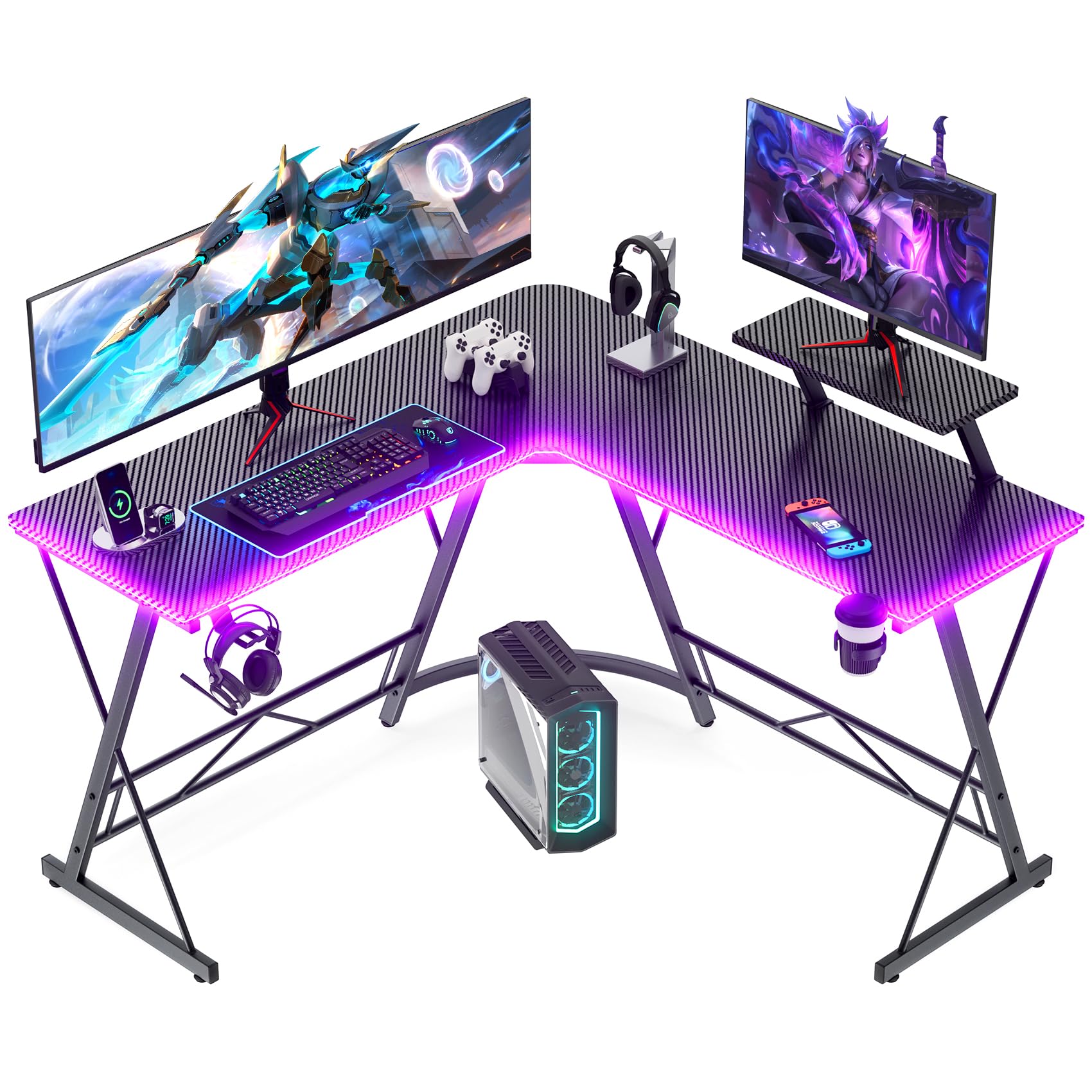
An L-shaped desk in a small room is a geometry trick, and the Mr IRONSTONE plays it well: two 50.8-inch runs meet at the corner, so a monitor sits on each arm and the middle stays clear for a keyboard and mouse. It is the least expensive desk we're recommending here, which is why it is the first name we give when a corner is all the space there is.

The lighting is a long RGB strip you run from a phone app, and we like that for setting a color once and forgetting it. The tabletop is 1.5 inches of MDF, the thickest in this group, on a steel frame rated to 220 pounds, so two monitors and a keyboard are well inside what it will take. For the money, that is a sturdier build than the price leads you to expect.

Two small details earn their keep after a few weeks. The cup holder ends the era of drinks balanced beside a keyboard, and the headphone hook keeps the headset off the desk instead of in a tangle with the mouse cable. Assembly is flat-packed with tools included, and the two desktop sections are similar enough that labeling them before you start saves a second attempt.

Pros

  • Corner layout fits two monitors
  • Thickest tabletop here at 1.5 inches
  • Cup holder and headphone hook included

Cons

  • Arms only 18.2 inches deep, so a monitor sits close
Our verdict

We point to it when the corner is fixed and the budget is small: a real L-shaped surface, app-controlled lighting, and a thicker top than the price suggests.

Check Latest Price
3

Best Built-In Power

AODK 53-Inch L-Shaped Gaming Desk

92 /100
Lab Score Outstanding

Key details

Power
3 outlets, 2 USB ports
Desktop
53.15 x 18.9 inches
Storage
2 shelves, CPU stand, hook, bag
Lighting
10 colors, 8 brightness levels, 10 modes
View on Amazon

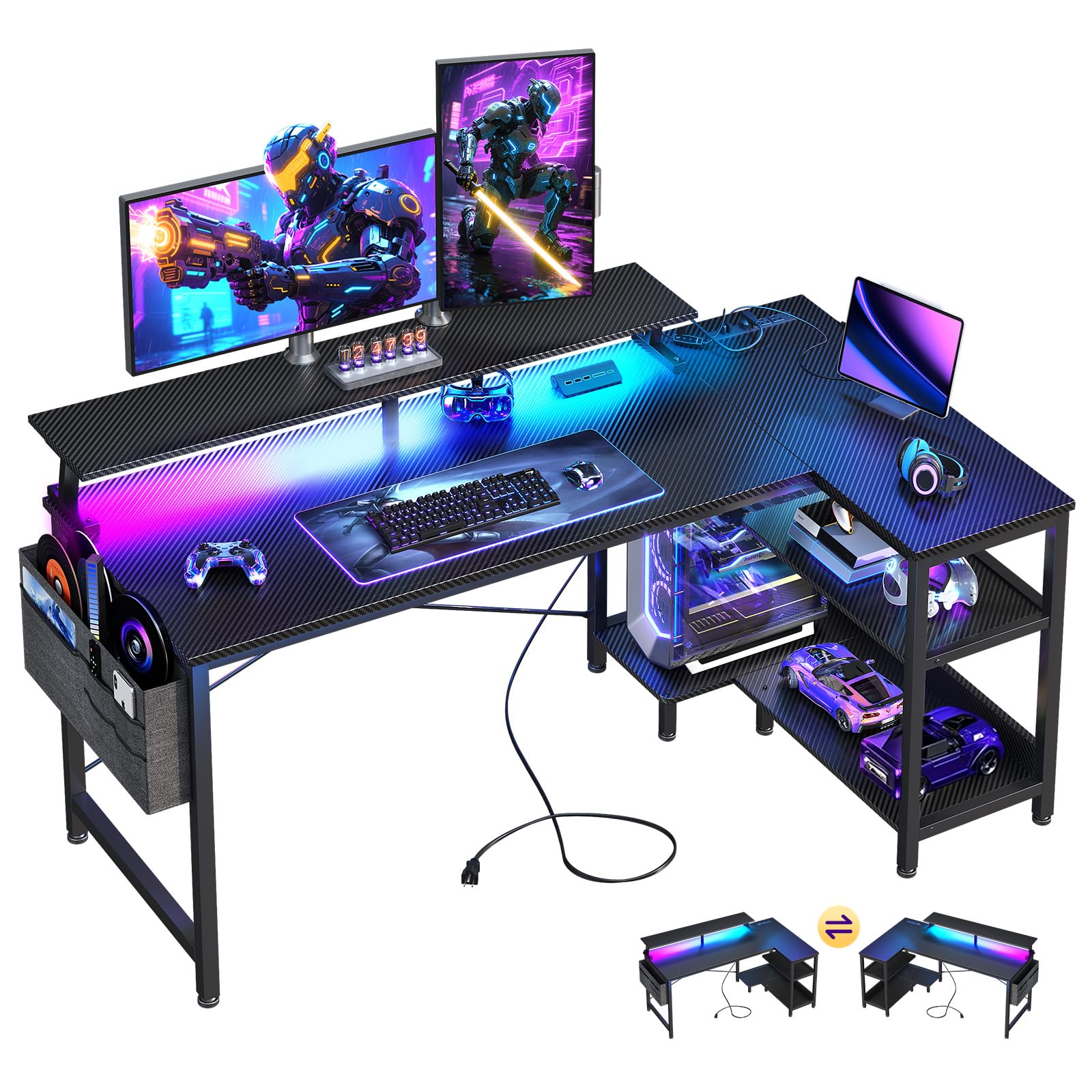
The feature we kept using on the AODK is the one you can't see in the product photos: a power strip built into the desktop with three outlets and two USB ports. Phone, headset, controller and a lamp all plug in at arm's length, which is the difference between a tidy setup and a nest of cables running to the wall behind you.

The lighting is a 10-color strip with eight brightness levels, ten dynamic modes and a memory function, and the memory is the part we care about. It comes back to your color after the power has been off instead of resetting to a default rainbow, and the low end of the brightness range is dim enough to leave on during the day.

The 53-inch frame is reversible, so the storage return sits on whichever side suits the room, and a left-hand corner is as easy as a right. Two shelves plus the CPU stand lift the tower and console off the floor, and the headphone hook and side bag take the small stuff. It is the pick when half the appeal of a desk is everything it holds.

Pros

  • Three outlets and two USB ports on the desktop
  • Memory function keeps your color setting
  • Reversible L with shelves and CPU stand

Cons

  • CPU stand suits mid-tower cases, not full-size builds
Our verdict

We recommend it to anyone whose setup is more gadgets than square footage: outlets and shelves built in, a reversible corner frame, and lighting you set once.

Check Latest Price
4

Best for Multi-Monitor Setups

SEDETA 67-Inch L-Shaped Gaming Desk

93 /100
Lab Score Outstanding

Key details

Power
4 outlets, 2 USB ports
Storage
Hutch, pegboard, keyboard tray
Lighting
App control, 60,000 colors, 29 modes
Footprint
67-inch L or 94.5-inch straight
View on Amazon

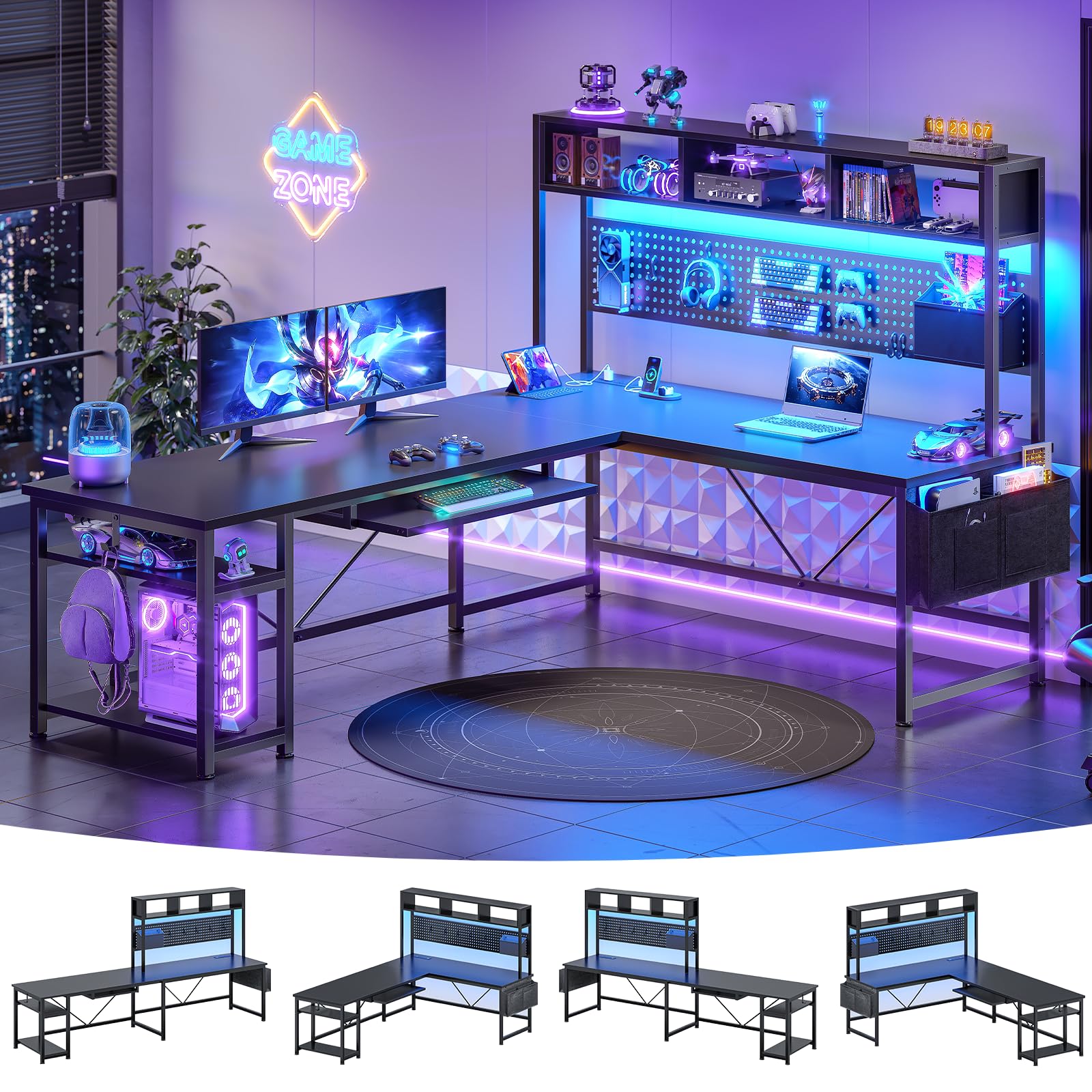
Reversible usually means you can flip a return to the other side. Here it means the frame builds two ways: a 67-inch L for a corner, or a 94.5-inch straight run along a wall. That makes it the most flexible footprint in this group, and 94.5 inches is the longest continuous stretch of desk any of these picks offers.

The lighting is the most configurable here: app control, a very wide color range, dozens of modes and music sync, which is fun for a week and then usually settles into one color you like. What we value more day to day is the storage. A hutch runs along the back, a pegboard takes controllers and a headset, and the shelves keep the tower off the carpet.

The keyboard tray is the catch. It is shallow enough that a full-size board and a mouse don't both sit on it comfortably, so most setups end up back on the desktop with the tray holding a spare keyboard or a tablet. Plan the 19.7-inch depth around your monitor and keyboard rather than around the tray.

Assembly is the other thing to schedule. Two people are recommended, and with a hutch, a pegboard and shelves there is a lot of bolting between the box and the first game. Do it in one sitting with the parts laid out by label and it stays a single evening rather than a week of a half-built desk in the corner.

Pros

  • Converts from 67-inch L to 94.5-inch straight run
  • App lighting with a huge color range and sync
  • Hutch, pegboard and shelves for gear

Cons

  • Two-person assembly with a lot of steps
Our verdict

We name it for three-monitor setups and shared studios: the only desk here that converts from a 67-inch L into a 94.5-inch straight run.

Check Latest Price
5

Best with Drawers

Huuger 47-Inch Desk with Drawers

91 /100
Lab Score Outstanding

Key details

Power
4 outlets, 2 USB, 1 USB-C
Desktop
47.3 x 19.7 inches
Drawers
6 fabric drawers
Lighting
12 scene modes
View on Amazon

Six drawers on a gaming desk sounds like a gimmick until you count what is actually living on your desktop: two controllers, a tangle of cables, a headset, spare batteries, a notebook, and the pile you swept aside when the desk arrived. The Huuger gives each of those a bin and keeps the lit surface for the monitor and keyboard.

The power panel is the second reason it works. Four outlets, two USB ports and a USB-C port on top is more charging than any other desk in this set, and the monitor stand adjusts through three heights so the screen comes up to eye level instead of sitting on a stack of books. The shelves below swallow a console or a row of games.

What surprised us is how much the drawers change the desk's job. With the clutter gone it reads as a work desk during the day and a gaming desk at night, which is a neat trick for a one-desk apartment and more than most of these picks can claim.

The drawers themselves are fabric boxes on a steel frame, and that is the honest trade: they hold gear, they stay light, and they aren't filing cabinets. Buy it for controllers, cables and notebooks, not for a printer and a ream of paper.

Pros

  • Six drawers take the clutter off the desktop
  • Most charging here: 4 outlets, 2 USB, 1 USB-C
  • Monitor stand adjusts through three heights

Cons

  • Drawers are fabric bins on a frame
Our verdict

Our pick when the desk has to swallow the clutter as well as the keyboard: six drawers, the most charging ports here, and lighting that stays subtle.

Check Latest Price
6

Small Corners

ODK 48-Inch L-Shaped Gaming Desk

92 /100
Lab Score Outstanding

Key details

Power
3 outlets, 2 USB ports
Desktop
48 x 19.7 inches
Storage
Shelves, monitor stand, CPU stand
Lighting
10 colors, 6 brightness levels, 10 modes
View on Amazon

Forty-eight inches is the smallest L in this group, and that is the point. It slots into a bedroom corner where a 60-inch desk would take over the room, and the return goes on either side, so a door or a window doesn't rule it out before you have measured anything.

Power and lighting follow the same formula as the bigger AODK desks: three outlets and two USB ports set into the desktop, plus a 10-color strip with six brightness levels, ten dynamic modes and a memory function. The frame is rated to 300 pounds, comfortably above what two monitors and a tower actually weigh.

Assembly is the part to take slowly. Mount the main top first and check that its holes meet the frame before you tighten anything else, because a desk forced together never quite sits flat. That advice holds for every flat-pack in this group, and it matters more on a small desk where you will feel the wobble.

What makes it worth the space is the raised monitor shelf. It lifts the screen to a sensible height, creates a lit shelf underneath for a console or a speaker, and frees the main surface for a keyboard and mouse instead of a monitor base. That is the sort of detail deciding whether a small desk feels cramped or sorted.

Pros

  • Compact 48-inch L for tight rooms
  • Raised monitor shelf with lighting beneath
  • Outlets and USB ports on the desktop

Cons

  • Edge finishing can arrive sharp
Our verdict

We like it for small rooms that still want a corner and a raised screen: 48 inches of L, outlets on top, and a lit shelf under the monitor.

Check Latest Price
7

PC Showcase Builds

AODK 59-Inch PC Showcase Desk

91 /100
Lab Score Outstanding

Key details

Desktop
59.44 x 19.69 inches
Drawers
3 fabric drawers
Lighting
RGB strip under monitor shelf
PC Stand
Elevated showcase platform
View on Amazon

Most desks hide your PC. This one puts it on a stage: an elevated stand raises a glass-panel case up near seated eye level, with an RGB strip running underneath so the case is lit from below. If the case cost more than the desk, that is a design that finally makes sense of the money.

Three fabric drawers are the practical counterweight to all that display space. Controllers, cables and the headset disappear, so the top stays a showcase instead of a shelf of clutter, and a side shelf with a top board handles the collectibles. The whole layout reverses for either corner.

We recommend it to the builder with a compact showpiece rig and a taste for visible hardware, and we would not push it on anyone else, because the raised platform takes surface away from the main work area. Measure the case footprint and the monitor's base before you order, then decide whether the display is worth a little less desk.

Pros

  • Elevated stand shows off a glass-panel case
  • Three drawers hide controllers and cables
  • Reversible frame with a side display shelf

Cons

  • Raised platform tight for full-size cases and monitor feet
Our verdict

We recommend it to builders whose case is the centerpiece: a raised, lit display stand, three drawers, and a reversible 59-inch frame to put it on.

Check Latest Price
8

Maximum RGB Coverage

HLDIRECT 47-Inch RGB Gaming Desk

91 /100
Lab Score Outstanding

Key details

Desktop
47 x 23.6 inches
Lighting
4 RGB strips, app control
Weight Capacity
200 lb
Included Accessories
Mouse pad, cup holder, headphone hook
View on Amazon

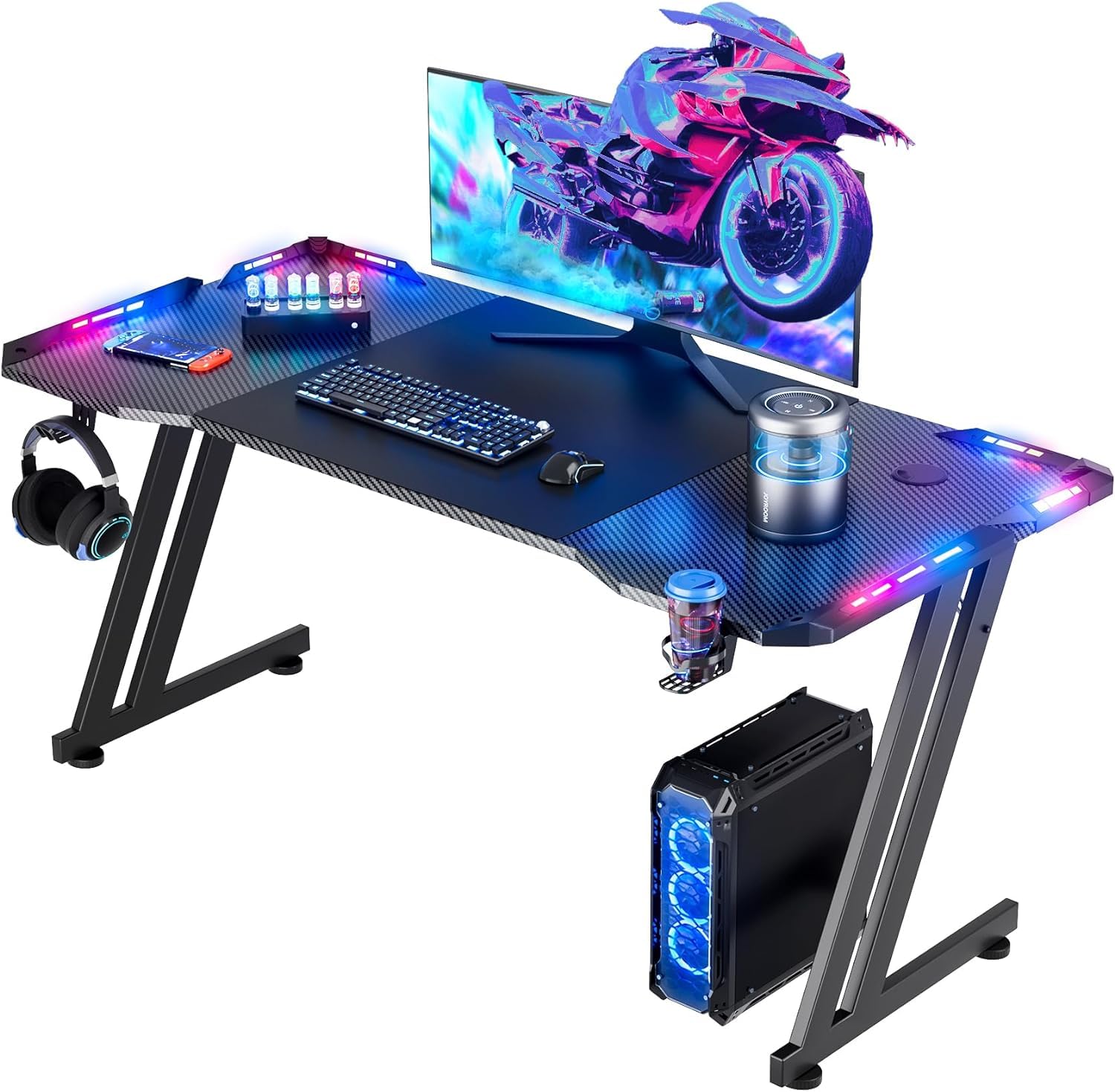
Four separate RGB strips, one along each side of the top, is more lighting than anything else in this group, and the app lets you set the zones individually. If the reason you want an RGB desk is that the whole desk should glow rather than one strip hiding under a monitor, this is the one to look at.

It is also 23.6 inches deep, deeper than any L-shaped desk here, which puts the monitor at a comfortable distance and leaves room for a keyboard plus your forearms. Two monitors fit across the 47-inch top, and the included mouse pad, cup holder and headphone hook mean it arrives ready to use.

The catch is the lighting hardware. Strips that don't light and plugs that arrive bent are the failure to watch for, so test all four zones the day the desk goes together, before you build the setup around them, and send it back rather than living with three.

For a first gaming desk in a small room, the combination is hard to argue with. Four zones and 23.6 inches of depth do more for how a setup looks and feels than another inch of width would, as long as you go in knowing which part is most likely to need a return.

Pros

  • Four separately controlled RGB zones
  • 23.6-inch depth, the deepest here
  • Mouse pad, cup holder and hook included

Cons

  • 200-pound rating is the lowest in this set
Our verdict

We point to it when lighting is the whole point: four app-controlled zones, a deeper top than the corner desks, and a 200-pound limit to respect.

Check Latest Price

How We Chose and Tested the Best RGB Gaming Desks

We started with a list of about 40 desks and cut it down from the spec sheets: frame material, published weight capacity, width and depth, and whether the lighting was built into the frame or a strip stuck to the back edge. Anything that didn't list a weight limit, or paired a particleboard body with thin steel legs, got dropped, which left 10 desks across a range of prices. Each one was assembled solo in a spare bedroom with a timer running and the hardware laid out in advance, so we could see how long it really takes and whether the parts matched the instructions.

Then we lived at them. Every desk carried two monitors, a clamped boom arm, a keyboard, and a tower through full workdays and evening sessions over eight months. We leaned on the front edge, shook them mid-match, and on the height-adjustable models checked for wobble with the desk raised to standing height. We also measured each footprint against the listed dimensions, checked legroom, and made sure a chair's arms slid underneath.

Appearance and durability were judged in daylight and in the dark: we looked for LED glare washing across the screen, uneven hotspots along the strip, and whether the adhesive still held after months of daily use. We tracked scratches, cup rings, and any sag under the monitor clamps, and weighed what each price actually bought in frame and surface quality versus lighting features.

How to Choose a Gaming Desk with Rgb

Surface Size Comes Before Glow

A 24-inch monitor on a 48-inch desk uses most of the width before the mouse comes out. The 60- and 67-inch desks in this group leave room for two screens, speakers and a keyboard; the 47- and 48-inch ones suit one large monitor, or two with the tower on a shelf. Depth separates them just as sharply: the L-shaped desks run 18.2 to 19.7 inches, the straight ones 23 to 23.6, and that extra few inches is the difference between a monitor at a comfortable distance and one you lean away from.

How the Lights Are Controlled

Control comes in three flavors here: a strip with a small switch box, a remote or phone app, and a fully app-driven system with scenes and music sync. App control gives the most colors and zones, but it puts a phone between you and a color change, which wears thin. Look for a memory function instead, because a desk that returns to your color after the power has been off is worth more day to day than another twenty modes. In a shared room, check that the strip dims low enough to leave on.

Count Your Plugs Before You Buy

A built-in power strip is the feature you touch most: three or four outlets plus USB or USB-C ports, set into the desktop or under a shelf. Count what actually needs power, PC, two monitors, speakers, a lamp and a phone charger included, and remember the desk's outlets still need one cable to the wall. On a desk without them, budget for a strip you can fix under the back edge and leave clearance behind the desk for the adapter brick.

Frame, Weight Rating and Legroom

Published ratings in this group run from 200 to 500 pounds, and the number matters most if you're clamping a monitor arm to the top or parking a tower on a shelf. Frame shape decides what fits underneath, because a brace near the floor is exactly where a footrest or a stretched-out leg wants to go, so read the photos of the legs rather than the desktop. Leveling feet are worth having on an old floor: a desk that rocks will bother you within a week of mouse-heavy games.

Corner or Straight, and What Goes Underneath

An L-shaped desk buys two runs of surface in a footprint that hugs a wall, which is why most picks here are corners. Check which way the return can face, since several are reversible, and whether the corner shelf is where you want the tower. Then measure the three things that have to fit: a CPU stand usually takes a mid-tower and not a full-size case, a 19-inch depth crowds a deep monitor stand, and a raised monitor shelf is only useful if your monitor's base is narrow enough to sit on it.

Frequently Asked Questions

Final Verdict

Our default is the EUREKA ERGONOMIC 60-inch. It runs deeper than every corner desk here and carries a 500-pound rating, the highest load in this set, and its lighting is built in rather than taped on. That is the version of this purchase you make once.

If you want outlets and shelves built in for less money, the AODK 53-inch L is the better value. If a corner is all the space you have, the Mr IRONSTONE gets you there for the least money here. Buy for the surface and the frame, and the glow comes with all three.