Best Small Gaming Desks of 2026

A gaming setup can survive on a card table for about a week. Then the monitor crowds the keyboard, the cables pool behind the tower, and every mouse flick sends a wobble through the whole thing. A small gaming desk isn’t just a scaled-down desk; it’s a tighter piece of furniture that has to earn its footprint. The useful ones give you enough desktop depth for a monitor and your forearms, legs that don’t fight your chair, and a frame that stays quiet when you lean on it.

Over seven months, my team and I assembled and lived with 11 small gaming desks in bedrooms, a shared office, and one tight spare-room corner. We built them solo, slid them into place, clamped on monitor arms, and checked whether surfaces, feet, and cable clips stayed put after weeks of use. A few looked sharp in photos and less impressive once the keyboard came out; the strongest values added cable management or a monitor shelf. The picks below are the ones that made a setup feel deliberate rather than cramped.

1

Best Overall

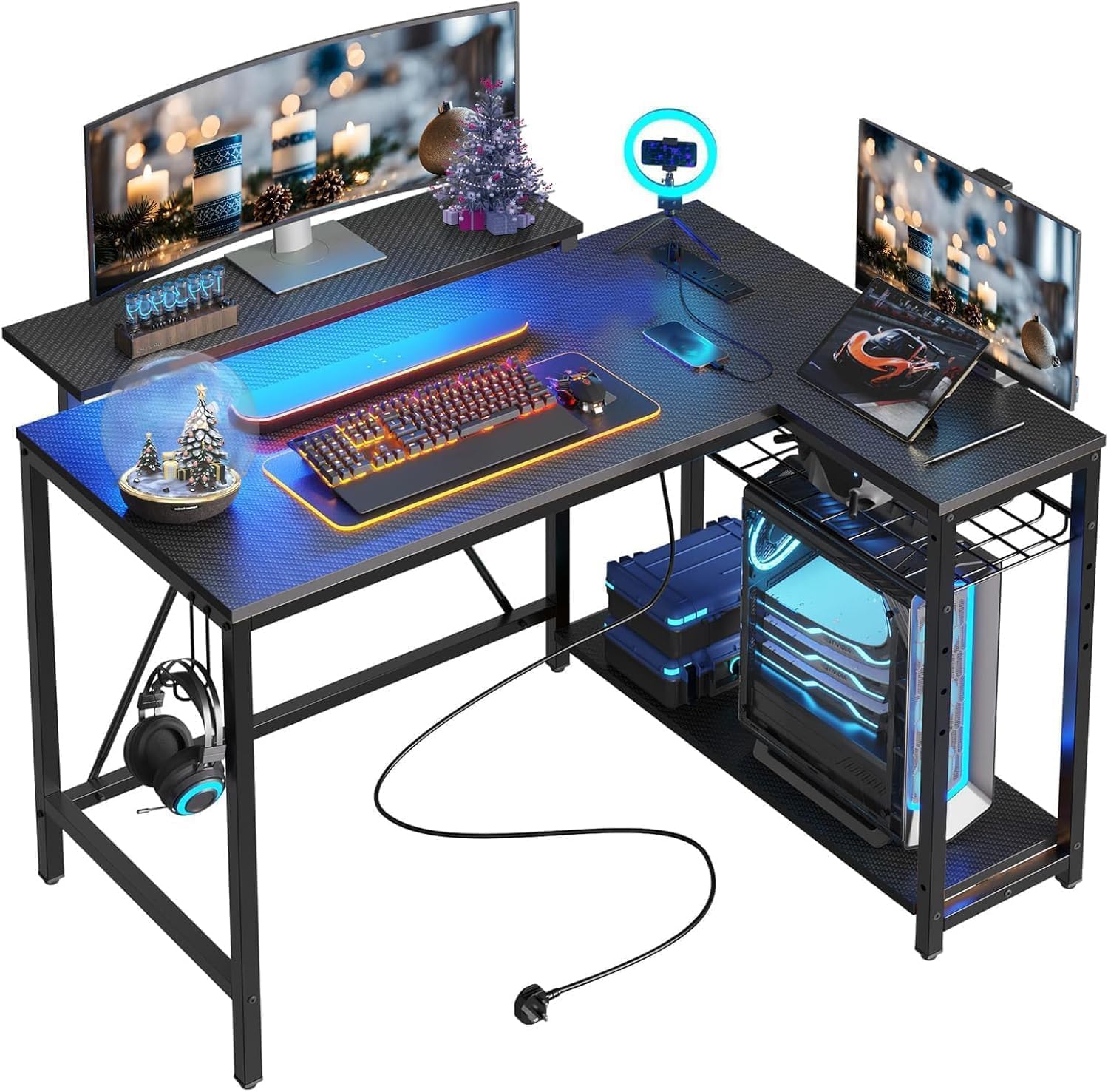
Bestier 42-Inch L-Shaped Gaming Desk

92 /100
Lab Score Outstanding

Key details

Power
2 AC, 1 USB, 1 USB-C
Lighting
LED strip under upper shelf
Shelving
4 shelves, headphone hook
Dimensions
32.28"D x 41.93"W x 35.91"H
View on Amazon

The power strip is built into this desk rather than clamped to the back of it, and that's the detail that decided our top pick. Two AC outlets, a USB-A, and a USB-C sit on the desk itself, so the monitor, a console, and a headset stay plugged in without a bar of adapters skating around behind the screen. It's an L, which means it trades a long stretch of wall for a corner: 41.93 inches along the long side, with the shelves mounting on either side to suit the corner you actually have.

The rest of the layout earns its place. The upper stand works as a monitor riser or flips into a display shelf, and the light strip tucked under it washes the work surface instead of throwing color at the wall, which is the difference between ambience and a desk lamp. A hook on the side takes the headset or a backpack off the desktop, the kind of detail we appreciate more once the surface is full.

Assembly wants two people, and the manual says so; at 32.6 pounds with shelves to hold in line, a second pair of hands is worth having. Set it up on a flat floor and leave the bolts loose until the frame squares up. In a room where the desk is the whole gaming zone, one 42-inch corner carrying the screen, the charging, and the headset is the least furniture doing the most work.

Pros

  • Integrated 2-AC strip with USB-A and USB-C
  • Under-shelf LED lights the work surface
  • Reversible shelves fit either corner
  • Upper stand doubles as a display shelf

Cons

  • Upper monitor shelf can work loose over time
  • Wants a full corner; 32 inches deep
Our verdict

The best small-desk compromise here: 42 inches of corner with outlets, lighting, and a headset hook built in, so the setup no longer needs a power strip behind it.
Check Latest Price
2

Best for Tight Corners

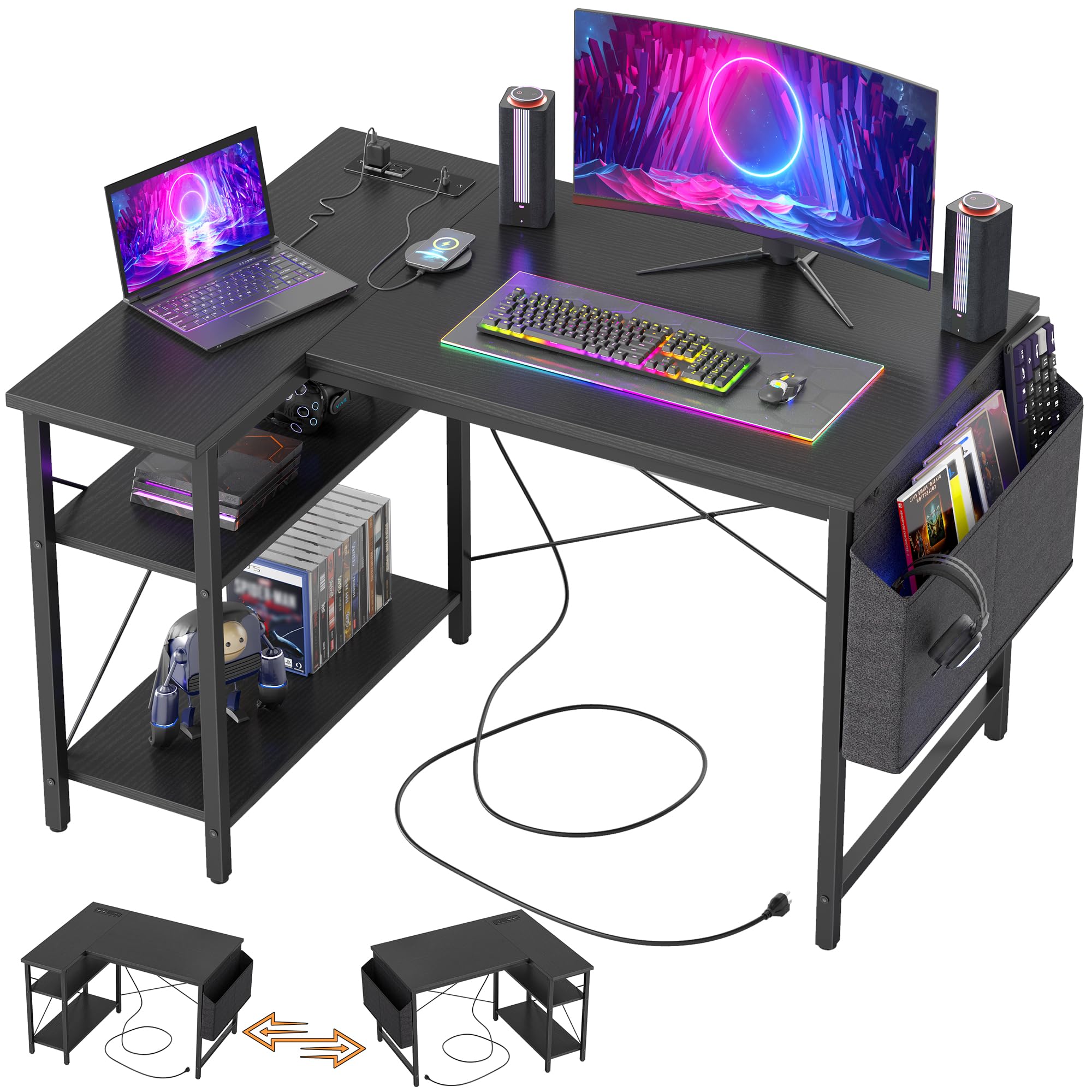
TIQLAB 40-Inch L-Shaped Gaming Desk

91 /100
Lab Score Outstanding

Key details

Power
2 AC, 1 USB, 1 USB-C
Shelving
2 open under-desk shelves
Dimensions
27.6"D x 40"W x 29.5"H
Top Material
FSC-certified wood
View on Amazon

Plenty of small desks are small in one direction and enormous in the other. This one isn't: 40 inches along the long side and 27.6 deep, with the L reversible to whichever wall your corner has, so a dead corner becomes the working end of the room.

We prefer it to the flashier picks because it behaves like a desk first and a gaming desk second. The frame is an X-braced metal base under a wood top, and it sat flat and stayed quiet with a monitor and a tower on it — no shimming, no creak when you lean in. The power strip is a modest one, two AC outlets plus USB-A and USB-C, but the USB-C is the port that earns its keep, since it tops up a controller or a phone without another brick on the floor.

Two open shelves run underneath, which is where the tower and a bag of cables go, and the parts are labeled for a one-person build. The catch is the short arm of the L: it's narrower in person than the renders suggest, so plan the monitor for the long side and use the return for the keyboard and mouse. Set it against two walls and it reads as built-in, which is rarer at this size than it should be.

Pros

  • Reversible L fits either corner
  • Two AC outlets plus USB-A and USB-C
  • Two open under-desk shelves for a tower
  • X-braced metal frame sits flat and quiet

Cons

  • Short arm is narrower than the renders suggest
  • No lighting or headset hook built in
Our verdict

Buy this one when the corner is tight and you want the desk to feel solid rather than flashy — it charges your gear and holds a tower without asking for more floor.

Check Latest Price
3

Best for RGB Setups

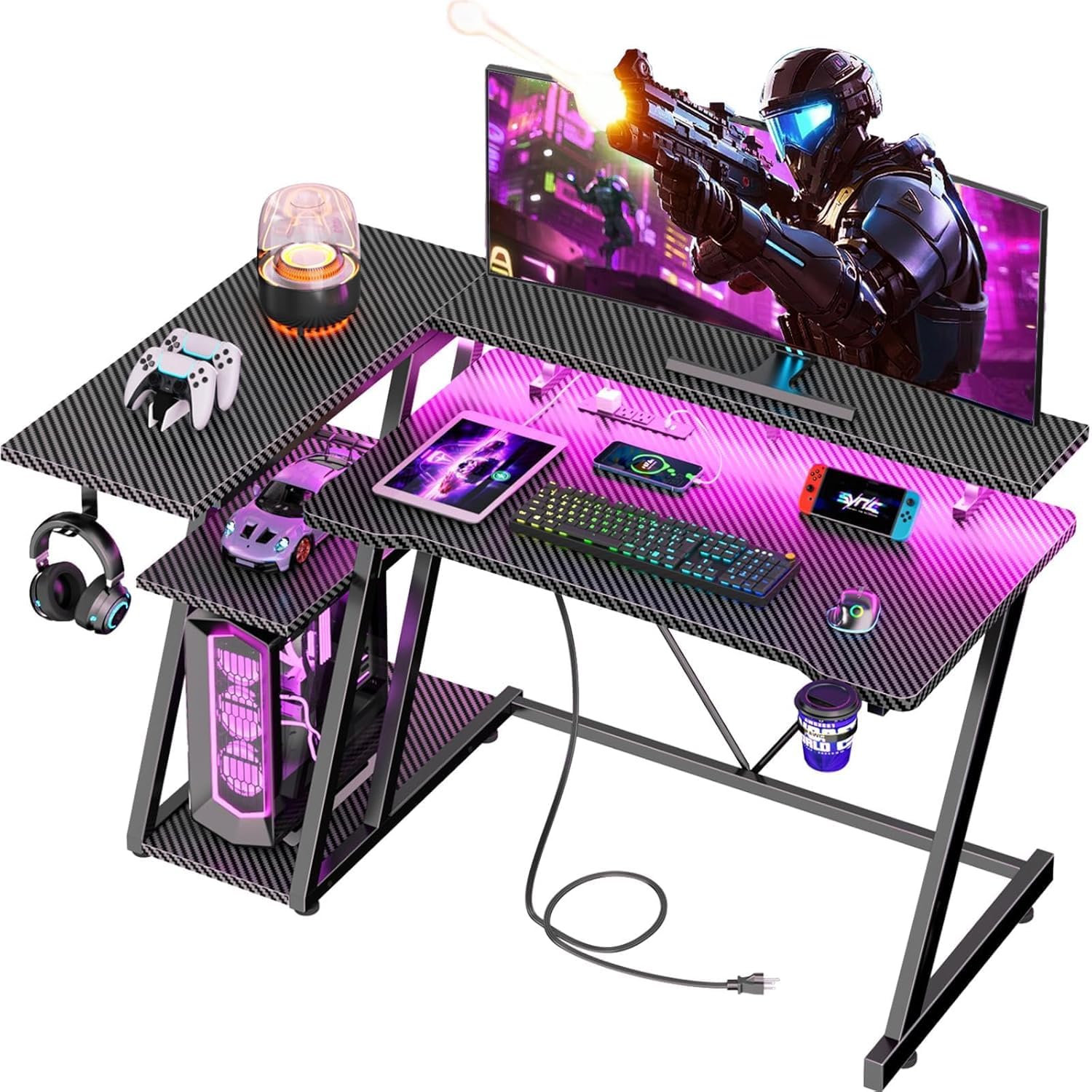
Korfile 40-Inch Gaming Desk

91 /100
Lab Score Outstanding

Key details

Power
3 AC, 2 USB
Lighting
RGB strip with app control
Dimensions
25.6"D x 39.4"W x 29.5"H
Weight Capacity
220 lb
View on Amazon

Three AC outlets and two USB ports is more power than anything else at this width, and if the setup has outgrown a single strip — console, monitor, dock, phone — that's the reason to start here.

The extras stack up from there: an RGB strip you control from an app, a cup holder, a headset hook, and three shelves on the side. The monitor stand is the piece to think about. It runs most of the width and holds two 24-inch screens, which is great for a dual-screen build and less great for the clear area in front of them, so measure the keyboard and mouse space you actually want rather than the full 39.4 inches.

We're most impressed by the one-inch top and the 220-pound rating, because that's the part of an affordable desk that usually gives first; this one reads as solid rather than hollow when you lean on it. One thing to check before ordering: the listing calls this a reversible L in one place and a rectangle in another, so go by the 25.6-inch depth and where the shelves land in your room. Get that right and you're getting the most hardware per inch of any compact desk here.

Pros

  • Three AC outlets and two USB ports
  • App-controlled RGB strip
  • One-inch top rated to 220 pounds
  • Cup holder and headset hook included

Cons

  • Listing describes it as both L-shaped and rectangular
  • Clear desktop is tighter than photos suggest
Our verdict

The pick for a build that runs on accessories: three outlets, app-controlled lighting, and a cup holder on a footprint that still fits a small room.

Check Latest Price
4

Best Budget

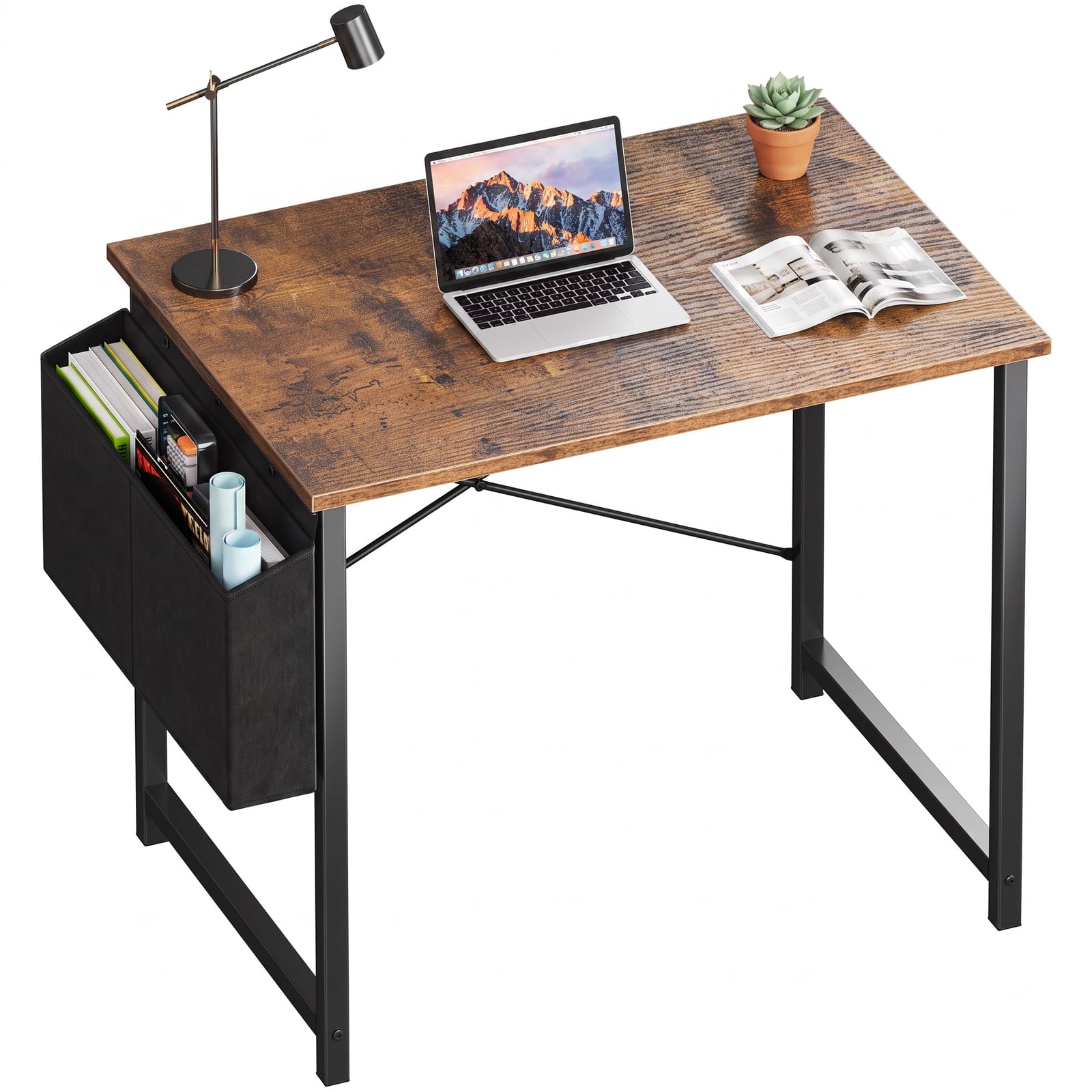
OLIXIS 31-Inch Small Computer Desk

90 /100
Lab Score Outstanding

Key details

Storage
Reversible side storage bag
Dimensions
19.69"D x 31.5"W x 29.69"H
Top Thickness
0.47 inches
Weight Capacity
198 lb
View on Amazon

Thirty-one and a half inches wide and just under 20 deep, this is the desk for a room where the bed, the door, and the desk are all negotiating for the same floor. It's also the least expensive way into this group by a wide margin, and nothing about it pretends otherwise.

What you give up is everything gaming-specific: no outlets, no strip light, no headset hook. What you keep is the part that matters — a metal frame rated to 198 pounds, a top that swallows a 24-inch monitor plus keyboard and mouse, and an assembly that needs the included tools and nothing else. The side storage bag is the one flourish: it hangs on either end, holds cables and a notebook, and arrives in gray or black at random, which is worth knowing before you plan a color scheme.

The half-inch top is the thinnest here, so treat a clamp-on monitor arm as something to verify rather than assume, and keep heavy gear over the legs. It comes in six sizes from 31 to 63 inches, so the same design can follow you to a bigger room later without changing how it looks.

Pros

  • Smallest footprint here at 31.5 inches wide
  • 198-pound capacity on a metal frame
  • Side storage bag hangs on either end
  • Six sizes from 31 to 63 inches

Cons

  • No outlets, lighting, or headset hook
  • Half-inch top is the thinnest here
Our verdict

For the smallest budget and the smallest wall, this is the desk — no outlets or lighting, just a sturdy 31-inch surface that leaves money for the PC.

Check Latest Price
5

Dual-Monitor Corners

AODK 53-Inch L-Shaped Gaming Desk

92 /100
Lab Score Outstanding

Key details

Power
3 AC, 2 USB
Lighting
RGB strip, 10 dynamic modes
Shelving
2 shelves, CPU stand, storage bag
Dimensions
18.9"D x 53.15"W x 29.8"H
View on Amazon

Every other desk here is built for one wall; this one is built for a corner, and at 53.15 inches along the long side it's the widest thing in the group. If your room can give it two walls and you want a two- or three-monitor setup, it's the best-organized build of the five. If you have a single 40-inch slot beside a door, this isn't the desk for you.

The parts are labeled and the instructions are detailed enough to follow without guessing, and one person can build it. The light strip is the fun part: 10 colors, 8 brightness levels, 10 dynamic modes, and a memory function, and it mounts where you want it rather than in one fixed spot. Two shelves, a headset hook, a storage bag, and a CPU stand underneath cover the rest of the gear.

The CPU stand is the catch: it's sized for a mid-tower, and a full-size case may not fit under the shelf — measure your case's width and depth before ordering. Everything else is unfussy in a way that's easy to underestimate on a flat-pack desk. The surfaces sit level, the light remembers its last setting, and the outlets and USB ports cover a console, a monitor, and a phone at the same time.

Pros

  • Three AC outlets and two USB ports
  • Light strip mounts where you want it
  • Labeled parts and one-person build
  • CPU stand, shelves, hook, and storage bag

Cons

  • Too wide for a single-wall nook at 53 inches
  • Under-desk CPU stand is tight for large towers
Our verdict

A genuinely good desk for a real corner: the widest, best-organized build here — buy it if you have two walls and a mid-tower, not if your space is one narrow slot.

Check Latest Price

How We Tested Small Gaming Desks

We started with a shortlist of more than two dozen desks sold as compact gaming models, then narrowed it by footprint, desktop depth, price, and whether the frame left room for a monitor arm, a full-size keyboard, and a mouse. That left 11 desks, which we assembled and used for seven months in bedrooms, a shared home office, and one tight spare-room corner.

Assembly was timed with one person and a basic screwdriver; we noted confusing steps, missing pilot holes, and whether the desk felt solid before anything went on it. Once set up, each desk held a monitor, keyboard, mouse, and headset while we rolled chairs in and out, leaned on the front edge, and shifted the desk between rooms to see how joints and finishes held up. We checked size and fit by sliding each one into a corner, under a window, and beside a bed, measuring the space left for a chair and whether a clamp-on monitor arm cleared the frame. We also pressed adhesive cable clips onto the underside, watched whether they let go, and checked whether non-slip feet and mousepads stayed in place on the desktop. To judge value, we compared what came in the box — cable trays, hooks, monitor shelves — against the price, and looked at finish and color in daylight rather than product photos.

After a few weeks, we looked for wobble at the legs, scratches where the keyboard rested, and any sag in shelves or cable trays. The desks that held up best were not the flashiest; they stayed quiet, fit the room, and still looked intentional once a monitor and cables were added.

How to Choose a Small Gaming Desk

Measure the corner, not just the width

Widths here run from 31.5 inches on the OLIXIS to 53.15 on the AODK, but width alone tells you very little. A flat desk needs a clear stretch of wall plus room to push the chair back; an L-shaped desk spends a corner and returns along the second wall, which is usually the better trade in a bedroom. Tape the footprint on the floor, chair included, before you commit. Depth matters just as much: the Bestier reaches 32.28 inches front to back, while the AODK stays at 18.9, so the same width can feel like two different desks.

Decide how much power you really need

Every powered desk here still needs one cord to a wall outlet, so the desk has to land near one; the built-in strip only shortens the run for everything else. Count your plugs before you choose. Two AC outlets with USB-A and USB-C, as on the Bestier and TIQLAB, covers a monitor, a console, and a controller. Three outlets, as on the Korfile and AODK, are worth paying for when a dock, speakers, and a lamp are all moving onto the desk. We rank outlets above lighting every time: the strip is an evening flourish, the sockets are the reason the desk stays tidy.

Match the monitor setup to the surface

A raised monitor stand or upper shelf changes how much desk you actually get. The Korfile's stand runs most of the width and holds two 24-inch screens; the Bestier's upper shelf flips between a monitor riser and a display shelf. Both lift the screen toward eye level and eat the depth behind the keyboard, so measure the displays you plan to raise and leave real space in front of them. A 31.5-inch surface like the OLIXIS suits a single 24-inch monitor; two screens want 40 inches or more.

Plan where the tower and the headset live

Under-desk shelves and CPU stands are usually shaped around a mid-tower, not a full-size build, so measure the case before ordering rather than after it arrives. The AODK's CPU stand is the one to check most closely; the TIQLAB's two open shelves are more forgiving, and the OLIXIS hangs a fabric bag on either end for cables and a notebook. A headset hook sounds trivial until the headset is on the desktop every night — it's the cheapest square foot of space you'll gain, and only two picks here have one built in.

Check the height and the top before the finish

Most of these sit around 29.5 to 29.8 inches to the work surface, which suits a standard gaming chair; the Bestier publishes a 35.91-inch overall height that includes its raised shelf, so check which surface that figure describes before you match a chair to it. Top thickness is the other quiet specification: 0.47 inch on the OLIXIS, 0.75 on the Bestier and TIQLAB, a full inch on the Korfile and AODK. Thicker tops take a clamp and a lean better; thinner ones are perfectly fine for a monitor, a keyboard, and a mouse.

Frequently Asked Questions

Final Verdict

Buy the Bestier if you want one piece of furniture to handle the whole setup: 42 inches of corner with two outlets, USB-C, an under-shelf light, and a headset hook already built in, which is what makes a small room feel like a gaming room rather than a desk with a console sitting on it.

If the corner is tighter, the TIQLAB does the same work in a smaller span and feels steadier doing it. And if the budget already went on the PC, the 31.5-inch OLIXIS is the one that leaves both the floor and the wallet intact.