13 Best Gaming Desk of 2026: Desks That Actually Last Through Heavy Use

Find a gaming desk that fits your space, budget, and gear without the hidden trade-offs of shallow surfaces or flimsy construction.

So you want a gaming desk. You see RGB strips, cup holders, and power outlets in marketing shots. But once you unbox, the depth feels shallow, the LED strip doesn't stick, and the screw holes don't line up. That gap between promise and reality is why most budget desks end up returned or regretted.

The real challenge isn't finding a desk with features — it's finding one where the features actually hold up under daily use. A monitor arm, a full-size keyboard, a tower case: those physical objects don't care about color modes. They need depth, stability, and assembly that doesn't require a second person and a hammer.

This guide cuts through the spec sheet noise. It prioritizes desks that deliver on their listed dimensions, survive assembly without cracks, and keep their LEDs glowing past the first week. Because the best gaming desk isn't the flashiest — it's the one you stop thinking about once it's set up.

1

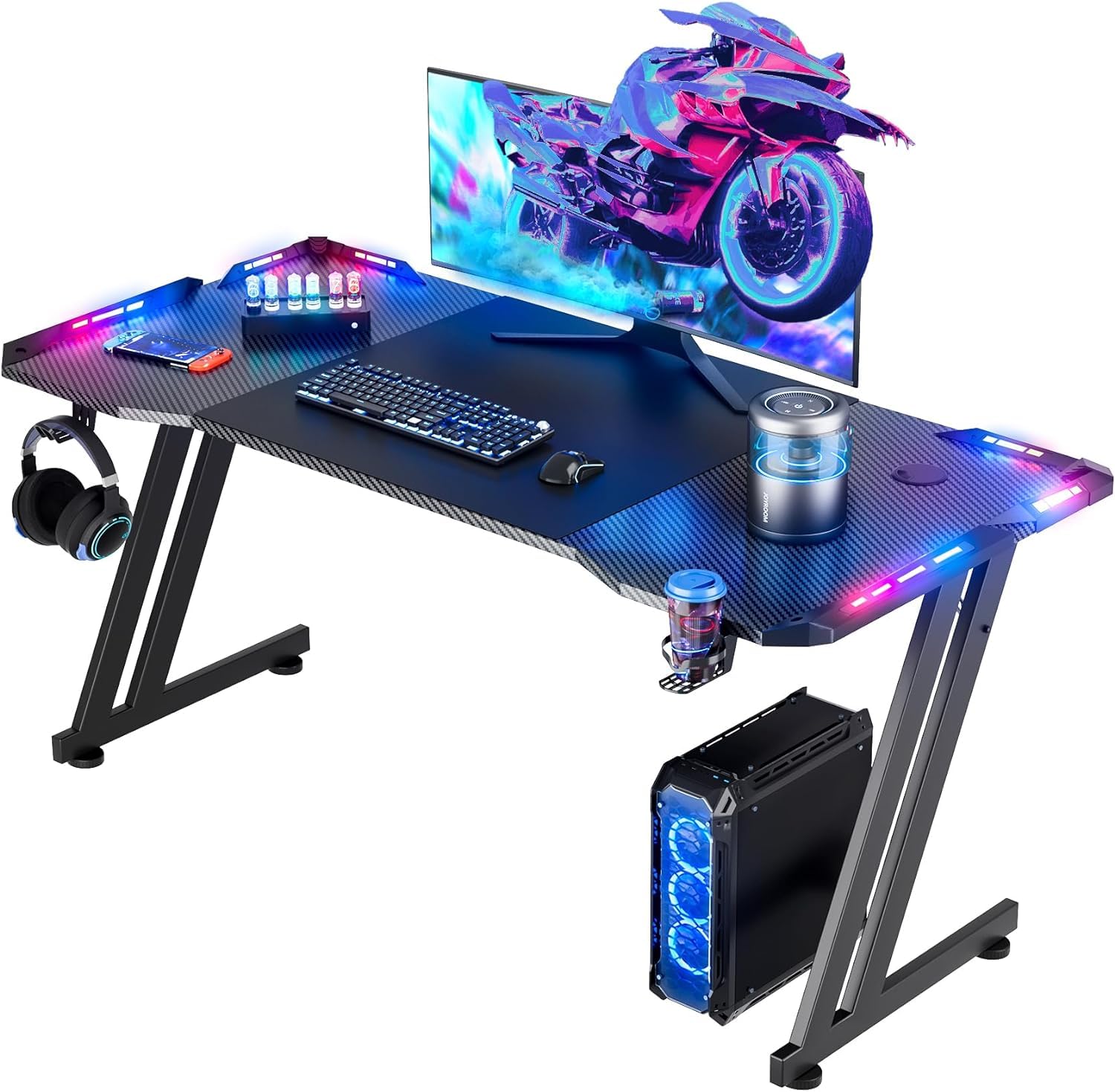
Best Overall

EUREKA ERGONOMIC 60" Desk

94 /100
Lab Score Outstanding

Key details

Depth
27.6 in
Storage
USB hub, headset hooks, cup holder
LED Control
Power Outlets
View on Amazon

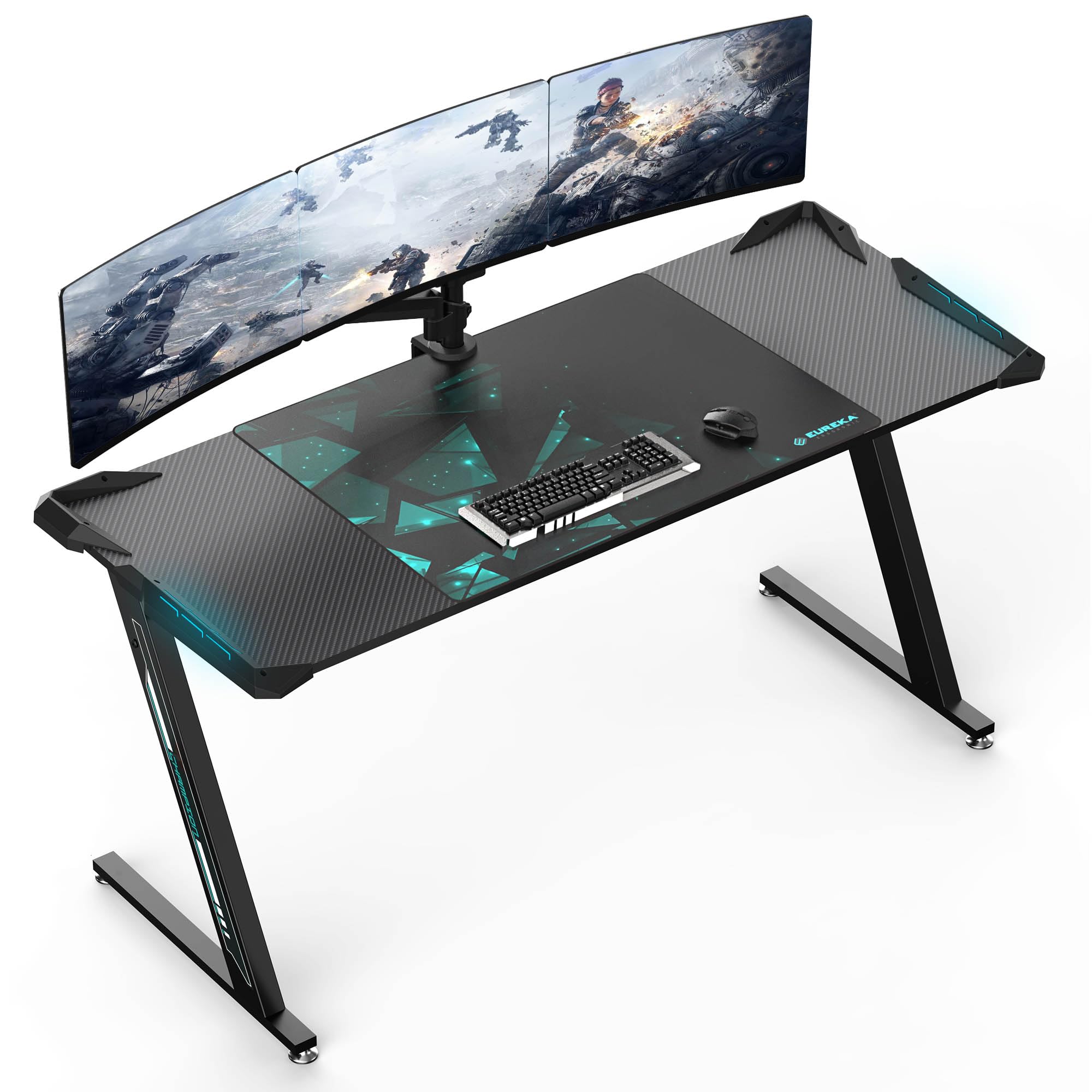
This desk delivers a spacious 60-by-27.5-inch work surface that fits multi-monitor setups and full-size peripherals without crowding. The carbon steel frame and engineered wood deck support up to 500 pounds, and the polygon legs keep wobble to a minimum during intense gameplay. Assembly takes about 30 minutes with clear instructions and all tools included. The cable management tray keeps wires organized underneath, and the built-in USB hub provides convenient ports. Included extras – a full desk mouse pad, double headset rack, cup holder – mean you can unpack and start gaming immediately. The full-desk mouse pad provides a smooth, consistent surface for mouse movement and protects the desk top. At this price, the desk offers a complete package with robust build quality and thoughtful extras.

This desk is ideal for enthusiast gamers running multiple monitors and a full desktop PC – the 500-pound capacity and deep surface handle heavy loads easily. Home office professionals who game will appreciate the generous work area and stable platform. The 60-inch width and 27.5-inch depth require a spacious room, so measure before ordering – it is not suitable for compact spaces.

💡 Inspect the mouse pad upon arrival; if it shows signs of fraying, replacing it with a standard gaming mouse pad is an easy fix.

Pros

  • Sturdy construction with 500-pound weight capacity for heavy setups.
  • Full accessory bundle includes mouse pad, cable tray, headset hooks, cup holder, and USB hub.
  • Spacious 60x27.5-inch surface fits multi-monitor and full-size peripherals.

Cons

  • Surface scratches have been reported on some units upon arrival.
  • Included mouse pad may fray or peel over time with heavy use.
Our verdict

The EUREKA ERGONOMIC 60-inch desk earns its premium price with a combination of workspace, build quality, and included accessories – best for gamers who want a complete desk out of the box.

Check Latest Price
2

Best Budget

BestOffice 47" Gaming Desk

93 /100
Lab Score Outstanding

Key details

Depth
23.5 in
Storage
Cup holder, headphone hook
LED Control
Power Outlets
View on Amazon

The BestOffice 47-inch Gaming Desk offers a spacious surface for dual monitors, a cup holder, headphone hook, and cable management at an entry-level price. It is a strong option for first-time buyers, though units may arrive with cracks or broken components due to shipping — inspect everything immediately and be prepared to return if damaged. This desk works best for budget-conscious gamers, teens, or anyone building their first setup who can trade long-term durability for a low upfront cost.

💡 Inspect all parts and the desktop surface on delivery; file a return claim promptly if damage is found.

Pros

  • Great value for the price with a large 47-inch surface and included accessories
  • Easy to assemble and feels sturdy for its price tier

Cons

  • Shipping damage can occur
Our verdict

An affordable entry into gaming desks that works well if you are on a tight budget and can handle a potential return.

Check Latest Price
3

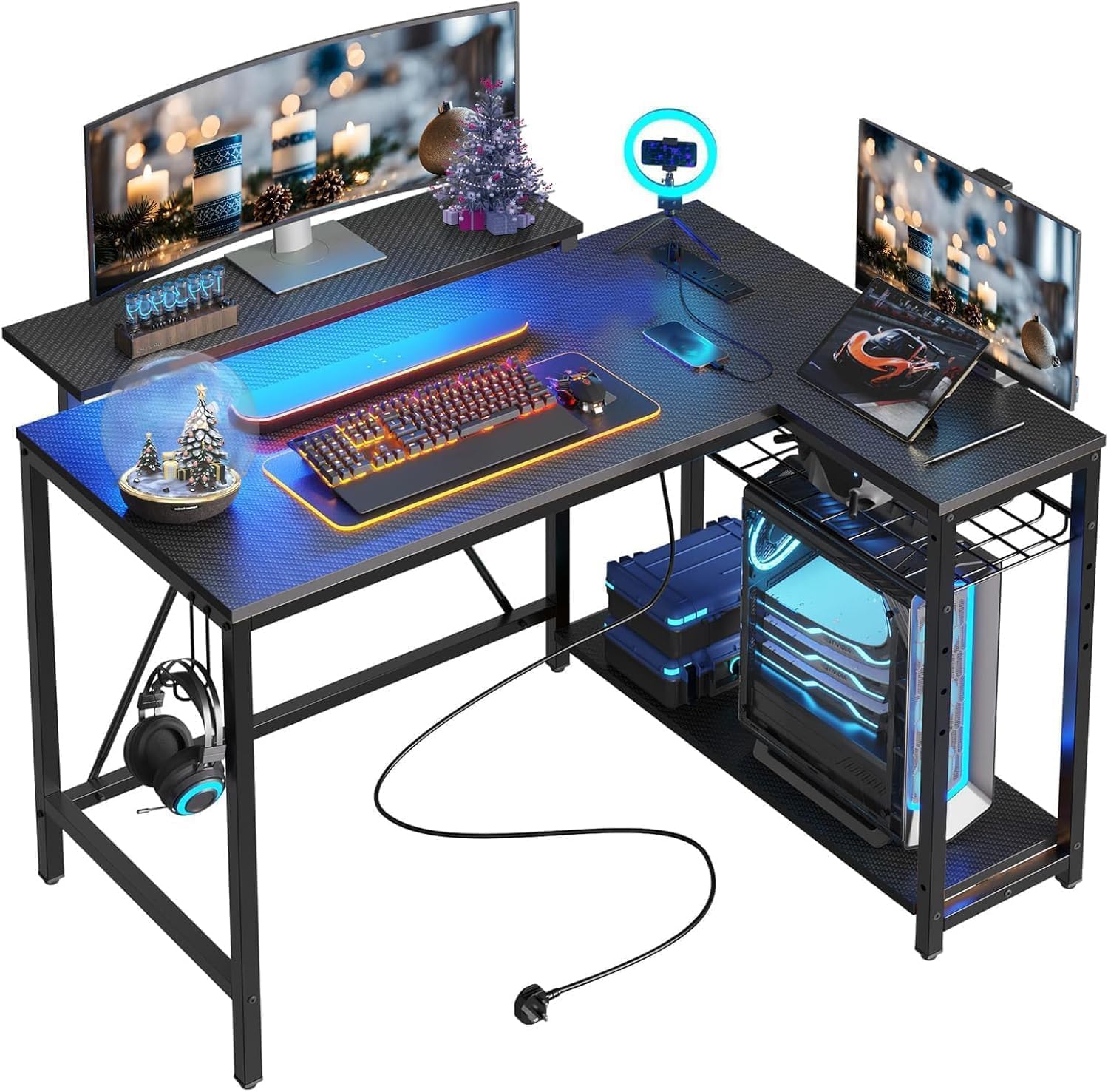
Best L-Shaped Value

ODK 53" L-Shape w/ Shelves

92 /100
Lab Score Outstanding

Key details

Depth
18.9 in
Storage
Shelves, bag, headphone hook
LED Control
10 colors, 10 modes
Power Outlets
3+2 USB
View on Amazon

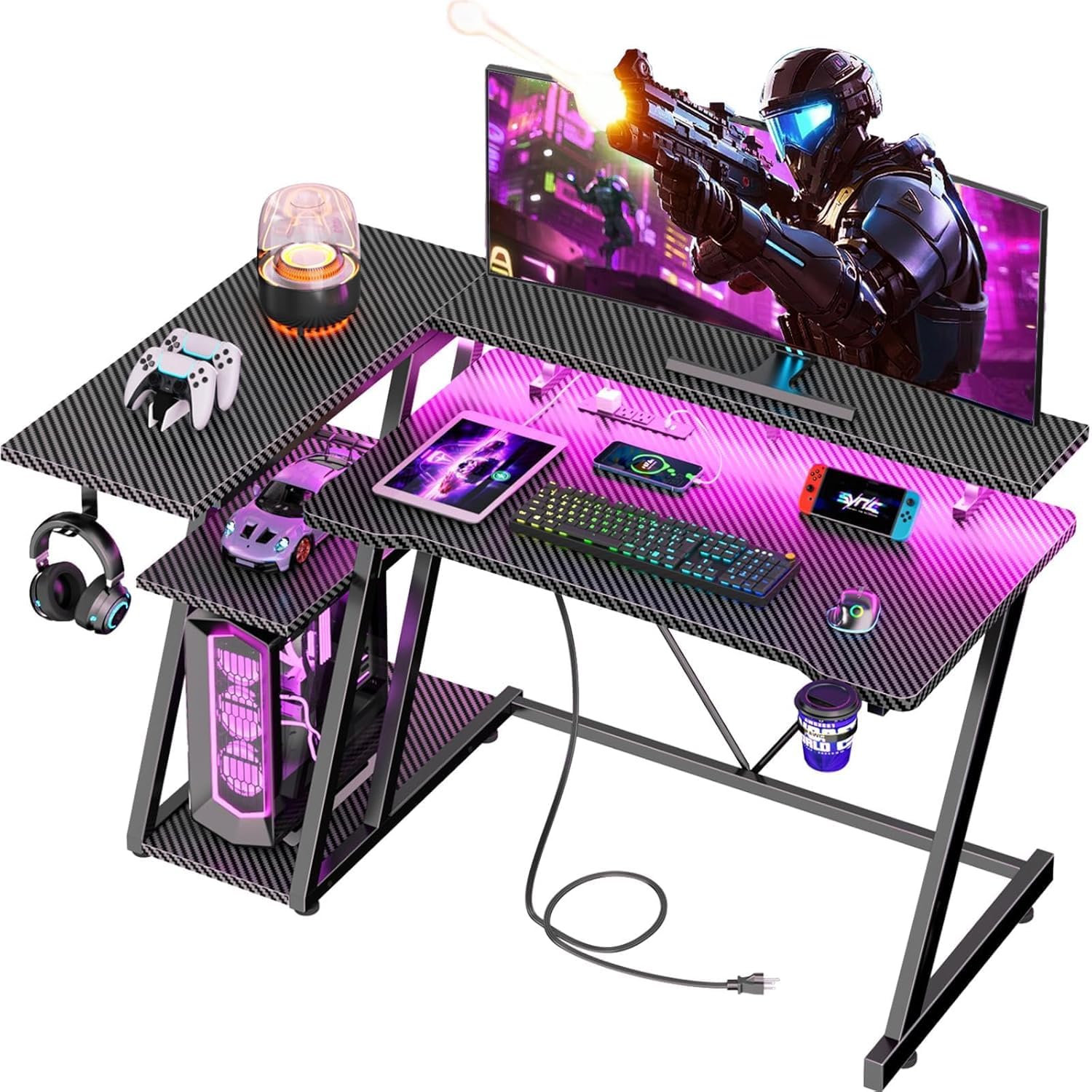
For under $100, the ODK 53-inch L-shape packs built-in power outlets, 10-color LED, a headset hook, and a storage bag — features often found on desks costing twice as much. The tradeoff is a 19-inch depth and engineered wood surface that suits lighter gaming setups and compact rooms rather than heavy multi-monitor workstations.

This desk fits budget-conscious first-time L-shaped buyers who want corner layout flexibility. Some units have screw holes that may not align perfectly, so expect a slightly longer assembly session; the reversible design and sturdiness at this price point make the extra effort worthwhile for the savings.

💡 Test-fit screw placements before tightening — a rubber mallet helps nudge misaligned brackets into position.

Pros

  • Includes power outlets, 10-color LED, shelves, headset hook, and gear bag at a budget price.
  • X-frame supports up to 300 lbs with minimal wobble for typical gaming gear.
  • Reversible layout fits both left- and right-corner room arrangements.

Cons

  • Screw holes may not align on some units, adding time and effort to assembly.
Our verdict

If your budget tops out around $100 and you need an L-shape with power and lighting, the ODK delivers strong value. For deeper workspace or solid materials, the top pick is worth the premium.

Check Latest Price
4

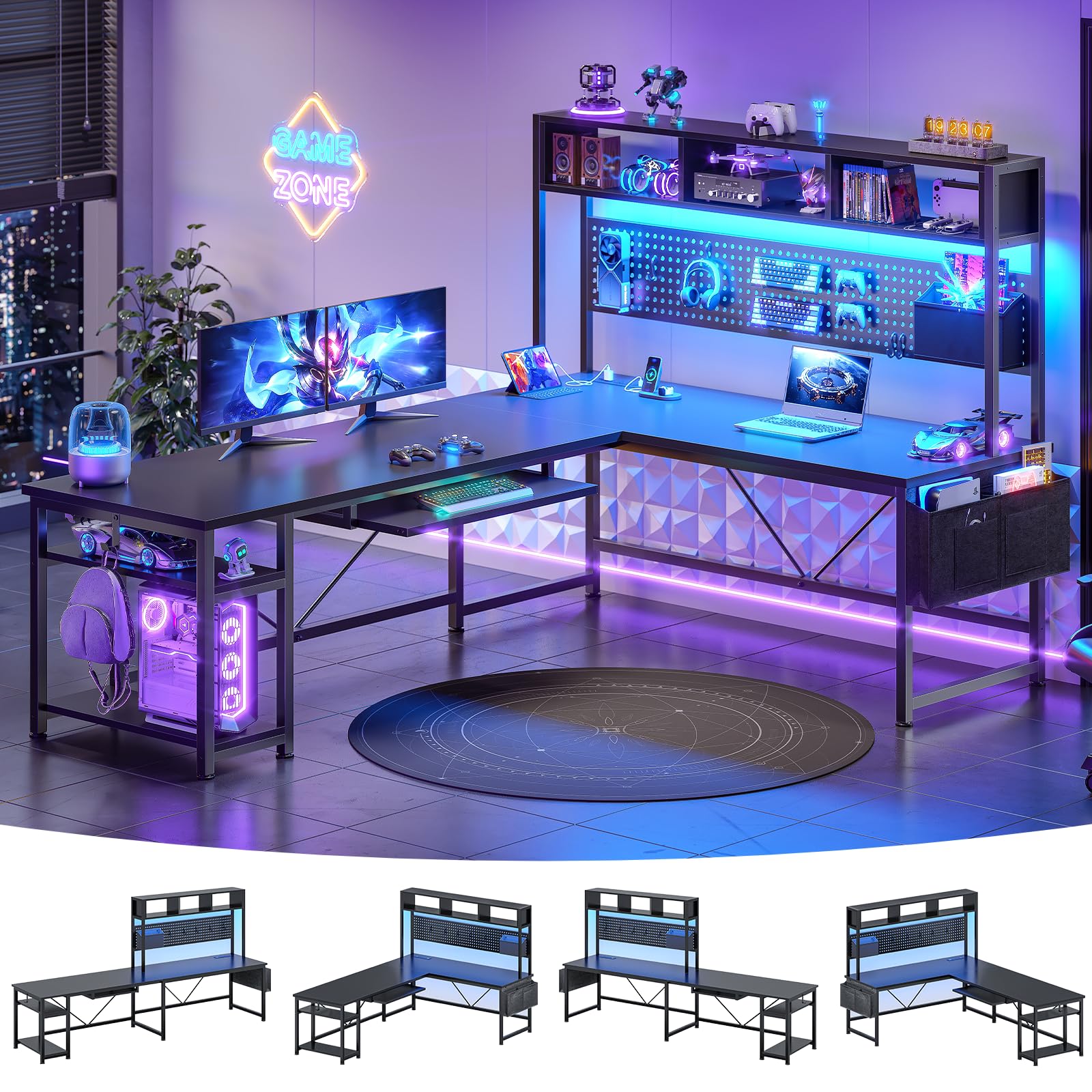
Best for Small Spaces

Bestier 42" L-Shaped Desk

92 /100
Lab Score Outstanding

Key details

Depth
Storage
Pegboard, shelves, foldable cup holder
LED Control
600mm basic strip
Power Outlets
3+2 USB
View on Amazon

The Bestier 42-inch L-shaped desk packs a reversible design, pegboard, power outlets, LED strip, and a foldable cup holder into a footprint made for small apartments and dorm rooms. Assembly instructions can be confusing due to the multiple configuration options, and the PC shelf may not fit larger tower cases. This desk suits gamers using mini-ITX or compact PCs who want a corner setup that maximizes vertical storage without dominating the room.

💡 Review the configuration diagrams carefully before starting assembly to avoid backtracking.

Pros

  • Fits in small spaces while still providing an L-shape with substantial storage and a pegboard.
  • Comes with power outlets, LED lights, cup holder, and headphone hook at a budget-friendly price.

Cons

  • Assembly instructions can be unclear due to the many configuration options.
  • The PC shelf may not accommodate larger tower cases.
Our verdict

Best for gamers with compact PCs who need a corner desk with integrated storage and lighting — just expect a slower assembly process.

Check Latest Price
5

Best PC Showcase Desk

AODK 59" PC Showcase Desk

91 /100
Lab Score Outstanding

Key details

Depth
19.7 in
Storage
3 fabric drawers, headphone hook
LED Control
Power Outlets
View on Amazon

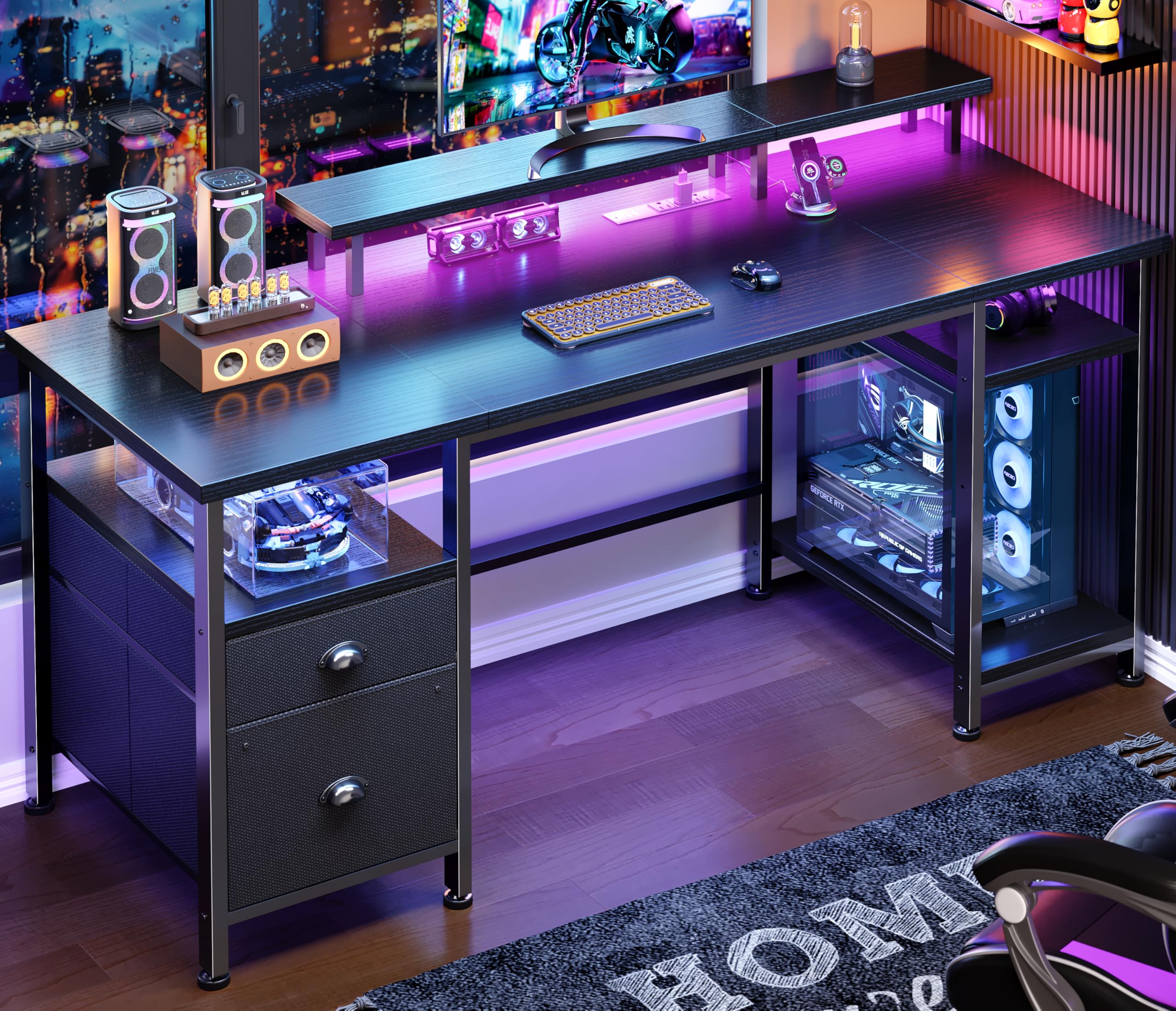
The elevated PC stand is the standout feature here — it positions a panoramic case at eye level and keeps cables tucked behind three fabric drawers. That design makes this desk a clear alternative to standard L-shape gaming desks like the ODK 53-inch, which prioritizes corner space over PC display.

This is the right pick for gamers who own a fish-tank case and want it visible without clutter. The tradeoff: the monitor shelf is narrow, so larger monitor bases may not fit, and the 19.7-inch depth can feel cramped for multi-monitor setups.

💡 Measure your monitor stand width before buying — the shelf is best suited for narrow bases or single monitors.

Pros

  • Unique elevated stand makes fish-tank cases the centerpiece of the setup
  • Sturdy build with easy assembly and three fabric drawers for cable and controller storage

Cons

  • Monitor stand can be too narrow for larger monitor bases; some units may have missing parts
Our verdict

Ideal for gamers with a fish-tank case who want a clean, display-focused desk, but verify monitor base size and expect to work around the shallow depth.

Check Latest Price
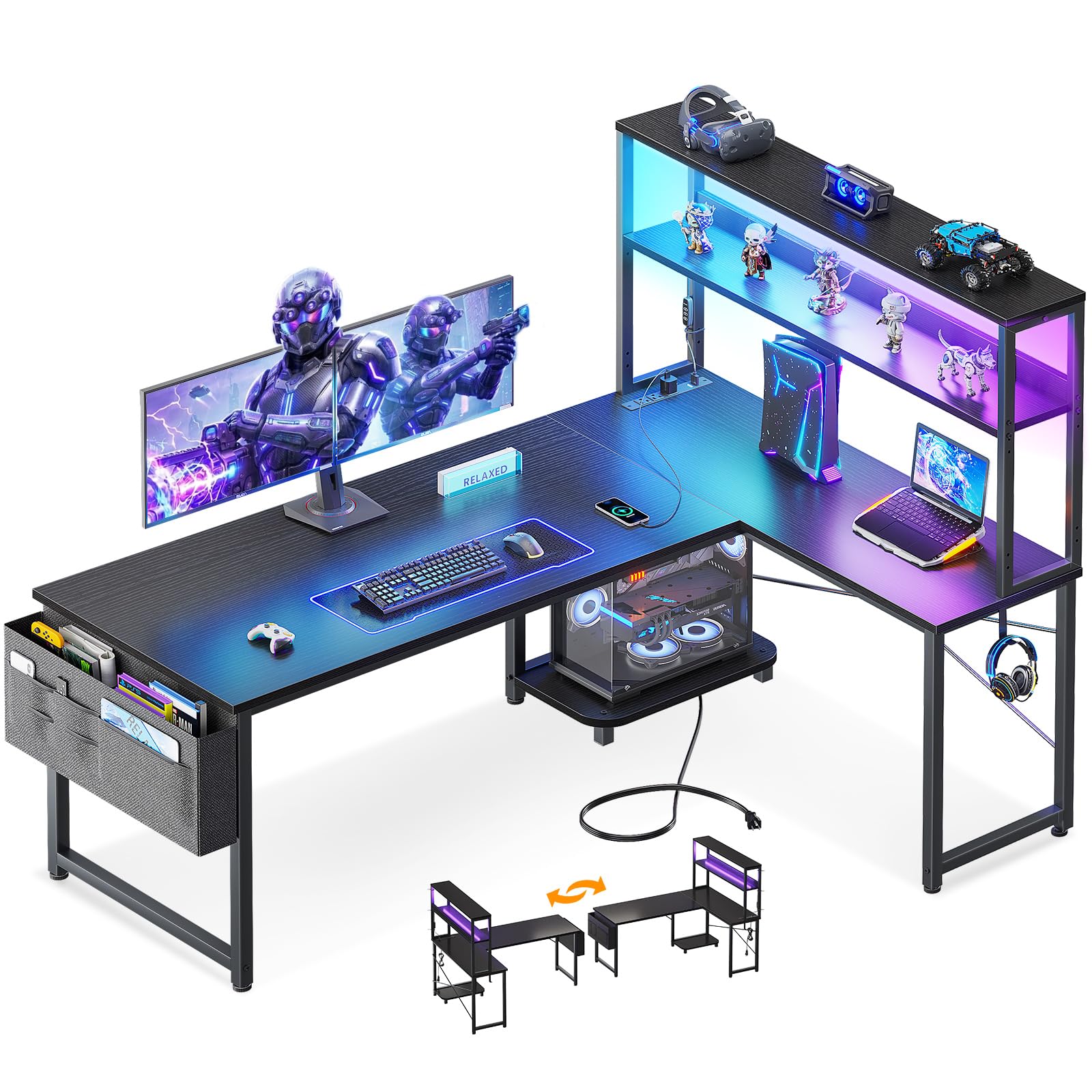
6

Most Feature-Rich

SEDETA Reversible L-Shape

91 /100
Lab Score Outstanding

Key details

Depth
19.7 in
Storage
Pegboard, keyboard tray, bookshelf
LED Control
App, 60k colors, music sync
Power Outlets
4+2 USB
View on Amazon

The SEDETA packs a pegboard, keyboard tray, storage shelves, and a reversible layout into one L-shape — a feature set that outpaces most comparably priced desks. Assembly demands patience (2-3 hours) with instructions that can be confusing, and the keyboard tray is too small for a full-sized keyboard and mouse to be used together. This desk is best for buyers who prioritize storage and customization over quick setup, and who are comfortable working within the keyboard tray’s size limits.

Pros

  • Reversible L-shape with pegboard, under-desk bookshelf, and app-controlled RGB.
  • Sturdy build for a mid-range price.
  • Power outlets and USB ports built into the frame.

Cons

  • Keyboard tray is too small for a full-sized keyboard and mouse together.
  • Assembly takes 2-3 hours with instructions that can be confusing and occasional misaligned parts.
Our verdict

If you want maximum storage and RGB in a reversible L-shape and are willing to spend time assembling it, this desk delivers unmatched feature density for the price.

Check Latest Price
7

Compact Towers

AODK 53" L-Shaped Desk

92 /100
Lab Score Outstanding

Key details

Depth
18.9 in
Storage
Bag, headphone hook
LED Control
10 colors, 10 modes
Power Outlets
3+2 USB
View on Amazon

Built with a solid frame and integrated power outlets, this corner desk offers good value for its feature set. The bottom shelf, however, is too narrow for standard ATX towers, making it best suited for compact or mini-ITX systems. At a mid-range price, it's a reasonable alternative to the ODK L-shape, which provides better overall value with a wider shelf and lower cost.

Pros

  • Solid build offers good stability for the price.
  • Built-in power outlets and USB ports keep cables tidy, with 10-color LED for ambiance.

Cons

No notable drawbacks to flag.

Our verdict

Best for gamers with compact PC builds who want an L-shape with power and lighting – not for those with standard tower cases.

Check Latest Price
8

Storage Seekers

Huuger 47" Desk with Drawers

92 /100
Lab Score Outstanding

Key details

Depth
19.7 in
Storage
4 fabric drawers
LED Control
App, 60k colors
Power Outlets
4+2+1 USB/Type-C
View on Amazon

This desk pairs a workable 47-inch surface with four fabric drawers, app-controlled LED lighting, and a built-in power strip with USB-C – a strong feature set for the price. The tradeoff is durability: drawer fabric feels flimsy for heavy items, and some boards can arrive with cracks or surface damage. That makes it a sensible pick for light-duty gaming or study setups where storage and RGB matter more than long-term ruggedness, but less ideal if you need a desk that can take years of heavy use without incident.

Pros

  • Integrated storage drawers, power outlets, and app-controlled RGB in one package.
  • Easy to assemble and delivers strong value at its price point.

Cons

  • Fabric drawers limit weight capacity and boards can arrive cracked during shipping or assembly.
Our verdict

Worth considering if you need drawer storage and RGB on a budget, but plan to inspect the unit immediately and stick to lightweight drawer contents.

Check Latest Price
9

Entry-Level

GTPLAYER 55" Desk

91 /100
Lab Score Outstanding

Key details

Depth
23.6 in
Storage
Mouse pad, headphone hook
LED Control
Basic strip
Power Outlets
View on Amazon

This desk offers a spacious 55-inch carbon fiber surface and straightforward assembly at a low price, making it a decent starter option for students or teens. However, the LED strip lacks diffusion and there are no built-in power outlets; the engineered wood can feel thin in places. These compromises keep it from competing with more feature-rich desks.

Pros

  • Very affordable and easy to assemble
  • Sturdy with a nice carbon fiber look and large surface for dual monitors.

Cons

  • Integrated LED strip may look less polished than product images; no power outlets for cable management.
Our verdict

Best suited for budget buyers who don't need power outlets and can accept basic lighting — a capable starter desk for single-monitor setups.

Check Latest Price
10

Office Hybrid

Furologee 51" Desk w/ File Cabinet

91 /100
Lab Score Outstanding

Key details

Depth
18.9 in
Storage
File cabinet, drawer, shelves
LED Control
Power Outlets
3+2 USB
View on Amazon

The integrated file cabinet and monitor stand let you keep work documents within reach while maintaining a clean gaming surface. Fabric drawers, however, cannot hold heavy binders, and the 18.9-inch depth may feel cramped for larger monitor stands.

Pros

  • Built-in file cabinet and monitor stand keep office supplies organized without extra furniture.
  • 51-inch surface fits dual monitors and assembly is straightforward for a desk in this price range.

Cons

  • Fabric drawers feel flimsy and cannot hold heavy binders or files.
Our verdict

Best for home workers who occasionally game and want a desk with built-in filing storage, provided they don't need heavy-duty drawers.

Check Latest Price
11

Minimal Setups

Korfile 40" L-Shape Desk

90 /100
Lab Score Outstanding

Key details

Depth
25.6 in
Storage
LED Control
Power Outlets
3+2 USB
View on Amazon

This compact L-shape fits where few others can, with built-in power outlets and LED lighting. Assembly is simple and the build feels sturdy for the price. However, the surface is tight: a standard PC tower or dual monitors won't fit. It's best for a single monitor or laptop in a cramped corner.

Pros

  • Solid build quality and sturdiness for a desk this compact.
  • Easy assembly and good value for the price.

Cons

  • Surface area is limited
Our verdict

This desk works best for a single laptop or compact monitor setup in a very tight corner where nothing larger would fit.

Check Latest Price
12

Multi-Monitor

SEDETA 67" L-Shaped Desk

93 /100
Lab Score Outstanding

Key details

Depth
19.7 in
Storage
Pegboard, shelves, keyboard tray
LED Control
App, 60k colors, music sync
Power Outlets
4+2 USB
View on Amazon

This 67-inch L-shape offers generous space for a multi-monitor setup, with a pegboard, shelves, and app-controlled LED that syncs to music. Assembly can be frustrating due to misaligned screw holes, and the 19.7-inch depth may feel tight for larger monitors or full-size keyboards.

Pros

  • Pegboard, shelves, keyboard tray, and storage bag keep accessories organized and off the desk surface.
  • Good value for the features

Cons

  • Screw holes may not align during assembly, requiring extra effort to fit pieces together.
Our verdict

Best suited for gamers who prioritize vertical storage and don't need a deep workspace for large monitors.

Check Latest Price
13

Small Rooms

ODK 48" Desk w/ LED & Shelves

91 /100
Lab Score Outstanding

Key details

Depth
19.6 in
Storage
3 shelves, CPU stand, hook
LED Control
Customizable recessed
Power Outlets
View on Amazon

This 48-inch straight desk packs a raised monitor stand, three shelves, a CPU stand, and recessed LED lighting into a footprint that fits small rooms and dormitories. The depth is only 19.6 inches, so it suits single-monitor users who want organized storage without giving up floor space. Wobble can occur on carpeted floors, and the narrow depth rules out dual-monitor arrangements — those limitations make it a focused buy for tight quarters rather than a general-purpose gaming desk.

Pros

  • Integrated monitor stand and three shelves maximize vertical storage in a compact footprint.
  • Recessed customizable LED lighting adds ambiance without taking up desk space.

Cons

  • On carpeted floors the desk can wobble
Our verdict

Pick this desk if you run a single monitor in a small room or dorm and want integrated shelves and LED without spending extra on accessories.

Check Latest Price

How to Choose

Desktop Dimensions

Depth determines how far back you can place monitors and still have wrist space for your keyboard and mouse. A 60-inch wide desk fits two 27-inch monitors side by side with room for a tower on the side, but if depth is only 19 inches, your eyes will be less than two feet from the screen. That strains vision and forces a hunch.

Before buying, measure your current monitor stand depth and add at least 10 inches for keyboard clearance. For corner L-shapes, the depth of each leg matters — many list overall footprint but the actual usable surface is much shallower.

Power Outlets

Built-in outlets sound great, but most desks offer only three AC plugs and two USB-A ports. That’s enough for a monitor, tower, and phone charger — but add a lamp, a second monitor, or a streaming device and you’ll need a surge protector anyway. The real benefit is cable routing: outlets mounted in the desktop keep cords from dangling to the floor.

If you plan to run multiple peripherals, look for desks with at least four AC outlets and a USB-C port. Also check the cord length from the desk to the wall — short power cords may not reach a distant outlet.

LED Lighting

LED strips vary widely. Basic integrated strips offer 8-10 fixed colors and a few flashing modes, while app-controlled strips give you 60,000 colors, music sync, and brightness dimming. The trade-off: basic strips are glued to the desk edge and often peel off after a few months, while higher-end strips are recessed into the frame or use magnetic mounts.

If you intend the LEDs to be a permanent part of your setup, spend extra for app-controlled, recessed strips. If you just want a glow for the first few weeks, any cheap strip will do — and you can always replace it later.

Storage Features

Gaming desks pile on storage: cup holders, headphone hooks, shelves, drawers, pegboards. Each adds convenience but also consumes space. A pegboard is great for hanging controllers and headphones, but it reduces the usable depth of the desk. Fabric drawers look neat but can’t hold heavy items — they sag under textbooks or spare power supplies.

Decide what storage you actually need. If you have a wireless mouse and headphones, a single hook and a small shelf might be enough. If you need to stash notebooks and cables, a desk with a few solid-surface shelves is better than one with many flimsy fabric compartments.

Assembly and Alignment

Assembly is where many gaming desks fail. Common complaints: screw holes don’t line up, printed instructions are unclear, and parts arrive with cracks. The root cause is that budget desks use thin engineered wood that warps slightly during shipping, throwing off alignment. Some brands use cam locks that require precise 90-degree turns — one degree off and the joint is loose.

If you hate frustration, look for desks described as “tool-free assembly” or “pre-drilled holes.” And always open the box immediately to check for damage: returns are much easier before you start screwing.

Frequently Asked Questions