Best L-Shaped Gaming Desks of 2026

An L-shaped gaming desk looks like the obvious fix for a two-monitor setup—until you lean on the corner and feel the whole thing shimmy. The right one should give you room for an ultrawide, a keyboard, and a tower without turning your spare room into a maze of extension cords; the wrong one eats the same floor space and still feels cramped. That corner shape is only worth it if the desk stays planted when you flick a mouse, fits the room you actually have, and doesn't look like a plastic cockpit in daylight.

We've spent eight months with 11 L-shaped desks, building them alone, working at them daily, and shifting them around to see what the corner really buys you. The pattern: assembly instructions matter as much as steel thickness, and a deep return side matters more than a wide front edge. A desk can look sleek in photos and still collect fingerprints, wobble at the joint, or leave no room for a chair to swivel. The picks below are the ones that held up—and the ones I'd actually keep in my own office.

1

Best Overall

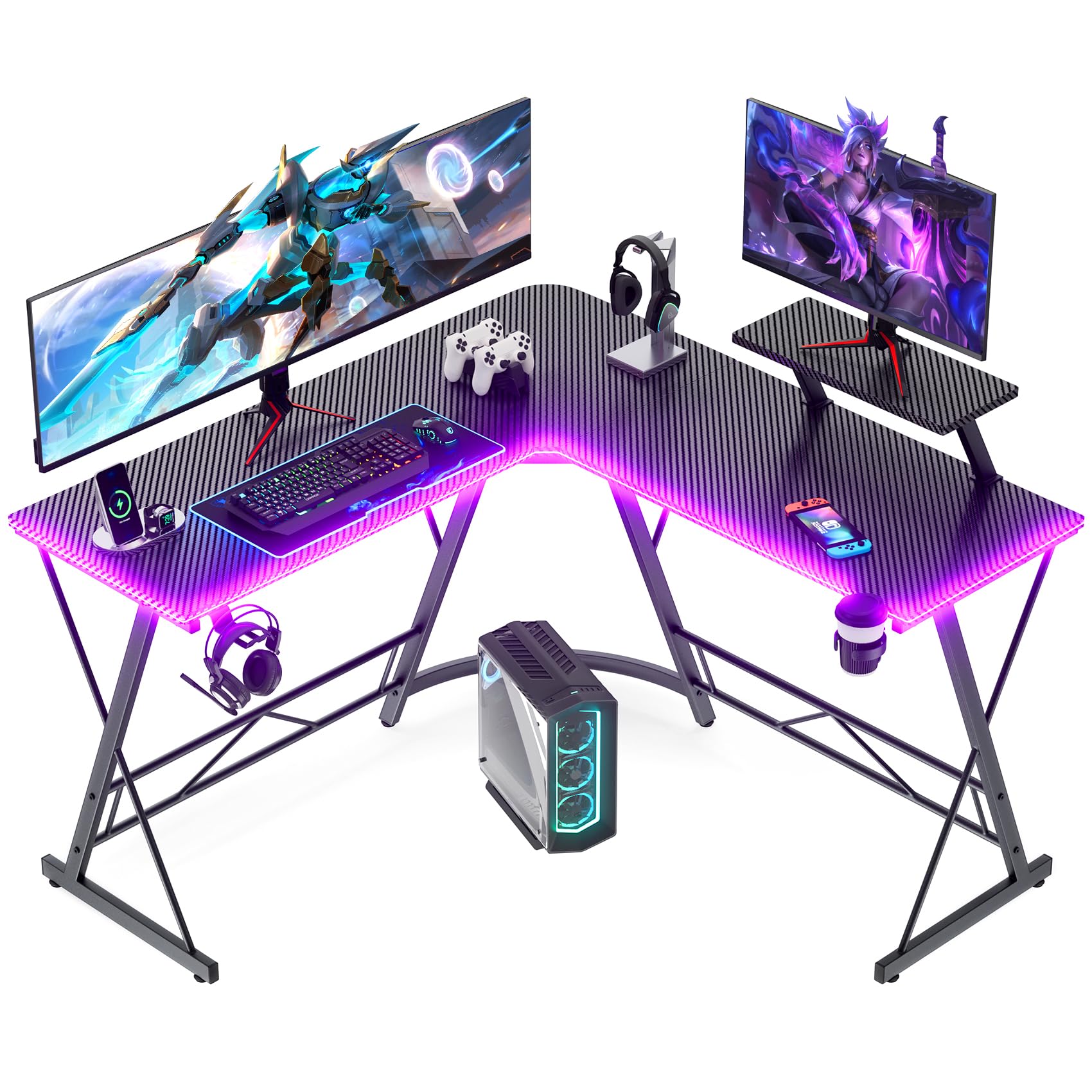
Mr IRONSTONE 51-Inch L Desk

95 /100
Lab Score Outstanding

Key details

Depth
18.2 in
Desktop
50.8 in per side
Top Thickness
1.5 in
Weight Capacity
220 lb
View on Amazon

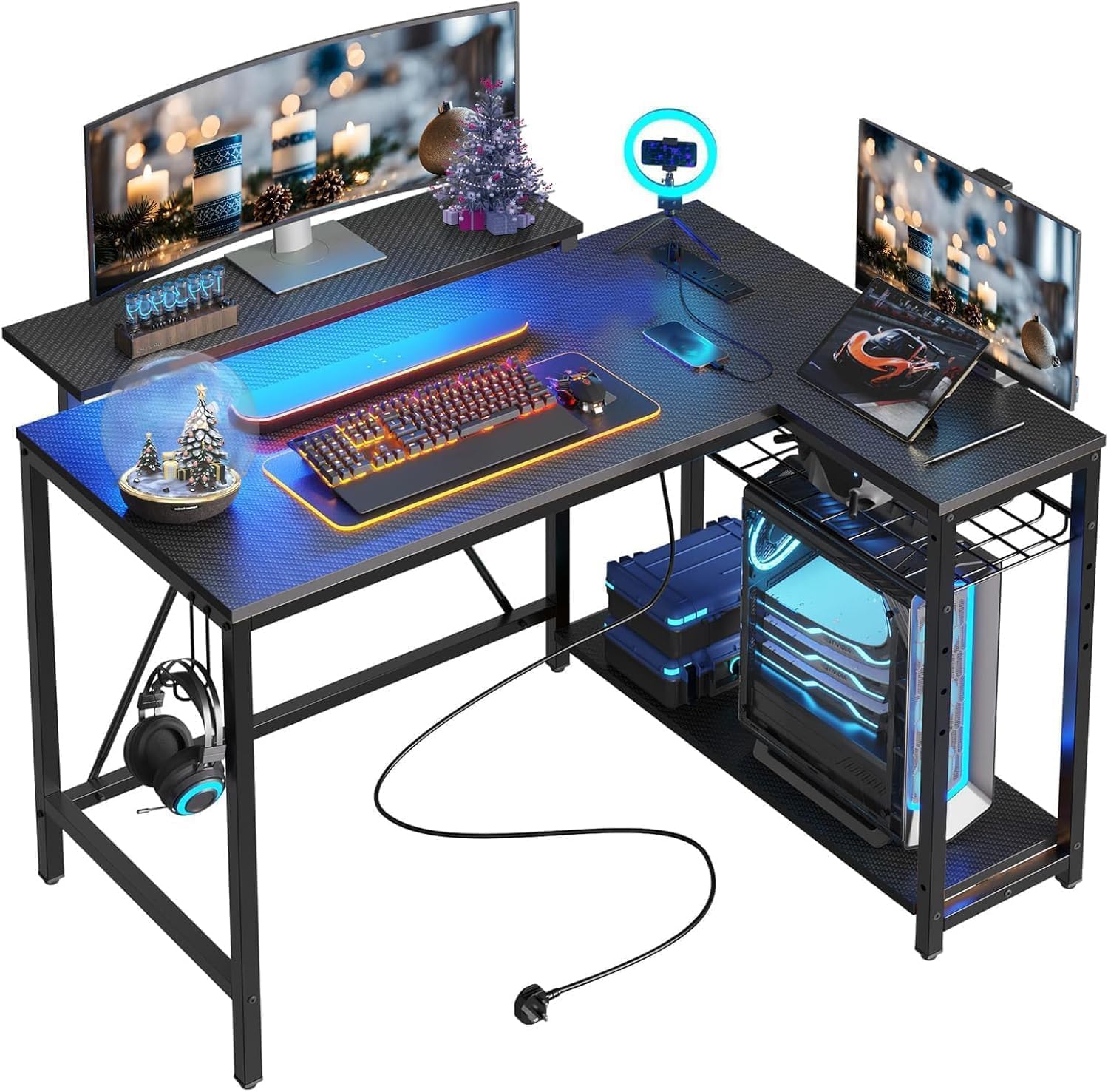
The least expensive desk in this group is also the one we point most people toward, which does not happen often. Fifty-one inches of L, a 1.5-inch top, a monitor riser, a cup holder, a headphone hook, and an RGB strip controlled from your phone: the gaming kit is complete in a way that usually costs more. The desk weighs 39 pounds, so one person can walk it into place once the frame is up.

The riser does most of the work. It lifts a 27-inch screen close to eye level and leaves the surface underneath for a keyboard, a mouse, and the general drift of cables and cans that collects around them. Run two screens and the second sits on the other leg, which is the point of an L: you spread out instead of stacking.

Depth is the number to check before ordering. Each side is 18.2 inches deep, enough for a keyboard, a mouse, and a riser-mounted monitor, and tight once a large mousepad and a second screen on its own stand join them. If you run two big displays, plan on the riser doing the work and the desktop holding the peripherals.

Assembly is a one-person job with the included tools, and the move that saves trouble is leaving every bolt loose until both halves of the top meet cleanly. Get that right and the frame feels far more expensive than it is, which is the whole case for this desk.

Pros

  • 1.5-inch top is as thick as any here
  • Monitor riser, cup holder, and hook included
  • 220-pound capacity on a steel frame
  • Under 40 pounds, so one person can move it

Cons

  • Front frame bar crowds your feet
  • No built-in outlets or USB ports
Our verdict

For a first gaming corner, this is the desk we recommend: 51 inches of L-shaped space and a top that will not flex, for the least money in this group.

Check Latest Price
2

Best with Built-In Power

AODK 53-Inch L Desk

92 /100
Lab Score Outstanding

Key details

Depth
18.9 in
Power
3 AC + 2 USB
Desktop
53.2 in
Shelves
2
View on Amazon

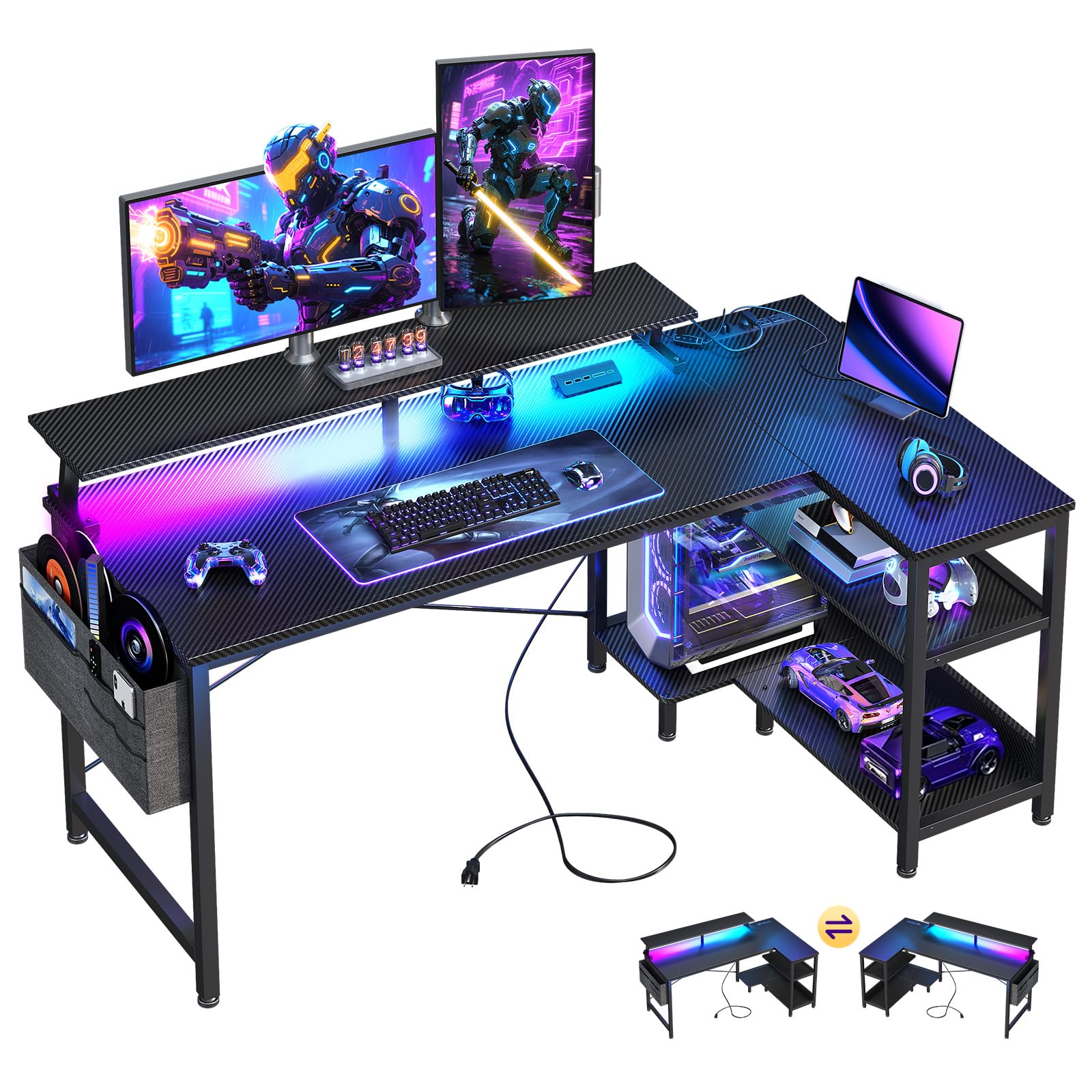
The case for this AODK starts with a strip of sockets along the back edge: three outlets and two USB ports wired into the desktop itself. In a corner, that is the difference between one cable running to the wall and a power strip zip-tied to a leg with everything plugged into it. Monitor, console, phone, headset: all of it charges at desk level.

The rest of the package solves the same problem. Two shelves and a hanging storage bag take controllers, cables, and a headset off the work surface, the hook keeps the headset off the shelf, and the LED strip runs ten colors, eight brightness levels, and ten modes with a memory function, so it comes back on the way you left it. The side modules reverse, which matters more than it sounds when the only free corner is on the left.

At 53 inches along the long run and 18.9 inches deep, this is a genuine two-monitor corner rather than a battlestation, and among the desks with outlets here it is the one that makes the most sense for a first serious setup. The 1-inch top and steel frame feel solid when you lean on them, and we found assembly the least painful in this group: parts are labeled, the instructions are step by step, and one person can get it standing without help.

Pros

  • Three outlets and two USB ports built in
  • Shelves and side modules reverse left to right
  • LED strip remembers your last setting
  • Storage bag and hook keep small gear off the top

Cons

  • CPU stand is tight for full-size towers
Our verdict

Choose this one when your monitor, console, and phone all need power at the desk; the outlets and reversible shelves do more for a setup than the lights do.

Check Latest Price
3

Best for Multi-Monitor Setups

SEDETA 67-Inch L Desk

93 /100
Lab Score Outstanding

Key details

Depth
19.7 in
Power
4 AC + 2 USB
Desktop
67 in L / 94.5 in straight
Storage
Hutch, pegboard, keyboard tray
View on Amazon

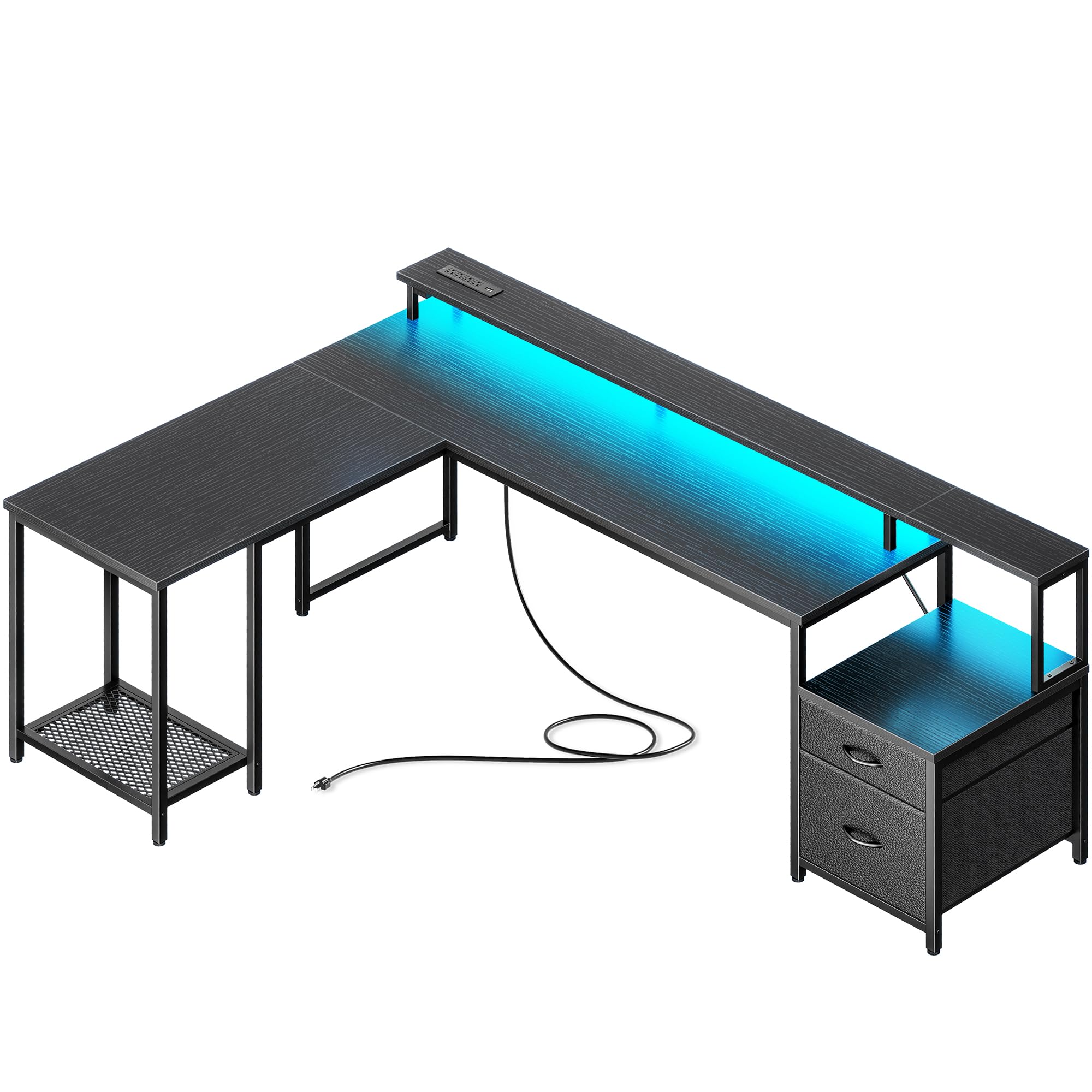
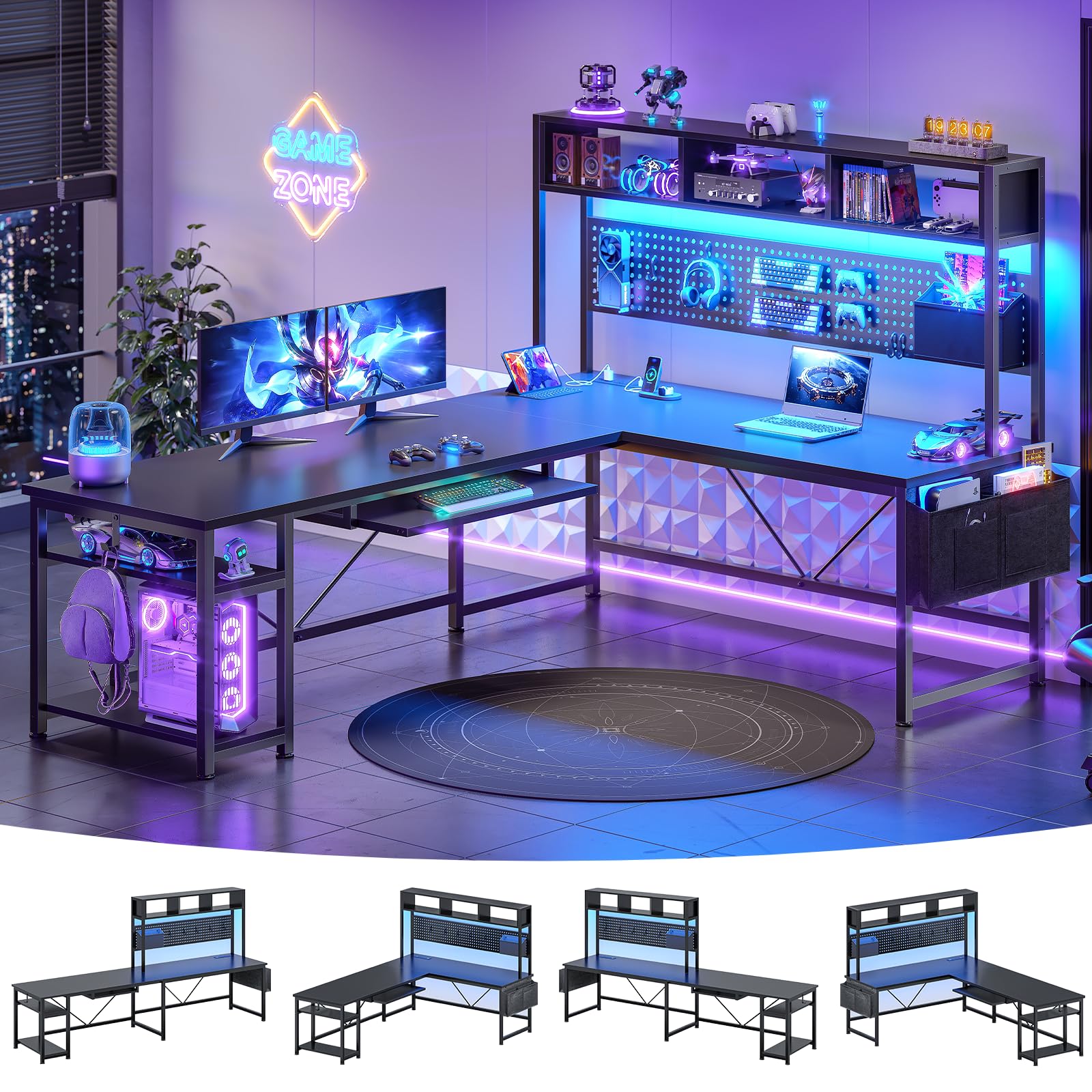
Seventy-six pounds of board and steel arrives flat in one box, and the instructions mean it when they call for two people. Give it a clear floor, a second pair of hands, and enough time to line the hutch up properly; this is the biggest build in the group, and the one where we were glad of the help.

What you get for the effort is the most configurable desk here. Built as an L it is 67 inches across the corner; reverse the return and it becomes a 94.5-inch straight run with room for three monitors, a keyboard, and a mug. A hutch and pegboard go up rather than out, a keyboard tray tucks underneath, and the power strip carries four outlets and two USB ports. The RGB strip is app-controlled, with 60,000 colors, 29 modes, and music sync, and it is the light setup here most likely to keep a teenager entertained for a week.

Whether the size is worth it depends on the room. In a small bedroom a 67-inch L dominates the floor; in a room where you work and game at the same desk, the second leg is the difference between a laptop balanced on a book and a proper second workstation. At 19.7 inches the surface is as deep as anything here, so a big monitor and a full keyboard fit without shuffling.

Pros

  • Converts from a 67-inch L to a 94.5-inch run
  • Four outlets and two USB ports on board
  • Hutch and pegboard use vertical space
  • 19.7-inch depth suits large monitors

Cons

  • Keyboard tray too small for full-size keyboards
  • Adhesive LED strip can peel loose
Our verdict

Go straight here if three monitors and a second workstation are the plan; nothing else in this group becomes a 94.5-inch straight run.

Check Latest Price
4

Best for Drawer Storage

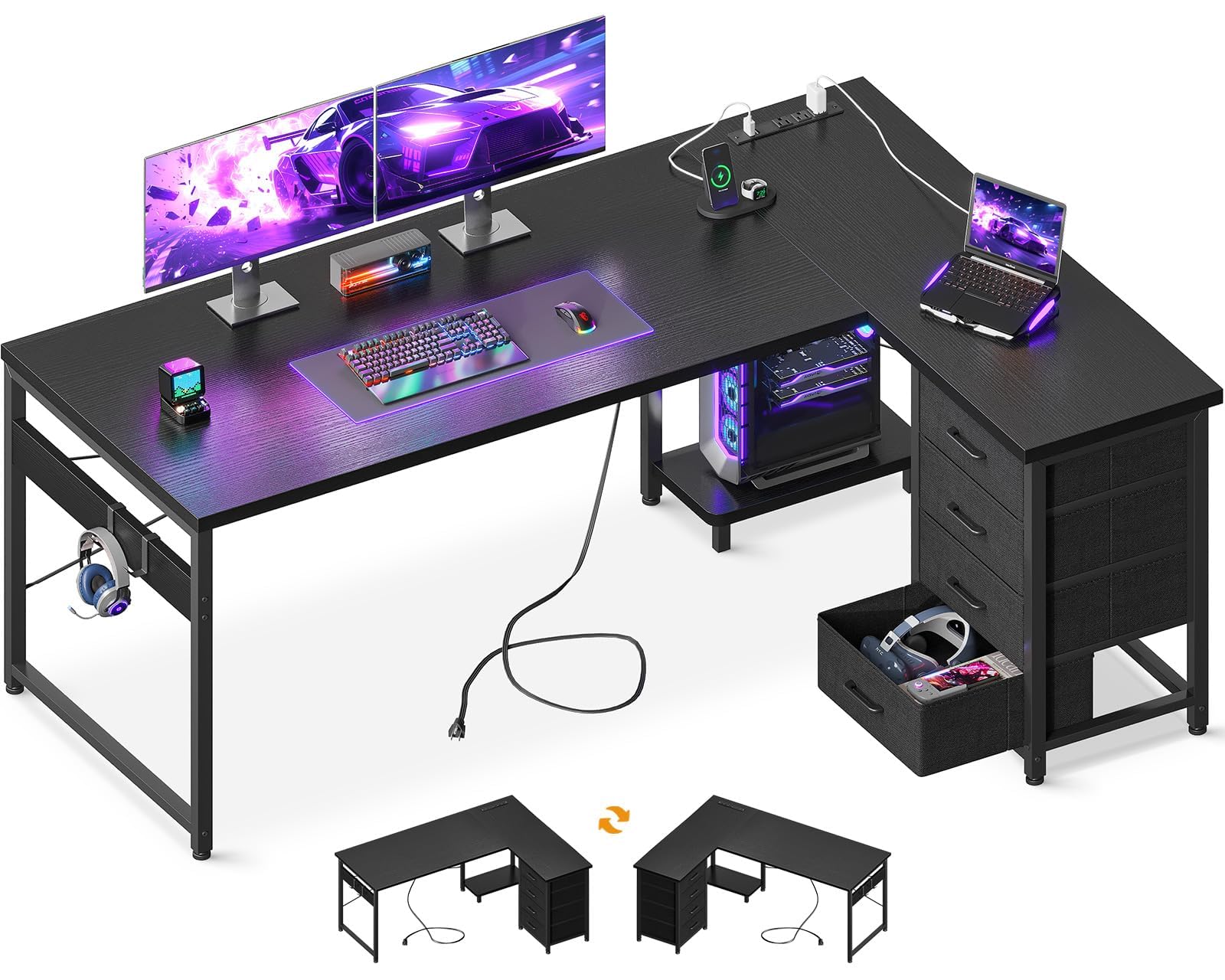
AODK 61-Inch L Desk with Drawers

89 /100
Lab Score Excellent

Key details

Depth
18.9 in
Power
3 AC + 2 USB
Desktop
61 in
Drawers
4
View on Amazon

Four drawers are the entire reason to pick this AODK over the company's 53-inch model, and if your gaming setup generates paper, manuals, spare cables, schoolwork, the receipts you keep meaning to file, that is enough. It is the only four-drawer desk here, and the drawers take the mess that otherwise migrates to the desktop or the floor.

The rest is the familiar recipe: three outlets and two USB ports in a built-in strip, a host stand for the tower, two hooks, and a reversible layout that puts the drawers on whichever side suits the corner. At 61 inches along the long run and 18.9 inches deep it is a big desk, bigger than most bedrooms can spare once a chair needs to roll back from it.

A 61-inch span carries more leverage than a 48-inch one, so assemble it square on a flat floor and check that the feet are level before the monitors go on. Done properly it sits still under a full setup; rushed, a desk this wide will remind you every time you bump the mouse.

What you are buying is organization. The drawers hold controllers, cables, and paperwork out of sight, the power strip ends the search for a socket, and the tower sits on its own stand rather than on the carpet. On a desk this size, that tidiness is worth more to us than another inch of depth.

Pros

  • Only four-drawer desk in this group
  • Three outlets and two USB ports built in
  • Host stand keeps the tower off the floor
  • Reversible layout for either corner

Cons

  • Half-inch top rules out clamp-on monitor arms
Our verdict

Pick it if clutter is the problem: four drawers swallow the gear that would otherwise live on the desktop, and the desk still holds a full setup.

Check Latest Price
5

Best for Small Rooms

Bestier 42-Inch L Desk

92 /100
Lab Score Outstanding

Key details

Power
2 AC + USB-A + USB-C
Shelves
4
Footprint
41.9 x 32.3 in
Top Thickness
0.75 in
View on Amazon

When the only free wall is a 42-inch stretch beside a bed, the 60-inch reversible desks are out of the question. This Bestier is built for that corner: a compact L with four shelves, an upper stand that works as a monitor riser or a display shelf, and a hook for a headset or a backpack.

We were surprised by the charging setup for the size: two AC outlets, a USB-A, and a USB-C, with a light strip tucked under the upper shelf that gives the desk some presence without a lamp eating surface. The shelves mount on either side, which is the difference between a desk that fits a room and one that fights it. At 32.6 pounds it goes together with hand tools, so you can build it in place and slide it into the corner alone.

What it asks in return is one monitor. At 42 inches a second screen has to go up on the riser rather than out to the side, and the surface fills quickly once a keyboard, a mouse, and a controller are on it. For a kid's room, a dorm, or a first apartment, that is a fair trade for a desk that fits at all.

Pros

  • Fits a corner a full-size L cannot
  • Two AC outlets plus USB-A and USB-C
  • Shelves mount on either side
  • Riser doubles as a display shelf

Cons

  • 42-inch top really fits one monitor
  • Upper shelf can work loose under a monitor
Our verdict

The right desk for a bedroom that cannot spare more than a 42-inch wall, with charging and shelves built into a genuinely small footprint.

Check Latest Price
6

Best Budget

Homall L-Shaped Gaming Desk

93 /100
Lab Score Outstanding

Key details

Depth
17 in
Desktop
50.4 in
Top Thickness
1.5 in
Weight Capacity
220 lb
View on Amazon

A corner, a monitor riser, and a carbon-fiber print: the Homall is the simplest desk here, and the least expensive. The riser is the part we like most, because it clamps to any edge, including the inside of the corner itself, so the screen goes where the L actually points instead of where a fixed shelf happens to sit.

It is steady once every bolt is snug, and that is the catch. A frame this light tells you immediately when something is loose, so build it on a flat floor, leave the fasteners finger-tight until both desktop halves are joined, then tighten in a cross pattern and check the feet. Do that and it holds a monitor and a tower without drama; skip it and the wobble is noticeable enough to blame the desk for.

Seventeen inches of depth is the shallowest here, and it is the number that decides whether this one works for you: a keyboard, a mouse, and a riser-mounted monitor fit; a big mousepad, a keyboard, and a monitor on its own stand do not. The 1.5-inch top is as thick as our top pick's, so the money you are not spending goes on the frame's simplicity rather than a thinner board.

Pros

  • Detachable riser clamps anywhere, including the corner
  • 1.5-inch top at the lowest price here
  • Carbon-fiber finish covers the whole desk

Cons

  • No built-in outlets, shelves, or hooks
Our verdict

The cheapest way into an L-shaped gaming desk, and steadier than the light frame suggests once every bolt is squared and snug.

Check Latest Price
7

Work-And-Play Rooms

PRAISUN 66-Inch L Desk

91 /100
Lab Score Outstanding

Key details

Power
4 AC + USB-C + 2 USB-A
Storage
2 fabric drawers, printer stand
Lighting
12 modes, app control
Footprint
66.1 x 47.2 in
View on Amazon

The trick here is the shape: it goes together as a 66-inch L for a corner, or as a straight run along a wall when the corner is already taken. That flexibility is unusual in this group, and it is worth knowing about before you decide your room can only take one layout.

The power strip is the most complete here, with four AC outlets, a USB-C, and two USB-A, and the LED strip runs twelve modes on the switch with the app unlocking the full color range. There is a printer stand on one side and two drawers on the other, an odd pairing for a gaming desk until you remember that most of these desks end up sharing a room with a printer and a stack of paper.

One number is worth reading carefully: the listed 66.1-by-47.2-inch footprint is the whole corner, not the depth of both work surfaces, so measure the wall run instead of assuming you will get 47 inches of desk on each leg.

Get the layout right and the rest of the package holds up: a riser that lifts a monitor, a mesh CPU stand that keeps the tower off the carpet, and enough outlets that the floor strip disappears, which is the detail we kept coming back to. If your room might change in a year, that flexibility is worth more than a thicker top.

Pros

  • Builds as an L or a straight run
  • Four outlets plus USB-C and two USB-A
  • Printer stand and two drawers add storage
  • Mesh CPU stand lifts the tower off the floor

Cons

  • Fabric drawers suit accessories only
  • Full lighting control needs the app
Our verdict

Buy it if the room might change: it goes together as an L or a straight run, and the power strip is the most complete in this group.

Check Latest Price
8

Compact Powered Setups

ODK 48-Inch L Desk

92 /100
Lab Score Outstanding

Key details

Depth
19.7 in
Power
3 AC + 2 USB
Desktop
48 in
Monitor Stand
Adjustable
View on Amazon

Forty-eight inches is the awkward size in this category, too wide for a nook and too narrow for a three-monitor build, and this ODK makes the most of it. Three outlets, two USB ports, an adjustable monitor riser, and two shelves sit on a 19.7-inch-deep surface that is deeper than most of the bigger desks here.

The adjustable riser is the useful part on a desk this size: it lifts a screen and lets a keyboard and mouse live underneath, so 48 inches behaves like more. The shelves and the side bag take the tower, controllers, and a headset, and the light strip runs ten colors and ten modes with a memory function.

The two top panels meet at the corner, and that joint is where alignment matters. We checked it before torquing everything down, because once the frame is tight there is no adjusting it.

Get it square and this is the best-value way to put power and a riser in a smaller corner: it runs about what the plain desks do and gives you the features of the bigger ones. Just do not plan on two large monitors, because at 48 inches they crowd each other and the riser ends up doing the work of a second surface.

Pros

  • Three outlets and two USB ports
  • Adjustable monitor riser plus two shelves
  • 19.7-inch depth is generous for 48 inches

Cons

  • 48-inch top crowds two large monitors
  • Edge banding can arrive sharp
Our verdict

A 48-inch corner with outlets, a riser, and shelves for about the price of a plain desk, and the best-value way into a powered setup in a tight room.

Check Latest Price

How We Tested the Best L-Shaped Gaming Desks

We started by pulling together L-shaped desks sold as gaming furniture, then narrowed the list by footprint, desktop depth on both wings, claimed load capacity, and the extras each one included—cable trays, monitor shelves, controller hooks, or none of the above. That left 11 desks, which we assembled one at a time in a spare-room office and then used as our everyday work and gaming setup for eight months.

Assembly was the first filter. I built each desk solo with the hardware in the box and noted where the instructions skipped a step, where a second pair of hands would have saved me a scrape, and whether the finished joints felt tight or merely adequate. Once upright, I measured the actual usable depth on both wings, set up a dual-monitor arrangement with a keyboard, mouse, and tower, and checked whether the corner left enough room for a chair to swivel without clipping the return.

Stability got the least gentle treatment: I leaned on the front edge, typed hard, made fast mouse swipes, and bumped the corner while moving around the room, watching for shimmy at the joint or a monitor that kept nodding. Over the eight months, I checked for scratches, sagging shelves, loosening screws, and finish that showed every fingerprint. I also weighed what each desk asked me to buy separately against what came in the box, because a cheap desk with a wobbly frame is not a value—and a good-looking one that cannot take a monitor arm is not much of a gaming desk either.

How to Choose an L-Shaped Gaming Desk

Measure the corner first

Almost every listing leads with one number, the long run, and hides the one that matters. Depths here run from 17 inches on the Homall to 19.7 on the SEDETA, and that depth is what a monitor base, a keyboard, and a mouse have to share. The headline figure can also be the whole footprint rather than a work surface: the PRAISUN's 66.1-by-47.2-inch measurement describes the corner it occupies, not two 47-inch-deep legs.

Tape the outline on the floor before ordering and add about two feet behind the chair for roll-back. If a window, a radiator, or an angled wall cuts into the corner, a true L will not sit flush and you are better off with a straight desk.

Which gaming extras earn their place

Built-in power is the extra we rank above the rest. Three outlets and two USB ports at desk level remove the power strip from the floor and the cable run to the wall, and it is the clearest difference between the AODK 53 and the cheaper desks here. A monitor riser comes next: it lifts a screen to eye level and frees the surface underneath, provided the monitor's base fits on it.

Lights, cup holders, and hooks are convenience and ambience rather than reasons to pay much more. If two desks are otherwise close, take the one with sockets.

Storage and where the tower goes

Under-desk CPU stands are sized for mid-towers, and a full-size case with a tall cooler may not slide in, so measure the case before you assume. Above the desk, more storage is not automatically better: a hutch and pegboard use vertical space and add assembly steps, while four drawers (the AODK 61) hide clutter and add width.

Fabric drawers hold controllers and cables; board drawers hold more and shrug off knocks. If your gear lives in piles, buy drawers. If your desk is two screens and a clean surface, buy depth instead.

Stability is mostly assembly

Stated capacities here run from 220 to 300 pounds, far more than a monitor, a tower, and a headset weigh. The load that concentrates is a clamp-on monitor arm, and that is where a half-inch top like the AODK 61's becomes a real limit.

Wobble usually comes from the build rather than the frame: assemble on a flat floor, leave the bolts finger-tight until both halves meet, then tighten diagonally before the screens go on. The big desks, like the 76-pound SEDETA, want two people; the 33-pound Bestier does not.

Frequently Asked Questions

Final Verdict

For most setups, the Mr IRONSTONE is the desk to buy. It is the least expensive here, the thick top feels like furniture rather than a shelf, and the riser, hook, and cup holder cover the gaming basics without adding a single cable to your wall.

If you want power at the desk, step up to the AODK 53: three outlets and two USB ports end the floor-level strip. And if three monitors are non-negotiable, the SEDETA 67 is the one built for it, with 94.5 inches as a straight run or 67 inches across the corner.