Best Standing Gaming Desks of 2026

A standing gaming desk has one job: keep your monitor and peripherals rock-steady whether you're seated for a long raid or standing to stretch mid-match. I learned that the hard way—my first height-adjustable desk wobbled during boss fights, so I went back to a fixed table for a year. The right desk fixes that trade-off between movement and stability, letting you change posture without giving up the solid feel your gear needs.

Over the past six months, I assembled and lived with eight standing gaming desks, from hand-crank frames to dual-motor models with memory presets. I used each for daily work and evening gaming, noting sturdiness at full height, smooth height adjustment, and whether the finish held up to a coffee mug. Some instructions were clear enough to follow solo in under an hour; others had me re-reading the same step three times. The picks below got the fundamentals right—solid build, sensible adjustability, and a price that feels fair.

1

Best Overall

FLEXISPOT EN1

91 /100
Lab Score Outstanding

Key details

Desktop
48 x 24 in, one-piece
Height Range
28.1–46.3 in
Load Capacity
154 lb
Memory Presets
4
View on Amazon

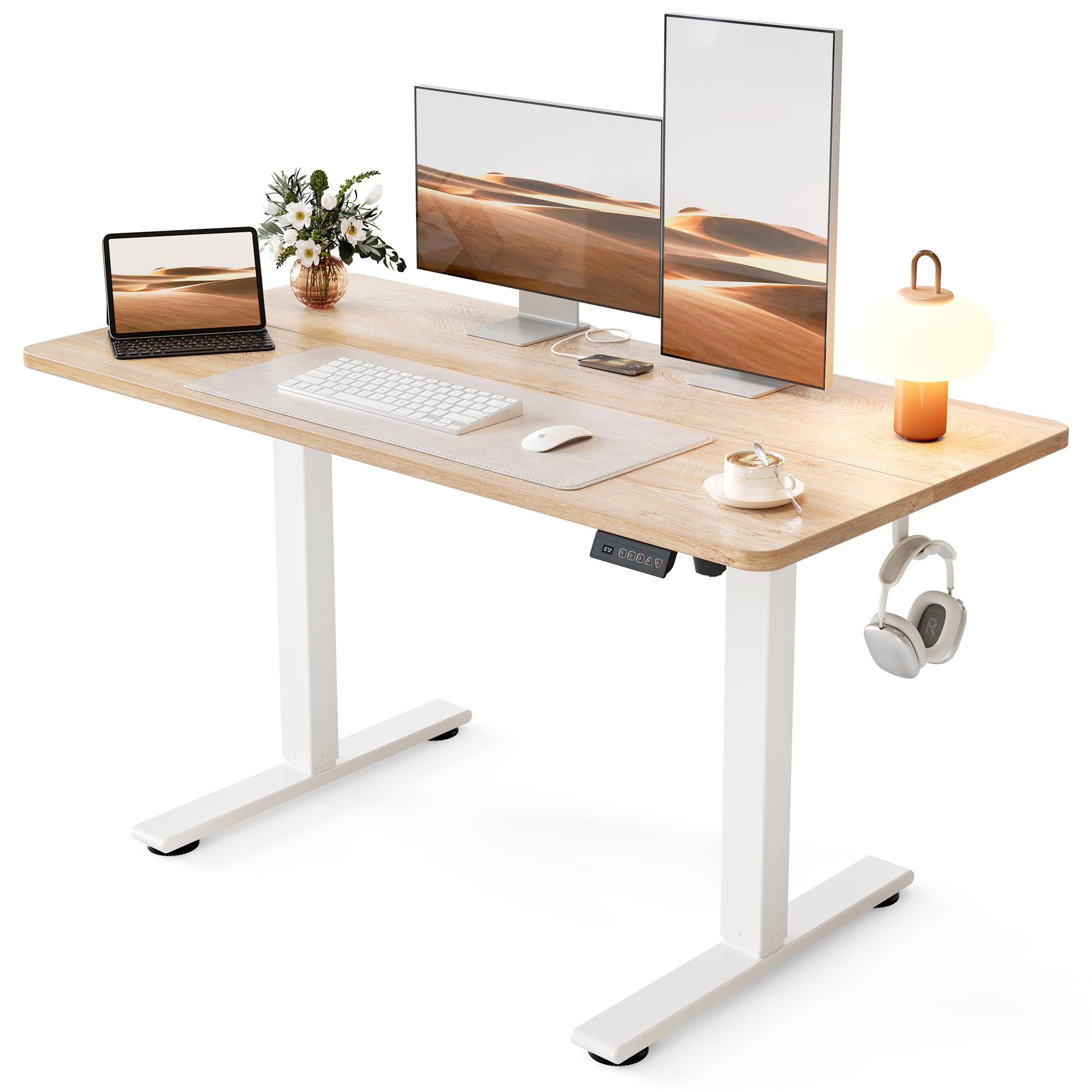
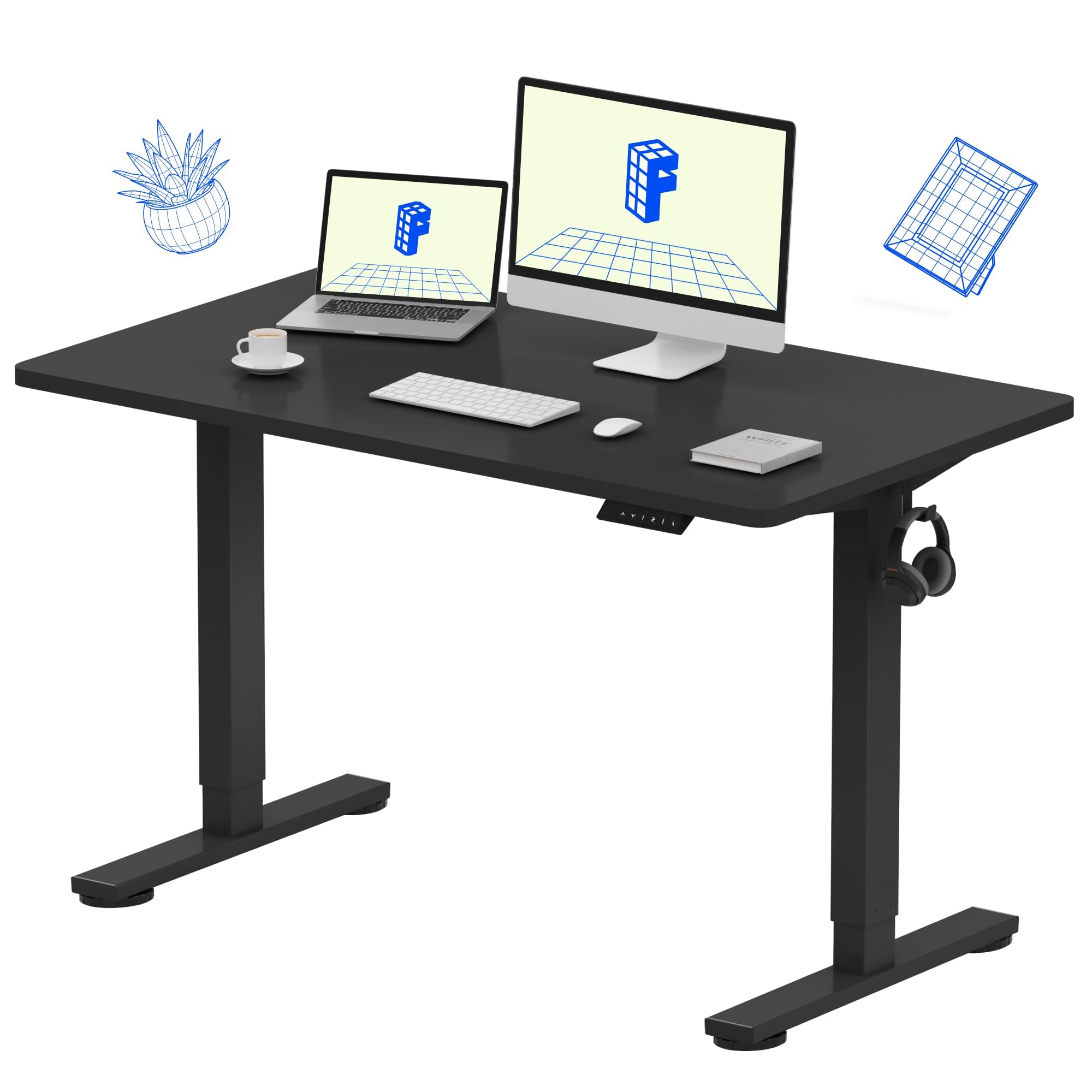
The one-piece desktop is the first thing we look at on a gaming desk, because a center seam under your mouse is a small annoyance that never quite goes away. The FLEXISPOT EN1 avoids it with a seamless 48 x 24-inch top, and that is the main reason it is our top pick here. It also gives you four memory presets, a 28.1- to 46.3-inch height range, and a 154-pound load rating. For a single large monitor, a keyboard, and a headset, that is a sensible package.

The steel frame felt steady in our setup, and the four presets are the feature we used most: one tap for sitting, one for standing, no holding a button while you wait. The 48-inch width is the trade-off. It is comfortable for one 32-inch monitor or two smaller screens, but if you run a triple-monitor arc or a full tower on the desktop, the Veken 55 or VIVO L-shape makes more sense. The compact footprint is a plus in a bedroom or shared room.

Assembly is a one-person job with the included hex key, though the instructions are not the clearest we have followed. The five-year coverage on the frame and motor is the confidence boost here; the controller and electronics are covered for two years. We also like the included cable clips and headphone hook, which keep a mouse and headset from turning the desktop into a nest.

Pros

  • Seamless one-piece top keeps mouse movement smooth
  • Four memory presets make sit-stand changes quick
  • Five-year frame and motor warranty
  • 154-pound capacity handles a monitor, arm, and PC

Cons

  • Controller coverage is shorter than the frame warranty
Our verdict

For a single-monitor gaming setup, the FLEXISPOT EN1 is our default: a seamless top, four presets, and a five-year frame and motor warranty at a budget price.
Check Latest Price
2

Best for Multi-Monitor Corners

VIVO L-Shaped

91 /100
Lab Score Outstanding

Key details

Desktop
63 x 55 in L-shape
Height Range
29–48 in
Load Capacity
225 lb
Memory Presets
4
View on Amazon

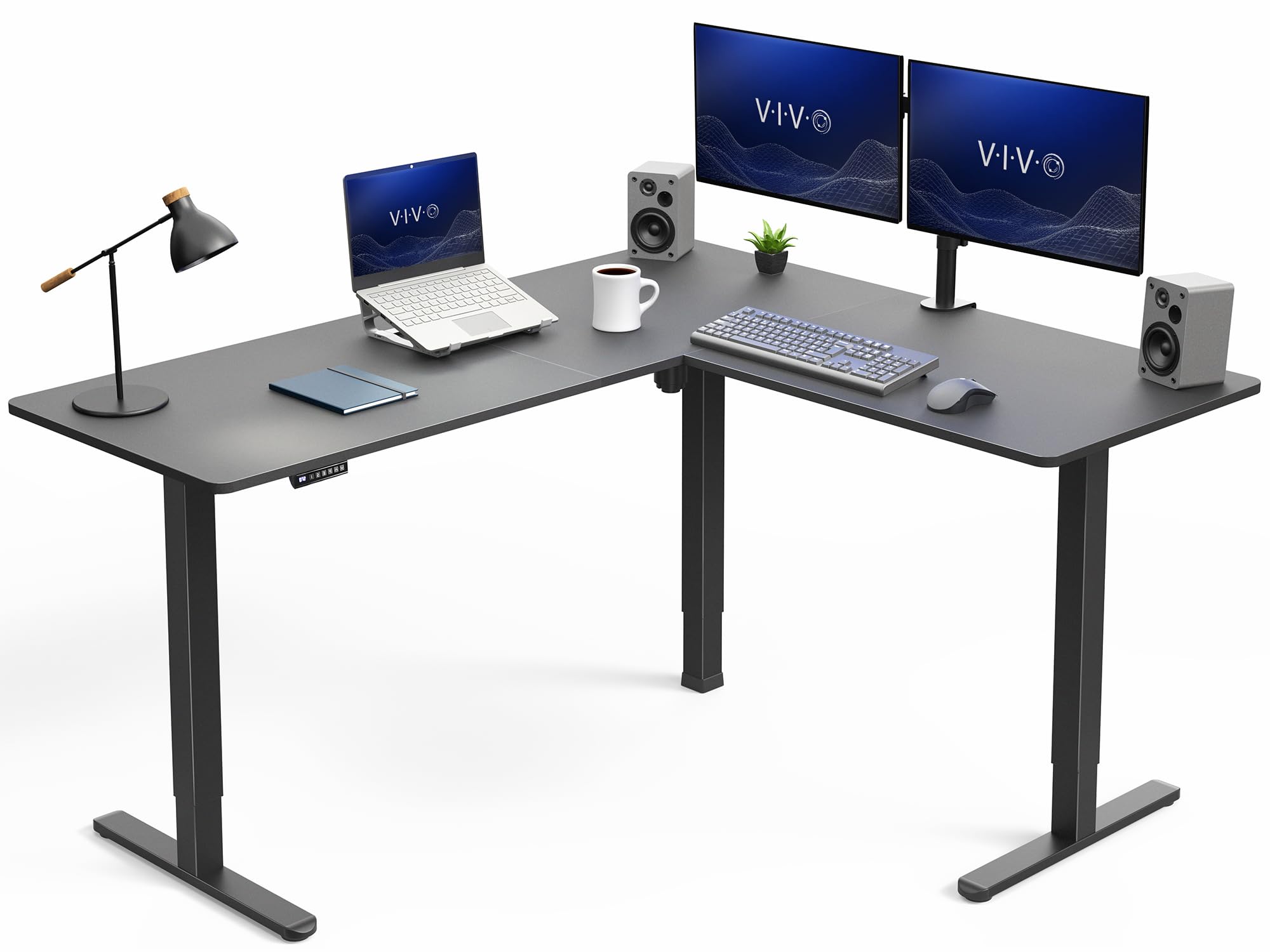
A 63-inch main run and a 55-inch return change how a gaming setup sits in a room. The VIVO L-shaped desk wraps monitors around the corner instead of stacking them in a straight line, and the three-part top gives you a dedicated return for a tower, speakers, or a second screen. The height range runs from 29 to 48 inches, with four memory presets and a 225-pound capacity.

For a multi-monitor corner, this is the desk we choose. The L-shape puts the primary monitor and a side screen at a natural angle, and the 225-pound rating is the highest here, which matters once you add a heavy monitor arm and a desktop tower. The single motor moved smoothly in our checks, and the 2.4-inch legs give the frame a substantial look. The corner footprint has to be worth it to you.

Assembly is the part to plan for. The three-piece top and steel frame are a two-person job, and the instructions are more serviceable than elegant. Once built, the 48-inch top height gives tall gamers room to stand without hunching. If you have a dedicated corner and run two or three monitors, the extra surface is easier to live with than a flat 48-inch desk.

Pros

  • L-shape puts monitors in a natural arc
  • 225-pound capacity handles multi-monitor arms and a tower
  • Height range reaches 48 inches

Cons

  • Premium price for the corner footprint
Our verdict

If your gaming setup wraps around a corner, the VIVO L-shaped desk earns the premium with a 63-inch run, a 55-inch return, and 225 pounds of support.

Check Latest Price
3

Best with Storage

HUANUO with Drawers

91 /100
Lab Score Outstanding

Key details

Desktop
48 x 24 in
Storage
2 drawers plus cubicle
Monitor Arm
C-clamp rear lip
Height Range
27.5–46.4 in
View on Amazon

The 2.36-inch rear platform edge is the detail that makes the HUANUO worth a look for a gaming setup. It gives a C-clamp monitor mount something to grip, so you can clamp an arm to the back of the desk instead of drilling or using a freestanding stand. The 48 x 24-inch top is compact, but the two desktop drawers and open storage cubicle keep a controller, cables, and a headset out of the mouse zone.

The height range is 27.5 to 46.4 inches, with four memory presets and a 176-pound load rating. We like the curved front edge for long sessions, and the drawers are genuinely useful rather than decorative. The open cubicle is a good spot for a keyboard when you switch to a controller.

Where this desk earns its place is the combination of storage and monitor-arm friendliness. If you have a compact room, a clamped arm, and a few accessories that need a home, it solves more problems than a plain 48-inch desk. If you want a rock-solid standing surface for aggressive mouse play, the FLEXISPOT or VIVO is the safer choice.

Pros

  • C-clamp-compatible rear lip
  • Two desktop drawers plus open cubicle
  • Four memory presets

Cons

  • Can wobble when raised
  • 48-inch width limits triple-monitor layouts
Our verdict

For a compact gaming desk with real storage and a clamped monitor arm, the HUANUO is the one we choose, provided you keep the load reasonable at standing height.

Check Latest Price
4

Best Wide Budget

Veken 55

90 /100
Lab Score Outstanding

Key details

Desktop
55 x 23.6 in
Height Range
28.3–46.5 in
Load Capacity
154 lb
Memory Presets
4
View on Amazon

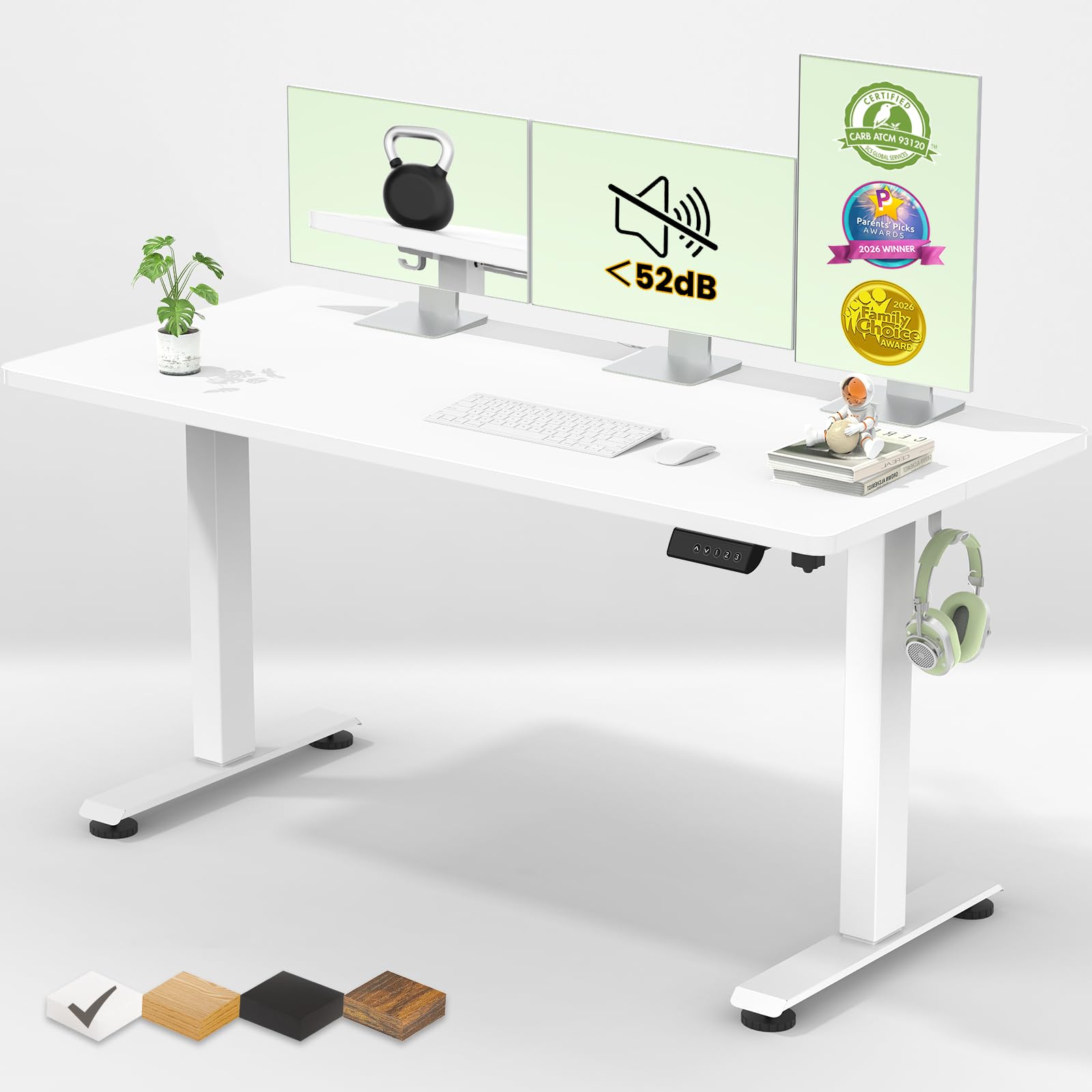
A 55-inch-wide top is the part that matters if your gaming setup runs an ultrawide and a second screen. The Veken gives you that width on a 23.6-inch-deep surface, with a height range of 28.3 to 46.5 inches, four memory presets, and a 154-pound load rating. The motor is rated under 52 dB, and the package includes cable clips and two headphone hooks.

This is the desk we point to when width matters more than depth. The extra inches let a mouse and keyboard sit side by side without crowding, and the cable management is simple but effective. The shallow depth is the catch: a big tower on the desktop eats into keyboard space, so plan to put the PC on the floor or on a side stand. The laminate top is also the part to protect with a desk mat or coaster.

Where it fits best is a wide, simple build: one or two monitors, a keyboard, a mouse, and a headset, with the tower on the floor. The quiet motor and four presets make switching between work and play easy. It is not the desk for a heavy triple-arm setup, but it gives you the most width for the least money in this group.

Pros

  • 55-inch width fits an ultrawide plus a second monitor
  • Cable clips and two headphone hooks
  • Quiet motor rated under 52 dB

Cons

  • 154-pound capacity is lower than the 176-pound picks
Our verdict

If you want a wide gaming surface without moving into premium pricing, the Veken 55 gives your monitors room and keeps the motor quiet.

Check Latest Price
5

Best Budget Alternative

ErGear 48

91 /100
Lab Score Outstanding

Key details

Desktop
48 x 24 in
Height Range
28.35–46.46 in
Load Capacity
176 lb
Memory Presets
4
View on Amazon

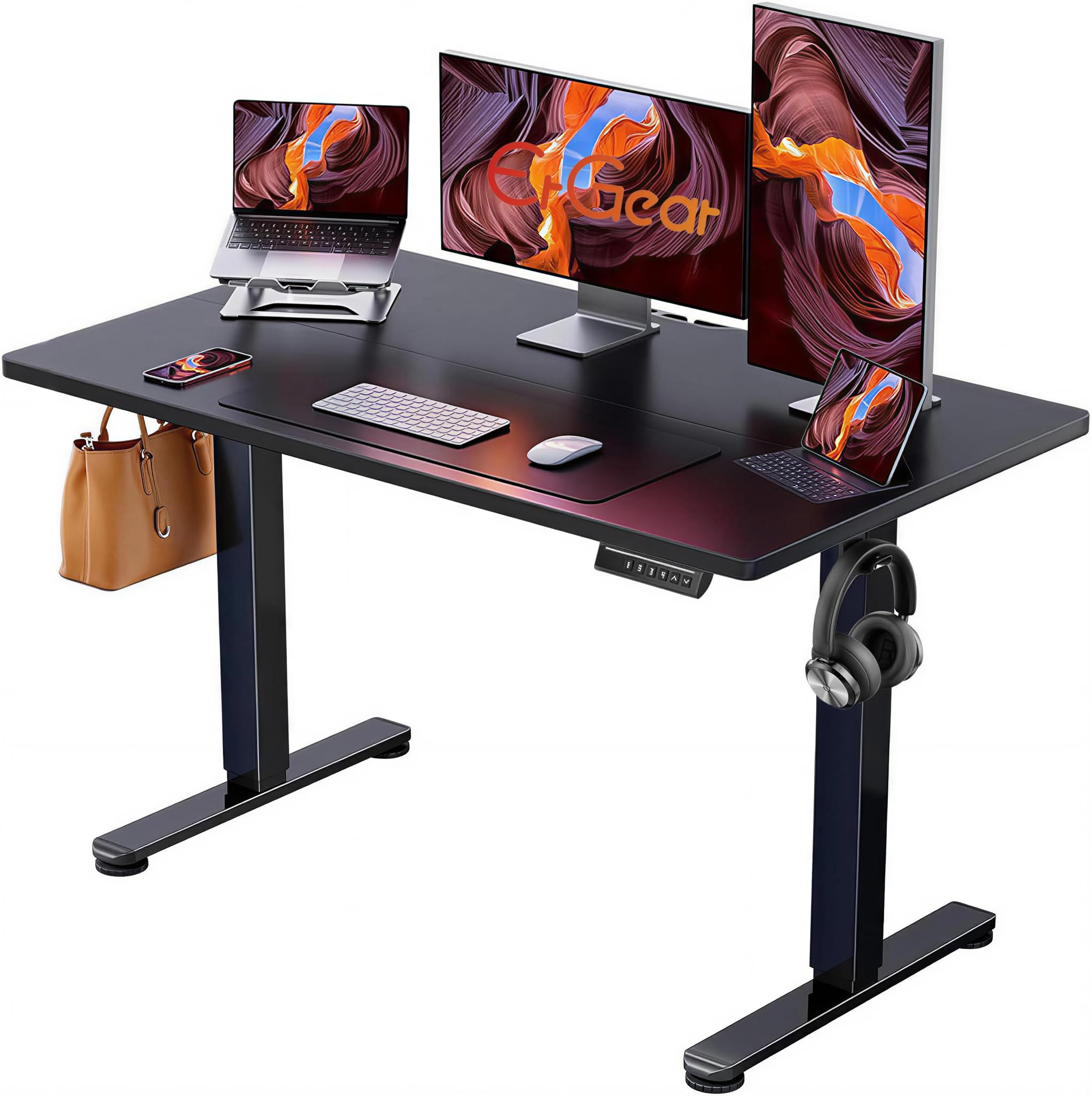
The 176-pound capacity is the number that stands out on the ErGear. That is more headroom than several desks here that cost more, and it matters if you plan to clamp a monitor arm or keep a tower on the desktop. The top is 48 x 24 inches, the height range is 28.35 to 46.46 inches, and there are four memory presets. For a budget desk, the load rating is the reason to shortlist it.

We also appreciate the low-VOC materials and the straightforward assembly. The motor is quiet enough for a shared room, and the presets are easy to set. The top comes in two panels, so a full-width mousepad is worth adding to bridge the center seam. That is the main compromise: the surface is not as clean as the one-piece FLEXISPOT.

For a first gaming desk or a secondary setup, the ErGear is the budget alternative we recommend. It gives you the capacity and presets that matter, and it leaves room in the budget for a better monitor or chair. The capacity is the part that makes it worth shortlisting; the rest of the desk is honest budget work.

Pros

  • 176-pound capacity
  • Four memory presets

Cons

  • Can wobble at full height
Our verdict

A budget desk that doesn't skimp on capacity, the ErGear is our pick for a first gaming setup with a single monitor and a clamped arm.

Check Latest Price
6

Best for Gaming Atmosphere

OffiGo U-Shaped

92 /100
Lab Score Outstanding

Key details

Desktop
55.1 x 29.1 in U-shape
Height Range
28.3–46.5 in
Load Capacity
154 lb
Gaming Features
LED strip and keyboard tray
View on Amazon

The LED strip is the first thing you notice on the OffiGo, but the U-shaped top is what makes it a gaming desk rather than a novelty. The dual-corner layout wraps a monitor stand and keyboard tray around you, and the built-in light strip offers 10 colors and 10 modes. We recommend it for the gamer who wants the station to feel like a station, not just a flat surface with a PC on it.

The height range is 28.3 to 46.5 inches, with three memory presets and a 154-pound load rating. The keyboard tray frees up the main desktop for a mouse and a second screen, and the monitor stand raises the display without a separate arm. There is also a built-in USB outlet, which is handy for a headset or phone. The 55 x 29-inch footprint is generous, so measure the room before you commit.

Assembly is straightforward but easier with two people, and the U-shape is the part to measure before you commit. The LED strip is the fun part, but the keyboard tray is what makes the layout work during a long session.

Pros

  • LED strip with 10 colors and 10 modes
  • Keyboard tray frees the main desktop
  • Monitor riser saves space
  • Three memory presets

Cons

  • 154-pound capacity is lower than several picks
Our verdict

For a gaming station that looks the part, the OffiGo U-shaped desk adds LED lighting, a keyboard tray, and a monitor riser without a premium price.

Check Latest Price
7

Deep Desktop Builds

VASAGLE 55

89 /100
Lab Score Excellent

Key details

Desktop
55.1 x 27.6 in
Height Range
28.3–47.2 in
Load Capacity
154 lb
Memory Presets
4
View on Amazon

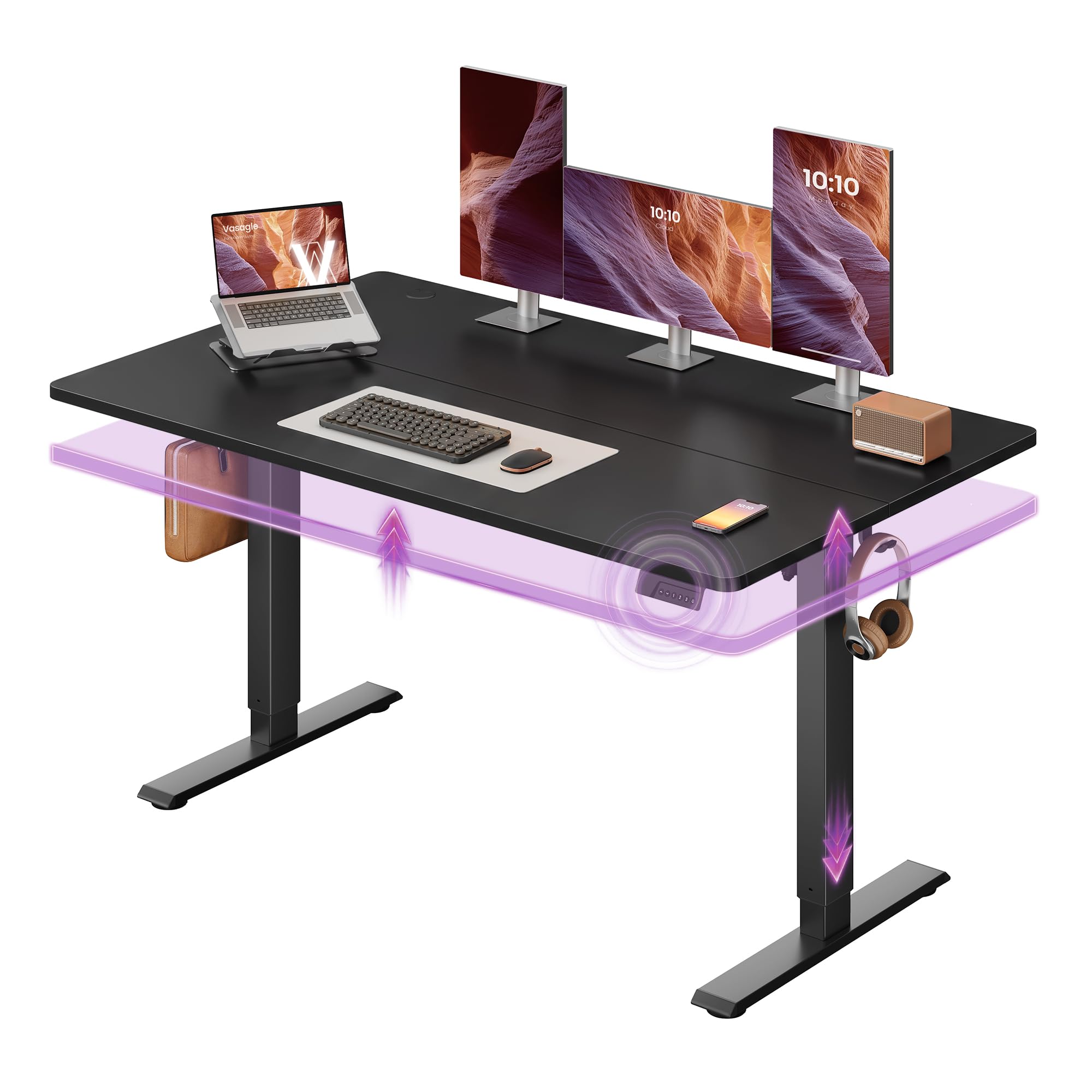
Depth is the specification that quietly decides whether a gaming desk feels cramped. The VASAGLE gives you a 28-inch-deep, 55-inch-wide top, which is four inches more front-to-back than the common 24-inch desk. The height range runs from 28.3 to 47.2 inches, with four memory presets, a 154-pound load rating, and a motor rated under 50 dB.

That extra depth is useful for a monitor arm, a full-size keyboard, and a wrist rest without pushing the mouse to the edge. The 47.2-inch top height is also one of the taller ranges here, so tall gamers have room to stand. VASAGLE also includes a sedentary reminder that nudges you to stand every hour, which is a nice touch if you lose track of time during a session.

The desk is rated for 20,000 lift cycles and is marketed with a 30-minute assembly time. The frame and top are straightforward, but plan for a clear hour and a second pair of hands for the initial build. The included accessory kit is basic, so plan your own cable management if you have a lot of gear.

Where this one fits is the deep, wide setup that does not need a corner. It is not the first desk we recommend for every gamer, because we have not lived with this model long enough to judge its motor over a few years. But if depth is your main complaint with standard desks, the 28-inch top is worth a close look.

Pros

  • 28-inch depth gives extra front-to-back room
  • Quiet motor under 50 dB
  • Sedentary reminder

Cons

  • 154-pound capacity limits heavy dual-arm setups
Our verdict

If you want a deeper-than-average gaming surface, the VASAGLE 55 gives you four extra inches front-to-back and a tall 47.2-inch lift.

Check Latest Price
8

First Gaming Desk

Cubiker 48

93 /100
Lab Score Outstanding

Key details

Desktop
48 x 24 in
Height Range
27.16–46 in
Load Capacity
155 lb
Memory Presets
3
View on Amazon

The Cubiker is the least expensive desk in this group, and it still gives you an electric height range of 27.16 to 46 inches, three memory presets, and a 155-pound load rating. The top is 48 x 24 inches, the motor is rated under 45 dB, and the desk weighs 38 pounds, which makes it the easiest one here to move or assemble alone.

Assembly is genuinely manageable for one person, and the instructions are clear enough to follow without a video. The frame is steel, and the low-VOC materials are a nice detail at this end of the market. We did notice that the screw holes can be fussy to line up, so start every bolt loosely before you tighten anything.

The top is a splice board, so there is a center seam. A full-width mousepad solves most of that for gaming, and the seam is less of a problem for a controller setup. The 155-pound capacity is enough for a single monitor and a small tower, but not for a heavy dual-arm array. The three presets are fewer than the four on the FLEXISPOT, though they cover the sitting and standing positions most people need.

For a first gaming desk on a tight budget, this is the one we recommend. It gives you the quiet lift and the core adjustability without asking you to spend like a premium desk. The light frame is the detail that makes it feel better than its price position suggests.

Pros

  • Lowest price in this set
  • 38-pound weight is easy to move
  • Three memory presets

Cons

  • Screw holes can be fussy to line up
Our verdict

For a first gaming desk on a tight budget, the Cubiker delivers a quiet lift and three presets with a light, easy-to-move frame.

Check Latest Price

How We Tested Standing Gaming Desks

To build the shortlist, I started with desks sold as standing or height-adjustable gaming desks, then filtered by frame type, weight capacity, desktop size, and price—skipping vague specs and motors rated for less than a monitor-and-tower setup. That left eight desks, which I assembled solo with only the included instructions and tools. I timed each build, noted where the manual skipped a step, and checked whether hardware felt solid or stripped easily; one desk needed a second pass because a step assumed two people. I also compared what came in the box—cable trays, presets, casters—against the price.

Each desk lived in my home office for six months, moving between sitting and standing at least four times a day—morning email, a pre-gaming height check, and an after-dinner stretch. I marked the height range with tape, timed the travel from lowest to highest, and listened for motor strain. For sturdiness, I typed hard, shoved the mouse through fast flick shots, and leaned my forearms on the front edge at full height; I also nudged each corner to see how much the desktop rocked. Fit got checked with a rolling chair pushed fully under, a mid-tower PC beside the legs, and a dual-monitor arm clamped to the back edge.

Durability and appearance came down to months of use: I watched for scratches after sliding a keyboard and a metal water bottle across the surface, and checked whether edge banding lifted. On models with casters, I rolled each across carpet and a hard floor, noting whether wheels caught or the desk drifted while I typed. Smooth movement meant the desk started and stopped without jerking, and memory presets landed at the same height every time. The best desks stayed quiet and stable after the novelty wore off.

How to Choose a Standing Gaming Desk

Surface Size and the Seam You Will Live With

Start with width and depth, because those decide what fits on the desktop. We prefer a one-piece top for gaming because a seam under the mouse is a distraction you notice every session. A 48 x 24-inch top handles one large monitor, a keyboard, and a mouse; a 55-inch-wide top gives you room for an ultrawide or two screens, but only if the depth leaves space for your keyboard. If you run a multi-monitor corner, an L-shaped desk such as the VIVO uses the room better than a wider flat desk.

Stability Is the Real Gaming Spec

At standing height, a desk that rocks under your mouse hand is worse than a fixed desk. We prioritize a steel frame, a load rating with headroom, and leveling feet that let you compensate for an uneven floor. The VIVO's 225-pound rating is the most headroom here; the 154-pound desks are fine for one monitor and a tower, but not for a heavy dual-arm array. A C-clamp monitor mount adds leverage, so check the rear edge. The HUANUO's 2.36-inch rear lip is designed for that clamp.

Height Range, Presets, and Reach

Most desks here run from about 28 inches to 46 or 47 inches, which covers average sitting and standing heights. We pay more attention to the lowest height than the highest, because a desk that cannot drop low enough for your chair is uncomfortable all day. If you are tall, look at the VASAGLE at 47.2 inches or the VIVO at 48 inches. Four presets are more useful than three if two people share the desk, but the real test is whether the desk reaches your standing elbow height.

Cable Management, Storage, and Monitor Arms

A moving desk pulls on every cable attached to it, so leave slack and bundle cables to the desk rather than the wall. A cable tray or clips help, and a headphone hook keeps a headset off the mouse pad. If you want a clamped monitor arm, check the rear edge and the desk's load rating before you buy. The HUANUO's rear lip and two drawers make it the most storage-friendly pick here; the OffiGo adds a keyboard tray and monitor riser, which frees the main surface but adds parts to assemble.

Motor Noise, Warranty, and Assembly

Motor noise is less important than stability, but a quiet lift is nice in a shared room. The desks that publish a noise rating here land around 45 to 52 dB, which is conversation-quiet. We put more value on warranty coverage than on a slightly quieter motor: the FLEXISPOT offers five years on the frame and motor, the VIVO three years, and the Veken two years. Assembly is usually a one- or two-person job; the three-part VIVO top is the one to plan help for.

Frequently Asked Questions

Final Verdict

The FLEXISPOT EN1 is the standing gaming desk we recommend first. Its one-piece top gives your mouse a clean surface, the four presets make the sit-stand switch quick, and the five-year frame and motor warranty is the longest coverage here. If your setup wraps around a corner, the VIVO L-shaped desk is the better buy; if you need a wide flat surface and want to keep budget for a monitor, the Veken 55 is the value alternative.