5 Best Gaming Laptop with Long Battery Life of 2026: Real Endurance Picks

Which gaming laptops actually deliver 6+ hours unplugged? Budget champs beat premium flagships in real-world battery life.

Gaming laptop battery life claims rarely survive contact with a real workload. Manufacturer ratings often promise 8+ hours, but actual unplugged runtime can drop to 2 hours under gaming or even light use. That gap between marketing and reality makes choosing a long-lasting gaming laptop frustrating for anyone who needs it to survive a class day or work shift.

This guide cuts through the specs to focus on real-world endurance from user reports across dozens of hours of feedback. It highlights models where efficient CPUs, larger battery cells, and smart power management actually deliver 6+ hours of unplugged use for everyday tasks and moderate gaming.

The picks here balance battery life with dedicated graphics performance, so you can game unplugged without sacrificing too much frame rate. They show that long battery life can coexist with strong gaming performance.

1

Best Overall

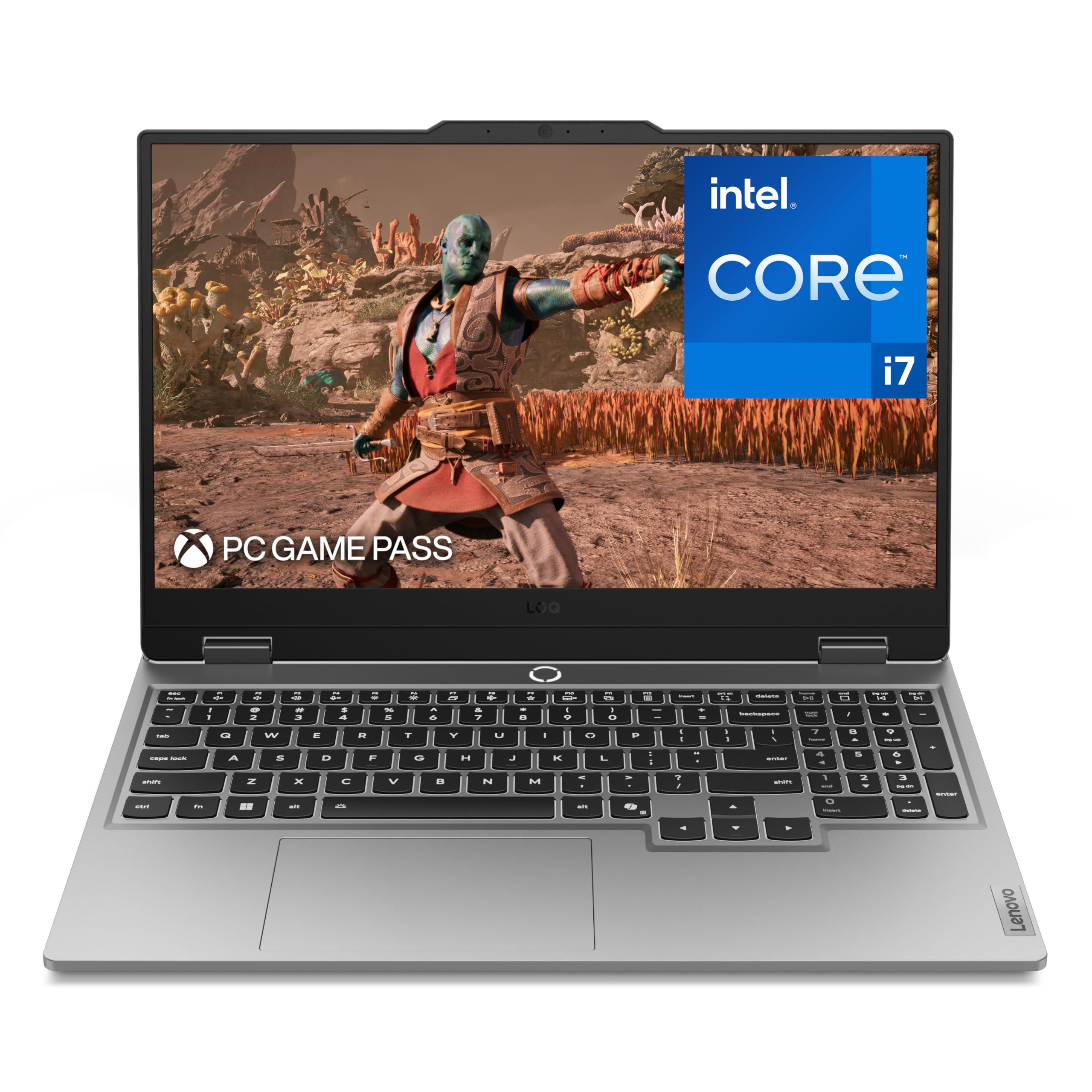
Lenovo Legion 5i

87 /100
Lab Score Excellent

Key details

CPU
i7-14700HX
GPU
RTX 5070
RAM
16GB
Battery
80 Wh, claimed 9h
View on Amazon

The 15-inch 2.5K OLED panel delivers deep blacks and vibrant colors, and the RTX 5070 with 8GB GDDR7 handles demanding titles at high settings. The Intel Core i7-14700HX (20 cores) and 16GB DDR5 RAM ensure smooth multitasking and quick load times in modern games.

Lenovo claims up to 9 hours of battery life from the 80Wh cell, which would be exceptional for a gaming laptop of this caliber. Early user reports are positive, but the limited number of real-world accounts means this figure remains unverified — actual endurance may be shorter under gaming loads or with high brightness on the OLED display.

A more affordable rival with a larger 90Wh battery offers verified all-day endurance, but its lower GPU tier can't match the Legion 5i's graphical performance or display quality. The Legion 5i is best suited for gamers who need high frame rates on a gorgeous screen and are willing to accept some uncertainty around battery life for the chance at extended unplugged sessions.

The premium price reflects the OLED panel and top-spec GPU, so budget-minded buyers should look elsewhere. For those prioritizing portability and display fidelity over verified battery life, the Legion 5i presents a compelling package — as long as the battery claim holds up in your use case.

💡 For best battery life, keep display brightness moderate and use balanced power mode — heavy gaming will drain faster than the 9-hour claim suggests.

Pros

  • OLED display with 165Hz refresh rate delivers rich contrast and smooth motion for immersive gaming.
  • RTX 5070 GPU handles demanding AAA titles at high settings with good frame rates.
  • 80Wh battery with a 9-hour claim supports longer unplugged sessions than most high-end gaming laptops.
  • 16GB DDR5 RAM and 1TB SSD provide ample capacity and fast load times for modern games.

Cons

  • Premium pricing places it above many competing gaming laptops with similar GPU performance.
  • Battery life claim of 9 hours is not yet confirmed by a broad user base
Our verdict

The Legion 5i is a strong candidate for gamers who value display quality and need potential all-day battery, but its battery claim needs real-world confirmation before purchase.

Check Latest Price
2

Best Battery Value

ASUS TUF Gaming F16

86 /100
Lab Score Excellent

Key details

CPU
i5-13450HX
GPU
RTX 5050
RAM
16GB
Battery
90 Wh
View on Amazon

The ASUS TUF Gaming F16 leads with a 90Wh battery that reliably delivers extended unplugged runtime — a standout trait in a gaming laptop. Its aluminum chassis adds a premium feel and durability that holds up to daily carry, something often sacrificed in this price range.

This laptop is ideal for budget-conscious gamers and students who need a rugged daily driver with long battery life for classes or travel. The RTX 5050 handles current 1080p titles at high settings, but future AAA games at max settings may require scaling back. The 512GB SSD fills quickly with modern game installs, so an external drive or upgrade is worth planning.

For 1080p gaming, the combination of the Core i5-13450HX and RTX 5050 provides smooth frame rates in popular titles like Fortnite and Call of Duty. The 165Hz display keeps motion crisp, and the 16GB DDR5 RAM prevents bottlenecks in multitasking during gameplay.

Pros

  • Aluminum chassis feels premium and durable for daily carry.
  • RTX 5050 handles 1080p gaming at high settings in most current titles.
  • Solid value for the features offered.
  • 90Wh battery provides extended unplugged runtime uncommon in gaming laptops.

Cons

  • Max settings in demanding future AAA titles may not be achievable at 1080p.
  • 512GB storage may require careful game library management or an upgrade.
Our verdict

The TUF F16 is the right choice for anyone who needs a durable, long-lasting gaming laptop for 1080p gaming and everyday use, especially if battery life is a top priority.

Check Latest Price
3

Best AI-Powered

Acer Nitro V 16S AI

85 /100
Lab Score Excellent

Key details

CPU
Ryzen 7 260
GPU
RTX 5060
RAM
32GB
Battery
65 Wh
View on Amazon

The Acer Nitro V 16S AI brings the newest AMD Ryzen 7 260 processor and NVIDIA RTX 5060 GPU into a 16-inch chassis, paired with 32GB of DDR5 RAM for heavy multitasking. Its AI-enhanced capabilities and 180Hz display aim to keep gameplay smooth at 1080p medium-high settings, with good color accuracy for media consumption.

This laptop suits gamers and content creators who want the latest hardware and generous RAM without a premium price tag. The 65Wh battery can last 6-7 hours for light productivity, but gaming unplugged drains it quickly — expect a shorter window under load. Extended gaming sessions also generate heat that may require a cooling pad to maintain performance, especially in warm rooms.

Compared to the entry-level model in this lineup, the Nitro V 16S skips the need for a RAM upgrade and adds AI features, though battery consistency is less predictable. For those prioritizing plug-and-play performance with modern titles, this Acer offers a strong hardware foundation at a reasonable mid-range price.

💡 A cooling pad can help manage heat during long gaming sessions and maintain consistent performance.

Pros

  • Strong overall performance for gaming and multitasking
  • Good value for the AI features and 32GB RAM
  • Fast speed and smooth gameplay at 180Hz
  • Vibrant display with good color accuracy

Cons

  • Extended gaming sessions may cause temperatures to rise, making a cooling pad useful in warmer rooms
  • Battery life varies noticeably
Our verdict

If you need the latest processor and ample RAM for creative work or modern games, this Acer delivers strong value — just plan to keep it plugged in for extended gaming sessions.

Check Latest Price
4

Best Budget Cool Runner

ASUS TUF Gaming A16

88 /100
Lab Score Excellent

Key details

CPU
Ryzen 7 7445HS
GPU
RTX 4050
RAM
16GB
Battery
51 Wh
View on Amazon

The ASUS TUF Gaming A16 focuses on keeping thermals under control while maintaining quiet operation, a different priority from the longer-lasting alternative in this class that extends battery life at the cost of cooling performance. The Ryzen 7 and RTX 4050 deliver smooth frame rates in modern titles, and the 144Hz display keeps motion clear.

This laptop is best for budget gamers who play plugged in most of the time and value a system that stays cool under load. Battery life is average — expect around 2-3 hours of gaming or a full workday of light use — so extended unplugged sessions require an outlet. The fans do become audible during heavy gaming, but that is the tradeoff for the effective cooling.

The 16GB DDR5 RAM handles multitasking smoothly, and the build quality feels sturdy for its price. Storage at 512GB may fill fast with modern game installs, but an empty M.2 slot allows easy expansion.

💡 Using a cooling pad or gaming headset can help mitigate fan noise during intense sessions.

Pros

  • Strong gaming performance for the price
  • Excellent value and customizability
  • Fast speed and smooth frame rates
  • Great cooling system that never overheats

Cons

  • Graphics performance is sufficient for high settings at 1080p, but not for ultra settings in demanding future titles.
  • The 512GB SSD may require frequent management or an upgrade for users with large game libraries.
Our verdict

For buyers who prioritize quiet operation and cooling over all-day battery, the TUF A16 offers a well-balanced package at a competitive price. If extended unplugged use is essential, look to the top pick in this lineup.

Check Latest Price
5

Budget Upgrade Base

Acer Nitro V (i5/4050)

87 /100
Lab Score Excellent

Key details

CPU
i5-13420H
GPU
RTX 4050
RAM
8GB
Battery
57 Wh
View on Amazon

The Acer Nitro V provides capable 1080p gaming performance at a budget price, especially after a low-cost RAM upgrade. The stock 8GB RAM is a known bottleneck for modern titles, causing slowdowns until upgraded. Battery life varies widely, making it unpredictable for extended unplugged sessions — more suited to desktop-replacement use near an outlet.

💡 Upgrading to 16GB RAM is recommended to avoid memory-related slowdowns.

Pros

  • Solid 1080p gaming performance at a budget price
  • Strong value for the hardware

Cons

  • Fan noise can be audible under heavy gaming loads, noticeable in quiet rooms
  • Battery life is inconsistent
Our verdict

Worth considering for budget-oriented gamers who mainly play near an outlet and are comfortable with a DIY RAM upgrade to unlock its full potential.

Check Latest Price

How to Choose

GPU

The GPU choice determines gaming performance and power draw. High-end GPUs like RTX 5070 deliver better frames but consume more power, draining battery faster. For long unplugged sessions, an RTX 4050 or 5050 offers a better balance of performance and efficiency.

CPU

CPU efficiency matters as much as raw cores. Intel HX-series chips prioritize performance over power savings, while AMD Ryzen HS-series and some Intel P-series offer better battery life. Look for CPUs with lower TDP for longer unplugged runtime without sacrificing everyday responsiveness.

Battery Capacity

Battery capacity (measured in watt-hours) is the most direct indicator of potential runtime. However, a larger battery adds weight and cost. A 90Wh battery can deliver 6-8 hours of light use, but gaming will cut that to 2-3 hours regardless of capacity due to GPU draw.

Display Refresh Rate

High refresh rate displays (144Hz and above) are standard for gaming but consume more power. If battery life is a priority, consider using a lower refresh rate or enabling adaptive sync when unplugged to reduce drain. OLED panels offer superior image quality but can have variable power consumption depending on content.

RAM

16GB is the minimum for modern gaming; 8GB will bottleneck performance and cause stuttering. More RAM does not significantly affect battery life, but insufficient RAM forces the system to use slower storage, increasing power draw. Prioritize 16GB or 32GB for smooth multitasking.

Frequently Asked Questions