15 Best Gaming Monitor of 2026: Find True Motion Clarity Without Overpaying

Which gaming monitor delivers the smoothness and clarity you actually need – without wasting money on specs that don't improve your experience.

Every monitor on the shelf claims 165Hz, 1ms, and adaptive sync. But once you plug it in, the differences in motion clarity, color consistency, and build quality become obvious. The gap between marketing specs and real-world performance is wider than most buyers expect.

The real decision starts with your gaming style. A competitive FPS player needs high refresh and low input lag above all else, while an RPG lover benefits more from strong contrast and immersive curvature. QHD at 27 inches is the sweet spot, but even that choice comes with trade-offs in panel type and GPU requirements.

Even the best monitors have quirks – dead pixels, forced auto-dimming, or limited stands. Knowing which compromises you can live with is what separates a smart buy from a regret. This guide helps you match the monitor to your tolerance, not just the spec sheet.

1

Best Overall

ASUS TUF VG27AQ3A

89 /100
Lab Score Excellent

Key details

Panel Type
Fast IPS
Resolution
QHD 1440p
Refresh Rate
180 Hz
Adaptive Sync
FreeSync Premium, G-Sync Compatible
View on Amazon

At 180Hz with a 1ms GtG response, this Fast IPS panel keeps fast-paced sequences sharp — no smearing or ghosting in sight. The 1440p resolution provides enough detail for spotting enemies in shooters, while ELMB Sync reduces motion blur without the dimming that plagues many backlight-strobing implementations. Colors pop out of the box, and the wide viewing angles mean you can tilt the monitor without losing saturation.

FreeSync Premium and G-Sync Compatibility cover both GPU camps, so tearing is a non-issue whether you are running an AMD or NVIDIA card. The 27-inch size sits comfortably in the sweet spot for competitive gaming — big enough to see fine details, small enough to keep your entire field of view in your peripheral vision.

This monitor is for the player who wants high-refresh 1440p performance on a budget. The main tradeoff involves quality control: a small number of units ship with dead or stuck pixels, so it is wise to verify your retailer’s return policy before buying. If you need a height-adjustable stand or USB-C hub, the ROG Strix sibling adds those features for a higher price.

The On-Screen Display is straightforward to navigate, and the joystick control makes adjustments quick. ELMB Sync can be toggled from the OSD and works well within its refresh-rate window, though you will need to keep the brightness above 60% to avoid noticeable flicker — a minor tuning step that most users will settle after a few minutes.

Against similarly priced VA panels, this ASUS offers better motion handling and color consistency, though it cannot match the deep blacks of a curved VA. For competitive titles where split-second decisions matter, the tradeoff leans toward IPS clarity. The value proposition is hard to beat: a 180Hz QHD IPS with adaptive sync for under $200 when on sale.

Pros

  • Sharp 1440p resolution with vibrant IPS colors and wide viewing angles.
  • 180Hz refresh rate and 1ms response eliminate motion blur in competitive games.
  • ELMB Sync reduces ghosting without the heavy brightness drop of typical strobing.
  • FreeSync Premium and G-Sync Compatibility handle both GPU ecosystems without tearing.
  • Price-to-performance ratio is class-leading for a 180Hz QHD IPS monitor.

Cons

  • Built-in speakers lack volume and clarity; external audio is necessary for any serious use.
  • Stand offers only tilt adjustment; height and swivel require an aftermarket arm or the pricier ROG Strix model.
Our verdict

For competitive gamers who want high-refresh 1440p without overspending, the VG27AQ3A offers the best motion clarity in its price bracket — just budget for external audio.

Check Latest Price
2

Best OLED Entry

Samsung Odyssey OLED G5

86 /100
Lab Score Excellent

Key details

Panel Type
QD-OLED
Resolution
QHD 1440p
Refresh Rate
180 Hz
Adaptive Sync
G-Sync Compatible, FreeSync
View on Amazon

Samsung's QD-OLED panel produces perfect blacks and vibrant colors that IPS and VA monitors in this price range cannot match. The 0.03ms response time eliminates motion blur entirely — an advantage for competitive shooters and fast-paced titles. While it doesn't reach the peak brightness of larger VA alternatives, the tradeoff is acceptable in a dimmer gaming environment.

This monitor suits gamers who prioritize contrast and motion clarity over HDR pop and bright-room usability. The 180Hz refresh rate works over DisplayPort; via HDMI it caps at 144Hz, so console players may not get the full rate. For PC gamers with an RTX or Radeon GPU, G-Sync and FreeSync provide smooth frame delivery. If you play in a room with direct sunlight or open windows, the 280-nit typical brightness will look dim — a darker room is recommended.

For the price, this is the only QD-OLED monitor under $300 with a 27-inch QHD panel and 180Hz. The motion clarity is strong, and the pixel response eliminates trailing in titles like Valorant or Call of Duty. If you can work within the brightness ceiling, the visual fidelity is a clear step above conventional LCD gaming monitors.

💡 For full 180Hz, connect via DisplayPort; HDMI is limited to 144Hz.

Pros

  • Perfect blacks and vibrant colors that add depth to games
  • 0.03ms response time eliminates motion blur for competitive play
  • Good value for an OLED gaming monitor at this price point

Cons

  • Peak brightness around 280 nits makes HDR look flat in bright rooms
  • Refresh rate capped at 144Hz over HDMI; full 180Hz only via DisplayPort
Our verdict

The Odyssey OLED G5 is the most affordable way to experience OLED gaming — if you game in a dim room and use DisplayPort, it's a compelling choice over IPS alternatives.

Check Latest Price
3

Best Ultrawide Value

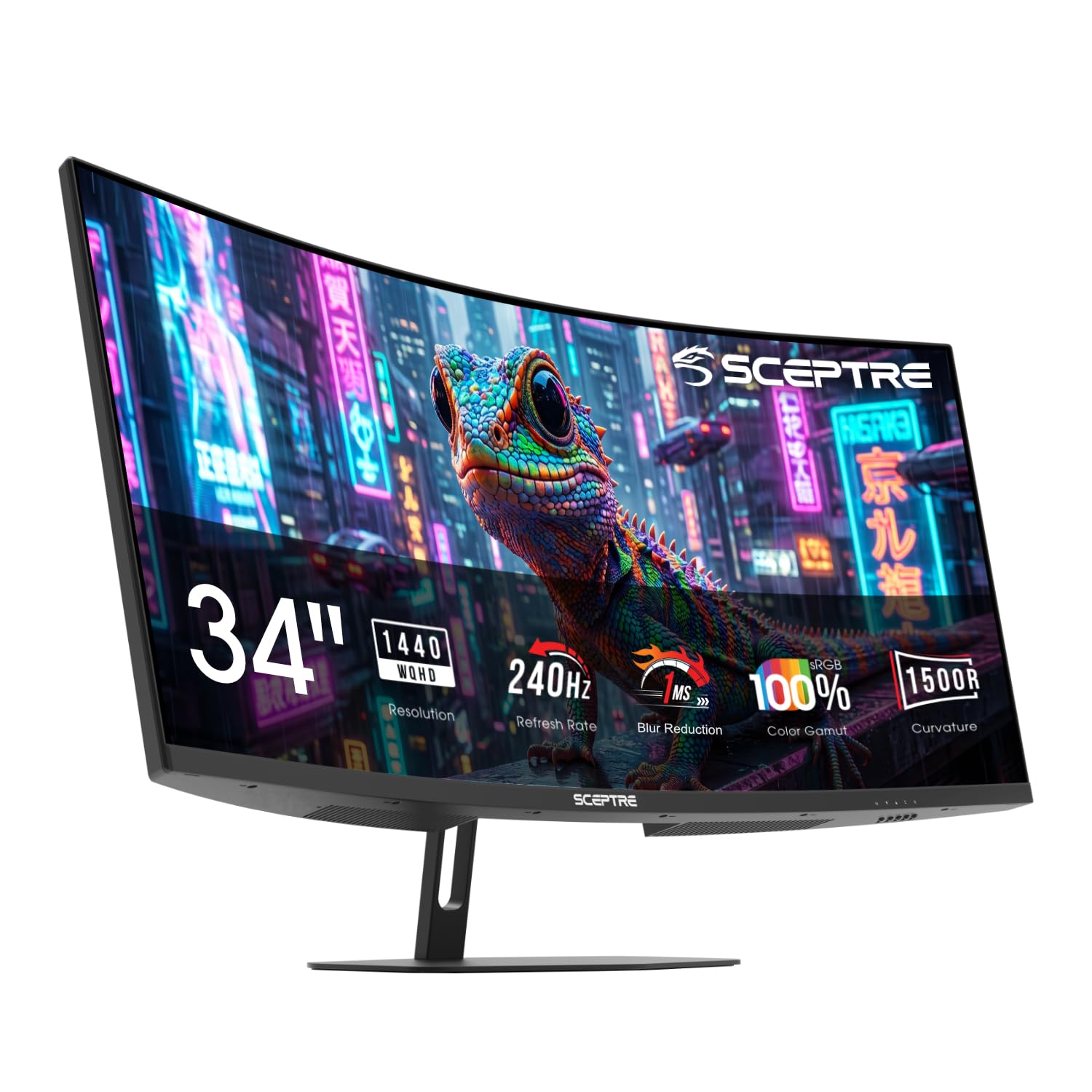
Alienware AW3425DWM

90 /100
Lab Score Outstanding

Key details

Panel Type
VA
Resolution
WQHD ultrawide
Refresh Rate
180 Hz
Adaptive Sync
FreeSync Premium
View on Amazon

The Alienware AW3425DWM delivers an affordable 34-inch 180Hz VA ultrawide experience, with a 1500R curve and WQHD resolution that create a wrap-around view perfect for racing games, flight sims, and open-world titles. FreeSync Premium and 1ms response time keep motion smooth, and the price undercuts most competitors offering similar specs from other major brands.

The VA panel offers strong contrast, making dark scenes in games like Cyberpunk 2077 or horror titles look deep and immersive. Colors are vivid and uniform across the curved screen, though not at OLED levels — a fair trade-off at this price point. The 180Hz refresh rate provides fluid gameplay without the extra cost of 240Hz panels.

This monitor is aimed at PC gamers who prioritize an immersive ultrawide format for single-player gaming and desktop multitasking. Console gamers will face black bars due to ultrawide incompatibility. There are no built-in speakers, so external audio is necessary. Additionally, screen damage during shipping has been reported — inspect the monitor upon delivery and keep the packaging for potential returns.

Pros

  • Immersive 21:9 ultrawide format with rich contrast and vivid colors for gaming and movies.
  • Strong value for a name-brand ultrawide gaming monitor at a mid-range price.
  • Extra horizontal screen space enhances productivity with split-window multitasking.

Cons

No notable drawbacks to flag.

Our verdict

For PC gamers who want a large curved ultrawide for immersive play and productivity, and are prepared to add external speakers and inspect shipping packaging, this Alienware offers a cost-effective entry into 21:9 gaming.

Check Latest Price
4

Best Ergonomic Budget Pick

ASUS ROG XG27ACS

87 /100
Lab Score Excellent

Key details

Panel Type
Fast IPS
Resolution
QHD 1440p
Refresh Rate
180 Hz
Adaptive Sync
G-Sync Compatible
View on Amazon

The ROG Strix XG27ACS delivers a fully height-, tilt-, swivel-, and pivot-adjustable stand plus a USB-C hub with 65W power delivery — features usually found on pricier monitors. This sets it apart from the cheaper TUF VG27AQ3A, which matches its 180Hz QHD IPS performance but lacks these ergonomic and connectivity upgrades.

Gamers who prioritize desk setup flexibility and single-cable laptop connection will find this monitor a strong fit. The adjustable stand accommodates various seating positions, and USB-C simplifies cable management.

However, pixel quality varies between units — dead pixels and backlight bleed may appear, and IPS glow can cause uneven brightness in corners. These issues are more noticeable in dark rooms; a solid return policy helps mitigate the risk.

💡 Before buying, confirm the retailer's dead pixel return policy — exchanging a unit can resolve any issues.

Pros

  • Clear 1440p image quality with accurate colors and ELMB Sync for smoother motion.
  • Competitively priced for a 180Hz QHD IPS monitor with adjustable stand and USB-C.
  • Sturdy build with full height, tilt, swivel, and pivot adjustments.
  • USB-C port supports video, data, and 65W power delivery for laptops.

Cons

  • In a dark room, backlight bleed or dead pixels can become distracting
  • IPS glow may show uneven brightness in corners, especially with darker content.
Our verdict

If you need an ergonomic stand and USB-C at a budget 180Hz QHD price, the XG27ACS offers real value — just factor in the possibility of pixel imperfections.

Check Latest Price
5

Best Budget 240Hz

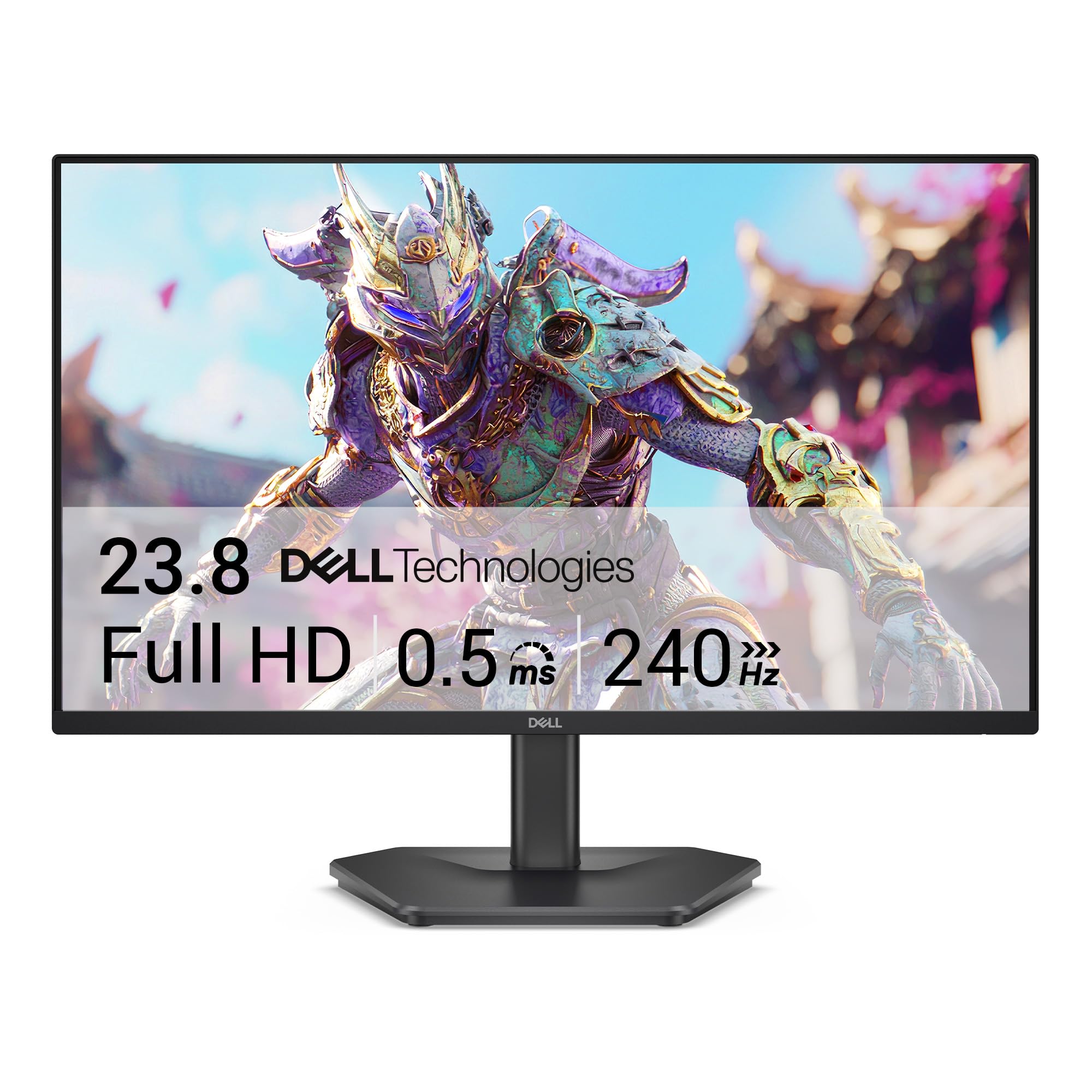
SANSUI ES-G27C1 PRO

91 /100
Lab Score Outstanding

Key details

Panel Type
VA
Resolution
FHD 1080p
Refresh Rate
240 Hz
Adaptive Sync
FreeSync
View on Amazon

The SANSUI ES-G27C1 PRO brings 240Hz to the budget segment without compromise on refresh rate. It undercuts the smaller 165Hz alternatives significantly, making it the cheapest path to smooth competitive gaming at 1080p. The 1500R curved VA panel provides decent contrast and a mild immersive curve.

This monitor is designed for budget-conscious competitive players who value high refresh rate over color accuracy or long-term reliability. Out of the box, colors may appear washed out and need manual adjustment — a quick calibration brings them to an acceptable level. More notably, some units have been noted to stop working after several months of use, so treat this as a short-term high-performance option rather than a permanent investment.

Setup is straightforward, and the display is crisp enough for gaming. The VA panel's 240Hz and 1ms response time deliver smooth motion in fast-paced titles. For the price, the image quality is adequate once calibrated.

💡 Adjust color settings out of the box to reduce the washed-out appearance — profiles for gaming can be found online.

Pros

  • Exceptional value for a 240Hz curved monitor at an entry-level price.
  • Smooth 240Hz refresh rate with 1ms response time reduces motion blur.
  • Easy out-of-box setup with all necessary cables included.

Cons

  • Color accuracy is off out of the box; washed-out look requires manual calibration.
  • Some units may stop working after several months of use
Our verdict

The cheapest 240Hz monitor available, best for competitive gamers who treat it as a high-refresh upgrade for a season rather than a long-term desk staple.

Check Latest Price
6

Best Budget IPS 200Hz

Samsung Odyssey G53F

87 /100
Lab Score Excellent

Key details

Panel Type
IPS
Resolution
QHD 1440p
Refresh Rate
200 Hz
Adaptive Sync
FreeSync Premium
View on Amazon

The Samsung Odyssey G53F delivers a 200Hz refresh rate on an IPS panel at a price point where most competitors offer VA panels. Combined with FreeSync Premium and a 1ms response time, it provides smooth, vibrant motion clarity for competitive gaming.

This monitor is ideal for competitive gamers who want IPS-level color and motion clarity at 200Hz without spending premium money. It works well for those who plan to use a VESA arm and can run a quick refresh rate test after purchase.

💡 A VESA-compatible monitor arm provides the height and pivot adjustments the stock stand lacks.

Pros

  • Vibrant QHD IPS panel with vivid colors and sharp detail.
  • 200Hz refresh rate with FreeSync Premium for tear-free gameplay.
  • Solid build quality with a clean aesthetic.

Cons

  • Stand provides tilt only
  • Some units may not achieve stable 200Hz or have experienced early shutdown.
Our verdict

For buyers who can mount on a VESA arm and test 200Hz early, the G53F delivers IPS speed and QHD resolution at a price that undercuts the competition.

Check Latest Price
7

Immersive Curved

Samsung Odyssey G55C

90 /100
Lab Score Outstanding

Key details

Panel Type
VA
Resolution
QHD 1440p
Refresh Rate
165 Hz
Adaptive Sync
FreeSync
View on Amazon

The 1000R curve and 2500:1 contrast ratio make the G55C a strong choice for immersive single-player gaming at a budget price. QHD resolution and 165Hz deliver smooth motion in dark RPGs. However, DisplayPort connectivity can be unreliable for 165Hz, and some units show color tint issues — the VA panel’s consistency falls short of IPS or QD-OLED alternatives. The 165Hz cap also trails higher-refresh competitors. It works well for story-driven titles but not for competitive play requiring precise color and flawless high refresh.

Pros

  • Immersive 1000R curve with 2500:1 contrast delivers deep blacks for dark scenes.
  • Strong value at its price point for a 32-inch QHD high-refresh monitor.
  • Smooth gaming motion at 165Hz with 1ms response.

Cons

  • Color consistency varies between units
  • DisplayPort connection may not support 165Hz reliably on some units.
Our verdict

Best suited for gamers who prioritize immersion and value over color accuracy and competitive refresh rates — check the return policy for DP and color QC.

Check Latest Price
8

4K Enthusiast

ASUS ROG PG32UCDM

92 /100
Lab Score Outstanding

Key details

Panel Type
QD-OLED
Resolution
4K UHD
Refresh Rate
240 Hz
Adaptive Sync
G-Sync Compatible
View on Amazon

The ASUS ROG PG32UCDM pairs a 32-inch QD-OLED panel with a custom heatsink and graphene film to manage heat and reduce burn-in risk — a meaningful step forward for OLED longevity. At 4K 240Hz with 0.03ms response, motion clarity is exceptional, and HDR content pops with deep blacks and vibrant highlights. However, the $1,100+ price tag places it well above most gaming monitors, and driving that refresh rate at 4K requires a GPU like the RTX 4090 or 5090. The stand also takes up considerable desk space, making a monitor arm a practical addition. For buyers considering ultrawide QD-OLED alternatives, this flat 16:9 panel offers higher pixel density and broader game compatibility.

💡 A monitor arm can free up desk space, as the included stand is sizable.

Pros

  • Deep blacks and brilliant HDR from QD-OLED technology
  • Custom heatsink and graphene film for robust burn-in protection
  • Near-instant 0.03ms response with 240Hz for smooth motion

Cons

  • Very expensive
  • Large stand footprint may crowd small desks
Our verdict

If you already own a top-tier GPU and prioritize uncompromised 4K gaming with OLED contrast, the PG32UCDM delivers — just budget for a monitor arm and a deep wallet.

Check Latest Price
9

Ultrawide OLED

Alienware AW3425DW

87 /100
Lab Score Excellent

Key details

Panel Type
QD-OLED
Resolution
WQHD ultrawide
Refresh Rate
240 Hz
Adaptive Sync
FreeSync Premium Pro, G-Sync Compatible
View on Amazon

This 34-inch QD-OLED monitor delivers impressive HDR and motion clarity at 240Hz with near-instant response, making it a strong fit for gaming enthusiasts who prioritize image quality. The 0.03ms response and adaptive sync support (FreeSync Premium Pro, G-Sync Compatible) ensure smooth competitive or immersive play. However, it sits at a premium price compared to other Alienware models, and the OLED panel requires careful usage to avoid burn-in from static elements — a risk that remains despite mitigation features. Some units may also arrive with dead pixels. This monitor is best for gamers who can manage these tradeoffs and want top-tier visuals over versatility.

💡 Run a pixel test upon arrival and enable the monitor's pixel refresh feature periodically to reduce burn-in risk.

Pros

  • Deep blacks, vibrant colors, and strong HDR bring games to life.
  • 240Hz refresh and 0.03ms response deliver exceptionally smooth motion.
  • Priced competitively among QD-OLED ultrawides, undercutting LG alternatives.

Cons

  • Static elements on screen for long sessions can lead to burn-in over time
  • Monitors may arrive with dead or stuck pixels, affecting display uniformity.
Our verdict

For gamers who want the best ultrawide OLED visuals and are willing to adopt burn-in precautions (like varying content and using pixel refresh), this monitor delivers an unmatched gaming experience.

Check Latest Price
10

Fastest IPS

LG 27GR83Q-B

87 /100
Lab Score Excellent

Key details

Panel Type
IPS
Resolution
QHD 1440p
Refresh Rate
240 Hz
Adaptive Sync
G-Sync Compatible, FreeSync Premium
View on Amazon

The LG 27GR83Q-B delivers 240Hz QHD performance with G-Sync compatibility and IPS color accuracy, making it a fast option for competitive gaming. The 240Hz refresh rate and 1ms response ensure fluid motion in fast shooters, while the IPS panel provides good color for single-player titles. However, pixel defects - sometimes near center - can appear, and some units may cease to function within months, which pushes it behind the ASUS TUF pick in overall value.

💡 Check pixel performance immediately upon arrival and keep your receipt - an early exchange can address any defects.

Pros

  • Solid build quality with 240Hz smoothness and low input lag
  • Great color accuracy and HDR400 performance for vibrant visuals
  • Responsive and attractive for competitive gaming

Cons

  • Dead or stuck pixels may appear near the center of the screen, distracting during fast-paced play
  • Some units can cease to function after a few months, requiring warranty replacement
Our verdict

Best for competitive gamers who accept the risk of pixel defects and have a reliable return policy - the ASUS TUF offers more consistent QC for similar speed.

Check Latest Price
11

Budget Curved

LG 32GS60QC-B

87 /100
Lab Score Excellent

Key details

Panel Type
VA
Resolution
QHD 1440p
Refresh Rate
180 Hz
Adaptive Sync
FreeSync
View on Amazon

The LG 32GS60QC-B brings a large 32-inch 1000R curved VA panel with 1440p resolution and 180Hz refresh rate to a budget price point, delivering immersive visuals for single-player and cinematic gaming. However, notable drawbacks restrict its audience to those who can work around them — it is best suited for buyers who prioritize screen size and curve over convenience and long-term consistency.

Pros

  • Sharp 32-inch 1440p VA display with smooth 180Hz motion.
  • Competitive price for a curved 1440p monitor with high refresh rate.
  • 1000R curve enhances immersion in large-screen gaming.

Cons

  • Auto-brightness dims the screen unexpectedly and cannot be turned off
  • Some units may cease functioning within months of use, requiring return or warranty support.
Our verdict

Only for gamers who play in consistent lighting and value the immersive curve over the auto-brightness quirk.

Check Latest Price
12

Casual Gaming

Acer KB272

93 /100
Lab Score Outstanding

Key details

Panel Type
IPS
Resolution
FHD 1080p
Refresh Rate
120 Hz
Adaptive Sync
FreeSync Compatible
View on Amazon

The Acer KB272 brings a 120Hz IPS panel with FreeSync compatibility to buyers on a tight budget, offering vivid colors and good brightness that make games and daily tasks look lively. Its 1ms VRB response time and 120Hz refresh rate provide noticeably smoother motion than a standard 60Hz office monitor.

At 27 inches and 1080p, pixel density sits at 81 PPI — icons and text appear larger, which suits secondary use or casual gaming but falls short for detail-oriented work or competitive play where sharper clarity matters. The stand offers tilt-only adjustment, so desk setup is less flexible. This monitor is best for budget-minded casual gamers or as a dependable secondary screen where those tradeoffs don't interfere.

Pros

  • 120Hz IPS with vivid colors at a budget-friendly price
  • Easy to set up and stable for everyday use
  • FreeSync support helps reduce screen tearing in compatible games

Cons

  • At 27 inches and 1080p, pixel density is low
  • Only tilt adjustment; no height or swivel, limiting desk ergonomics
Our verdict

Best for budget-conscious casual gamers or as a secondary monitor where pixel density isn't critical.

Check Latest Price
13

Small Competitive

Acer Nitro KG241Y

91 /100
Lab Score Outstanding

Key details

Panel Type
VA
Resolution
FHD 1080p
Refresh Rate
165 Hz
Adaptive Sync
FreeSync Premium
View on Amazon

The Acer Nitro KG241Y delivers a 165Hz refresh rate and FreeSync Premium support at a price that undercuts most competitors, making it an attractive option for console and PC gamers who prioritize motion smoothness over screen size. The 23.8-inch VA panel provides decent contrast for the price, and the 1ms response time (VRB) suits fast-paced titles. However, the monitor has a notable tradeoff: some units may develop issues within the first year, such as the screen going black, and the out-of-box colors appear washed out, requiring manual calibration. This makes it a better fit for buyers who are comfortable with potential defects and are willing to adjust settings, rather than those seeking long-term reliability or accurate color reproduction.

Pros

  • 165Hz refresh rate with FreeSync Premium for smooth, tear-free gaming.
  • Very affordable option among 165Hz monitors for budget buyers.

Cons

  • Some units may develop screen blackouts or other issues within the first year.
  • Out-of-box colors appear washed out and need manual calibration for acceptable accuracy.
Our verdict

This monitor fits best if you need the smallest possible 165Hz screen for competitive gaming on a strict budget and are willing to accept the possibility of early defects and color adjustment.

Check Latest Price
14

Flat QHD

Samsung Odyssey G51F

86 /100
Lab Score Excellent

Key details

Panel Type
VA
Resolution
QHD 1440p
Refresh Rate
180 Hz
Adaptive Sync
FreeSync
View on Amazon

A flat 27-inch QHD monitor with 180Hz and 1ms response delivers vivid colors and sharp detail for both work and gaming, backed by Samsung's display expertise. The VA panel provides deeper contrast than IPS alternatives, making it a good fit for mixed-use setups. However, the stand only offers tilt adjustment, so achieving the right viewing height requires a separate mount or spacer. Additionally, some units have shown a yellow tint that cannot be removed through settings, which is noticeable in color-sensitive tasks. This combination limits its appeal for buyers who need precise ergonomics or consistent white balance.

Pros

  • Sharp QHD resolution with vivid colors out of the box.
  • Good price-to-performance ratio for a 1440p 180Hz gaming monitor.
  • Solid motion clarity and 1ms response for fast-paced games.

Cons

  • Stand supports tilt only; no height or pivot adjustment.
  • Possible yellow tint that cannot be corrected via onboard controls.
Our verdict

Best for buyers who prioritize contrast and refresh rate over ergonomic adjustments and perfect color uniformity, and who are comfortable using a monitor arm if needed.

Check Latest Price
15

Ultrawide Speed

LG 34G630A-B

83 /100
Lab Score Excellent

Key details

Panel Type
VA
Resolution
WQHD ultrawide
Refresh Rate
240 Hz
Adaptive Sync
FreeSync Premium
View on Amazon

The LG 34G630A-B offers an immersive 21:9 experience with a smooth 240Hz refresh rate, making it a compelling option for ultrawide gaming at a mid-range price. The VA panel provides deep contrast and vibrant colors, enhancing the visual experience. However, the built-in speakers are lackluster and best replaced by external audio. Additionally, some units may exhibit intermittent flickering or shutdown behavior, which is worth checking under return policy. This monitor suits gamers who prioritize high-refresh widescreen over convenience and can tolerate potential setup quirks.

Pros

  • Immersive ultrawide 240Hz experience at a competitive price
  • Rich colors and strong contrast from the VA panel
  • Good value for a high-refresh ultrawide in this price range

Cons

  • Built-in speakers produce thin, underwhelming audio best replaced by external speakers
  • Some units may experience intermittent flickering or random shutdowns
Our verdict

Best suited for gamers who want an ultrawide 240Hz panel at a low price and are prepared to use external speakers and verify unit stability within the return window.

Check Latest Price

How to Choose

Refresh Rate

Higher refresh rates like 240Hz reduce motion blur, but the benefit diminishes beyond 144Hz for most players. The real-world improvement from 144Hz to 240Hz is subtle and only noticeable in fast-paced competitive titles.

Your GPU must be able to drive the monitor at its full refresh rate at your chosen resolution. A mid-range card paired with a 240Hz QHD monitor will rarely hit those frames, making the extra expense wasted.

Response Time

Response time is often quoted as 1ms, but the measurement method matters. MPRT (Moving Picture Response Time) uses backlight strobing and can introduce flicker or crosstalk, while GtG (Gray to Gray) measures actual pixel transition speed. OLED panels achieve 0.03ms GtG, which is genuinely instant.

Fast response times can cause overshoot (ghosting) if the overdrive setting is too aggressive. Look for monitors with adjustable overdrive so you can fine-tune it for the games you play.

Resolution

1080p on a 27-inch screen results in a pixel density of around 81 PPI, making text and details look soft. QHD (1440p) at 27 inches hits 109 PPI, offering a sharp image without requiring the GPU power needed for 4K.

4K at 32 inches looks stunning but demands a high-end GPU to reach high frame rates. Most competitive gamers prefer QHD for the balance of clarity and performance.

Panel Type

IPS panels offer wide viewing angles and accurate colors but have lower contrast (around 1000:1) and noticeable backlight glow in dark scenes. VA panels provide deeper blacks (3000:1 contrast) but suffer from slower response times and gamma shift off-angle.

OLED delivers infinite contrast and instant response but has lower peak brightness (around 280-350 nits) and potential burn-in from static elements. It is best for controlled lighting and mixed use with pixel refresh routines.

Adaptive Sync

FreeSync and G-Sync eliminate screen tearing by synchronizing the monitor's refresh rate to the GPU's frame output. Most FreeSync monitors work with NVIDIA GPUs (G-Sync Compatible) via DisplayPort, but check for certified models.

VRR flicker is a common issue, especially with VA panels when frame rates fluctuate. Some monitors have a fixed refresh rate override option to bypass the flicker at the cost of losing sync.

Frequently Asked Questions