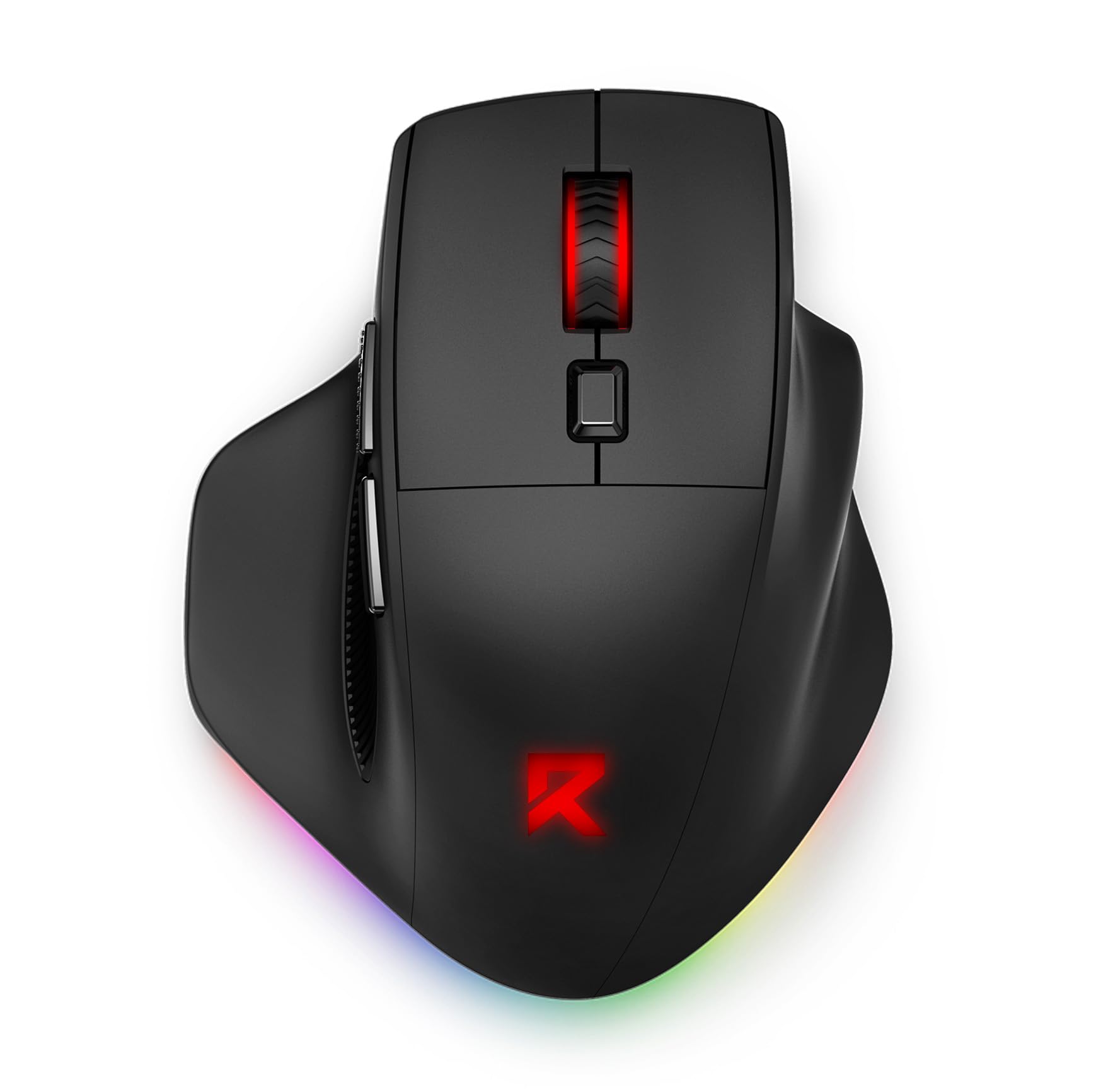
7 Best Gaming Mouse for Large Hands of 2026: Palm-Fit Comfort Without the Wear

Which large-hand gaming mice deliver real palm-grip comfort and won't let you down after months of use.

Finding a gaming mouse that actually fits a large hand is half the battle. The other half is keeping it working after a few months. Scroll wheel failures, double-click issues, and wireless dropouts are so common across price tiers that many buyers treat mice as disposable.

The good news is that some models genuinely balance ergonomics with durability. The key is choosing the right shape for your grip and a mouse that routes around known weak points. This guide focuses on picks that prioritize palm-fill comfort and skip the features that tend to break first.

Wired vs. wireless is the first fork. Wired mice cost less and remove battery anxiety, but cable drag is real. Wireless adds freedom but often comes with a battery life trade-off. The best choice depends on whether you value minimal desk clutter or reliable, long-term performance.

1

Best Overall

Razer Basilisk V3 Wired

93 /100
Lab Score Outstanding

Key details

Durability
Scroll wheel may fail
Connectivity
Wired USB
Sensor & DPI
26K Focus+
Programmable Buttons
11 + HyperScroll
View on Amazon

The Razer Basilisk V3 Wired delivers one of the broadest palm-grip shapes available in a wired gaming mouse, with a pronounced thumb rest that gives large hands room to spread without pinching. The HyperScroll wheel offers two modes: tactile steps for precise weapon swaps or free-spin for rapid document scrolling — a rare combination at this price point. The 26K DPI Focus+ sensor tracks consistently across cloth and hard pads, and the 11 programmable buttons remap cleanly through Razer Synapse software without requiring account login for basic profiles.

At 101 grams the Basilisk V3 is mid-weight by modern standards, but the balanced distribution keeps it from feeling heavy during long gaming sessions. The textured rubber side grips provide positive traction even with sweaty hands. Button placement is logical: two side buttons sit near the thumb, two more by the left click, and the DPI clutch is easily reachable without shifting grip. The RGB lighting runs along the bottom edge and scroll wheel, and can be synced with other Razer gear or left static to reduce distraction.

This mouse is best suited for gamers with larger hands who want a wired shape that supports relaxed palm or claw-palm hybrid grips. The wide body and low-profile thumb rest make it a natural fit for people who find most mice too narrow. The tradeoff is in long-term scroll wheel behavior: the free-spin mechanism can develop erratic scrolling or stop responding after months of use in some units. For buyers who prioritize a proven ergonomic shape and button count over wireless convenience, this is the most cost-effective option in the category.

Pros

  • Wide ergonomic shape with dedicated thumb rest suits large palms
  • HyperScroll wheel provides both tactile and free-spin modes for gaming and productivity
  • 11 programmable buttons with easy remapping through Synapse
  • Delivers premium features at a budget-friendly price

Cons

  • Scroll wheel may become erratic or stop responding after extended use
  • Build quality can vary, with occasional button or sensor problems appearing within months
Our verdict

For large-handed gamers who want the most comfortable wired shape available without paying wireless premiums, the Basilisk V3 delivers exactly that — just be aware the scroll wheel may require replacement sooner than expected.

Check Latest Price
2

Best Budget Wireless

Redragon BM-2995 Wireless

83 /100
Lab Score Excellent

Key details

Durability
Reliability inconsistent
Connectivity
Tri-mode 2.4G/BT/wired
Sensor & DPI
12.8K optical
Programmable Buttons
6 programmable
View on Amazon

The Redragon BM-2995 Wireless stands out as the cheapest wireless mouse with a genuinely wide body, offering tri-mode connectivity (2.4G, Bluetooth, wired) at a budget price. Unlike other budget wireless mice that squeeze the hand, this one accommodates palm grip users comfortably, and the 12,800 DPI sensor covers most gaming needs without fuss.

This mouse targets budget gamers with large hands who want wireless freedom and Bluetooth support for switching between a desktop, laptop, or tablet. The tradeoff is that some units may stop working after weeks or months of use, and connectivity can occasionally drop in certain environments — so it suits buyers willing to accept possible early replacement or minor glitches in exchange for the low upfront cost.

The 1000mAh rechargeable battery keeps the mouse running through long sessions, and the six programmable buttons offer basic customization without overwhelming weight or complexity. The shape is the real draw here — it provides the width and support that larger hands need, something many wireless options under $25 miss entirely.

💡 Keep the 2.4G dongle within a few feet of the mouse and away from USB 3.0 ports to minimize potential interference.

Pros

  • Comfortable fit for larger hands during extended gaming sessions.
  • Affordable entry point for wireless gaming with tri-mode flexibility.
  • Bluetooth, 2.4G, and wired modes work smoothly across multiple devices.

Cons

  • Some units may stop working prematurely
  • Wireless connectivity can occasionally drop or lag in certain environments.
Our verdict

The best option under $25 for large-handed users who prioritize ergonomics and wireless flexibility over long-term reliability.

Check Latest Price
3

Most Customizable Wireless

Logitech G502 Lightspeed

93 /100
Lab Score Outstanding

Key details

Durability
Double-click, scroll issues
Connectivity
LIGHTSPEED wireless
Sensor & DPI
Hero 25K
Programmable Buttons
11 + free-spin scroll
View on Amazon

The Logitech G502 Lightspeed stands apart from other large-hand wireless mice with its adjustable weight system (up to 18g) and 11 programmable buttons, including a free-spin scroll wheel. This is the mouse for gamers who want to fine-tune every aspect — balance, button assignments, and scroll behavior — rather than settling for a fixed shape and weight. It contrasts with the simpler, lighter wireless option in this guide that prioritizes pure palm-grip comfort over customization.

This mouse suits large-handed users who prefer a broad, palm-friendly shape and enjoy tweaking their peripherals. The weight tuning allows you to shift the center of gravity, and the free-spin wheel can be toggled for rapid vertical scrolling. However, long-term durability is a known vulnerability: double-click issues and scroll wheel encoder failures have been reported in some units after extended use. For buyers who keep a mouse for years, this may be a deciding factor.

On the performance side, Logitech's LIGHTSPEED wireless technology delivers latency that matches wired mice, and the Hero 25K sensor tracks accurately across any surface. Battery life reaches 60 hours on a single charge, enough for a week of daily gaming. The RGB lighting is customizable per zone.

💡 Switch the scroll wheel to ratchet mode for precise game inputs — free-spin mode works best for browsing long documents.

Pros

  • Wireless performance matches wired mice with minimal latency.
  • Adjustable weight system (up to 18g) lets you fine-tune balance and feel.
  • Eleven programmable buttons and a free-spin scroll wheel offer deep customization.

Cons

  • Free-spin scroll can overshoot or trigger accidental scrolling in some situations.
  • Double-click issues and scroll wheel encoder failures have been noted in some units over time.
Our verdict

For gamers who want the deepest customization in a wireless, large-hand mouse and are comfortable with the possibility of needing repairs down the road, the G502 Lightspeed delivers unmatched adjustability.

Check Latest Price
4

Premium Wireless Champion

Razer Basilisk V3 Pro 35K

88 /100
Lab Score Excellent

Key details

Durability
Occasional wireless dropouts
Connectivity
HyperSpeed/BT 140hr
Sensor & DPI
35K Focus Pro
Programmable Buttons
13 customizable
View on Amazon

The Razer Basilisk V3 Pro brings the same large-hand-friendly ergonomics as the wired Basilisk V3 but adds wireless freedom and Razer's latest Focus Pro Gen2 35K sensor. The Gen-3 optical switches sidestep the double-click problems that plague mechanical switches, and the HyperScroll wheel adapts between free-spin and tactile scrolling with a button press. Adjustable weight tuning is absent, but the ergonomics and button layout suit palm grip users with broad hands.

This mouse targets enthusiasts who prioritize the highest DPI sensor and optical switch durability, and who are comfortable spending premium for a wireless setup with long battery life. The 140-hour HyperSpeed rating holds up through marathon sessions, though the wireless connection can occasionally drop out in some setups — a minor irritation given the cost. The price is steep compared to the wired Basilisk V3, but for those who need cable-free operation and the latest sensor tech, the tradeoff makes sense.

Ergonomically, the Basilisk V3 Pro is identical to the wired version — a slightly tilted body with a deep thumb rest and textured grips. The 13 programmable buttons include a dedicated DPI clutch and two side buttons that are easy to reach without shifting grip. The HyperScroll wheel is satisfying for both fast document scrolling and precise weapon swaps in games.

💡 Position the HyperSpeed dongle within line-of-sight and away from metal surfaces to minimize wireless dropout risk.

Pros

  • Focus Pro Gen2 sensor delivers pinpoint tracking up to 35K DPI
  • Optical Gen-3 switches rated for 90 million clicks with no double-click risk
  • Comfortable large-hand palm grip with adjustable HyperScroll wheel
  • Long 140-hour battery life on HyperSpeed wireless

Cons

  • Premium pricing limits appeal to budget-conscious buyers
  • In competitive gaming, occasional wireless dropouts may disrupt performance; less noticeable in casual use
Our verdict

For large-hand gamers who value wireless convenience and the highest sensor performance over saving money, the Basilisk V3 Pro delivers — just be prepared for the rare connectivity blip.

Check Latest Price
5

Best Palm Grip Wireless

Logitech G703 Lightspeed

91 /100
Lab Score Outstanding

Key details

Durability
Scroll wheel, switch failures
Connectivity
LIGHTSPEED wireless 35hr
Sensor & DPI
Hero 25K
Programmable Buttons
6 programmable
View on Amazon

The Logitech G703 Lightspeed strips away weight and button clutter to deliver a pure palm-grip wireless experience. Its 95g body and rounded shape sit naturally under a large hand, while the Hero 25K sensor tracks without perceptible lag. This mouse prioritizes comfort and simplicity over customizable weight tuning or extra macro keys found on the slimmer G502 option.

Battery life reaches around 35 hours with RGB active, covering several days of moderate gaming. The included LIGHTSPEED receiver keeps latency consistent with wired mice, making this a strong choice for competitive FPS titles where quick flicks and consistent aim matter.

This mouse suits palm-grip gamers with larger hands who prefer a straightforward wireless setup and do not need more than six programmable buttons. The shape fills the hand without forcing a grip adjustment. However, like other Logitech G mice, the scroll wheel and main switches can develop issues over time — a tradeoff that matters less if you plan to replace the mouse within a year or two, or if your gameplay rarely involves heavy scrolling.

Pros

  • Wireless response matches wired during fast-paced matches
  • Comfortable shape for palm grip with large hands
  • Battery lasts through multiple gaming sessions without constant recharging

Cons

  • Six programmable buttons limit macro-heavy gameplay
  • Scroll wheel and switch failures may occur after extended use, especially under heavy scrolling
Our verdict

A straightforward wireless mouse for palm-grip gamers who value comfort and low weight over extra features — best suited for competitive FPS and casual use, not MMO marathons.

Check Latest Price
6

Best for MMO/MOBA

ASUS ROG Spatha X

84 /100
Lab Score Excellent

Key details

Durability
Side buttons stiff
Connectivity
2.4G/BT 67hr
Sensor & DPI
19K optical
Programmable Buttons
12 + dock
View on Amazon

The ASUS ROG Spatha X distinguishes itself in the wireless gaming mouse market with twelve programmable side buttons and a magnetic charging dock. While the Logitech G502 Lightspeed emphasizes weight tuning and a free-spin scroll wheel, the Spatha X focuses on button density and effortless recharging. Its 19K DPI optical sensor tracks accurately, and the dock aligns automatically for drop-in charging.

This mouse is designed for MMO and MOBA players with large hands who rely on many side commands. The 168g weight and stiff buttons are deliberate tradeoffs—they offer stability for deliberate clicks but can cause fatigue over extended sessions. After a short adjustment period, the button layout becomes intuitive for macros. Players with smaller hands or who prefer lighter clicks should look elsewhere.

Battery life reaches 67 hours with RGB off, supporting several days of heavy use. Hot-swappable switch sockets allow easy replacement without soldering, extending the mouse's lifespan. The wide, tall shape accommodates XXL hands comfortably, making it one of the few wireless options that truly fits a full palm grip.

💡 The magnetic charging dock works best when kept within arm's reach for convenient drop-in recharging.

Pros

  • 12 programmable side buttons become intuitive after adjustment, ideal for MMO and MOBA macros.
  • Magnetic charging dock makes recharging effortless with no cable fumbling.
  • Wide, tall shape accommodates very large hands without cramping.

Cons

  • Occasional wireless disconnects may interrupt gameplay.
  • The ergonomic shape is polarizing—some grip styles may feel less natural.
Our verdict

For large-handed MMO/MOBA players who value button count and wireless charging over weight, the Spatha X delivers. If you need lighter clicks or a less polarizing shape, the Logitech G502 Lightspeed is a safer alternative.

Check Latest Price
7

XXL Hands

Corsair IRONCLAW RGB Wired

86 /100
Lab Score Excellent

Key details

Durability
Scroll/button failure common
Connectivity
Wired USB
Sensor & DPI
18K optical
Programmable Buttons
7 programmable
View on Amazon

The Corsair IRONCLAW RGB Wired delivers a shape that accommodates the largest hands with a full palm contact that few mice can match. The build feels solid initially and the glides are smooth, making it comfortable for extended sessions. However, the scroll wheel and primary buttons can degrade within months of regular use, which places this mouse in a specific role: a short-term ergonomic fix for large-handed gamers who are willing to replace it yearly. Compared to the Razer Basilisk V3 (the top pick here), the IRONCLAW offers a wider fit but lacks the same button layout and durability profile at a similar price point.

Pros

  • Palm-friendly shape gives XXL hands full surface support
  • Solid build with low-friction feet for stable tracking
  • Reduces hand fatigue during long gaming sessions

Cons

  • Scroll wheel and button switches may degrade faster than expected under heavy daily use
  • Left and middle click can become unresponsive after several months
Our verdict

For large-handed gamers willing to treat the mouse as a disposable ergonomic tool, the IRONCLAW offers a fit no other shape can match — but plan on replacing it within a year.

Check Latest Price

How to Choose

Ergonomics and Dimensions

A mouse that is too narrow forces your fingers to cramp, while one that is too long can make button reaches uncomfortable. Palm-grip users need a mouse that fills the back of the hand without forcing the wrist into an awkward angle. Look for a width of at least 3.8 inches and a length over 5 inches.

Thumb rests help, but their placement matters. A rest that is too far forward or too shallow can cause thumb strain in long sessions. The best shapes let your thumb rest naturally without being pushed outward.

Sensor and DPI

DPI numbers are marketing. Most gamers never exceed 3200 DPI even on high-resolution monitors. What matters is sensor accuracy — tracking without acceleration or jitter. Optical sensors from the major brands (Logitech Hero, Razer Focus, Corsair Marksman) all perform well beyond what any human can perceive.

Lift-off distance is a more practical spec. A high lift-off can cause cursor drift when you pick up the mouse to reposition. Low lift-off (around 1mm) is preferred for competitive play. Check this in reviews because it varies even among high-end sensors.

Wired vs. Wireless

Wired mice offer zero latency, no battery anxiety, and typically cost 30-50% less than their wireless counterparts. The downside is cable drag, which can be mitigated with a bungee. For desk setups where the cable can be routed cleanly, wired is often the smarter buy.

Wireless mice add convenience but introduce a hidden trade-off: battery life vs. connectivity stability. Models with long battery claims often use power-saving modes that introduce input lag. Low-latency wireless (Logitech LIGHTSPEED, Razer HyperSpeed) has closed the gap with wired, but Bluetooth can still feel sluggish.

Programmable Buttons

More buttons doesn't mean better. The key is placement and tactile feedback. Side buttons that are too stiff or too recessed are hard to press without shifting grip. MMO players benefit from a grid of 6-12 side buttons, but for FPS and MOBA, 2-4 well-placed thumb buttons are usually enough.

Button count also affects weight. Each additional switch adds grams. If you value lightweight agility, stick with 5-6 buttons. If you need macros for complex game rotations, look for a dedicated cluster that doesn't interfere with your grip.

Build Durability

Scroll wheel and primary switch failures are the industry's dirty secret. Mechanical switches (common in Logitech G-series) develop double-click after 10-20 million clicks. Optical switches (Razer Gen-3, ASUS hot-swap) eliminate double-click but can still develop other issues like side-button wobble.

Scroll wheel encoders are the weakest point. Free-spin wheels and tilt wheels use more complex mechanisms that are prone to dirt ingress and mechanical wear. A basic tactile scroll wheel often outlasts a fancy hyper-scroll one. If long-term reliability is your priority, consider bringing a soldering iron or choosing a mouse with hot-swappable switches.

Frequently Asked Questions