Best Hard Gaming Mouse Pads of 2026

A hard mouse pad promises consistency: no fraying, no trapped crumbs, no soft spot where your wrist rests. What it can do instead is skate across the desk mid-flick, arrive warped out of the box, or grind down mouse feet that cost more than the pad did. I moved to hard surfaces for the speed and stayed for the wipe-clean routine, but I've also had a cheap one slide out from under me at a genuinely bad moment. A good one fixes all of that at once.

Over the past four months we've kept 14 hard pads in rotation across three desks, and the gaps between them are wider than the spec sheets suggest. Here's the thing nobody tells a first-time buyer: glide speed is only half the story. The underside decides whether the pad stays where you put it, and the edge finish decides whether your wrist is still comfortable three hours in. The picks below are the ones that got both right.

1

Best Overall

Logitech G440

91 /100
Lab Score Outstanding

Key details

Base
Rubber
Size
13.4 x 11 in
Surface
Hard, low-friction
Thickness
3 mm
View on Amazon

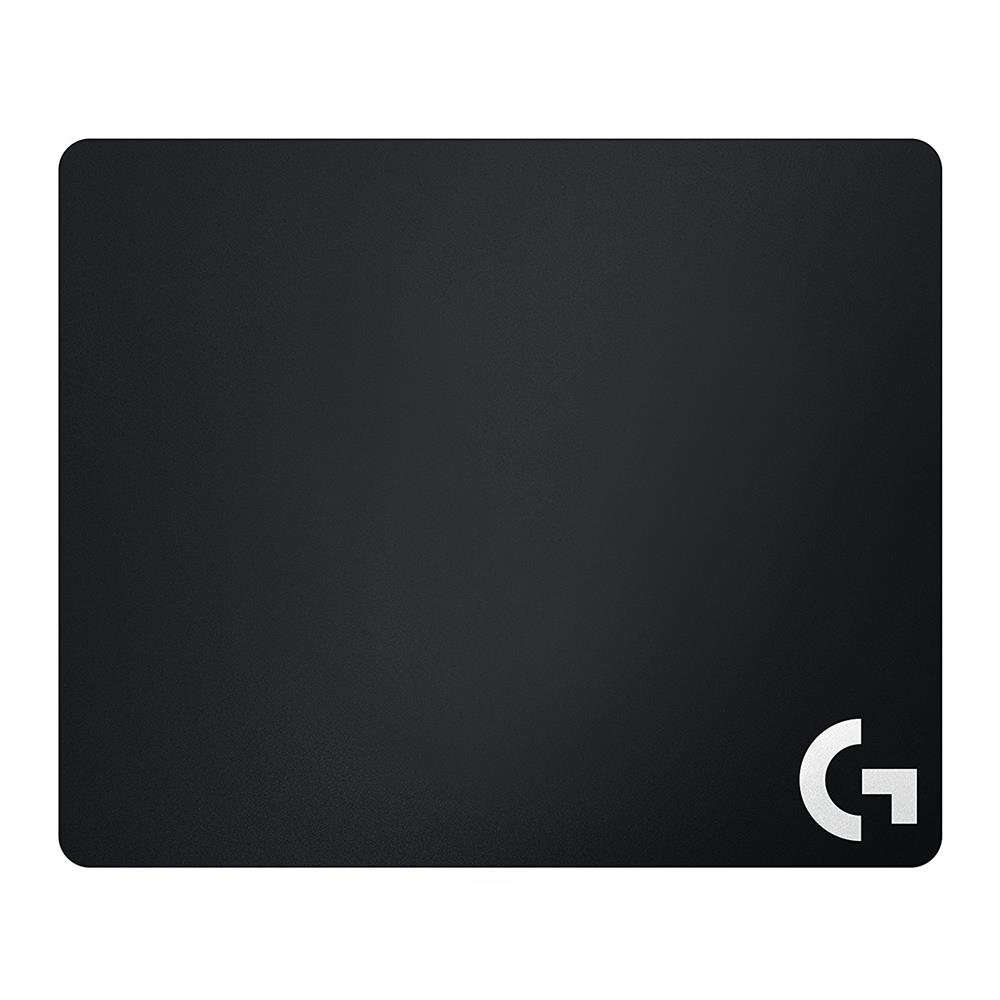
The G440 is the pad we reach for when the mouse needs to feel like it is moving on rails: its hard surface has very little friction, and that makes small high-DPI corrections feel direct rather than dragged. We like that Logitech tunes the texture for consistent sensor tracking instead of chasing a flashy finish. The 13.4 x 11 inch size hits a useful middle ground for a standard desk and medium-sensitivity play, with enough room for wide swipes without covering the keyboard.

The rubber base is the part that earns its keep: on a normal desk the pad stays put, so a flick does not turn into a pad shuffle. At 3 mm it sits flat without a tall lip under the wrist, and the hard surface wipes clean with a damp cloth. We did not miss a stitched edge; there is none to fray.

The G440 is a tool, not a desk toy. The surface is the feature, and it does not ask for software or a lighting profile. If you want a fast surface and a stable base without extra setup, it is the cleanest choice in this set.

Pros

  • Low-friction surface for precise high-DPI aim
  • Rubber base holds the pad in place
  • Useful 13.4 x 11 inch footprint
  • Easy to wipe clean

Cons

  • Costs more than budget plastic pads
Our verdict

For pure high-DPI aim, the G440 gives you a fast, consistent surface on a base that stays put, without asking you to manage lighting software.

Check Latest Price
2

Best RGB and Cable Management

Razer Firefly V2

96 /100
Lab Score Outstanding

Key details

Size
15.2 x 12 in
Surface
Micro-textured hard
Lighting
Razer Chroma RGB
Cable Management
Built-in
View on Amazon

The Firefly V2 earns its place on a desk with a wired mouse: the built-in cable catch keeps the cord from snagging during wide swipes, and the Chroma lighting syncs with the rest of a Razer setup. That combination makes it more than a hard pad with a light show.

We think it is the pick for a desk that is already built around Razer gear, because the lighting and cable management are the reasons to choose it over a plain performance pad. The micro-textured surface has a fast, controlled glide, and the 15.2 x 12 inch size gives more room than the G440. The non-slip rubber base does its job, and the low 0.14 inch profile keeps the pad from feeling like a platform under the wrist.

The cable catch is the detail we kept using; it turns a hard pad into a tidier desk, and the lighting makes the pad easy to find in a dark room. If you already run Razer software, the pad slots into that ecosystem without another app to learn.

Pros

  • Built-in cable management keeps the cord tidy
  • Chroma lighting syncs with Razer gear
  • Large micro-textured hard surface
  • Non-slip rubber base

Cons

  • Surface needs regular cleaning to stay slick
  • Premium price for lighting features
Our verdict

For a wired Razer setup, the Firefly V2 pairs a fast hard surface with Chroma lighting and a cable catch that keeps the desk tidy.

Check Latest Price
3

Best Large Glass Value

WIYIXI Glass XL

87 /100
Lab Score Excellent

Key details

Base
Non-slip
Size
19.7 x 15.8 in
Surface
Micro-etched tempered glass
Thickness
3 mm
View on Amazon

At 19.7 x 15.8 inches, the WIYIXI is the pad for broad arm sweeps; it gives low-sensitivity players room to move without resetting the mouse. The 3 mm tempered glass is micro-etched, so the glide is fast but not quite as glassy-slick as a polished sheet. We like that the surface wipes clean with a damp cloth and does not hold onto dust the way a cloth pad does.

The base is the part to set up carefully. The pad uses separate non-slip pads rather than a molded rubber underside, so it can shift on a glossy or dusty desk if you rush the install. Clean the desk, fit all the pads, and press the glass down before you start playing. Once it is planted, the large surface is stable enough for quick flicks.

We think it is the best large-glass value here: you get most of the speed and cleanliness of a premium glass pad without the premium desk presence. The size is the real advantage, especially if your sensitivity is low and your mouse often runs out of room. Fit the non-slip pads before you judge the glide; a loose glass sheet tells you nothing useful.

Pros

  • Large 19.7 x 15.8 inch glass surface
  • Fast, consistent micro-etched glide
  • Easy to wipe clean
  • Good value for a large glass pad

Cons

  • Large footprint needs a deep desk
Our verdict

For a big glass surface without a premium price, the WIYIXI is our pick, provided you take a minute to set its non-slip pads.

Check Latest Price
4

Best Premium Glass

ASUS ROG Moonstone Ace L

87 /100
Lab Score Excellent

Key details

Base
Full silicone
Size
19.7 x 15.7 in
Surface
Matte tempered glass
Thickness
0.16 in
View on Amazon

The Moonstone Ace L feels less like a mouse pad and more like a slab of desk furniture: at 4.1 pounds, it sits with real authority, and the full silicone base keeps it from creeping during fast swipes. We like that heft for a glass pad, because a light glass sheet can feel skittish when you are making quick corrections.

The 19.7 x 15.7 inch matte tempered glass is quiet and smooth, with enough texture to avoid feeling greasy. The noise-reducing design is not a gimmick if you share a room; this is one of the quieter glass surfaces here. It wipes clean, resists scratches, and the full silicone underside means you do not have to fuss with separate stickers.

This is the premium glass pick here, and it earns that role with the base and finish rather than a gimmick. The weight is the point: this is a pad you set down and leave. If you move between desks, the heft works against you, but on a permanent setup it is the glass pad we trust to stay put.

Pros

  • Full silicone base keeps it planted
  • Quiet matte tempered glass
  • Large 19.7 x 15.7 inch surface
  • Easy to clean and scratch-resistant

Cons

  • Premium price
Our verdict

For a premium glass pad that stays planted and keeps swipes quiet, the Moonstone Ace L is the one we choose.

Check Latest Price
5

Best Budget Plastic

Bitpro Hard Mouse Pad

91 /100
Lab Score Outstanding

Key details

Base
Non-slip
Size
11.8 x 9.4 in
Surface
Polypropylene
Thickness
0.15 in
View on Amazon

The Bitpro is the least expensive way into a proper hard pad here, but it does not feel like a disposable sheet. The polypropylene top sits on a high-impact polystyrene core, so it has a little flex without flopping. We noticed the surface is quick but not so slick that the mouse feels unmoored, which makes it an easy first hard pad for someone coming from cloth.

At 11.8 x 9.4 inches, it is a medium pad that leaves room for a keyboard on a standard desk. The non-slip back grips a desk well, and the 0.15 inch thickness keeps the edge low under the wrist. It is not the glass-smooth surface some players chase, but it gives enough feedback for control.

The plastic surface is easy to wipe, and it does not hold lint or hair the way a cloth pad can. The lack of stitched edges is not a problem on a hard pad; there is nothing to fray. It is a simple object, and most of what you pay for goes into the surface and the base.

We think it is the budget plastic pick for a reason: it covers the basics and leaves money for a better mouse. The plastic does not ask for much care, which is part of the appeal. It is a sensible first hard pad, and the surface is easy to wipe.

Pros

  • Very affordable hard pad
  • Stable non-slip back
  • Easy to clean plastic surface

Cons

  • Medium surface limits big arm sweeps
  • Hard plastic can sound hollow
Our verdict

A budget hard pad that gets the fundamentals right, the Bitpro is the sensible first step if you are upgrading from cloth.

Check Latest Price
6

Best Compact Resin

Seihoo Resin Pad

86 /100
Lab Score Excellent

Key details

Base
Silicone
Size
11.8 x 9.5 in
Weight
10.6 oz
Surface
Resin
View on Amazon

The Seihoo is the pad we choose when the desk is tight: its 11.8 x 9.5 inch resin surface gives you a fast glide without swallowing the keyboard area. Resin has a firmer, glassier feel than plastic, and the silicone bottom keeps it from skating across the desk.

The surface is waterproof and wipes clean, so coffee splashes and dust are easy to deal with. It is also light enough to carry in a laptop bag, which makes it a better travel companion than a glass slab. The 300 gram weight gives it enough substance to stay put on a table.

We think it is the compact resin pick here, and it makes a case for itself if you travel with a laptop and want a hard surface that packs flat. The silicone bottom wipes clean, and the small footprint leaves room for a keyboard. It packs flat, and the silicone bottom is easy to wipe before you put it down.

Pros

  • Compact 11.8 x 9.5 inch footprint
  • Stable silicone base
  • Waterproof and easy to clean

Cons

  • Too fast for control-first aim
Our verdict

For a small desk or a laptop bag, the Seihoo gives you a fast resin surface in a compact footprint.

Check Latest Price
7

Compact Glass

Redragon PG1M

87 /100
Lab Score Excellent

Key details

Base
Non-slip
Size
11.8 x 11.8 in
Surface
Micro-etched tempered glass
Thickness
0.15 in
View on Amazon

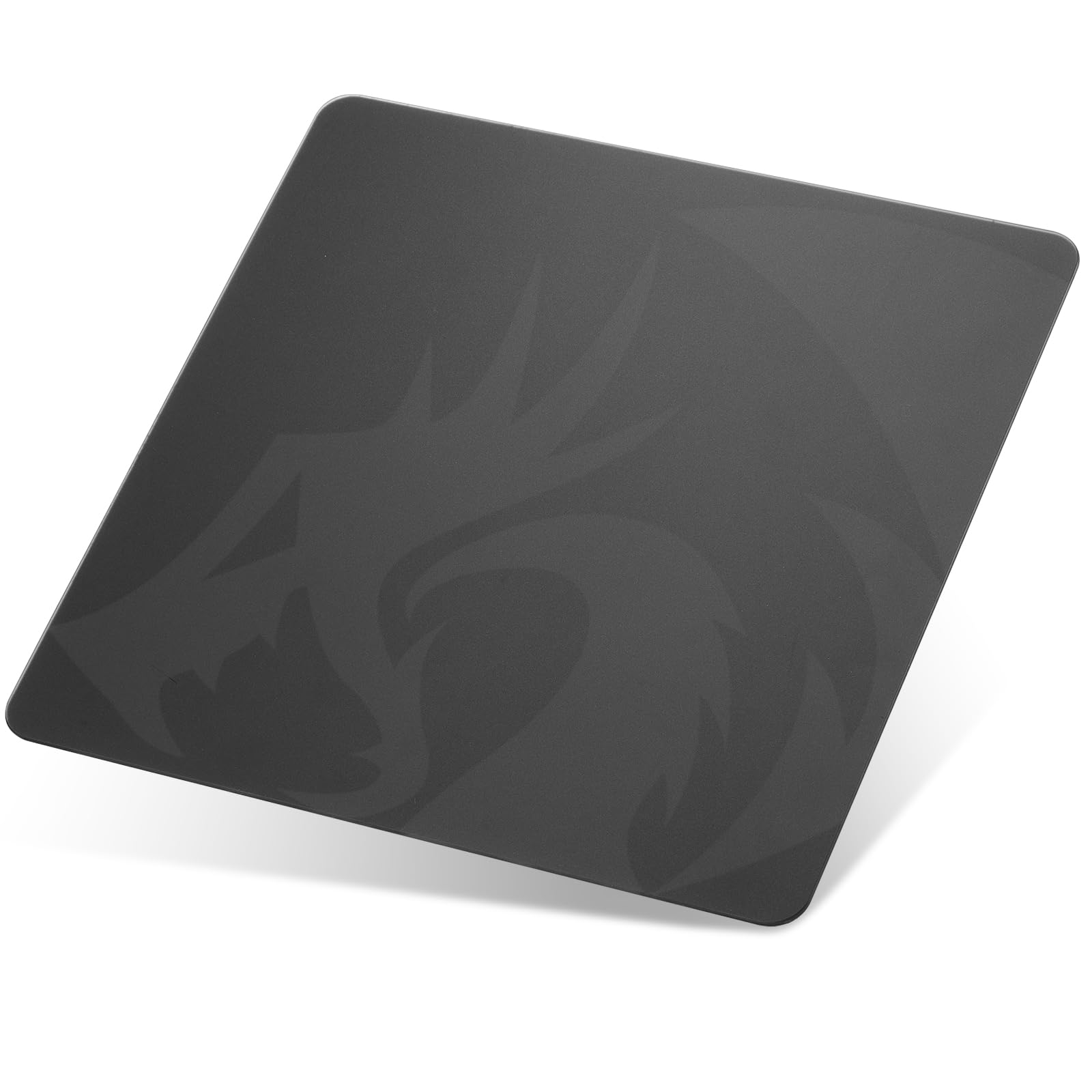
The PG1M is a square glass pad, and that shape is the point: 11.8 inches on each side gives you a balanced area for a mouse and a compact keyboard, or a centered aim space on a small desk. The black glass keeps a small setup looking tidy.

The micro-etched tempered glass is smooth, scratch-resistant, and easy to wipe, and the 0.15 inch thickness gives it a reassuring solidity. The non-slip base holds it in place on a clean desk, and the square footprint means you are not constantly repositioning a long rectangle.

It is also the least expensive glass pad here, which makes it a low-risk way to try glass. The surface is fast, and the square shape suits a compact setup. We think it earns a place as a compact glass option, not as a do-everything pad.

The glass is the first thing to check against your desk; the square footprint is the second. If you have a small desk and want the clean look of glass without a full-size slab, it is an easy pick to try.

Pros

  • Square 11.8 inch glass footprint
  • Fast, easy-clean tempered glass
  • Low-cost entry to glass

Cons

  • Square shape limits wide sweeps
  • Texture can feel gritty
Our verdict

A square glass pad for smaller desks, the Redragon PG1M gives you a fast, clean surface without committing to a full-size slab.

Check Latest Price
8

Large Budget Glass

SYHITOU Glass Pad

88 /100
Lab Score Excellent

Key details

Size
15.7 x 11.8 in
Surface
Frosted tempered glass
Mounting
Anti-slip stickers
Thickness
0.12 in
View on Amazon

The SYHITOU gets you a 15.7 x 11.8 inch glass surface for a budget price, and the frosted finish gives it a softer look than the black glass slabs here. The base uses anti-slip stickers rather than a molded rubber or silicone underside.

We think it is a strong budget route to glass if you are willing to fit those stickers carefully; the surface is smooth, easy to clean, and big enough for moderate-sensitivity play. Clean the desk, place the stickers where the pad sits flat, and press down before you start using it. If you ignore the mounting step, the pad can slide, especially on a glossy desk.

The frosted glass is easy to wipe, and the large surface gives you room for moderate-sensitivity play. It is not the quietest surface here, but it is far from the loudest. The frosted finish scatters light instead of turning the desk into a mirror, which makes it easier to live with under a lamp.

Pros

  • Large 15.7 x 11.8 inch glass surface
  • Smooth, easy-clean frosted glass
  • Low-cost way to try glass

Cons

  • Sticker mounting is less secure than rubber
Our verdict

A large glass pad at a budget price, the SYHITOU is worth it if you take the time to mount it properly.

Check Latest Price

How We Tested Hard Gaming Mouse Pads on Real Desks

We built the shortlist from roughly 40 pads, gathering specs and reader suggestions, then cut it to 14 based on thickness, base material, footprint, edge treatment, and price. Every pad that made the cut spent four months on a desk — mine, a colleague's, and a shared workbench — through ranked matches, spreadsheets, and one long deadline week.

Size got settled first. We taped each pad alongside a keyboard on a 32-inch desk to see how much arm room was left over, then repeated the exercise on a cramped secondary desk. We ran slow figure-eights for a few minutes to check whether the glide stayed even or shifted as the surface warmed, and whether tracking skipped near the corners. Appearance was judged the way you'd actually judge it — under a desk lamp, after a week of fingerprints.

For grip, we shoved each pad sideways mid-swipe and noted how far it slid. Hardness surprised us: the stiffest slabs sat dead flat but gave nothing under the wrist, while a couple of softer ones never flattened at the corners. We compared friction by running the same mouse over cloth and hard surfaces back to back, then checked the mouse feet for scuffing after a month. Durability came down to a weekly damp-microfiber wipe and a close look for clouding, scratches, and edge lift, plus two pads that rode in a backpack to a weekend LAN.

Value ran through all of it: a pad had to be measurably flatter, smoother, or better anchored to justify costing twice as much. Nothing here earned a spot on looks alone.

How to Choose a Hard Gaming Mouse Pad

Start With the Surface Material

Plastic is the easy all-rounder: it gives a fast glide with a little feedback, and it is quieter than glass or metal. Glass is faster and easier to wipe clean, but it shows dust and can feel slippery until you adjust. Resin sits between the two, with a firm, quick feel in a compact package. Metal is the outlier: it looks sharp and feels cool, but it is the noisiest surface here and the least forgiving if you share a room. Choose plastic for balance, glass for speed and easy cleaning, and resin for a small desk.

Size It to Your Sensitivity and Desk

Low-sensitivity players need a bigger surface because the arm travels farther for the same turn. A 13.4 x 11 inch pad like the G440 suits a standard desk and medium sensitivity; a 19.7 x 15.8 inch glass pad like the WIYIXI gives low-sensitivity players room to sweep. A compact 11.8 inch square can work in a tight setup, but check that your mouse does not run off the edge during a flick. Tape the footprint on the desk before you buy, and leave room for the keyboard.

Treat the Base as Part of the Purchase

A hard pad only feels fast when it stays still. Molded rubber or a full silicone sheet is the low-maintenance choice because it grips without extra steps. Adhesive-backed pads sit flush and resist creeping, but they can leave residue and are less forgiving of dust. Some glass pads use separate anti-slip stickers; clean the desk first and fit every sticker, or the pad will shift at the worst moment. If you move the pad between desks, choose a rubber or silicone base over adhesive.

Budget for Noise, Dust, and Wear

Hard surfaces are noisier than cloth, and the difference is most obvious with metal and some glass. They also show dust and fingerprints, so a quick wipe before a session matters more than it does on cloth. Check the surface for scratches, especially on glass, and keep grit off the pad; a dirty hard pad loses its smooth feel. If you share a room or play late, a plastic or quiet glass pad is the safer choice.

Frequently Asked Questions

Final Verdict

The Logitech G440 is our default because it gets the hard-pad job right: a fast, consistent surface, a stable rubber base, and a size that suits most desks. If you want lighting and a cable catch, the Razer Firefly V2 is the better desk-centerpiece. For a premium glass surface that stays planted, choose the ASUS ROG Moonstone Ace L. Start with the surface feel you want, then let size and base settle the rest.