Best Glossy OLED Gaming Monitors of 2026

Glossy is the finish people point at across a showroom floor: blacks go bottomless, colors look wet, and the image seems to sit on the glass instead of behind it. The catch is that gloss is also a mirror, and a window behind your desk can turn a very good panel into a very expensive light fixture. That trade-off ran through the nine months my team spent with six of these monitors set up in offices, bedrooms, and one sun-drenched living room.

OLED piles on its own worries — whether the panel gets bright enough for a daytime room, whether a health bar will ghost into the screen after a year, whether variable refresh rate drags flicker along with it. What a good one fixes is the choice between fast and beautiful: motion clarity and color depth come from the same panel, and you stop compromising on one to get the other. The picks below are the ones we'd put on our own desks.

1

Best Overall

LG UltraGear 27GX704A-B

88 /100
Lab Score Excellent

Key details

Resolution
2560 x 1440
Screen Size
27 inches
Refresh Rate
240 Hz
Screen Finish
Glossy
View on Amazon

Two hundred and forty frames a second, a glossy QHD panel, two HDMI 2.1 ports, a USB hub and a stand that tilts, swivels, pivots and adjusts for height all arrive in the same box here, which is exactly the checklist the cheaper glossy panels leave something out of. That is why the 27GX704A-B is our top pick: nothing about it needs an apology at checkout.

The gloss is the part you notice first. Without a matte layer scattering light across the surface, blacks stay black instead of drifting grey, and dark scenes hold the depth that makes an OLED worth paying for. It also mirrors what is behind you. Light behind the monitor is fine; light behind your chair, whether a window, a lamp or a bright doorway, will show up in every shadow. Move the desk or add a shade before you blame the coating.

Brightness is the number to go in knowing. LG rates this panel at 275 nits typical with a DisplayHDR True Black 400 certification, which in practice means highlights bloom hard against near-black while a full-screen bright sky stays calm rather than blinding. We think that is the right trade in a room you can dim. On a desk facing an unshaded window, it is the wrong monitor.

One thing to do in the first week: some units flicker in dark scenes with adaptive sync engaged, and a few arrive with vertical lines. That is not a reason to skip it, but it is a reason to buy somewhere with a simple return policy and to run a dark-scene test before the window closes.

Pros

  • 240Hz glossy QHD at the low end of the price range
  • Two HDMI 2.1 inputs plus a USB hub
  • Height, swivel, pivot and tilt adjustment
  • G-Sync Compatible and FreeSync Premium Pro

Cons

  • Two-year warranty with no burn-in coverage
Our verdict

We recommend it to almost anyone shopping glossy OLED: it nails the 240Hz QHD basics and adds the stand and ports the cheaper panels skip.


Check Latest Price
2

Best Value

AOC Q27GAZD

87 /100
Lab Score Excellent

Key details

Panel
QD-OLED
Warranty
3 years
Refresh Rate
240 Hz
Screen Finish
Glossy
View on Amazon

Strip the badge and the AOC Q27GAZD is the same proposition as our top pick: 27 inches, 2560 x 1440, 240Hz, glossy. The panel underneath is different, because this one is QD-OLED, and so is what comes in the box.

That makes it the value pick of this group, and the one we suggest when the budget is the deciding factor. QD-OLED covers 147.6% of sRGB and 110.2% of DCI-P3, which is the technical way of saying saturated reds and greens hold their color instead of washing toward white next to a black background. HDR400 True Black is the same modest tier as the LG, so treat HDR as a bonus rather than the reason to buy.

The stand is where the money was saved: it tilts and does nothing else, and on a desk that shakes when you type the picture shakes with it, so set it on something solid. Pair that compromise with a three-year manufacturer warranty, a full year more cover than the LG offers, and the arithmetic gets easy. What you give up in adjustability you get back in the years you are covered.

Pros

  • QD-OLED color with 110.2% DCI-P3 coverage
  • Three-year manufacturer warranty
  • 240Hz QHD with 0.03ms response

Cons

  • Single HDMI input
Our verdict

The one we hand people when the budget decides: the same 27-inch 1440p glossy brief, QD-OLED color and three years of cover.

Check Latest Price
3

Best 32-Inch 4K

LG UltraGear 32GX850A-B

86 /100
Lab Score Excellent

Key details

Resolution
3840 x 2160
Screen Size
32 inches
Refresh Rate
165 Hz / 330 Hz dual mode
Screen Finish
Glossy
View on Amazon

Thirty-two inches changes the job the monitor does. At 4K across a 32-inch panel the pixel pitch falls to 0.18mm, and text, menus and strategy games stop looking like they are being viewed through a screen door, which is the point where an OLED stops being a gaming accessory and becomes the display you work on too. That jump, on a glossy surface, is why we rank it above the 27-inch picks for anyone with the desk for it.

It runs 4K at 165Hz natively and adds a faster 330Hz mode for when frames matter more than pixels, and LG's Micro Lens Array+ layer lifts the highlights rather than washing out the whole picture. Brightness is the same 275 nits typical as the smaller LG, so a 32-inch sheet of glass near a window is going to show you the window. Plan the room, not just the desk.

The weight is the part that never shows up in a spec comparison. At 20.1 pounds on a stand that reaches 9.8 inches back, it wants a desk that can carry it and a seating position at least an arm's length away, and it takes a bigger bite out of the surface than any 27-inch panel here. Get that right and the extra real estate is the whole point of spending more.

Pros

  • 4K at 32 inches with a 0.18mm pixel pitch
  • Dual-mode option up to 330Hz
  • Two HDMI, three USB and a fully adjustable stand

Cons

  • 165Hz ceiling in 4K mode
Our verdict

For anyone with the desk depth, this is the glossy OLED that replaces a gaming monitor and a work display in one go.

Check Latest Price
4

Best for High Refresh

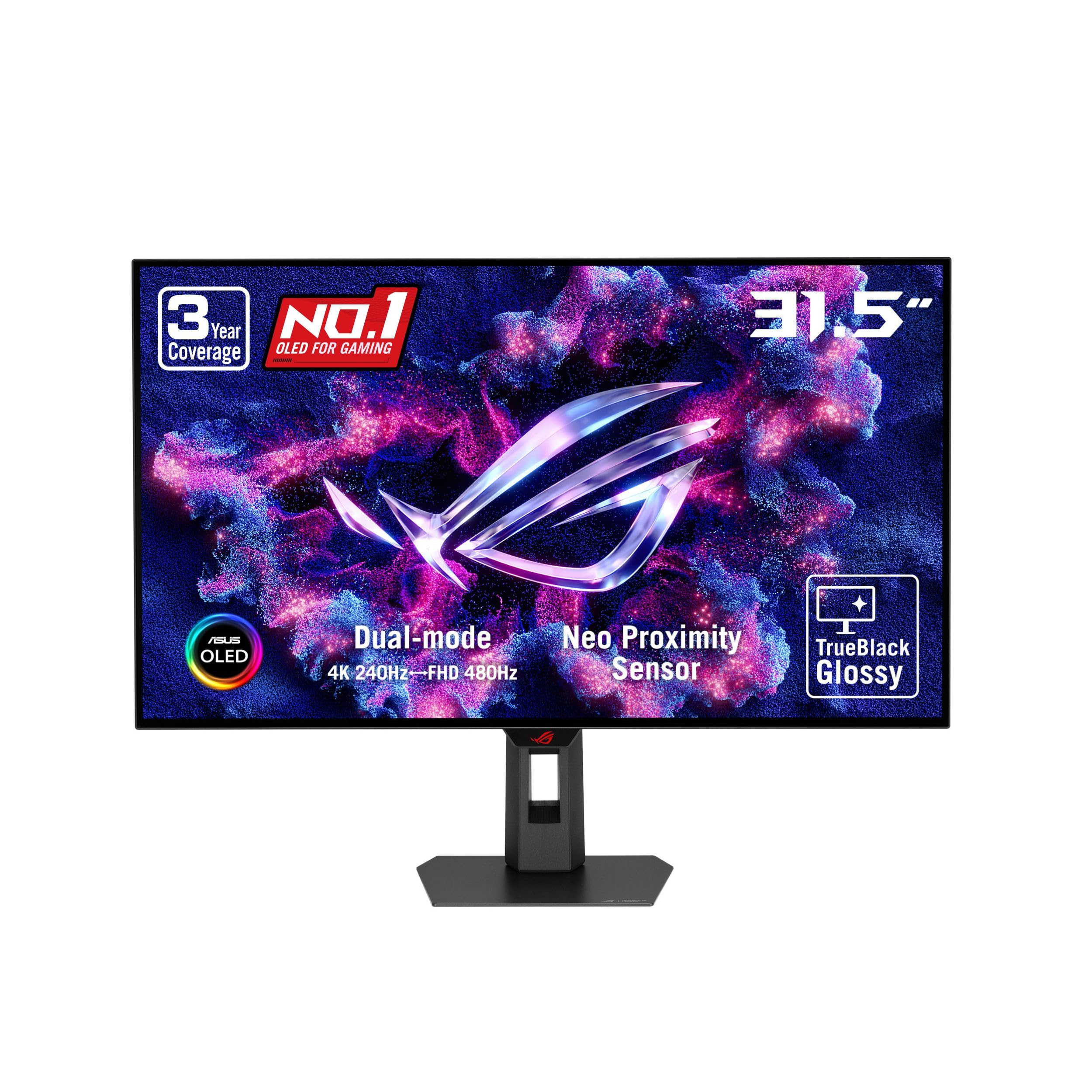
ASUS ROG XG32UCWMG

84 /100
Lab Score Excellent

Key details

Warranty
3 years, burn-in covered
Resolution
3840 x 2160
Refresh Rate
240 Hz / 480 Hz dual mode
Screen Finish
Glossy
View on Amazon

The switch is the entire idea. This panel runs 4K at 240Hz for anything with a story to tell, then drops to 1080p and 480Hz the moment a round starts, which means one monitor covers a cinematic backlog and a competitive habit without a second screen on the desk.

The TrueBlack Glossy WOLED surface is the same zero-haze treatment as the rest of the glossy field, backed by 99% DCI-P3, true 10-bit color and a Delta E under 2, the sort of factory calibration that means you never open the color menu. Around it, OLED Care Pro adds a proximity sensor that blanks the panel when you leave your chair, and there are four USB ports plus USB-C alongside DisplayPort 1.4 and two HDMI 2.1 inputs.

We rate it the best high-refresh 4K option in this group, and the burn-in coverage is a large part of the reason: three years of protection turns a panel you would baby into one you can leave a paused game or a spreadsheet sitting on. Day to day, that is worth more than the last few frames of refresh rate.

Pros

  • 4K at 240Hz with a 1080p 480Hz mode
  • Three-year warranty that covers burn-in
  • Proximity sensor blanks the screen when you walk away
  • Four USB ports, USB-C and two HDMI 2.1 inputs

Cons

  • Full 4K at 240Hz needs a top-tier GPU and DSC
Our verdict

The top of this list if your PC is built for it: 4K at 240Hz with a competitive 480Hz mode and a warranty that covers burn-in.

Check Latest Price
5

Bright Rooms

ASUS ROG XG27AQDMG

87 /100
Lab Score Excellent

Key details

Panel
WOLED, third generation
Warranty
3 years, burn-in covered
Refresh Rate
240 Hz
Screen Finish
Glossy
View on Amazon

Third-generation WOLED is the pitch, and it is a real one: brighter full-white windows, cleaner text and a uniform brightness setting that stops the panel dimming one part of the picture to protect another. ASUS also includes the thing OLED buyers actually lose sleep over, which is three years of warranty that covers burn-in.

Around the panel there is a custom heatsink and airflow design paired with the usual OLED Care routines, plus ROG's anti-flicker processing, which targets the dip that shows up when refresh rates swing in a menu or a loading screen. The uniform brightness mode is the setting we try first on a bright desk: it gives up a little peak punch for a picture that does not pump as windows move around.

It is the 1440p glossy panel we point to when burn-in cover matters more than the last of the budget. The third-generation panel is genuinely the brighter, cleaner-text version of the WOLED formula, so what you are buying is the panel generation, the anti-flicker work and the warranty rather than a different size or resolution.

The failure to watch for is a panel that will not wake from standby or one that develops scan lines. Buy where returns are simple and run a full-screen grey slide on day one, which is sensible on any OLED but is the reason we do not hand this one out as an unconditional recommendation.

Pros

  • Third-gen WOLED with a uniform brightness mode
  • Three-year warranty with burn-in coverage
  • Heatsink and ROG anti-flicker processing
  • 99% DCI-P3 color coverage

Cons

  • Costs more than the LG at the same 240Hz
Our verdict

Worth the extra over the LG if the desk sits near a window and you want three years of burn-in cover on a brighter panel.

Check Latest Price
6

First OLED

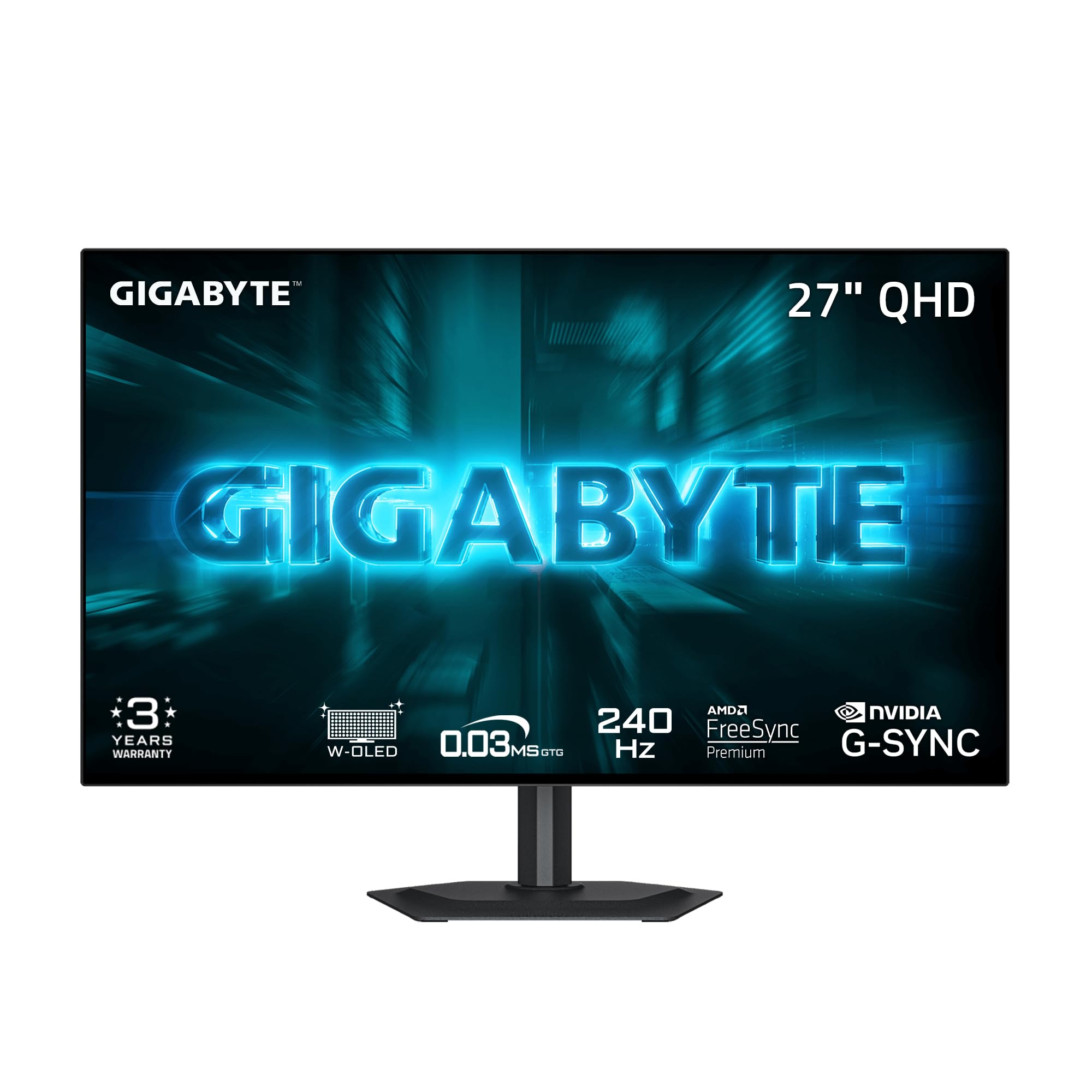
GIGABYTE GO27Q24G

82 /100
Lab Score Excellent

Key details

Panel
WOLED, MLA+
Resolution
2560 x 1440
Refresh Rate
240 Hz
Screen Finish
Glossy
View on Amazon

The GO27Q24G is the cheapest way into a glossy OLED here, and the panel is not where the saving happened: an MLA+ WOLED rated at 275 nits typical with up to 1300 nits of peak brightness, wrapped in a four-sided borderless frame that makes a two-monitor desk look deliberate rather than improvised.

What you are buying is the panel and very little else, and we think that is the right trade at the bottom of this group. The 240Hz motion, the RealBlack Glossy coating and its anti-reflective layer all do their job, and the three-year warranty matches what the more expensive brands offer. If the screen is the whole point and the extras are not, this is the one.

The compromises are small but real. Grey banding appears in gradients on some panels, the sort of thing a gradient test finds in thirty seconds and a shooter never shows you, so run one in the first week. Small text also picks up a faint color fringe from the WOLED subpixel layout, which matters if this doubles as a work display and disappears entirely once you are in a game.

Pros

  • Lowest price among the glossy OLEDs here
  • MLA+ panel rated up to 1300 nits peak
  • Four-sided borderless frame
  • Three-year manufacturer warranty

Cons

  • Only one USB port
Our verdict

The one we suggest as a first glossy OLED when the panel matters more than the ports and the desk is already sorted.

Check Latest Price

How We Tested Six Glossy OLED Gaming Monitors

We started by rounding up every glossy OLED gaming monitor sold in the U.S. at the time — a shorter list than you'd expect — and cut anything that was matte-only, capped well below the refresh rates this category promises, or priced past what its panel and connections justified. That left six, and we bought each one at retail rather than accepting loaners, so we lived with exactly what a reader would unbox.

Each monitor served as someone's main display for those nine months, which meant spreadsheets and video calls during the day and games at night. We set them up in rooms with a window behind the desk and a lamp off to the side, then noted how visible reflections were in dark scenes and how much the picture washed out on a bright afternoon. A colorimeter went on each panel to record color accuracy and peak brightness in both SDR and HDR, and we swept variable refresh rate from low frame rates up to each panel's ceiling to see which ones flickered.

Reliability got the least glamorous treatment: static health bars, taskbars, and minimaps left up for hours at a stretch, then full-screen gray slides checked for retention and evenness. We also weighed what each price actually bought — port selection, stand adjustability, and whether burn-in was covered under warranty. The monitors that scored best weren't the brightest on paper; they were the ones that stayed clean, even, and flicker-free after months of the same abuse.

How to Choose a Glossy Oled Gaming Monitor

Match the Finish to the Room, Not the Photo

A glossy panel keeps black levels pure because there is no matte layer scattering light across the surface, which is why a dark scene looks like a hole cut in the room rather than a grey rectangle. The same coating mirrors whatever sits behind your chair. Before you pay for gloss, look at the screen you already own from your normal seating position: a window, a floor lamp, a bright doorway. If none of those can move, a matte panel will make you happier.

Light behind the monitor is fine. Light behind you is not. A shade, a moved lamp or a desk turned ninety degrees does more for a glossy OLED than any brightness setting.

Buy the Refresh Rate Your Graphics Card Can Feed

1440p at 240Hz is the sweet spot for most gaming PCs: motion stops being the thing you notice, and it does not demand a flagship card. 4K at 165Hz or 240Hz is visibly sharper and much harder to drive, and a card that manages 90 frames per second at 4K has bought refresh rate nobody sees.

The dual-mode panels here offer an escape hatch, dropping resolution for a 330Hz or 480Hz mode, but that lower resolution looks soft on a 32-inch screen. Match resolution to the card first, then refresh rate to the games you actually play.

27 or 32 Inches: Fit the Desk First

The 27-inch panels here sit at a 0.23mm pixel pitch, which is sharp enough for games and perfectly usable for documents. The 32-inch 4K models drop to 0.18mm, and that is where small text stops fringing and menus look like print. It is also the size that lets one monitor carry both work and play.

The cost is physical. The 32-inch picks run 16 to 20 pounds and reach about 10 inches back on the stand, so measure desk depth before you assume it fits, and sit at least an arm's length away.

Burn-In Cover Is Part of the Price

Every OLED here ships care routines: pixel refresh cycles, screen-off timers, and on the ASUS models a proximity sensor that blanks the display when you leave your chair. Leave them on. The meaningful difference is in the warranty, where three years with burn-in coverage appears on some panels and a plain two-year term on others.

If you park a static HUD, a taskbar or a spreadsheet on screen for hours a day, that clause is worth more than a slightly brighter picture. Hide the taskbar and set a black screensaver either way, and a burn-in clause stops being something you need to test.

Brightness, HDR Tiers and the Dimming You'll See

OLED HDR grades are named for black level, not for brightness. True Black 400 asks for 400 nits on a small highlight, while the full-screen picture on the panels here sits around 275 nits typical: fine in a dim room, unremarkable beside an unshaded window. Some models add a uniform brightness setting that trades peak output for a steadier image.

You will also see the whole picture step down when a bright sky fills the frame. That is the panel protecting itself, not a fault. Buy these for contrast and dark-scene depth, and treat HDR highlights as the bonus.

Frequently Asked Questions

Final Verdict

The LG 27GX704A-B is the glossy OLED we recommend without a caveat attached to the panel itself: 240Hz at 1440p, two HDMI 2.1 inputs, a USB hub and a stand that adjusts, with no obvious piece missing. If the budget is the deciding factor, the AOC Q27GAZD covers the same ground with QD-OLED color and a longer warranty.

And if the desk is deep and the graphics card is serious, the ASUS ROG XG32UCWMG is the one to buy: 4K at 240Hz with burn-in coverage is the only genuine step up on this list, as long as you accept what it costs and what it demands of your PC.