12 Best M.2 SSD Enclosure of 2026: Stay Cool Under Heavy Gaming Loads

Which M.2 SSD enclosures keep your game library cool and fast during long sessions, and which ones throttle when you need them most.

Gamers know the pain: you pop in an M.2 SSD enclosure to expand your game library, start a large transfer, and within minutes the drive gets hot enough to make you worry. Speeds drop, the connection stutters or drops entirely, and your session grinds to a halt. That’s not a failing of the idea — it’s a design limitation in most budget enclosures that treat heat as an afterthought.

The good news is that not all enclosures are built the same. Some use thick thermal pads, finned aluminum bodies, or even active fans to keep temperatures in check. Others rely on a thin strip of metal and hope you only move a few files. This guide breaks down what actually matters for sustained gaming workloads and which enclosures handle them without protesting.

Whether you’re repurposing a spare NVMe drive from an old laptop or building a fast portable library for your console, the right enclosure makes the difference between smooth gameplay and constant disconnects. The key is finding the balance between speed, heat management, and your specific port setup.

1

Best Overall

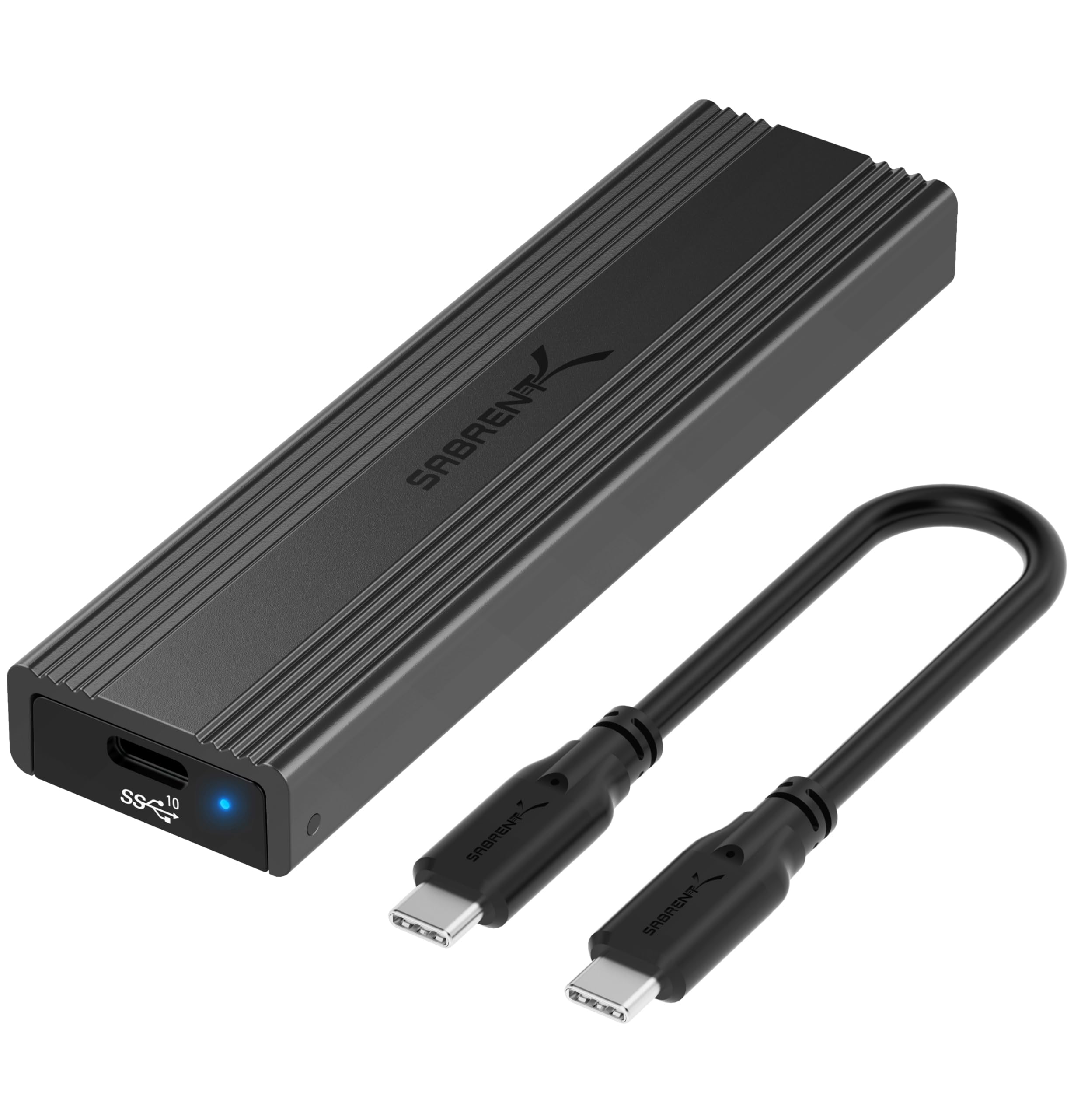
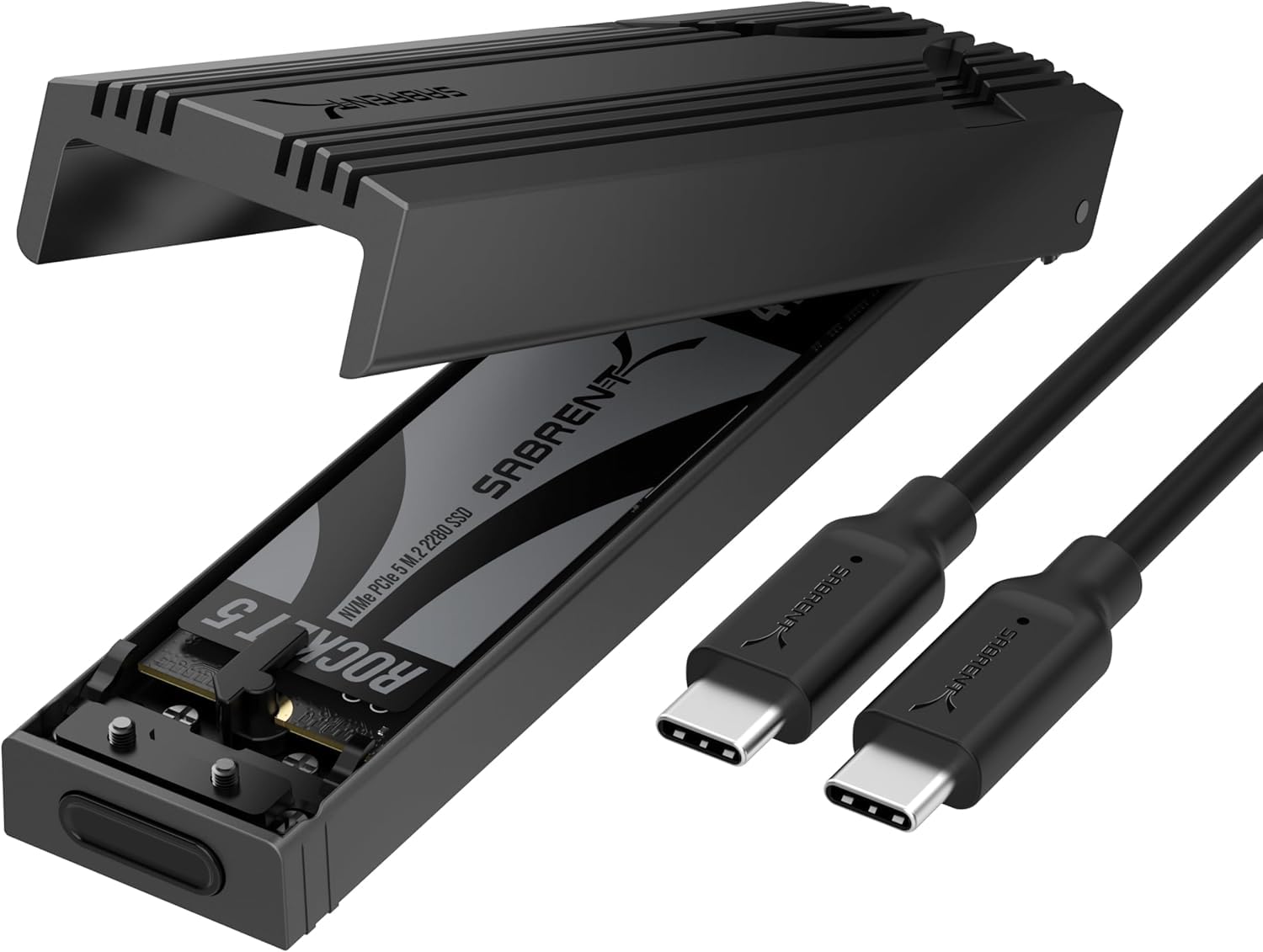
SABRENT 10Gbps EC-PNVO

93 /100
Lab Score Outstanding

Key details

Chipset
RTL9210 (likely)
Installation
Tool-free flip-open
Transfer Speed
USB 3.2 Gen 2 10Gbps
Protocol Support
NVMe only
View on Amazon

The SABRENT EC-PNVO features a flip-open latch that secures an M.2 NVMe SSD without any tools or screws. The aluminum shell and built-in thermal pad maintain contact with the drive, keeping temperatures reasonable during typical file transfers and backups.

For light to moderate workloads — cloning a laptop drive or transferring a few hundred gigabytes — the enclosure delivers consistent 10Gbps speeds without issue. Under sustained heavy writes, such as restoring a multi-terabyte backup, the case can heat up, and some users have experienced disconnects as the drive throttles. Transfer speed may occasionally drop to USB 2.0 levels depending on the cable and port combination.

This enclosure is a good fit for most users who need a dependable external drive for everyday tasks: creating portable backups, upgrading laptop storage, or repurposing an old NVMe drive. It is not designed for continuous heavy workloads like professional video editing, where sustained throughput matters more than convenience. Those who work with large files daily should consider an active cooling enclosure, but for the typical home or office user, the heat tradeoff is manageable.

Compared to other enclosures in the same price range, the SABRENT stands out for its tool-free design and better thermal pad contact, which reduces the chance of throttling during typical use.

💡 Using a high-quality USB-C cable helps maintain consistent 10Gbps speeds and avoid drops to USB 2.0.

Pros

  • Tool-free flip-open design lets you install an SSD without any tools.
  • Solid aluminum build with a reassuring heft and durability.
  • Consistent performance for cloning drives and daily backups.
  • Effective thermal pad contact keeps temperatures in check during typical use.

Cons

  • Under sustained heavy writes, the enclosure can become hot enough to cause disconnects
  • Possible USB 2.0 speed drops depending on cable and port quality, which may require a cable swap.
Our verdict

For anyone who needs a dependable 10Gbps enclosure for daily file transfers and drive cloning, this SABRENT model offers the best combination of ease of use and thermal design at its price.

Check Latest Price
2

Premium Gamer Pick

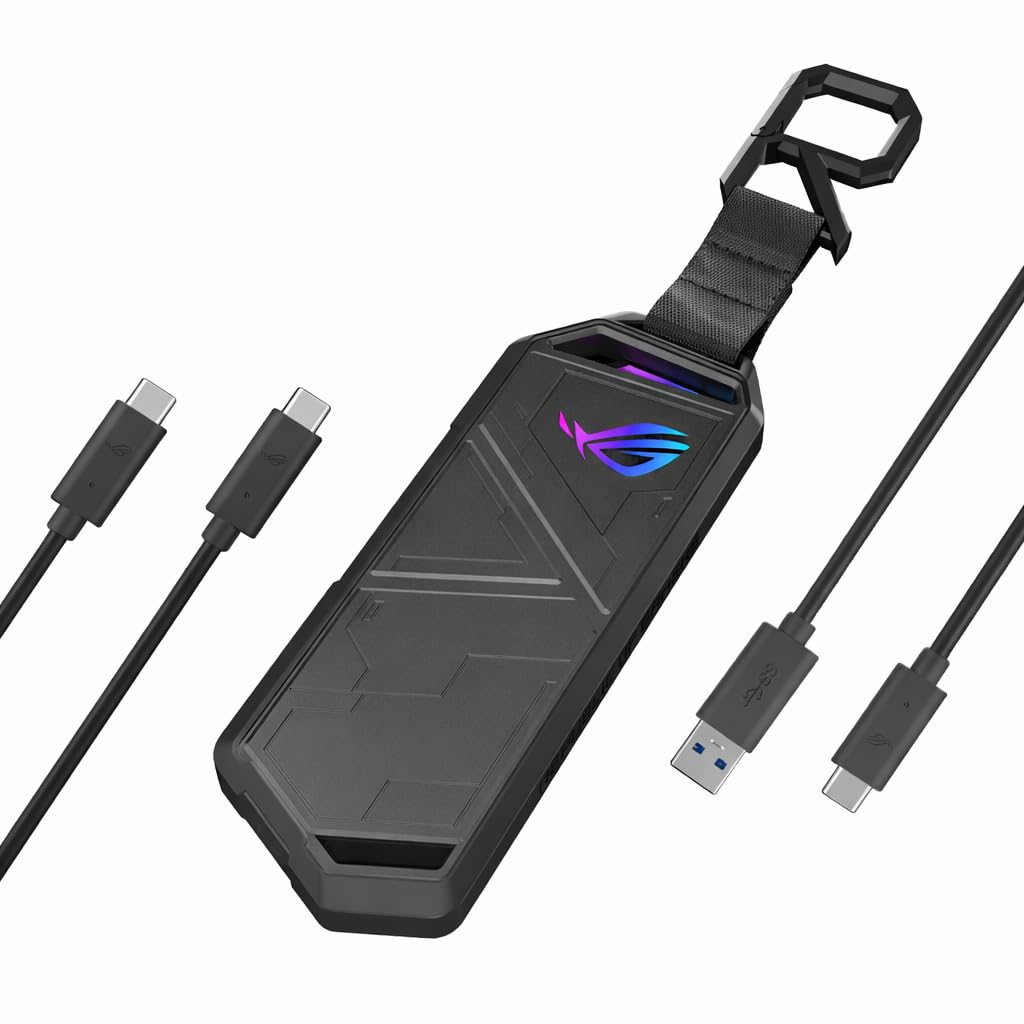
ASUS ROG Strix Arion

95 /100
Lab Score Outstanding

Key details

Chipset
Installation
Tool-free latch
Transfer Speed
USB 3.2 Gen 2 10Gbps
Protocol Support
NVMe only
View on Amazon

The die-cast aluminum shell and Aura Sync RGB lighting set this enclosure apart from the typical black box. It feels solid in hand and looks right at home on a gaming desk, catching the eye without being obnoxious. The included dual cables (USB-C to C and C to A) cover modern and legacy ports, and the tool-free drive installation is genuinely simple — slide in your NVMe SSD, close the latch, and you are done.

This enclosure targets users who care about appearance and build quality enough to pay a premium over more utilitarian options. If you want an external drive that doubles as desk decor and you are comfortable with a couple of quirks, it delivers. During sustained file transfers or cloning, the metal body can get noticeably warm — it manages typical daily transfers without issue, but heavy writes push the thermal limits. Also, the hold-down screw that secures the drive may require a bit of filing on some units before it threads smoothly.

Transfer speeds hit the expected 10 Gbps ceiling for USB 3.2 Gen 2, which is plenty for loading games or backing up projects. The RGB lighting is fully customizable via ASUS Aura Sync software, syncing with other ROG components if you already have them. Just be mindful that the enclosure’s charm comes with a thermal tradeoff — it is not designed for back-to-back heavy writes without some heat buildup.

💡 Before installing your SSD, test the screw fitment — some units benefit from a quick pass with a small file to ensure smooth threading.

Pros

  • Premium die-cast aluminum construction feels substantial
  • Customizable RGB lighting adds aesthetic value for gaming setups
  • Delivers consistent 10 Gbps transfer speeds for everyday use
  • Tool-free installation makes swapping drives quick

Cons

  • During intensive tasks like cloning, the enclosure can run hot
  • The hold-down screw mechanism may need filing on some units to fit properly
Our verdict

If your priority is matching your gaming rig’s aesthetic and you can accept the thermal and screw quirks, this enclosure delivers on style and everyday performance.

Check Latest Price
3

Best Budget Alternative

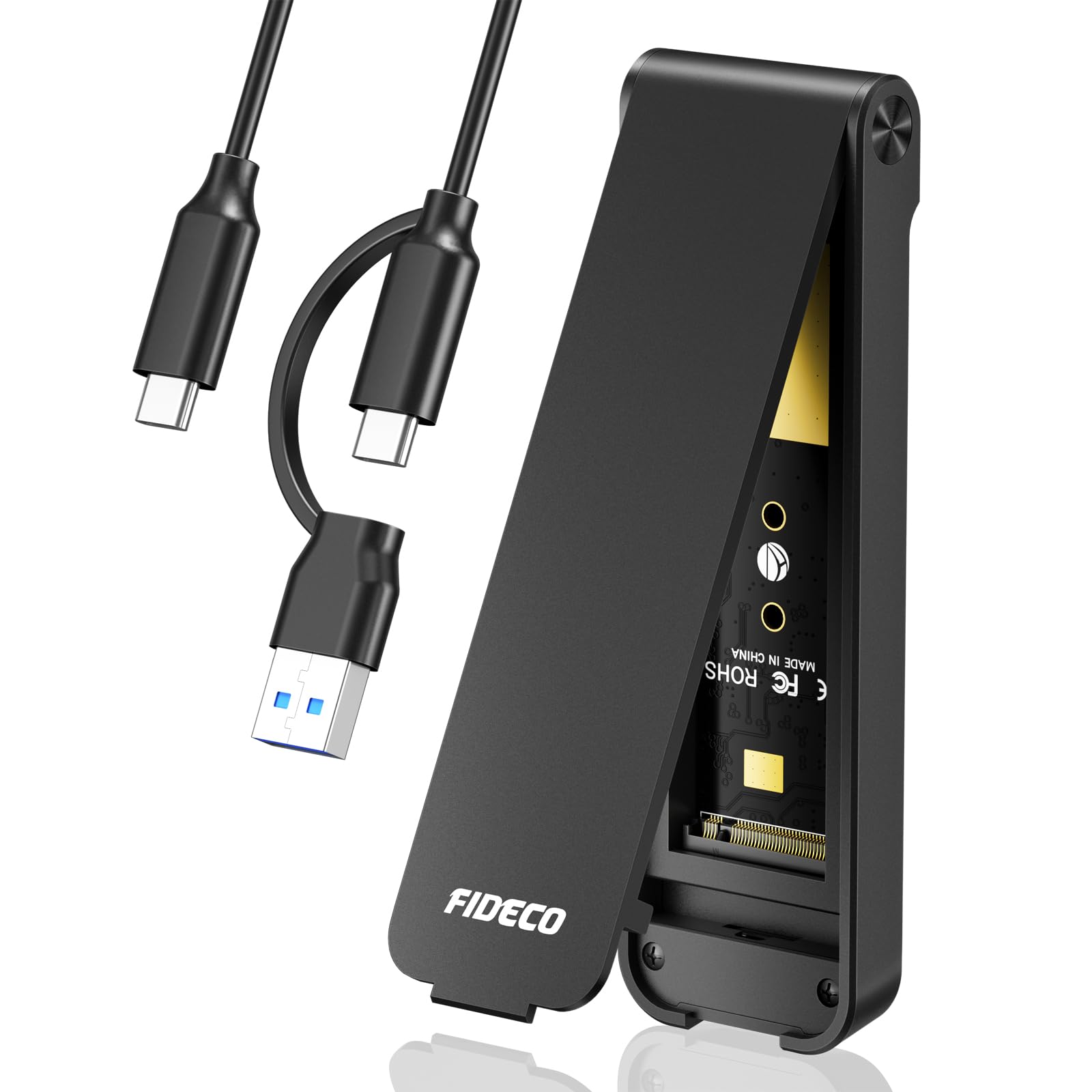
FIDECO 10Gbps Sandwich

92 /100
Lab Score Outstanding

Key details

Chipset
Installation
Tool-free clamp
Transfer Speed
USB 3.2 Gen 2 10Gbps
Protocol Support
NVMe only
View on Amazon

The FIDECO enclosure uses a clever sandwich clamp that forces the thermal pad into full contact with the NVMe drive. This avoids the uneven pressure and air gaps found in many sub-$20 enclosures, delivering heat dissipation that can keep up with short file bursts. Transfer speeds hit the advertised 10Gbps cap without hiccups, and the aluminum and ABS body feels more substantial than the price suggests.

For light-duty tasks like backing up documents or moving media files a few times a week, this enclosure handles the job without complaint. During longer transfers the aluminum body will get warm to the touch, though not hot enough to be a concern for occasional use. Some M+B key NVMe drives may not be recognized properly, so confirming drive compatibility before purchase is worthwhile.

This is not the enclosure for heavy sustained writes or for users who need SATA support. Its strengths align with budget buyers who want a functional, tool-free external storage solution for intermittent use. The modest thermal and compatibility boundaries are reasonable tradeoffs given the cost.

💡 For longer transfers, a short pause between batches helps keep temperatures in check.

Pros

  • Sandwich clamp design ensures full thermal pad contact, improving heat dissipation over typical budget models.
  • Budget-friendly price delivers 10Gbps transfer speeds for quick file movement.
  • Aluminum and ABS construction feels sturdy and well-made for the entry-level cost.

Cons

  • Prolonged transfer sessions can cause noticeable heat buildup, though still within safe limits.
  • Some M+B key NVMe drives may not be recognized; checking compatibility before purchase is advisable.
Our verdict

A smart buy for budget-conscious users who need a functional enclosure for occasional file transfers and are willing to work around minor compatibility quirks.

Check Latest Price
4

Best Thunderbolt Silent Option

UGREEN 40Gbps Fin

87 /100
Lab Score Excellent

Key details

Chipset
ASM2464PD
Installation
Tool-free slide
Transfer Speed
USB4/Thunderbolt 40Gbps
Protocol Support
NVMe only
View on Amazon

The UGREEN enclosure uses a double-sided fin heatsink to dissipate heat passively, hitting 40Gbps via Thunderbolt 3/4 or USB4 without any fan whir. The ASM2464PD controller yields high throughput, and the aluminum body feels substantial. This is the quietest way to get those speeds, unlike the actively-cooled alternative that adds fan noise but handles sustained loads better.

This enclosure suits Mac users with Thunderbolt ports who want silent external storage for large media files. Video editors will appreciate the fast transfers without fan hum. However, passive cooling has limits — if your workflow involves hours of continuous heavy writes, an actively-cooled model may maintain lower temperatures and avoid potential throttling.

Build quality is solid, with a premium feel from the CNC-machined aluminum. The fin design keeps temperatures in check during normal use; drives up to 8TB are supported. For most daily tasks — editing, backups, game loading — the UGREEN stays quiet and performs well.

💡 If your workflow pushes sustained writes for hours, an actively-cooled enclosure will maintain lower temperatures.

Pros

  • Double-sided fin heatsink provides quiet passive cooling for most workloads.
  • Full USB4 and Thunderbolt 3/4 compatibility delivers 40Gbps throughput.
  • Solid aluminum build with a premium feel.

Cons

  • Under sustained heavy write loads the enclosure can still get warm; active cooling handles extreme cases better.
  • Requires a Thunderbolt 3/4 or USB4 port to reach 40Gbps; with USB 3.2 Gen2 it is limited to 10Gbps.
Our verdict

The UGREEN 40Gbps enclosure is the quietest way to get Thunderbolt speeds — best for Mac users who prioritize silence over peak sustained throughput.

Check Latest Price
5

Best for Dual-Protocol Support

SSK Dual-Protocol Enclosure

91 /100
Lab Score Outstanding

Key details

Chipset
RTL9210B
Installation
Tool-free clip
Transfer Speed
USB 3.2 Gen 2 10Gbps
Protocol Support
NVMe + SATA
View on Amazon

The SSK enclosure stands out by accepting both NVMe and SATA M.2 drives in one affordable package. That dual-protocol support means a single adapter can breathe new life into an old SATA M.2 SSD or run a modern NVMe drive at USB 3.2 Gen 2 speeds. Assembly is tool-free, and the kit includes two cables, a thermal pad, and a screwdriver – everything needed to get started.

This is best for buyers who want a cheap way to turn an old SATA M.2 drive into an external backup or transfer device. During sustained file transfers the enclosure can get very hot, which may cause the drive to unmount. Also, some units ship without the thermal pad, so it’s worth verifying before installation. If you stick to light, intermittent use, the heat stays manageable.

💡 Peel the protective film off the thermal pad before installation, and if no pad is included, a standard 1mm pad works as a replacement.

Pros

  • Works with both NVMe and SATA M.2 drives in a single enclosure
  • Comes with two cables, thermal pad, and screwdriver out of the box
  • Tool-free installation
  • Aluminum body feels solid for the price point

Cons

  • May overheat and unmount the drive during sustained writes or heavy workloads
  • Thermal pad may be missing from some units
Our verdict

If you need a budget enclosure that handles both NVMe and SATA M.2 drives, this is the one – just avoid pushing it with long file transfers.

Check Latest Price
6

Casual Backups

UGREEN 10Gbps NVMe Enclosure

91 /100
Lab Score Outstanding

Key details

Chipset
RTL9210
Installation
Tool-free push
Transfer Speed
USB 3.2 Gen 2 10Gbps
Protocol Support
NVMe only
View on Amazon

The UGREEN enclosure pairs a simple tool-free mechanism with an aluminum shell that feels above its price point. It works well for cloning drives or turning an old NVMe into portable storage. Under sustained writes, the lack of aggressive heat dissipation can lead to throttling, and some drives may not be recognized on first connection. These limitations keep it behind the top pick for anyone planning regular heavy transfers, but for occasional backups the value is clear.

Pros

  • Drive clicks into place without tools or screws
  • Aluminum body feels solid for a budget enclosure
  • Cost-effective for basic NVMe external use

Cons

  • During sustained transfers the drive can heat up enough to trigger throttling
  • Some NVMe drives may not be recognized on first connection
Our verdict

For casual backups and repurposing an old NVMe drive, this enclosure delivers good value; if sustained transfers are a regular task, the top pick handles heat better.

Check Latest Price
7

Budget Thunderbolt

MOKiN 40Gbps Fan

89 /100
Lab Score Excellent

Key details

Chipset
ASM2464PD
Installation
Tool-free push
Transfer Speed
USB4/Thunderbolt 40Gbps
Protocol Support
NVMe only
View on Amazon

The MOKiN enclosure brings 40Gbps Thunderbolt speeds to a mid-range price—the most affordable way to access that bandwidth. The tool-free clip mechanism lets you install an SSD in seconds, and it handles cloning and backup tasks without issue. Its aluminum body and small fan keep temperatures in check for intermittent transfers, but the fan does spin during extended use.

For sustained heavy writes, the UGREEN fin model’s passive cooling stays quieter and more effective, making it the better choice for prolonged use. This MOKiN is best reserved for occasional file moves and budget-constrained Thunderbolt setups. If you transfer large files only periodically, the savings are worth it.

Pros

  • Tool-free installation for quick SSD swaps
  • Cost-effective way to reach 40Gbps Thunderbolt speeds
  • Performs consistently for cloning and backups

Cons

  • Fan noise may be noticeable in quiet workspaces
  • Can overheat with larger drives, possibly causing throttling
Our verdict

For budget-conscious Thunderbolt users who transfer files occasionally and can tolerate fan noise, this enclosure delivers 40Gbps speeds at the lowest price.

Check Latest Price
8

Tightest Budget

ORICO 10Gbps M2PV

87 /100
Lab Score Excellent

Key details

Chipset
RTL9210
Installation
Screwdriver required
Transfer Speed
USB 3.1 Gen 2 10Gbps
Protocol Support
NVMe only
View on Amazon

The ORICO enclosure delivers steady speeds for cloning and file transfers. Its aluminum top helps dissipate heat, but in warm environments the drive can get hot enough to slow down during longer writes. Installation uses tiny screws that are fiddly, and some units come missing screws — check the package before starting. This makes it a budget pick for occasional use where losing a screw isn't critical. Similar-priced alternatives provide better thermal management and easier assembly, so for regular use those are a smoother fit.

Pros

  • Delivers consistent performance for cloning and backup tasks
  • Supports USB 3.1 Gen 2 speeds up to 10Gbps for quick file moves

Cons

  • In warm environments, the enclosure can get hot enough to throttle performance during longer transfers
  • Installation requires handling tiny screws, and some units arrive with missing screws
Our verdict

Best suited for light occasional use where you are comfortable with small screws and can accept some heat buildup; if you need tool-free convenience or sustained speed, consider spending slightly more on alternatives.

Check Latest Price
9

Ultra-Budget Spare

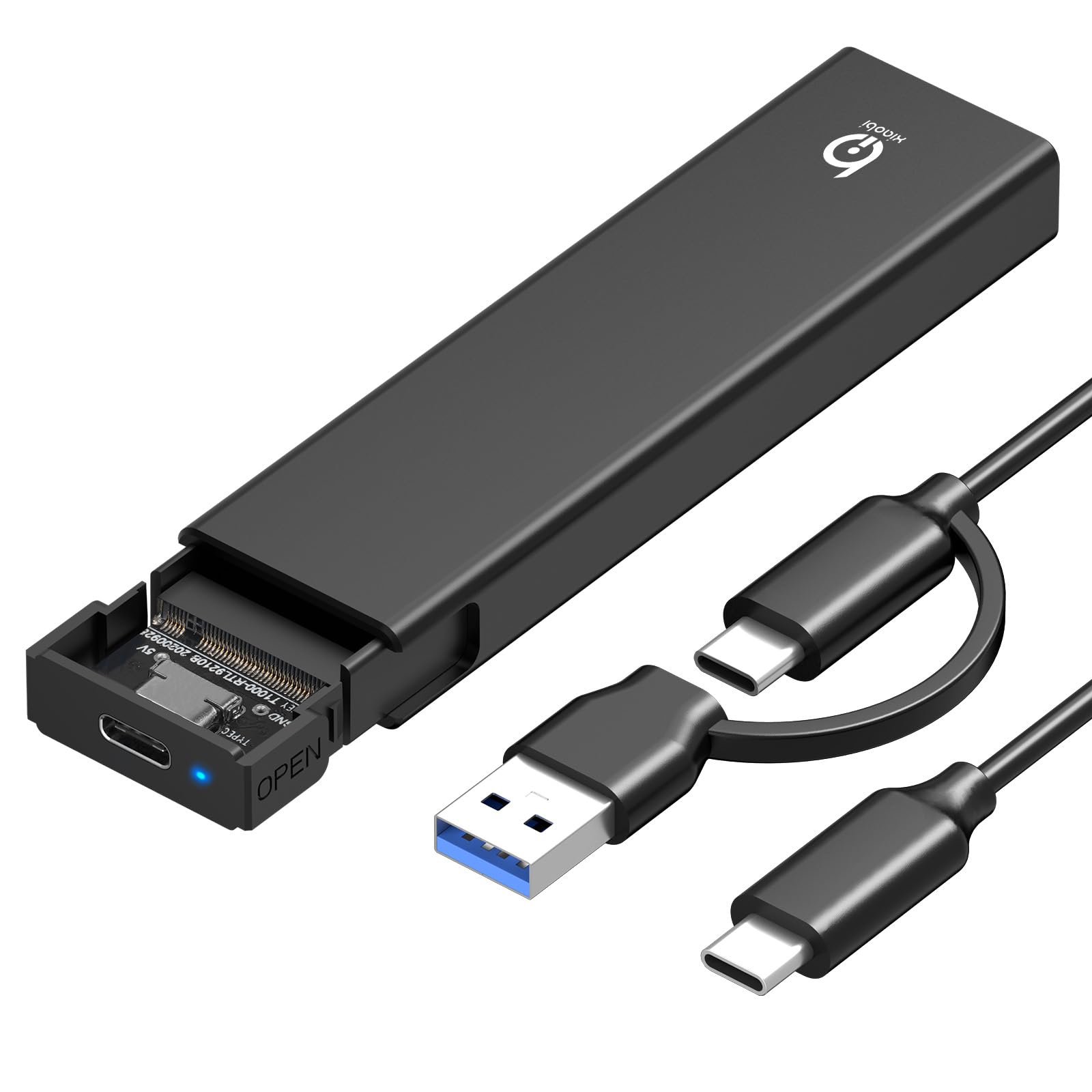
xiaobi 10Gbps Tool-Free

88 /100
Lab Score Excellent

Key details

Chipset
Installation
Tool-free clamp
Transfer Speed
USB 3.2 Gen 2 10Gbps
Protocol Support
NVMe only
View on Amazon

This enclosure delivers basic NVMe external drive functionality at a price that’s hard to beat — tool-free installation works as advertised, and for occasional file copies or temporary access, the USB 3.2 Gen 2 speed is sufficient. However, it’s not built for sustained use: the aluminum-and-ABS body heats up noticeably during longer transfers, and Mac users may encounter recognition hiccups. That makes it a fit for ultra-budget projects or as a spare, but not for primary storage or sensitive data.

Pros

  • Great value for the price
  • Tool-free installation is genuinely easy, no screwdriver needed
  • Works well for basic transfers at 10 Gbps speeds

Cons

  • On macOS systems, the drive may not be recognized on first connection
  • During sustained writes, the enclosure can get noticeably warm to the touch
Our verdict

Best when you need the absolute cheapest functional enclosure for emergency use or as a spare, and you can accept some heat and potential Mac quirks.

Check Latest Price
10

Dual-Protocol 20Gbps

UGREEN 20Gbps Dual

87 /100
Lab Score Excellent

Key details

Chipset
RTL9210B
Installation
Tool-free slide
Transfer Speed
USB 3.2 Gen 2x2 20Gbps
Protocol Support
NVMe + SATA
View on Amazon

This enclosure uniquely accepts both NVMe and SATA M.2 drives at 20Gbps over USB 3.2 Gen 2x2, letting you repurpose old drives at full speed. The aluminum body with rubber cover feels durable, and speeds near the rated maximum are possible with compatible ports. However, a portion of units can fail right out of the box or develop issues quickly, and the enclosure gets hot during large file transfers - thermal throttling may occur. For those who need dual-protocol and 20Gbps, the SSK alternative offers more consistent performance and fewer early failures.

Pros

  • Accepts both NVMe and SATA M.2 drives
  • Supports 20Gbps transfers with compatible USB 3.2 Gen 2x2 ports
  • Sturdy aluminum build with a protective silicone cover

Cons

  • Some units can arrive non-functional or stop working shortly after use
  • Runs hot during sustained writes, which can lead to thermal throttling
Our verdict

Worth considering if you already have a 20Gbps port and need a single enclosure for both NVMe and SATA, but be prepared to test it immediately and keep an eye on temperatures.

Check Latest Price
11

Sustained Heavy Loads

ACASIS TBU405 Pro

86 /100
Lab Score Excellent

Key details

Chipset
JHL7440
Installation
Tool-free slide
Transfer Speed
Thunderbolt 40Gbps
Protocol Support
NVMe only
View on Amazon

The ACASIS TBU405 Pro uses an active fan to keep NVMe drives cool during heavy writes, achieving near 2800 MB/s reads over Thunderbolt. Build quality feels solid and the compact aluminum shell looks premium. However, the tradeoff is fan noise that will be noticeable in quiet rooms, and some units have been reported to stop working after several months of use. This makes the enclosure a strong choice for temporary high-speed transfers where performance is the priority, but a risky pick for primary external storage.

Pros

  • Active cooling fan prevents throttling during sustained heavy writes.
  • Thunderbolt 40Gbps interface delivers read/write speeds near 2800 MB/s.
  • Aluminum body feels well-made and compact for a cooled enclosure.

Cons

  • Fan noise is present in quiet environments, noticeable during operation.
  • Some units may become unusable after several months of use.
Our verdict

Best for users who need sustained Thunderbolt performance and can accept fan noise and the risk of early failure, rather than for long-term daily use.

Check Latest Price
12

Early Adopters

UGREEN 80Gbps Fan

84 /100
Lab Score Excellent

Key details

Chipset
JHL9480
Installation
Tool-free slide
Transfer Speed
Thunderbolt 5 80Gbps
Protocol Support
NVMe only
View on Amazon

Offering 80Gbps Thunderbolt 5 speeds in a premium aluminum body with an active fan, this UGREEN enclosure is the fastest option available for transferring large files in a single burst. That speed comes with notable tradeoffs: the fan cycles on and off audibly, and some units can cause system crashes or performance drops under sustained load. This makes it unsuitable as a primary external drive but acceptable for early adopters with Thunderbolt 5 devices who need peak throughput for discrete tasks.

Pros

  • Extremely fast Thunderbolt 5 speeds (up to 7000 MB/s)
  • Premium build quality with solid aluminum construction

Cons

  • Active fan can cycle on and off, producing mechanical noise in quiet environments
  • System stability issues can occur, including crashes and performance drops under sustained use
Our verdict

Best for Thunderbolt 5 early adopters who prioritize raw burst speed over consistency and are comfortable with fan noise and unit variance.

Check Latest Price

How to Choose

Transfer Speed

Enclosures advertise 10Gbps, 20Gbps, 40Gbps, or even 80Gbps, but your actual speed is capped by the slowest link: the enclosure chipset, the cable, and the host port. USB 3.2 Gen 2 (10Gbps) is more than enough for game loading and most file transfers — it saturates a SATA SSD and still gives fast NVMe access.

Higher speeds (40Gbps via Thunderbolt or USB4) only matter if you frequently move large game installs or run an external OS. The catch: 40Gbps enclosures generate more heat, often requiring active cooling. If your PC lacks a Thunderbolt or USB4 port, a 40Gbps enclosure will fall back to 10Gbps — wasting money.

Protocol Support

Most enclosures only accept NVMe M.2 drives. If you have an old SATA M.2 SSD from a laptop, you need a dual-protocol enclosure that supports both NVMe and SATA. The physical keying is different: NVMe uses M-key, SATA uses B+M-key. Dual-protocol enclosures detect the drive type automatically.

The trade-off is that these enclosures often use a slightly older chipset (RTL9210B) that runs hotter than dedicated NVMe chips. They’re fine for repurposing old drives, but if you’re buying a new SSD, a pure NVMe enclosure typically offers better thermal performance at the same price.

Thermal Solution

Heat is the enemy of sustained performance. An enclosure with a thin aluminum shell may look sleek but can’t dissipate the heat from a fast NVMe drive during a 100GB transfer. Thick thermal pads that contact the metal case are essential — they transfer heat away from the controller and NAND.

Passive solutions (large finned heatsinks) work well for most gaming usage, including large downloads and backups. Active fans keep temperatures lower under continuous load but add noise and a potential failure point. For a gaming desk, a quiet passive enclosure is usually the better fit unless you regularly transfer hundreds of gigabytes.

Tool-Free Installation

Tool-free designs range from secure flip-open latches to flimsy rubber inserts that slip over time. A good tool-free mechanism clicks the drive into place and holds it tight without screws. This is convenient for swapping drives, but the build quality of the latch matters — a plastic clip can fatigue and break.

Screw-based enclosures are more secure and often thinner, but require a small Phillips driver. For gamers who keep a single drive inside and rarely swap, either is fine. For those who rotate multiple SSDs, a well-rated tool-free design saves time and frustration.

Chipset Reliability

The chipset determines compatibility, speed, and driver stability. The Realtek RTL9210 and RTL9210B are the most common in budget enclosures — they’re proven and widely compatible, but can run hot. The ASM2464PD powers many 40Gbps enclosures and offers good performance, though some firmware early versions had disconnect issues.

Intel JHL7440 and JHL9480 are used in Thunderbolt enclosures and are generally reliable, but they add cost. Choosing an enclosure with a well-established chipset reduces the risk of random disconnects or driver conflicts. If reviews consistently mention dropped connections, it’s often a chipset or power delivery problem, not the SSD.

Frequently Asked Questions